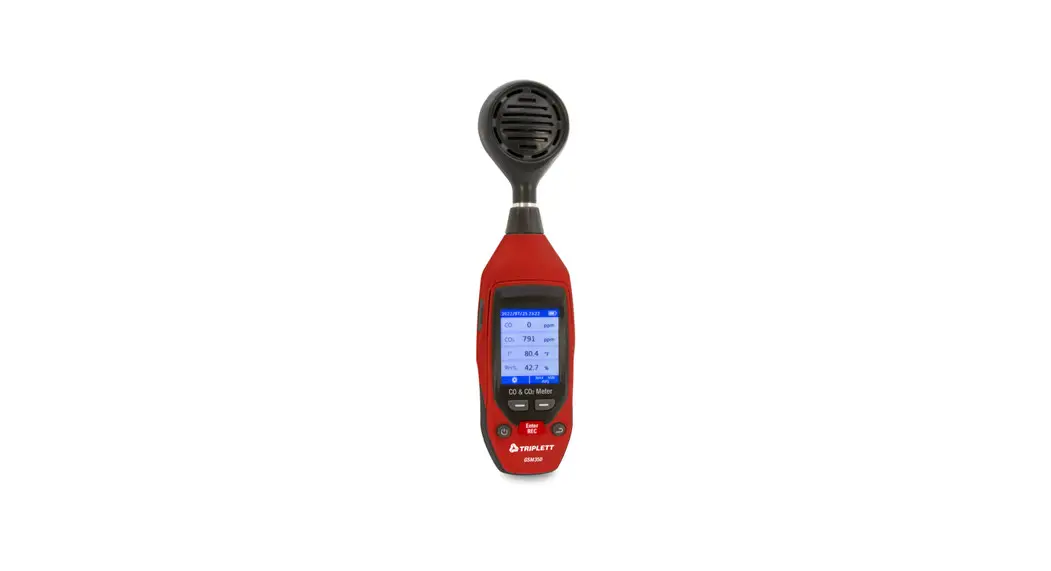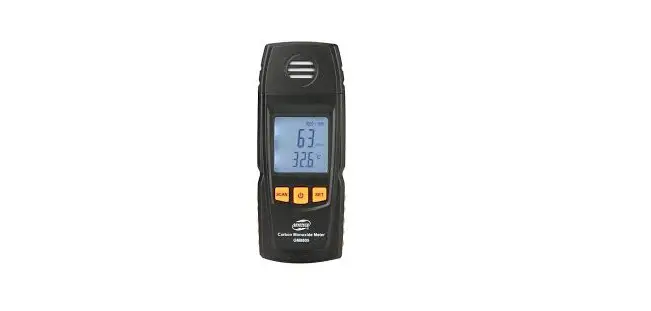

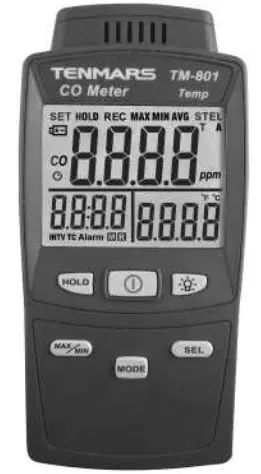
Carbon Monoxide Meter
TM-801
User’s Manual
HB2TM8010003 TENMARS ELECTRONICS CO., LTD
PREFACE
Thank you for purchasing our product. Please, read the operating instructions in details before you use this CO meter, so you will operate the meter correctly. This meter can be operated in industry and home.
 WARNING
Non-compliance warning and/or operating instructions may damage the instrument or its parts or injuring the operator.
GENERAL DESCRIPTION
- Adjustable alarm: Adjustable alarm threshold level(25/35/50/100/250/400/800/Randomly Adjustable); Enable/Disable alarm.
- Dual and digital display of the CO and temperature measuring.
- Maximum/Minimum/Average hold.
- Data hold(HOLD).
- Low battery indication “ ”.
- LED Backlight.
- Auto power OFF and disable function.
TECHNICAL SPECIFICATIONS
Characteristics
Accuracy is indicated as [% of reading +ppm]. It is referred to the following reference conditions: 23°C ± 5°C with RH <75%.
CO ※Carbon monoxide
| Range | 0 ~ 1000ppm |
| Resolution | ±1ppm |
| Accuracy | ±(5% +2ppm) |
| Repeatability | < 2% |
| Response time ※ | < 30 seconds. |
| Zero drift in long term | < 5ppm |
| Sensitivity drift | < 5% (per year) |
| Typical sensor life | 3 years |
| ※ The response time refers to the fixed value of 90% of the value. | |
Temperature
| Range | -20~50℃/-4~122℉ |
| Resolution | ±0.1℃/±0.1℉ |
| Accuracy | ±1.0℃/±1.8℉ |
General data
- 4 dot LCD with maximum 1000 counts.
60mm(W)x 47mm(L) monochrome LCD and backlight. - Sample rate:1 times/second
- Dimension: 156×73×35mm(LxWxH).
- Weight: approx. 250g (Batteries not included).
- Power Supply : UM-4(AAA)1.5V× 6 PCS or AC100~240V DC9V/0.5A(9mm) Adaptor.
- Battery life : approx. 90 hours.
- Operating Temperature & Humidity : -20°C to +50°C,<80% RH。
- Storage Temperature & Humidity : -10°C to +50°C,<70% RH。
- Data output : USB PC serial interface.
- Standard Accessories : UM-4(AAA)1.5V battery ×6 PCS 、User’s manual
WARNING
To ensure that the accuracy of the meter, We recommend for calibration once a month.
• EMC :This test was designed in accordance with EMC Standards in force and its compatibility has been tested in accordance with EN61326-1(2006).
CO LEVELS AND STANDARDS
| Carbon monoxide content in the air | Inspiration time | Symptoms and applicable standard |
| 0-1 ppm | Normal background levels. | |
| 9 ppm | Maximum indoor air quality level. | |
| 35 ppm | 8 hours | The average exposure level per U.S. OSHA workplace standards. |
| 50 ppm | 8 hours | The maximum average exposure of the U.S. OSHA workplace standards. |
| 0.01%(100 ppm) | 2-3 hours | evacuate people from enclosed space if the CO concentration exceeds100 ppm per OSHA exposure limit. Mild headache. |
| 0.04%(400 ppm) | 1-2 hours | Headache occur in 2.5hours to 3.5 hours. |
| 0.08%(800 ppm) | 45-min | Dizziness, nausea, cramps(convulsions). |
| 0.16%(1600 ppm) | 20-min | Headache, dizziness and will be dead within 2 hours. |
| 0.32%(3200 ppm) | 5-10 min | Headache, dizziness, vomiting and will be dead in 30 minutes. |
| 0.64%(6400 ppm) | 1-2 min | Headache, dizziness and will be dead within 10 to 15 minutes |
| 1.28%(12800 ppm) | 1-3 min | Will die. |
INSTRUMENT DESCRIPTION
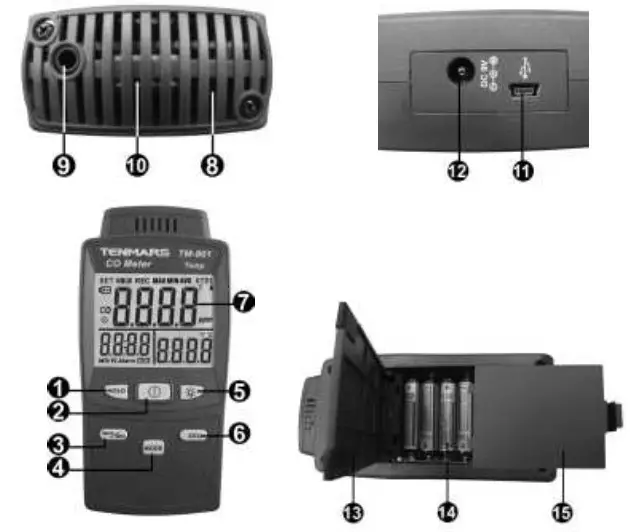
| 1. HOLD Button 2. Power Button 3. MAX/MIN/AVG Button 4. MODE Button 5. Backlight Button 6. SEL Button 7. LCD 8. Temperature Sensor | 9. Earphone Jack 10. CO SENSOR 11. USB 12. DC POWER 13. HOLDER 14. Battery Holder 15. Battery Cover |
LCD DESCRIPTION
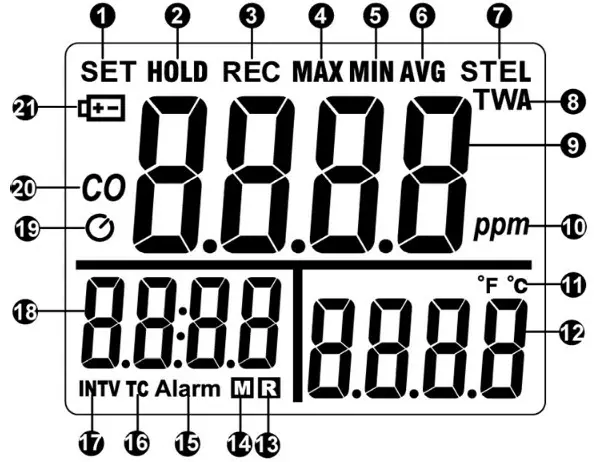
| 1. SET symbol 2. HOLD symbol 3. REC symbol 4. MAX symbol 5. MIN symbol 6. AVG symbol 7. STEL symbol 8. TWA symbol 9. Numeral reading value 10. PPM unit | 11. Temperature unit 12. Temperature Reading 13. Reading symbol 14. Memory symbol 15. Alarm symbol 16. Time constant symbol 17. Interval symbol 18. Time display 19. Auto power off 20. CO symbol 21. Low Battery symbol |
POWER ON/OFF
Press  button to turn on or turn off the meter.
It will be unable to turn off under setting up alarm, and correction.
AUTO POWER OFF
The duration of auto power off time is 15 minutes.
If you want disable auto power off, please hold  button and press button at the power shutdown mode. When you see the “n-SL” display on the LCD, that means the auto power off function is off. If you want enable auto power off, please restart the meter.
※ The auto power off will disable if the alarm is enabled.
BACKLIGHT
Press  button to turn on the backlight, press this button again to turn it off.
The backlight time is 15 seconds.
CHANGE THE TEMP UNIT
Press  button to change the temperature ℃, ℉ unit。
CO ALARM SETTING
Hold and press  button for more than 2 seconds to enter into the alarm setting mode, press button to choose and press button to turn on(A-on) or turn off(A-oF) the alarm.
If you select the alarm to be turned on(A-on), press button to select alarm value (25/50/100/250/400/800/0000) and press button to enable.
If you select the “0000”, press  button to adjust the value and press button to enable.(Hold and press button to High value adjustment, the highest setting value is 1200, and the lowest is 0.)
MAXIMUM/MINIMUM/AVERAGE
Press button simultaneously Lockup data maximum and minimum and average value of measuring data. Press the “ ” button for more than 2 seconds to disable this feature.
CALIBRATION
Please shutting down the meter first, then hold and press button and press button to enter into calibration mode. It will show a blinking 0 ppm on the upper display and the lower-left corner of the screen will display the value of the ADC.
※ In the calibration, must away from the environment or equipment with electromagnetic waves.
• 0 ppm Calibration The meter is running 0 ppm calibration as default.
Put the meter in an area free of CO and enter the calibration mode. It calibrates automatically.
The duration of calibration time is 5 minutes.
• 100 ppm/500 ppm Calibration After end of the 0 ppm calibration, the screen will display 100 ppm, then press button to select 100 ppm or 500 ppm value and press button to start calibration. It will show a blinking 100 ppm or 500 ppm on the upper display and the lower-left corner of the screen will display the value of the ADC and place the meter into the sealed box filled with standard gas(e.g. 100 ppm/500 ppm) for 5 minutes, then the calibration will be done automatically.
※ Check if the reading meets calibration value. If it does, the calibration is not, repeat the procedure.
PRECAUTIONS
- Keep the meter away from electromagnetic interference (EMI) which may cause erratic readings.
- Recovering time is required when meter exposed to high level CO. The longer the exposure, the longer recovering time is needed.
COMPUTER GRADE
- CPU: Pentium Ⅲ 1000MHZ.
- RAM: SDRAM 256MB.
- HARD DISK:200MB.
- OS: Windows 2000, Windows XP.
- DISPLAY :800×600 256 color
EXTERNAL DC POWER
External AC to DC adapter : Voltage 9 VDC (8~14 VDC Max).
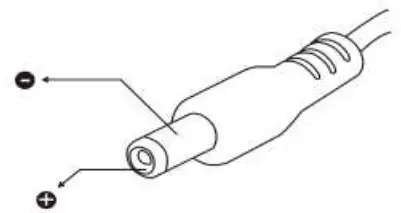
Socket :Pin positive, Ground casing negative. External Diameter 5.5mm ;Internal Diameter 2.1mm.
SAFETY AND MAINTENANCE STANDARDS
- Do not put this device in direct sunlight or where it is hot and/or damp.
- Operating altitude: below 2,000m.
BATTERY REPLACEMENT
WARNING
If the LCD displays “  ”symbol, please replace the battery immediately.
Turn off the power and unplug all cables, remove the battery and replace into the new battery.
Please use the correct specification of the battery, and correctly installed in the battery holder.
END OF LIFE
 Caution : This symbol indicates that equipment and its accessories shall be subject to a separate collection and correct disposal. WARNING If not using the meter, please remove the battery to avoid possible damage.
Professional Electrical and Environment Test & Measurement Instruments:
Battery Capacity / Impedance Tester LED light meter, Temperature & Humidity meter, Infrared Thermometer, Sound level meter Light meter, EMF meter, UV Light meter, RF meter, Hot wire Anemometer, CO meter Anemometer, Lan cable tester, CO2 meter, Solar power meter, Radiation meter, Clamp meter, Multimeter, Phase Rotation test, Digital Insulation tester
Our products of high quality are selling well all over the world
TENMARS ELECTRONICS CO., LTD
6F, 586, RUI GUANG ROAD, NEIHU,
TAIPEI 114, TAIWAN.
E-mail: [email protected]
http://www.tenmars.com
 TENMARS