
User Manual
GSM130
Carbon Monoxide Meter
Introduction
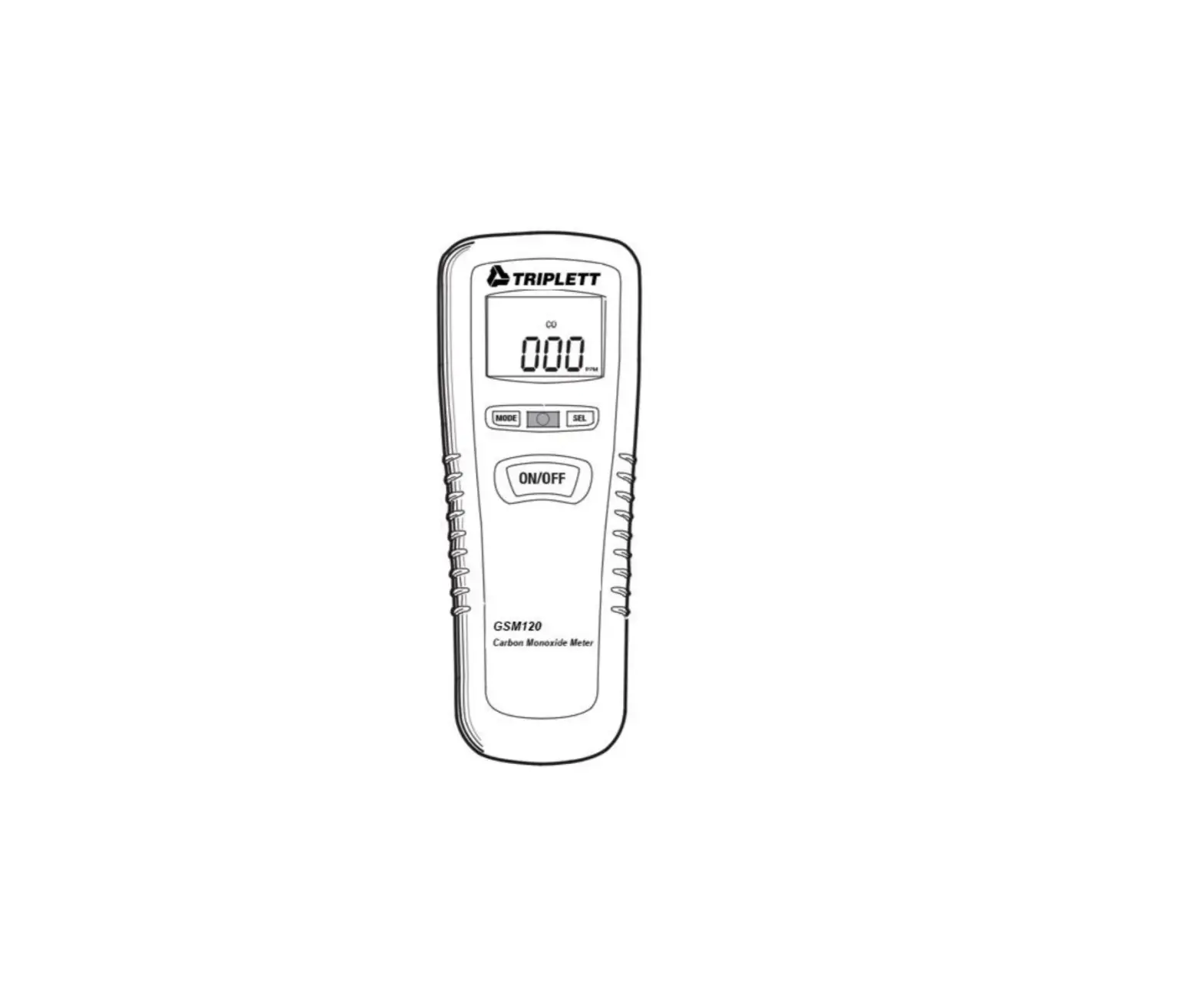
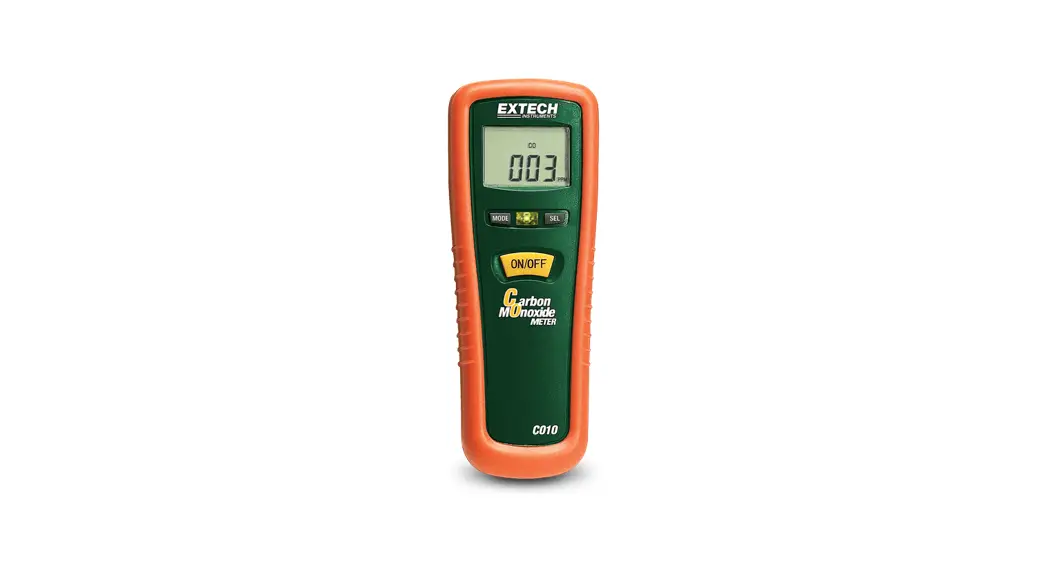
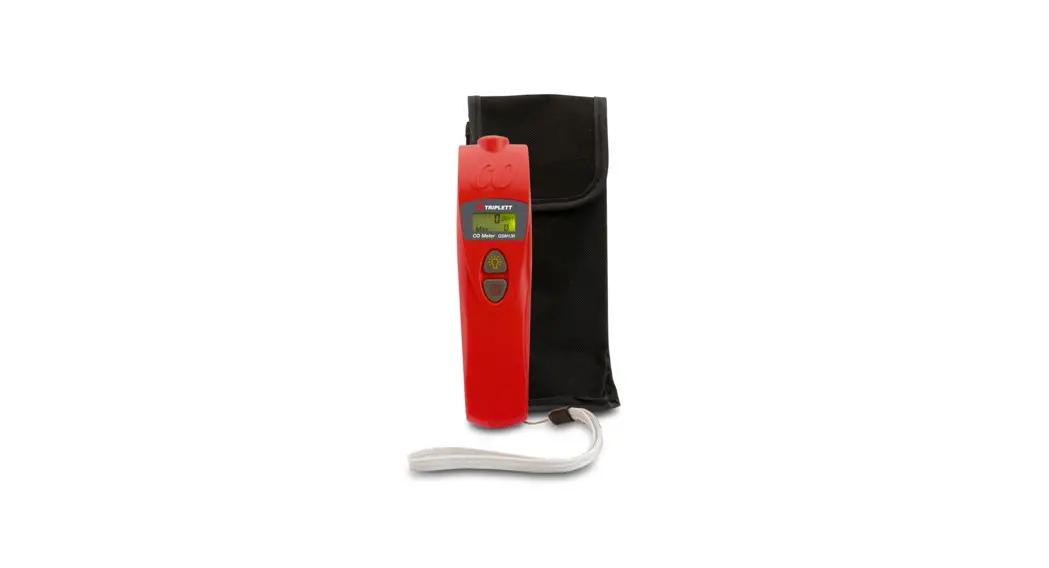
Thank you for selecting the Triplett GSM130 Carbon Monoxide Meter. The GSM130 is a digital, pen-style meter, that measures and displays carbon monoxide (CO) concentrations between 0 and 999 parts per million (ppm). The GSM130 can be used for ambient air safety checks of residential areas, appliances, HVAC service on furnaces and hot water heaters, home inspections, and industrial environments where the accumulation of CO is possible.
Features
- Adjustable carbon monoxide warning level Dual Display
- Long-life electrochemical sensor Audible alarm
- Backlit LCD for easy viewing in dimly lit areas Low battery indicator
- Auto power off
- Included wrist strap and carry pouch
Safety Information
IMPORTANT SAFETY NOTES
The GSM130 Carbon Monoxide Monitor is intended for general purpose Air Quality monitoring only and has not been certified for use pursuant to any state or city safety Carbon Monoxide Alarm or Monitoring requirements.
The GSM130 Carbon Monoxide Monitor has not been tested by an independent lab to comply with UL 2034 or IAS 6-96 standard.
It is the responsibility of the customer to obtain and apply current local, state, and national regulations with regard to CO alarms, monitoring, and testing.
Electromagnetic (EMI) interference may cause erratic meter readings; do not place meter near areas of high EMI when taking CO measurements. Recovery time is required after the meter has been exposed to high levels of CO (the longer the exposure, the longer the recovery time).
 Carbon monoxide is life-threatening even at relatively low concentrations; learn and recognize the effects of CO poisoning (see Table below). Do not use this meter as a personal safety monitoring device.
Effects of Carbon Monoxide (CO) Poisoning
Warning: Ensure that the meter is powered on at room temperature and in an area free of CO. If not, the meter will read incorrectly when subsequently measuring CO.
| 0-1 PPM | Normal background levels |
| 9 PPM | Maximum allowable short term exposure |
| 50 PPM | Maximum allowable continuous exposure level in any 8-hour period, according to OSHA |
| 200 PPM | Mild headache, fatigue, nausea, and dizziness after 2-3 hours |
| 400 PPM | Frontal headache with 1-2 hours, life-threatening after 3 hours |
| 800 PPM | Dizziness, nausea, convulsions within 45 minutes. Unconsciousness within 2 hours. DEATH WITHIN 2 TO 3 HOURS |
| 1600 PPM | Headache, dizziness, nausea within 20 minutes, DEATH WITHIN 1 HOUR |
| 3200 PPM | Headache, dizziness, nausea within 510 minutes. DEATH WITHIN 25-30 MINUTES |
| 6400 PPM | Headache, dizziness, nausea within 12 minutes. DEATH WITHIN 10-15 MINUTES |
| 12800 PPM | DEATH WITHIN 1 TO 3 MINUTES |
Description
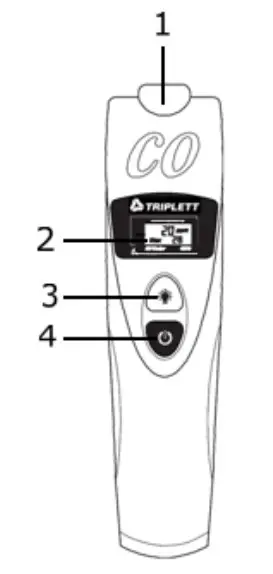
METER DESCRIPTION
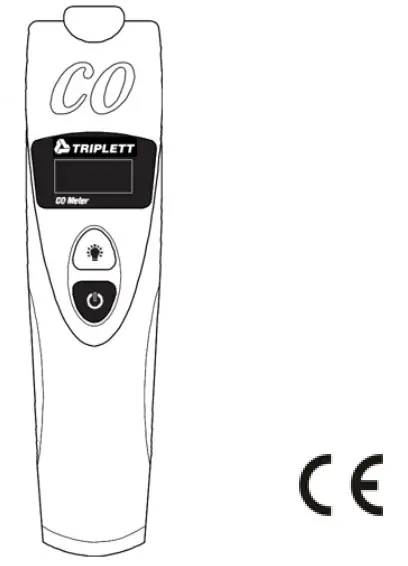
- CO Sensor
- LCD Display
- Backlight/Units Button
- Power/Alarm Limit Button
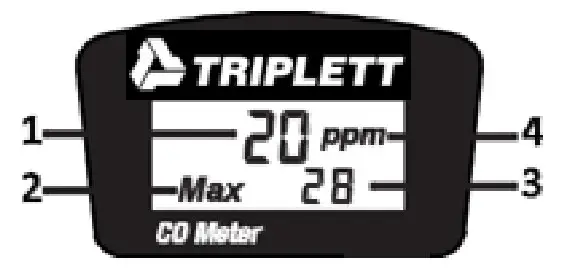
LCD Display
- Primary Display
- MAX reading mode
- Secondary Display
- Unit of measure
 Turn the meter on and off (short press); Select alarm setpoint value (long press from a powered OFF state; release the button when desired alarm limit is displayed)
 Turn the backlight on and off (short press); Toggle temperature units (long press during self-test period). Reset Maximum CO value (long press in normal operating mode)
Operation
Power the meter
IMPORTANT: Power the meter in a room temperature environment and in an area free of CO; otherwise the meter will read incorrectly when subsequently measuring CO.
Press the  button to power on the meter. The LCD will switch ON and display the programmed CO alarm limit in the primary display and the ambient air temperature in the secondary display (as shown in the LCD description section above). Replace the batteries if the display does not switch ON.
The meter performs a 15-second self-test during which the displayed values will blink. When the self-test is finished, the meter beeps and enters the normal operating mode.
Measurements
The CO15 detects the existence of carbon monoxide (CO) in the environment and displays the reading in parts per million (PPM) in the primary display.
- To take a measurement, trace the CO15 around the area of the suspected leak.
- The meter indicates the presence of carbon monoxide (CO) in PPM in the primary display. The secondary display indicates the maximum value since powered on.
- Long press the “backlight” button while in measurement mode to reset the maximum value.
- When high CO levels are detected audible beeper sounds at 25 ppm alert the user to the dangerous CO levels. The higher the concentration of CO, the faster the beeper will sound.
- To turn the meter off, press the button. The meter powers off after 15 minutes of inactivity.
Change Temperature Units
The temperature shows on the display during the self-test only. Power the meter in a room temperature environment for the most accurate readings. Long press the button during the self-test to change the temperature units to ºC or ºF.
Alarm Settings
An audible beep sounds at 25ppm alerting the user to dangerous CO levels. Change the alarm limit value by following the steps below.
- Turn OFF the meter by pressing the
 button.
 - Long press the button until the options display on the screen.
- The LCD cycles through these options: 25, 30, 35, 45, 50, 70, 100, 200 ppm.
- Release the button at the desired alarm limit value.
- The meter enters the self-test mode.
Backlight
The meter features a backlit LCD for use in dimly lit areas. Press the button to power ON and OFF the backlight.
Auto Power OFF
The meter automatically powers OFF after 15 minutes of inactivity.
Maintenance
Battery Replacement
- To access the batteries, remove the rear battery compartment cover by pushing up on the tab at the bottom of the meter. Do not operate the meter with the battery compartment open.
- Replace the (3) 1.5V AAA batteries observing correct polarity.
- Re-assemble the meter before use.
Safety: Please dispose of batteries responsibly; never dispose of batteries in a fire, batteries may explode or leak. If the meter is not to be used for 60 days or more, remove the battery and store it separately. Never dispose of used batteries or rechargeable batteries in household waste. As consumers, users are legally required to take used batteries to appropriate collection sites, the retail store where the batteries were purchased, or wherever batteries are sold. Disposal: Do not dispose of this instrument in household waste. The user is obligated to take end-of-life devices to a designated collection point for the disposal of electrical and electronic equipment.
 - The low alarm icon will display and the LCD will show the low alarm threshold.
- Use the
 buttons
  to adjust the low alarm threshold.
 - Press the button to go to the high alarm setup screen.
 Never dispose of used batteries or rechargeable batteries in household waste. As consumers, users are legally required to take used batteries to appropriate collection sites, the retail store where the batteries were purchased, or wherever batteries are sold. Disposal: Do not dispose of this instrument in household waste. The user is obligated to take end-of-life devices to a designated collection point for the disposal of electrical and electronic equipment.
 buttons
  to adjust the low alarm threshold.
Specifications
| Measurement range | 0-999 ppm |
| Resolution | 1 ppm |
| Accuracy | 0 ~ 100 ppm: ± 20% 100 ~ 500 ppm: ± 15% Accuracy stated for ambient conditions: 20º C ±5º C (68º F ±9º F) and 50% RH ±20%RH |
| Sensor Type | Electrochemical |
| Power supply | (3) 1.5V ‘AAA’ batteries |
| Battery life | Approx. 250 hours (backlight off); 35 hours (backlight on) |
| Dimensions / Weight: | 175 x 47 x 28mm (6.9 x 1.8 x 1.1”) / 158.8g (5.6 oz.) |
Troubleshooting
| Error | Problem | Solution |
| Display | No display when pressing the power button | Ensure batteries are properly installed with correct polarity |
| Replace batteries | ||
| Display | Display switches off | Check for low battery indicator; replace batteries |
| Display | Calibration Failure | Check for low battery indicator; replace batteries |
| E2 | Measurement is below the range of the meter | Check readings in a different area |
| E3 | Measurement is above the range of the meter | Check readings in a different area |
Warranty
Triplett / Jewell Instruments extends the following warranty to the original purchaser of these goods for use. Triplett warrants to the original purchaser for use that the products sold by it will be free from defects in workmanship and material for a period of (1) one year from the date of purchase. This warranty does not apply to any of our products that have been repaired or altered by unauthorized persons in any way or purchased from unauthorized distributors so as, in our sole judgment, to injure their stability or reliability, or which have been subject to misuse, abuse, misapplication, negligence, accident or which have had the serial numbers altered, defaced, or removed. Accessories, including batteries, are not covered by this warranty
Copyright © 2021 Triplett www.triplett.com