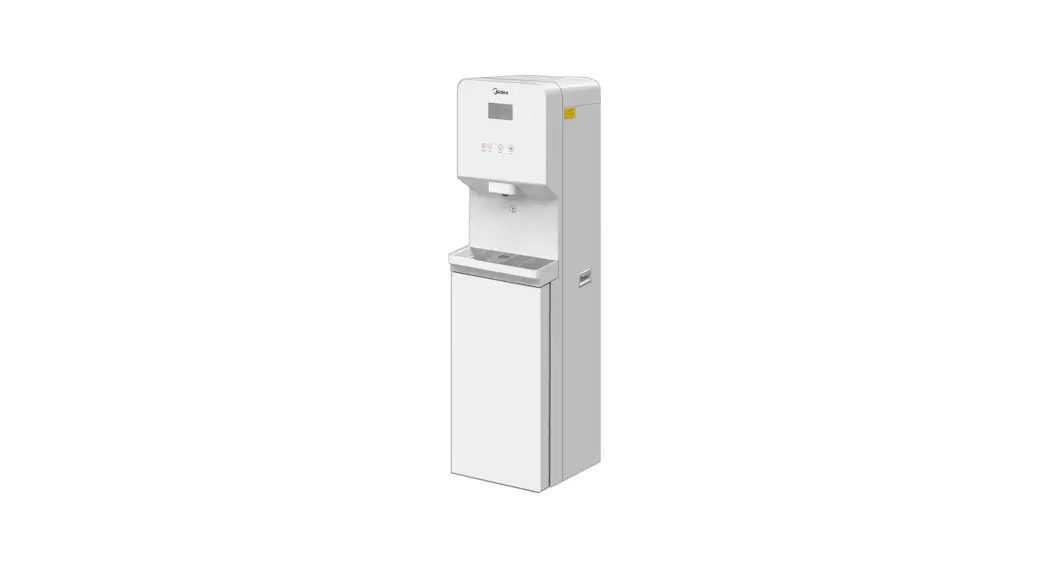

WATER PURIFIER
Instruction Manual
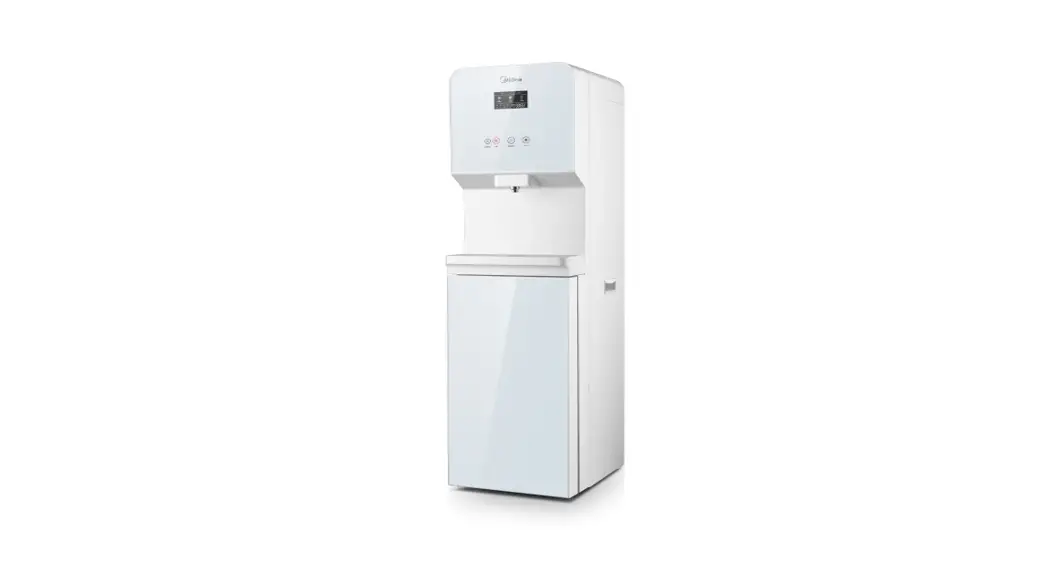
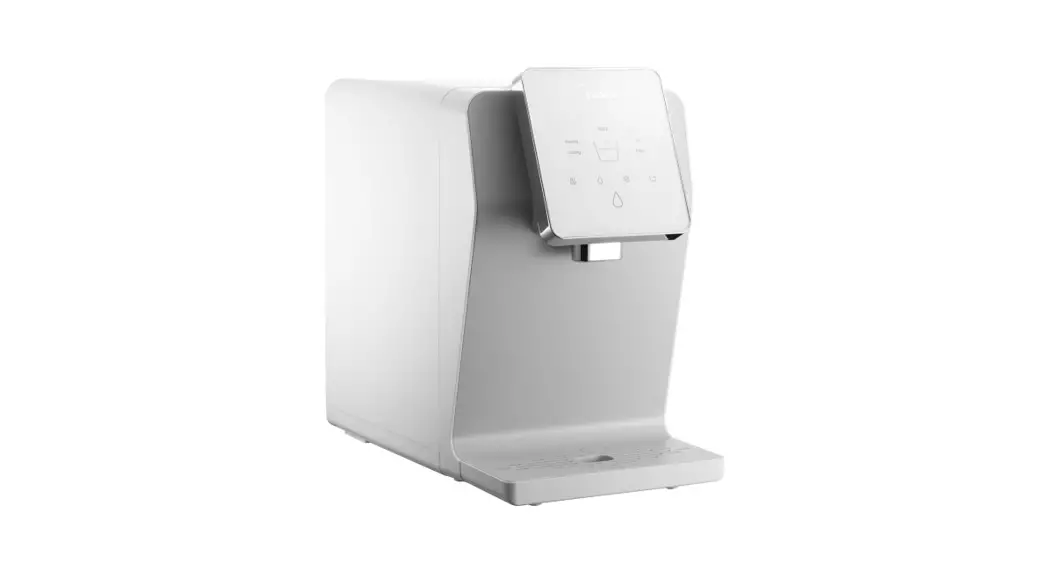
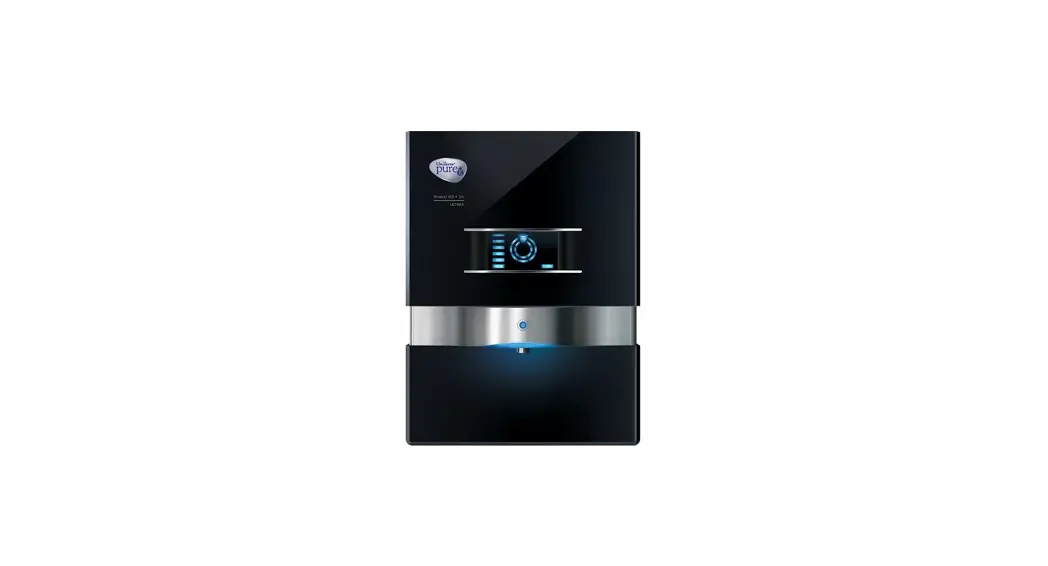
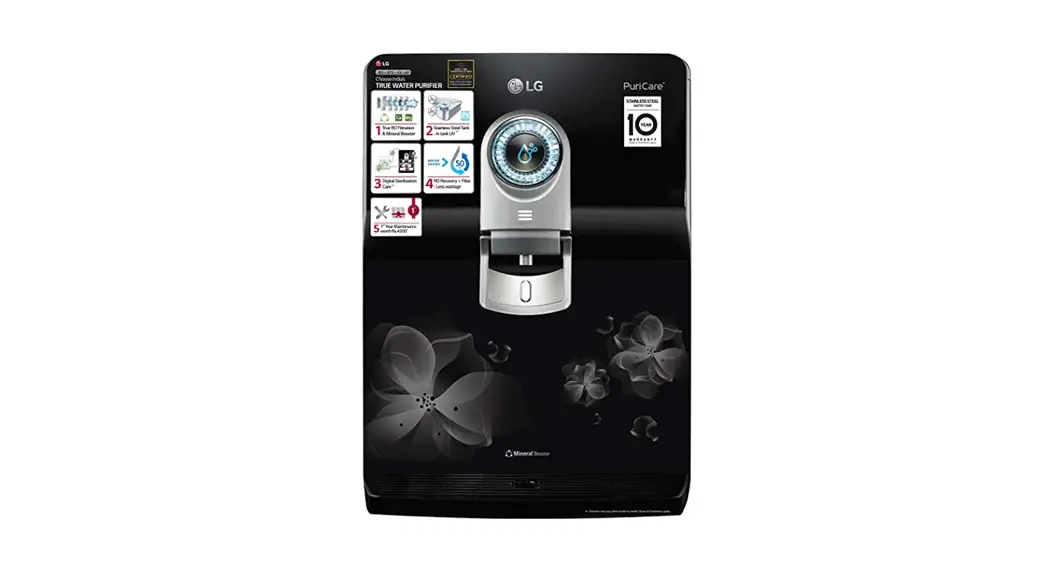
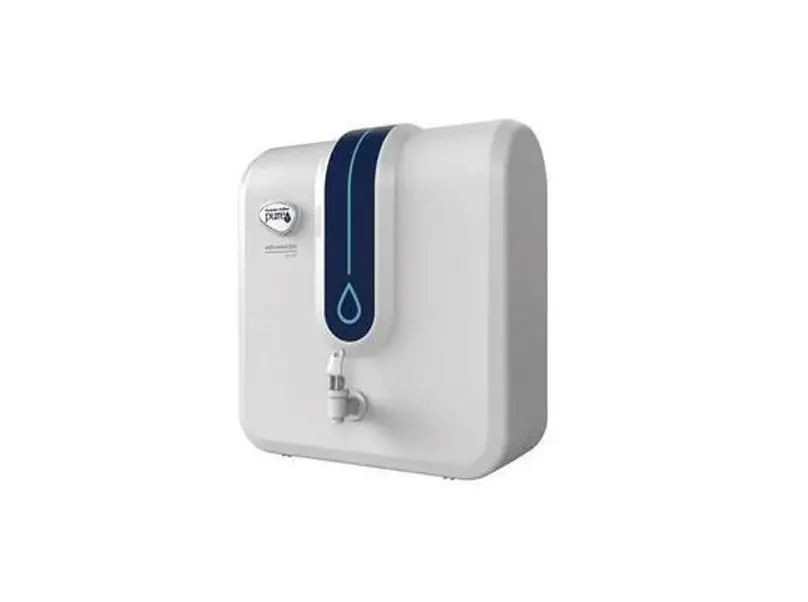
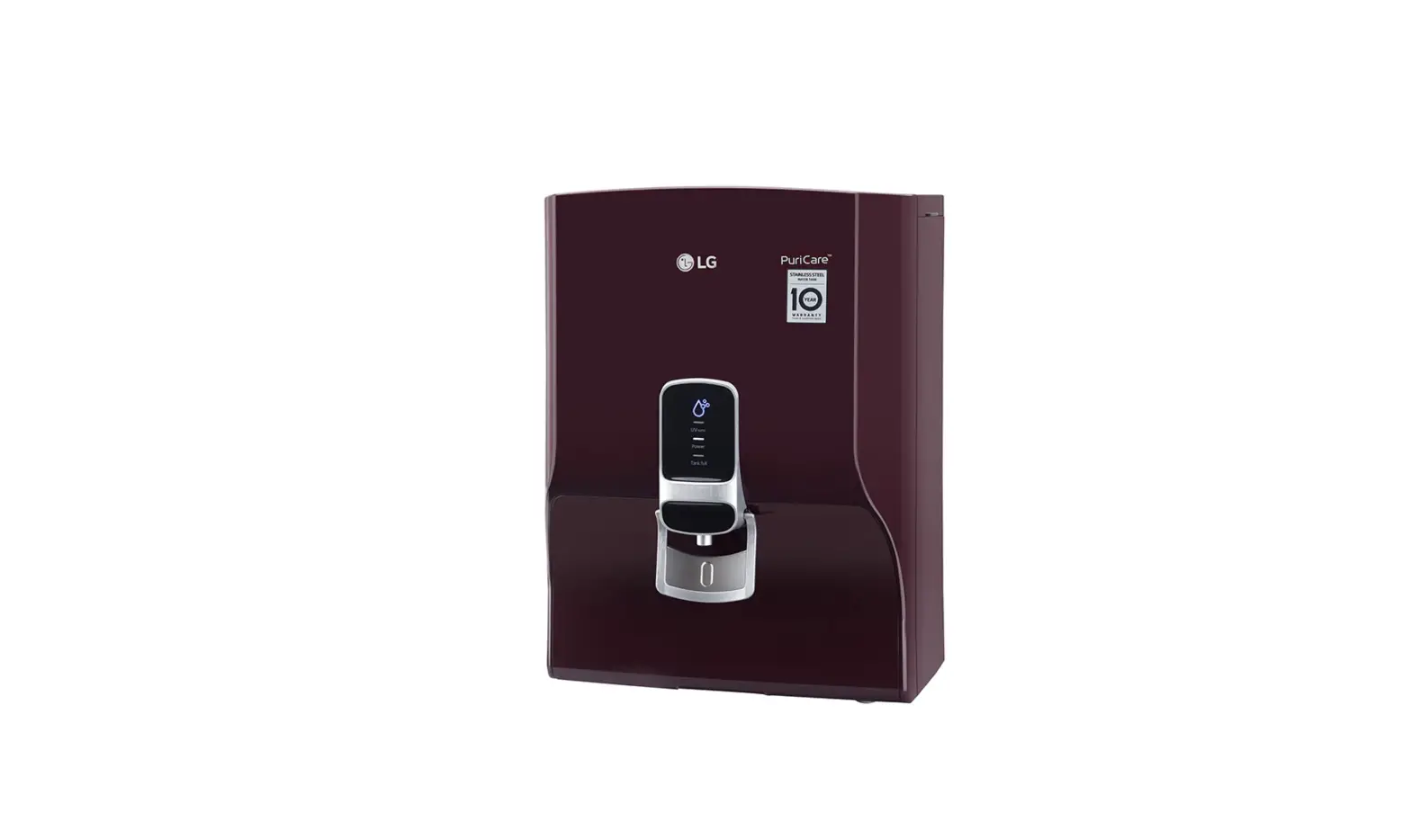
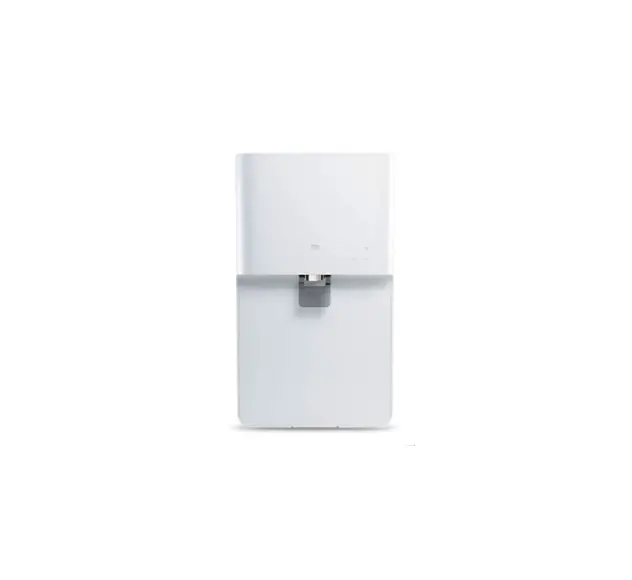
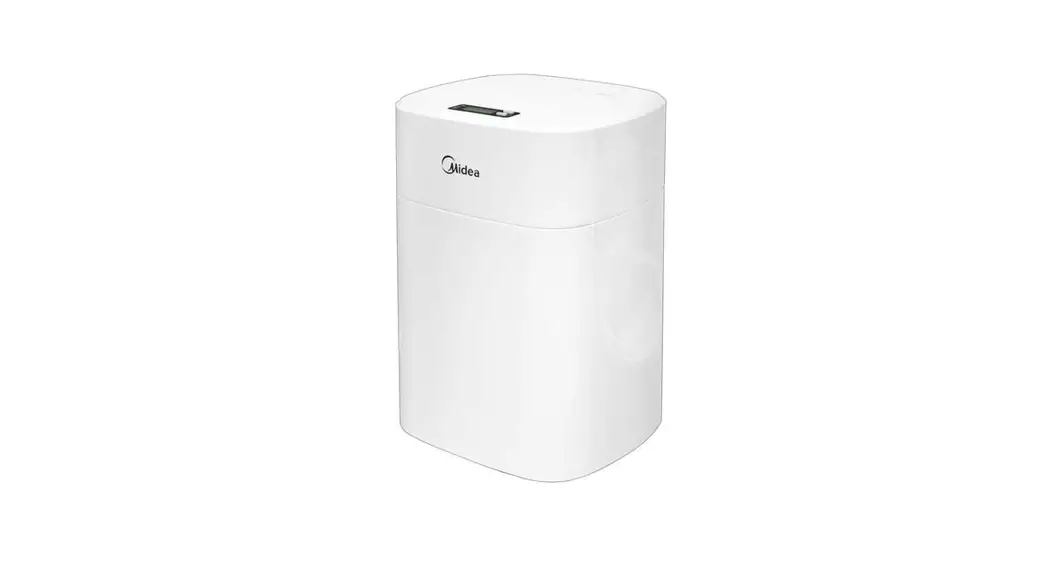
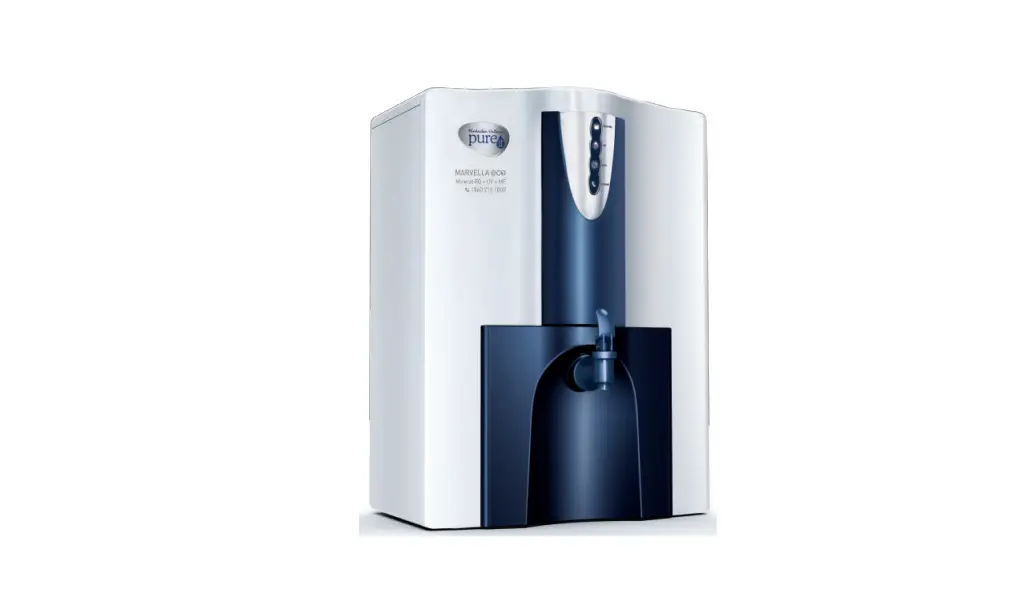
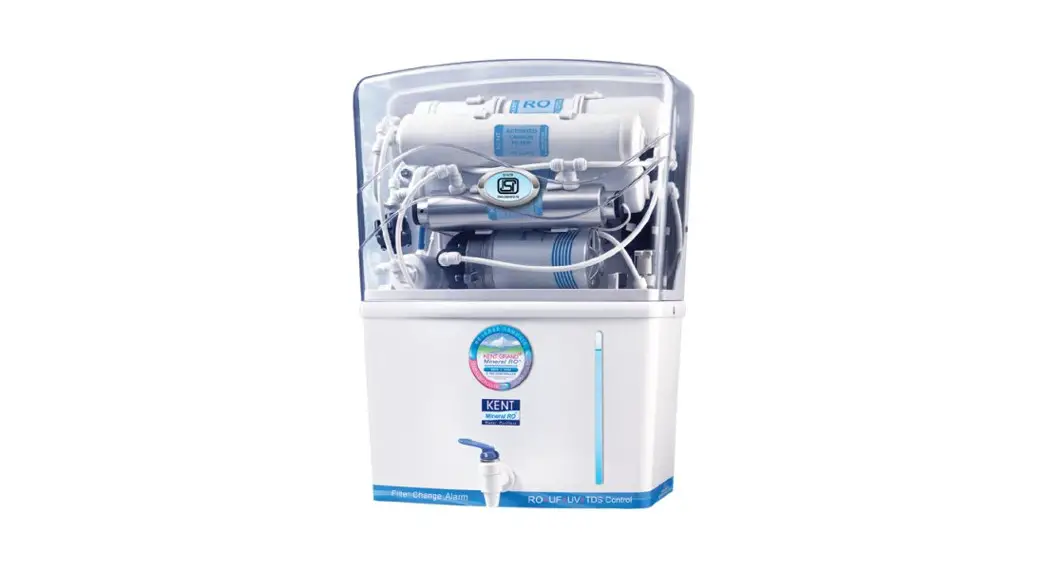
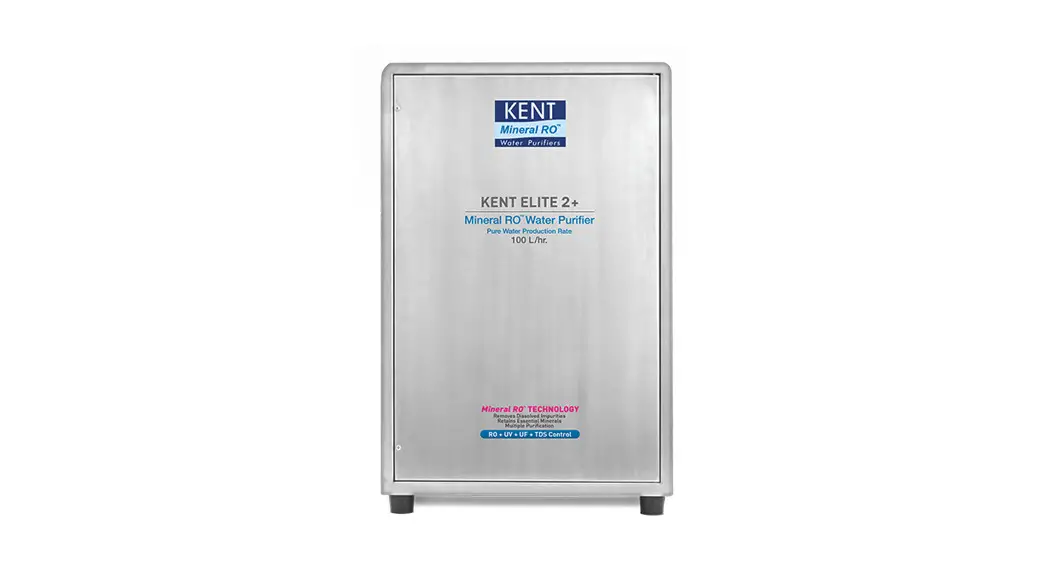
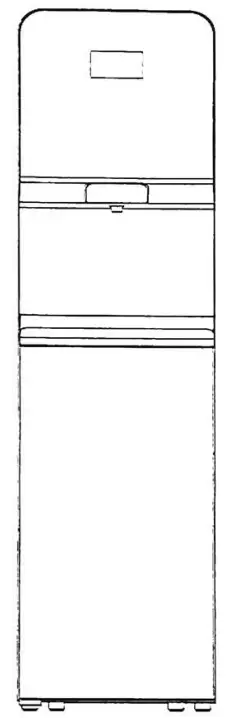 The diagram above is just for reference. Please take the appearance of the actual product as the standard.
Model: JL1850S-R0
JL1850S-RO Water Purifier
Before installing and operating your water purifier, please read the instruction manual carefully and keep it for future reference.
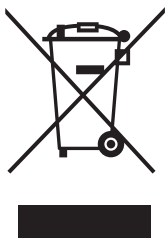 The packaging material used is recyclable; we recommend that you separate plastic, paper, and cardboard and give them to recycling companies. To help preserve the environment, the refrigerant used in this product is R134a (Hydrofluorocarbon -HFC), which does not affect the ozone layer and has little impact on the greenhouse effect. Guidelines, waste from electrical and electronic devices should be collected separately. If you need to dispose of this appliance in the future, do NOT throw it away with the rest of your domestic garbage.
Precaution
1-1 Safety Issues
Please note the following brief icons and rules for the safe use of this product
 | Troubleshooting When the machine fails, please disconnect the power and water source immediately |
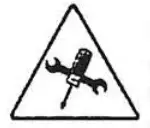 | Maintenance Never remove the parts on the machine to avoid leakage or damage |
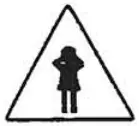 | Avoid contact with children Never have the machine operated by a child |
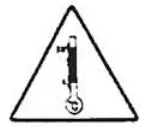 | Temperature Please use the product in a dry place a temperature of 4-43°C |
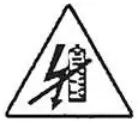 | Electricity prevention To avoid leakage of electricity. |
 | Accessories and filters To maintain the normal operation of the machine, be sure to use accessories and filters supplied by original company |
 | Emergency call For any help, please call the local sale service center or the national service hotline |
 | Correct repair service This machine can only be repaired by qualified personnel designated by this company |
 | Avoid direct sunshine Do not install the machine in a _ place exposed to direct sunshine |
 | Anti-freeze Never store or expose the product duct in an environment less than 0°C |
- This appliance can be used by children aged 8 years and above and persons with reduced physical, sensory or mental capabilities or lack of experience and knowledge if they have been given supervision or instruction concerning the use of the appliance in a safe way and understand the hazards involved. Children shall not play with the appliance. Cleaning and user maintenance shall not be made by children without supervision.
- Children should be supervised to ensure that they do not play with the appliance.
- If the supply cord is damaged, it must be replaced by the manufacturer, its service agent or similarly qualified persons in order to avoid a hazard.
- Do not store explosive substances such as aerosol cans with a flammable propellant in this appliance.
- This appliance is intended to be used in households and similar applications such as staff kitchen areas in shops, offices, and other working environments; farm houses and by clients in hotels, motels, and other residential-type environments; bed and breakfast type environments; catering and similar non-retail applications.
- The appliance is suitable for indoor use only.
- WARNING: Keep ventilation openings, in the appliance enclosure or in the built-in structure, clear of obstruction.
- WARNING: Do not use mechanical devices or other means to accelerate the defrosting process, other than those recommended by the manufacturer.
- The appliance must not be immersed.
- WARNING: To avoid a hazard due to the instability of the appliance, it must be fixed in accordance with the instructions.
- This product is not recommended to use in areas above 2,000m altitude.
- WARNING: UV radiation is dangerous for the eyes and skin. Do not operate the UV-C emitter outside the appliance.
- WARNING: Do not operate the UV-C emitter when it is removed from the appliance enclosure
- WARNING: This appliance contains a UV emitter. Do not stare at the light source.
- Unintended use of the appliance or damage to the housing may result in the escape of dangerous UV-C radiation.UV-C radiation may, even in little doses, cause harm to the eyes and skin.
- Appliances that are obviously damaged must not operate.
- If the replacement of the UV-C emitter by the user is not allowed, this must be clearly stated.
- WARNING: When positioning the appliance, ensure the supply cord is not trapped or damaged.
- WARNING: Do not locate multiple portable socket outlets or portable power supplies at the rear of the appliance.
- To ensure the product using well, please make sure the product installation, testing, and filter exchange is made by an after-sales service person.
Packing List
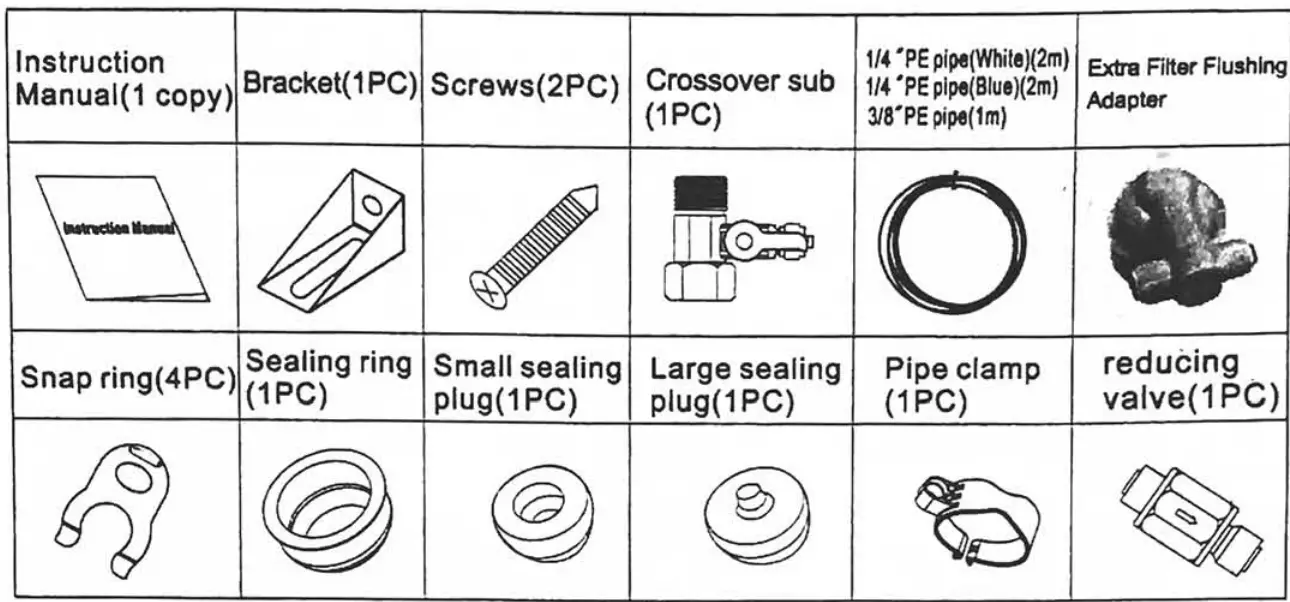
Your Direct Drinking Water Purifier
2-1. Part Name of Water Purifier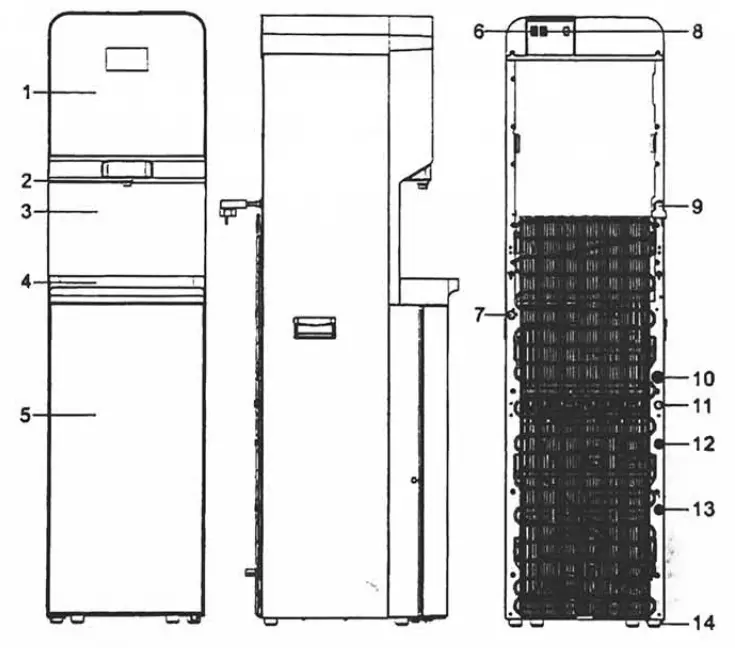
| NO | PART NAME |
| 1 | Controls panel |
| 2 | Spout |
| 3 | Front carapace |
| 4 | Water collector |
| 5 | Door |
| 6 | Heating switch |
| 7 | The outlet of cold water |
| 8 | Cooling switch |
| 9 | Power cord |
| 10 | The outlet of the water collector |
| 11 | The outlet of hot water |
| 12 | Concentrated water connection |
| 13 | Water inlet |
| 14 | The base |
NOTE:
Please use the product in a place with a temperature of 4-43°C and relative humidity of less than 85%.
2-2. Model and Major Parameters
| Model | Ji_1850S-R0 |
| Rated voltage | 220-240V— |
| Rated frequency | 50/60Hz |
| Rated power | 994W |
| Heating power | 874W |
| Cooling current | 1.0A |
| Rated pure water flow | 1.2L/min(0.3MPa) |
| Hot water capacity | 7.5L/h(z85°C) |
| Cold water capacity | 4L/h(510°C) |
| Applicable environment | 4-43°C humidity 5.85% |
| Applicable water pressure | 0.1-0.4MPa |
| Applicable water | Tap water |
| TDS350ppm | |
| Applicable water temperature | 5-38°C |
| Stage 1 | PP sediment filter-F1 |
| Stage 2 | C1 active carbon filter-Fl |
| Stage 3 | RO reverse osmosis filter-F1 |
| Stage 4 | C2 active carbon filter-F1 |
| Product size | 360(W)*460(D)*1400(H) mm |
| Packing size | 480(W)*505(D)*1490(H) mm |
2-3. Product Features
- Hot & Warm & Cold water, are three types of water temperature.
- Full plate quality toughened glass design, elegant and beautiful.
- The latest leakage protection device, to ensure the safety of the Public environment.
- Water tank built-in UV-LED bacteriostatic, to ensure the safety and health of the water.
- Large screen display, working status at a glance.(heating /cooling /filtrating /filter lifetime/UV).
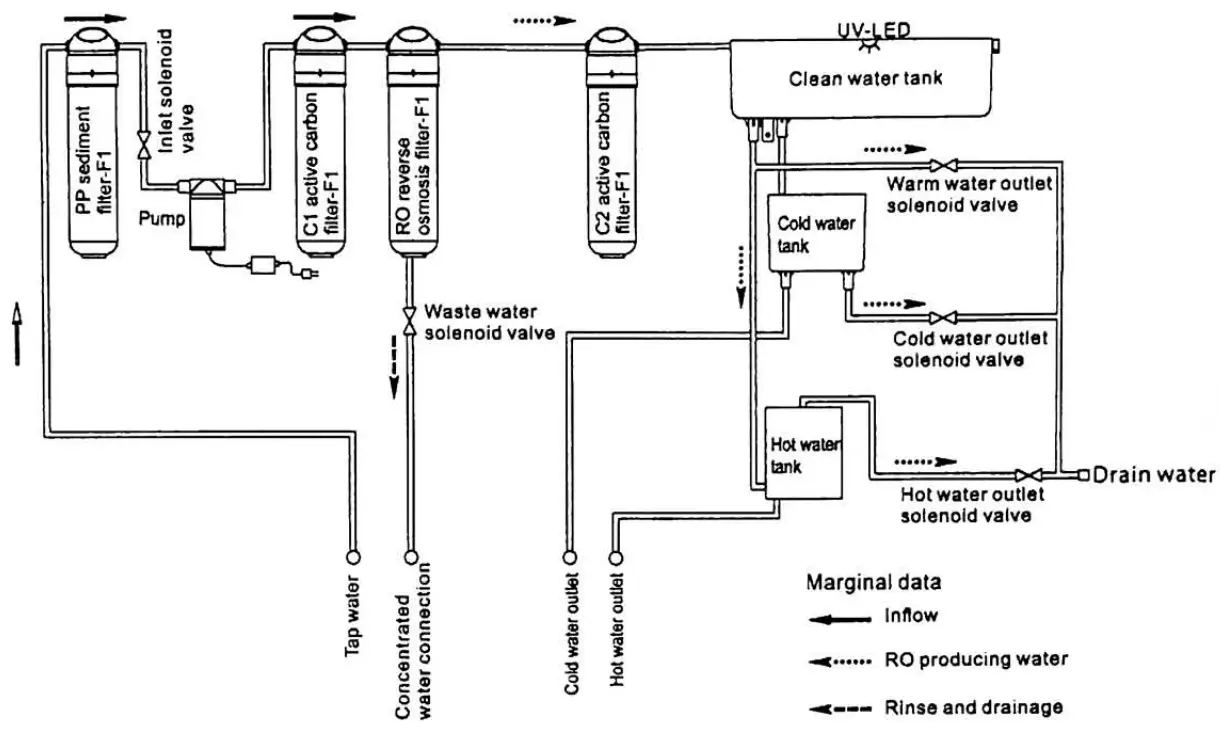
2-4. Working Principle
- Flowchart of water generation

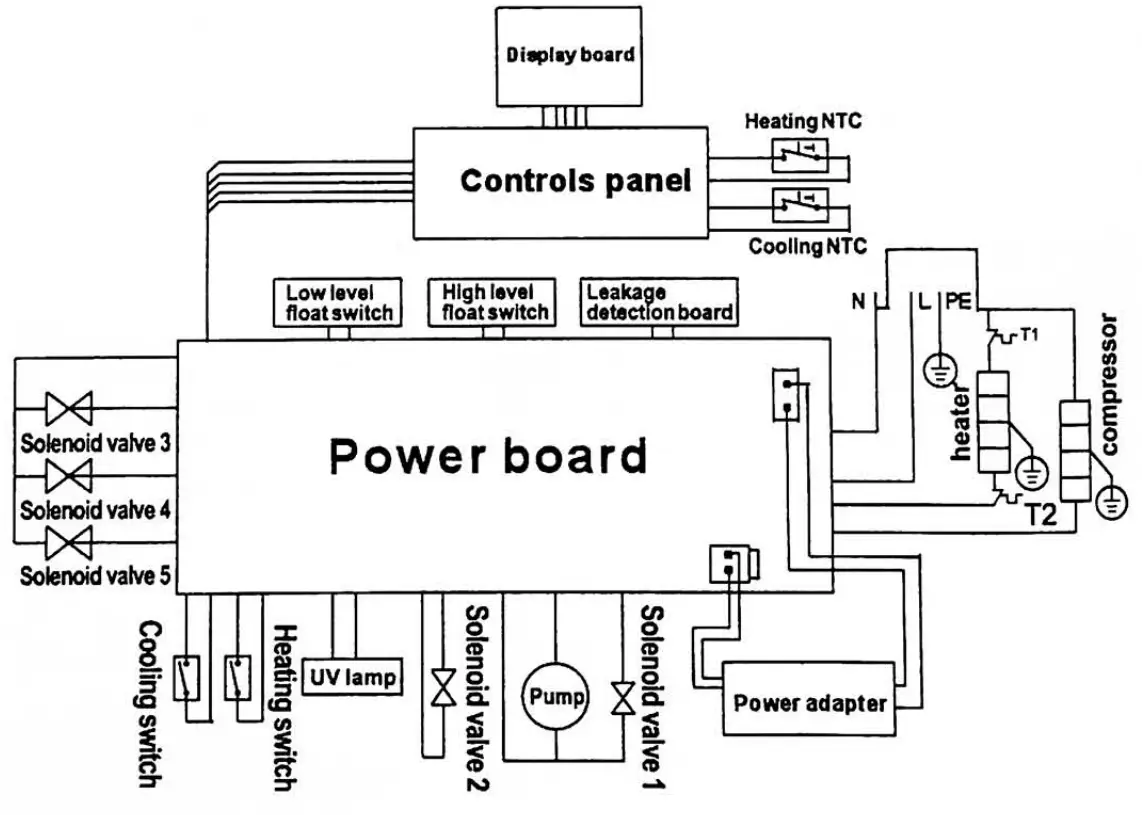
- Circuit diagram

Use Guide and Maintenance
WARNING: Please cut off the water source before replacing filters. Never plug filters in the water running state.
3-1. Guidance on Unpacking and Installation
- Open the top of the packing case, and take out the top foam and its accessories.
- Put the accessories aside.
- Unpack the product, and install the water collector.
- Take out the quick joint, and install it on the water pipe.

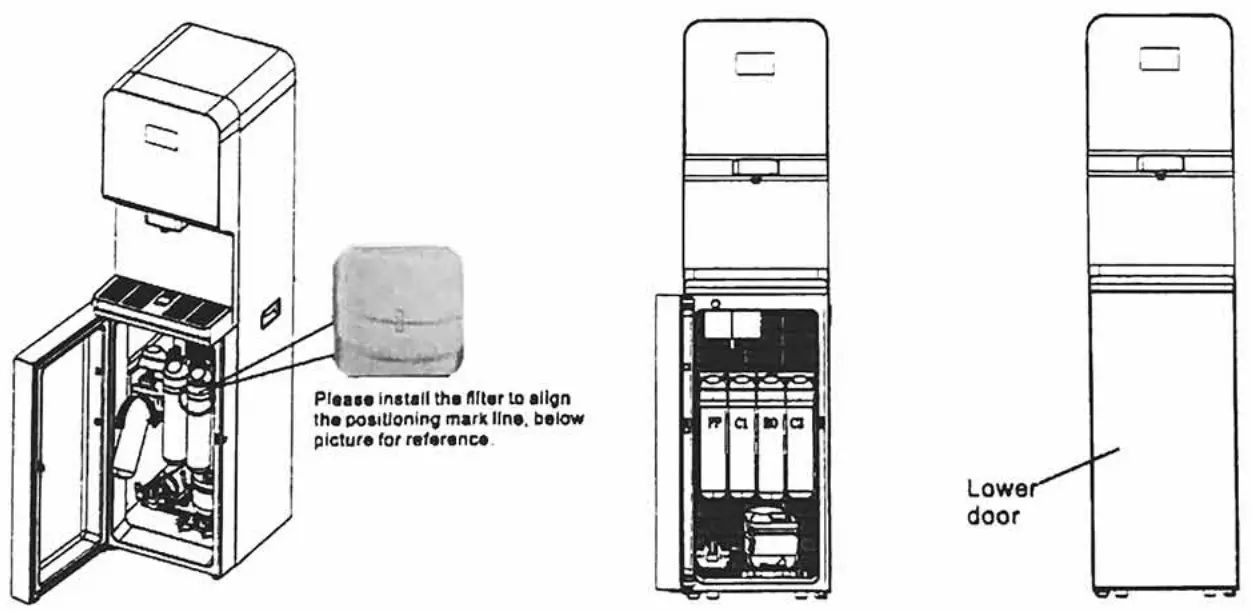
- Open the lower door .
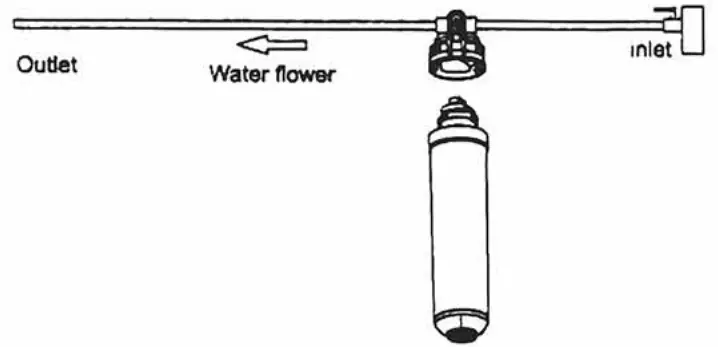
- Use the after-sale accessory—filter flushing tip, the arrow direction is the water flow direction, insert the PE pipe in the quick joint.

- Insert the C1 active carbon filter into the filter flushing tip, tighten it by turning anticlockwise, and open the water tap to flush the filter till it doesn’t discharge black water, for about 10min; Take the same step to flush the C2 active carbon filter-Fl.
- Install the clean filter in the product, hold the filter with the left hand and enclosure of the filter with the right hand, and insert it upwards in the filter, tighten it by turning anticlockwise, the installation order is: PP sediment filter-Fl—*C1 active carbon filter-F1R0 reverse osmosis filter-F1—•C2 active carbon filter-F1. After washing and installation of filters, the lower door must be fixed with original screws.

- Take out the pin of the quick joint at the rear of the product’s side plate’s, and then take out the white plug.
 Note: When the tap water pressure exceeds 0.4MPa, it requires installing the pressure relief valve. Keep the water flowing arrow towards the water inlet interface of the machine.
 - Insert the water inlet PE pipe in the quick joint, and tighten the pin. The new hose-sets supplied with the appliance are to be used and the old hose sets should not be reused.
- The water cooler plug cord into a ground fault interrupter receptacle.
- After installation, supply water, and power. Discharge the first 3 tanks of purified water by pressing the button, press the Heating and Cooling buttons on the rear panel to purify water again, then the water output is drinkable.
- When installing the filter and replacing the filter please turn off the water and power supply before installation and replacement.
- Concentrated water and the water drained from the water tray can be directly discharged into the sewer or the water drained from the water box can also be discharged to the bucket. (Note: Drainage pipe must be vertical and shall not be “U” or twisted at any section)

- Water tray discharge treatment
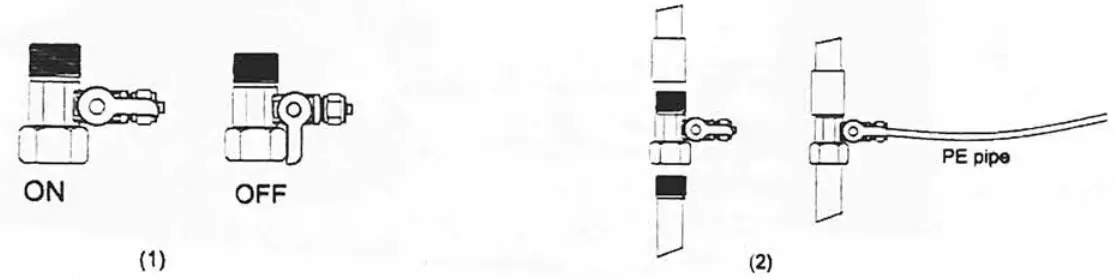
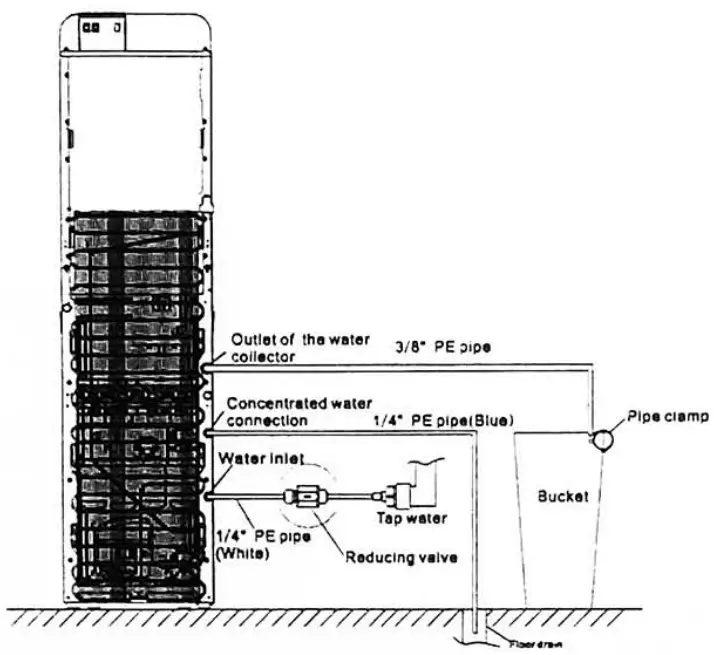 Note: When the tap water pressure exceeds 0.4MPa, it requires installing the pressure relief valve. Keep the water flowing arrow towards the water inlet interface of the machine.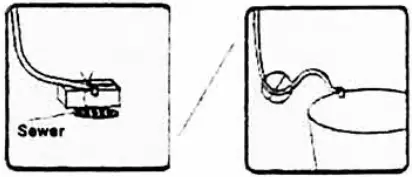
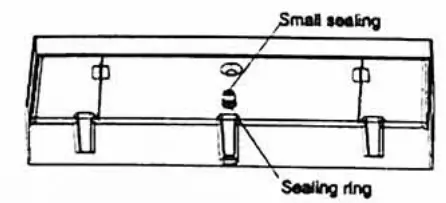 | 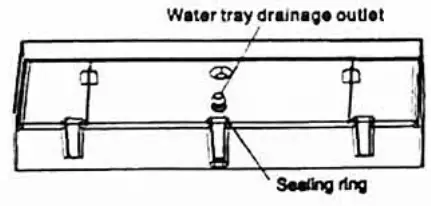 | 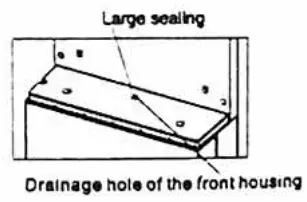 |
| When the water can’t be smoothly discharged from the water tray, please install the sealing ring on the drainage outlet slot of the water tray. | If the remaining water in the water tray won’t be received with the water tank, the big and small sealing lugs shall be adopted. Step 1, install the small sealing plug in the drainage outlet of the water tray, and ensure installing is in place. | Step 2, install the big sealing plug in the drainage hole of the front housing, and then press it in place with the water tray. |
3-2. Machine Installation
- Loosen the screw of the left or right bottom angle just as the picture shows.
- Use the screw to fix the bracket on the left or right bottom angle of the water purifier.
- Make a hole on the floor’s or the desk’s surface where the water dispenser will be installed.
- Fix the bracket on the floor by screwing tightly.
- Tighten the screw.
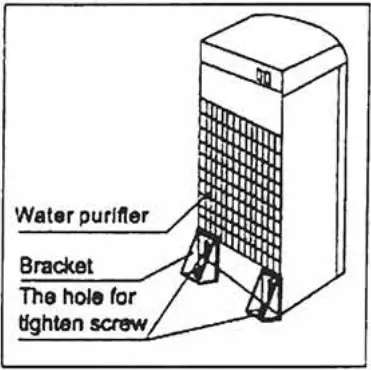

WARNING! To avoid a hazard due to the instability of the appliance, it must be fixed in accordance with the instructions.
3-3. The display panel is shown below: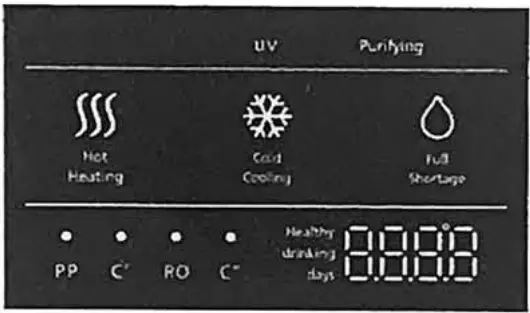
 When displayed as this, it indicates that water heating is completed.
- When displayed as this, it indicates that water is heating.
 When displayed as this, it indicates that water cooling is completed.
 When displayed as this, it indicates that water is cooling.
 It indicates that there’s insufficient water in the machine.
 It indicates that there’s sufficient water in the machine.
 When it is on, it indicates that the machine is purifying water. ,
 When the indicator in this area flashes, it indicates that the filter of the corresponding level expires, please replace the filter.
 When displayed as this, it indicates that water heating is completed.
 When displayed as this, it indicates that water cooling is completed.
 When displayed as this, it indicates that water is cooling.
 It indicates that there’s insufficient water in the machine.
 It indicates that there’s sufficient water in the machine.
 When it is on, it indicates that the machine is purifying water. ,
 When the indicator in this area flashes, it indicates that the filter of the corresponding level expires, please replace the filter.
DISPENSING WATER
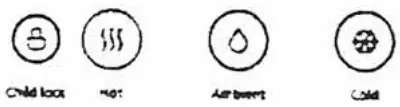
- Touch the cold water button,
 the device starts discharging cold water; Touch the cold water button again, and the device stops discharging water and finishes getting water.
 - Touch the normal water button,
 and the device starts discharging normal water; Touch the normal water button again, and the device stops discharging water, and finishes getting water.
 - Touch the child lock button, then touch the hot water button,
 the indicator tums on and the device starts discharging hot water. Touch the anyone button,
 and the device stops discharging water and finishes getting water.
 - Long press the cold water button and warm water button for 3 seconds to enter the filter reset mode. The indicator light and name of the first filter flash and the remaining percentage of filter life displays in the bottom right corner of the screen. Long press the cold water button for 3 seconds to reset the filter and the life of the filter is restored to 100%. Press the cold water button to switch to the next filter display, and operate the same to reset and switch to the next filter. When it comes to the last filter, press the cold water button to exit the filter reset mode.
 the device starts discharging cold water; Touch the cold water button
 and the device starts discharging normal water; Touch the normal water button
 the indicator tums on and the device starts discharging hot water. Touch the anyone button,
 and the device stops discharging water and finishes getting water.
3-4. Maintenance
- Keep this machine in a dry and cool place and avoid direct sunshine. The rearward of the machine shall be at least 25 cm away from the wall. Never put the machine on paper or foam, which may store water and then cause creepage. Never put anything flammable beside this machine.
Do not use the machine outdoors or in a place that can be splashed by water. - For the water purifier, the installation and replacement of filters must be carried out by qualified personnel.
- In case the machine is not in use for a long time, turn off the heating switch or the refrigerating switch to save power.
- In case the machine is not needed for a long time, please take off the plug, turn off the copper chrome-plated ball valve and drain off the remaining water through the outlet. For another use, discharge water for 10 min. In the event that the machine is blocked by ice due to the environment below the ice point, keep the refrigerating switch closed for 4 hours and then turn it on to continue the operation.
- in case the water supply is cut off, please close the feed water ball valve and cut off the power, after the water is re-supply, please open the other faucets to discharge sediment and then turn on the feed water ball valve.
- The machine must use an earthed three-pin socket and a reliable creepage protection switch.
- Never use organic solvents such as gasoline to clean the machine: strictly prohibit washing the machine with water or splashing water into the machine.
- Never turn it on (or off) the machine by inserting the plug into (pulling the plug out from) the socket. Never increase the length of the supply cord to avoid fire.
- If the supply cord is damaged, it must be replaced by the manufacturer or qualified person so as to avoid a hazard.
- The water source for the water purifier is civil tap water.
- Never dismantle spare parts of the machine to avoid water leakage or damage.
- Never turn the machine upside down or lean it more than 45° when moving it so as to avoid any damage to it or any accident.
- Limited warranty: electrical components and water systems are warranted for 12 months from the date of purchase.
Troubleshooting
in case of failure, please carry out an inspection according to the requirements below. If unresolved, please contact the tocai service agency.
| Problem I Reason | Solution | |
| The amount of produced water is reduced seriously | The filter is blocked or not replaced in time | Please contact the local service office to replace the filter in time. |
| The water inlet ball valve is not fully opened | Fully open the water inlet ball valve | |
| The water pressure is too low | Take measures for pressure boosting | |
| Output water quality is low | Filter failure | Please contact the local service office to replace the filter in time. |
| Long-term shutdown ( over 3 days) | Continuously start and stop the product for 5 times at 40 seconds intervals to automatically flush the filtration system, and feed and discharge the water from the Wafer storage system according to the first step of the Clean Maintenance; after that, the •output water can be used •normally | |
| Source water quality is low | Use municipal tap water | |
| No water output after replacing the filter | A water pipe is blocked by air | Please contact the local service office |
| Screen displays E0 | Water leakage | Please contact the local service office |
| The screen displays Ec, Ed | Water level switch failure | Please contact the local service office |
| The screen displays Fc, E7 | The heating function is an abnormal service office | Please contact the local |
| The temperature sensor is abnormal | Please contact the local service office | |
| Screen displays E6 | The water inlet ball valve is not fully opened | Fully open the water inlet ball valve |
| The water pressure is too low | Take measures for pressure boosting Please contact the local service office to replace the filter in time. | |
| The filter is blocked or not replaced in time | ||
It is a normal state that the following circumstances occur when the water purifier is used.
- During the heating, the heating tube may generate slight noises. This is a normal state.
- When the heating tank is being heated without water, the anti-dry-burning device will disconnect automatically and can not reset by its own. The reset must be completed by a professional technician. The design is in accordance with the national safety requirements.
- When an ambient temperature is higher, the cooling capacity may be slower, which is a normal state.
The product is subject to change without notice.
Please keep this manual properly.