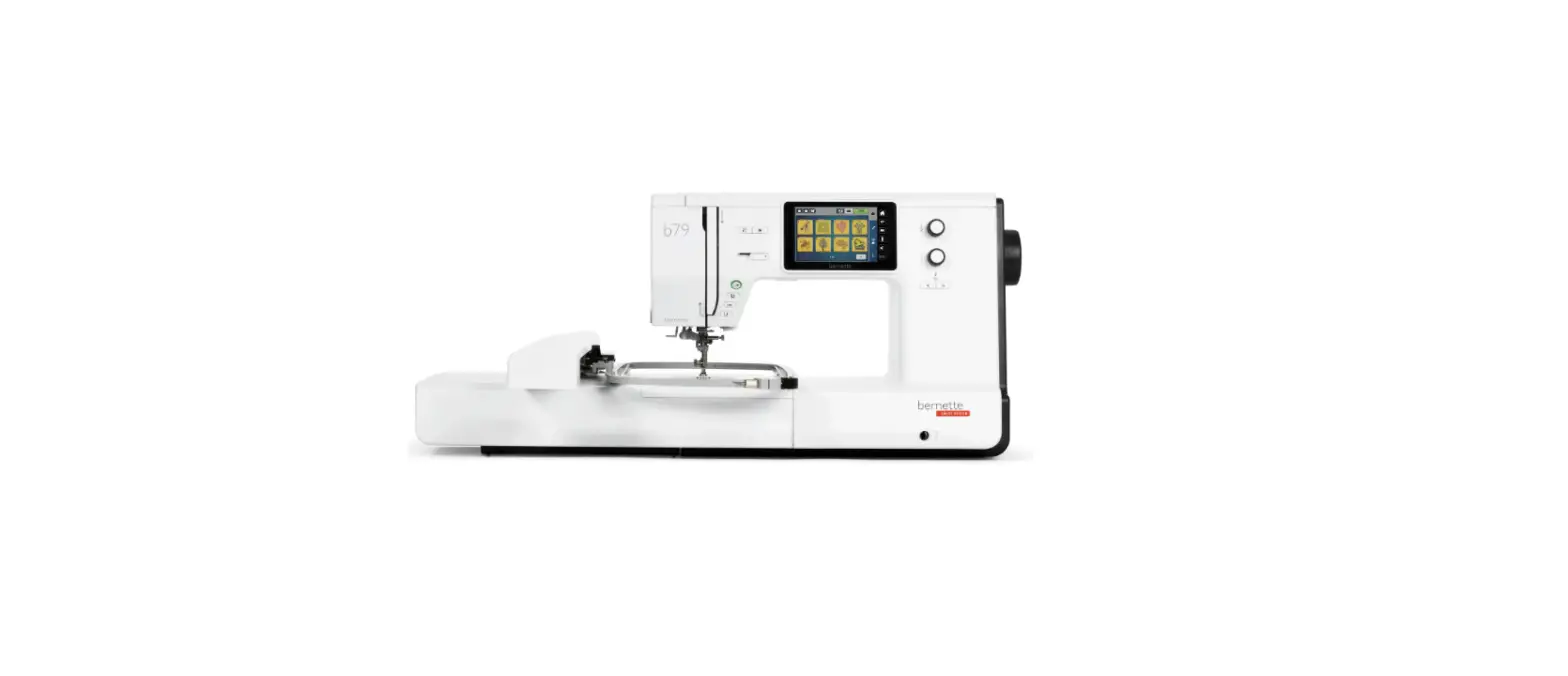
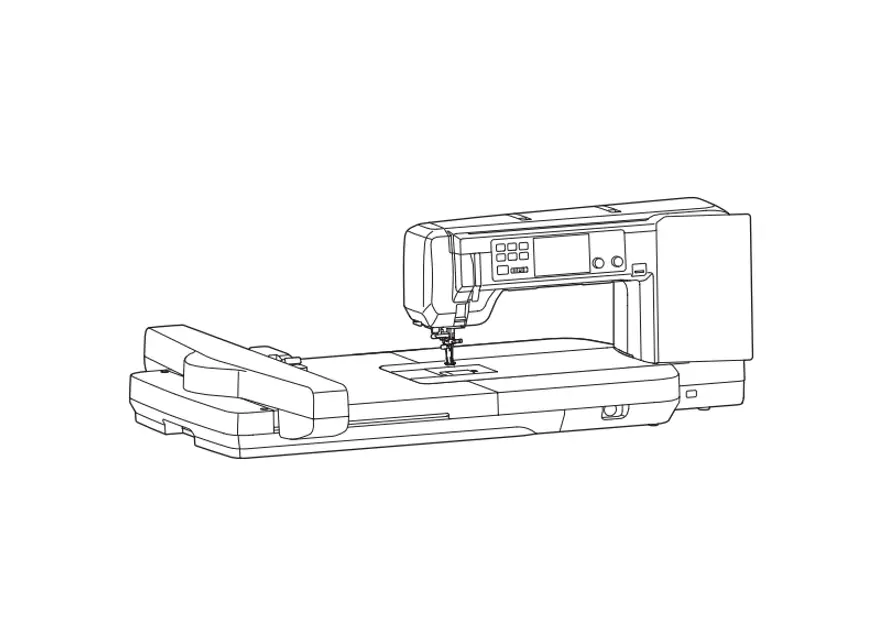
79 Combo Machine Sewing
Product Information
Product Name: bernette 79 Yaya Han Edition
Quick Start Guide
IMPORTANT SAFETY INSTRUCTIONS
Observe the following basic safety instructions when using your
machine. Before using this machine, read instruction manual
carefully.
DANGER!
WARNING
I Important information
Availability of the instruction manual: The quick start
guide is part of the machine.
Proper use: Your bernette machine is conceived and
designed for private household use. It is designed to quilt fabrics
as described in this instruction manual. Any other use is not
considered appropriate. BERNINA assumes no liability concerning
consequences resulting from inappropriate usage.
Cleaning: Wipe with a soft, damp cloth. Never use
alcohol, petrol, white spirit, or any type of solvent to clean!
Protection of the environment: BERNINA is committed to
the protection of the environment. The machine is labeled with the
symbol of the crossed-out wastebin, indicating that it must not be
disposed of with household waste when no longer needed. Improper
disposal can result in dangerous substances getting into the
groundwater.
Content:
For complete instructions, you can link to the online user
manual and how-to videos at www.mybernette.com/b79yaya-han
or scan the QR-Code with your smartphone.
Product Usage Instructions
Overview Front Controls

Overview Machine Front

Overview Machine Top

Overview Machine Back

Connection and Switching On
- Connect the power cable to the machine.
- Turn the power switch to the “ON” position.
- To wind the bobbin thread, refer to the instructions
below.
Winding the Bobbin Thread
- Place the bobbin on the bobbin winder spindle.
- Thread the bobbin thread through the thread guide and around
the bobbin winder pretension. - Hold the end of the thread and start the winding process using
the machine controls. - Once the bobbin is fully wound, cut the thread and remove the
bobbin from the winder spindle.
Threading the Bobbin Thread
- Open the bobbin cover and insert the bobbin into the bobbin
case. - Thread the bobbin thread through the thread guide and into the
tension spring. - Pull the thread through the slot in the bobbin case and close
the bobbin cover.
Threading the Upper Thread
- Refer to the threading diagram on the machine for the correct
thread path. - Guide the thread through the thread guides, tension discs, and
needle threader. - Thread the needle from front to back.
- Pull the thread under the presser foot and towards the back of
the machine.
Changing the Presser Foot
Refer to the instruction manual for detailed instructions on
changing the presser foot.
Attaching the Embroidery Foot
- Ensure the machine is turned off.
- Remove the current presser foot, if attached.
- Align the embroidery foot with the presser foot holder and
lower it into place.
Attaching the Embroidery Module
- Ensure the machine is turned off.
- Align the embroidery module with the connection on the
machine. - Gently push the module into place until it clicks
securely.
Attaching the Stitch Plate
- Ensure the machine is turned off.
- Remove the current stitch plate, if attached.
- Align the stitch plate with the designated area on the machine
and lower it into place.
Selecting the Embroidery Design
- Access the selection menu on the LCD display.
- Navigate to the desired category (Embroidery Alphabets,
Embroidery Design, Personal Embroidery Design, Yaya’s
Creations). - Select the specific design from the available options.
bernette 79 Yaya Han Edition
Quick Start Guide
IMPORTANT SAFETY INSTRUCTIONS
Observe the following basic safety instructions when using your machine. Before using this machine, read instruction manual carefully.
DANGER!
To reduce the risk of electrical shock: · Never leave the machine unattended as long as it is plugged in. · Always unplug the machine from the electrical outlet immediately after using.
Protection against LED radiation: · Do not view the LED light directly with optical instruments (e.g. magnifier). The LED light corresponds with protection class 1M. · When the LED light is damaged or defective, contact your bernette specialist dealer.
WARNING
To reduce the risk of burns, fire, electric shock or injury to persons: · To operate the machine always use the supplied power cable. USA and Canada only: Do not connect power plug NEMA 1-15 to circuits exceeding 150 volt-to-ground. · Use this machine only for purposes as described in this manual. · Only use the machine in dry rooms. · Do not use the machine in a damp condition or in a damp environment. · Do not use this machine as a toy. Close attention is necessary when this machine is used by or near children. · The machine can be used by children older than 8 or by people with reduced physical, sensory or mental capabilities or if there is a lack of experience and knowledge how to operate the machine as long as they are supervised or have been given instruction concerning the responsible use of the appliance and are aware of the involved risks. · Children are not allowed to play with this machine. · Cleaning and maintencance work must not be carried out by children unless they are supervised. · Never operate this machine if it has a damaged cord or plug, if it is not working properly, if it has been dropped or damaged, or dropped into water. Contact the nearest authorized bernette dealer to arrange further details. · Only use accessory recommended by the manufacturer. · Don’t use this machine when the ventilation openings are blocked. Keep the ventilation openings and the foot control free from the accumulation of lint, dust and loose cloth. · Never insert any objects into any openings of the machine. · Do not place any objects on the foot control. · Always use the machine with a foot control of this type FC-210. · Do not operate the machine where aerosol products (sprays) or oxygen are being used. · Keep fingers away from all moving parts. Special care is required around the needle. · Neither pull nor push the fabric while sewing. This can cause needle breakage. · When making any adjustments in the needle area such as such as threading the needle, changing the needle, threading the hook or changing the presser foot turn power switch to «0». · Do not use bent needles. · Always use the original bernette stitch plate. The wrong stitch plate can cause needle breakage.
I
· To disconnect, turn power switch to «0» and then remove the plug from the outlet. Do not unplug by pulling the cord, instead grasp the plug to pull it from the outlet.
· Always disconnect the power plug from the electrical outlet when the covers are removed or opened, when the machine is lubricated or during any other maintenance adjustments mentioned in the instruction manual.
· This machine is provided with double insulation (except USA, Canada and Japan). Use only identical replacement parts. See instructions for Servicing of double-insulated products.
· The sound pressure level is lower than 70 dB(A) under normal conditions.
Important information
Availability of the instruction manual The quick start guide is part of the machine.
· Keep the quick start guide of the machine in a suitable place near the machine and have it ready for reference.
· A detailed instruction manual can be downloaded from www.mybernette.com. · When passing on the machine to a third party, enclose the quick start guide of the machine.
Proper use Your bernette machine is conceived and designed for private household use. It answers the purpose to quilt fabrics as it is decribed in this instruction manual. Any other use is not considered appropriate. BERNINA assumes no liability concerning consequences resulting from an inappropriate usage.
Cleaning Wipe with a soft, damp cloth. Never use alcohol, petrol, white spirit or any type of solvent to clean!
Maintenance of double-insulated products In a double-insulated product two systems of insulation are provided instead of grounding. No grounding means is provided on a doubleinsulated product, nor should a means for grounding be added to the product. Servicing a double-insulated product requires extreme care and knowledge of the system and should be done only by qualified service personnel. Replacement parts for a double-insulated product must be identical to the original parts in the product. A double-insulated product is marked with the words: “double insulation” or “double-insulated”.
The symbol may also be marked on the product.
Protection of the environment
BERNINA is committed to the protection of the environment. We strive to minimize the environmental impact of our products by continuously improving product design and our technology of manufacturing. The machine is labeled with the symbol of the crossed-out wastebin. This means that the machine must not be disposed of with the household waste when the machine is no longer needed. Improper disposal can result in dangerous substances getting into the groundwater and
thus into our food chain, damaging our health. The machine must be returned free of charge to a nearby collection point for waste electrical and electronic equipment or to a collection point for the reuse of the machine. Information on the collection points can be obtained from your local administration. When purchasing a new machine, the dealer is obliged to take back the old machine free of charge and dispose of it properly. If the machine contains personal data, you are responsible for deleting the data yourself before returning the machine.
II
Content
Overview Front Controls …………………………………………………………. 6 Overview Machine Front …………………………………………………………. 7 Overview Machine Top …………………………………………………………… 8 Overview Machine Back ………………………………………………………….. 8 Connection and Switching On …………………………………………………. 9 Winding the Bobbin Thread …………………………………………………….. 9 Threading the Bobbin Thread…………………………………………………. 10 Threading the Upper Thread ………………………………………………….. 10 Overview Selection Menu………………………………………………………. 12 Changing the Presser Foot …………………………………………………….. 12 Attaching the Embroidery Foot ………………………………………………. 13 Attaching the Embroidery Module ………………………………………….. 13 Attaching the Stitch Plate………………………………………………………. 13 Selecting the Embroidery Design …………………………………………….. 14 Preparing the Embroidery Hoop ……………………………………………… 15 Cleaning the Hook……………………………………………………………….. 16 Oiling the Needle Bar ……………………………………………………………. 16 Troubleshooting…………………………………………………………………… 17 New Embroidery Designs of the b79 Yaya Han Edition ……………….. 20 Personalize Embroideries with V9 and b79 Yaya Han Edition……….. 21 Installation and Registration …………………………………………………… 22
www.bernette.com/b79yaya-han
For complete instructions, you can link to the online user manual and how to videos www.mybernette.com/b79yaya-han or scan the QR-Code with your smart phone.
5
Overview Front Controls
8 67
9 5
10
4 3 2 1
1 Quick Reverse 2 Thread Cutter 3 Presser Foot Up/Down 4 Start/Stop 5 Speed Control
6 Securing Stitches 7 Needle Up/Down 8 Upper Multi-function Knob 9 Lower Multi-function Knob 10 Needle Left/Right
6
Overview Machine Front
11
10 12
9 8 7 6 5 4 3 2
13
1
1 Feed Dog Lever 2 Connection for Embroidery Module 3 Bobbin Cover 4 Stitch Plate 5 Presser Foot 6 Sewing Light 7 Needle Threader
8 Buttonhole Lever 9 Thread Cutter 10 Thread Take-up Lever 11 Top Cover 12 LCD Display 13 Connection for Free Hand System 14 Sewing Table and Accessory Box
7
Overview Machine Top
3
4
5
2
6
7
1 8
1 Thread Take-up Lever 2 Bobbin Winder Pretension 3 Thread Guide 4 Spool Pin
Overview Machine Back
6
5 4 3 2 1
5 Winding Unit and Holder for Second Spool Pin
6 Stopper Winding Unit 7 Touchscreen Pen 8 Thread Cutter
7 8
9
10
1 Connection for Power Cable 2 Air Vents 3 Connection for Foot Control 4 USB Port 5 Power Switch
6 Handwheel 7 Carrying Handle 8 Air Vents 9 Dual Feed 10 Sewing Table and Accessory Box
8
Connection and Switching On
1
2
3
ON
OFF
Winding the Bobbin Thread
1 2
3
1
2
4 9
3
4
5
6
7
8
9
9
Threading the Bobbin Thread
1
2
3
4
Threading the Upper Thread
1
3
2
6
4
6
1
7
9 10 8
5 11
12
2 10
3
4
5
6
78
9
10
11
12 11
Overview Selection Menu
1 2
3 4
5
6
1 Practical Stitches 2 Decorative Stitches 3 Alphabets
4 Buttonholes 5 Quilt Stitches 6 Personal Memory
Changing the Presser Foot
12
Attaching the Embroidery Foot
1
2 3
Attaching the Embroidery Module
1
2
Attaching the Stitch Plate
1
2
13
Selecting the Embroidery Design
1
2
3
4
5
6
7
1 Embroidery Alphabets 2 Embroidery Design 3 Personal Embroidery Design 4 Yaya’s Creations
5 Sashiko Design 6 Asian Symbols 7 Yaya Han Logo
1
2
3
4
6
5
1 Basting 2 Moving the Hoop 3 Embroidery Sequence Control
4 Cut Connecting Stitches 5 Multi-colored Embroidery Design On/Off 6 Color Indication
14
Preparing the Embroidery Hoop
1
2
3
4
5
6
7
8
15
Cleaning the Hook
1
2
3
Oiling the Needle Bar
1
2
3
1
2
3
16
Troubleshooting
Fault
Cause
Solution
Uneven Stitch Formation Upper thread too tight or – Adjust the upper thread tension. too loose.
Needle blunt or bent.
– Replace the needle, make sure that a new BERNINA quality needle is used.
Poor quality needle.
Poor quality thread.
Incorrect needle/thread combination.
– Use a new BERNINA quality needle. – Use quality thread. – Match the needle with the thread size.
Skipped Stitches
Incorrectly threaded.
– Rethread.
Fabric was pulled.
– Feed the fabric evenly.
Dust or thread remnants – Clean the hook. under the tension spring of the bobbin case.
Incorrect needle.
– Use the needle system 130/705H.
Needle blunt or bent.
– Replace the needle.
Poor quality needle.
– Use a new BERNINA quality needle.
The needle is incorrectly – Insert the needle with the flat side to the
inserted.
back as far up as it will go into the needle
holder and tighten the screw.
Incorrect needle point. – Match the needle point to the texture of the material.
Faulty Stitching
Thread remnants be- – Fold a piece of thin material and slide the
tween the thread tension folded edge (not the raw edges) between
discs.
the thread tension discs.
Incorrectly threaded.
– Rethread.
Thread is caught in the hook.
– Remove the upper thread and the bobbin case, turn the handwheel backwards and forwards by hand and remove the thread remnants.
Incorrect needle/thread – Check the needle/thread combination. combination.
Upper Thread Breaks
Incorrect needle/thread – Match the needle with the thread size. combination.
Upper thread is too tight. – Reduce the upper thread tension.
Incorrectly threaded.
– Rethread.
Poor quality thread.
– Use quality thread.
The stitch plate or the hook tip is damaged.
– Contact a specialized bernette dealer to have the damages repaired.
– Replace the stitch plate.
17
Lower Thread Breaks Needle Breaks
The bobbin is not insert- – Remove and reinsert the bobbin and pull on
ed correctly.
the thread.
The bobbin is wound incorrectly.
The stitch hole in the stitch plate is damaged.
The thread should run easily. – Check bobbin and thread correctly.
– Contact a specialized bernette dealer to have the damages repaired.
Needle blunt or bent.
– Replace the stitch plate. – Replace the needle.
The needle is incorrectly – Insert the needle with the flat side to the
inserted.
back as far up as it will go into the needle
holder and tighten the screw.
Fabric was pulled.
– Feed the fabric evenly.
Thick fabric has been pushed.
– Use the appropriate presser foot, e.g. Jeans foot, for thick material.
Knotted thread.
– Use the height compensating tool when sewing over a thick seam.
– Use quality thread.
Display is Inactive
Incorrect calibrating data. – Switch off the machine.
– Switch on the machine, and simultaneously press and hold the buttons «Needle Position Right/Left».
– Recalibrate the display.
The eco Mode is active. – Tap «Eco Mode».
Stitch Width Not Adjust- The selected needle and – Replace the needle.
able
stitch plate cannot be
used in combination.
– Replace the stitch plate.
Speed Too Low
Unfavorable room temperature.
Settings in the Setup Program.
– Place the machine in a warm room one hour before use.
– Adjust the sewing/embroidery speed in the Setup Program.
– Adjust the slide.
18
The Machine doesn’t Start
The Light of the Button «Start-/Stop» doesn’t Light Up
The machine is not switched on.
The presser foot is raised.
The machine is not connected to the power supply.
The machine is damaged.
Light is defect.
– Switch the machine on. – Lower the presser foot. – Connect the power plug to the supply.
– Contact the specialized bernette dealer. – Contact the specialized bernette dealer.
Neither the Sewing Light Nor the Light on the Freearm Lights Up
Settings in the Setup Program.
The sewing light is defect.
– Activate it in the Setup Program. – Contact the specialized bernette dealer.
Upper Thread Indicator Fails to Respond
Settings in the Setup Program.
– Activate it in the Setup Program.
The upper thread indica- – Contact the specialized bernette dealer. tor is defect.
Bobbin Thread Indicator Settings in the Setup
doesn’t React
Program.
The bobbin thread indicator is defect.
Error during Software Update
The update process is blocked and the hourglass on the display is inactive.
– Activate it in the Setup Program.
– Contact the specialized bernette dealer.
– Remove the USB stick. – Switch off the machine. – Rename the firmware file from «.fw» to
«.auto». – Insert the USB stick. – Switch on the machine.
The update starts automatically.
19
New Embroidery Designs of the b79 Yaya Han Edition
20
Personalize Embroideries with V9 and b79 Yaya Han Edition
.jpg .wmf .eps .png .bmp .emf
.exp .art
.exp
For more information
https://www.bernina.com/en-US/Software-US/Embroidery-Software/BERNINA-Embroidery-Software-9/BERNINA-Embroidery-Software-9-Creator#!support
21
Installation and Registration
1
2
1
2
3
4
1
1 2
2
5
6
1
1
2
2
7
8
1
22
9
10
1 2
11
12
13
23
For complete instructions, you can link to the online user manual and how to videos www.mybernette.com/b79yaya-han or scan the QR-Code with your smart phone.
www.bernette.com/b79yaya-han
520SE79.0.04 / 021CJB0106 | en 2023-02 © BERNINA International AG
Steckborn CH, www.bernina.com
 BERNINA: Premium Swiss quality sewing machines - BERNINA
 bernette - swiss design sewing machines, overlockers and sergers.