Product Manual
12-IN-1 USB-C HUB WITH DUAL-IN AND TRIPLE DISPLAY
 Product Introduction
 Product Introduction
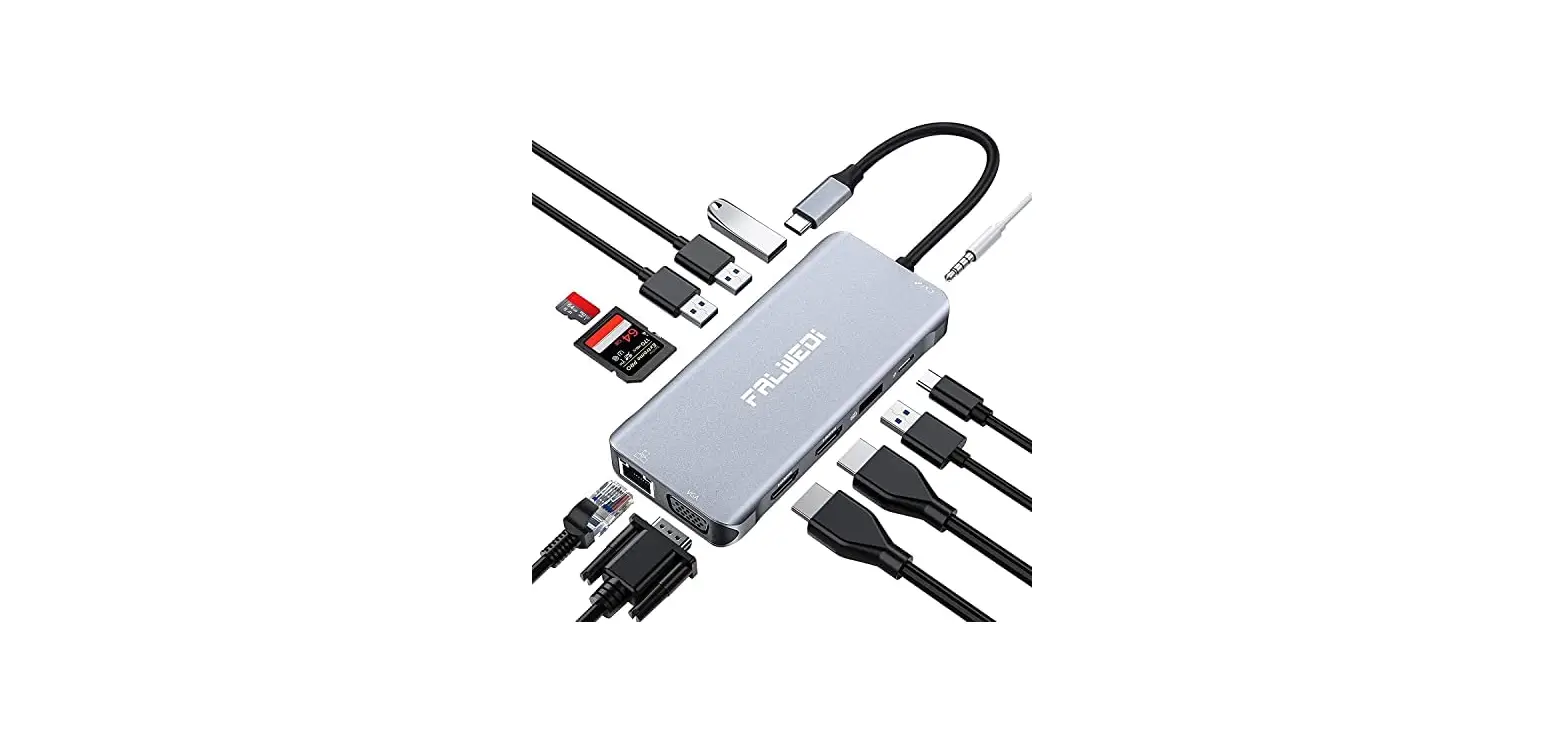
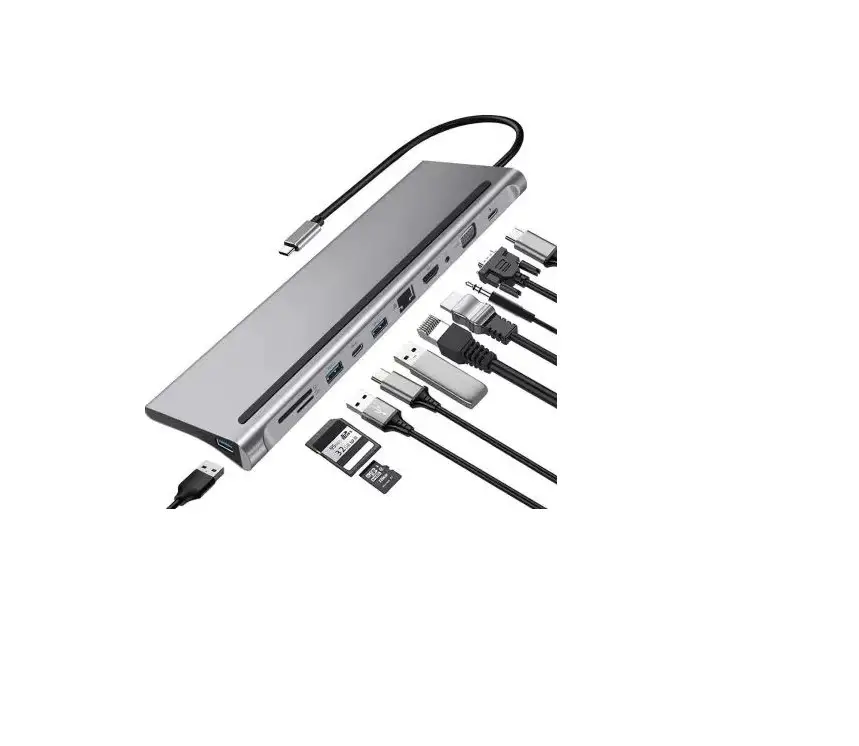
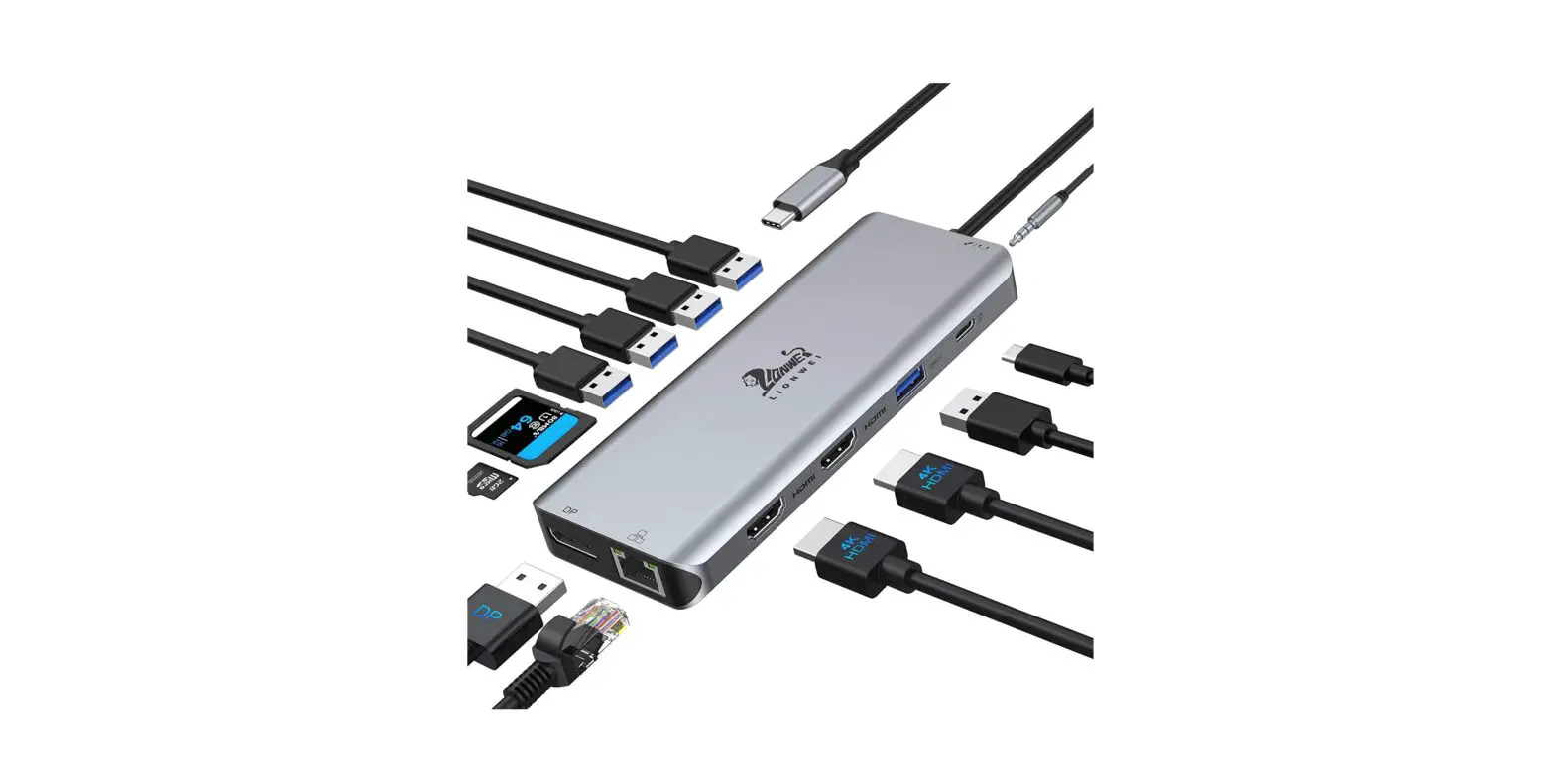
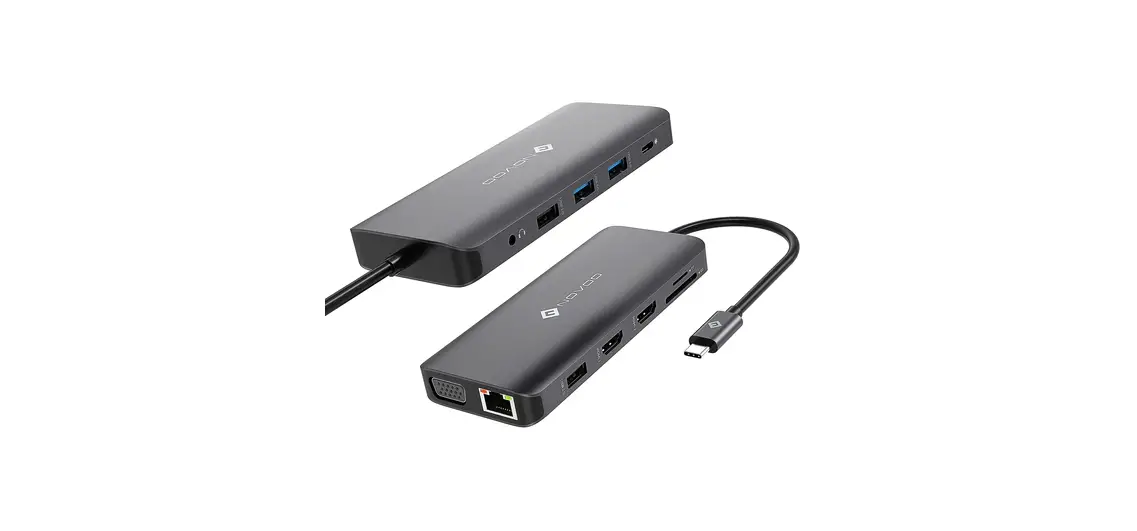
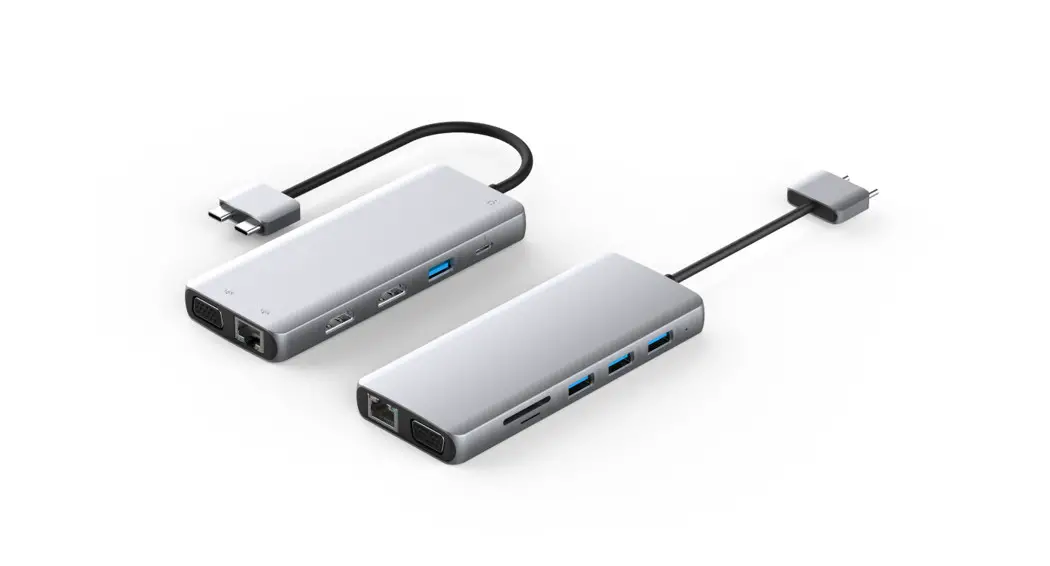
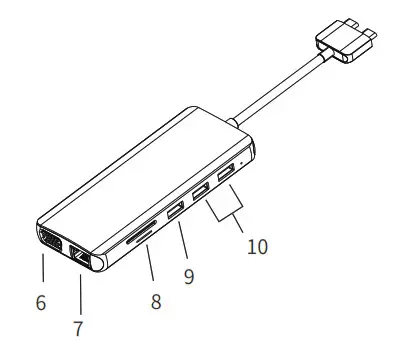
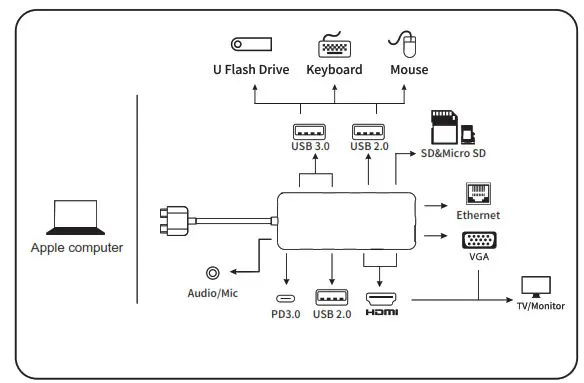
This is an alloy multi-function USB-C HUB adapter. It mainly extends the USB-C interface of the source device to HDMI, VGA, network RJ45 interface, USB3.0-A, USB2.0, SD/Micro SD card reader, 3.5mm Audio/Mic and USB-C charging port. And it has a dual-in-USB-C port, especially used for MacBook and achieves MacBook’s Multi-Stream Display (Extend 2 different screens on 2 external displays ).
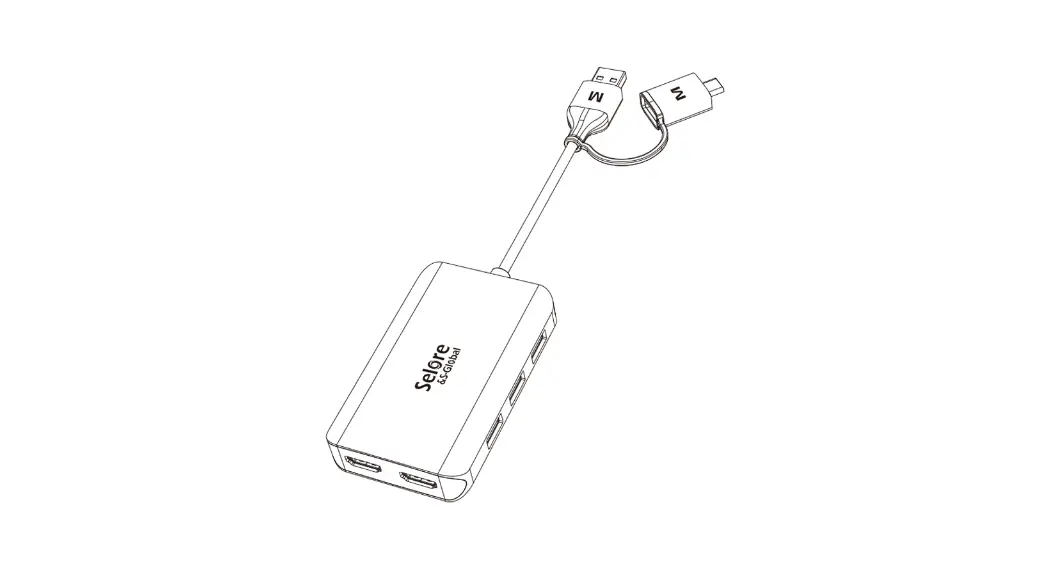
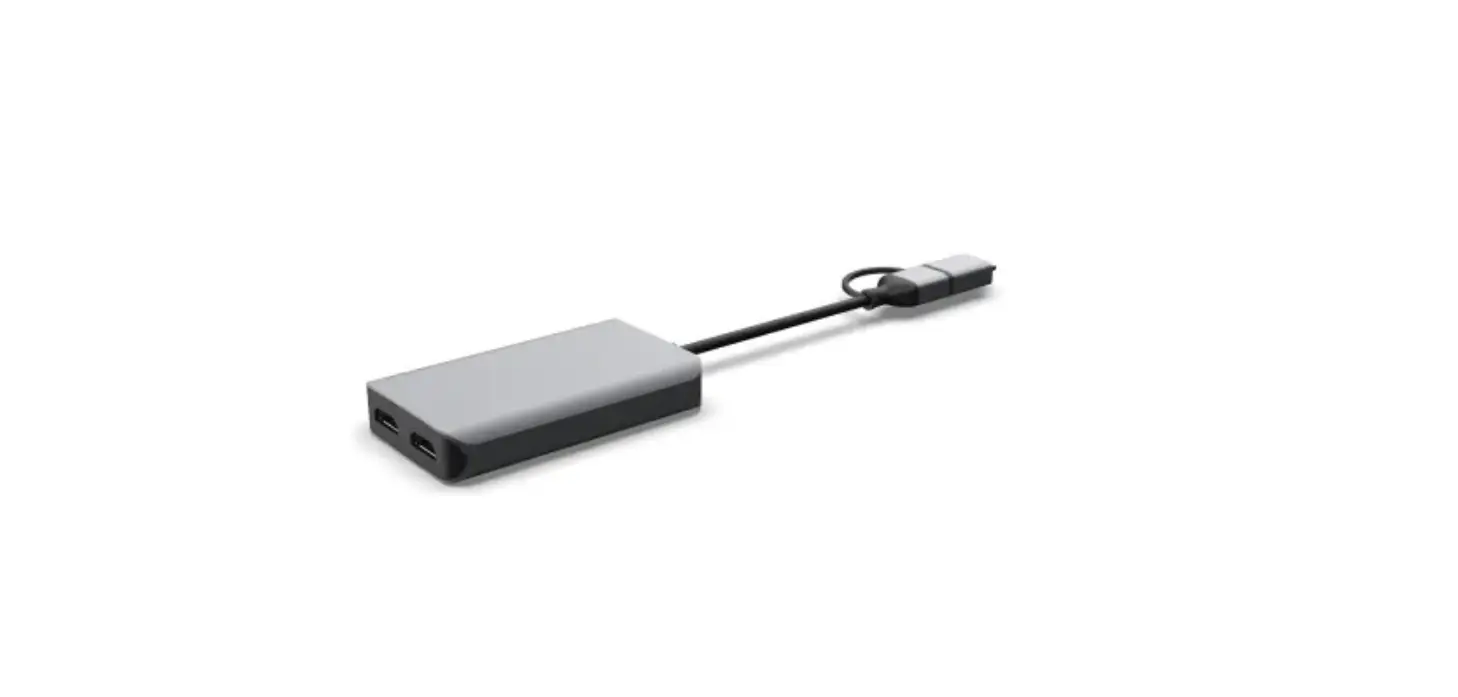
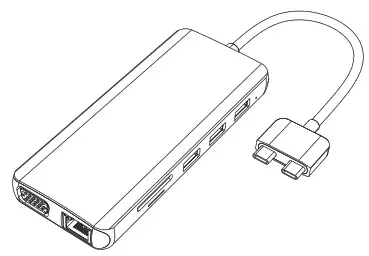
Structure Diagram
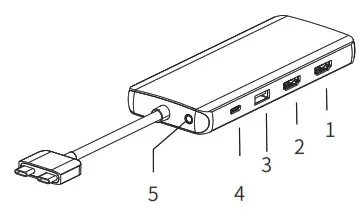
| 1. HDMI 1 2.HDMI 2 3. USB2.0 4. PD3.0 5. Audio/Mic | 6. VGA 7. RJ45 8. SD & Micro SD 9. USB2.0 10. USB3.0 |
 Feature
 Feature
- HDMI 1:
4Kx2K 60Hz / 3840×2160 (work separately while the source is DP1.4)
4Kx2K 30Hz / 3840×2160 (work separately while the source is DP1.2) - HDMI 2:
4Kx2K 60Hz / 3840×2160 (work separately while the source is DP1.4)
4Kx2K 30Hz / 3840×2160 (work separately while the source is DP1.2) - USB-A 2.0:
Speed up to 480Mbps, 5V/[email protected];
Designed for the connection of 2.4 GHz wireless devices, such as wireless keyboards/mouse adapters, etc. - USB-C Port: Power Delivery (PD3.0)
Upstream charging the source devices such as Laptop/MacBook, charging limited to 87-96W for safety and affected by different firmware.
Support 100W power adapter - 3.5mm Audio/Microphone ( CTIA Standard )
- VGA: Resolution up to 1080P/60Hz.
- Max Ethernet Speed: 1000M
- SD / Micro SD Card Reader
Read: 50-104MB/s, Write: 30-80MB/s, ( Data transfer rates are subject to the speed of the memory card itself and your computer’s USB ports. ) - USB2.0: same as no. 3
- USB3.0*2: Speed up to 5 Gbps, 5V/[email protected]
Remarks
- Support MacBook’s Multi-Stream
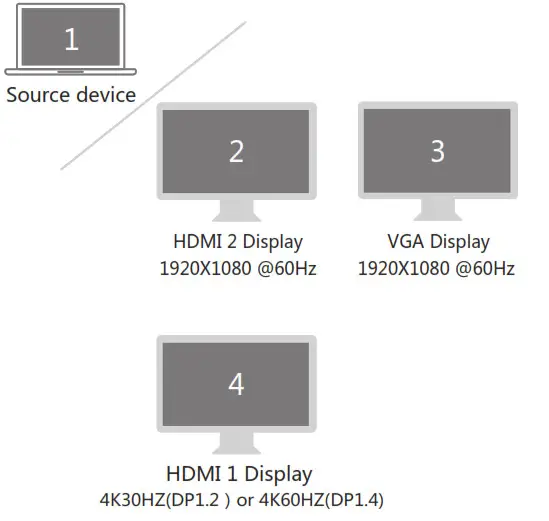
- HDMI 1 vs HDMI 2; HDMI 1 vs VGA; HDMI 1 vs HDMI 2+VGA will achieve Mac OS Multi-Stream Display (Extend 2 different screens on 2 external displays ).
Connection
Resolution Setting for Mac
Apple logo>System Preferences>Displays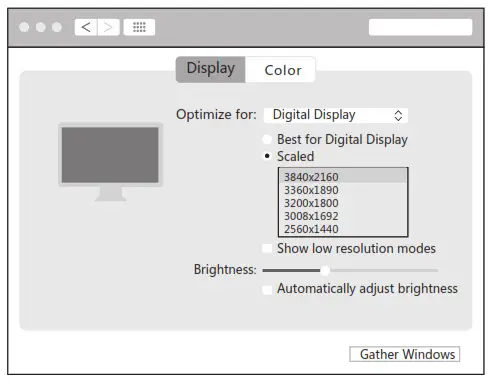 Sound Setting for Mac
Apple logo>System Preferences >Sound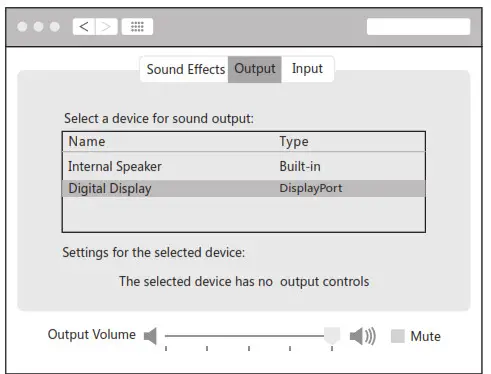
Graphics Settings for Mac
1.Mirror Display
Apple logo>System Preferences >Displays
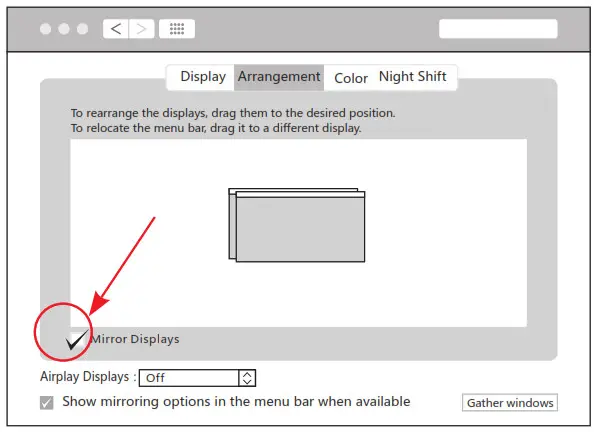
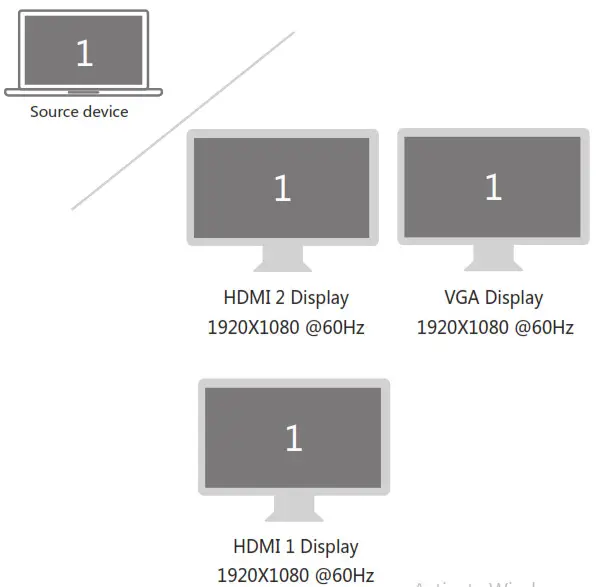
2.Extend Display
Apple logo>System Preferences >Displays

 Mac Windows System display settings
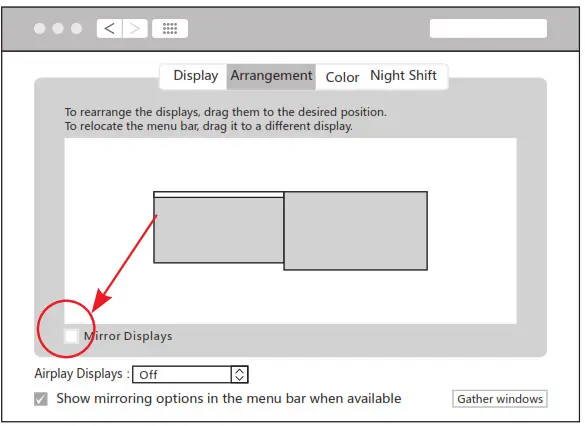
Right-click desktop >Display Settings
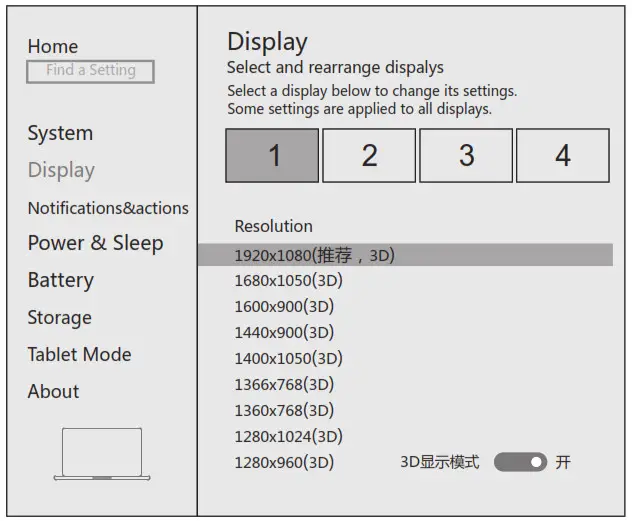 Sound Settings for win10
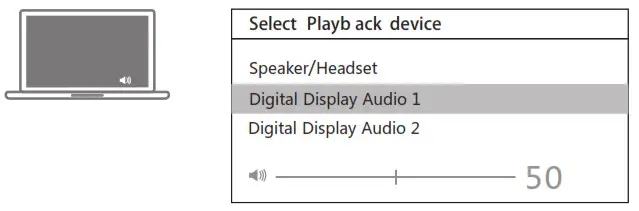
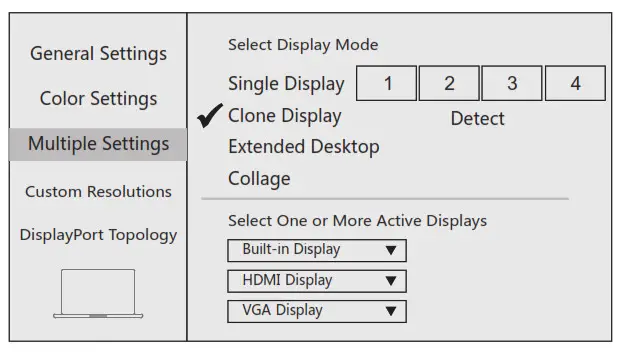
1.Clone mode
Right-click desktop >Graphics Settings >Display
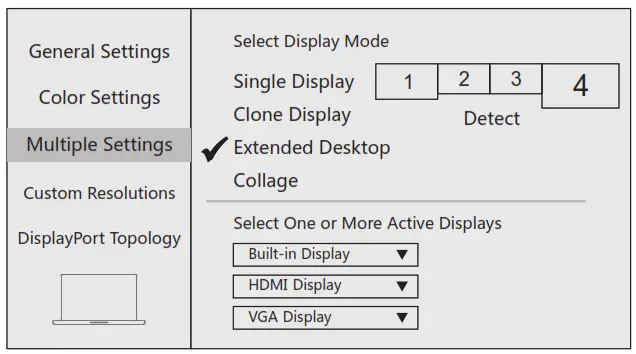
2.Extended Desktop
Right-click desktop >Graphics Settings >Display
Storage Conditions
Ambient Operating Temperature: 0℃ to 70 ℃(32°F to 158°F)
Storage Temperature: -30 ℃ to 120 ℃(-22°F to 248°F)
Ambient Operating Humidity: 20%-80%RH
Storage Humidity: 20%-90%RH
FAQ
A. Why is there no video output?
1. Pls make sure if your USB-C devices support video output.
2. Pls make sure if the connection is good.
3. Pls use a standard HDMI cable.
B. Why is there no audio output from HDMI?
1. Pls make sure if there’s audio output on the Monitor.
2. Pls set the external monitor as the default audio output device.
C. What if the WIFI drops when the hard drive has been connected to the hub?
1. 2.4G easily interferes, you can switch to 5G network,
or try to move the hard drive to a suitable place.
D. What if the USB driver can’t be identified?
1. Restart the device and connect the hub again.
E. What if the display screen drops after connecting a large current hard drive?
1. Pls supply power by power adapter always.
| SYSTEM | MODE | Ports | Resolution | |
| Single | MAC OS or MAC WINDOWS | Mirror or Clone or Extend | HDIAI 1 | 4K 30/42(DP1.2) or 60HZ (DP1.4) |
| HDMI2 | 4K 30HZ(DP1.2) or 60HZ (DP1.4) | |||
| VGA | 1080P | |||
| Dual 1 | MAC OS or MAC WINDOWS | Mirror or Clone or Extend | NOM] 1 | 4K 30HZ(DP1.2) or 60HZ (DP1.4) |
| HDMI2 | 4K 30HZ(DP1.2) or 60HZ (DP1.4) | |||
| Dual 2 | MAC OS or MAC WINDOWS | Mirror or Clone or Extend | HDMI 1 | 4K 30/12(DP1.0) or 60HZ (DP1.4) |
| VGA | 10SOP | |||
| Dual 3 | MAC OS or MAC WINDOWS | Mirror or Clone or Extend | HDMI2 | 1080P |
| VGA | 1080P | |||
| Triple 1 | IAAC OS or MAC WINDOWS | Mirror or Clone | HD/AI 1 | 11180P |
| HDMI2 | 1080P | |||
| VGA | 1080P | |||
| Triple 2 | MAC OS or MAC WINDOWS | Extend | HDMI 1 | 4K 30HZ(DP1.2) or 60HZ (DP1.4) |
| HDMI2 | 1080P | |||
| VGA | 1080P |
 The terms HDMI, HDMI High-Definition Multimedia Interface, and the HDMI Logo are trademarks or registered trademarks of HDMI Licensing Administrator, Inc.
 Made in China.