 DREAM.EXPLORE.INSPIRE
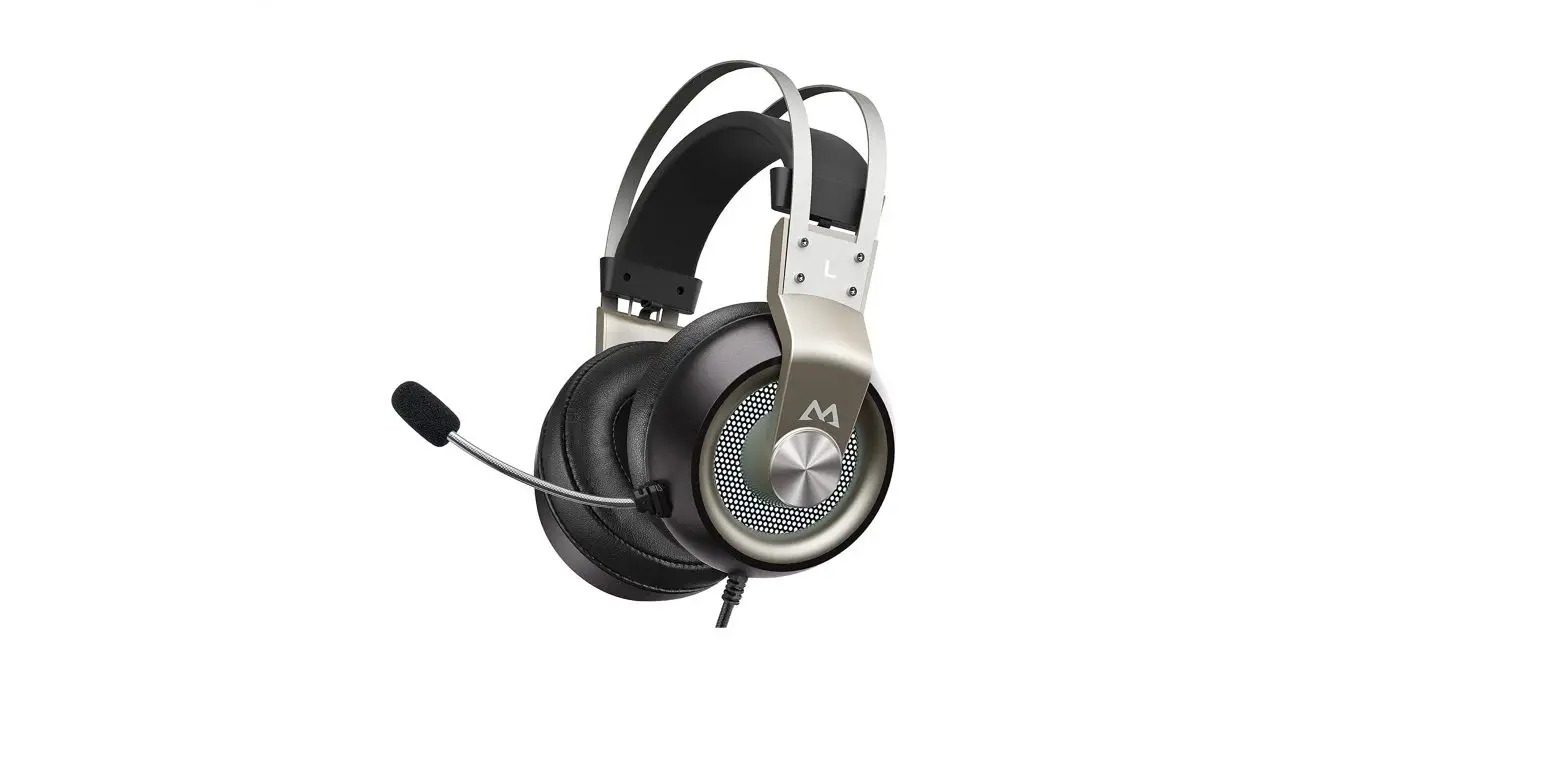
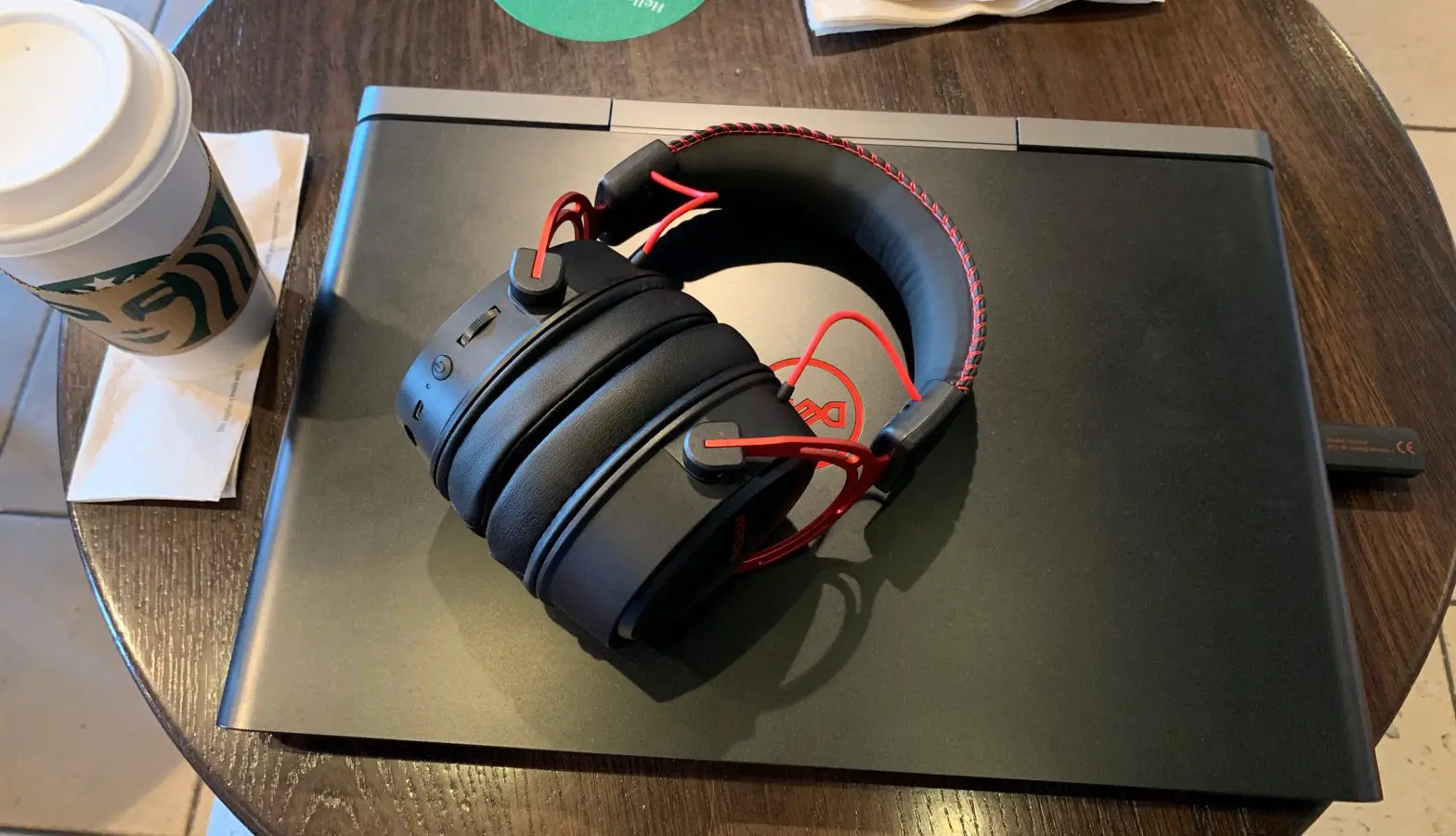
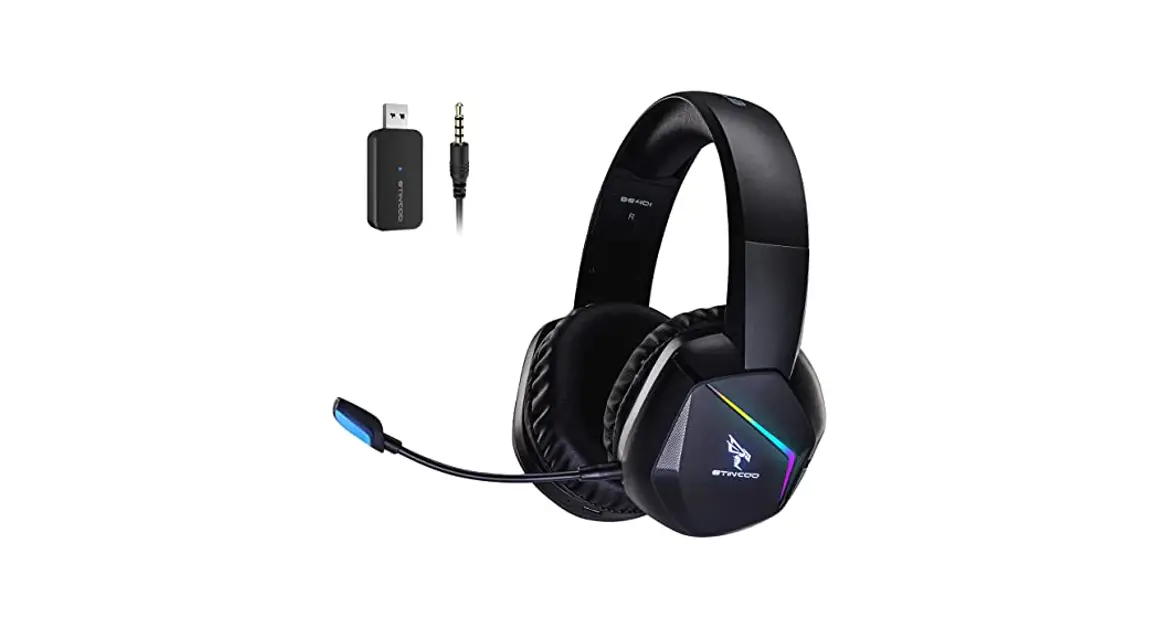
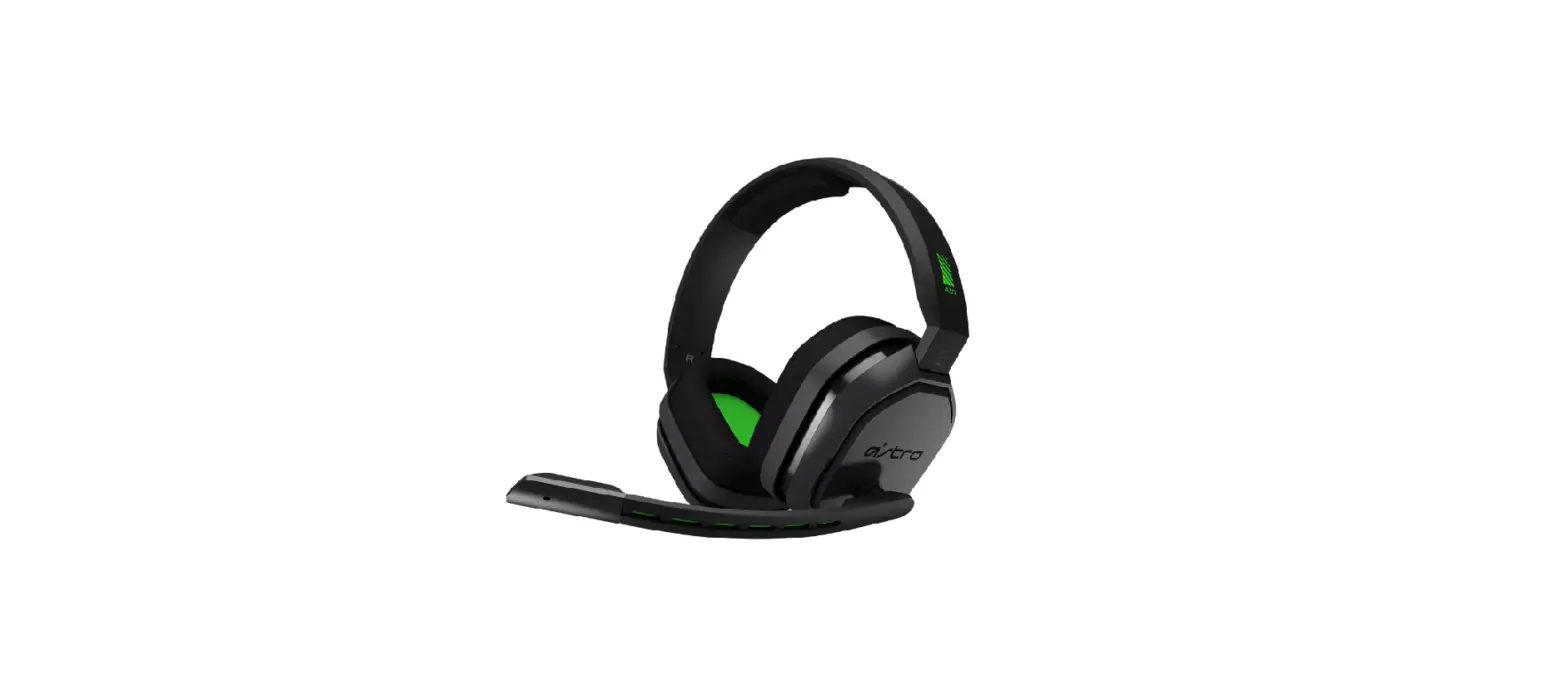
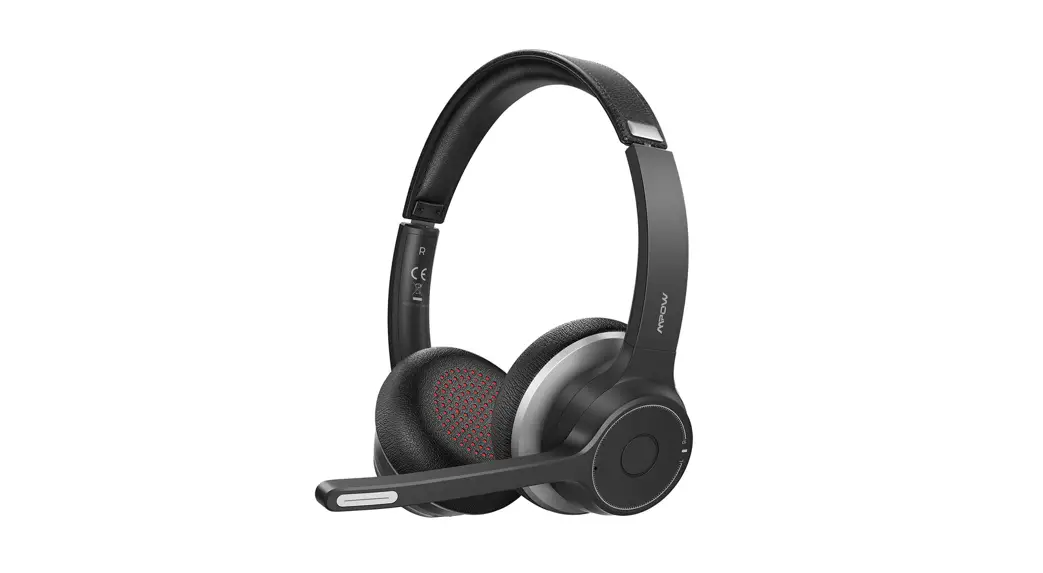
MPOWAIR WIRELESS GAMING HEADSET
MODEL: BH41 SA
DOUBLE CHAMBER DRIVERS MODEL: BH415A
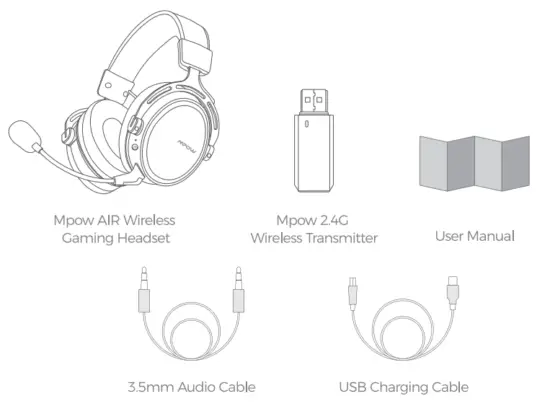
Packing List
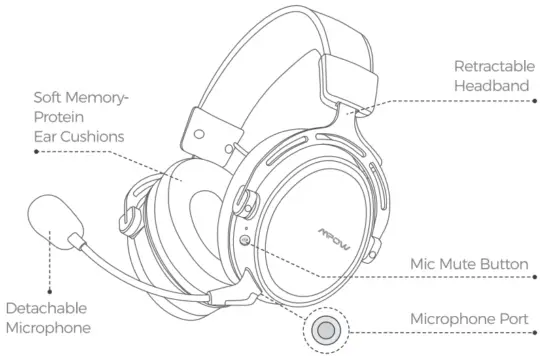
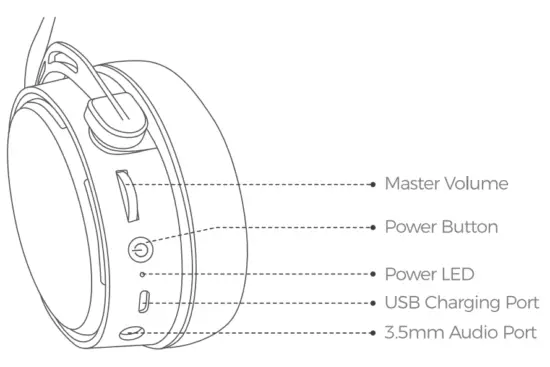
Diagram
 |  |
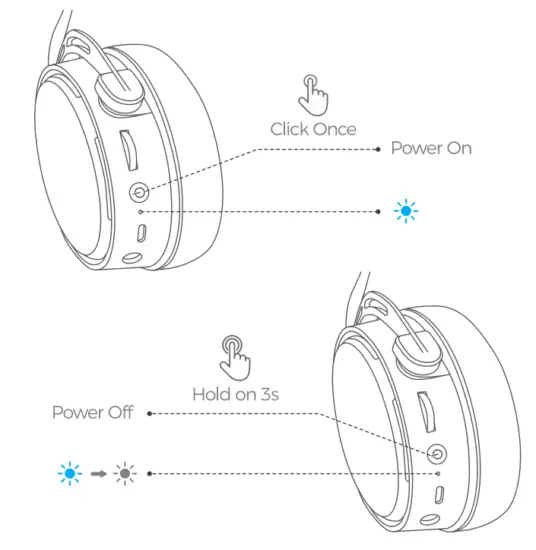
Power ON OFF
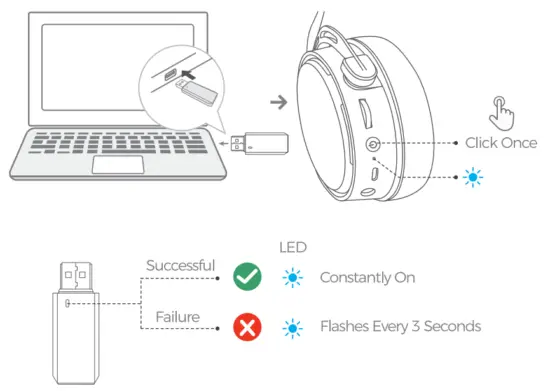
How To Connect
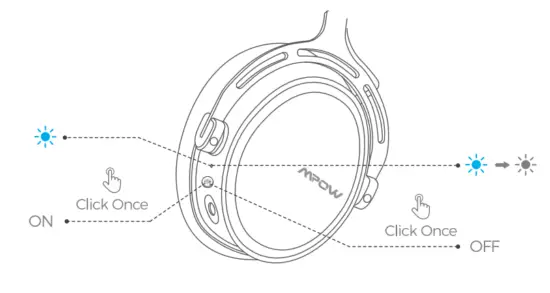
MIC ON/OFF
Charge the Headset
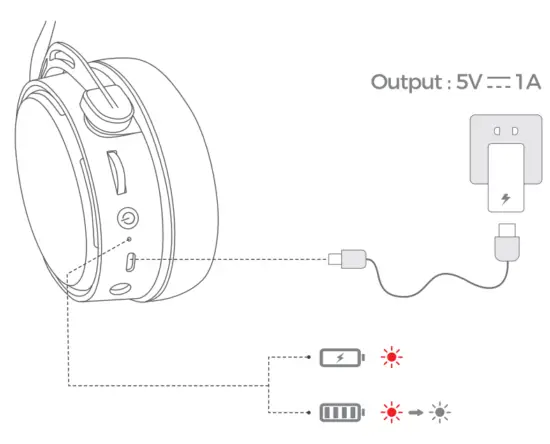
Power Saving Features
- If your headset is disconnected from your devices and no operation is performed for five minutes. your headset will turn off automatically.
- Insert the 3.5mm audio cable. then the headset turns off and enters the wired mode.
- Low Battery Reminder: With less than 10% power, the headset will beep every 3 minutes. and automatically turn off in 15 minutes.
Compatible Devices
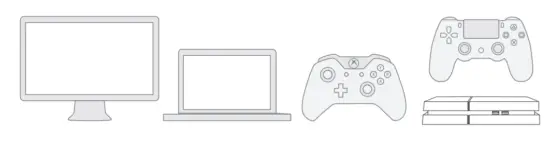
PC/P54/PS4 PRO/PS4 SUM/MAC OS/Xbox one/Xbox One S
Note 2.4GHz Wireless Transmitter only supports PC and Playstation 4/MAC OS.
Operation Guides
- PC: 2.4C Wireless Mode
 Open your sound settings from Control Panel >Sound. SeeMPOW Wireless Gaming Headset” to be the default device to play and record sounds.
 - Mac OS: 2.4G Wireless Mode
 Mac OS Setting (Connect the headset to the USB port of the MAC computer)
 - PS4 Console: Wired Mode
 Connect Transmitter to USB Port bPo✓er on Header Co to Settings » Devices »Audio Devices. Set Output to Headphones to All Audio, Set Volume Controls (Headphones) to maximum
 - Xbox One: Wired Mode Only
EN Xbox Setting (Connect the headset to the audio port of the Xbox The audio adapter needs an extra purchase)
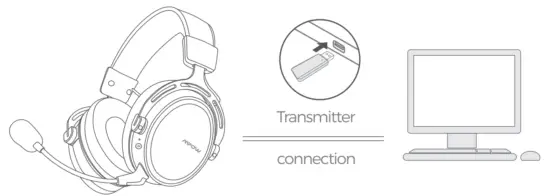 Open your sound settings from Control Panel >Sound. SeeMPOW Wireless Gaming Headset” to be the default device to play and record sounds.
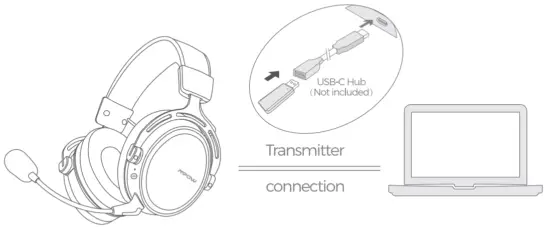 Mac OS Setting (Connect the headset to the USB port of the MAC computer)
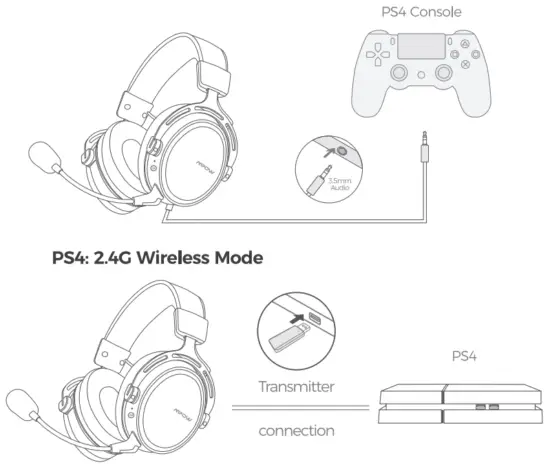 Connect Transmitter to USB Port bPo✓er on Header Co to Settings » Devices »Audio Devices. Set Output to Headphones to All Audio, Set Volume Controls (Headphones) to maximum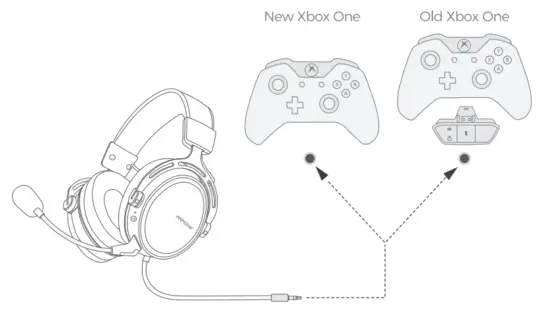
Specification
| Speaker Sensitivity | 99±3dB |
| Playing Time | 17H |
| Charging Input | 5V 1000mA 1000mA |
| MIC Sensitivity | -38±3dB |
| Charging Time | 3-4H |
| Connectivity | 2.4GHz Wireless 3.5mm Audio Cable |
| Standby Time | 2001-1+ |
| Battery Capacity | 1100mAh |
| Wireless Distance | 39ft (12m) |
FCC Statement
Any changes or modifications not expressly approved by the party responsible for compliance could void the user’s authority to operate the equipment
This device complies with part 15 of the FCC Rules.
Operation is subject to the following two conditions
(1) This device may not cause harmful interference. and
(2) this device must accept any interference received. including interference that may cause undesired operation.
FCC Radiation Exposure Statement
This equipment complies with FCC radiation exposure limits set forth for an uncontrolled environment