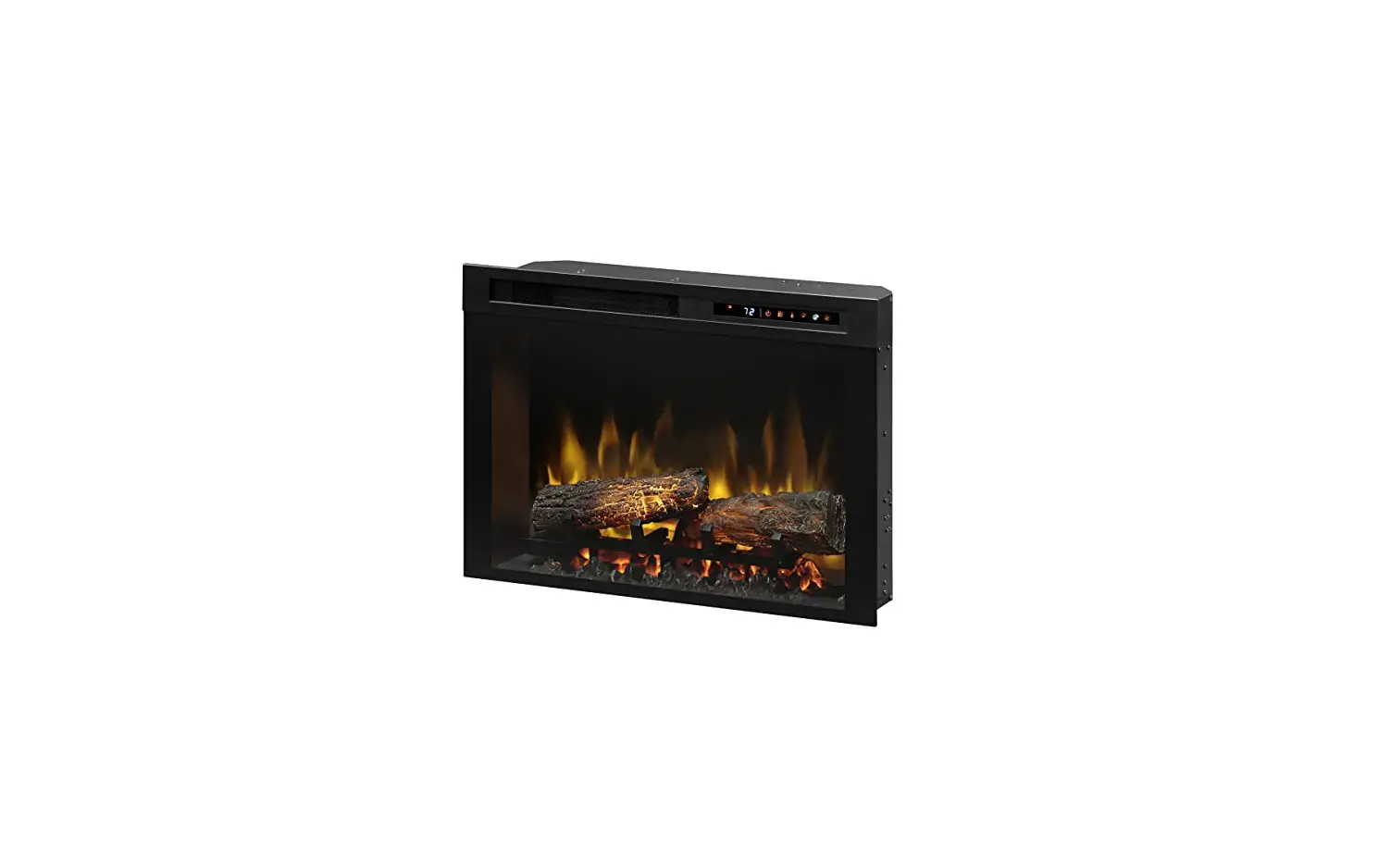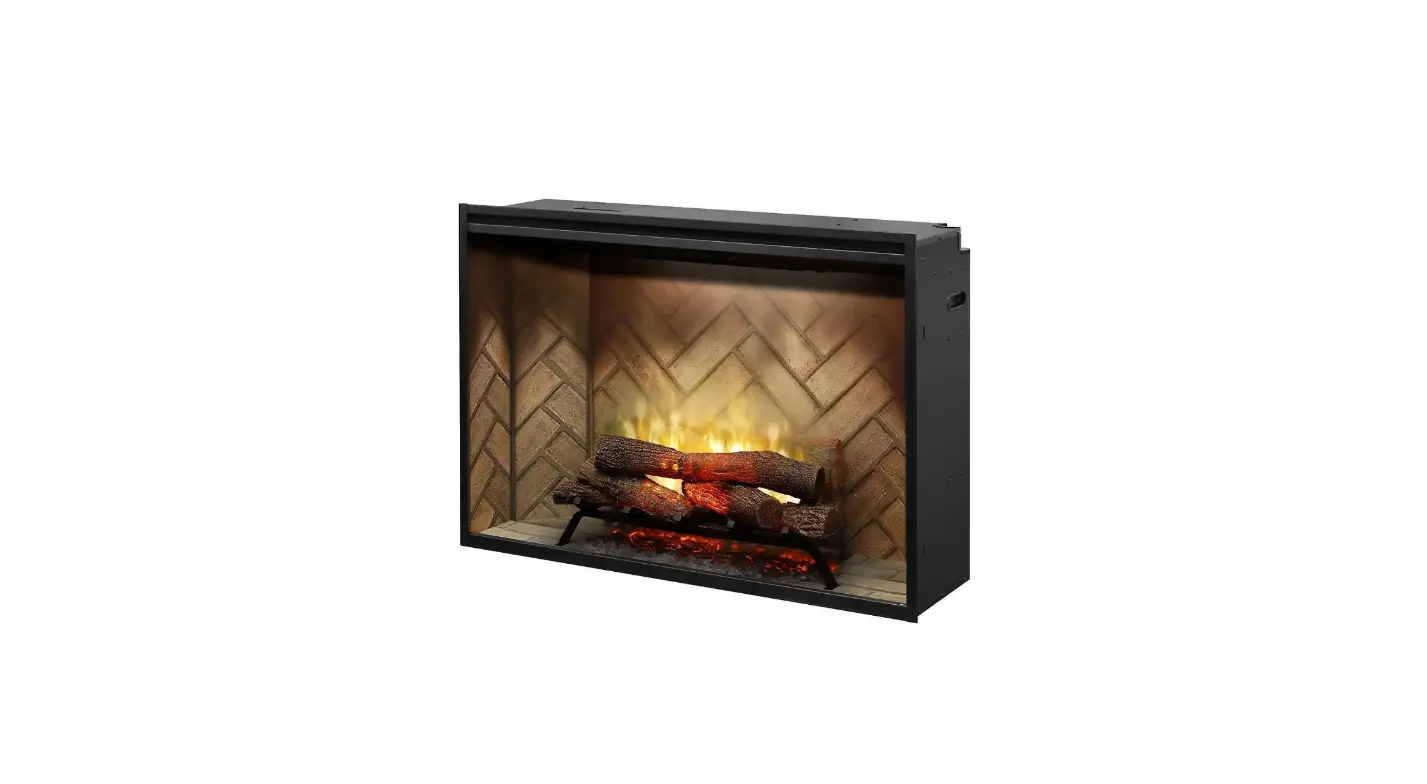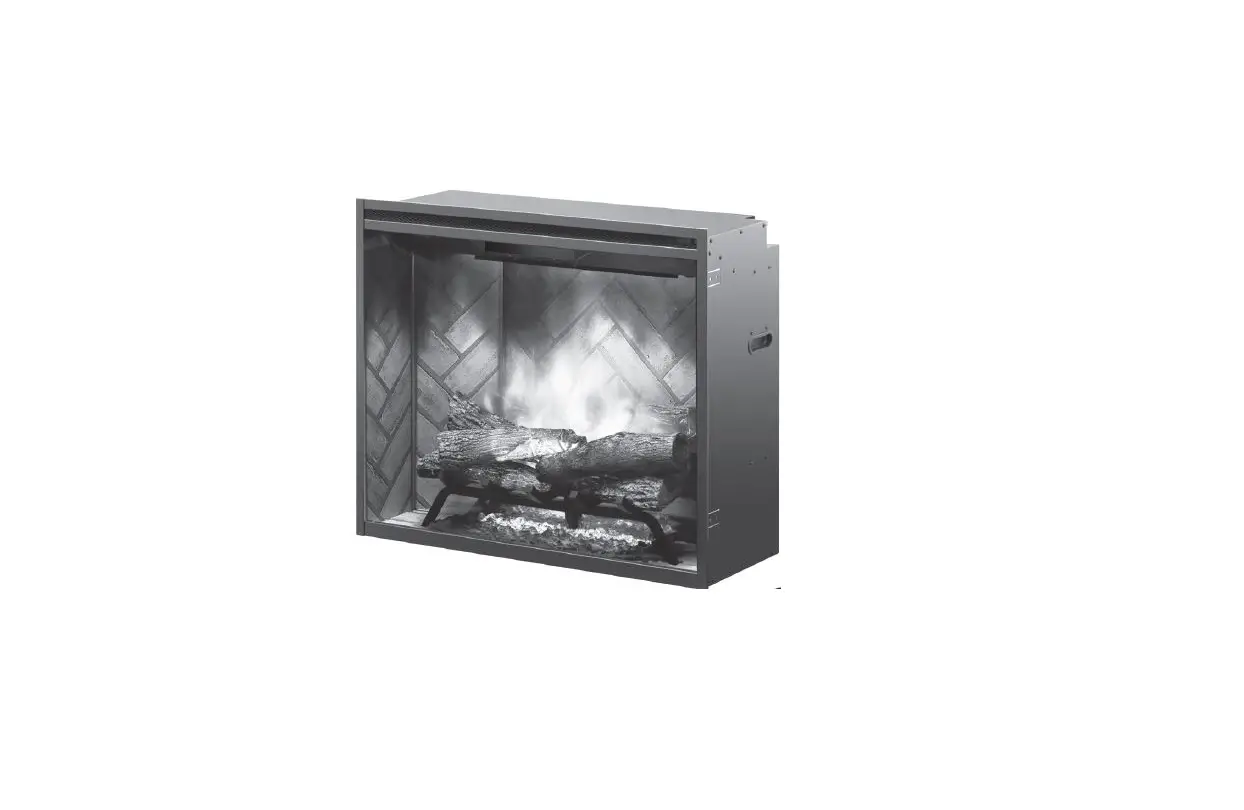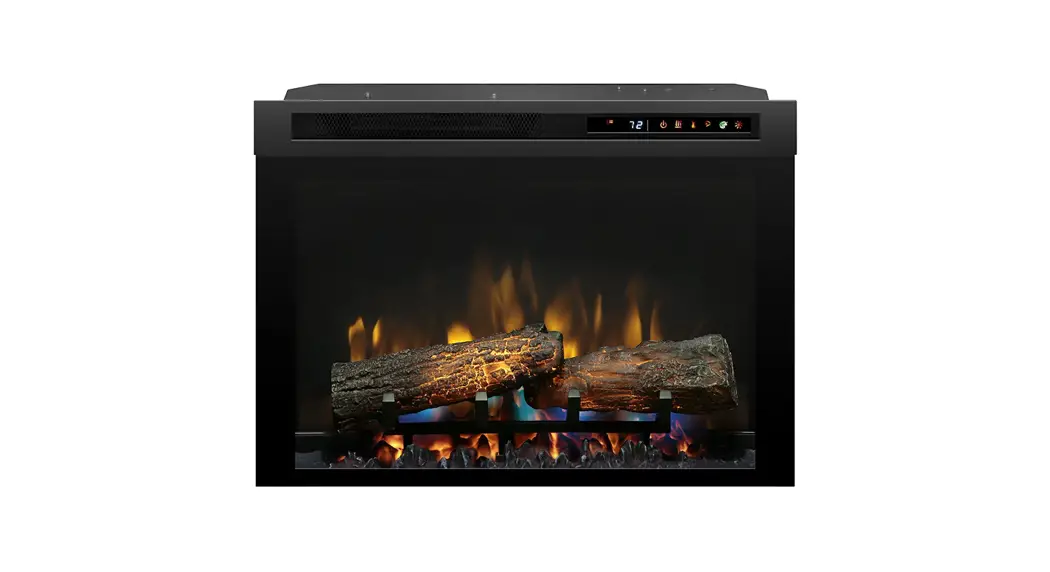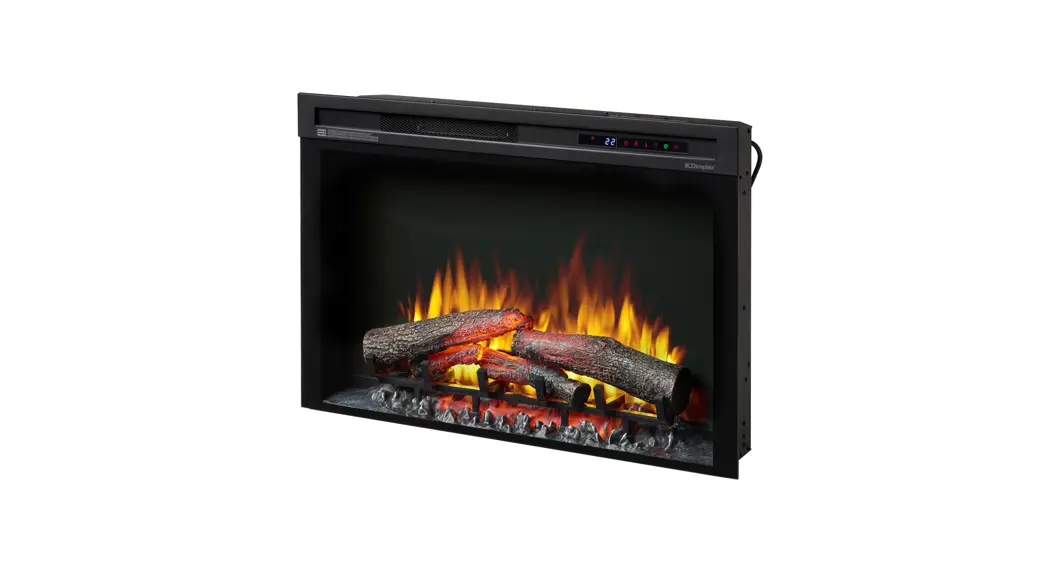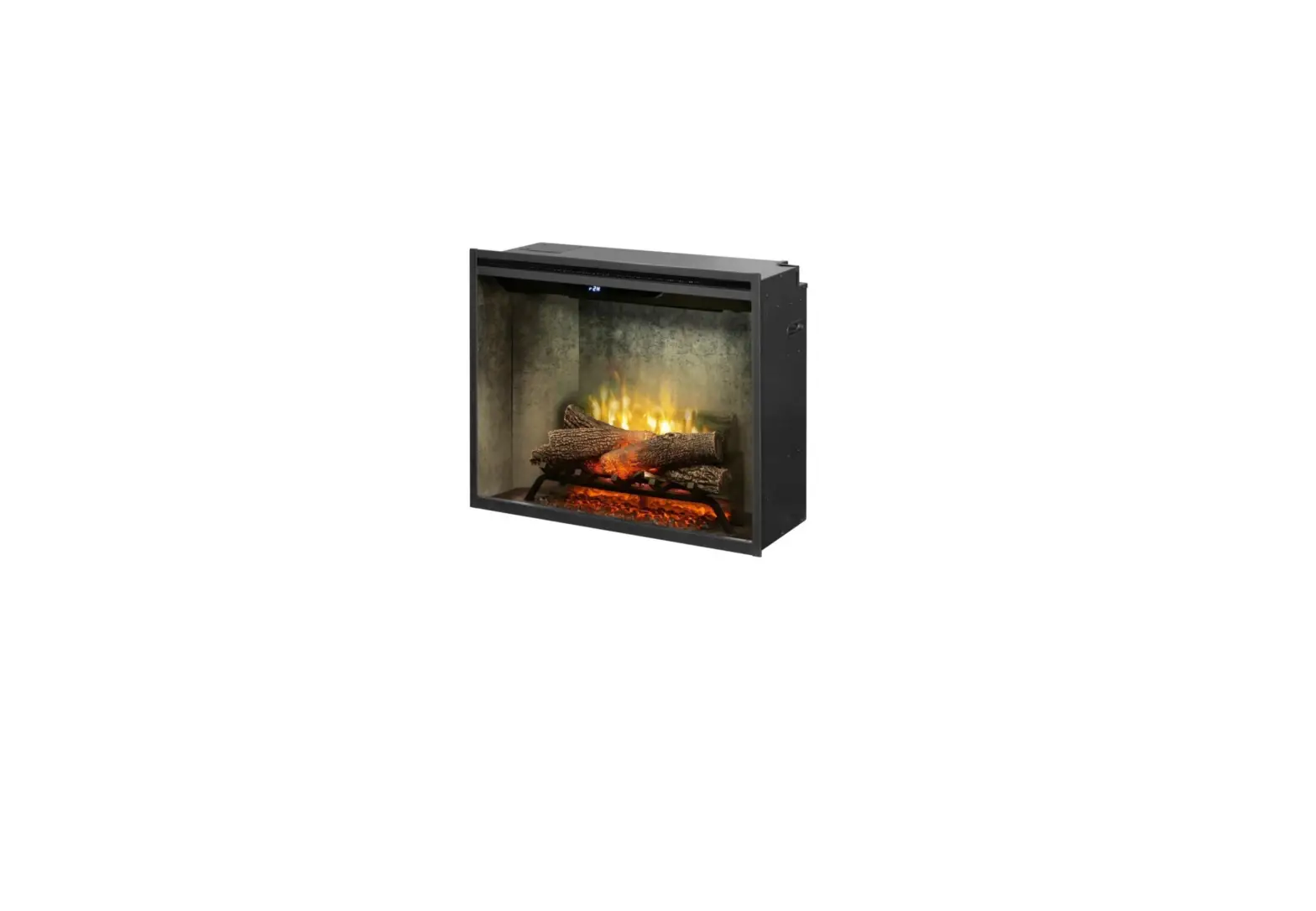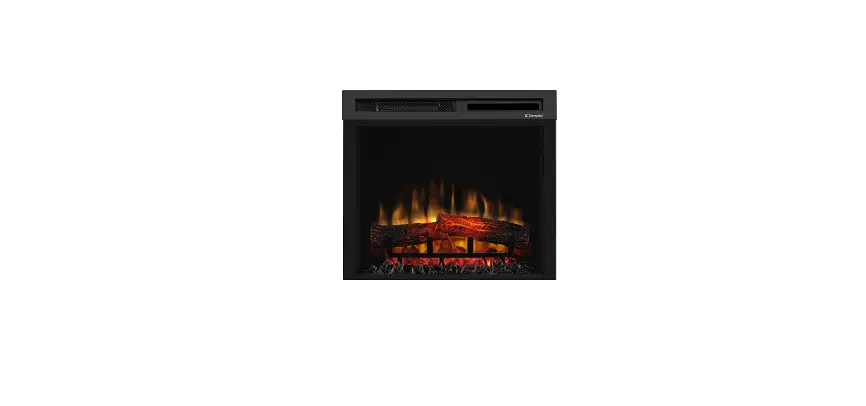

Dimplex 26 Inch Optiflame LED Electronic Firebox
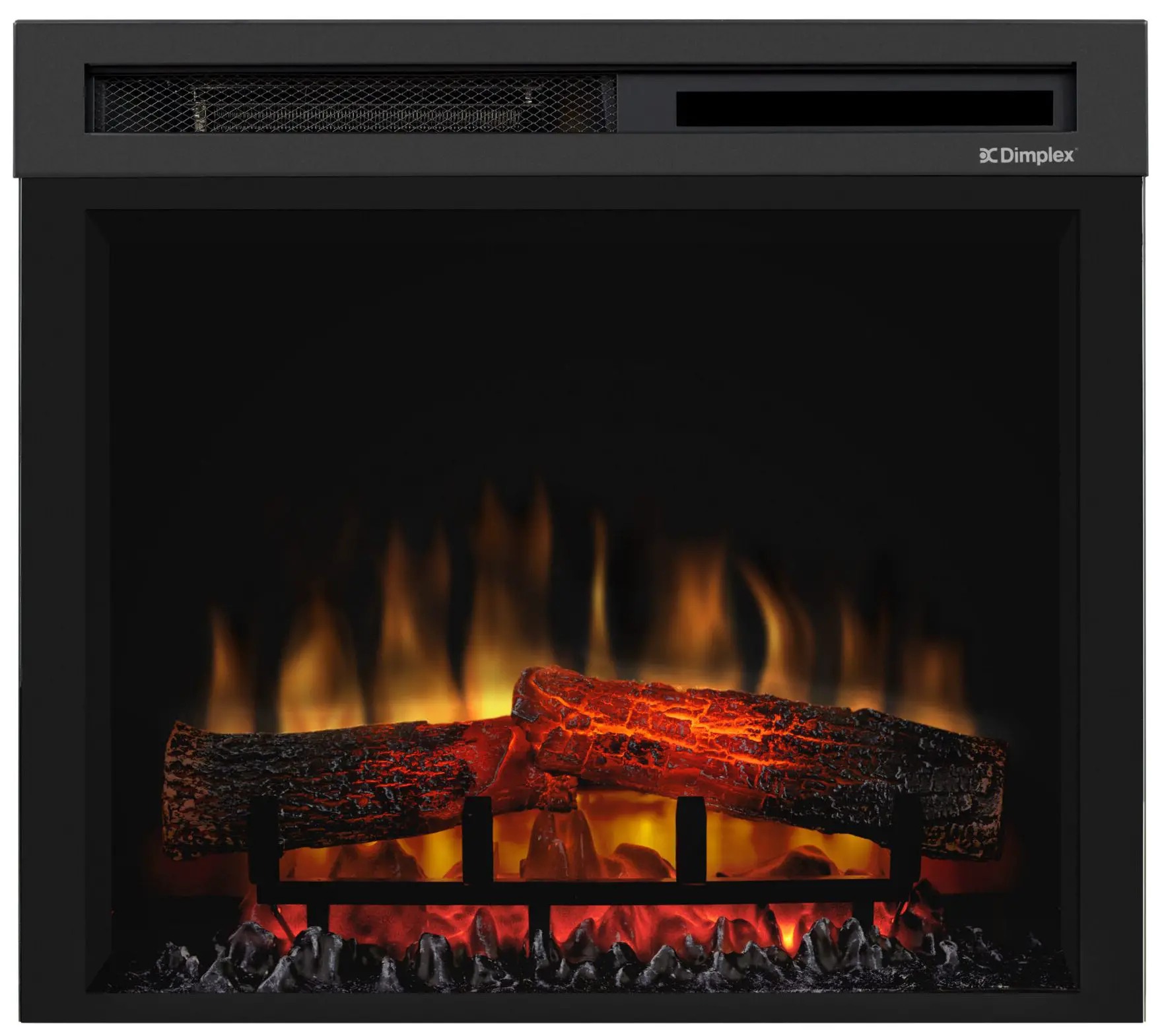
Instruction
Important Safety Advice
Important Safety Advice
When using electrical appliances, basic precautions should be followed to reduce the risk of fire, electric shock, and injury to persons, including the following: If the appliance is damaged, check immediately with the supplier before installation and operation. Do not use this appliance in the immediate surroundings of a bath, shower or swimming pool. Do not use outdoors. This appliance must not be located immediately above or below a fixed socket outlet or connection box.
WARNING: The appliance carries the Warning Symbol indicating that it must not be covered or has a Do not cover label. Do not cover or obstruct in any way the heat outlet grille located above the flame window on the appliance Overheating will result if the appliance is accidentally covered. Do not place material or garments on the appliance, or obstruct the air circulation around the appliance, for instance by curtains or furniture, as this could cause overheating and a fire risk.
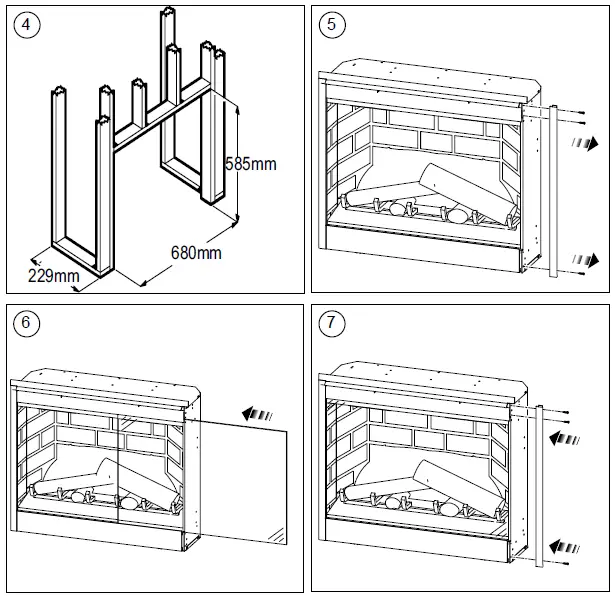
In the event of a fault unplug the heater. Unplug the appliance when not required for long periods. The supply cord must be placed on the right hand side of the heater away from the heat outlet underneath the appliance. This appliance is not intended for use by persons (including children) with reduced physical, sensory or mental capabilities, or lack of experience and knowledge, unless they have been given supervision or instruction concerning use of the appliance by a person responsible for their safety. Children should be supervised to ensure that they do not play with the appliance. Children shall not plug in, regulate or clean the appliance or perform any user maintenance. Do not use this heater with a programmer, timer, separate remote- control system or any other device that switches the heater on automatically, since a fire risk exists if the heater is covered or positioned incorrectly. The appliance must be positioned so that the plug is accessible. Although this appliance complies with safety standards, we do not recommend its use on deep pile carpets or on long hair type of rugs. If the supply cord is damaged it must be replaced by the manufacturer or service agent or similarly qualified person in order to avoid a hazard.
CAUTION: In order to avoid a hazard due to inadvertent resetting of the thermal cut-out, this appliance must not be supplied through an external switching device, such as a timer, or connected to a circuit that is regularly switched on and off by the utility.
CAUTION – Some parts of this product can become very hot and cause burns. Particular attention has to be given where children and vulnerable people are present.
Technical Information
Model No: DF2608-LED
| Nominal Heat Output | P Nom | 1.9 | – | 2.0 | kW |
| Minimum Heat Output | P min | 0.9 | – | 1.0 | kW |
| Maximum Continuous Heat Output | P max,c | 1.9 | – | 2.0 | kW |
Auxiliary Electricity Consumption
| In Standby mode | el SB | 0.41 | – | 0.42 | W |
with electronic room temperature control
General
Unpack the heater carefully and retain the packaging for possible future use, in the event of moving or returning the fire to your supplier.
The fire incorporates a flame effect, which can be used with or without heating, so that the comforting effect may be enjoyed at any time of the year. Using the flame effect on its own only requires little electricity.
Before connecting the heater check that the supply voltage is the same as that stated on the heater. Please note: Used in an environment where background noise is very low, it may be possible to hear a sound which is related to the operation of the flame effect. This is normal and should not be a cause for concern.
Electrical Connection
WARNING: THIS APPLIANCE MUST BE EARTHED
This heater must be used on an AC ~ supply only and the voltage marked on the heater must correspond to the supply voltage. Before switching on, please read the safety warnings and operating instructions.
Controls: See Fig. 3
| Icon | Display | Function | Description | |
| A |  | – | Power / Standby | Press once to turn the product ‘ON’. Press a second time to put the product into ‘STANDBY’ (When returning from ‘STANDBY’ mode the product will return to previous settings unless the product has been plugged out, in which case it will reset to factory settings) |
| B |  | | Sleep Timer | Press multiple times to change the ‘SLEEP TIMER’ in 0.5 hr increments from 0.5 hr to 8.0 hr before turning off. The remaining time on the ‘SLEEP TIMER’ displays. (This icon is Green in Colour) |
|
C | 
| Flame Effect | ‘FLAME EFFECT’ button cycles the unit sequentially through the 4 setting, LOW FLAME, HIGH FLAME, DEMO MODE and OFF. | |
| f1 | Low Flame | This setting will run the flame effect at a low brightness level. (The display will show F1) | ||
| f2 | High Flame | This setting will run the flame effect at a high brightness level. (The display will show F2) | ||
| fp | Demo Mode | This setting will slowly pulse the flame effect between low and high brightness. (The display will show FP) | ||
| – | Off | This will turn the flame effect off. If the heater is running, the display will activate and remain active to read the set temperature and show if the product is on LOW HEAT/ HIGH HEAT/COOL BLOW. | ||
|
D |
| Log Effect | ‘LOG EFFECT’ button cycles the unit sequentially through the 3 setting, ‘PULSING LOGS, STATIC LOGS and OFF. | |
| Lp | Pulsing Logs | This setting will make the logs pulse. (The display will show FP) | ||
| LS | Static Logs | This setting will make the logs stay lit. (The display will show FS) | ||
| – | Off | This setting will turn the logs off. | ||
| E |  | – | On / Off | This button cycles the top light ‘On’ and ‘Off’. |
|
F | 
|
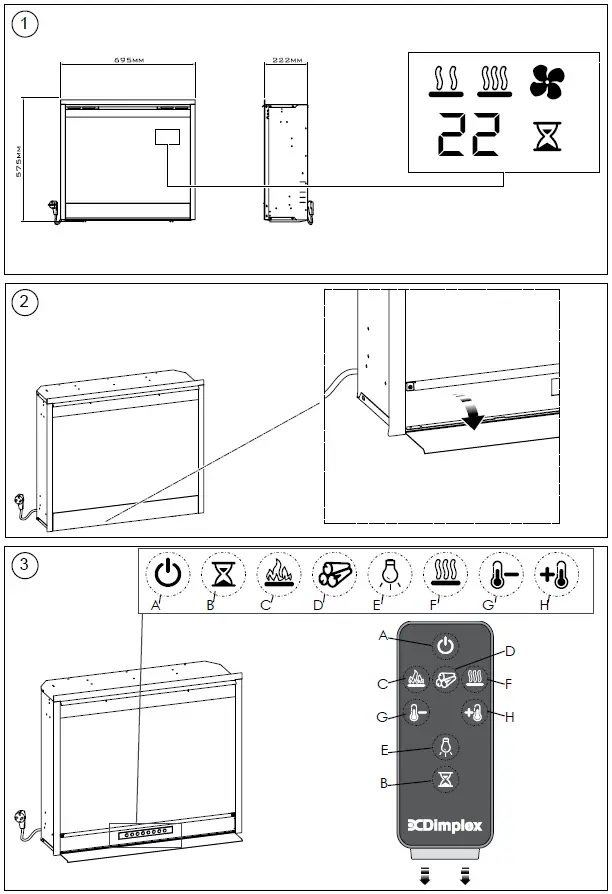
Heat | ‘HEAT’ button cycles the unit sequentially through the 4 settings: LOW HEAT, HIGH HEAT, COOL BLOW and OFF. The heat setting will be indicated by an icon in the floating display see Fig.1. When the flame effect is ‘ON’ the floating display will turn off after 5 seconds, however if the heater is being used independently of the flame effect. The low heat or high heat icon will appear continuously in the floating display. | |
 | Low Heat | This setting will run the heater at ‘LOW HEAT’ this setting will be indicated by the ‘LOW HEAT’ icon and the letters ‘LO’ appearing in the display. (This icon is Orange in Colour) | ||
| High Heat | This icon in the floating display indicates ‘HIGH HEAT’ this setting will be indicated by the ‘HIGH HEAT’ icon and the letters ‘HI’ appearing in the display. (This icon is Red in Colour) | ||
 | Cool Blow | This icon in the floating display indicates ‘COOL BLOW’ this setting will be indicated by the ‘COOL BLOW’ icon and the letters ‘CB’ appearing in the display. (This icon is Blue in Colour) | ||
| – | Off | This switches the heater and blower ‘OFF’, no icon will be displayed in the floating display. Note the blower will run for 10-20 seconds after being turned off this is to ensure the product cools down safely. | ||
|
G |  |
– | Temp Down | Press multiple times to lower the heater temperature in 1°C increments. The lowest temperature that can be set 5°C. Note: Once you stop at your desired temperature this will flash 3 times, then the display will show the room temperature as detected by the product. If the set temperature is lower than the detected room temperature the heater will not activate. |
|
H |  |
– |
Temp Up | Press multiple times to increase the heater temperature in 1°C increments. The highest temperature that can be set 37°C. Note: Once you stop at your desired temperature this will flash 3 times, then the display will show the room temperature as detected by the product. If the set temperature is lower than the detected room temperature the heater will not activate. |

User Modes
| Mode Name /Description | Action (Actions cannot be input by remote control) |
| Change Celsius (° C) to Fahrenheit (° F) | Press both Temp+ ( ) and Temp– ( ) on the unit and hold until beep is heard and display flashes. (To revert back to Celsius repeat this action) |
| Disable/Enable Heat Options | Hold both Heat ( ) and Temp– ( ), on the unit, for 2 seconds, when the heater has been disabled the display will read “–” and beep. To enable heat repeat this action. |
Remote Control – See Fig. 3
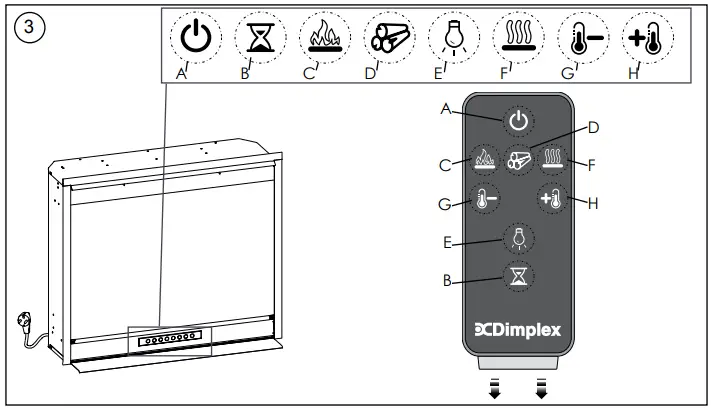
The maximum range of use is ~ 5metres.
NOTE: It takes time for the receiver to respond to the transmitter.
NOTE: The receiver for the remote control is located in the display, aim the remote control in this direction when inputting commands.
Do not press the buttons more than once within two seconds for correct operation.
Battery Information – See Fig. 3
- To activate the remote control remove the clear battery isolation strip at the base of the remote control, which is used to ensure your remote control reaches you fully charged.
- To replace the remote control battery, turn over the remote control, and follow the diagram embossed on the remote control
- Only use CR2025 or CR2032 size of batteries.
Installing Front Glass- See Fig. 5, 6 & 7
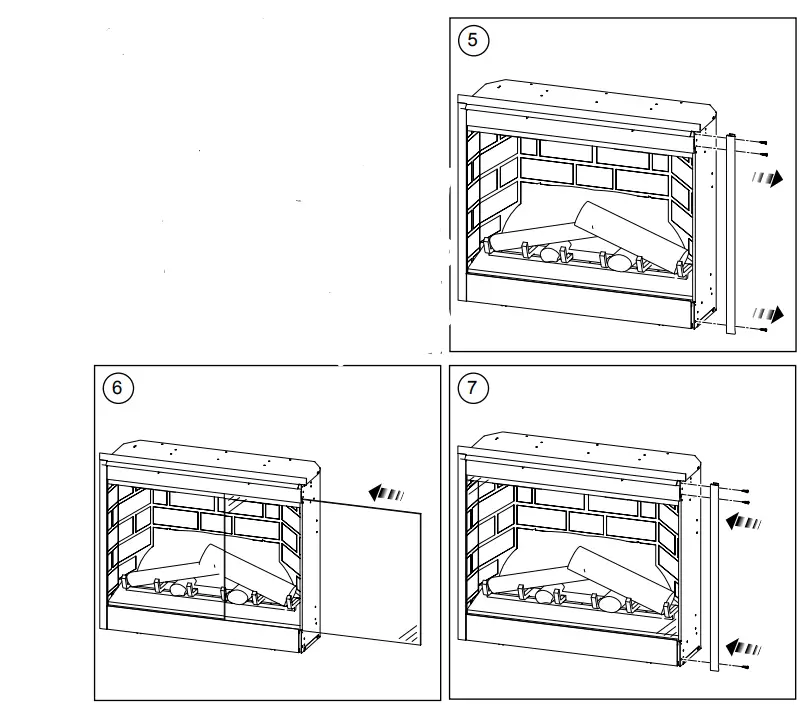
NOTE: The outer glass is shipped separate to the firebox.
- Remove the three screws holding the side trim as shown in Fig. 5. and remove the metal trim.
- Unpack the glass, ensure it is free from dust and finger marks and slide in to position as shown in Fig. 6.
- Position the metal trim removed in step 1, and secure with the three screws as per Fig. 7
Fitting- See Fig. 4
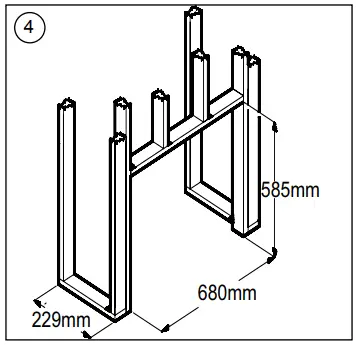
IMPORTANT: If not using a Dimplex mantel, the fireplace must be installed in an enclosure with the following MINIMUM dimensions(Figure 4).
- Select a suitable location that is not susceptible to moisture and is at least 1 meter away from drapes, furniture and high traffic.
- Store the fireplace in a safe, dry and dust free location.
- Clearance for air circulation beneath the fireplace is provided by two spacers. DO NOT INSTALL FIREPLACE DIRECTLY ON CARPET OR SIMILAR SURFACES WHICH MAY RESTRICT AIR CIRCULATION. If installing the fireplace in a carpeted area, place a one-piece, solid flat surface under the fireplace. Ensure that all feet rest securely on this surface!
- In some jurisdictions this appliance is supplied without a plug this is to comply with the local regulations. In such instances this appliance must be installed by a suitably qualified installer and the means for disconnection must be incorporated in the fixed wiring in accordance with the local wiring rules.
New Wall Construction
- Select a suitable location that is not susceptible to moisture and is away from drapes, furniture and high traffic.
- Place the fireplace in the desired location to see how it will look in the room.
- Mark the desired location on the floor.
- Use studs to frame an opening of 680 mm wide X 585 mm high X 229 mm deep.(DF2608) Use studs to frame an opening of 775 mm wide X 654mm high X 298 mm deep.(DF3020)
Option #1
The power cord can be run from behind the trim and along the wall to an outlet near the fireplace.
Option #2
A new outlet can be installed inside the framing construction. Plug the fireplace into a 10-13Amp/230-240 Volt outlet. If the cord does not reach you may use a 3-core type extension cord rated for a minimum of 10 Amps.
Existing Fireplace
- Seal all drafts and vents with a non-fibrous insulation material to prevent any chimney debris from falling onto the fireplace. Do not install into an existing fireplace that is prone to dampness.
- Cap the top of the chimney flue to prevent rain from entering.
- Plan your electric power supply.
- The power cord can run along the front of the hearth to an outlet near the fireplace.
Thermal Safety Cut-out
The built-in overheat cut-out, switches off the appliance automatically in the event of a fault! Should this occur switch off the appliance or disconnect the mains plug from the socket. Remove any obstructions which may have caused the overheating. After a short cooling down phase, the appliance is ready for use again! If the fault should occur again, contact your local dealer!
WARNING: In order to avoid a hazard due to inadvertent resetting of the thermal cut-out, this appliance must not be supplied through an external switching device, such as a timer, or connected to a circuit that is regularly switched on and off by the utility.
Maintenance
WARNING: ALWAYS DISCONNECT FROM THE POWER SUPPLY BEFORE ATTEMPTING ANY MAINTENANCE.
Light Emitting Diode
This fire is fitted with LED (Light Emitting Diode) lamps. These LED lamps are maintenance-free and should not require replacing during the life of the product.
Cleaning
WARNING: ALWAYS DISCONNECT FROM THE POWER SUPPLY BEFORE CLEANING THE HEATER.
For general cleaning use a soft clean duster – never use abrasive cleaners. The glass viewing screen should be cleaned carefully with a soft cloth. DO NOT use proprietary glass cleaners. To remove any accumulation of dust or fluff the soft brush attachment of a vacuum cleaner should occasionally be used to clean the outlet grille of the fan heater. WARNING: do not operate the product without the grille and outer glass in position as this may effect the operation of the heater.
Recycling
For electrical products sold within the European Community. At the end of the electrical products useful life it should not be disposed of with household waste. Please recycle where facilities exist. Check with your Local Authority or retailer for recycling advice in your country.
After Sales Service
Should you require after sales service or should you need to purchase any spares, please contact the retailer from whom the appliance was purchased or contact the service number relevant to your country on the warranty card. Please do not return a faulty product to us in the first instance as this may result in loss or damage and delay in providing you with a satisfactory service. Please retain your receipt as proof of purchase.