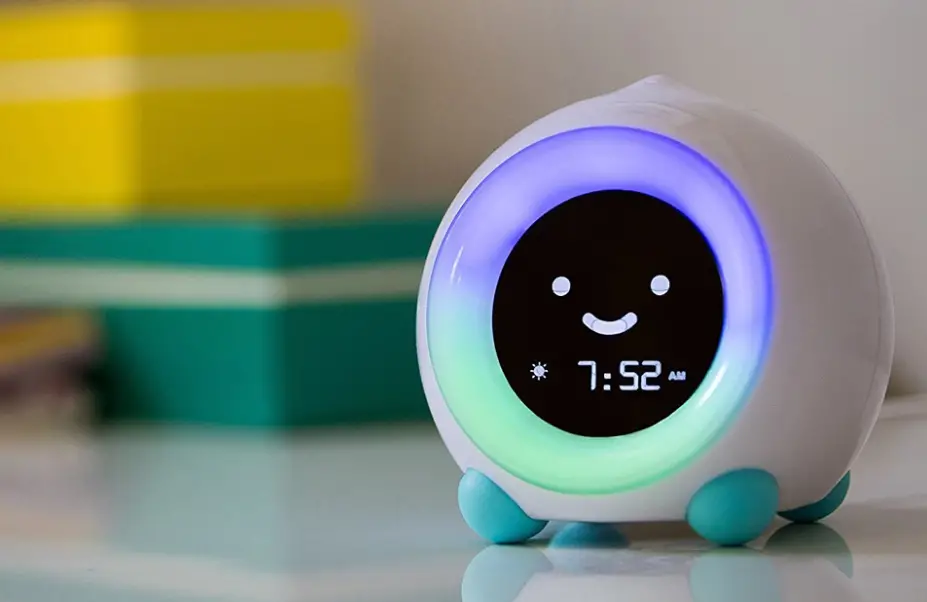

I-CODEA100 Kids Alarm Clock A100 Kids Alarm Clock
ONE YEAR WARRANTY
Thank you for purchasing from I·CODE!
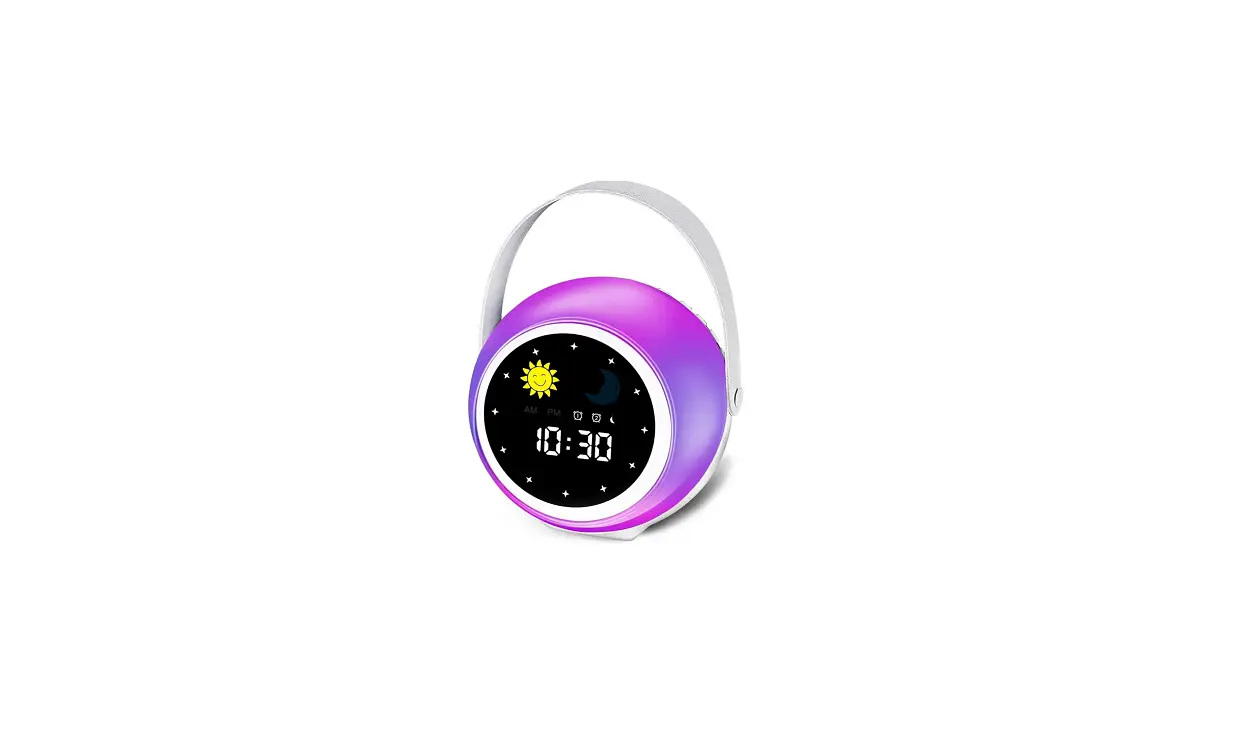
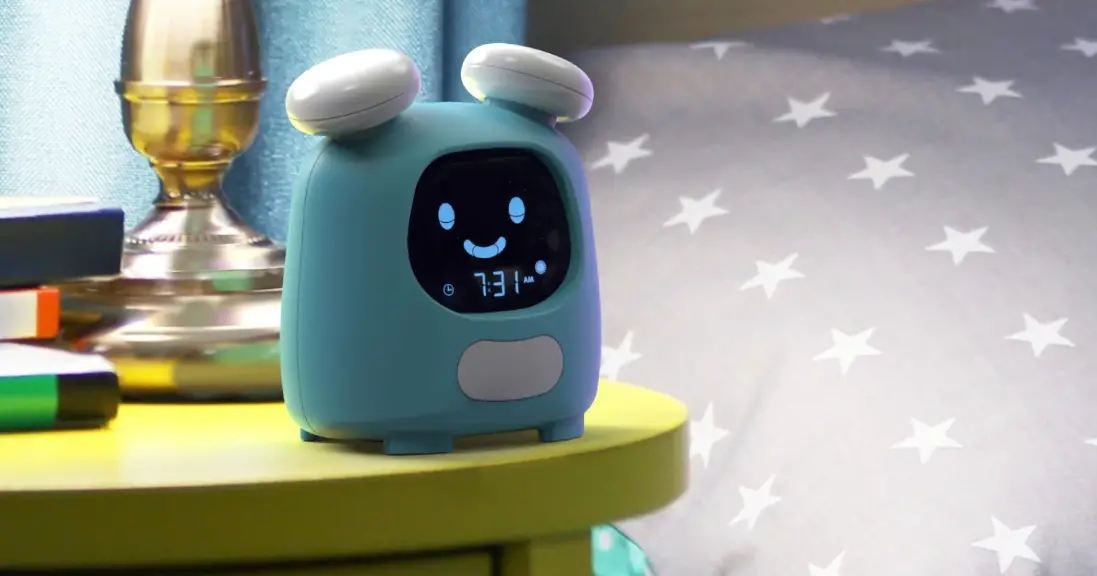
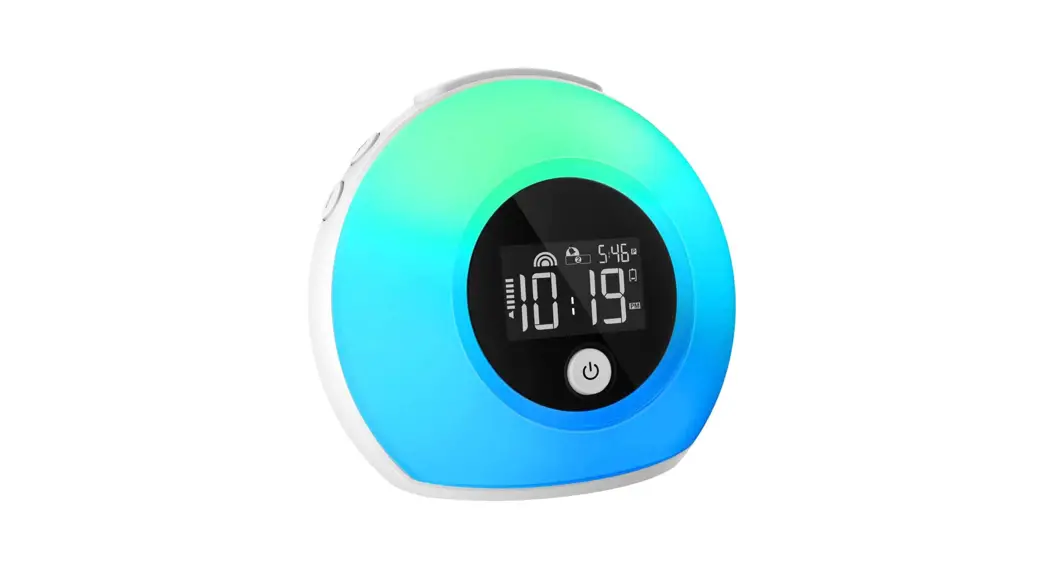
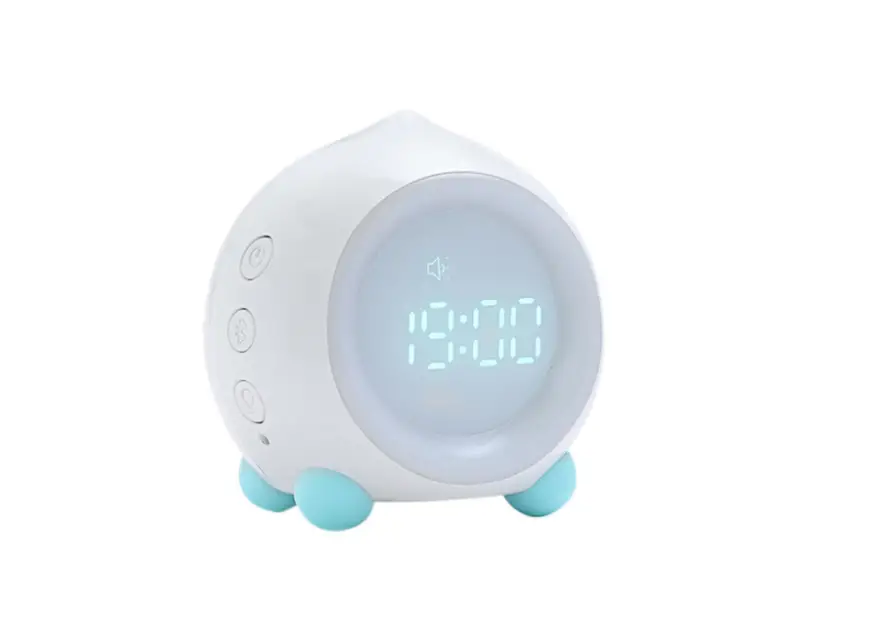
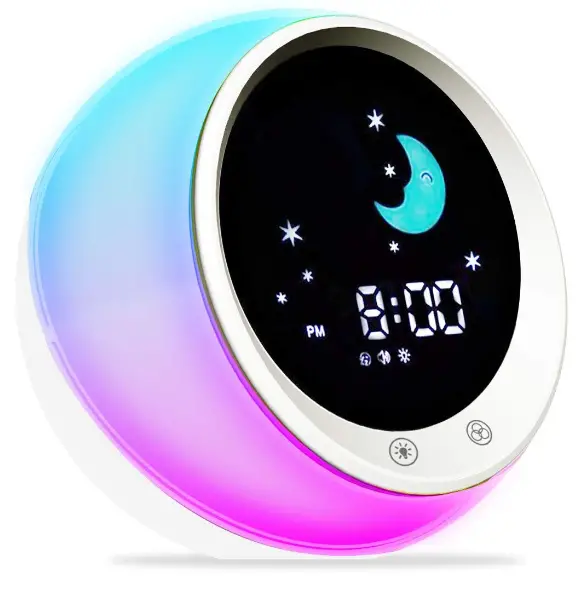
We design this cat alarm clock to teach your children when its fine to go sleep and wake up! it comes with all the features necessary to help your kids sleep better and wake-up refreshed! It’s a sleep trainer, alarm clock, night light and sound machine rolled into one package.
Each I·CODE product comes with a 100% satisfaction guarantee and 1 year warranty. Warranty covers defects in material and product workmanship under normal use for a period of one year. The warranty does not cover damages resulting from misuse ,abuse, immersion, normal wear and tear or unauthorized modification.
FOR support, warranty and inquiries, please contact us: Email: i[email protected]
BUTTON 1
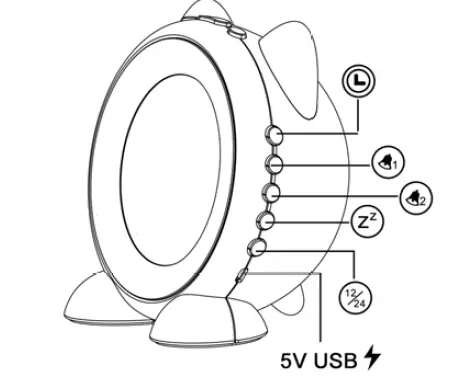
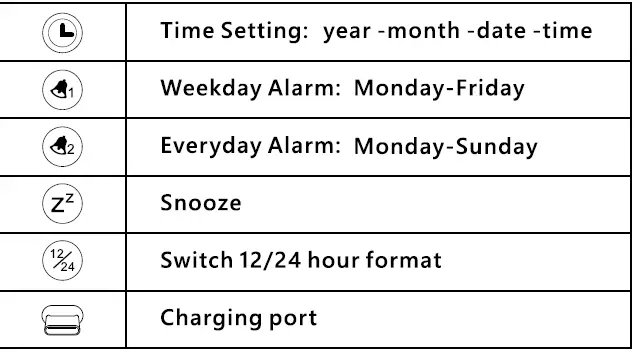
BUTTON 2
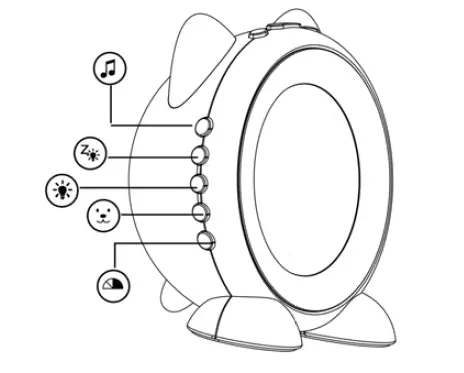
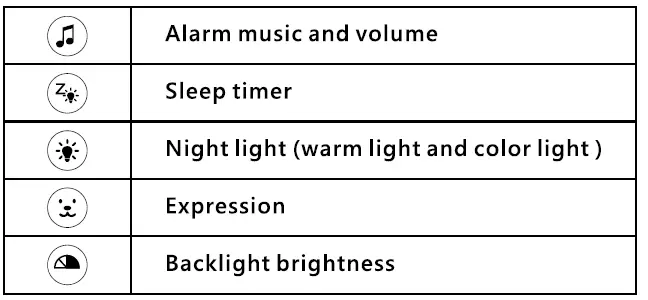
BUTTON 3
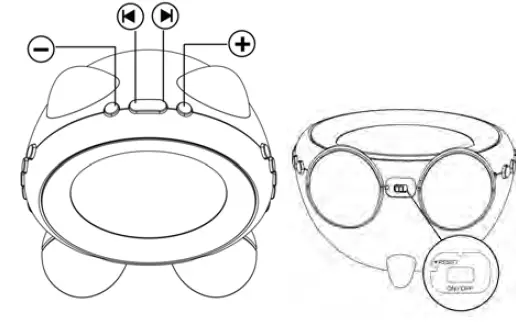
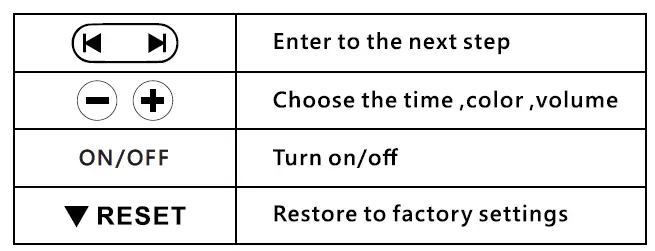
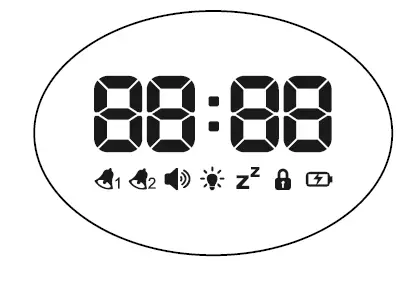
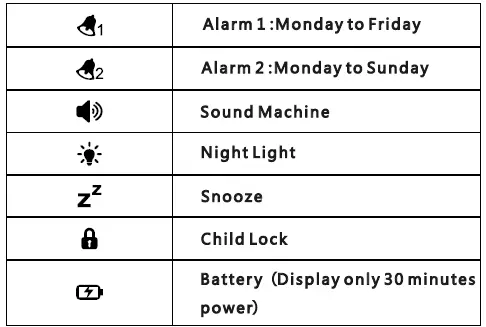
SCREEN
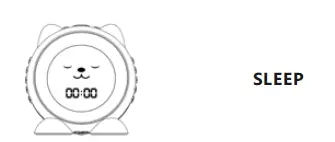
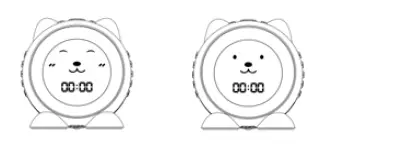
Emoji
The sleep face only comes up with sleep timer button : sleep face and red ears can stay on all night .
Default wake up face is sideways grin face ,set an alarm with your favorite light ,the alarm will go off with sideways grin face and color light .
The other two funny faces for fun, it will not change with the alarm , press the face button whenever you want it to display.
TIME SETTING
STEP:
Turn the bottom button- ON the display will read 00:00
- Press
 button ,the year will flash.
 - Press
 button to set the year (Saved automatically).
 - PRESS button, then press to set the month.
- Press
 button to set the date.
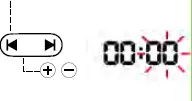
 - Press button press to set the hour.
- Press button, then press to set the minute.
- Save time setting automatically after 5 seconds. alarm icon display or not (Or Press button to save the setting)
 button ,the year will flash.
 button to set the date.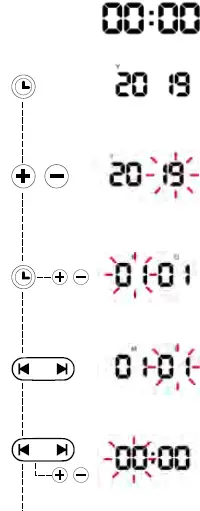
ALARM SETTING
Alarm 1: W1ekday alarm(Monday-Friday)
Alarm 2.: Everyday alarm( Monday-Sunday)
Note: Long press until the alarm icon display before setting.(The default state of the alarm is off)
Long press button to turn on/off the alarm.
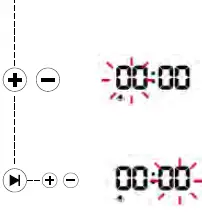
- Press
 button The hour and bell will flash
 - Press to set the hour.
- Press
 then press to set the minute.
 - Save time setting automatically after 5 seconds. (Or Press button to save the setting)
- Alarm Music Setting (A-alarm music)
Press or button to set the alarm music. (The default music is U5)
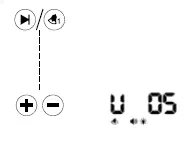
Press to choose from
Alarm Sounds:
Morning, Ring, Cheerful, Exciting, Summer Night, Wind, forest, Thunder, Ocean, Rain, Bird, Sea Wave, running water, Piano, Harp, heartbeat, relax, baby soothing, Cat, Seagull, Cricket
- Alarm Volume Setting (U -volume)
Press or button to choose alarm volume (The default ring tone is U5)
Press to choose from 0-9 level volume. O means no sound.
NOTE: Alarm volume choose 0, there will be no sound when alarm goes off.
Alarm Light Setting
Press or button to set the alarm light.
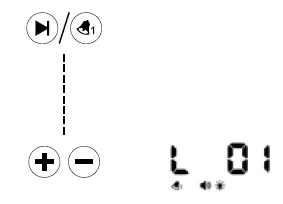
The light icon LO1 will flash. Press the button to choose from 10 colors (The default alarm light is white and the white light will go out automatically after 60 minutes.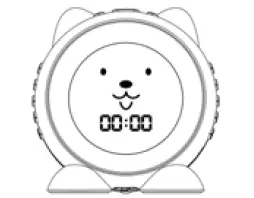
Alarm 2 setting is the same as Alarm 1
Note: Please check the alarm after all the
steps: 12/24 time format 0-9 alarm volume alarm icon display or not
WAKE UP LIGHT ALARM
Set wake up light alarm(only light no sound),please follow the above steps, then choose the alarm volume 0 and choose a light color.
TURN OFF ALARM
Press the cat’s foot or any button to turn off the alarm , it will repeat the next day. Cancel the alarm:
Long press alarm 1 or alarm 2,the alarm will not repeat the next day
NIGHT LIGHT
Press  to turn on the light, 10 color display cycles. Red> emerald > green> ice blue> blue> pink> white> breath mode
SNOOZE
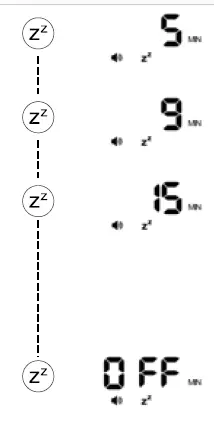
- Press to
 choose the snore Length from 5,9, 15 minutes. OFF means turn off the snooze 9- function.
 - Press OFF or long press @ r to : turn off snooze function long press the icon will disappear.
TIME FORMAT
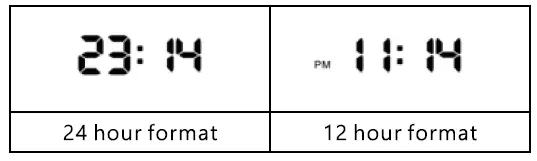
- Press
 display year/month/date.
 - Long press to switch 12/24 time format.
 display year/month/date.
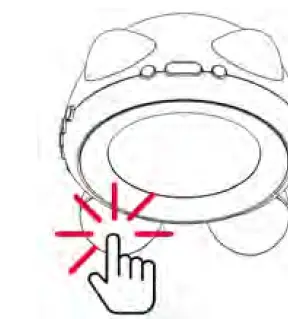
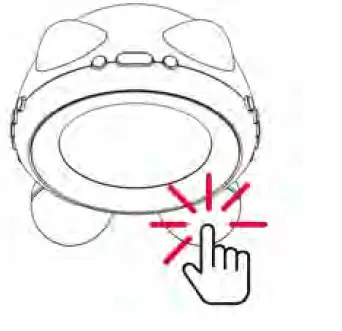
TOUCH SENSOR LIGHT
- Left Foot–Warm Light (4 level brightness);
Touch to power on ,press 3 seconds to turn off.
- Right Foot — Color Light {6 colors):
Touch to power on ,press 3 seconds to turn off.
Red>emerald >green> ice blue> blue>pink>white> breath mod .
SLEEP SOUND MACHINE
STEP:
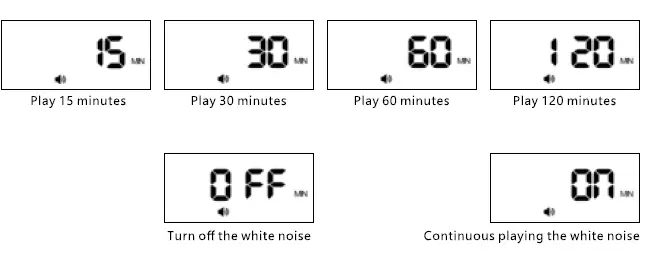
- Press to turn on the white noises. The icon will flash
Choose from 15,30,60, 120 minutes. Long press to turn .
- Press button to choose the white noise .The icon will flash. then

choose from Sleep Sounds:
Summer Night, Wind, forest, Thunder, Ocean, Rain, Bird, Sea Wave, running water, Piano, Harp, heart beat, relax, baby soothing, Cat, Seagull, Cricket
- Press button to adjust the white noise volume. The icon will flash, the volume has 0-9 level, 0 means no sound.
* 5 seconds without operation will 1utom1tlcally exit the settings, you need to press It ID reset .


SLEEP TIMER(NAP) 

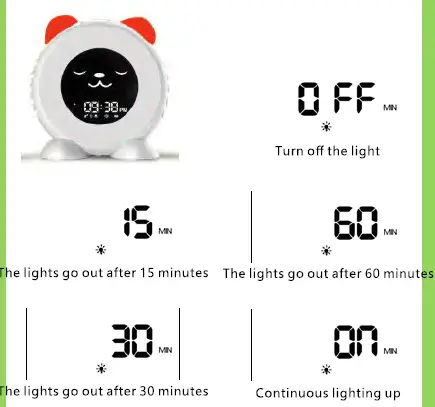
Sleep timer function lets you fall sleep with night light for a certain time then auto turn off or stay on all night. The cat’s ear will light up ,the emoji will auto change to sleep face when press sleep timer Option: 15,30,60 minutes, ON, OFF
BACKLIGHT
Press  button to choose the 3 level backlight brightness.
CHILD LOCK

(Prevent children from changing the settings)
STEP: Press button the same time to turn on/off the child lock. the icon will display a lock, turn off this function, the lock will disappear.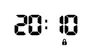 NOTE: When child lock works, you can still touch the foot to switch light and turn off the alarm.
BATTERY
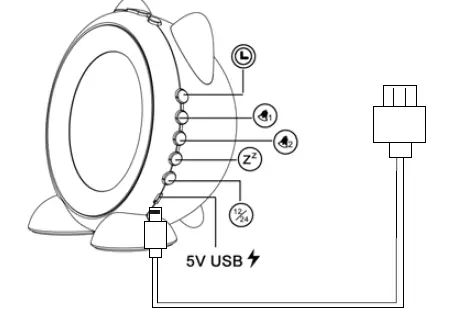
- INPUT: 5V-1A
- Battery : Built-in 2000 lithium batteries
- Charging time :4 hours
NOTE
- The clock is in low-voltage state if battery icon flash. Please charge it within 10 minutes, or the clock will auto power off.
- Please charge it with the power supply. Once plugged in, the red charge indicator light will light up, after full charge, the light will go out.
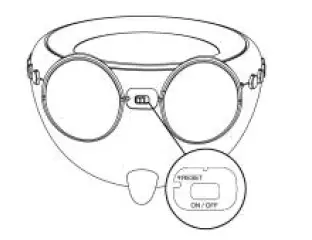
- Turn off clock (bottom ON/OFF button)and unplug this clock when not in use.
- If the clock can not turn on after charging, please press the bottom ON/OFF button to turn it off and reboot.
- Please use the needle to reset the clock if the clock can not turn on
FAQ
Q:Only two emojis?
A:One happy emoji in alarm setting ,one sleep face in sleep timer, The other two faces in the face button.
Q:Red charge light is not on ?
A: When full charged, the red charge light will go out.
Q: Alarm no sound
A: please check if the volume setting is in 0 ,0 means no sound .
Q: Function error, crash?
A: Please use the needle insert the tiny bottom hole to reset it.
Q:Can I customize the alarm clock expression?
A: No, the default alarm emoji is happy face, and the default sleep timer emoji is sleep face.
READ ALL INSTRUCTIONS BEFORE USING. SAVE THIS INSTRUCTION.
We stand behind our 100% satisfaction guarantee if you have any issue or advice ,please feel free to contact us ,we’re here to help.
1 Year Limited Warranty
Email:[email protected]