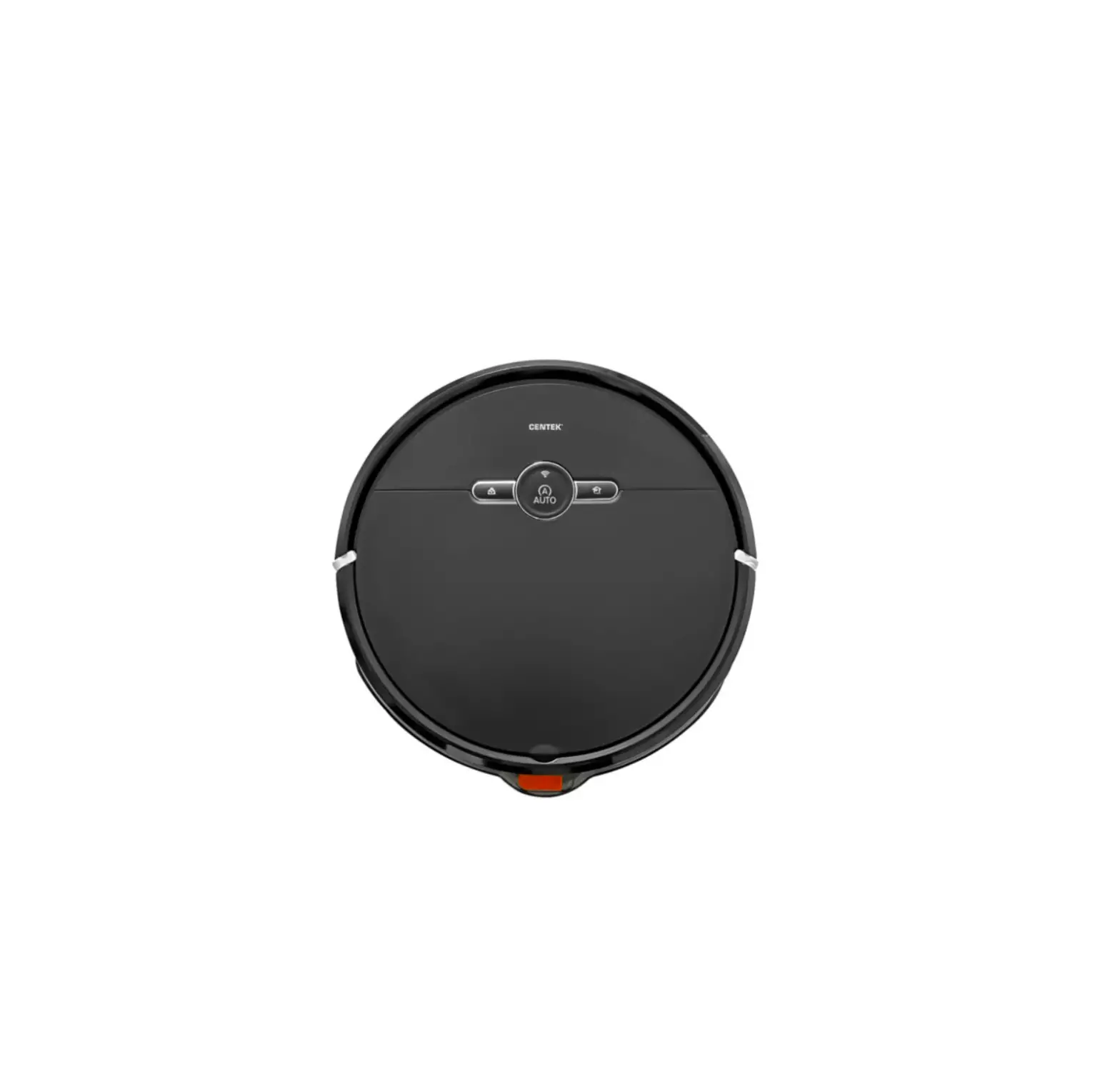
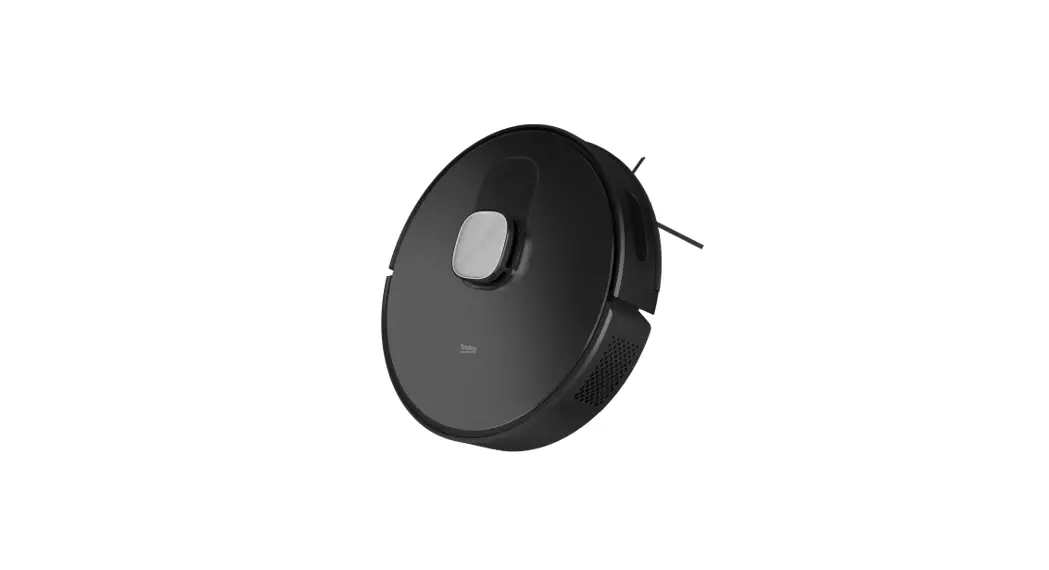
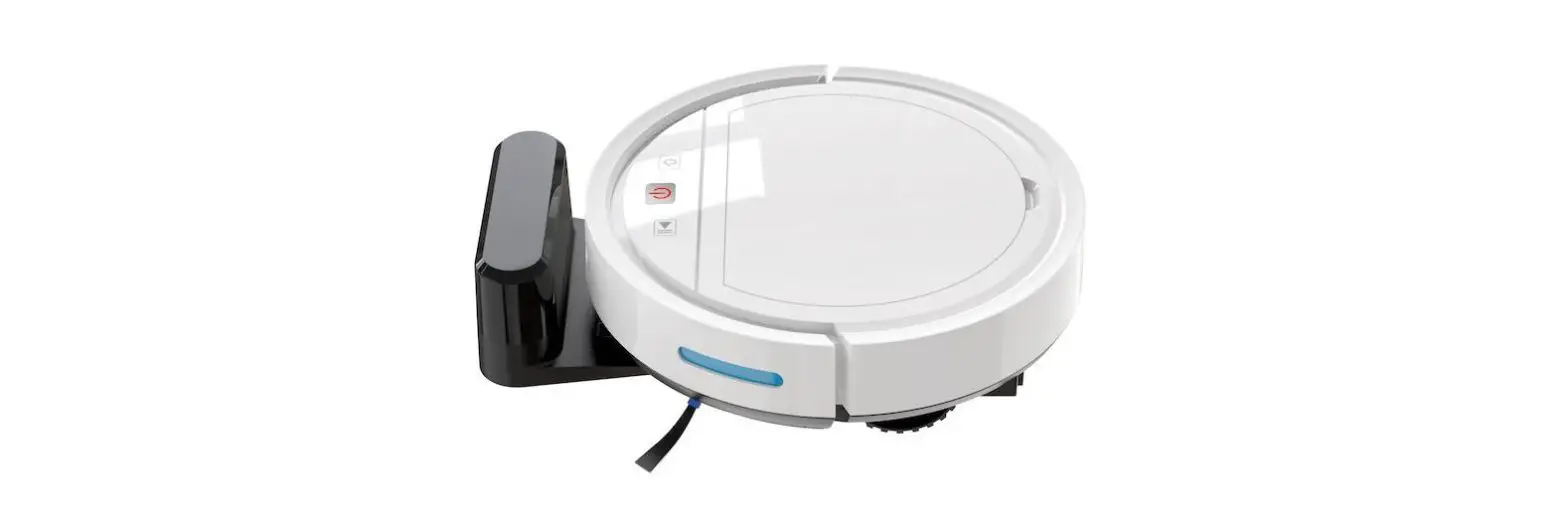
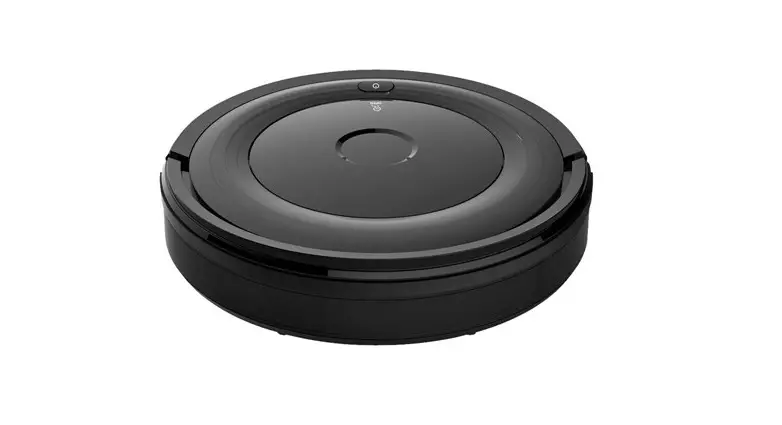
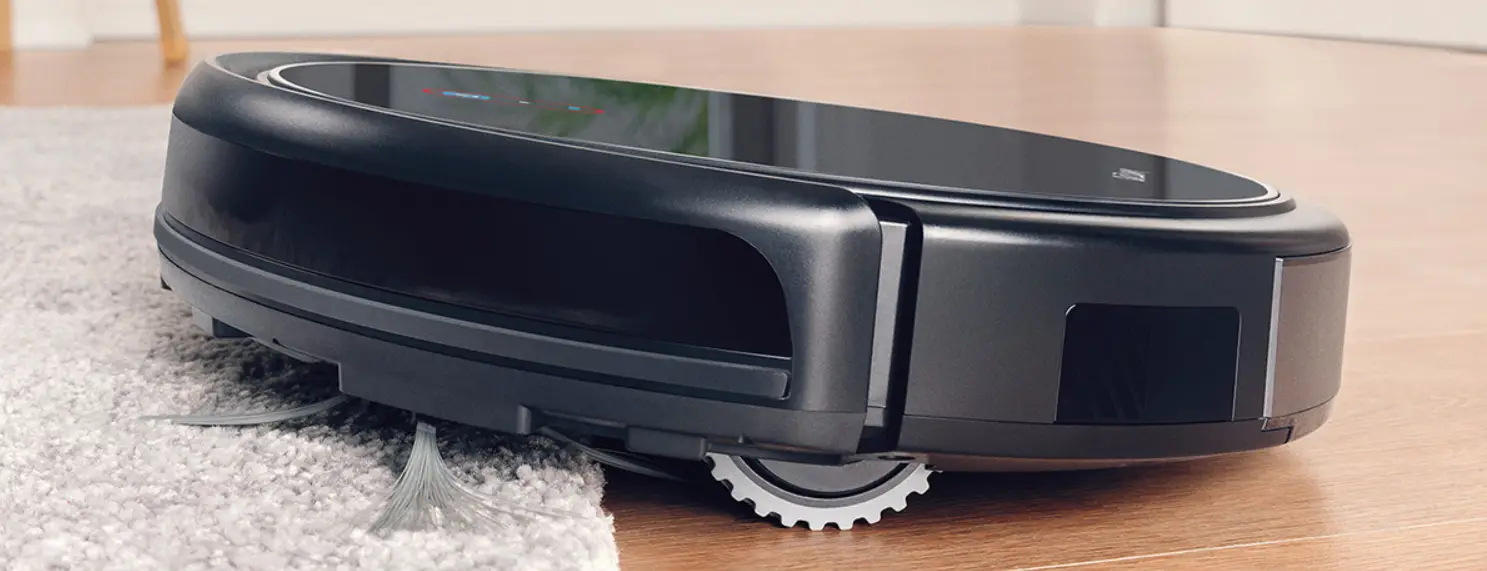
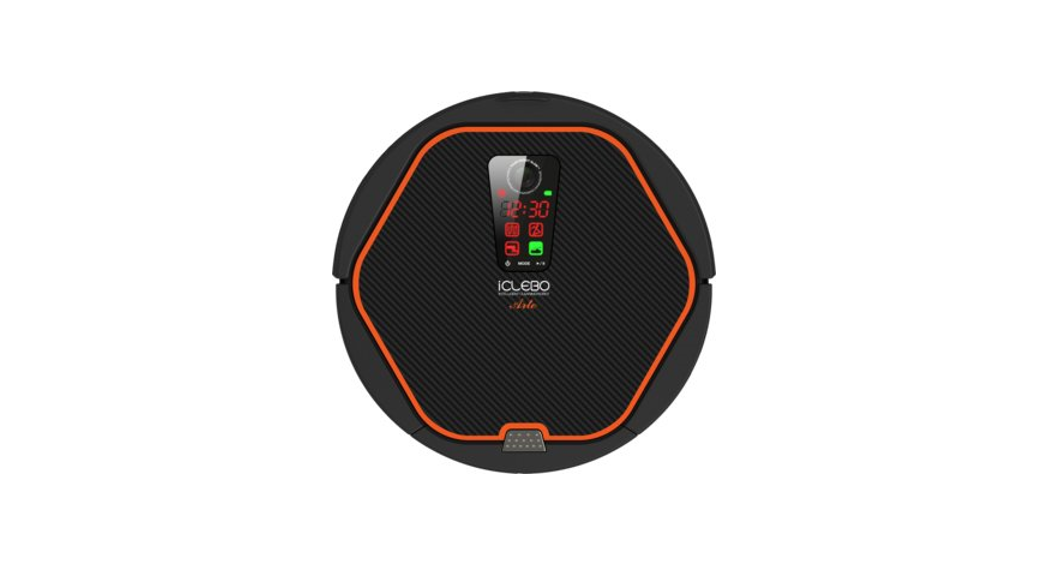
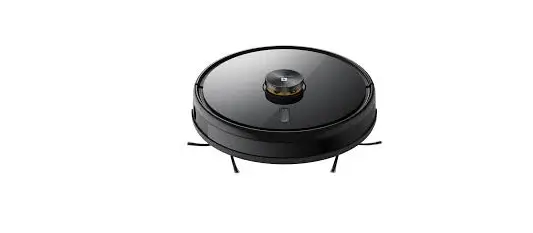
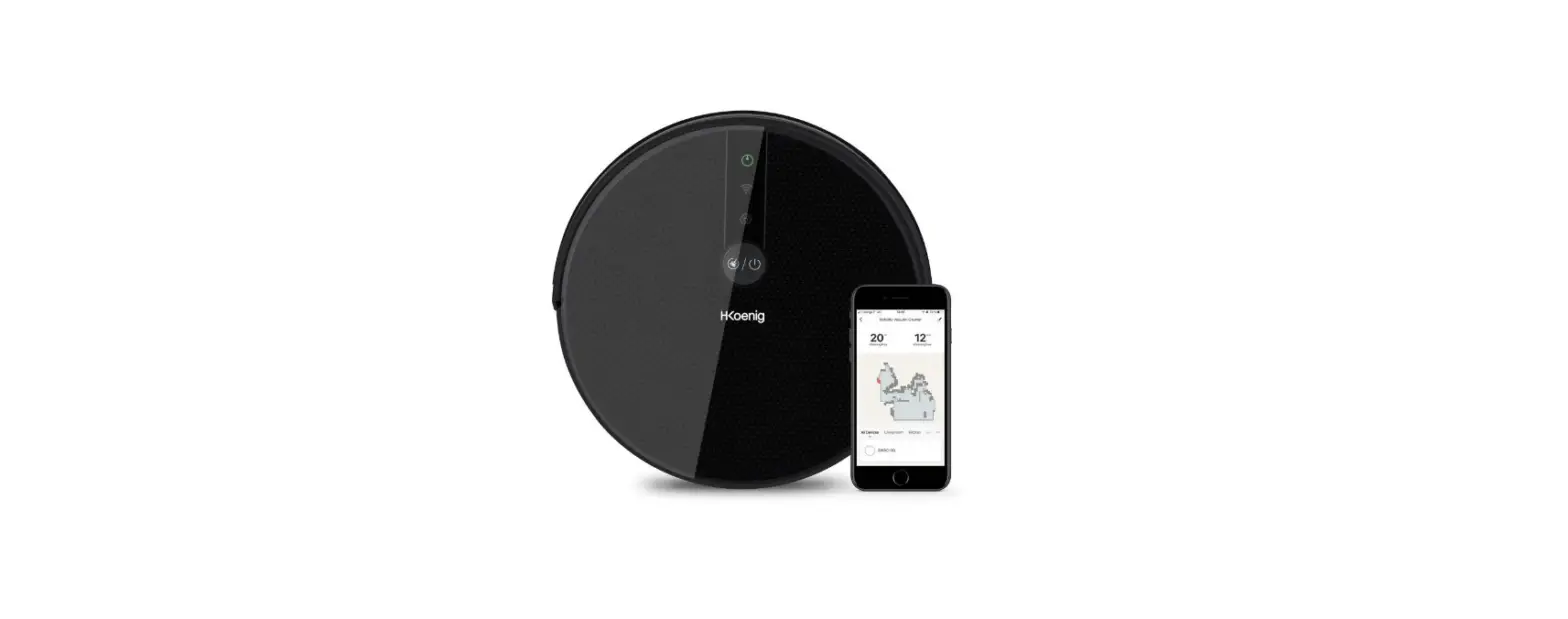
СТ-2741 Robot Vacuum Cleaner
Product Information: CT-2740, -2741 Robot Vacuum Cleaner
The CT-2740, -2741 Robot Vacuum Cleaner is a Bluetooth-enabled
device that can be controlled using the CENTEK app or QR code. It
is designed to clean floors automatically and has a range of
sensors to avoid obstacles and adjust its cleaning patterns
accordingly. The device comes with a charging dock, power adapter,
and user manual.
Product Usage Instructions:
Step 1: Place the robot vacuum cleaner on the
floor and ensure that the charging dock is nearby.
Step 2: Connect the robot vacuum cleaner to the
CENTEK app using Bluetooth or scan the QR code on the device.
Step 3: Use the app to control the robot vacuum
cleaner. You can start or stop cleaning, adjust cleaning patterns,
and set schedules for cleaning.
Step 4: To clean specific areas, use the spot
cleaning mode and move the device manually to the desired
location.
Step 5: To ensure optimal cleaning performance,
clean the dustbin and filter regularly and replace them as
needed.
Step 6: When the battery is low, place the
robot vacuum cleaner on the charging dock to recharge it.
Note: Refer to the user manual for detailed
instructions on how to use the device and troubleshoot common
issues.
CT-2740, -2741
INSTRUCTION MANUAL FOYDALANUVCHI UCHUN QO’LLANMA
–
ROBOT VACUUM CLEANER ROBOT CHANGYUTGICH
CT
Bluetooth. , QR-
! CENTEK. , . !
(, , ..). . . . , .
1.
, .
0 40 ° .
, , .
(, ), .
( ) , , , . .
– , . (, ..)
. (,
..). ( –
). (,
..).
. –
. –
. ,
. –
. ,
. . –
. . ,
. , –
, . – . – ( ..). – , –
.
. .
.
– .
. 2 – .
, – -, –
. . , –
.
.
, . , , , . – . . . . , . . , .
, , .
1
2.
1 2 3 4 5 6 7 8
9
13 10
14
11
15
16
12
17
18
8
1
«// »
10
()
2 «»
11
3
12
4
13
()
5
14
6
15
7
16
8
17
9 18
–
1
3 4
5
1 2 3
1 2
1 2 3 – 4
6 7
1 2 – 3 4
4 5
3 4 5 6 7
5 6 7
1 2 3 4 5
5
6 7
2 2
1
6
2 7
3
8
4
5
9
1 «» 2 «// /» 3 « » 4 – 5 6 – 7 «/» 8 « » 9
3.
– – 1 . – – 1 . – 1 . – 1 . – 1 . – 1 . – 1 . – 1 . – 1 . – 1 . – 1 . – – 3 .
3
– 3 . – 2 .
4. 4.1. 1. (. 1). 2. – .
. 3.
. 4. :
(. 2). .
. 1
. 2
: , – 1 2 . , . – . – , , .
1. (. 3). 2. , (. 4). 3. (. 5). 4. (. 6).
. 3
. 4
. 5
. 6
: . .
: , . . , , . , . , .
4.2. · : –
. . · : , –
– . – , , .
. ( ) 1,51,5 . . , .
: ,
5 . , – , –
– . Smart Life, /
. 98 ,
.
5. 5.1. 1. – . 2.
«» (OFF) «» (ON), . 3. – ,
«» (ON) «» (OFF).
. ( ) , . . – .
D. ( ) . . – .
: , . . , , .
. ( ) , . , , .
5.2. , . , , . , – .
: , . / , . – 20 .
5.3. – 10 , . , .
7. 1. : « », « ».
6.
, . -. . , , .
: , . . ( ), .
: , .
2. : , «», – .
«» , . 1. : / / –
. 2. : / . 3. (Seek Robot): -.
. , . . -.
4
4. : , . .
5. : , , . 6. : , , –
. 7. .
. / – , , . 1. , . 2. , , –
. 3.
( ), , .
: , -. , .
8.
1. ,
. , . 2. : , . 3. : « », .
WI-FI – , , , «», Wi-Fi.
: · Wi-Fi ,
Wi-Fi 2.4 . · , . · Wi-Fi .
WI-FI . VPN ( ) -. Wi-Fi 802.11b/g/n lpv4. 2.4 ,
, 2.4 . 5 . Wi-Fi 2,4/5 , 2,4 Wi-Fi. . , , , —SSID ( ) 2.4 . , (SSID) . Wi-Fi, . : TKIP, PSK, AES/CCMP WPA WPA2.
: , . / / – , . – . .
, . .
. . . , .
5
:
.
, .
: 60 . , .
, .
1. . 2. . 3. , .
: · . · 60 . · . · .
. , ,
. . . . ,
.
: · , –
. . -. · , , . · – , – .
, , .
6
1. . 2. ,
. 3. , . 4. , .
.
: , , .
9.
,
/
Wi-Fi
1. Wi-Fi . Wi-Fi . 2. Wi-Fi . , Wi-Fi. ( « » « »), . 2.4
, : iOS – 9.0 , Android – 5.0
–
1. – , , . 2. , – . ,
–
1. . . 2. .
. – ,
, .
, , . . ,
1. . 2. . 3. . 4.
, : 1. . 2. , , . 3. , , , . 4. , .
7
10. –
-2740, -2741 (LDS)
320x320x95
: : +7 (988) 24-00-178, VK: vk.com/centek_krd. «-», . . .: +7 (861) 991-05-42. , : «Moneytor», . , . , . 9, 5. .: +7 (707) 858-65-29, +7 (701) 340-09-57. .
19 1 Li-Ion
2600 , 14,8
13. , : «-». : , 350080, . , . , 14. .: +7 (861) 2-600-900.
30
. . (/) . – . .
120 600/1000/2700
75 680 350/260 120 ²
183x140x76 220-240 ~50/60
DC 19 1 19
5
Wi-Fi
2,4
Alexa, Google Assistant, Tmall Genie, Xiaodu
, , ,
11. , , . . . .
12. , « ». , . . 2 . 5 « » 5 , . . (2 3 , 4 5 ). CENTEK. https://centek.ru/servis.
! 12 . , .
1. : –
, , , – – , , . , , , . 2. : ; . 3. , , , . 4. , : ; ; ; , ; (, , .), , ; , , ; ; ( ), , ; , : ) , , (), ; ) (, , , , , , , , , , , , , , , , , ); , , ; , , , . 5. , , . 6. , CENTEK , , / ,
8
, ; / () / . 7. ( , ).
.
! TM CENTEK .
, .
(, , ..) . . . . .
1.
, .
0- 40 °C .
, .
(, ) .
, – ( ) , . .
. (, , ..)
. ( , , ..) . ( ). (, ..) . . . . . . , . . . .
.
, .
. ( ..)
.
. .
. , ,
.
. ,
, . 2 .
,
. . , .
. ,
. ,
. , . , . . . , . . , .
, .
9
2.
1 2 3 4 5 6 7 8
9
13 10
14
11
15
16
12
17
18
8
1
«/ / »
10
2 «»
11
3
12
4
13
5
14
6
15
7
16
8
17
9
18 –
–
1
1 2 3
4 5
1
2
3
4
5
6 7
1 2 3 – 4
5 6 7
1 2 3 4 5
6
7
1 2 – 3 4
5 6 7
3 4
5
2 10
1
6
2 7
3
8
4
5
9
1 2 «///» 3 4 5 6 7 «/» 8 9
3.
– 1 . – 1 . – 1 . – 1 . -1 . – 1 . – 1 . – 1 . – 1 . – 1 . – 1 . HEPA- – 3 .
11
– 3 . – 2 .
4. 4.1. 1. (. 1). 2. – . –
. 3. . 4. :
(. 2). .
: 1 2 . . , , .
, , .
1. (. 3). 2. , , (. 4). 3. (. 5). 4. (. 6).
: , , . , .
: . . , , . , . ,
, .
4.2. · :
. . · : , . , , – .
: 5
. – ,
– . /
Smart Life . 98 –
.
5. 5.1. 1. – , 2. (/OFF) (/ON)
, , . 3. – ,
(/ON) (/OFF) , .
.
.
,
.
.
. ( ) 1,51,5 . . .
.
. ( ) . .
D. – ( ) – . – . .
: , – . . .
5.2. , . . – .
5.3. – 10 , , .
6.
. . , . , .
. ( ) . .
: , . / . 0 – 20 – .
7. 1. : « », « ».
: .
2. : «» , – .
: , . . ( ) .
«» , . 1. : «/ / / / /
» . 2. : «/» «/-
».
12
3. « / » : – : TKIP, PSK, AES/CCMP
.
WPA WPA2 .
. – – . – . .
4. . , .
5. : , , . 6. : ,
, . 7. .
. / – , . 1. ,
. 2. ,
. 3. –
( ) , .
: – . , , .
8. –
1.
. . 2. : . 3. : « / » .
WI-FI , , WI-FI «/» , .
: · Wi-Fi , 2.4 Wi-Fi
. · . · Wi-Fi .
WI-FI . VPN ( ) – . Wi-Fi 802.11b/g/n lpv4 . 2.4 2.4 –
. 5 . 2,4/5 Wi-Fi , Wi-Fi 2,4 . . (SSID – ) 2.4 . (SSID) . Wi-Fi .
: .
/ / – , . – . , .
13
.
.
: .
, , .
: 60 . .
, , .
1. . 2. . 3. ,
.
: · . · 60 . · . · .
, .
, . ,
, . . , . . , , –
.
: ·
. . – · , . · , , .
14
1. . 2. ,
. 3. . 4. ,
.
, .
: .
9.
–
/
Wi-Fi
Wi-Fi . Wi-Fi . Wi-Fi . WiFi . (« » « » ). 2.4
: iOS – 9.0 , Android – 5.0
– , . , – .
. . .
. ,
.
, . , . , ,
, . . .
, : 1. , 2. , , . 3. , , . 4. , .
15
10.
-2740, -2741 (LDS)
: «Moneytor» , , ., 9-, 5-. .: +7 (707) 858-65-29, +7 (701) 340-09-57.
:
320x320x95 19 1
13. : «-». : , 350080, . -, . , 14. .: +7 (861) 2-600-900.
Li-Ion
2600 , 14,8
. . ( / ) . . .
30 120 600/1000/2700
75 680
350/260 120 ²
183x140x76 220-240 ~50/60
DC 19 1 19
5
Wi-Fi
2,4
Alexa, Google Assistant, Tmall Genie, Xiaodu
, , ,
11. . , . . .
12. , , 5 . . (2 3 , 4 5 ). , CENTEK . https://centek.ru/servis . : : +7 (988) 24-00-178, VK: vk.com/centek_krd. «-» , . .: +7 (861) 991-05-42.
! 12 . .
: 1. : – , , , , , . , , – , . 2. : – ; – . 3. , , , . 4. : – ; – ; – ; – , ; – (, , . .), – ; – , , ; – ; – ( ), ; – – , : ) , , (), ; ) (-, , , , , , , , , , , , , , , , , ); – – ; – – . 5. . 6. CENTEK, , , , , / ; / / () .
16
7. ( -, ).
.
, TM CENTEK .
, ,
:
(, , ) : : :
1.
, :
0- 40 °C- :
, , , :
(, ), :
, ( ) , , : :
, : , (,
) : ( , ) : ( ): , (, ): ` : : : : : , : : :
:
: ,
: :
( ):
: :
: ,
: : , : 2 , :
,
, : : , :
, : , , , : , : , : : : , : : , :
, :
17
2.
9 10 11 12
1
4
1 2
2
5
3
3
4
5
6 1
7
8
2
3
4
13 5
14 6
15
16
7
17
1
5
18
2
6
3 – ()
8
4
7
()
1
« / / »
10
2
11
3
12
4
13
5
14
6 () 15
7
16
8
()
17
9
18
1
3 4
5
1 2 3 4 5
6
7
1
2 HEPA
3
4
5
6
7
2
18
1
6
2 7
3
8
4
5
9
1 « » 2 / / / 3 4 5 6 7 / 8 9
3.
– 1 . – 1 : – 1 : – 1 : – 1 – 1 : – 1 : – 1 : – 1 : – 1 : – 1 : HEPA – 3 : – 3 : – 2 :
19
4. 4.1. 1. (. 1): 2. :
: 3.
: 4. .
(. 2): , :
. 1
. 2
` , 1 , 2 : , : : , , :
1. (. 3). 2. (),
(. 4). 3. (. 5). 4. (. 6).
. 3
. 4
. 5
. 6
`
` : , , , : ,
4.2.
· `
:
() :
· `
,
-:
–
, –
,
`
5 : , – , -, : Smart Life / : 98 , :
5. 5.1. 1. –
: 2. , .
(OFF) (ON) , : 3. -, . (ON) . (OFF) :
. , :
. ( ) 1,5 x 1,5 : , :
. () ( ) () :
D. ( ) :
` , : : , , :
5.2. , , , , , , –
. ( ) , : , ,
5.3. 10 -, , ,
6.
, : -: : , ,
` , : : ( ),
` , : / , : – O- 20
7. 1. « », « »:
` :
2. . , «» , -,
«» («») : 1. . /
/ : 2. . «» «»
20
3. « », :
, (SSID) :
Wi-Fi , :
` TKIP, PSK, AES/CCMP WPA WPA2 :
4. : :
5. , , : 6.
, , : 7.
:
. : : :
. / – , : 1. ,
2. ,
, : 3. , ( ) , , :
1.
: : 2. . , : 3. . « » (« ») :
` , -: ,
8.
WI-FI , , , «» («») , Wi-Fi- :
` · Wi-Fi- , 2,4
Wi-Fi : · , : · Wi-Fi-
:
WI-FI VPN ( )
: Wi-Fi 802.11b/g/n lpv4
: 2,4
, 2,4 : 5 : 2,4 /5 WiFi , 2,4 Wi-Fi- : : , —SSID ( ) 2,4 :
` , :
/ / HEPA , : HEPA : :
21
:
` · ,
, ·
, : · · , :
`
, :
` 60 : :
,
()
1. , 1-:
2. , 2-:
3. , 3-, : :
` ·
: · 60 : ·
( )
() , 1-:
, :
, 3-: :
(. : HEPA ): , :
, , :
22
:
` , :
1. : 2. ,
: 3.
: 4. ,
:
9. , / ()
Wi-Fi-
()
Wi-Fi- Wi-Fi- : Wi-Fi- : , Wi-Fi : , , ( « » « »), : 2,4
, iOS- 9.0 , Android – 5.0
– , , : , – ,
: :
: ,
23
, : ,
: : ,
, : 1.
2. ,
: 3. , ,
: 4. , :
10.
-2740, -2741
()
(LDS)
320x320x95
19 1
Li-Ion
2600 , 14,8
30
.
120
600/1000/2700
.
75
680
(/)
350/260
.
120 ²
183x140x76
220-240 ~50/60
DC 19 1
19
5
Wi-Fi
2.4
Alexa, Google Assistant, Tmall Genie, Xiaodu
, , ,
11.
: : , :
12. , 5 , -: – : (2 3 , 4 5 ) TM CENTEK- : https://centek.ru/servis +7 (988) 24-00-178, VK vk.com/centek_krd: «-», . : . +7 (861) 991-05-42:
:
13. -: , 350080, . , . , 14 . +7 (861) 2-600-900:
! 12 ` : :
1. – ` , , , , , : , , : 2.
– , – 3. , , , : 4. – , – , – ,
24
– , ,
– (, , ),
,
– , ,
,
–
,
–
(
),
,
,
– ,
) , ,
(),
,
) (, ,
, , , , , ,
, , , ,
, , , ,
, ),
–
,
–
5.
6. ,
,
TM «CENTEK»-
,
,
(),
7.
( ,
):
:
ENGLISH
Dear Customer, Thank You for purchasing a CENTEK brand product. We guarantee flawless function of this item, provided the guidelines of its operation are observed.
PURPOSE OF THE DEVICE This device is designed for automatic cleaning of dust and dirt from various surfaces (tiled, parquet floors, carpets, etc.). Use the appliance for domestic purposes only in accordance with this manual. The device is not intended for commercial use. Use for any other purpose is considered improper. The manufacturer is not responsible for any damage caused by improper use of the device.
1. SAFETY PRECAUTIONS
AT TEN TION Use the appliance in strict accordance with this manual to avoid damage to the appliance and furniture, and to avoid personal injury.
It is forbidden to operate the device at temperatures below 0 and above 40 °C on wet and sticky surfaces.
Make sure there are no wires on the floor, including the cord from the vacuum cleaner’s charging station, which could tangle the vacuum cleaner.
25
Remove fragile items (vases, plastic bags) from the floor that could damage the appliance.
The appliance is not intended for use by persons (including children) with reduced physical, sensory or mental capabilities, or lack of life experience or knowledge, unless they are supervised or instructed in the use of the appliance by a person responsible for their safety. Children must be supervised to prevent playing with the appliance.
Do not place any objects on the vacuum cleaner when it is turned on. Do not allow clothes or body parts (hair, nails, etc.) to get caught in the brush
or drive wheel of the appliance to avoid injury. Do not use the device to clean smoldering objects (cigarette butts, matches,
etc.). The appliance is not intended for cleaning long pile carpets (such carpets
require special cleaning methods). Do not allow the device to come into contact with hard and sharp objects
(glass, nails, etc.). Do not carry the vacuum cleaner by holding it by the protective cover or shock
buffer. Regular cleaning and maintenance of the vacuum cleaner and the docking
station should only be carried out in the switched off or unplugged state. Do not wipe any part of the instrument with a wet cloth or use liquids to clean
it. Use this instrument only with the supplied power supply. Unplug the power supply from the outlet before cleaning or servicing the
instrument. The instrument has a built-in battery that can only be replaced by a qualified
technician. Batteries must be removed from the instrument before disposal. Disconnect the device from the power supply before removing the battery. Dispose of batteries safely. To charge the batteries, only the power supply supplied with the device should
be used. Batteries, docking stations and chargers supplied by third parties must not
be used. Do not disassemble the battery and docking station. Do not place the docking station near heat sources (electric stoves, etc.). Do not wipe the docking station with a wet cloth or touch it with wet hands. Do not dispose of used batteries with household waste. Contact a specialized
organization. If the power cord is damaged, stop using the appliance immediately and
contact the service center to replace the cord. Transport the robotic vacuum cleaner in the switched off state and in its
original packaging. Before a long period of non-use, fully charge the battery and place the
instrument in a cool, dry place. Charge the battery at least once every 2 months to prevent damage to the battery due to excessive discharge.
REMOVING THE BATTERY Make sure that the robot vacuum cleaner does not touch the docking station,
let the device run until the battery is completely discharged and turns off. Remove the battery cover screws. Remove the battery cover, disconnect the connector and remove the battery.
BATTERY HANDLING The device has a built-in lithium battery. It is forbidden to disassemble the
battery, expose it to increased loads and open flames. The battery is operated in a low air pressure environment which, if mistreated,
may result in an explosion or leakage of flammable liquids and gases. Do not expose the battery to high temperatures or direct sunlight as this may
cause the battery to explode. Do not use the device if the battery is visibly swollen. Dispose of the battery in accordance with local regulations. Do not dispose of
the battery with normal household waste. Do not attempt to replace, disassemble or modify the battery yourself. Avoid increased mechanical stress and damage to the battery housing with
hard objects. Damage to the battery may result in leakage, overheating, or fire.
Should You decide to transfer the appliance to another person, please pass the present manual over along with it.
2. APPLIANCE DESCRIPTION
9 10 11 12
1 Power indicator light
2 Charging contacts
1
3 Power port
2
3
DRY CLEANING CONTAINER
4
5
1
6
2
7
8
13
14
14
1 Coarse filter
16
2 Foam filter
17
3 filter
4 Container lid
18
WET CLEANING CONTAINER
8
1 «Power / Auto cleaning / Pause» 10 Charging contact metal plate
2 «Home» button
11 Side brush
3 Height sensor
12 Rear wheel
4 Laser navigation sensor
13 Charging contact metal plate
5 Collision bumper
14 Omnidirectional front wheel
6 Speaker 7 Power switch 8 Cleaning container 9 Cliff sensors
15 Side brush 16 Battery compartment cover 17 Rear wheel 18 Main turbo brush
CHARGING BASE
1
3 4
5
2
6
7
1 Water tank lid 2 filter 3 Foam filter 4 Coarse filter
4 Power cord compartment 5 Non-slip pads
3 4 5 6 7
5 Container release button 6 Container intake opening 7 Main container unit
1 2 3 4 5
5 Sealed water filling cap 6 Water tank unit 7 Container release button
26
REMOTE CONTROL
1 2
4. OPERATION
4.1. BEFORE STARTING WORK
1. Remove foam inserts on each side (fig. 1).
2. Place the docking station on a flat surface against a wall. Then connect the
6
station to the mains.
3. Do not install the station in places exposed to direct sunlight.
4. Install the side brushes: align the left and right brushes with the marks on
the bottom cover of the appliance (fig. 2). Insert the side brushes until you
hear a click.
7
3
8
Fig. 1
Fig. 2
4
NOTE: Make sure there is at least 1 m of free space
around the docking station on the sides and at least 2 m
5
9
at the front.
When installing, make sure that the power cord does
not lie on the floor. Otherwise, the robot cleaner may
catch it and disconnect the station from the network.
The indicator light on the charging dock is on when power is supplied to the dock
and turns off when the device is charging.
1 Auto Clean button 2 «Forward/Reverse/Left/Right» Buttons 3 Spiral mode button 4 Call button for the robot vacuum cleaner 5 Suction power selection button 6 Dock back button 7 «Start/Pause» button 8 Corner cleaning mode button 9 Water flow selection button
INSTALLING THE WET CLEANING CONTAINER 1. Install the wet cleaning mop (fig. 3). 2. Open the water tank, fill it with water and firmly close (fig. 4). 3. Install the container into the main unit (fig. 5). 4. Start Cleaning with the Wet Cleaning Function (fig. 6).
Fig. 3
Fig. 4
3. SCOPE OF SUPPLY
Fig. 5
Fig. 6
NOTE: When the floor washing is completed, remove the wet cleaning container and clean out the water tank. Remove the wet cleaning mop and clean it.
Robot vacuum cleaner – 1 pc. Docking station – 1 pc. Charger – 1 pc. Container for dry cleaning – 1 pc. Container for wet cleaning – 1 pc. User manual – 1 pc. Left brush – 1 pc.
Right brush – 1 pc. Brush for cleaning the filter – 1 pc. Microfiber for wet cleaning – 1 pc. Remote control – 1 pc. HEPA filter – 3 pcs. Foam filter – 3 pcs. Coarse filter – 2 pcs.
NOTES: It is recommended to vacuum clean all floors at least three times before the first wet cleaning in order to prevent excessive accumulation and transfer of dust and dirt on the wet cleaning mop. In order to prevent corrosion and damage to the appliance please do not use any detergents or disinfectants in the water tank. Upon completion of wet cleaning remove the water tank, drain the remaining water and clean the wet cleaning mop to prevent the forming of mold and unpleasant odors. Remove the wet cleaning container if there is no need for wet cleaning. The wet cleaning container is only designed for use on smooth floors, as the mop can get caught on the carpet flooring and impede free movement of the vacuum cleaner.
4.2. CHARGING · Automatic: after cleaning the robot vacuum cleaner will automatically return
to the charging base to recharge. The button indicator will keep on flashing.
27
· Manual: in the standby mode press the button to send the vacuum cleaner back to the charging base to recharge. If the robot vacuum cleaner is stuck or cannot find the charging base, place it on the charging base manually to charge it.
NOTES: To extend the service life of the battery charge it for 5 hours for the first time. Please keep the charging base connected to power supply, otherwise the robot
vacuum cleaner will not find the charging base. Close the Smart Life application to save the battery charge in your phone/
tablet during the cleaning process. Furniture must be at least 98 mm high to allow the appliance to pass under it.
5. OPERATING PROCEDURE 5.1. TURNING ON THE POWER AND CHARGING 1. Place the robot vacuum cleaner on the charging base and turn on the power. 2. The robot vacuum cleaner will start up when the power switch is moved from
the OFF to the ON position, the indicator light will turn on. 3. If the robot vacuum cleaner is not connected to the charging base, we
recommend turning it off by sliding the power switch from the ON to the OFF position.
. AREA CLEANING (MOBILE APPLICATION REQUIRED) Use the application to draw a certain zone for cleaning. After that the robot vacuum cleaner will only clean the designated area. After cleaning the device will automatically return to the charging base.
D. ROOM SELECTION FOR CLEANING (MOBILE APPLICATION REQUIRED) Select specific rooms to be cleaned using the application. In this mode the robot vacuum cleaner will only clean the selected rooms. After cleaning the device will automatically return to the charging base.
NOTE: Before you can use this feature, you must create a complete room map. Once the robot starts cleaning, it may move out of certain areas. Make sure that there are no obstacles blocking the robot’s access to the required rooms.
. VIRTUAL WALL (MOBILE APPLICATION REQUIRED) Press the virtual wall icon in the application to draw a virtual wall line. You can use the virtual wall to isolate certain areas which should not be cleaned.
5.2. PAUSE During cleaning, press to suspend operation. Then press to resume cleaning or the button to stop the current cleaning session. Press the button twice to cause the appliance to return to the charging base.
NOTE: The dry cleaning container can be used on both smooth flooring and on carpeted floor. Remove / secure all loose floor carpets in the area to be cleaned. The robot vacuum cleaner is designed to move over surfaces containing barriers the height of which does not exceed 20 mm.
7. APPLICATION INTERFACE 1. Cleaning modes: «Smart Cleaning», «Designated Area Cleaning».
5.3. SLEEP MODE If cleaning is suspended and the robot vacuum cleaner has not been connected to the charging base for more than 10 minutes, it will enter the sleep mode; press any button to reactivate it.
6. PREPARING FOR OPERATION TO START CLEANING
Press the button to start cleaning. Once started the robot vacuum cleaner will leave the charging base. It will plan its cleaning route after scanning the surrounding area. The appliance will first start cleaning along the walls, then it will start moving in a zigzag pattern to cover the whole area thoroughly and efficiently.
NOTE: In order to change the cleaning mode, you will first have to terminate the current mode.
2. Charging: when the robot vacuum cleaner is in the standby or auto cleaning mode, pressing the «Home» button will cause the device to search for the charging base for recharging.
SETUP Press the «Setup» icon on the application’s home screen to go to the additional pages and select the relevant function for setting up. 1. Manual control: Use the direction buttons and the Pause/Start buttons to
operate the vacuum cleaner. 2. Area management: «Reset» or «Save» the map. 3. Press «Call Robot»: the device will emit an audio signal.
NOTE: The cleaning will not start if the battery charge is too low. Allow the vacuum cleaner to charge before cleaning restart. Please remove all cables from the floor (including the power cord of the charging base) to prevent powering off or damaging the robot vacuum cleaner or other connected devices.
. CLEANING MODE Press the button to start cleaning. After startup the device will plot the cleaning route and create a map after scanning the surroundings. After cleaning the robot vacuum cleaner will return to the charging base.
4. Use the application to set the time of planned cleaning. Select and set up a planned cleaning and its commencement time.
5. Suction power: power settings – low, normal, high. 6. Water supply adjustment for wet cleaning: low, middle, high.
. SPOT CLEANING (MOBILE APPLICATION REQUIRED) After activating the spot cleaning mode the device will clean a 1.5×1.5 m rectangular area in a zigzag pattern. Upon completion the device will return to the center of the designated square. Use the mobile application to specify the location for spot cleaning.
28
7. You can adjust the speaker volume and change the voice prompt language.
3. If the remapping fails and the original map has included data on a «virtual wall» (restricted area), then the robot vacuum cleaner will not resume cleaning to avoid crossing to the restricted area.
NOTE: Ensure that the robot vacuum cleaner starts the cleaning from the charging base every time. Do not move the robot vacuum cleaner too often during cleaning, if accidentally moved return it to the initial position.
8. MAINTENANCE AND CARE DISASSEMBLY AND CLEANING THE MAIN TURBO BRUSH
DEVICE SETUP 1. Press the upper right corner of the main control page to go to the robot
vacuum cleaner setup page. Press the relevant position in the menu to go to the desired function. 2. Add Sharing: Enter the account name for the robot vacuum cleaner you want to share. 3. Delete Device: Press «Delete Device» to remove the linked device from the current account.
RESET WI-FI SETTINGS If your phone cannot connect to the vacuum cleaner because you have changed the router configuration, forgotten the password, etc., press and hold the Pause button until a voice notification of Wi-Fi reset is emitted.
NOTE: · Before setting up the Wi-Fi connection ensure that the device is connecting to
a 2.4 GHz Wi-Fi network. · Ensure that the robot vacuum cleaner is fully charged. · The Wi-Fi status indicator is slowly blinking with a blue light.
WI-FI NETWORK Use the correct wireless network password. Do not use a VPN (virtual private network) or proxy server. The Wi-Fi router should support the 802.11b/g/n and lpv4 protocols. The router should have a frequency range 2.4 GHz or a dual bandwidth which
includes the 2.4 GHz range. The robot vacuum cleaner does not support the 5 GHz frequency range. If the robot vacuum cleaner cannot connect to a dual bandwidth 2.4/5 GHz Wi-Fi network switch to 2.4 GHz in the Wi-Fi settings. You may switch back to default after setup is completed. When connecting to a hidden network please ensure that you have entered a correct —SSID network name (case sensitive) and connect to a 2.4 GHz wireless network. When using a wireless repeater ensure that the network name (SSID) and password are the same as the main network. Install a firewall and Wi-Fi router port so that the robot vacuum cleaner could connect to the application server. Network safety requirements: Use TKIP, PSK or AES/CCMP encrypted WPA and WPA2 type networks.
NOTE: When reinstalling the main brush after cleaning ensure that it is properly latched in place.
CLEANING THE COARSE FILTER / FOAM FILTER / FILTER Remove the primary filter and the foam filter, you can wash the under a tap. The filter can only be cleaned dry. After cleaning let the filters dry and reinstall them.
CLEANING THE SIDE BRUSHES Use the cleaning brush to remove the debris caught in the side brushes. Use a clean cloth to clean the side brushes.
MAP MANAGEMENT . CREATING A ROOM MAP IN REAL TIME MODE A real-time room map would help you to easily understand the cleaning route and the ambient situation. A floor area map will be generated after cleaning. The map will be updated in real time mode after each cleaning in order to ensure optimal navigation.
. CHANGING POSITION AND MAP RE-CREATION When the robot vacuum cleaner and/or the charging base has been relocated or the surrounding environment significantly altered, the robot vacuum cleaner will try to establish locations and create a new map in accordance with the new surroundings. 1. If the remapping is successful the robot vacuum cleaner will resume cleaning. 2. Should remapping fail, the robot vacuum cleaner will recreate the map to
ensure normal navigation for the new cleaning.
NOTE: To maintain high cleaning efficiency regularly clean the side brushes.
If the side brushes are heavily contaminated, remove them and wash under a tap.
NOTE: The water temperature for cleaning should be below 60 ºC. Reinstall the brushes only after they have dried completely.
29
CLEANING THE TOP SIDE OF THE VACUUM CLEANER If dust and fingerprints occur on the top of the vacuum cleaner, you can clean it with a clean cloth.
1. Press the wet treatment container release latch and remove it. 2. Remove the wet treatment mop. 3. Wash the mop under a tap, let it dry and reinstall it. Do not dry the mop in
direct sunlight.
NOTE: · Do not wash the mop together with the wet cleaning container. · The water temperature should not exceed 60 degrees. · Machine washing the mop is not recommended.
INSTALLING THE WET CLEANING CONTAINER SEAL
CLEANING THE DRY CLEANING CONTAINER
insert and latch in
If you have previously accidentally removed the seal, reinstall it in its seat as shown in the picture above.
CLEANING THE OMNIDIRECTIONAL WHEEL
Press the container release latch and remove it. Press and hold the latch with one hand and open the lid with the other to open
and clean the dust container. Clean the container. Remove the filters and clean them from dust. The container and filters can be washed under a tap. Reinstall the filters
after cleaning and close the container lid, then reinstall the container in the vacuum cleaner.
: · The container and filter may only be reinstalled after they are completely dry.
Do not expose the HEPA filter to wet treatment. · To avoid scattering the collected debris after removing the container, open the
lid first, and only then shake out the contents of the collector bin. · After the start of operation we recommend to clean the dust container every
three days during the first month, and once a week after that. Do not expose the filters to direct sunlight. · If you have washed the filters under a tap, please thoroughly dry them before next use.
CLEANING THE WET TREATMENT CONTAINER
1. Turn the vacuum cleaner upside down. 2. Pull the wheel upwards to detach it from the mounting shaft. 3. Wash the wheel and shaft with water to remove hairs and debris. 4. Let the wheel dry and reinstall it; push it in to firmly seat it in place.
SENSOR CLEANING
Use a soft, dry cloth to clean the sensors.
NOTE: Do not allow liquids, such as water or detergents, to contact the sensors.
30
9. POSSIBLE FAULTS
Problem
Decision
Main turbo brush jammed
Clean the brush roller
Side brush jammed
Clean the side brush
Wheels jammed, device immobilized
Check drive wheels
Container installed incorrectly
Install the container properly according to instructions
Cliff sensor operates incorrectly / sensor blocked/contaminated
Wipe the cliff sensor clean
The appliance is blocked
Remove obstacles
Collision bumper jammed
Check collision bumper
Vacuum cleaner is suspended
Set the vacuum cleaner back on the floor
Cannot connect to Wi-Fi
Wi-Fi is off. Reset Wi-Fi settings and repeat connection procedure. Poor Wi-Fi signal. Ensure the device is within a Wi-Fi coverage zone with sufficient signal strength. With power supply turned on perform network connection (see manual sections “Adding a Device” or “Adding a Device Via an Access Point”), until a voice prompt is emitted. Only 2.4 GHz wireless networks are supported.
Cannot install application
Ensure that you phone’s OS version complies with the requirements: for iOS ver. 9.0 and newer, for Android OS ver. 5.0 and newer.
Robot vacuum cleaner will not charge
If the charging base not powered, ensure both ends of power cable are properly connected. If the contact is poor, clean the contact areas on the charging base and vacuum cleaner. Power sully will be restored when the power indicator lights.
Robot vacuum cleaner cannot find the charging Too many obstacles near the charging base. Move it to a free space. The device is too far from the charging
base
base. Move it closer to the charging base.
Poor cleaning results
Remove large debris from the floor first. If some floor section is left out of the cleaning the robot vacuum cleaner will program its cleaning automatically.
Robot vacuum cleaner blocked
The device will actively try different ways to overcome the obstacle. Otherwise it is recommended to aid it manually.
Noise during cleaning
The main brush, side brush or main wheels are probably jammed. Turn the vacuum cleaner off and clean these components. If the omnidirectional wheel is jammed, pull it out for cleaning.
Insufficient suction power
Dust container is filled up and requires emptying. Main brush is jammed and requires cleaning. Let the foam filter dry.
If the abovementioned methods will not allow clearing the malfunction, you can try the following: 1. Turn the power switch on the side of the device off and back on to restart
the device; 2. If the appliance constantly moves backwards, please press the collision
bumper with your hand and restart the appliance. 3. If the appliance does not move forward, check if the cliff sensor is blocked;
clear the dust from the sensor window. 4. If the malfunction cannot be cleared by restarting the device, contact an
authorized service center.
10. Robot vacuum cleaner Navigation type Dimensions Rated voltage Battery Battery capacity Rated power
-2740, -2741 laser sensor (LDS) 320x320x95 mm
19 V 1 Li-Ion
2600 mAh, 14,8 V 30 W
Max. operating time without recharging Suction power Max. noise level Dry container volume Wet container volume (water/dust) Max. cleaning area Dock station Dimensions Nom. input voltage Nom. output voltage Rated power Charging time
120 minutes
600/1000/2700 Pa 75 dB 680 ml
350/260 ml 120 m²
183x140x76 mm 220-240 V ~50/60 Hz
DC 19 V 1 A 19 W
up to 5 hours
31
WiFi network support Voice control
Additional functions
2,4 HHz
Alexa, Google Assistant, Tmall Genie, Xiaodu
Wet cleaning, smart management, scheduled cleaning, building a room
map with saving
11. DISPOSAL The chemicals contained in the battery pollute the environment. Before disposing of the device, remove the battery and take it to a specialized collection point. The battery may only be removed at the end of its service life. Never allow the battery to come into contact with metal objects.
12. CERTIFICATION DATA, GUARANTEE The service life of this item is 5 years since the date of sale to the end user, provided the item will be used in strict accordance with the present manual and the applicable technical standards. Upon expiry of the service life please contact the nearest authorized service centre for suggestions as to further operation of the appliance. The manufacturing date of the appliance is integrated into the serial number (digits 2 and 3 – year, digits 4 and 5 – month of manufacture). If any questions related to appliance maintenance should arise, or if the appliance has malfunctions, apply to the CENTEK TM Authorized Service Center. The address of the service center can be found on the website https://centek.ru/servis. Service support contacts: Phone: +7 (988) 24-00-178, VK: vk.com/centek_krd. General Service Center: OOO «Larina-Servis», Krasnodar, Phone: +7 (861) 991-05-42.
– repairs or modifications to the appliance by unauthorized persons; – use of the appliance for commercial purposes (loads exceeding normal domestic application), connection of the appliance to utility and telecommunication networks incompliant with national technical standards; – failure of the following accessories, if replacement of these is allowed by design and does not involve disassembly of the appliance: a) remote control units, rechargeable batteries, replaceable batteries (power cells), external power supply units and chargers; b) consumables and accessories (packaging, covers, slings, carry bags, mesh screens, blades, flasks, plates, supports, grilles, spits, hoses, tubes, brushes, nozzles, dust collectors, filters, smell absorbers); – for battery-powered appliances operation with inappropriate or depleted batteries; – for rechargeable battery-powered appliances any damage caused by improper battery charging and recharging. 5. The present guarantee is provided by the Manufacturer in addition to the consumer rights determined by the applicable legislation and does not limit these rights in any way. 6. The Manufacturer shall not be made liable for possible damage, directly or indirectly inflicted by CENTEK brand products on people, domestic animals, the consumer’s or third persons’ property if such damage is inflicted as the result of non-observance of appliance installation and operation requirements, deliberate or negligent actions (omission) by the consumer or third persons, as well as of force majeure circumstances. 7. Service centers will only accept appliances in a clean state (there should be no food residues, dust and other contamination on the appliance).
The Manufacturer reserves the right to change the design and specifications of the appliance without prior notice.
The product has the Certificate of Conformity.
13. MANUFACTURER AND IMPORTER INFORMATION Imported to EAEU by: OOO «Larina-Elektroniks». Address: Russia, 350080 Krasnodar, ul. Demusa, 14. Phone: +7 (861) 2-600-900.
DEAR VALUED CONSUMER! The guarantee period for all appliances amounts to 12 months since the date of sale to the end consumer. With this Warranty Card the Manufacturer confirms the proper condition of the appliance and undertakes to repair, free of charge, all defects caused by the Manufacturer’s default.
GUARANTEE MAINTENANCE TERMS 1. The guarantee shall be valid if the following documentation conditions are observed: – The original Warranty Card shall be filled out correctly and clearly, indicating the of appliance model, serial number and sale date, the stamp of the seller company and signature of its representative shall be available, as well as the stamps on each coupon and the buyer’s signature in the Warranty Card. The Manufacturer reserves the right to reject guarantee maintenance if the buyer fails to provide the abovementioned documents or if the information contained therein is incomplete, illegible or ambiguous. 2. The guarantee shall be valid if the following operation conditions are observed:
– the appliance is used in strict accordance with the present manual; – the safety rules and requirements are observed. 3. The guarantee does not apply to regular maintenance, cleaning, installation and setup of the appliance at the owner’s location. 4. The guarantee does not apply in the following cases: – mechanical damage; – normal wear of the appliance; – non-observance of operation requirements or erroneous actions on the part of the user; – improper installation or transportation; – natural disasters (lightning, fire, flood, etc.), as well as any other causes beyond the Manufacturer’s or Seller’s control; – ingress of foreign objects, liquids or insects into the inside of the appliance;
O’ZBEK TILI
HURMATLI FOYDALANUVCHI! CENTEK mahsulotlarini tanlaganingiz uchun minnatdormiz. Mahsulotlarimiz ushbu ko’rsatmalarga muvofiq foydalanilganda sifat va xavfsizlik bo’yicha barcha zarur talablarga javob berishini ta’minlaymiz. Unumli
foydalanishingizni tilaymiz!
QURILMANING MAQSADI Ushbu qurilma turli sirtlardan (kafel, parket, gilam va boshqalar) chang va kirlarni avtomatik tozalash uchun mo’ljallangan. Qurilmadan faqat ushbu qo’llanmaga muvofiq maishiy maqsadlarda foydalaning. Qurilma tijorat maqsadlarida foydalanish uchun mo’ljallanmagan. Boshqa har qanday maqsadda foydalanish noto’g’ri hisoblanadi. Ishlab chiqaruvchi qurilmadan noto’g’ri foydalanish natijasida etkazilgan zarar uchun javobgar emas.
1. XAVFSIZLIK CHORALARI
DIQQAT Jihoz va mebelga shikast etkazmaslik va shaxsiy jarohatlardan qochish uchun jihozni ushbu qo’llanmaga qat’iy rioya qilgan holda foydalaning.
Qurilmani nam va yopishqoq yuzalarda 0 dan past va 40 ° C dan yuqori haroratlarda ishlatish taqiqlanadi.
Zaminda hech qanday simlar, shu jumladan changyutgichning zaryadlash stansiyasi simi yo’qligiga ishonch hosil qiling, bu esa changyutgichni chalkashtirib yuborishi mumkin.
Jihozni shikastlashi mumkin bo’lgan nozik narsalarni (guldonlar, plastik qoplar) poldan olib tashlang.
Jihoz jismoniy, hissiy yoki aqliy qobiliyatlari cheklangan yoki hayotiy tajribasi yoki bilimi kam bolgan shaxslar (jumladan, bolalar) foydalanishi uchun moljallanmagan, agar ularning xavfsizligi uchun masul shaxs tomonidan nazorat qilinmasa yoki asbobdan foydalanish boyicha korsatma berilmasa. Jihoz bilan o’ynashni oldini olish uchun bolalarni nazorat qilish kerak.
32
Changyutgich yoqilganda unga hech qanday narsalarni qo’ymang. Shikastlanmaslik uchun kiyim yoki tana qismlari (sochlar, tirnoqlar va
boshqalar) jihozning cho’tkasi yoki g’ildiragiga tushib qolishiga yo’l qo’ymang. Qurilmani yonayotgan narsalarni (sigaret qoldiqlari, gugurt va boshqalar)
tozalash uchun ishlatmang. Jihoz uzun qoziqli gilamlarni tozalash uchun mo’ljallanmagan (bunday
gilamlar maxsus tozalash usullarini talab qiladi). Qurilmaning qattiq va o’tkir narsalar (shisha, mixlar va boshqalar) bilan aloqa
qilishiga yo’l qo’ymang. Changyutgichni himoya qopqog’idan yoki zarba buferidan ushlab olib yurmang. Changyutgich va ulash stansiyasini muntazam tozalash va texnik xizmat
ko’rsatish faqat o’chirilgan yoki elektr tarmog’idan uzilgan holatda amalga oshirilishi kerak. Asbobning biron bir qismini nam mato bilan artmang yoki uni tozalash uchun suyuqliklardan foydalanmang. Ushbu asbobdan faqat ta’minlangan quvvat manbai bilan foydalaning. Asbobni tozalash yoki xizmat ko’rsatishdan oldin elektr ta’minotini rozetkadan uzing. Asbob o’rnatilgan batareyaga ega, uni faqat malakali mutaxassis almashtirishi mumkin. Utilizatsiya qilishdan oldin batareyalar asbobdan olib tashlanishi kerak. Batareyani olishdan oldin qurilmani quvvat manbaidan uzing. Batareyalarni xavfsiz tarzda utilizatsiya qiling. Batareyalarni zaryad qilish uchun faqat qurilma bilan ta’minlangan quvvat manbaidan foydalanish kerak. Uchinchi shaxslar tomonidan taqdim etilgan batareyalar, docking stansiyalari va zaryadlovchi qurilmalardan foydalanmaslik kerak. Batareyani va ulash stansiyasini qismlarga ajratmang. O’rnatish stantsiyasini issiqlik manbalari (elektr pechkalar va boshqalar) yaqiniga qo’ymang. O’rnatish stantsiyasini ho’l mato bilan artmang yoki ho’l qo’llaringiz bilan tegmang. Ishlatilgan batareyalarni maishiy chiqindilar bilan birga tashlamang. Ixtisoslashgan tashkilotga murojaat qiling. Elektr kabeli shikastlangan bo’lsa, darhol jihozdan foydalanishni to’xtating va simni almashtirish uchun xizmat ko’rsatish markaziga murojaat qiling. Robot changyutgichni o’chirilgan holatda va asl o’ramida olib boring. Uzoq vaqt davomida foydalanmaslikdan oldin batareyani to’liq zaryadlang va asbobni salqin va quruq joyga qo’ying. Haddan tashqari zaryadsizlanish tufayli batareyaga zarar yetkazmaslik uchun batareyani kamida 2 oyda bir marta zaryadlang.
BATARYANI OLISH Robot changyutgich o’rnatish stantsiyasiga tegmasligiga ishonch hosil
qiling, batareya to’liq zaryadsizlanguncha va o’chmaguncha qurilmani ishga tushiring. Batareya qopqog’ining vintlarini echib oling. Batareya qopqog’ini echib oling, ulagichni ajratib oling va batareyani chiqarib oling.
BATARYAGA ISHLATISH Qurilma o’rnatilgan lityum batareyaga ega. Batareyani qismlarga ajratish, uni
ko’tarilgan yuk va ochiq olovga ta’sir qilish taqiqlanadi. Batareya havo bosimi past bo’lgan muhitda ishlaydi, agar noto’g’ri ishlatilsa,
yonuvchi suyuqliklar va gazlarning portlashi yoki sizib chiqishiga olib kelishi mumkin. Batareyani yuqori harorat yoki to’g’ridan-to’g’ri quyosh nuriga qo’ymang, chunki bu batareyaning portlashiga olib kelishi mumkin. Batareya shishib ketgan bo’lsa, qurilmadan foydalanmang. Batareyani mahalliy qoidalarga muvofiq utilizatsiya qiling. Batareyani oddiy maishiy chiqindilar bilan birga tashlamang. Batareyani o’zingiz almashtirishga, qismlarga ajratishga yoki o’zgartirishga urinmang. Mexanik kuchlanishning kuchayishiga yo’l qo’ymang va batareya korpusini qattiq narsalar bilan shikastlang. Batareyaning shikastlanishi oqish, qizib ketish yoki yong’inga olib kelishi mumkin. Agar siz qurilmani foydalanish uchun boshqa shaxsga o’tkazmoqchi bo’lsangiz, iltimos, uni ushbu ko’rsatma bilan birga o’tkazing.
2. QURILMA TAVSIFI
1 2 3 4 5 6 7 8
9
13 10
14
11
15
16
12
17
18
8
1 «Quvvat / Avtomatik ravishda tozalash / Pauza qilish» tugmasi
2 «Uyga» tugmasi 3 Balandlik datchigi
4 Lazerli navigatsiya datchigi
10
Quvvatlovchi metall aloqa elementi
11 Yon cho’tka
12 Orqa g’ildirak
13
Quvvatlovchi metall aloqa elementi
5 Zarbaga qarshi bamper
14 O’girilish uchun old g’ildirak
6 Karnay 7 Quvvat tugmasi 8 Tozalash uchun konteyner 9 Yiqilishga qarshi datchiklar
15 Yon cho’tka 16 Batareya qopqog’i 17 Orqa g’ildirak 18 Asosiy turbocho’tkasi
DOK-STANSIYASI (QUVVATLASH MOSLAMASI)
1
3 4
5
2
33
1 Quvvat ko’rsatkichi
4 Elektr kabeli uchun uya
BOSHQARISH PULTI
2 Quvvatlash kontaktlari
5 Sirg’anishga qarshi elementlar
3 Quvvat ulagichi
1
6
QURUQ TOZALASH KONTEYNERI
2 7
1
2
3
3
8
4 4
5
5
9
6
7
1 Qo’pol tozalash filtri 2 Shimgich filtri 3 -filtri 4 Konteyner qopqog’i
NAM TOZALASH KONTEYNERI
5 Konteynerni chiqarish tugmasi 6 Konteyner blokining teshigi 7 Asosiy konteyner bloki
1 2 3 4 5
1 Avtomatik tozalash tugmasi 2 «Oldinga/Orqaga/Chap/O’ng» tugmalari 3 Spiral rejim tugmasi 4 Robot changyutgich uchun qo’ng’iroq tugmasi 5 Assimilyatsiya quvvatini tanlash tugmasi 6 Orqaga o’rnatish tugmasi 7 «Boshlash/Pauza» tugmasi 8 Burchakni tozalash rejimi tugmasi 9 Suv oqimini tanlash tugmasi
3. KOMPLEKTLIK
6
7
1 Suv rezervuari qopqog’i
2 -filtri 3 Shimgich filtri 4 Qo’pol tozalash filtri
5 Suvni to’ldirish uchun mahkamlangan teshik
6 Suv rezervuari bloki 7 Konteynerni chiqarish tugmasi
Robot changyutgich – 1 d.
O’ng cho’tka – 1 d.
O’rnatish stantsiyasi – 1 d.
Filtrni tozalash uchun cho’tka – 1 d.
Zaryadlovchi – 1 d.
Nam tozalash uchun mikrofiber – 1 d.
Quruq tozalash uchun idish-1 d. Masofadan boshqarish pulti – 1 d.
Nam tozalash uchun idish – 1 d. HEPA filtri – 3 d.
Foydalanuvchi uchun qo’llanma – 1 d. Shimgich filtri – 3 d.
Chap cho’tka – 1 d.
Qo’pol tozalash filtri – 2 d.
4. ASBOBDAN FOYDALANISH 4.1. ISH BOSHLASHDAN OLDIN 1. Har tomondan ko’pikli cheklovchilarni olib tashlang (1-rasm). 2. Docking stantsiyasini devorga qaragan tekis yuzaga qo’ying. Keyin stantsiyani
elektr tarmog’iga ulang.
34
3. Stantsiyani to’g’ridan-to’g’ri quyosh nuri tushadigan joylarga o’rnatmang. 4. Yon cho’tkalarni o’rnating: chap va o’ng cho’tkalarni jihozning pastki
qopqog’idagi belgilar bilan tekislang (2-rasm). Yon cho’tkalarni chertish eshitilguncha joylashtiring.
1-rasm
2-rasm
ESLATMA: O’rnatish stantsiyasining yon tomonlarida kamida 1 m va old tomonida kamida 2 m bo’sh joy mavjudligiga ishonch hosil qiling. O’rnatish vaqtida elektr simi polda yotmasligiga ishonch hosil qiling. Aks holda, robot tozalagich uni ushlab, stantsiyani tarmoqdan uzib qo’yishi mumkin. Agar quvvat berilsa, zaryadlash moslamasining chirog’i yonadi va qurilma zaryad olayotganda o’chadi.
NAM TOZALASH KONTEYNERINI O’RNATISH 1. Nam tozalash uchun lattani o’rnating (3-rasm). 2. Suv rezervuarini oching, uni suv bilan to’ldiring va mahkam yoping (4-rasm). 3. Suv rezervuarini o’rnating (5-rasm). 4. Nam tozalash funktsiyasi bilan tozalashni boshlang (6-rasm).
topa olmasa, uni qayta quvvatlash uchun to’g’ridan-to’g’ri dok-stansiyasiga joylashtiring.
ESLATMA: Batareyaning ishlash muddatini uzaytirish uchun birinchi marta quvvatlash
vaqti 5 soat bo’lishi kerak. Iltimos, quvvatlash dok-stansiyasini rozetkaga ulangan holda saqlang, aks
holda robot quvvatlash moslamasini topa olmaydi. Tozalash paytida planshet/telefon batareyasining sarfini kamaytirish uchun
Smart Life ilovasini yoping. Jihozning ostidan o’tishi uchun mebelning balandligi kamida 98 mm bo’lishi
kerak.
5. FOYDALANISH TARTIBI 5.1. QUVVATNI YOQISH VA QUVVATLASH 1. Robotni quvvatlash moslamasiga o’rnating va quvvatni yoqing. 2. Quvvat tugmasi O’chirilgan (OFF) holatidan Yoqilgan (ON) holatiga o’tkazilganda
robot yoqiladi, shundan so’ng quvvat ko’rsatkichi yonadi. 3. Agar robot quvvatlash moslamasiga ulanmagan bo’lsa, quvvat tugmachasini
Yoqish (ON) holatidan O’chirish (OFF) holatiga o’tkazish orqali uni o’chirib qo’yish tavsiya etiladi.
3-rasm
4-rasm
5.2. PAUZA Robot tozalashni amalga oshirganda, ishni to’xtatish uchun. tugmasini bosing. Keyin tozalashni davom ettirish uchun tugmasini yoki joriy tozalashni to’xtatish uchun tugmasini bosing. Changyutgichni dok-stantsiyasiga qaytarish uchun tugmasini ikki marta bosing.
5-rasm
6-rasm
ESLATMA: Tozalash tugagandan so’ng, nam tozalash konteynerini olib tashlang va suv rezervuarini tozalang. Nam lattani olib tashlang va uni tozalang.
ESLATMALAR: Birinchi, nam tozalashdan oldin barcha yuzalarni kamida uch marta changyutgich bilan tozalash tavsiya etiladi, bu chang va axlatlarning nam latta ustiga haddan tashqari to’planib, tarqalishini oldini oladi. Qurilmaning korroziyaga yoki shikastlanishiga yo’l qo’ymaslik uchun suv rezervuarida tozalovchi suyuqliklar yoki dezinfektsiya vositalaridan foydalanmang. Jarayon tugagandan so’ng nam tozalash konteynerini oling, qolgan suvni to’kib tashlang va mog’or yoki yomon hid paydo bo’lishining oldini olish uchun nam tozalash lattasini tozalang. Agar yuzani tozalash kerak bo’lmasa, nam tozalash konteynerini olib tashlang. Nam tozalash konteyneri faqat silliq yuzalarda foydalanish uchun mo’ljallangan, chunki latta gilamga yopishib qolishi va changyutgichning erkin harakatlanishiga to’sqinlik qilishi mumkin.
4.2. QUVVATLANISHI · Avtomatlashtirilgan: tozalashdan keyin robot avtomatik ravishda quvvat olish
uchun quvvat stantsiyasiga qaytadi. tugma chirog’i miltillashda davom etadi. · Qo’lda: pauza rejimida robotni quvvatlash uchun dok-stansiyaga qaytarish uchun tugmani bosing . Agar robot tiqilib qolsa yoki quvvatlash moslamasini
5.3. UYQU REJIMI Agar robot to’xtatib qo’yilgan bo’lsa va quvvatlash moslamasiga 10 daqiqadan ko’proq vaqt davomida ulanmagan bo’lsa, u uyqu rejimiga o’tadi, uni uyqu holatidan chiqarish uchun istalgan tugmani bosing.
6. ISHGA TAYYORGARLIK TOZALASHNI BOSHLASH UCHUN
Tozalashni boshlash uchun tugmasini bosing. Ishga tushgandan so’ng, robot dok-stantsiyasini tark etadi. Robot yerni skanerlash asosida tozalash yo’lini rejalashtiradi. Avval u devor bo’ylab tozalaydi, so’ngra butun sirtni samarali va ehtiyotkorlik bilan qoplash uchun zigzag marshrutida harakatlana boshlaydi.
ESLATMA: Batareya quvvati juda past bo’lsa, tozalash boshlanmaydi. Tozalashni qayta boshlashdan oldin robotni quvvat olishiga ruxsat bering. Tozalashdan oldin robot yoki ulangan qurilmada quvvatni yo’qotmaslik yoki unga shikast etkazmaslik uchun barcha kabellarni yuzadan (shu jumladan quvvatlash stantsiyasining quvvat simini) olib tashlang.
. TOZALASH REJIMI Tozalashni boshlash uchun tugmasini bosing. Ishga tushgandan so’ng, robot tozalash marshrutini rejalashtiradi va yerni skanerlash asosida xaritani tuzadi. Tozalashdan so’ng robot avtomatik ravishda quvvatlash stantsiyasiga qaytadi.
. NUQTALI TOZALASH (FAQAT ILOVA YORDAMIDA) Nuqtali tozalash rejimi ishga tushirilgandan so’ng, u zig-zag tozalash rejimida markazda 1,5×1,5 m kvadrat maydonni tozalash uchun ishlatiladi. Tugatgandan so’ng,
35
robot mo’ljallangan maydonning markaziga qaytadi. Robot uchun manzilni 7. Ovoz balandligini sozlash va tilni o’zgartirish mumkin. ko’rsatish uchun ilovadan foydalaning.
. HUDUDNI TOZALASH (FAQAT ILOVA YORDAMIDA) Robotni tozalashi kerak bo’lgan ma’lum bir maydonni chizish uchun ilovadan foydalaning. Shunda, robot faqat belgilangan maydonni tozalaydi. Tozalash bitgach robot avtomatik ravishda quvvat olish uchun quvvatlash stantsiyasiga qaytib keladi.
D. BINOLARNI TANLAB TOZALASH (FAQAT ILOVA YORDAMIDA) Tozalash uchun ilovada maxsus joylarni tanlang. Ushbu rejimda robot faqat tanlangan xonalarni tozalaydi. Tozalashdan so’ng, robot avtomatik ravishda quvvat olish uchun quvvatlash stantsiyasiga qaytadi.
ESLATMA: Ushbu xususiyatdan foydalanishdan oldin xonaning to’liq xaritasini yaratish kerak. Tozalash boshlangandan so’ng, robot ma’lum joylardan tashqariga chiqishi mumkin. Robotning kerakli xonalarga kirishiga to’sqinlik qiladigan hech qanday to’siq yo’qligiga ishonch hosil qiling.
. VIRTUAL DEVOR (FAQAT ILOVA YORDAMIDA) Ilovadagi virtual devor chizig’ini chizish uchun, virtual devorni bosing. Tozalash kerak bo’lmagan joylarni izolyatsiya qilish uchun siz virtual devordan foydalanishingiz mumkin.
ESLATMA: Quruq tozalash konteynerini silliq yuzada ham, gilamda ham ishlatilish mumkin. Changyutgichda tozalash uchun mo’ljallangan joylarning barcha bo’shashgan gilamchalar chetlarini olib tashlang/mahkamlang. Robot changyutgich to’siq balandligi 0 mm dan 20 mm gacha bo’lgan sirt ustida harakatlanishi uchun mo’ljallangan.
7. ILOVA INTERFEYSI 1. Tozalash usullari: «Intellektual tozalash», «Maxsus belgilangan joylarni tozalash».
ESLATMA: tozalash rejimini o’zgartirish uchun avval joriy rejimni tugatish kerak.
2. Quvvatlash: robot kutish yoki avtomatik tozalash rejimida bo’lsa, agar siz «Uyga» tugmachasini bosgan bo’lsangiz, robot quvvatlash uchun dokstansiyasini qidirishni boshlaydi.
SOZLASH Qo’shimcha sahifalarga o’tish uchun ilovaning asosiy ekranidagi «Sozlash» tugmasini bosing va tegishli xususiyatni kiriting. 1. Qo’lda boshqarish: yo’nalish tugmachasini/pauza tugmachasini boshqarish/
tozalashni boshlash. 2. Xonani boshqarish: xaritani «Tiklash» yoki «Saqlash». 3. «Robotni qidirish» tugmasini bosing: robot ovozli signal beradi.
SOZLASH 1. Robot sozlamalari sahifasiga o’tish uchun asosiy boshqaruv sahifasining
yuqori o’ng burchagini bosing. Tegishli funktsiyaga o’tish uchun kerakli menyu elementini bosing. 2. Umumiy ulanishni qo’shish: siz hoxlagan hisob qaydnomasini kiriting. 3. Qurilmani o’chirish: bog’langan qurilmani ushbu hisob qaydnomasidan olib tashlash uchun «Qurilmani o’chirish» tugmasini bosing.
WI-FI SOZLAMALARINI TIKLASH Agar yo’riqnoma konfiguratsiyasini o’zgartirganingiz, parolingizni unutganingiz yoki boshqa biron bir sababga ko’ra telefoningiz robotga ulana olmasa, Wi-Fi sozlamalarini tiklash to’g’risida ovozli ogohlantirishni eshitmaguningizcha Pauza tugmasini bosing va ushlab turing.
ESLATMA: · Wi-Fi-ni sozlashdan oldin, 2,4 gigagertsli Wi-Fi tarmog’iga ulanganligiga
ishonch hosil qiling. · Robot to’liq quvvat olganligiga ishonch hosil qiling. · Wi-Fi holati chirog’i ko’k rangda sekin yonadi.
WI-FI TARMOG’I To’g’ri simsiz tarmoq parolidan foydalaning. VPN (virtual xususiy tarmoq) yoki proksi-serverdan foydalanmang. Wi-Fi router 802.11 b/g/n va lpv4 protokollarini qo’llab-quvvatlaydi. Routerning chastota diapazoni 2.4 gigagertsli yoki 2.4 gigagertsli chastota
diapazonini qo’llab-quvvatlaydigan ikki chastotali yo’riqnomasi mavjud. Robot 5 gigagertsli chastota diapazonini qo’llab-quvvatlamaydi. Agar robot 2,4/5 gigagertsli ikki tarmoqli Wi-Fi tarmog’iga ulana olmasa,
u holda Wi-Fi-ni sozlash uchun 2,4 gigagertsli tarmoqqa o’ting. Sozlash tugagandan so’ng, siz takroran qo’shilishingiz mumkin. Yashirin tarmoqqa ulanganda, iltimos, to’g’ri tarmoq nomini —SSID (kattakichik harflarga sezgir) kiritganingizga va 2.4 gigagertsli simsiz tarmoqqa ulanganingizga ishonch hosil qiling. Simsiz takrorlagichdan foydalanganda, tarmoq nomi (SSID) va parol asosiy tarmoq nomiga mos kelishiga ishonch hosil qiling. Brandmauer va Wi-Fi router portini o’rnating, shunda robot dastur serveriga ulanishi mumkin. Tarmoq xavfsizligi talablari: TKIP, PSK, AES/CCMP shifrlangan WPA va WPA2 tarmog’idan foydalaning.
XARITANI BOSHQARISH . REAL VAQTDA XONA XARITASINI YARATISH Real vaqtda xona xaritasi tozalash marshruti va atrof-muhitni osongina tushunishga yordam beradi. Tozalashdan keyin binoning qavati xaritasi yaratiladi. Optimal navigatsiyani ta’minlash uchun xarita har bir tozalash paytida real vaqtda yangilanadi.
4. Rejalashtirilgan tozalashni boshlash vaqtini belgilash uchun ilovadan foydalaning. Rejalashtirilgan tozalashni tanlang va rejalashtirilgan vaqtni saqlang.
5. So’rish quvvatini sozlash: past, normal, kuchli. 6. Nam tozalash uchun suv ta’minoti darajasini sozlash: past, o’rta, yuqori.
. HOLATNI O’ZGARTIRISH VA XARITANI QAYTA YARATISH Robot / quvvatlash moslamasi sozlanganda yoki atrof-muhit sezilarli darajada o’zgarganda, robot holatni qayta aniqlashga harakat qiladi va atrof-muhitga mos keladigan yangi xaritani yaratishi mumkin. 1. Agar qayta tiklanish muvaffaqiyatli bo’lsa, u holda robot tozalashni yangilaydi. 2. Agar ayta tiklanish muvaffaqiyatsiz bo’lsa, robot yangi tozalash uchun normal
navigatsiyani ta’minlash uchun xaritani tiklaydi.
36
3. Agar qayta tiklanish muvaffaqiyatsiz bo’lsa va asl xaritada virtual chegara CHANGYUTGICHNING YUQORI QISMINI TOZALASH
(taqiqlangan zona) to’g’risidagi ma’lumotlar mavjud bo’lsa, u holda robot Agar changyutgichning yuqori qismida chang va barmoq izlari to’planib qolsa, uni
taqiqlangan zonani kesib o’tmaslik uchun yangi tozalashni boshlamaydi.
toza mato bilan artib olishingiz mumkin.
ESLATMA: Robot har safar quvvatlash moslamasidan boshlab tozalashiga ishonch hosil qiling. Tozalash paytida robotning joyini tez-tez o’zgartirmang, agar o’zgartirgan bo’lsangiz, uni asl holatiga qaytaring.
8. JISMONI TUZISH VA G’AMXO’RLIK ASOSIY TURBOCHO’TKANI YIG’ISH VA TOZALASH
QURUQ TOZALASH KONTEYNERINI TOZALASH
ESLATMA: Tozalashdan keyin asosiy cho’tkani joyiga qo’yayotganda, uning mahkam o’rnatilganligiga ishonch hosil qiling.
QO’POL TOZALASH FILTRI / SHIMGICH FILTRI / HEPA FILTRLARINI TOZALASH Birlamchi filtr va shimgich filtrini oling va ularni suv ostida yuvishingiz mumkin. HEPA filtrini faqat quruq tozalash mumkin. Tozalashdan keyin ularni quriting va qayta o’rnating.
YON CHO’TKALARNI TOZALASH Tiqilib qolgan qoldiqlarni tozalash uchun tozalash cho’tkasidan foydalaning. Yon cho’tkalarni tozalash uchun toza matodan foydalaning.
Konteyner ushlagichini bosing va 1-rasmda ko’rsatilgandek uni chiqarib oling. Bir qo’l bilan fiksatorni bosib ushlab turing, ikkinchisi bilan konteynerni ochish
va undagi qoldiqlarni olib tashlash uchun qopqog’ini oching. 3-rasmda ko’rsatilgandek konteynerni tozalang. Filtrlarni olib tashlang va ularni changdan tozalang. Konteyner va filtrlarni suv ostida yuvish mumkin. ((Eslatma: konteyner
va filtrlarni faqat to’liq quriganidan keyin joyiga qo’yish mumkin. HEPA filtiriga nam ishlov bermang). Tozalashdan keyin filtrlarni joyiga qo’ying va konteynerning qopqog’ini yoping, so’ng uni robotga qayta joylashtiring.
ESLATMA: · Yig’ilgan qoldiqlarni sochib yubormaslik uchun, konteynerni olganingizdan
so’ng, avval qopqog’ini oching va shundan keyingina idishni tozalang. · Robot changyutkichidan foydalanishni boshlaganingizdan so’ng, birinchi oyda
har uch kunda, so’ngra haftada bir marta konteyner va filtrni tozalash tavsiya etiladi. · Filtrlarni to’g’ridan-to’g’ri quyosh nuriga qo’ymang · Agar siz filtrlarni oqayotgan suv ostida yuvgan bo’lsangiz, keyingi foydalanishdan oldin ularni to’liq quritish kerak. Diqqat! HEPA filtrini nam tozalashdan saqlang.
NAM TOZALASH KONTEYNERINI TOZALASH
ESLATMA: Tozalash sifatini saqlab qolish uchun yon cho’tkalarni muntazam tozalash tavsiya etiladi.
Agar yon cho’tkalar qattiq tiqilib qolsa, ularni oling va suv ostida yuving.
ESLATMA: Tozalash uchun suvning harorati Celsiy bo’yicha 60 darajadan past bo’lishi kerak. Cho’tkalarni faqat to’liq quriganidan keyin qayta o’rnating.
37
1. Nam tozalash konteyneri ushlagichini bosing va 1-rasmda ko’rsatilgandek oling.
2. 2-rasmda ko’rsatilgandek nam lattani oling. 3. 3-rasmda ko’rsatilgandek lattani oqayotgan suv ostida yuving, quriting va
qayta ishlating. To’g’ridan-to’g’ri quyosh nurlari ostida quritmang.
O’GIRILIB AYNALISHI UCHUN MARKAZIY G’ILDIRAKNI TOZALASH
ESLATMA: · Lattani nam tozalash konteyneri bilan birga yuvmang. · Suv harorati 60 darajadan oshmasligi kerak. · Mashinada yuvish tavsiya etilmaydi.
NAM TOZALASH KONTEYNERIGA ZICHLAGICHNI O’RNATISH
o’rnatish va fiksatsiyalash
Agar siz tasodifan zichlagichni ilgari olib tashlagan bo’lsangiz, uni asl joyiga qaytarish uchun yuqoridagi rasmda ko’rsatilgandek qayta o’rnating.
1. Robotni teskari ko’taring. 2. G’ildirakni yuqoriga torting va uni ushlab turuvchi o’qdan chiqarguncha torting. 3. Soch va kirlarni olib tashlash uchun o’q va g’ildirakni suv bilan yuving. 4. G’ildirakni quriting, qayta o’rnating va joyiga tushguncha uni bosing.
DATCHIKNI TOZALASH
Datchiklarni tozalash uchun yumshoq, quruq matodan foydalaning.
ESLATMA: Suv va aralashma kabi suyuqliklarning datchiklarga to’g’ridan-to’g’ri kirishiga yo’l qo’ymang.
9. NOSOZLIKLARNI TOPISH VA BARTARAF ETISH
Nosozlik
Yechim
Asosiy turbocho’tka chigallashgan
Cho’tka roligini tozalang
Yon cho’tka chigallashgan
Yon cho’tkani tozalang
G’ildirak noto’g’ri va robot tiqilib qolgan
Asosiy haydash g’ildiraklarini tekshiring
Konteyner to’g’ri o’rnatilmagan
Ko’rsatmalarga muvofiq axlat konteynerini o’rnating
Himoya datchigining noto’g’ri ishlashi yiqilishdan bo’lgan/yiqilishdan himoya qiluvchi Yiqilishga qarshi datchikni artib oling datchikning ifloslanishi
Robot tiqilib qoldi
Uning atrofidagi to’siqni olib tashlang
Bamper tiqilib qoldi
Old bamperni tekshiring
Robot OSILGAN holatda
Robotni yerga qo’ying
Wi-Fi-ga ulanish mumkin emas
Wi-Fi o’chirilgan. Wi-Fi sozlamalarini o’chiring va qaytadan ulanib ko’ring. Wi-Fi signali yomon. Robot Wi-Fi signalini yaxshi qabul qiladigan hududda ekanligiga ishonch hosil qiling. Faqat quvvat yoqilganda, ovozli signal eshitilguncha tarmoq ulanishini sozlang («Qurilmani qo’shish» yoki «Kirish nuqtasi orqali Qurilmani qo’shish» menyusi bo’yicha ko’rsatmasi). Faqat 2.4 gigagertsli tarmoq qo’llab-quvvatlanadi
Ilovani o’rnatib bo’lmadi
Smartfoningizning dasturiy ta’minot versiyasi quyidagi talablarga javob berishiga ishonch hosil qiling: iOS uchun – 9.0 va undan yuqori versiyalar, Android OC uchun – 5.0 va undan yuqori versiyalar
Robot changyutgichni quvvatlash imkoni yo’q
Agar dok-stansiyasi quvvat olmasa, quvvat simining ikkala uchi ham to’g’ri ulanganligiga ishonch hosil qiling. Agar aloqa yomon bo’lsa, dok-stansiyaning quvvatlash zonalarini va robotni tozalang. Quvvat chirog’i yoqilganda quvvat tiklanadi
38
Robot changyutgich quvvat olishni boshlamayapti Tozalash natijasi yomon
Robot tiqilib qoldi
Tozalash paytida shovqin
So’rish quvvati etarli emas
Quvvatlash bazasi yaqinida juda ko’p to’siqlar mavjud. Uni ochiq joyga ko’chiring. Robot quvvatlash stantsiyasidan juda uzoqda. Uni yaqinroq siljiting va qaytadan urinib ko’ring
Avval axlatni yerdan olib tashlash tavsiya etiladi. Agar tozalash uchun etarli joy bo’lmasa, robot avtomatik ravishda tozalashni rejalashtiradi
Robot to’siqdan xalos bo’lish uchun turli usullarni faol ravishda sinab ko’radi. Yoki unga qo’lda yordam berish tavsiya etiladi
Ehtimol, asosiy cho’tka, yon cho’tka yoki asosiy g’ildiraklar tiqilib qolgan. Robotni o’chiring va ularni tozalang. Agar markaziy o’girib burilish g’ildiragi tiqilib qolsa, uni tozalash uchun chiqarib oling
Axlat konteyneri to’ldirilgan va uni bo’shatish kerak. Filtr tiqilib qolgan va tozalash kerak. Asosiy cho’tka tiqilib qolgan va uni tozalash kerak. Shimgich filtrini ochiq havoda quriting
Agar yuqoridagi usullar muammoni hal qilishga yordam bermasa, quyidagilarni sinab ko’rishingiz mumkin: 1. Qurilmaning yon panelidagi quvvat tugmachasini qayta yoqing va qurilmani
qayta ishga tushiring
Qo’shimcha funktsiyalar
Nam tozalash, aqlli boshqaruv, rejalashtirilgan tozalash, saqlash
bilan xona xaritasini yaratish
2. Agar qurilma orqaga qarab harakat qilishni davom ettirsa, iltimos, bamperni qo’lingiz bilan bosing va uskunani qayta ishga tushiring.
3. Agar changyutgich oldinga siljimasa, ag’darilishga qarshi datchik qulflanganligini tekshiring va datchik qopqog’idagi changni tozalang.
4. Agar nosozlik qayta ishga tushirish orqali bartaraf etilmasa, vakolatli xizmat ko’rsatish markaziga murojaat qiling.
11. QURILMANI UTILIZATSIYALASH Batareya tarkibidagi kimyoviy moddalar atrof-muhitni ifloslantiradi. Qurilmani utilizatsiya qilishdan oldin batareyani chiqarib oling va uni maxsus yig’ish joyiga olib boring. Batareyani faqat xizmat muddati tugagandan keyin olib tashlash mumkin. Hech qachon batareyaning metall buyumlar bilan aloqa qilishiga yo’l qo’ymang.
10. TEXNIK XUSUSIYATLARI Robot changyutgich
-2740, -2741
12. SERTIFIKATLASH HAQIDA MA’LUMOT, KAFOLAT MAJBURIYATLARI Mahsulot «Iste’molchilar huquqlarini himoya qilish to’g’risida»gi qonunga
Navigatsiya turi
lazerli datchik (LDS)
muvofiq sertifikatlangan. Ushbu qurilma Rossiya Federasiyasida elektr jihozlariga qo’llaniladigan barcha rasmiy milliy xavfsizlik standartlariga
O’lchamlari
320x320x95 mm
javob beradi. Rossiya Federasiyasining «Iste’molchilar huquqlarini himoya qilish to’g’risida» Federal Qonunining 2-moddasi 5-bandiga muvofiq ishlab
Nominal kuchlanish
19 V 1
chiqaruvchi tomonidan tashkil etilgan ushbu mahsulot uchun xizmat muddati
Batareya
oxirgi foydalanuvchiga agar mahsulot ushbu operasion yo’riqnomaga qat’iy
Li-Ion
muvofiq ishlatilgan bo’lsa va amaldagi texnik standartlar sotilgan kundan
Batareya quvvati
2600 mAh, 14,8 V
boshlab 5 yilni tashkil etadi. Xizmat muddati tugagandan so’ng, qurilmaning keyingi ishlashi bo’yicha tavsiyalar uchun eng yaqin vakolatli xizmat
Nominal quvvat Maksimal batareya quvvati
30 W 120 daqiqa
ko’rsatish markaziga murojaat qiling. Mahsulot ishlab chiqarilgan sana seriya raqamida ko’rsatiladi (2 va 3 belgilari – yil, 4 va 5 belgilari ishlab chiqarilgan oy). Agar sizda qurilmaga texnik xizmat ko’rsatish yoki uning nosozligi
Shlangi quvvati
600/1000/2700 Pa
to’g’risida savollaringiz bo’lsa, TM CENTEK vakolatli xizmat ko’rsatish markaziga murojaat qiling. Markazning manzilini veb-saytda topish mumkin
Maksimal shovqin darajasi Quruq tozalash idishining hajmi
75 dB 680 ml
https://centek.ru/servis. Qo’llab-quvvatlash xizmati bilan aloqa qilish usullari: tel: +7 (988) 24-00-178, VK: vk.com/centek_krd. «Larina-servis» MCHJ umumiy xizmat ko’rsatish markazi, Krasnodar. Tel.: +7 (861) 991-05-42. Mahsulotlar
Nam tozalash idishining hajmi (suv/ chang)
350/260 ml
muvofiqlik sertifikatiga ega. 13. ISHLAB CHIQARUVCHI, IMPORT QILUVCHI HAQIDA MA’LUMOT
Maksimal tozalash maydoni Dok stantsiyasi
120 m²
Import qiluvchi: MCHJ «Larina-Electronics». Manzil: Rossiya, 350080, Krasnodar, Demusa ko’ch., 14. Tel.: +7 (861) 2-600-900.
O’lchamlari Nominal kirish kuchlanishi Nominal chiqish kuchlanishi Nominal quvvat Zaryadlash vaqti
183x140x76 mm 220-240 V ~50/60 Hz
DC 19 V 1 A 19 W
5 soatgacha
Wi-Fi tarmog’ini qo’llab-quvvatlash Ovozli boshqaruv
2,4 HHz
Alexa, Google Assistant, Tmall Genie, Xiaodu
HURMATLI FOYDALANUVCHI! Barcha qurilmalar uchun kafolat muddati oxirgi iste’molchiga sotilgan kundan boshlab 12 oy. Ushbu kafolat kartasi bilan ishlab chiqaruvchi ushbu qurilmaning sog’lig’ini tasdiqlaydi va ishlab chiqaruvchining aybi bilan yuzaga kelgan barcha muammolarni bepul bartaraf etish majburiyatini oladi.
KAFOLAT XIZMATI SHARTLARI 1. Kafolat quyidagi ro’yxatga olish shartlariga muvofiq amal qiladi: -ishlab chiqaruvchining asl kafolat talonini model nomi, uning seriya raqami, sotuv sanasi ko’rsatilgan holda to’g’ri va aniq to’ldirilsa, agar sotuvchi firma muhri va sotuvchi vakilining imzosi kafolat talonida, har bir olinadigan kuponda muhrlar, xaridorning imzosi bo’lsa. Ishlab chiqaruvchi yuqorida ko’rsatilgan hujjatlar taqdim etilmagan taqdirda yoki ulardagi ma’lumotlar to’liq bo’lmagan, tushunarsiz, ziddiyatli bo’lsa, kafolat xizmatidan voz kechish huquqini o’zida saqlab qoladi.
39
2. Kafolat quyidagi shartlar asosida amal qiladi: – asbobdan foydalanish ko’rsatmalariga qat’iy muvofiq foydalanish; – xavfsizlik qoidalari va talablariga rioya qilish. 3. Kafolat davriy parvarishlash, tozalash, o’rnatish, jihozni egasining uyida sozlashni o’z ichiga olmaydi. 4. Kafolat qo’llanilmaydigan holatlar: – mexanik shikastlanish; – qurilmaning tabiiy eskirishi; – foydalanish shartlariga rioya qilmaslik yoki egasining noto’g’ri harakatlari; – noto’g’ri o’rnatish, tashish; – tabiiy ofatlar (chaqmoq, yong’in, suv toshqini va boshqalar), shuningdek sotuvchi va ishlab chiqaruvchidan mustaqil bo’lgan boshqa sabablar; – qurilmaga begona narsalar, suyuqliklar, hasharotlar kirishi; – ruxsatsiz shaxslar tomonidan tarkibiy o’zgarishlarni ta’mirlash yoki amalga oshirish; – asbobdan professional maqsadlarda foydalanish (yuk maishiy foydalanish darajasidan yuqori), asbobni davlat texnik standartlariga mos kelmaydigan telekommunikatsiya va kabel tarmoqlariga ulash; – agar ularni almashtirish dizayn bilan bog’liq bo’lsa va mahsulotni demontaj qilish bilan bog’liq bo’lmasa, quyidagi aksessuarlarning ishdan chiqishi: a) masofadan boshqarish pultlari, akkumulyatorli batareyalar, quvvat oluvchi vositalar( batareykalar), tashqi quvvat manbalari va zaryadlovchi qurilmalar; b) sarf materiallari va aksessuarlar (qadoqlash, qopqoq, kamar, sumka, to’r, pichoq, shisha, plitalar, ushlagichlar, panjara, shishalar, shlanglar, quvurlar, cho’tkalar, nozullar, chang yig’uvchilar, filtrlar, hidni yutuvchilar); – batareya bilan ishlaydigan asboblar uchun-yaroqsiz yoki quvvati bitgat batareyalar bilan ishlash; – akkumulyator bilan ishlaydigan qurilmalar uchun-batareyalarni zaryadlash va zaryadlash qoidalarining buzilishi natijasida yuzaga kelgan har qanday zarar. 5. Ushbu kafolat ishlab chiqaruvchi tomonidan amaldagi qonun hujjatlarida belgilangan iste’molchining huquqlaridan tashqari taqdim etiladi va ularni hech qanday tarzda cheklamaydi. 6. Ishlab chiqaruvchi TM CENTEK mahsulotlarining odamlarga, uy hayvonlariga, iste’molchi va/yoki boshqa uchinchi shaxslarning mol-mulkiga bevosita yoki bilvosita etkazilgan zarar uchun javobgar emas, agar bu qoidalar va ish sharoitlariga rioya qilmagan bo’lsa, mahsulotni o’rnatish natijasida yuzaga kelgan bo’lsa; iste’molchining va/yoki boshqa uchinchi shaxslarning qasddan va/ yoki ehtiyotsiz harakatlari (harakatsizligi) shaxslar fors-major holatlari. 7. Xizmat ko’rsatish markaziga murojaat qilganda, mahsulotni qabul qilish faqat sof shaklda taqdim etiladi (qurilmada oziq-ovqat, chang va boshqa ifloslantiruvchi moddalar qoldiqlari bo’lmasligi kerak).
Ishlab chiqaruvchi qurilmaning dizayni va xususiyatlarini oldindan ogohlantirmasdan o’zgartirish huquqini o’zida saqlab qoladi.
40
41
42
43
 VK.com | VK
 Сервис - Официальный сайт Centek