Contents hide

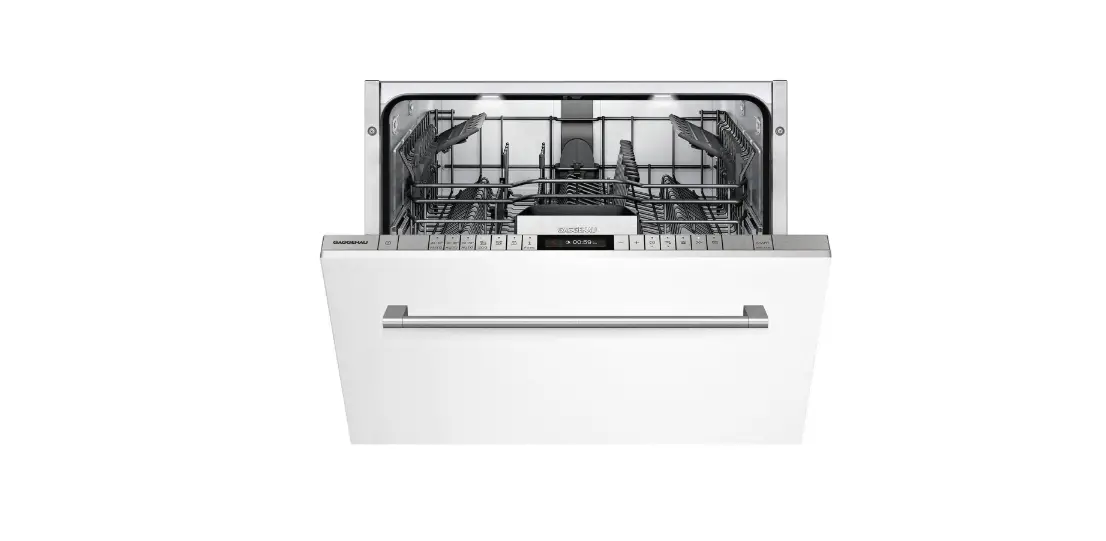
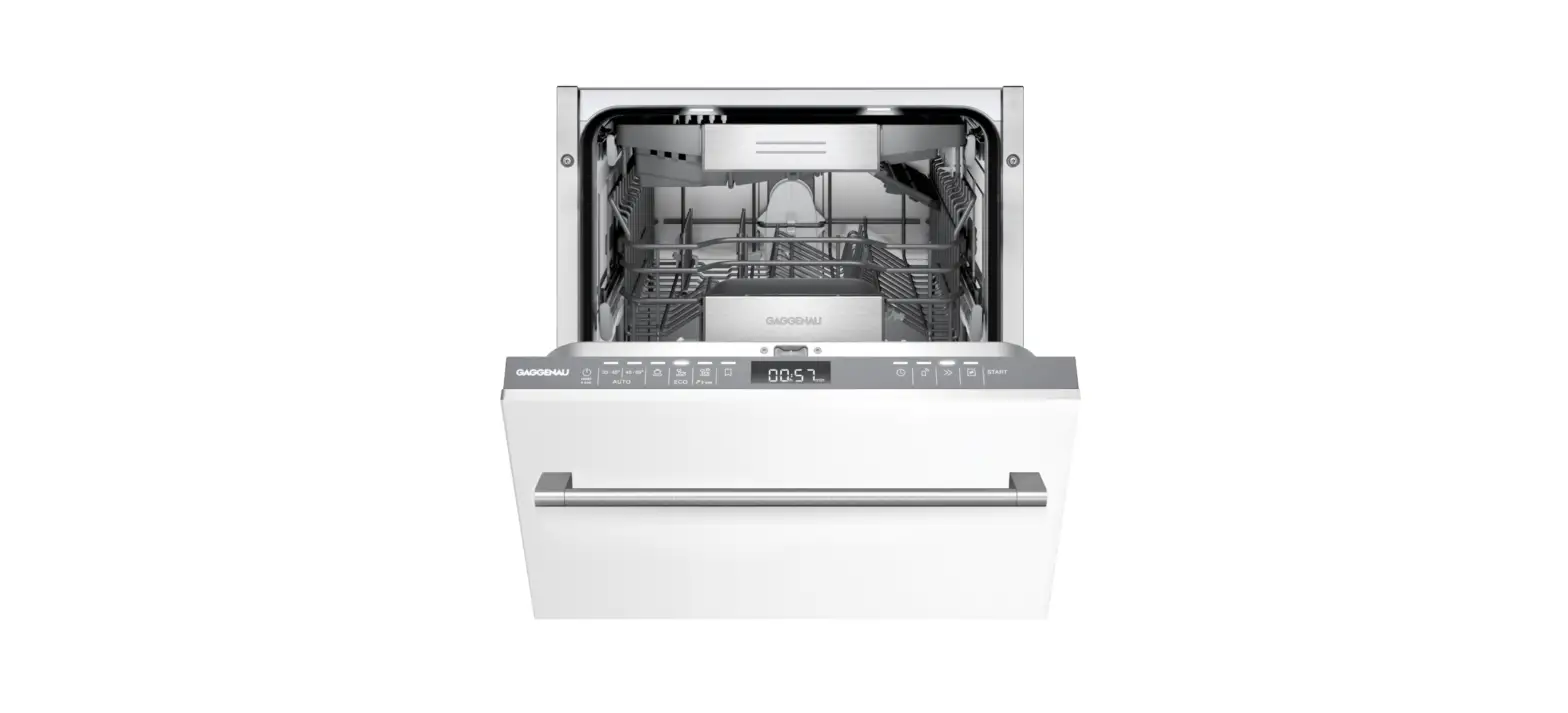
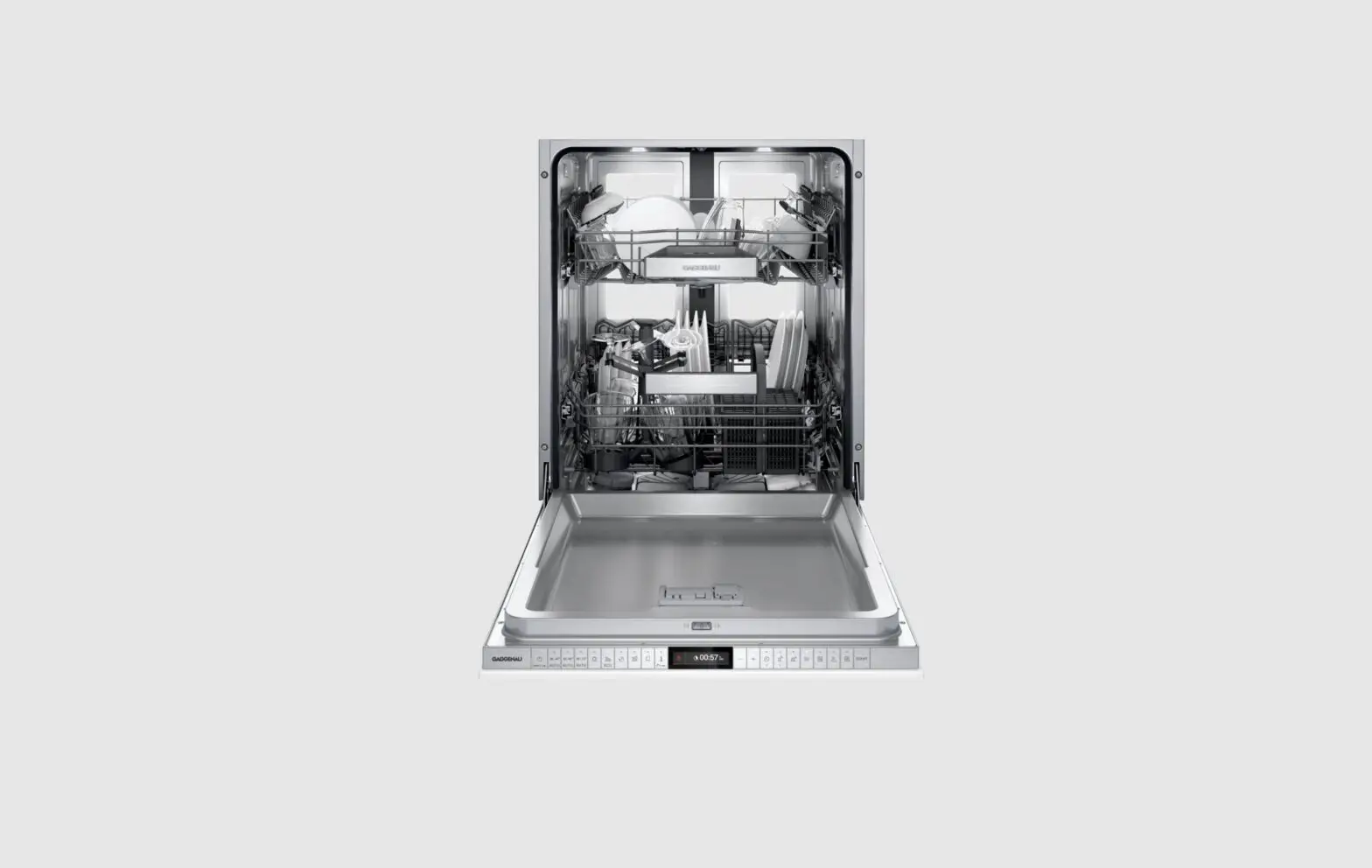
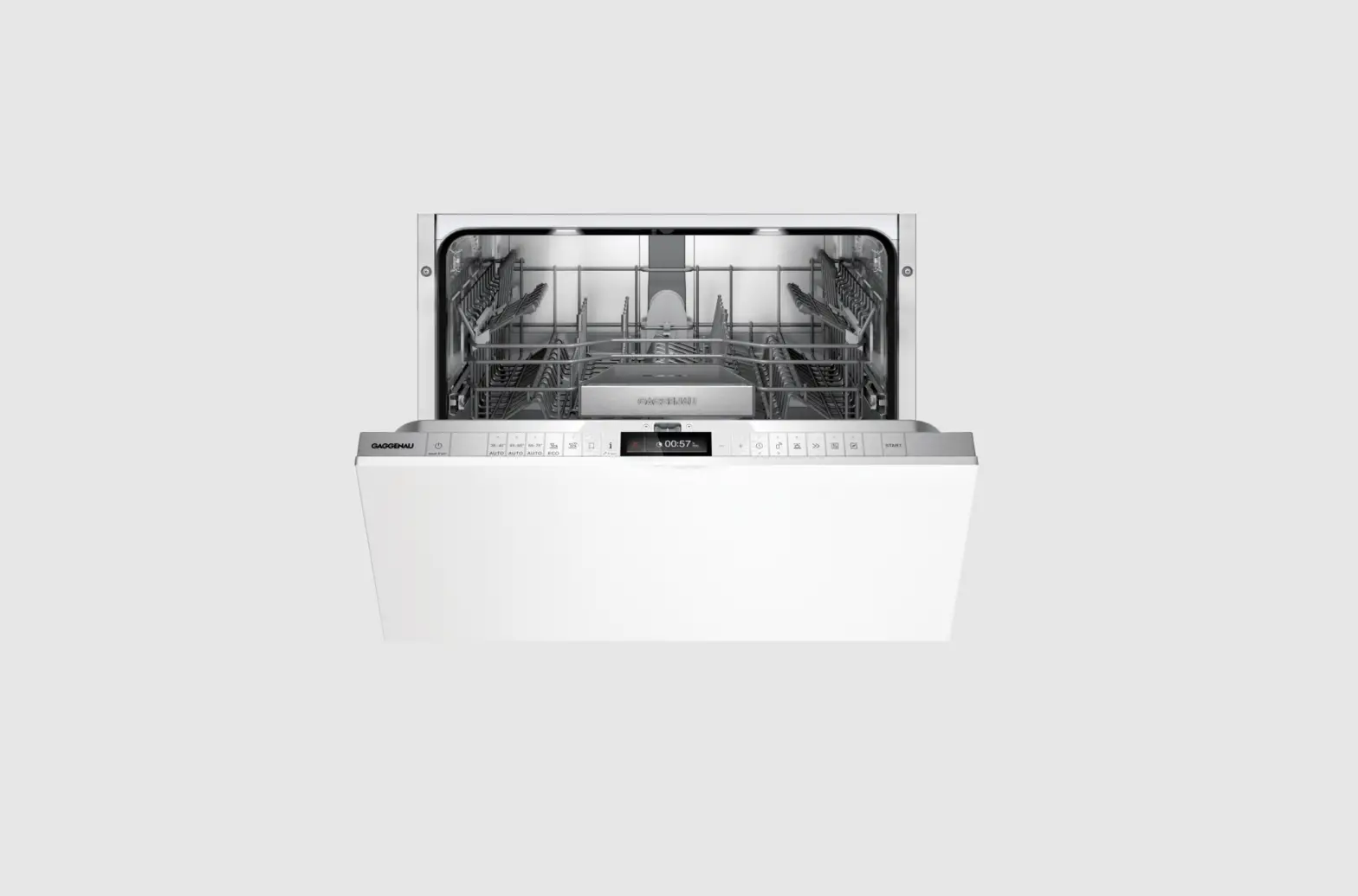
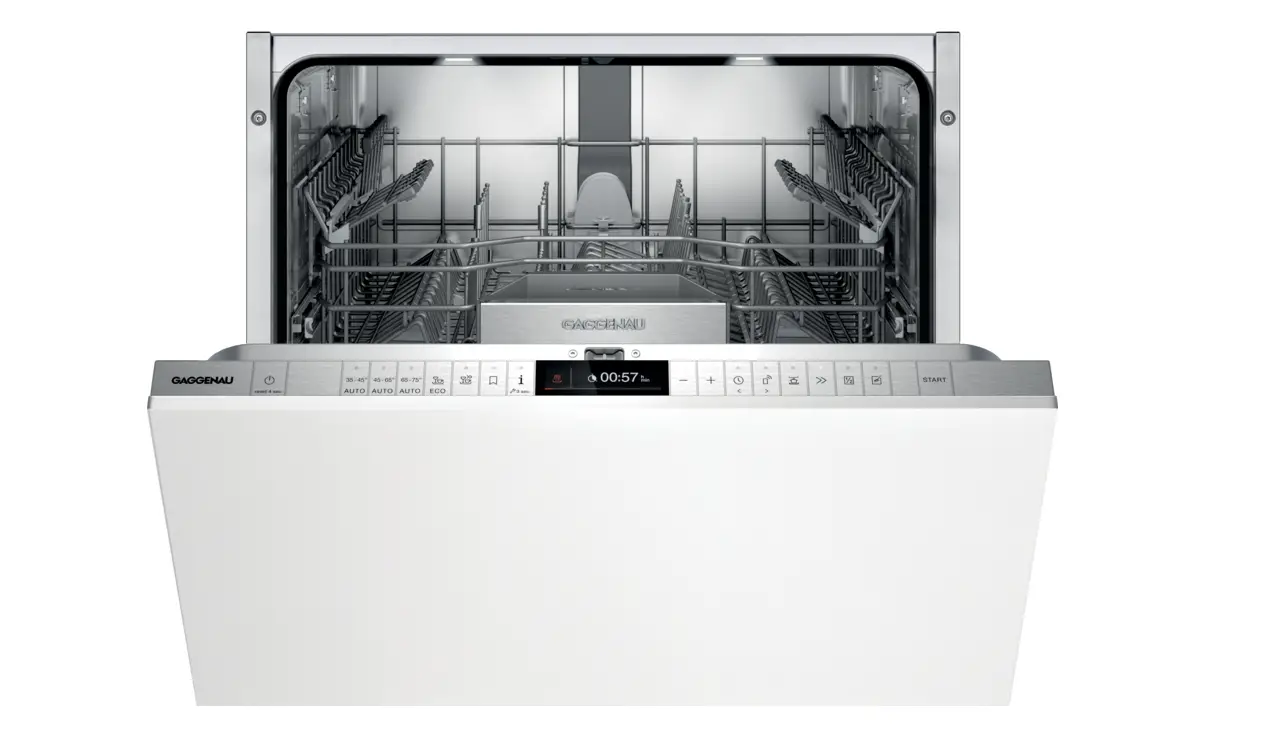
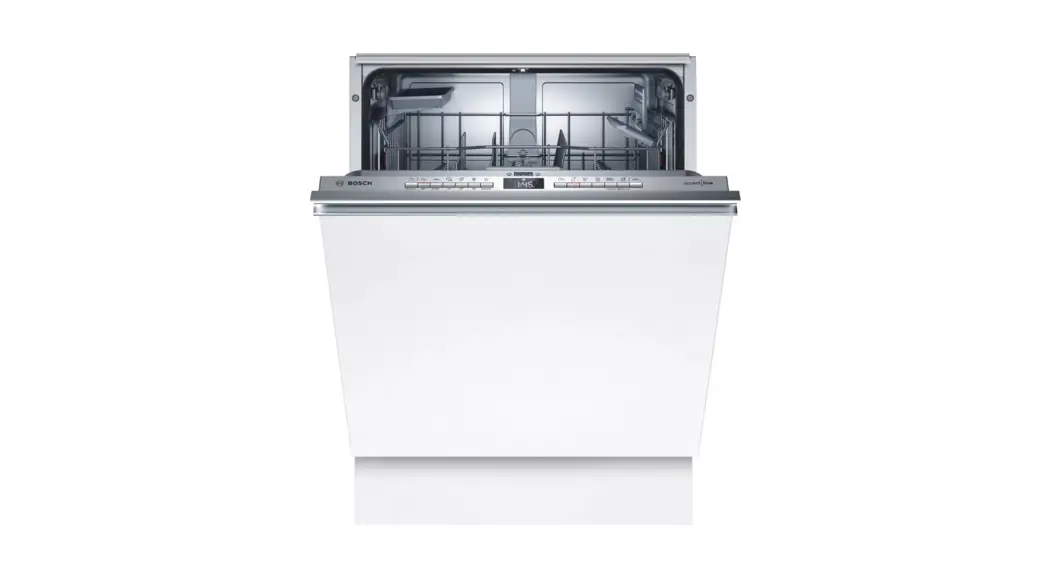
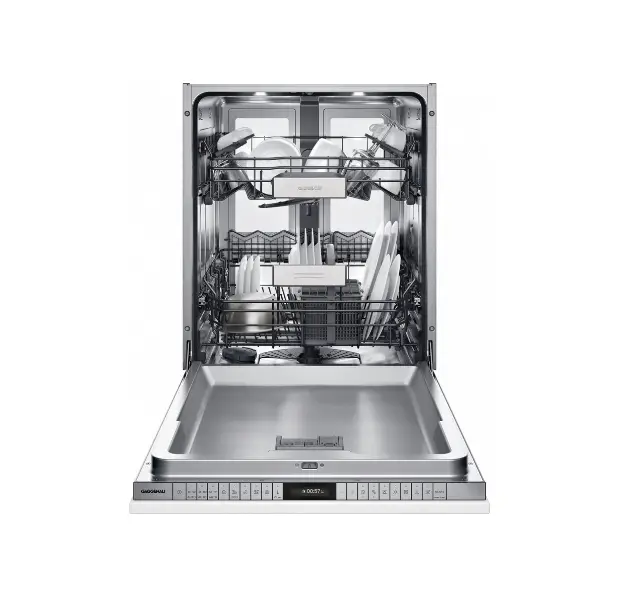
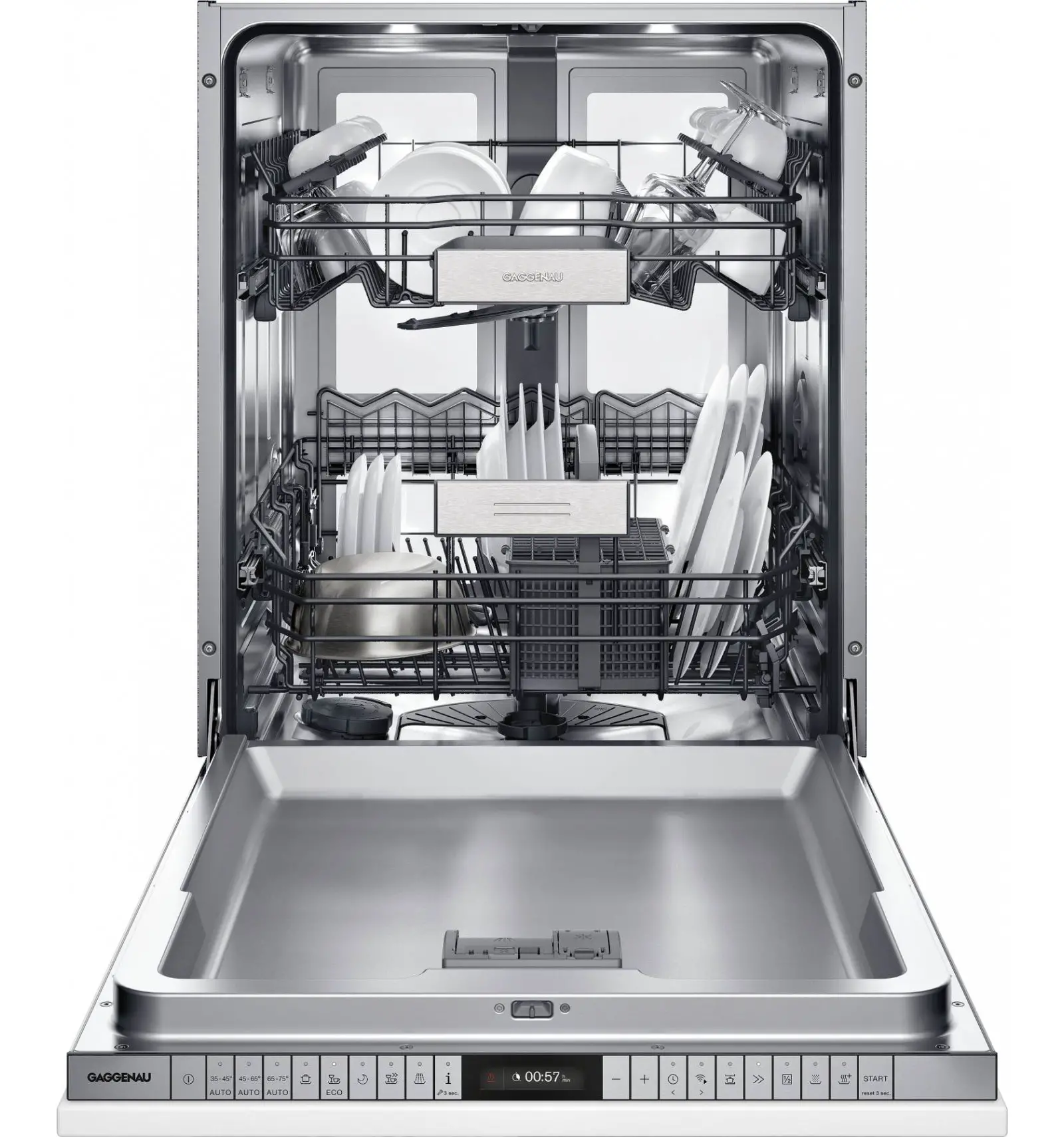
GAGGENAU DF481100F 400 Series Fully Integrated Dishwasher
Before using for the first time, read the instruction manual and the safety information it contains.
Setting up Home Connect
Tip: Connect your appliance to a mobile device. You can conveniently change all settings using the Home Connect app.
- Install the Home Connect app on your mo-bile device and follow the instructions.

- Scan the QR code with the Home Connect app.



Overview of water hardness settings
- You can find an overview of the water hardness values that can be selected here.
- A table of country-specific units can be found in the instruction manual.


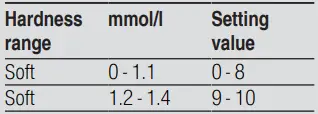
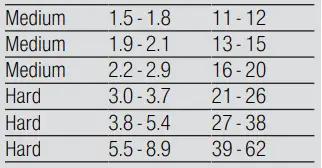
Setting the water softening system
- Press .
- To open the basic settings, press for approx. 3 seconds.
- Press repeatedly until the display shows “Water hardness”.
- Press or repeatedly until the right water hardness has been set.
- To save the settings, press for approx. 3 seconds.setup 3 sec. for 3 seconds
Programmes
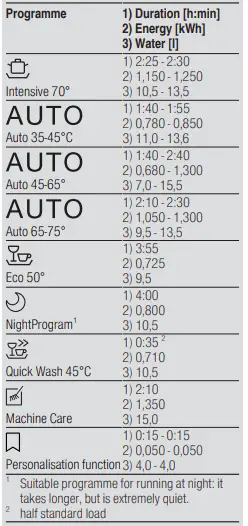
- The programme data has been measured in the laboratory according to European standard EN 60436.
- The consumption figures depend on the programme and additional function selected.
- The runtime will change if the rinse aid system is switched off or rinse aid needs to be added.

Favourite
- Suitable programme for running at night: it takes longer, but is extremely quiet.
- half standard load
Adding special salt 

To avoid damage to the appliance, only add special salt to the dispenser for special salt just before the programme starts.
- Unscrew the lid of the dispenser for special salt and remove.
- On initial start-up: Fill the dispenser right up with water.
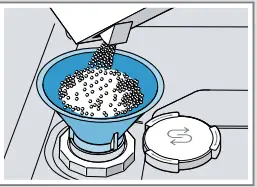
- Add the special salt to the dispenser. The water in the dispenser is displaced and forced out. Never add detergent.

- Place the lid back on the dispenser and turn to close.
Adding rinse aid 

- Press the catch on the lid of the dispenser for rinse aid and lift .

- Add rinse aid up to the max mark.

- Close the lid of the dispenser for rinse aid. lid clicks into position.
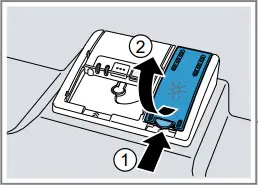
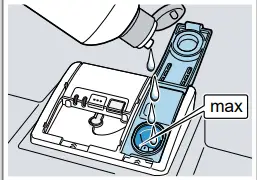
Adding detergent 

- Add the detergent to the dry detergent dispenser.

- Close the lid of the detergent dispenser.
- The lid clicks into position.

- The lid clicks into position.
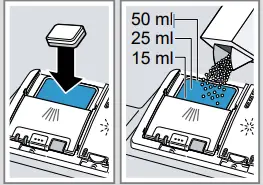
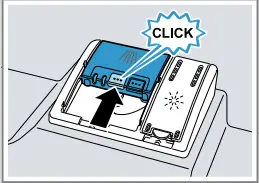

How to use your appliance
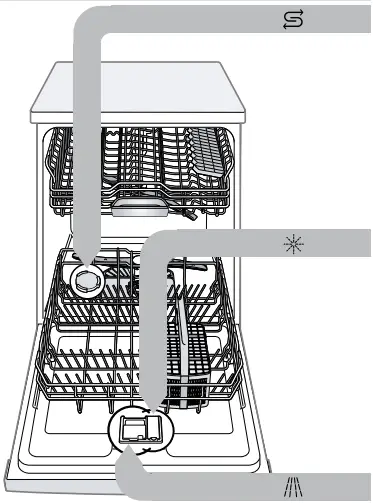
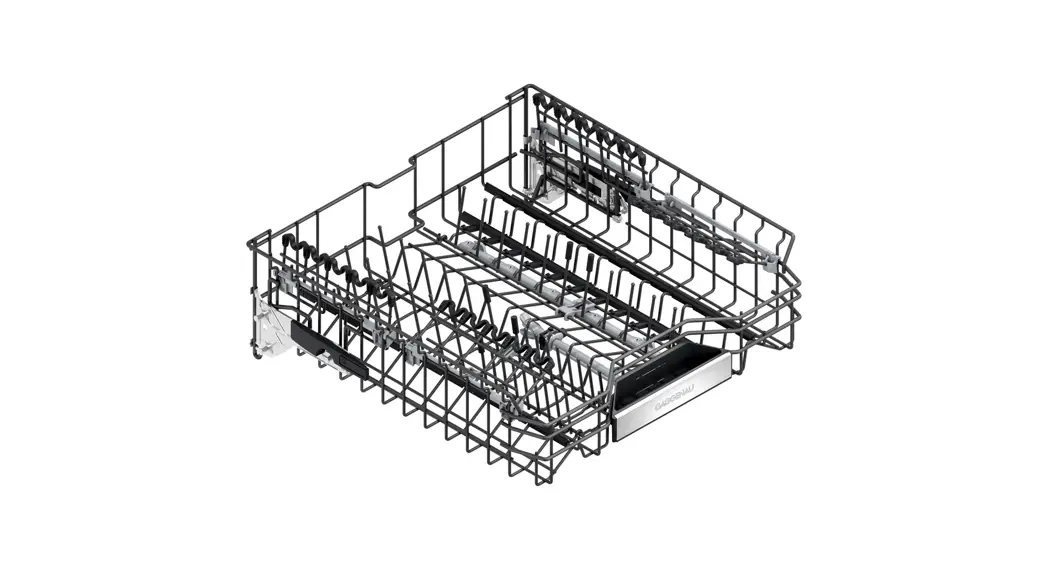
- Load the tableware.
Only clean tableware that is suitable for dish-washers. Remove large remnants of food from the tableware. Check that the spray arms can rotate freely. - Add detergent.
- Switch on the appliance .
- Select the programme.
- Start the programme start
- Remove the tableware at the end of the programme.
- To cancel the programme, press reset 4 sec for approx. 4 seconds.
The programme is cancelled and ends after approx. 1 minute.
Cleaning filters
- After each wash check the filters for residue.
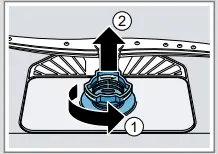
- Turn the coarse filter anti clock-wise and re-move the filter system .

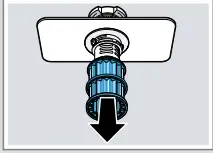
- Pull down the micro filter to remove.

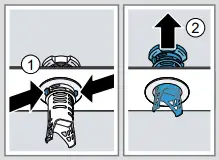
- Press the locking catches together and lift the coarse filter out .

- Clean the filter elements under running water.
- Reassemble the filter system.
- Insert the filter system into the appliance and turn the coarse filter clockwise. Make sure that the arrow markings match up.
Cleaning spray arms
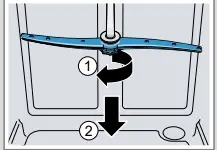
- Unscrew the upper spray arm and pull down to remove .

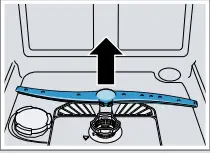
- Pull up the lower spray arm to remove.

- Check the outlet nozzles on the spray arms for blockages under running water and remove any foreign bodies.
- Insert the lower spray arm.
- The spray arm clicks into position.
- Insert the upper spray arm and screw it firmly in place.
Clean wastewater pump
- Disconnect the appliance from the power supply.
- Remove the filter system.
- Scoop out any water.
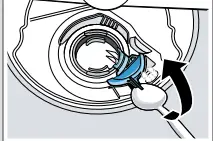
- Prise off the pump cover using a spoon and grip it by the crosspiece.

- Lift the pump cover inwards at an angle and remove.
- Remove any remnants of food and foreign bodies in the area of the impeller.
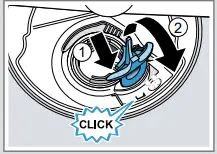
- Insert the pump cover and press down .
- The pump cover clicks into position.

- The pump cover clicks into position.
- Install the filter system.
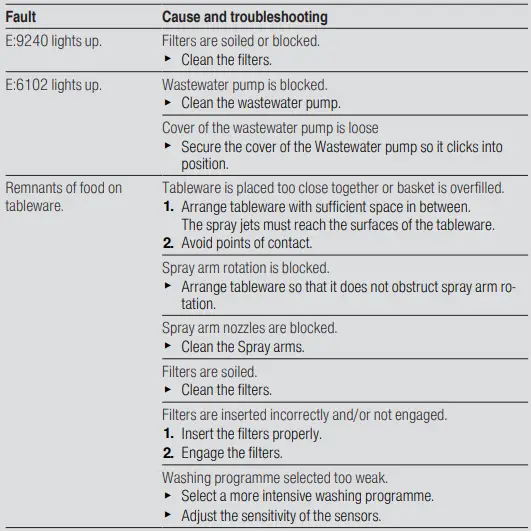
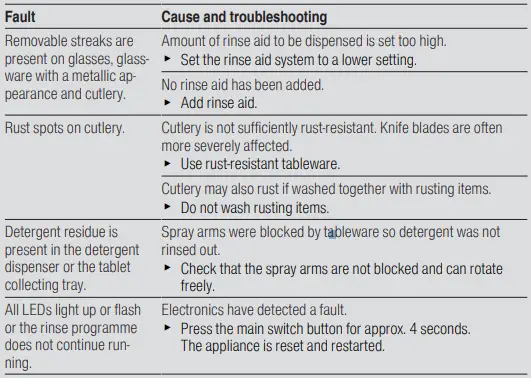
Troubleshooting
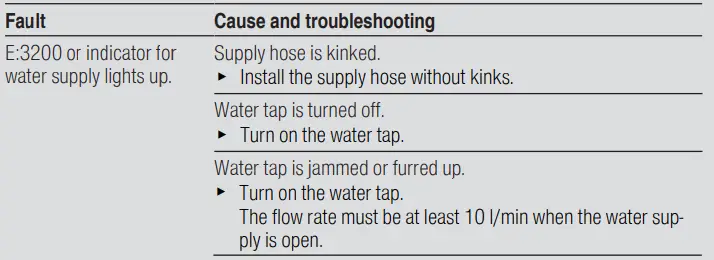
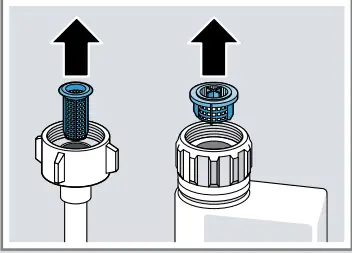
The filters in the water connection of the supply or Aqua Stop hose are blocked.
- Switch off the appliance.
- Pull out the mains plug.
- Turn off the water tap.
- Unscrew the water connection.
- Remove the filter from the supply hose

- Clean the filter.
- Reinsert the filter in the supply hose.
- Screw the water connection back on.
- Check the water connection for leaks.
- Restore the power supply.
- Switch the appliance on.