KEYSIGHT Vision Series Network Packet Broker
  About this Guide
 KEYSIGHT Vision Series Network Packet Broker
  About this Guide
Overview
This guide provides supplemental instructions to achieve the Common Criteria evaluated configuration of the Keysight Vision Series Network Packet Broker v5.7.1 and related information.
Audience
This guide is intended for system administrators and the various stakeholders involved in the Common Criteria evaluation. It is assumed that readers will use this guide in conjunction with the related documents listed in Table 3.
Terminology
Table 1: Terminology
| Term | Definition |
| AES | Advanced Encryption Standard |
| CRC | Cyclic Redundancy Check |
| DRBG | Deterministic Random Bit Generator |
| ECB | Electronic Codebook |
| HMAC | Hashed Message Authentication Code |
| KAT | Known Answer Test |
| NDRNG | Non-Deterministic Random Number Generator |
| NPB | Network Packet Broker |
| SHA | Secure Hash Algorithm |
| TOE | Target of Evaluation |
About the Common Criteria Evaluation
The Common Criteria for Information Technology Security Evaluation (ISO/IEC 15408) is an international standard for security certification of IT products and systems. More information is available at https://www.commoncriteriaportal.org/
Protection Profile Conformance
The Common Criteria evaluation was performed against the requirements of the Network Device collaborative Protection Profile (NDcPP) v2.2e available at https://www.niap-ccevs.org/Profile/PP.cfm
Evaluated Software and Hardware
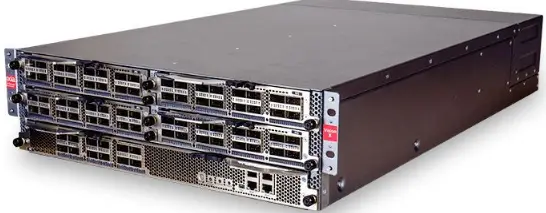
The Target of Evaluation (TOE) includes the Keysight Vision Series Network Packet Broker v5.7.1 software running on hardware appliances:
- Vision ONE
- Vision 7300/7303
- Vision E40
- Vision E100
- Vision E10S
- Vision X
- TradeVision
Evaluated Functions
The following functions have been evaluated under Common Criteria:
- Protected Communications. The TOE provides secure communication channels:
- Serial Console. Administrative interface via direct serial connection.
- GUI/Web API. Administrative web GUI/Web API via HTTPS.
- Logs. Logs sent to syslog via TLS.
- NTP. NTP communications make use of SHA-1 message digests.
- LDAP. The TOE uses an LDAP authentication server via TLS.
- Secure Administration. The TOE enables secure management of its security functions, including:
- Administrator authentication with passwords
- Configurable password policies
- Role Based Access Control
- Access banners
- Management of critical security functions and data
- Protection of cryptographic keys and passwords
- Trusted Update. The TOE ensures the authenticity and integrity of software updates through digital signatures.
- System Monitoring. The TOE generates logs of security relevant events. The TOE stores logs locally and is capable of sending log events to a remote audit server.
- Self-Test. The TOE performs a suite of self-tests to ensure the correct operation and enforcement of its security functions.
- Cryptographic Operations. The cryptographic algorithms used in the above functions have been validated for correct implementation.
NOTE: No claims are made regarding any other security functionality.
Evaluation Assumptions
The following assumptions were made in performing the Common Criteria evaluation. The guidance shown in the table below should be followed to uphold these assumptions in the operational environment.
Table 2: Evaluation Assumptions
| Assumption | Guidance |
| Physical security, commensurate with the value of the TOE and the data it contains, is provided by the environment. | Ensure that the device is hosted in a physically secure environment, such as a locked server room. |
| There are no general-purpose computing capabilities (e.g., compilers or user applications) available on the TOE, other than those services necessary for the operation, administration and support of the TOE. | Do not install other software on the device hardware. |
| The TOE does not provide any protection of traffic that traverses it. It is assumed that protection of this traffic will be covered by other security and assurance measures in the operational environment. | The Common Criteria evaluation focused on the management plane of the device. |
| Security Administrators are trusted to follow and apply all guidance documentation in a trusted manner. | Ensure that administrators are trustworthy – e.g. implement background checks or similar controls. |
| The TOE firmware and software is updated by an Administrator on a regular basis in response to the release of product updates due to known vulnerabilities. | Apply updates regularly according to your organization’s policies. |
| The Administrator’s credentials (private key) used to access the TOE must be protected on any other platform on which they reside. | Administrators should take care to not disclose credentials and ensure private keys are stored securely. |
| The Security Administrator ensures that there is no unauthorized access possible for sensitive residual information (e.g. cryptographic keys, keying material, PINs, passwords etc.) on networking equipment when the equipment is discarded or removed from its operational environment. | Administrators should sanitize the device before disposal or transfer out of the organization’s control. |
Conventions
The following conventions are used in this guide:
- CLI Command <replaceable> – This style indicates to you that you can type the word or phrase on the command line and press [Enter] to invoke a command. Text within <> is replaceable. For example:
Use the cat <filename> command to view the contents of a file - [key] or [key-combo] – key or key combination on the keyboard is shown in this style. For example:
The [Ctrl]-[Alt]-[Backspace] key combination exits your graphical session and returns you to the graphical login screen or the console. - GUI => Reference – denotes a sequence of GUI screen interactions. For example:
Select File => Save to save the file. - [REFERENCE] Section – denotes a document and section reference from Table 3. For example:
Follow [USER] Configuring Users to add a new user.
This guide supplements the below documents which are available from https://support.ixiacom.com
Table 3: Related Documents
| Reference | Document |
| [INSTALL] | Please refer to the Installation Guide of your TOE device. Vision ONE Installation Guide 913-2419-01 Rev-F TradeVision Installation Guide 913-2421-01 Rev-C Vision Edge 40 100 Installation Guide 913-2450-01 Rev-D Vision Edge 10S Installation Guide 913-2529-01 Rev-D Vision 7300 7303 Installation Guide 913-2530-01 Rev-D Vision X Installation Guide 913-2542-01 Rev-D Ixia Vision 7300 7303 Startup Guide 913-2413-01 Rev-B Rev-C Vision Edge 10S Startup Guide 913-2414-01 Rev C Ixia Vision E40 E100 Startup Guide 913-2415-01 Rev-C Vision ONE Startup Guide 913-2416-01 Rev-D Vision X Quick Start Guide Digital 913-2499-01 Rev-E TradeVision Quick Start Guide v5.7.1 913-2818-01 Rev-A |
| [USER] | Please refer to the User Guide of your TOE device. TradeVision Network Packet Broker v5.7.1, 913-2817-01 Rev A |
| Reference | Document |
| Vision 7300/7303 Network Packet Broker v5.7.1, 913-2811-01 Rev A Vision Edge 10S Network Packet Broker v5.7.1, 913-2816-01 Rev A Vision Edge 40/100 Network Packet Broker v5.7.1, 913-2813-01 Rev A Vision ONE Network Packet Broker v5.7.1, 913-2812-01 Rev A Vision X Network Packet Broker v5.7.1, 913-2810-01 Rev A |
NOTE: The information in this guide supersedes related information in other documentation.
Secure Acceptance and Update
Obtaining the TOE
Your Ixia Network Packet Broker will be delivered via commercial courier. Perform the following checks upon receipt (return the device if either of the checks fail):
- Confirm that the correct device has been delivered
- Inspect the packaging to confirm that there are no signs of tampering
Follow instructions at [INSTALL] Order of Installation and Setup to setup the TOE.
Verifying the TOE
After logging in as a system administrator select System > Version to check current version of the software.
See section 2.4 below for the instructions on updating the TOE.
Power-on Self-Tests
On start-up, the system will run a series of self-tests:
- POST. The system runs Power-On diagnostic Self-Test (POST) every time it starts until disabled. Refer [USER] Run POST tests and Get POST Results.
- FIPS Self-tests. The TOE checks the integrity of the system files at the startup. See [USER] Startup System Integrity Check section of the Government Security Configuration Guide chapter.
The TOE runs FIPS-Approved power-up self-tests (during power-up or reboot of the TOE) and conditional self-tests. Refer [USER] Enable Server FIPS Encryption section of the Government Security Configuration Guide chapter. If any of the self-tests fail to produce the expected outcome, an error message indicating the failure and a timestamp of when the error occurred is written to the local logfile buffer, the module enters a critical error state, and the appliance shuts down.
The FIPS-Approved power-up and conditional self-test failures result in the following error message: FIPS self test failed as of <timestamp> with error: $1.
The $1 is a placeholder for an error that differs depending on the self-test. The error options are listed below for each self-test: - AES -ECB KATs (Encryption/Decryption)
- Failed self test on encryption: AES
- Failed self test on decryption: AES
- RSA KATs (Signature Generation/Signature Verification)
- Self test signature generate failed.: RSA
- Self test signature verify failed.: RSA
- Self test SVE encryption KAT failed.: RSA/SVE
- Self test SVE decryption KAT failed.: RSA/SVE
- Self test SVE failed.: RSA/SVE
- vi) Exception on self test: signing requires private key: RSA
vii) Exception on self test: verification requires public key: RSA
- SHA -1 KAT
- Self test failed : SHA-1
- SHA-256 KAT
- Self test failed : SHA-256
- HMAC (with SHA-1) KAT
- Self test failed : SHA-1/HMAC
- HMAC (with SHA-256) KAT
- Self test failed : SHA-256/HMAC
- Hash DRBG KAT
- Self test SHA-1.2 failed, expected [] got []: SHA-1
- Pairwise Consistency Test (PCT) for RSA keypairs
- Consistency test failed: RSA
- Continuous test on DRBG
- Duplicate block detected in DRBG output
- Continuous test on NDRNG
- Duplicate block detected in EntropySource output
- DRBG Health Checks
- Generate
Self test SHA-1.1 failed, expected [] got []: SHA-1 - Instantiate
Not enough entropy for security strength required: SHA-1 - Reseed
Exception on self test: Insufficient entropy provided by entropy source: SHA-1
All of the above errors result in a critical error state and an administrator must reboot the TOE to run the self tests again by using the appliance’s power button. Once the self-tests successfully pass, the appliance will start up successfully. The log messages displaying the error messages can then be viewed via the Syslog viewer.
- Generate
Updating the TOE
Authorized administrators can acquire digitally signed upgrade files from Ixia Technical Support or directly from the Ixia Customer Support Portal from the following location: https://support.ixiacom.com/software-downloads/43006
Follow instructions at [USER] To upgrade the software on your system section of the Appendix C Software Upgrade/Downgrade and Cold Spare Upgrade Procedures for updating the TOE.
The TOE verifies the digital signature of the upgrade files using RSA 2048-bit public key. Refer [USER] Upgrade/Downgrade Guidelines to/from Release 4.5 or Higher/Lower.
Configuration Guidance
Installation
Follow the instructions of [USER] augmented by the configuration steps in the following sections.
Administration Interfaces
Only the following administration interfaces may be used:
- Console. Directly connected peripherals via mini USB port, RS-232 (DB9) serial cable, or serial-based RJ-45 port. See [USER] Craft Port Connection to connect using serial port.
- Follow instructions at [USER] Configure the serial (CRAFT) port console section of the Government Security Configuration Guide chapter to configure session time out and enter an appropriate login banner for the serial console.
- User may terminate the local session by selecting Logout from Main Menu. See [USER] Using the Console Authentication options section of the Serial (CRAFT) Port Console Access and Authentication chapter.
- HTTPS. Web-based Graphical User Interface via HTTPS.
- Refer [USER] Government Security Configuration Guide chapter to login to the web console as a System Administrator and perform the actions listed in Configure Government Security Settings.
NOTE: The settings in Configure Government Security Settings indicate that all “Enhanced security settings should be enabled” however HTTP should be set to disabled. - User may use the Logout button to terminate the current Web Console session.
- Session termination is supported and may be configured via System > Settings >Session timeout. See [USER] Configure the (Web Console) Session Timeout.
- Banner messages are supported and may be configured via System > Settings > Login banner. See [USER] Adding a Login Banner.
- See [USER] Configure Server Certificate for Web API Communication for instructions on configuring certificates and generate signing requests.
NOTE: The Web API is not interactive and does not display a banner. The administrators shall only use basic authentication when interacting with Web API.
- Refer [USER] Government Security Configuration Guide chapter to login to the web console as a System Administrator and perform the actions listed in Configure Government Security Settings.
Cryptography
FIPS mode can be enabled at System > Settings > FIPS encryption. Refer [USER] Enable Server FIPS Encryption.
Default Passwords
admin. The default administrator account used to access both serial and web console. On serial, follow instructions at [USER] Reset Administrator Password to change the default password. On web console, user will be prompted to change the password on first use. See [USER] Force Password Change on First Use section of the Authentication, Authorization, and Accounting (AAA) chapter.
NOTE: Once an additional administrator account is added, the default administrator account must be modified so that it can only log in to the serial (CRAFT) port console. See [USER] Configure the default administrator account.
Setting Time
The TOE supports the use of NTP servers which can be accessed via System > Settings > NTP. Refer [USER] Enabling and Configuring NTP Servers.
Audit Logging
The Common Criteria evaluation confirmed that the log events listed at Annex A: Log Reference are generated by the TOE.
A syslog must be configured to store the logs as follows:
- To enable, refer to [USER] Configure Syslog Servers and Adding or Modifying External Syslog Servers sections.
- Syslog must be used with TLS per the instructions at [USER] Enabling TLS Encryption of the Syslog Support chapter.
The TOE also stores logs locally. See [USER] How local syslog files work – appending and overwriting files section of the About Local Syslog Viewer chapter for details on overwriting logs.
Administrator Authentication
Follow instructions at [USER] Configure the Web API Service to configure the number of successive unsuccessful authentication attempts and period of inactivity.
NOTE: On the web API, administrator can configure settings for tokens used to authenticate calls to the web API. Refer [USER] Web console/API settings.
Refer [USER] Password Policies for details about Default Password guidelines and various password policies.
For LDAP authentication enable the following configuration settings.
- Under System>Settings>Remote Services>Authentication, choose LDAP from the radio button menu.
- Keep LDAP Mode and Authorization in the default settings.
- For a new server, enter the DNS name, set Enable TLS checkbox to true, and set the port to 636.
- Add the Root Certificate under LDAP Server Authentication Certificate by uploading the certificate and entering the same value in Server/Host as the DNS setting for the server.
TLS Communication
The communication between the Vision NPB system and the syslog server as well as HTTP communications between users and the NPB are protected by TLS encryption. Follow instructions at [USER] Enabling TLS Encryption section of the Syslog Support chapter to enable TLS communications with a Syslog server. Follow instructions at [USER] Configure Server Certificate for Web API Communication to enable TLS over HTTP communications. Follow the instructions at [USER] Uploading a Custom Server Certificate to upload the newly signed CSR.
When a connection is broken, no plaintext is sent. The reconnect re-initiates the TCP handshake and TLS handshake. TLS will be reused when the connection is re-established.
TOE supports Subject Alternate Name (SANs) and Common Name (CN) as reference identifiers. When the TLS client receives an X.509 certificate from the server, the client will compare the reference identifier with the established Subject Alternative Names (SANs) in the certificate. If a SAN is available and does not match the reference identifier, then the verification fails, and the channel is terminated. If there are no SANs of the correct type (DNS name) in the certificate, then the TOE will compare the reference identifier to the Common Name (CN) in the certificate Subject. If there is no CN, then the verification fails and the channel is terminated. If the CN exists and does not match, then the verification fails and the channel is terminated. Otherwise, the reference identifier verification passes and additional verification actions can proceed.
For Syslog communication, only DNS names are supported as acceptable reference identifiers. IP addresses are not allowed for reference identity.
Annex A: Log Reference
Format
Each audit record includes the following fields:
- Timestamp
- Severity Level (CRITICAL, ALERT, ERROR, WARNING, NOTICE, INFO)
- Message (including user if applicable and indication of success or failure)
Refer [USER] Syslog Message Format section of the APPENDIX G NPB Syslog Messages for more details about format of the logs.
Events
The TOE generates the following log events.
| Requirement | Audit Events | Examples |
| FAU_GEN.1 | Start-up and | Jan 29 08:32:52 10.19.17.10 1 2020-01- |
| shutdown of the | 29T13:32:52.215Z 10.19.17.10 VisionONE – – – 0 | |
| audit functions | AppStack Syslog init complete | |
| Jan 29 08:32:53 10.19.17.10 1 2020-01- | ||
| 29T13:32:52.557Z 10.19.17.10 VisionONE – – – 1 | ||
| Syslog server 10.100.0.2 (Port: 514, Facility: | ||
| LOCAL0, Tls Enabled: false) came on-line | ||
| Jan 29 08:32:53 10.19.17.10 1 2020-01- | ||
| 29T13:32:52.563Z 10.19.17.10 VisionONE – – – 2 | ||
| System 6322 ready | ||
| Jan 29 08:32:53 10.19.17.10 1 2020-01- | ||
| 29T13:32:52.564Z 10.19.17.10 VisionONE – – – 3 | ||
| FIPS integrity check completed as of Wed Jan 29 | ||
| 13:29:44 UTC 2020 | ||
| Jan 29 08:32:53 10.19.17.10 1 2020-01- | ||
| 29T13:32:52.564Z 10.19.17.10 VisionONE – – – 4 | ||
| BouncyCastle FIPS selftest completed as of Wed | ||
| Jan 29 13:29:46 UTC 2020 | ||
| Jan 29 08:32:53 10.19.17.10 1 2020-01- | ||
| 29T13:32:52.564Z 10.19.17.10 VisionONE – – – 5 | ||
| OpenSSL FIPS selftest completed as of Wed Jan 29 | ||
| 13:29:46 UTC 2020 | ||
| Jan 29 08:32:53 10.19.17.10 1 2020-01- | ||
| 29T13:32:52.565Z 10.19.17.10 VisionONE – – – 6 | ||
| FIPS selftest completed successfully of Wed Jan 29 | ||
| 13:29:46 UTC 2020 | ||
| Jan 29 08:32:53 10.19.17.10 1 2020-01- | ||
| 29T13:32:52.592Z 10.19.17.10 VisionONE – – – 7 | ||
| Config.ser read |
| Requirement | Audit Events | Examples |
| Jan 29 08:32:56 10.19.17.10 1 2020-01- | ||
| 29T13:32:56.206Z 10.19.17.10 VisionONE – – – 8 | ||
| Server ready | ||
| Jan 22 17:23:02 10.19.17.10 1 2020-01- | ||
| 22T22:23:02.032Z 10.19.17.10 VisionONE – – – 264 | ||
| “admin” restart system | ||
| Jan 29 08:25:35 10.19.17.10 1 2020-01- | ||
| 29T13:25:35.512Z 10.19.17.10 VisionONE – – – 1132 | ||
| Power down system | ||
| Administrative | Feb 5 12:24:56 10.19.17.10 1 2020-02- | |
| login and logout | 05T17:24:56.462Z 10.19.17.10 VisionONE – – – 4731 | |
| Successful login Web GUI (ID: testadmin, Source | ||
| URL: 10.100.1.126, X-Forwarded-Host: WEB_GUI, | ||
| Token: Token | ||
| ZmNjM2Y5YWYwNGRlNWZlNjYwNDNiMzljMWUwN | ||
| TkwYTNmMWUzYTA4YmI2NTE5ZmVmNmQ0YjhkO | ||
| TA1ZDQ5Njk4ZA==) | ||
| Feb 5 12:26:33 10.19.17.10 1 2020-02- | ||
| 05T17:26:33.525Z 10.19.17.10 VisionONE – – – 4734 | ||
| Session logout Web GUI (ID: testadmin, Source | ||
| URL: 10.100.1.126, X-Forwarded-Host: WEB_GUI, | ||
| Token: Token | ||
| ZmNjM2Y5YWYwNGRlNWZlNjYwNDNiMzljMWUwN | ||
| TkwYTNmMWUzYTA4YmI2NTE5ZmVmNmQ0YjhkO | ||
| TA1ZDQ5Njk4ZA==) | ||
| Changes to TSF | Feb 14 08:34:26 10.19.17.10 1 2020-02- | |
| data related to | 14T13:34:26.313Z 10.19.17.10 VisionONE – – – 320 | |
| configuration | “testadmin” changed System: | |
| changes | ENHANCED_SECURITY_SETTINGS=removeTacSs | |
| h=false, validateCertCrl=true, | ||
| validateRootCertUse=true, syslogUnknownCert=true, | ||
| crlServerAddr=, | ||
| SYSLOG_TLS_HANDSHAKE_ENABLED=true | ||
| Generating/import | Jan 9 12:30:15 10.19.17.10 1 2020-01- | |
| of, changing, or | 09T17:30:15.101Z 10.19.17.10 VisionONE – – – 156 | |
| deleting of | “admin” zeroized any existing key pair and created | |
| cryptographic | new public/private key pair for TLS | |
| keys | ||
| Resetting | Feb 4 15:02:53 10.19.17.10 1 2020-02- | |
| passwords | 04T20:02:53.596Z 10.19.17.10 VisionONE – – – 2232 | |
| “testuser” changed User “testuser”: | ||
| PASSWORD_LAST_CHANGED=Feb 04, 2020 | ||
| 20:02:53 GMT, PASSWORD=****, | ||
| PASSWORD_HISTORY=**** |
| Requirement | Audit Events | Examples |
| FCS_HTTPS_E | Failure to | Jan 8 11:05:12 10.19.17.10 1 2020-01- |
| XT.1 | establish a | 08T16:05:15.197Z 10.19.17.10 VisionONE – – – 2154 |
| HTTPS Session | AppStack “system” “/10.100.1.126:60318” TLS | |
| handshake failure. Exception caught: | ||
| javax.net.ssl.SSLHandshakeException: no cipher | ||
| suites in common. | ||
| FCS_NTP_EXT. 1 | Configuration of a new time server Removal of configured time server | Feb 5 10:43:11 10.19.17.10 1 2020-02- 05T15:43:11.326Z 10.19.17.10 VisionONE – – – 2541 “testadmin” changed System: NTP_SERVER_LIST=Enabled=true [10.19.17.2:123 (Auth Enabled:true, Key Id:100, Key Type: SHA1, Key:****)] |
| FCS_TLSC_EX | Failure to | Jan 29 09:23:32 10.19.17.10 1 2020-01- |
| T.1 | establish a TLS | 29T14:23:32.019Z 10.19.17.10 VisionONE – – – 386 |
| Session | Connection has been shutdown: | |
| javax.net.ssl.SSLHandshakeException: | ||
| java.security.cert.CertificateException: No name | ||
| matching services.example.com found TLS | ||
| handshake failure. | ||
| FCS_TLSS_EXT | Failure to | Jan 8 11:05:12 10.19.17.10 1 2020-01- |
| .1 | establish a TLS | 08T16:05:15.197Z 10.19.17.10 VisionONE – – – 2154 |
| Session | AppStack “system” “/10.100.1.126:60318” TLS | |
| handshake failure. Exception caught: | ||
| javax.net.ssl.SSLHandshakeException: no cipher | ||
| suites in common. | ||
| FIA_AFL.1 | Unsuccessful login attempts limit is met or exceeded. | Jan 14 10:14:30 10.19.17.10 1 2020-01- 14T15:14:30.596Z 10.19.17.10 VisionONE – – – 1004 “testadmin” login failed user is locked after a predefined number of consecutive unsuccessful logins or based on a configurable number of days of inactivity where the user has not been logged in, and DoD security policies are enabled |
| FIA_UIA_EXT.1 | All use of identification and authentication mechanism. | Jan 14 15:21:42 10.19.17.10 1 2020-01- 14T20:21:42.875Z 10.19.17.10 VisionONE – – – 1266 “test” login failed, 10.100.1.126, invalid user id or password, Session type: Web GUI |
| FIA_UAU_EXT.2 | All use of identification and authentication mechanism. | Jan 14 15:14:14 10.19.17.10 1 2020-01- 14T20:14:14.579Z 10.19.17.10 VisionONE – – – 1238 “testuser” login failed, 10.100.1.126, invalid user id or password, Session type: Web GUI |
| Jan 14 15:14:19 10.19.17.10 1 2020-01- 14T20:14:19.239Z 10.19.17.10 VisionONE – – – 1243 Successful login Web GUI (ID: testuser, Source URL: 10.100.1.126, X-Forwarded-Host: WEB_GUI, Token: |
| Requirement | Audit Events | Examples |
| Token Y2UyYjY3M2QzMGE5MDY0Njc3NzhkOTU2MTRhY zA3ODQ3YzkzY2M0NjZmNDg4YmViZmFmNjM2Mm MyYWQ1ODRhYQ==) | ||
| FIA_X509_EXT. | Unsuccessful | |
| 1/Rev | attempt to validate a | See Table 5: x509 Audit Logs below. |
| certificate | ||
| FIA_X509_EXT. | TOE is unable to | |
| 2 | verify the validity of the certificate | See Table 5: x509 Audit Logs below. |
| due to network | ||
| connection | ||
| problem | ||
| FIA_X509_EXT. | Create CSR | Jan 9 12:30:15 10.19.17.10 1 2020-01- |
| 3 | 09T17:30:15.156Z 10.19.17.10 VisionONE – – – 157 | |
| “admin” zeroized any existing key pair and created | ||
| new public/private key, then created a new certificate | ||
| signing request (CSR) for TLS | ||
| Jan 9 13:29:49 10.19.17.10 1 2020-01- | ||
| 09T18:29:49.913Z 10.19.17.10 VisionONE – – – 213 | ||
| “admin” zeroized any existing key pair and created | ||
| new public/private key, then created a new certificate | ||
| signing request (CSR) for Syslog | ||
| Validating a response message to a Certification | ||
| Request without a valid certification path results in | ||
| the function failing | ||
| Jan 9 13:36:22 10.19.17.10 1 2020-01- | ||
| 09T18:36:22.986Z 10.19.17.10 VisionONE – – – 215 | ||
| “admin” certificate upload failed for Syslog. No | ||
| certificate chain found for the certificate in the file. | ||
| Jan 9 13:38:27 10.19.17.10 1 2020-01- | ||
| 09T18:38:27.175Z 10.19.17.10 VisionONE – – – 216 | ||
| “admin” certificate upload failed for Syslog. Invalid | ||
| certificate: Issuer: CN=Root | ||
| CA,OU=CC1801,O=Lightship | ||
| Security,L=Ottawa,ST=ON,C=CA Serial: | ||
| dd323450cef24303. Error: certificate does not verify | ||
| with supplied key | ||
| Jan 9 12:39:04 10.19.17.10 1 2020-01- | ||
| 09T17:39:04.203Z 10.19.17.10 VisionONE – – – 167 | ||
| “admin” certificate upload failed for TLS. No | ||
| certificate chain found for the certificate in the file. | ||
| Jan 9 12:43:10 10.19.17.10 1 2020-01- | ||
| 09T17:43:10.889Z 10.19.17.10 VisionONE – – – 168 | ||
| “admin” certificate upload failed for TLS. Invalid | ||
| certificate: Invalid certificate: Issuer: CN=Root |
| Requirement | Audit Events | Examples |
| CA,OU=CC1801,O=Lightship Security,L=Ottawa,ST=ON,C=CA Serial: dd323450cef24303. Error: certificate does not verify with supplied key | ||
| FMT_MOF.1/ | Any attempt to | Jan 29 08:18:08 10.19.17.10 1 2020-01- |
| ManualUpdate | initiate a manual | 29T13:18:08.086Z 10.19.17.10 VisionONE – – – 1129 |
| update | “testadmin” initiated software install using file NVOS- | |
| 5.3.0.11-73xx-62xx-20200128-144855-5e9315.zip | ||
| FMT_MOF.1/ | Modification of the | Feb 6 08:49:50 10.19.17.10 1 2020-02- |
| Functions | behaviour of the | 06T13:49:50.050Z 10.19.17.10 VisionONE – – – 653 |
| transmission of | “testadmin” changed System: | |
| audit data to an | SYSLOG_SERVER_LIST=[10.100.0.2 (Port: 514, | |
| external IT entity, | Facility: LOCAL0, Tls Enabled: false), | |
| the handling of | services.example.com (Port: 514, Facility: LOCAL0, | |
| audit data, the | Tls Enabled: true)] | |
| audit functionality | ||
| when Local Audit | ||
| Storage Space is | ||
| full. | ||
| FMT_SMF.1 | All management activities of TSF data. | Feb 14 08:58:03 10.19.17.11 1 2020-01- 31T01:09:10.593Z 10.19.17.11 Vision E40 – – – 157 “admin” changed System: PASSWORD_POLICIES=Enabled ( Type=FIPS_DOD_SECURITY, Expiration days=0, Minimum password length=15, User inactive days=35, Max failures allowed=3, Days to track successful logins=7) |
| FPT_TUD_EXT. | Initiation of | Jan 29 08:18:08 10.19.17.10 1 2020-01- |
| 1 | update; result of | 29T13:18:08.086Z 10.19.17.10 VisionONE – – – 1129 |
| the update | “testadmin” initiated software install using file NVOS- | |
| attempt (success | 5.3.0.11-73xx-62xx-20200128-144855-5e9315.zip | |
| or failure) | ||
| Jan 29 08:46:45 10.19.17.10 1 2020-01- | ||
| 29T13:46:45.290Z 10.19.17.10 VisionONE – – – 170 | ||
| Software install succeeded | ||
| FPT_STM_EXT. | Discontinuous | Feb 5 11:07:05 10.19.17.10 1 2020-02- |
| 1 | changes to time – | 06T00:07:05.454Z 10.19.17.10 VisionONE – – – 2551 |
| either | System Sync internal clock with NTP server: | |
| Administrator | 10.19.17.2. Time changed from 2020-02-05 16:07:03 | |
| actuated or | GMT to 2020-02-06 00:07:04 GMT | |
| changed via an | ||
| automated | ||
| process. | ||
| FTA_SSL_EXT. 1 | The termination of a local session by the session | Feb 6 11:31:37 10.19.17.10 1 2020-02- 06T16:31:37.614Z 10.19.17.10 VisionONE – – – 190 |
| Requirement | Audit Events | Examples |
| locking mechanism. | Session timeout Serial Console (ID: testadmin, localhost) | |
| FTA_SSL.3 | The termination of | Feb 5 12:16:37 10.19.17.10 1 2020-02- |
| a remote session | 05T17:16:37.972Z 10.19.17.10 VisionONE – – – 3964 | |
| by the session | Session logout Web GUI (ID: testadmin, Source | |
| locking | URL: 172.16.100.30, X-Forwarded-Host: WEB_GUI, | |
| mechanism. | Token: Token | |
| ZGM5ZGVmZGJjNzMzNjY0OWFjY2U5MDNjMjUxN2 | ||
| YwZmU4NjYxYzBiZWU1MDU1YTBjODY4YTIxN2Mz | ||
| MmE3ZDEyNQ==) | ||
| FTA_SSL.4 | The termination of | Feb 5 12:26:33 10.19.17.10 1 2020-02- |
| an interactive | 05T17:26:33.525Z 10.19.17.10 VisionONE – – – 4734 | |
| session. | Session logout Web GUI (ID: testadmin, Source | |
| URL: 10.100.1.126, X-Forwarded-Host: WEB_GUI, | ||
| Token: Token | ||
| ZmNjM2Y5YWYwNGRlNWZlNjYwNDNiMzljMWUwN | ||
| TkwYTNmMWUzYTA4YmI2NTE5ZmVmNmQ0YjhkO | ||
| TA1ZDQ5Njk4ZA==) | ||
| FTP_ITC.1 | Initiation of the | Feb 10 11:58:03 10.19.17.10 1 2020-02- |
| trusted channel. | 10T16:58:03.305Z 10.19.17.10 VisionONE – – – 859 | |
| Termination of the | “services.example.com/fd00:c0de:0:0:10:100:0:97e9: | |
| trusted channel. | 6514″ TLS trusted channel initiated. Interface: | |
| Failure of the | Syslog. | |
| trusted channel functions. | Feb 10 11:58:03 10.19.17.10 1 2020-02- 10T16:58:03.305Z 10.19.17.10 VisionONE – – – 860 ! | |
| services.example.com/fd00:c0de:0:0:10:100:0:97e9: | ||
| 6514! | ||
| Feb 10 11:58:03 10.19.17.10 1 2020-02- | ||
| 10T16:58:03.306Z 10.19.17.10 VisionONE – – – 861 | ||
| “services.example.com/fd00:c0de:0:0:10:100:0:97e9: | ||
| 6514″ TLS handshake succeeded. Interface: Syslog. | ||
| FTP_TRP.1/ Admin | Initiation of the trusted path. Termination of the trusted path. Failure of the trusted path functions. | Jan 8 17:14:57 10.19.17.10 1 2020-01- 08T22:14:57.480Z 10.19.17.10 VisionONE – – – 2273 AppStack “system” “/10.100.1.126:32902” TLS trusted channel initiated. Jan 8 17:14:58 10.19.17.10 1 2020-01- 08T22:14:58.503Z 10.19.17.10 VisionONE – – – 2274 AppStack “system” “/10.100.1.126:32902” TLS trusted channel terminated. |
| X.509 Reason for Failure | Sample Syslog Audit Log | Sample LDAP Audit Log |
| Valid certificate chain | Feb 9 16:40:09 10.19.17.40 1 | Feb 9 |
| is broken (e.g. | 2022-02-09T21:40:09.655Z | 16:41:46 |
| intermediate CA | 10.19.17.40 Vision E10S – – – 1003 | 10.19.17.40 1 |
| certificate is missing) | !Exception caught: | 2022-02- |
| javax.net.ssl.SSLException: | 09T21:41:46. | |
| Connection has been shutdown: | 573Z | |
| javax.net.ssl.SSLHandshakeExcept | 10.19.17.40 | |
| ion: | Vision E10S – | |
| sun.security.validator.ValidatorExce | – – 1008 | |
| ption: PKIX path building failed: | LDAP | |
| sun.security.provider.certpath.SunC | StartTLS TLS | |
| ertPathBuilderException: unable to | Connection | |
| find valid certification path to | Issue | |
| requested target. Cause: | validateTlsSe | |
| javax.net.ssl.SSLHandshakeExcept | ssionWithSer | |
| ion: | ver | | |
| sun.security.validator.ValidatorExce | LDAPExcepti | |
| ption: PKIX path building failed: | on(resultCod | |
| sun.security.provider.certpath.SunC | e=80 (other), | |
| ertPathBuilderException: unable to | errorMessage | |
| find valid certification path to | =’sun.security | |
| requested target. | .validator.Vali | |
| kali.example.com/10.19.17.111:651 | datorExceptio | |
| 4! | n: PKIX path | |
| building | ||
| failed: | ||
| sun.security.p | ||
| rovider.certpa | ||
| th.SunCertPa | ||
| thBuilderExce | ||
| ption: unable | ||
| to find valid | ||
| certification | ||
| path to | ||
| requested | ||
| target’, | ||
| ldapSDKVersi | ||
| on=5.1.4, | ||
| revision=d0a7 | ||
| b2f8e3d485d | ||
| a16f9b5b8ce | ||
| 251fb7602a4 | ||
| 22e) | ||
| Uploading an expired | Jun 22 14:58:16 10.19.17.40 1 | Jun 25 |
| Root CA certificate | 2021-06-22T18:58:16.830Z | 15:52:14 |
| 10.19.17.40 Vision E10S – – – 2904 | 10.19.17.40 1 |
| “admin” certificate upload failed for | 2021-06- | |
| Syslog. The trusted root file is an | 25T19:52:14. | |
| invalid custom certificate. Error: | 056Z | |
| java.security.cert.CertificateExcepti | 10.19.17.40 | |
| on: Certificate expired: Issuer: | Vision E10S – | |
| CN=Root | – – 1329 | |
| CA,OU=CC1917,O=Lightship | “admin” | |
| Security,L=Ottawa,ST=ON,C=CA | certificate | |
| Serial: 4cf659fde0e3fed9. | upload failed | |
| for LDAP. | ||
| The uploaded | ||
| file contains | ||
| non-root | ||
| certificates: | ||
| java.security. | ||
| cert.Certificat | ||
| eException: | ||
| Certificate | ||
| expired: | ||
| Issuer: | ||
| CN=Root | ||
| CA,OU=CC1 | ||
| 917,O=Lights | ||
| hip | ||
| Security,L=Ot | ||
| tawa,ST=ON, | ||
| C=CA Serial: | ||
| 4cf659fde0e3 | ||
| fed9. | ||
| Expired certificates | Feb 9 16:45:21 10.19.17.40 1 | Feb 9 |
| (Intermediate or Leaf | 2022-02-09T21:45:21.032Z | 16:47:27 |
| certificates) | 10.19.17.40 Vision E10S – – – 1027 | 10.19.17.40 1 |
| !Exception caught: | 2022-02- | |
| javax.net.ssl.SSLException: | 09T21:47:27. | |
| Connection has been shutdown: | 400Z | |
| javax.net.ssl.SSLHandshakeExcept | 10.19.17.40 | |
| ion: | Vision E10S – | |
| sun.security.validator.ValidatorExce | – – 1035 | |
| ption: PKIX path validation failed: | LDAP | |
| java.security.cert.CertPathValidator | StartTLS TLS | |
| Exception: validity check failed. | Connection | |
| Cause: | Issue | |
| javax.net.ssl.SSLHandshakeExcept | validateTlsSe | |
| ion: | ssionWithSer | |
| sun.security.validator.ValidatorExce | ver | | |
| ption: PKIX path validation failed: | LDAPExcepti | |
| java.security.cert.CertPathValidator | on(resultCod | |
| Exception: validity check failed. | e=80 (other), | |
| kali.example.com/10.19.17.111:651 | errorMessage | |
| 4! | =’sun.security | |
| .validator.Vali | ||
| datorExceptio | ||
| n: PKIX path | ||
| validation | ||
| failed: | ||
| java.security. cert.CertPath ValidatorExce ption: validity check failed’, ldapSDKVersi on=5.1.4, revision=d0a7 b2f8e3d485d a16f9b5b8ce 251fb7602a4 22e) | ||
| Revoked certificate | Feb 9 15:52:39 10.19.17.40 1 2022-02-09T20:52:39.463Z 10.19.17.40 Vision E10S – – – 542 !Exception caught: javax.net.ssl.SSLException: Connection has been shutdown: javax.net.ssl.SSLHandshakeExcept ion: sun.security.validator.ValidatorExce ption: PKIX path validation failed: java.security.cert.CertPathValidator Exception: Certificate has been revoked, reason: UNSPECIFIED, revocation date: Wed Jun 23 14:34:53 GMT 2021, authority: CN=Root CA, OU=CC1917, O=Lightship Security, L=Ottawa, ST=ON, C=CA, extension OIDs: []. Cause: javax.net.ssl.SSLHandshakeExcept ion: sun.security.validator.ValidatorExce ption: PKIX path validation failed: java.security.cert.CertPathValidator Exception: Certificate has been revoked, reason: UNSPECIFIED, revocation date: Wed Jun 23 14:34:53 GMT 2021, authority: CN=Root CA, OU=CC1917, O=Lightship Security, L=Ottawa, ST=ON, C=CA, extension OIDs: []. kali.example.com/10.19.17.111:651 4! | Feb 9 15:58:43 10.19.17.40 1 2022-02- 09T20:58:43. 262Z 10.19.17.40 Vision E10S – – – 611 TLS certificate revoked failure. Certificate revoked: CN=Intermedi ate CA,OU=CC1 917,O=Lights hip Security,L=Ot tawa,ST=ON, C=CA |
| Uploading a Root CA certificate with cRLsign key usage bit NOT set | Feb 9 17:05:12 10.19.17.40 1 2022-02-09T22:05:12.729Z 10.19.17.40 Vision E10S – – – 1054 “admin” certificate upload failed for Syslog. The trusted root file is an invalid custom certificate. Error: java.security.cert.CertificateExcepti on: CA key usage cRLSign bit not set to TRUE for CA certificate | Feb 9 17:02:57 10.19.17.40 1 2022-02- 09T22:02:57. 831Z 10.19.17.40 Vision E10S – – – 1052 |
| Issuer: CN=Root | “admin” | |
| CA,OU=CC1917,O=Lightship | certificate | |
| Security,L=Ottawa,ST=ON,C=CA | upload failed | |
| Serial: 80b2cc696ae1bcc8. | for LDAP. | |
| The uploaded | ||
| file contains | ||
| non-root | ||
| certificates: | ||
| java.security. | ||
| cert.Certificat | ||
| eException: | ||
| CA key usage | ||
| cRLSign bit | ||
| not set to | ||
| TRUE for CA | ||
| certificate | ||
| Issuer: | ||
| CN=Root | ||
| CA,OU=CC1 | ||
| 917,O=Lights | ||
| hip | ||
| Security,L=Ot | ||
| tawa,ST=ON, | ||
| C=CA Serial: | ||
| 80b2cc696ae | ||
| 1bcc8. | ||
| Intermediate CA | Feb 9 19:35:16 10.19.17.40 1 | Feb 9 |
| certificate with | 2022-02-10T00:35:16.006Z | 16:16:17 |
| cRLsign key usage bit | 10.19.17.40 Vision E10S – – – 1551 | 10.19.17.40 1 |
| NOT set | “kali.example.com/10.19.17.111:65 | 2022-02- |
| 14″ TLS handshake failure. | 09T21:16:17. | |
| Interface: Syslog. Exception | 330Z | |
| caught: javax.net.ssl.SSLException: | 10.19.17.40 | |
| Connection has been shutdown: | Vision E10S – | |
| javax.net.ssl.SSLHandshakeExcept | – – 961 LDAP | |
| ion: | StartTLS TLS | |
| sun.security.validator.ValidatorExce | Connection | |
| ption: PKIX path validation failed: | Issue | |
| java.security.cert.CertPathValidator | setupAndCon | |
| Exception: Could not determine | nectLdapSsl | | |
| revocation status. Cause: | LDAPExcepti | |
| javax.net.ssl.SSLHandshakeExcept | on(resultCod | |
| ion: | e=80 (other), | |
| sun.security.validator.ValidatorExce | errorMessage | |
| ption: PKIX path validation failed: | =’LDAPS | |
| java.security.cert.CertPathValidator | Connection | |
| Exception: Could not determine | Issue with | |
| revocation status. | General | |
| Security | ||
| Execption CA | ||
| key usage | ||
| cRLSign bit | ||
| not set to | ||
| TRUE for CA | ||
| certificate | ||
| Issuer: CN=Root CA,OU=CC1 917,O=Lights hip Security,L=Ot tawa,ST=ON, C=CA Serial: c96f28121eb 955ca.’, ldapSDKVersi on=5.1.4, revision=d0a7 b2f8e3d485d a16f9b5b8ce 251fb7602a4 22e) | ||
| Modified/Tampered Certificates | Feb 9 17:24:49 10.19.17.40 1 2022-02-09T22:24:49.854Z 10.19.17.40 Vision E10S – – – 1070 “kali.example.com/10.19.17.111:65 14” TLS handshake failure. Interface: Syslog. Exception caught: javax.net.ssl.SSLException: Connection has been shutdown: javax.net.ssl.SSLProtocolException : unknown object in getInstance: org.bouncycastle.asn1.DERSet. Cause: javax.net.ssl.SSLProtocolException : unknown object in getInstance: org.bouncycastle.asn1.DERSet. | Feb 9 17:26:17 10.19.17.40 1 2022-02- 09T22:26:17. 834Z 10.19.17.40 Vision E10S – – – 1076 LDAP StartTLS TLS Connection Issue validateTlsSe ssionWithSer ver | LDAPExcepti on(resultCod e=80 (other), errorMessage =’unknown object in getInstance: org.bouncyca stle.asn1.DE RSet’, ldapSDKVersi on=5.1.4, revision=d0a7 b2f8e3d485d a16f9b5b8ce 251fb7602a4 22e) |
| Modified/Tampered Signature (signatureValue) in Certificate | Feb 9 17:29:10 10.19.17.40 1 2022-02-09T22:29:10.133Z 10.19.17.40 Vision E10S – – – 1095 !Exception caught: | Feb 9 17:29:53 10.19.17.40 1 2022-02- |
| javax.net.ssl.SSLException: | 09T22:29:53. | |
| Connection has been shutdown: | 056Z | |
| javax.net.ssl.SSLHandshakeExcept | 10.19.17.40 | |
| ion: | Vision E10S – | |
| sun.security.validator.ValidatorExce | – – 1100 | |
| ption: PKIX path validation failed: | LDAP | |
| java.security.cert.CertPathValidator | StartTLS TLS | |
| Exception: signature check failed. | Connection | |
| Cause: | Issue | |
| javax.net.ssl.SSLHandshakeExcept | validateTlsSe | |
| ion: | ssionWithSer | |
| sun.security.validator.ValidatorExce | ver | | |
| ption: PKIX path validation failed: | LDAPExcepti | |
| java.security.cert.CertPathValidator | on(resultCod | |
| Exception: signature check failed. | e=80 (other), | |
| kali.example.com/10.19.17.111:651 | errorMessage | |
| 4! | =’sun.security | |
| .validator.Vali | ||
| datorExceptio | ||
| n: PKIX path | ||
| validation | ||
| failed: | ||
| java.security. | ||
| cert.CertPath | ||
| ValidatorExce | ||
| ption: | ||
| signature | ||
| check failed’, | ||
| ldapSDKVersi | ||
| on=5.1.4, | ||
| revision=d0a7 | ||
| b2f8e3d485d | ||
| a16f9b5b8ce | ||
| 251fb7602a4 | ||
| 22e) | ||
| Modified/Tampered | Feb 9 17:32:26 10.19.17.40 1 | Feb 9 |
| public key of a | 2022-02-09T22:32:26.500Z | 17:33:19 |
| certificate | 10.19.17.40 Vision E10S – – – 1119 | 10.19.17.40 1 |
| !Exception caught: | 2022-02- | |
| javax.net.ssl.SSLException: | 09T22:33:19. | |
| Connection has been shutdown: | 062Z | |
| javax.net.ssl.SSLHandshakeExcept | 10.19.17.40 | |
| ion: | Vision E10S – | |
| sun.security.validator.ValidatorExce | – – 1124 | |
| ption: PKIX path validation failed: | LDAP | |
| java.security.cert.CertPathValidator | StartTLS TLS | |
| Exception: | Connection | |
| java.security.cert.CertificateParsing | Issue | |
| Exception: java.io.IOException: | validateTlsSe | |
| subject key, RSA modulus has a | ssionWithSer | |
| small prime factor. Cause: | ver | | |
| javax.net.ssl.SSLHandshakeExcept | LDAPExcepti | |
| ion: | on(resultCod | |
| sun.security.validator.ValidatorExce | e=80 (other), | |
| ption: PKIX path validation failed: | errorMessage | |
| java.security.cert.CertPathValidator Exception: java.security.cert.CertificateParsing Exception: java.io.IOException: subject key, RSA modulus has a small prime factor. kali.example.com/10.19.17.111:651 4! | =’sun.security .validator.Vali datorExceptio n: PKIX path validation failed: java.security. cert.CertPath ValidatorExce ption: java.security. cert.Certificat eParsingExce ption: java.io.IOExc eption: subject key, RSA modulus has a small prime factor’, ldapSDKVersi on=5.1.4, revision=d0a7 b2f8e3d485d a16f9b5b8ce 251fb7602a4 22e) | |
| Uploading a Root CA certificate that does not contain the basicConstraints extension OR
has basicConstraints extension in which the CA flag is set to FALSE | Feb 9 17:36:52 10.19.17.40 1 2022-02-09T22:36:52.842Z 10.19.17.40 Vision E10S – – – 1137 “admin” certificate upload failed for Syslog. CA flag in basic constraints not set to TRUE for CA certificate Issuer: CN=Root CA,OU=CC1917,O=Lightship Security,L=Ottawa,ST=ON,C=CA Serial: 80b2cc696ae1bcc8. | For TOEs supporting X.509v3 certificate- based authentication , the Security Administrator( s) are expected to fully validate (e.g. offline verification) any CA certificate (root CA certificate or intermediate CA certificate) loaded into the TOE’s trust store (aka ‘root store’, ‘ trusted CA Key Store’, or similar) as a |
| trust anchor prior to use (e.g. offline verification). | ||
| Intermediate CA | Feb 9 17:50:16 10.19.17.40 1 | Feb 9 |
| Certificate that does | 2022-02-09T22:50:16.120Z | 17:51:33 |
| not contain the | 10.19.17.40 Vision E10S – – – 1236 | 10.19.17.40 1 |
| basicConstraints | !Exception caught: | 2022-02- |
| extension | javax.net.ssl.SSLException: | 09T22:51:33. |
| Connection has been shutdown: | 055Z | |
| OR | javax.net.ssl.SSLHandshakeExcept ion: | 10.19.17.40 Vision E10S – |
| has basicConstraints | sun.security.validator.ValidatorExce | – – 1249 |
| extension in which the | ption: PKIX path validation failed: | LDAP |
| CA flag is set to | java.security.cert.CertPathValidator | StartTLS TLS |
| FALSE. | Exception: basic constraints check failed: this is not a CA certificate. | Connection Issue |
| Cause: | validateTlsSe | |
| javax.net.ssl.SSLHandshakeExcept | ssionWithSer | |
| ion: | ver | | |
| sun.security.validator.ValidatorExce | LDAPExcepti | |
| ption: PKIX path validation failed: | on(resultCod | |
| java.security.cert.CertPathValidator | e=80 (other), | |
| Exception: basic constraints check | errorMessage | |
| failed: this is not a CA certificate. | =’sun.security | |
| kali.example.com/10.19.17.111:651 | .validator.Vali | |
| 4! | datorExceptio | |
| n: PKIX path | ||
| validation | ||
| failed: | ||
| java.security. | ||
| cert.CertPath | ||
| ValidatorExce | ||
| ption: basic | ||
| constraints | ||
| check failed: | ||
| this is not a | ||
| CA | ||
| certificate’, | ||
| ldapSDKVersi | ||
| on=5.1.4, | ||
| revision=d0a7 | ||
| b2f8e3d485d | ||
| a16f9b5b8ce | ||
| 251fb7602a4 | ||
| 22e) | ||
| Unable to perform | Feb 9 19:42:15 10.19.17.40 1 | Feb 9 |
| validation checking | 2022-02-10T00:42:15.178Z | 19:45:30 |
| (CRL | 10.19.17.40 Vision E10S – – – 1654 | 10.19.17.40 1 |
| issuerunreachable) | “kali.example.com/10.19.17.111:65 | 2022-02- |
| 14″ TLS handshake failure. | 10T00:45:30. | |
| Interface: Syslog. Exception | 683Z | |
| caught: javax.net.ssl.SSLException: | 10.19.17.40 | |
| Connection has been shutdown: | Vision E10S – |
| javax.net.ssl.SSLHandshakeExcept | – – 1659 TLS | |
| ion: | certificate | |
| sun.security.validator.ValidatorExce | validation | |
| ption: PKIX path validation failed: | failure. | |
| java.security.cert.CertPathValidator | Exception | |
| Exception: Unable to determine | while trying to | |
| revocation status due to network | obtain CRL | |
| error. Cause: | from URL | |
| javax.net.ssl.SSLHandshakeExcept | http://ca.exa | |
| ion: | mple.com:80 | |
| sun.security.validator.ValidatorExce | 80/int1.crl.pe | |
| ption: PKIX path validation failed: | m: | |
| java.security.cert.CertPathValidator | Connection | |
| Exception: Unable to determine | refused | |
| revocation status due to network | (Connection | |
| error. | refused) |
References
 java.io
 javax.net
 Lightship Security | Certification at the Speed of Development
-
Ixia Network|Security|Application Performance
-
Ixia Network|Security|Application Performance
-
Ixia Identity Portal
-
Common Criteria : New CC Portal
-
Lightship Security | Certification at the Speed of Development
-
NIAP: Protection Profiles
 java.io
 javax.net
 Lightship Security | Certification at the Speed of Development
 Ixia Network|Security|Application Performance
 Common Criteria : New CC Portal
 NIAP: Protection Profiles