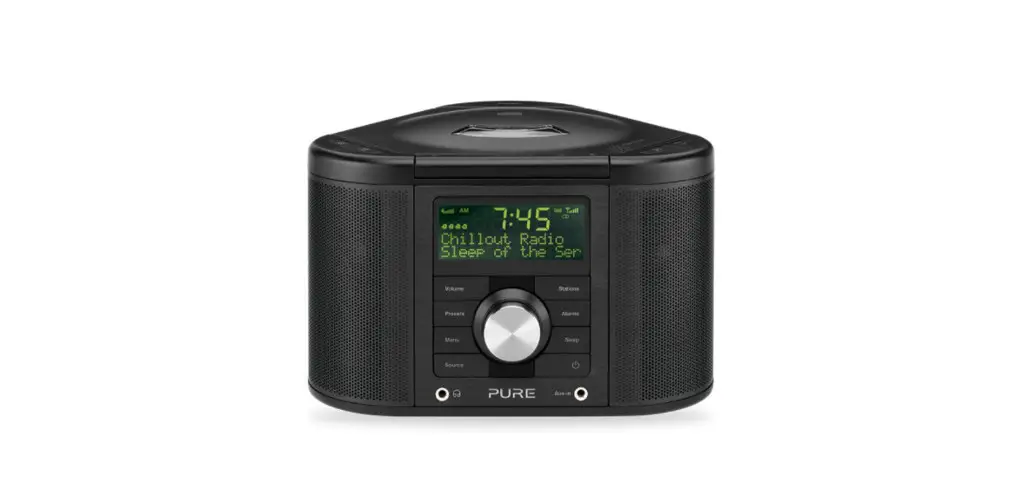
 Chronos CD Series 2 Digital and FM Clock Radio
User Guide
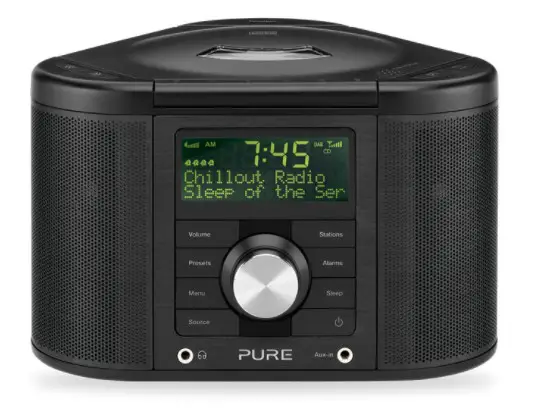
Thank you for choosing Chronos CD Series 2. This manual will get you up and running in no time and explains how to make the most of Chronos CD’s great features. If you need additional help with topics not covered in this manual, please visit the Pure support pages at support.pure.com.
Safety information
- Familiarise yourself with all of the safety information and instructions before using the radio. When passing this radio on to others, please include all documents.
- The apparatus shall not be exposed to dripping or splashing and no objects filled with liquids, such as vases, shall be placed on the apparatus.
If liquid or water is spilled onto the radio, switch it off at the mains immediately, disconnect the mains plug and contact your dealer.
Never touch the plug or the radio itself with wet hands. Never pull the power cable when disconnecting the power adaptor from the power supply. - The batteries (battery pack or batteries installed) shall not be exposed to excessive heat such as sunshine, fire or the like
- Using the radio in rooms or climates with high humidity and temperatures may cause condensation to form inside the radio, which can damage the radio. Use apparatus in moderate climates only.
- Avoid extreme degrees of temperature, either hot or cold. Place the device well away from heat sources such as radiators or gas/electric fires. No naked flame sources, such as lighted candles, should be placed on the apparatus
- The mains power adapter is used as the disconnect device, the disconnect device shall remain readily operable.
Fit the mains adaptor to an easily accessible socket located near the radio and ONLY use the mains power adapter supplied. - Use only power supplies listed in the user instructions. (Model ZDD09150, ZDD09150BS, KSAD0900150W1UV-1, KSAD0900150W1UK, SW0901500-N01 or SW0901500-NM)
- Ensure that the available supply voltage corresponds with the required operating voltage of the radio before use.
- Disconnect your radio from the power supply if you will not use your radio for a long period of time (e.g. if you are going on holiday).
- Always unplug your radio from the main socket before cleaning. When cleaning the radio, do not use any type of abrasive pad or abrasive cleaning solutions as these may damage the radio’s surface.
- To reduce the risk of electric shock, do not remove any screws as there are no user-serviceable parts inside. Refer servicing to qualified personnel.
V7 – Address amended, DC symbol changes. CAUTION
The danger of explosion if the battery is incorrectly replaced. Replace only with the same or equivalent type.WARNING
Do not ingest the battery, Chemical Burn Hazard (The remote control supplied with) This product contains a coin/button cell battery. If the coin/button cell battery is swallowed, it can cause severe internal burns in just 2 hours and can lead to death. Keep new and used batteries away from children. If the battery compartment does not close securely, stop using the product and keep it away from children.
If you think batteries might have been swallowed or placed inside any part of the body, seek immediate medical attention.
Symbols on the product and in the user manual Potentially serious risk to your personal safety. To avoid possible injury or death, obey all safety notices with this symbol.
 Caution. Read the user manual before use.
 Where to switch on or off the product, or put it on standby.
9V DC 1.5A  9V DC power supply input, 1.5 amps.
 DC connector polarity, the center of the connector terminal is positive.
Controls, connectors, and display
Controls and connectors
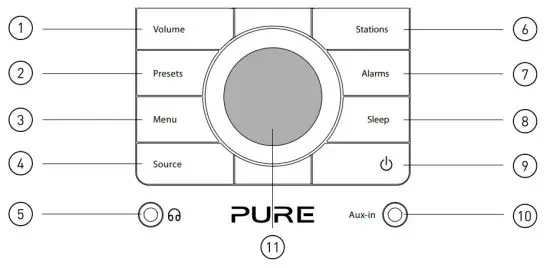
| 1. Press to display volume level and then turn the dial to adjust | 7. Enter alarm setup |
| 2. Store and select preset stations | 8. Set sleep timer |
| 3. Enter the options menu | 9. Switch between Standby and On |
| 4. Switch between DAB/FM/CD/Auxiliary source | 10. 3.5mm auxiliary input socket |
| 5. 3.5mm stereo headphone socket | 11. Navigation dial. Rotate to navigate menus and adjust volume or settings. Push to confirm selections |
| 6. Enter station list (digital radio) or tuning (FM) |
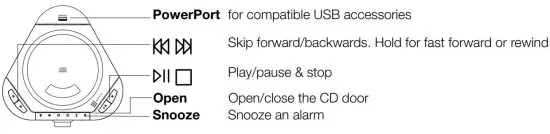
Top
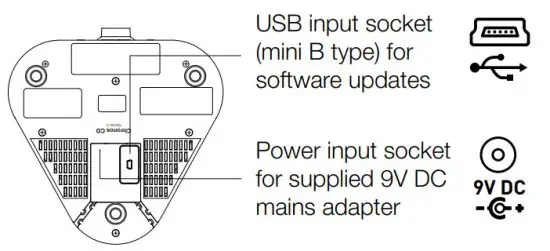
Underneath
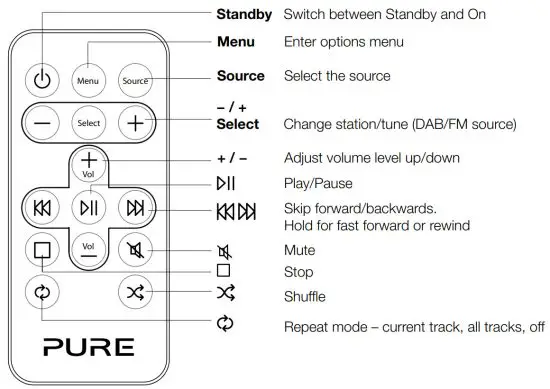
Remote control
With the Chronos CD remote, you can control all functions of your radio and CD playback.
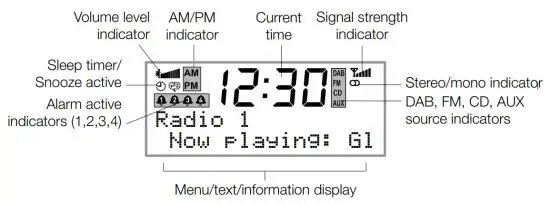
Screen display
Setting up
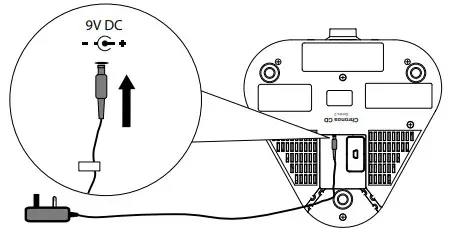
- Uncoil the aerial wire and hang it vertically, then connect the mains adapter to the bottom of the unit as shown.

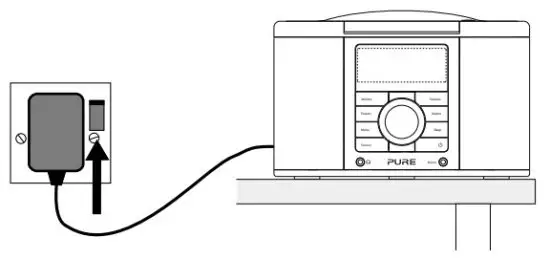
- Plug the mains adapter into the mains supply.

- Press the Standby button
 , if necessary, to switch the unit on.
 - Wait until Chronos CD completes an Autotune for available digital radio stations (about one minute).

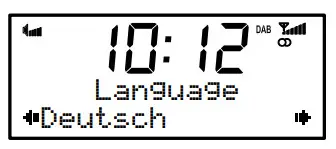
- Chronos CD has four available languages: English, French, German and Italian. Press Menu, then use the Navigation dial to scroll to Language and push to confirm. Choose your Language using the Navigation dial and push to confirm. The language will change immediately.

Listening to digital radio
Selecting your source
Press the Source button and repeat to change the audio source: DAB/FM/CD/Auxiliary.
Changing stations
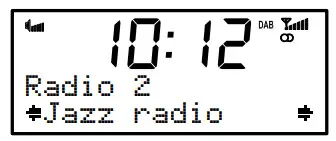
- Press Stations and use the Navigation dial to browse through the list of available stations.
- Push the Navigation dial to tune in.
Changing the information shown on-screen
Chronos CD can display different information relating to the DAB station you are listening to.
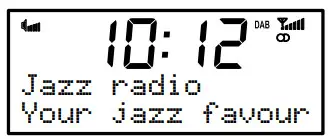
To change the information shown:
- Press Menu and select Display.
- Use the Navigation dial to cycle through the following options and push to select one:
Scrolling text: Scrolling information broadcast by the station.
Signal strength: A bar indicating the current digital radio signal strength.
Signal quality: The quality of the signal received.
Date: The current date.
Using Autotune
If you lose a station signal or wish to update your station list, you can perform an Autotune to retune all-digital radio stations. Press the Menu button, then scroll to and select Autotune. Push the Navigation dial to confirm.
Using Presets
Store up to 15 DAB and 15 FM radio stations for quick access to your favorites.
Setting a Preset
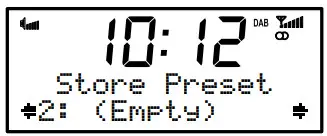
- Tune to the station you want to store. Press and hold Presets until you see store preset on the screen.

- Use the Navigation dial to select the preset number you wish to save to.

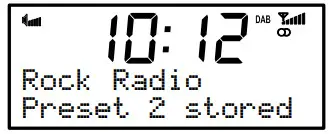
- Push the Navigation dial to confirm. The display will change to a confirmation message, e.g., Preset 1 saved.
Selecting a preset
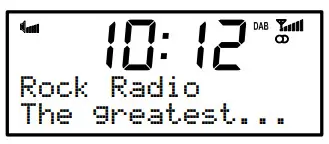
To listen to a station you have stored to a preset, press the Presets button once to access the ‘preset recall’ screen. Use the Navigation dial to scroll to and select the relevant preset.
Listening to FM radio
Changing stations
To change stations, press the Stations button, then rotate the Navigation dial.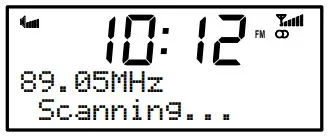 When listening to FM there are two tuning modes, Manual and Seek (default):
Seek: Rotating the Navigation dial scans to the next/previous station.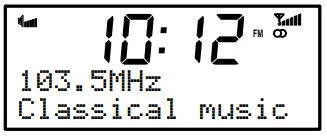 Manual: Rotating the Navigation dial tunes down or up in steps of 0.05 MHz
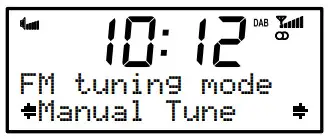 By default, Chronos CD is set to Seek.
To change the tuning mode, press Menu when listening to FM and select FM tuning mode.
Changing the information shown on-screen
Chronos CD can display different information relating to the FM station you are listening to.
To change the information shown:
- Press Menu and select Display.
- Use the Navigation dial to cycle through the following options and push to select one:
Radio Text: Scrolling text and information broadcast by the station.
Date: The current date.
Switching between stereo and mono
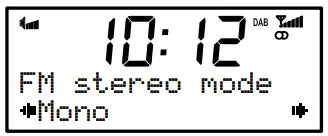
Select Stereo (default) or Mono signal mode − mono may improve audio clarity where stereo signals are weak.
To switch between FM Stereo and Mono modes, Press Menu and select FM stereo mode.
Using Presets
Store up to 15 DAB and 15 FM radio stations for quick access to your favorites. You set presets in the same way as for digital radio stations (Page 5).
Listening to a CD
Chronos CD can play ordinary audio CDs, CD-R, and CD-RW discs.
Before playing a CD, remove the adhesive tape securing the CD door and remove the CD mechanism transit card from inside the CD compartment.
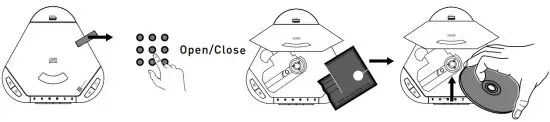
Playing an audio CD
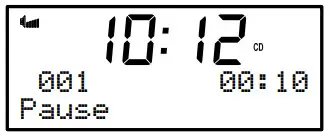
To play a CD, press the button. The tracking number and track duration are shown below the time.
To pause a track, press the  button.
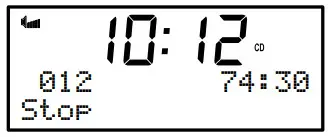
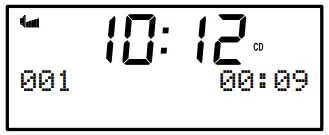 To stop a CD, press the
  button. The total number of tracks and the total duration of the CD are displayed.
 To skip backward to the previous track or forward to the next track, press the
  button.
 When a track is playing, you can press and hold the button to fast rewind or fast forward the track.
Listening to an Auxiliary source
You can attach an auxiliary device, such as an MP3 player, to your Chronos CD using the 3.5mm Aux-in socket. Use the Chronos CD volume controls to adjust listening volume, and the controls on the device to control playback.
Setting the alarms
Chronos CD has four alarms. When activated, an alarm either switches the radio on (if in standby) and tunes to digital radio or FM radio station activates and plays your CD (if inserted) or sounds a beeping alarm tone.
Setting an alarm
- Press the Alarm button and repeat to select the alarm you wish to adjust (1-4). This will start the alarm setup.

- Using the Navigation dial, set the following options for your alarm:
On/Off: Toggle the alarm on or off
On-time: Set the time you want the alarm to start (hours: mins)
Source: Choose DAB (digital radio), FM, CD or tone as the sound source you want to use for the alarm
Last Used/Preset: For digital radio and FM sources, choose a station for the alarm to play. ‘Last Used’ will tune to the last station received by radio.‘Preset’ lets you select one of your saved stations
Once: The alarm will sound at the time you have selected and not repeat
Daily: Every day
Weekdays: Monday-Friday, every week
Weekends: Weekends (Sat-Sun) only - Finally, adjust the volume level for the alarm (represented by a bar on-screen) using the Navigation dial and push to confirm.
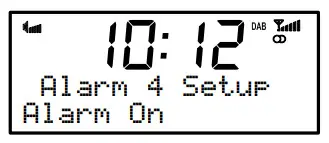
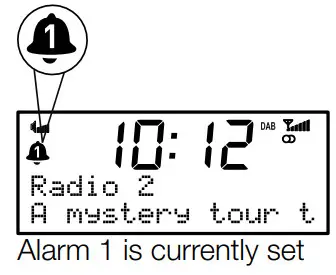
You can see which alarms are currently switched on by looking at the numbered alarm icons on the screen.
Snoozing an alarm
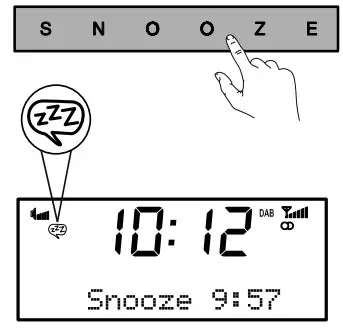
When an alarm is sounding press the Snooze button to silence the alarm for ten minutes (the default snooze time). The remaining time left until the alarm sounds again is shown at the bottom of the display. Hold the Snooze button down to cancel the snooze.
Changing the alarm snooze time
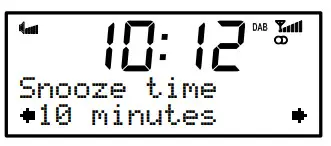
You can change how long the alarm snoozes for. Press Menu, scroll to and select Snooze time, then adjust the snooze time between 5 and 30 minutes using the Navigation dial.
Stopping an alarm
When an alarm is sounding press either the Standby or Alarm button to stop the alarm sounding.
Using the sleep timer
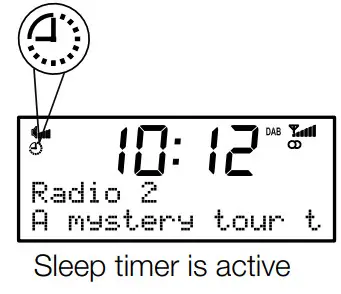
The sleep timer switches your radio into standby after a number of minutes have elapsed.
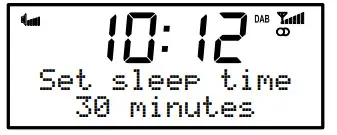 Press the Sleep button and repeat to choose the duration of the sleep timer (Off/15/30/45/60/90 minutes), then push the Navigation dial to confirm.
Canceling the sleep timer
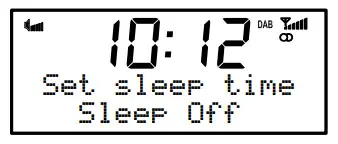
Press and hold the Sleep button for 2 seconds.
Additional settings and features
Setting bass and treble
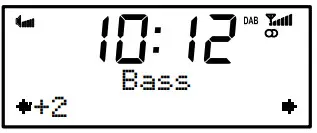
To adjust the bass and treble output of your Chronos CD, press Menu, then scroll and select Audio. Select either Bass or Trebleand use the Navigation dial to adjust from -3 to +3 and push to confirm.
Setting backlight options
To adjust the screen backlight of your Chronos CD, press Menu, then scroll and select Backlight.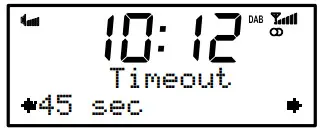 The backlight menu has two options:
Timeout: Set the length of time that the backlight remains on after a button press, from always-on (On) up to 180 seconds.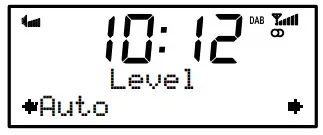 Level: Set the brightness level of the backlight, from 1-5 or Auto (default). In Auto mode, the backlight will be adjusted by the light sensor on your radio.
Checking the software version and updating
To check the software version of your Chronos CD, press Menu then scroll to and select SW version. This will display the current version on screen. Press any button to exit.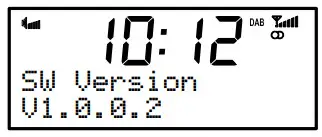 Software upgrades may be issued to provide enhanced functions or improve performance. To upgrade, press Menu, then scroll and select Software Upgrade and follow the instructions provided with the upgrade software. Register your product and include an e-mail address to receive notification of upgrades or visit our website at http://support.pure.com.
Note: USB upgrade requires a PC running Windows XP/Vista and a suitable USB cable (not included).
Setting the clock
Your Chronos CD will set its clock using a digital radio or FM signal. If these are not available, it is possible to set the clock manually by selecting ‘Clock’ from the menu at any time. Choose a 12 or 24-hour clock, set the date, and select a date format: day-month-year or month-day-year.
Using the PowerPort
Your Chronos CD features a PowerPort, which is able to power standard USB devices such as fans and mobile phone chargers.
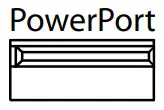
Note: PowerPort does not support USB hubs.
Hints and tips
Resetting your Chronos CD
Resetting your radio removes all presets, stored stations, and alarm settings and resets all options to defaults. To reset:
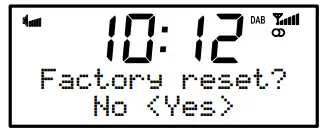
- Press the Menu button and select Factory reset.
- Choose Yes and push the Navigation dial to confirm the reset.
Trimming stations
Unavailable digital radio stations are indicated by? before the station name (e.g., ?Rock radio).
To remove unavailable stations from the station list:
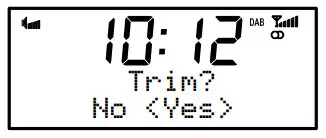
- Press the Menu button then scroll to and select Trim stations.
- Choose ‘Yes’ and push the Navigation dial to confirm.
Technical specifications
| Radio | Digital (DAB/DAB+) & FM |
| Frequencies | Digital Band III 174–240 MHz, FM 87.5-108 MHz |
| CD Player | Plays CD/CD-R/CD-RW audio-only. |
| Speakers | 2 x 5W custom-tuned. |
| Input connectors | 9V DC power adapter socket. 3.5mm Aux-in socket. USB connection (Mini-B type) for product upgrades only. |
| Output connectors | 3.5mm stereo output for headphones. PowerPort for compatible USB accessories. (5V, max 500mA). |
| Software version Presets | V5.2_M |
| LCD display | 15 digital radio and 15 FM presets. |
| Mains power adapter | Adapter: Input AC 100 – 240 V~,50/60 Hz; Output DC 9V , 1.5 A; Main unit: DC 9V, 1.5 A |
| Dimensions | 125 mm high x 195 mm wide x 185 mm deep. |
| Aerial | Wire aerial attached. |
| Remote | Infrared remote control. |
| Approvals | CE marked. Hereby, Pure International Ltd, declares that this Band II LPD radio, model Pure Chronos CD Series 2 is in compliance with the essential requirements of RED, 2014/53/EU. The Declaration of Conformity may be consulted at http://www.pure.com/about/red |
Copyright
Copyright 2017 by Pure International Limited. All rights reserved. No part of this publication may be copied or distributed, transmitted, transcribed, stored in a retrieval system, or translated into any human or computer language, in any form or by any means, electronic, mechanical, magnetic, manual or otherwise, or disclosed to third parties without the express written permission of Pure International Limited.
Trademarks
Chronos CD, the Chronos CD logo, Pure & the Pure logo are trademarks or registered trademarks of Pure International Limited. All other product names are trademarks of their respective companies.
Warranty information
Pure International Limited warrants to the end-user that this product will be free from defects in materials and workmanship in the course of normal use for a period of two years from the date of purchase. This guarantee covers breakdowns due to manufacturing or design faults; it does not apply in cases such as accidental damage, however, caused, wear and tear, negligence, adjustment, modification, or repair not authorized by us. Please visit www.pure.com/register to register your product with us. Should you have a problem with your unit please contact your supplier or contact Pure Support at the address shown on the rear of this manual.
Disclaimer
Pure International Limited makes no representation or warranties with respect to the content of this document and specifically disclaims any implied warranties of merchantability or fitness for any particular purpose. Further, Pure International Limited reserves the right to revise this publication and to make changes in it from time to time without the obligation of Pure International Limited to notify any person or organization of such revisions or changes.
Disposal of Waste Electrical & Electronic Equipment
 This symbol on the product or on its packaging indicates that this product should not be treated as household waste. Instead, it should be handed over to a suitable collection point for the recycling of electrical and electronic equipment. By ensuring this product is disposed of correctly, you will help prevent potential negative consequences for the environment and human health, which could otherwise be caused by inappropriate waste handling of this product. The recycling of materials will help to conserve natural resources. For more detailed information about the recycling of this product, please contact your local council office, your household waste disposal service or the shop where you purchased the product.
Pure International Limited
Concept House
Home Park Road
Kings Langley
Herts, WD4 8UD
United Kingdom
http://support.pure.comwww.pure.com
support.pure.com
 PURE SUPPORT
 Pure - Keep on discovering