DP-10 Owner’s Manual
USING THE UNIT SAFELY
INSTRUCTIONS FOR THE PREVENTION OF FIRE, ELECTRIC SHOCK, OR INJURY TO PERSONS
About  WARNING and CAUTION Notices
| WARNING | Used for instructions intended to alert the user to the risk of death or severe injury should the unit be used improperly? |
| CAUTION | Used for instructions intended to alert the user to the risk of injury or material damage should the unit be used improperly. |
About the Symbols
| The △symbol alerts the user to important instructions or warnings. The specific meaning of the symbol is determined by the design contained within the triangle. In the case of the symbol at left, it is used for general cautions, warnings, or alerts to danger. |
 | The  symbol alerts the user to items that must never be carried out (are forbidden). The specific thing that must not be done is indicated by the design contained within the circle. In the case of the symbol at left, it means that the unit must never be disassembled. symbol alerts the user to items that must never be carried out (are forbidden). The specific thing that must not be done is indicated by the design contained within the circle. In the case of the symbol at left, it means that the unit must never be disassembled. |
 | The ●symbol alerts the user to things that must be carried out. The specific thing that must be done is indicated by the design contained within the circle. In the case of the symbol at left, it means that the power-cord plug must be unplugged from the outlet. |
ALWAYS OBSERVE THE FOLLOWING
WARNING
Do not disassemble or modify by yourself Do not carry out anything unless you are instructed to do so in the owner’s manual. Otherwise, you risk causing malfunction.
Do not use or store in the following types of locations
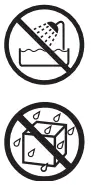
- Subject to temperature extremes (e.g., direct sunlight in an enclosed vehicle, near a heating duct, on top of heat-generating equipment); or are
- Damp (e.g., baths, washrooms, on wet floors); or are
- Exposed to steam or smoke, or are
- Subject to salt exposure, or are
- Exposed to rain, or are
- Dusty or sandy, or are
- Subject to high levels of vibration and shakiness, or are
- Placed in a poorly ventilated location.
WARNING
Do not repair or replace parts by yourself
Refer all servicing to your retailer, the nearest Roland Service Center, or an authorized Roland distributor, as listed on the “Information.”
Do not allow foreign objects or liquids to enter the unit; never place containers with liquid on the unit
 Do not place containers containing liquid (e.g., flower vases) on this product. Never allow foreign objects (e.g., flammable objects, coins, wires) or liquids (e.g., water or juice)
to enter this product. Doing so may cause short circuits, faulty operation, or other malfunctions.
Be cautious to protect children from injury
Always make sure that an adult is on hand to provide supervision and guidance when using the unit in places where children are present, or when a child will be using the unit.
WARNING
Do not drop or be subject to strong impact Otherwise, you risk causing damage or malfunction.
CAUTION
Take care so as not to get fingers pinched

When handling the following moving parts, take care so as not to get fingers, toes, etc., pinched. Whenever a child uses the unit, an adult should be on hand to provide
supervision and guidance.
- Pedal
Do not insert fingers or objects into openings
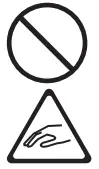
Do not insert fingers or foreign objects (e.g., flammable objects, coins, wires) into openings. Doing so might cause injury or cause malfunctions such as short circuits or faulty operation.
IMPORTANT NOTES
Placement
- Depending on the material and the temperature of the surface on which you place the unit, its rubber feet may discolor or mar the surface.
- Do not place containers or anything else containing liquid on top of this unit. Also, whenever any liquid has been spilled on the surface of this unit, be sure to promptly wipe it away using a soft, dry cloth.
Maintenance
- Never use benzene, thinners, alcohol, or solvents of any kind, to avoid the possibility of discoloration and/or deformation.
Additional Precautions
- When disconnecting all cables, grasp the connector itself—never pull on the cable. This way you will avoid causing shorts, or damage to the cable’s internal elements.
- When you operate the pedal, please be careful not to get your fingers pinched between the movable part and the panel. In places where small children are present,
make sure that an adult provides supervision and guidance.
Features
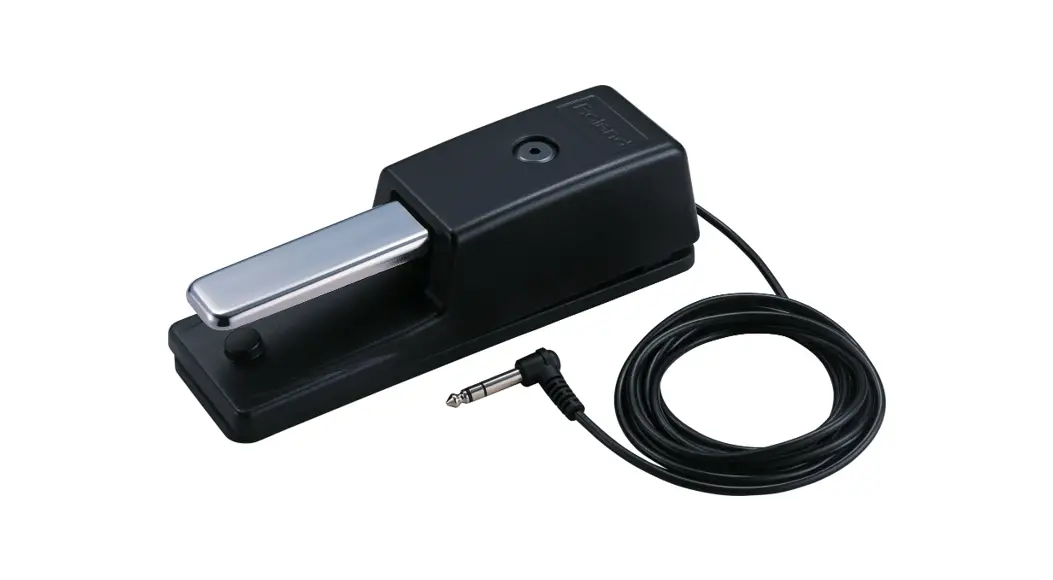
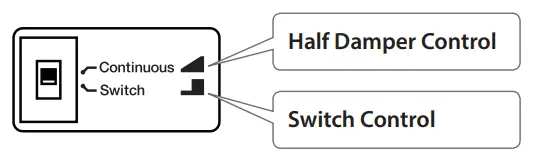
Function Switch
You can select the function appropriate for the application you have in mind for the pedal.
Use the function switch on the side of the pedal to select the function you want to use.
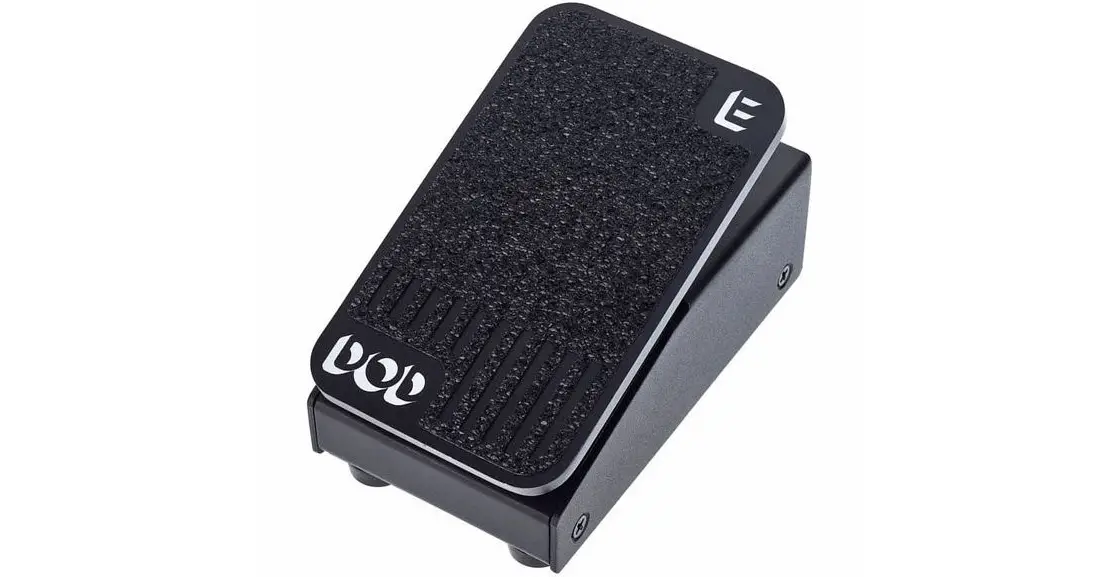
Half Damper Control (Continuous)
This allows you to perform using the half-damper function.
Switch Control (Switch)
The pedal functions as a pedal switch.
Rubber Plate
By holding the pedal firmly in place and preventing it from sliding around, this plate makes it easier to depress the pedal reliably and effectively.
Descriptions
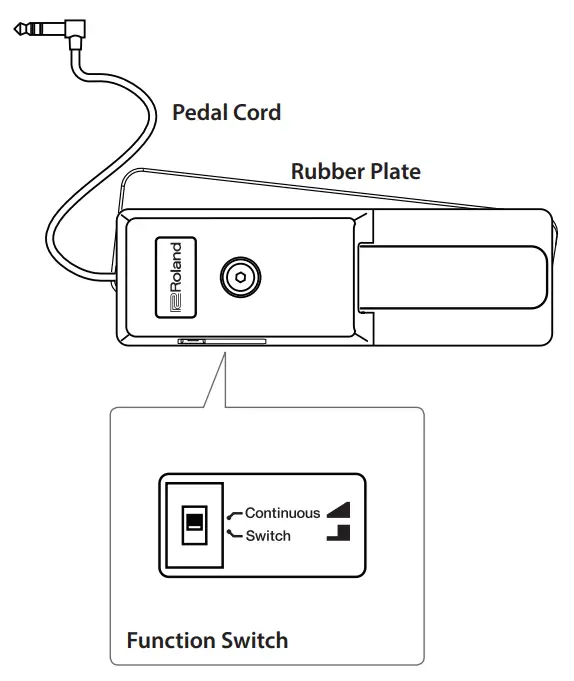
* For information about the effects produced when you operate the pedal, please refer to the documentation for the connected device.
Before using this unit, carefully read “USING THE UNIT SAFELY” and “IMPORTANT NOTES.” After reading, keep the document(s) where it will be available for immediate reference.
Connecting the Pedal
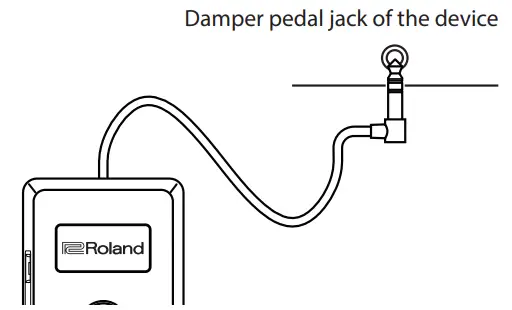
- Connect the pedal’s cord to the Damper pedal jack (or other Pedal jack) of the device to which the pedal is being connected.
 * Note that connecting to any connector other than those specified above may result in damage to the unit.
 - Set the DP-10’s function switch to “Continuous.”
 * With instruments that do not support the use of the half-damper function, the pedal may not function as hoped for. Should this be the case, move the DP-10’s
function switch to the “Switch” position. - Rotate the rubber plate 180 degrees clockwise to install it on the floor.

 * Note that connecting to any connector other than those specified above may result in damage to the unit.
 * With instruments that do not support the use of the half-damper function, the pedal may not function as hoped for. Should this be the case, move the DP-10’s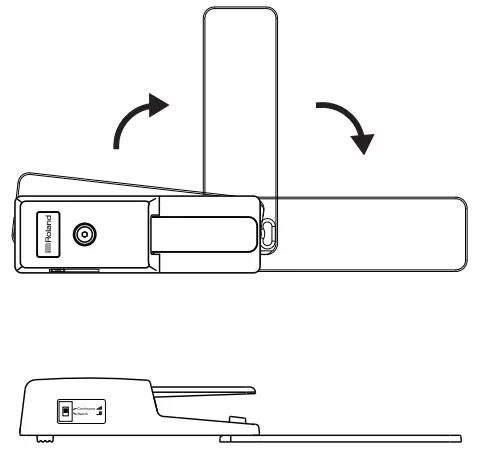
Main Specifications
| Pedal cord | 2.2 m, 7 ft. 2 inches |
| Function switch | Continuous, Switch |
| Dimensions | 68 (W) x 220 (D) x 64 (H) mm 2-11/16 (W) x 8-11/16 (D) x 2-9/16 (H) inches |
| When using the rubber plate | 68 (W) x 402 (D) x 64 (H) mm 2-11/16 (W) x 15-7/8 (D) x 2-9/16 (H) inches |
| Weight | 700 g 1 lb 9 oz |
- This document explains the specifications of the product at the time that the document was issued. For the latest information, refer to the Roland website.
Copyright © 2004 ROLAND CORPORATION