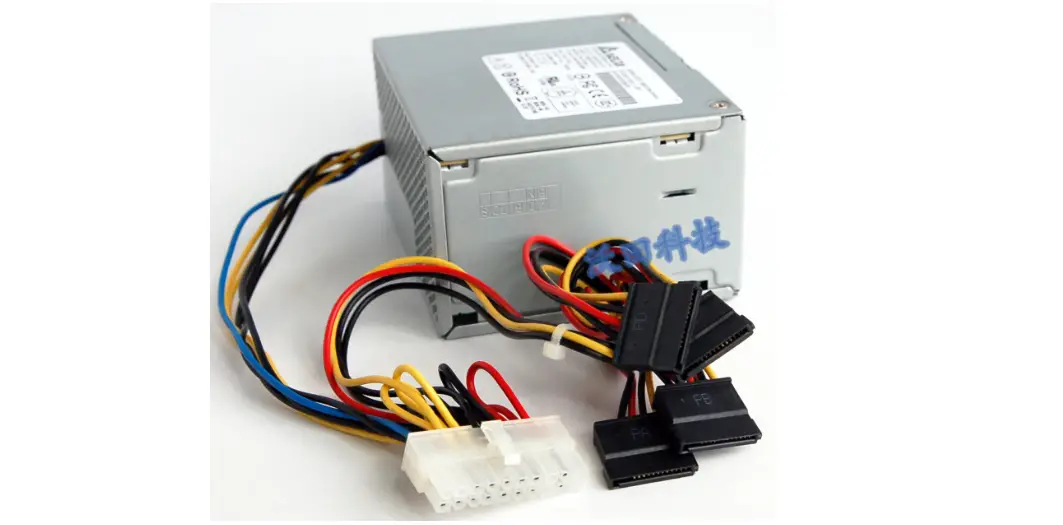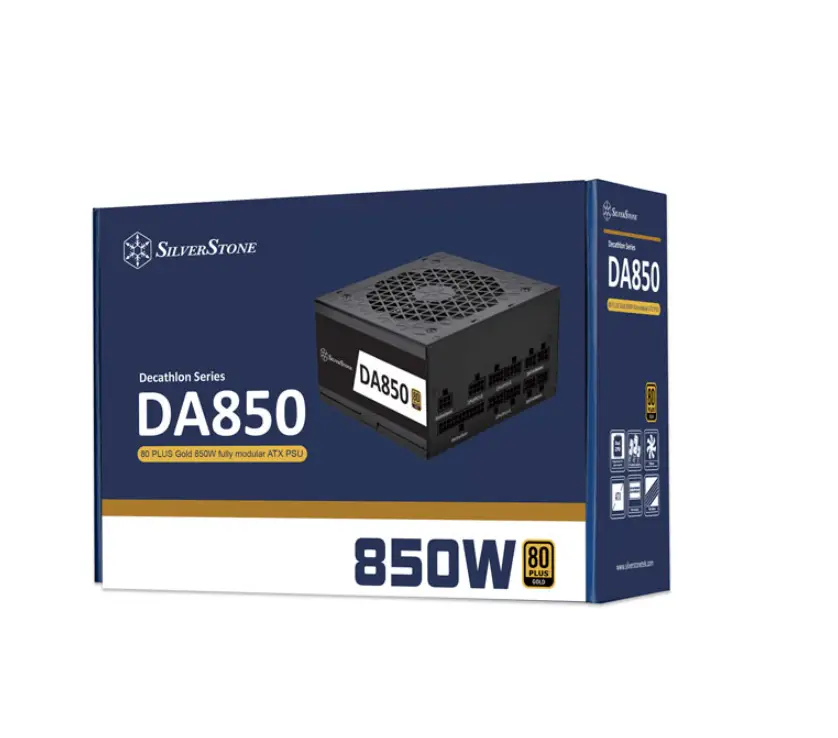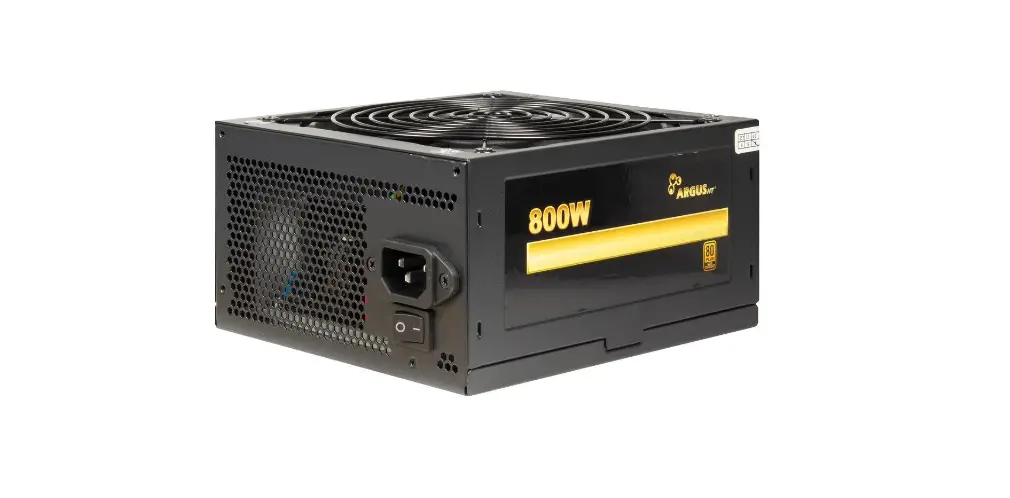

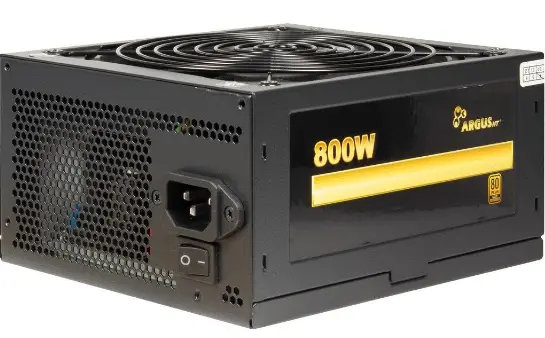
ARGUS GPS-800 Power Supply 
Introduction
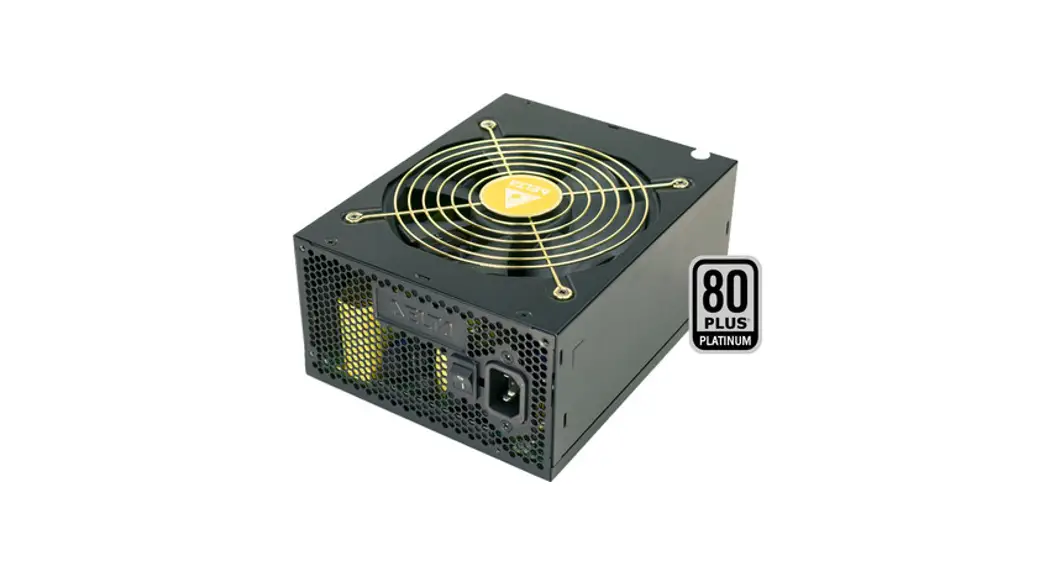
Thank you for buying an ArgusNT® power supply. You chose a high-quality and high-efficient power supply that is made from selected components and subjected to a strict quality management system. This ensures the best performance and reliability.
The power supply has a high efficiency which respects the environment and lowers the cost of power. This is documented by the 80+ Gold EU certification of the independent website PlugLoadSolutions made by CLEAResult, the biggest North American provider of energy efficiency programs and services.
The high 12V output, up to four PCI Express connectors (depending on model), and the newest Intel ATX 12V 2.4 standard ensure a future-proof system.
We recommend to read this manual carefully and especially paying attention to the security advices to enjoy this power supply for a long time.
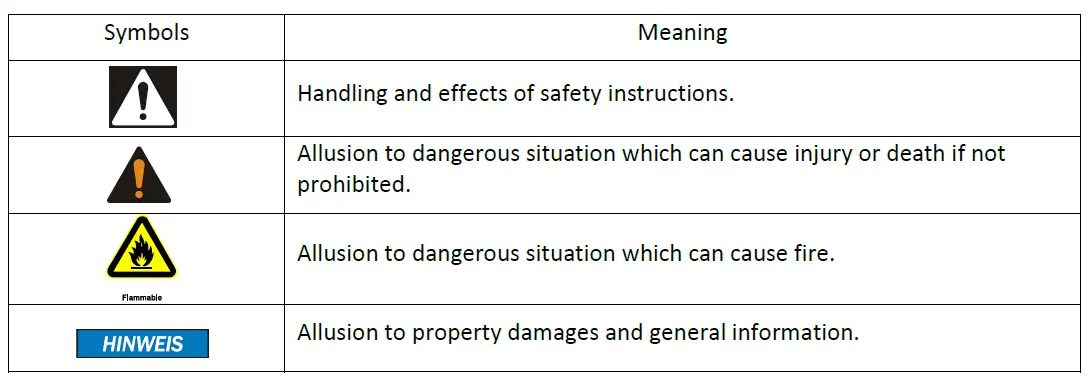
Signs and symbols
Safety
Intended use
This device is made only for indoor use and for mounting in computer cases. Don´t use and store the device inside humid rooms or near water. Don´t use it close to the source of heat. The additional heat could lead to overheating and fire.
General information
Please read this manual carefully before installing or using this product. Keep this manual and pass it bypassing the product. Please follow the instructions and warnings of this manual before using the product. The inobservance of this manual can cause violations and damages. We disclaim liability for violations and damages caused by the inobservance of this manual.
Danger and protection
- Don´t stick any items into the power supply (electric strike).
- Don´t pull the plug by pulling at the cable.
- Don´t use any patched or damaged cable or plug.
- Don´t place the device close to the source of heat.
- In case of strange noise or smell pull the power cord out of the socket.
- Don´t open the housing of the device (fire hazard/ electric strike).
- Ensure that all cables are fixed permanently.
- Keep the product away from children.
- Don´t remove the cable with wet hands (electric strike).
- Don´t use the product with wet hands (electric strike).
- Please remove the power cord from the socket in case of longer non-use (Could lead to overheating, fire hazard, or electric strike).
- Keep the product free of dust (Overheating or fire).
- Look for sufficient airflow and ventilation to avoid overheating or fire.
- Leave service or cleaning only authorized and qualified personnel.
Technical data
General data
- Standard Intel ATX 12V 2.4
Input voltage 100 – 240 V~ AC, 50-60Hz
Input current GPS-600 110V – 8A / 230V – 4A
GPS-700 110V – 9A / 230V – 4,5A
GPS-800 110V – 10A / 230V – 5A
GPS-900 110V – 10A / 230V – 6A - PFC Active
Power factor > 0,90 at 100% load
Stand-by 0,367W
MTBF 100,000h at 25°C
Environmental Operation 0 – 40°C
-85% not condensing
Storage -20 – 90°C
-95% not condensing
Output
| 4.2 Output | |||||||
| Max. | Total | 3,3V | 5V | Combined 3,3V + 5V | 12V | -12V | 5Vsb |
| GPS-600 | 600W | 15A | 15A | 100W | 50A | 0,3A | 2,5A |
| GPS-700 | 700W | 15A | 15A | 100W | 58A | 0,3A | 2,5A |
| GPS-800 | 800W | 15A | 15A | 100W | 66A | 0,3A | 2,5A |
| GPS-900 | 900W | 20A | 20A | 100W | 75A | 0,3A | 2,5A |
Safety
- OPP Over-Power-Protection Power supply will shut down if the output is more than 130% of the nominal output.
- OCP Over-Current-Protection Power supply will shut down if the current of the output lines will exceed the tolerance value.
- OVP Over-Voltage-Protection To prevent further damages the power supply will shut down if a fault causes a higher output voltage.
- SCP Short-Circuit-Protection Power supply will shut down in case of a short circuit on secondary output lines.
- NLP No-Load-Protection Power supply will shut down in case of no load on secondary output lines to prevent damages
Efficiency 230V~
| 4.4 | Efficiency 230V~ | |||||
| Load | 10% | 20% | 50% | 100% | ||
| GPS-600 | 600W | 88,90 % | 92,10 % | 92,90 % | 90,50 % | |
| GPS-700 | 700W | 90,60 % | 93,20 % | 93,30 % | 90,20 % | |
| GPS-800 | 800W | 91,30 % | 93,80 % | 93,40 % | 90,20 % | |
| GPS-900 | 900W | 87,70 % | 92,60 % | 93,40 % | 90,80 % | |
| Efficiency 115V~ | ||||||
| Load | 10% | 20% | 50% | 100% | ||
| GPS-600 | 600W | 87,40 % | 90,60 % | 90,60 % | 87,20 % | |
| GPS-700 | 700W | 89,40 % | 91,40 % | 91,40 % | 87,20 % | |
| GPS-800 | 800W | 90,00 % | 92,20 % | 91,40 % | 87,10 % | |
| GPS-900 | 900W | 87,40 % | 90,70 % | 91,20 % | 87,80 % | |
Connectors
All connectors are standardized and made against reverse connections.
In case of difficulties during connection, please make sure to use the right connector or rotate the connector by 180°.
Don´t try to insert a connector forcibly.
Quantity
| 5.1 Quantity | ||||||
| ATX | EPS/ P4 | IDE | SATA | FDD | PCIe | |
| 20+4pin | 4+4pin | 4pin | 15pin | 4pin | 6+2pin | |
| GPS-600 | 1 | 2 | 3 | 6 | 1 | 4 |
| GPS-700 | 1 | 2 | 3 | 6 | 1 | 4 |
| GPS-800 | 1 | 2 | 3 | 6 | 1 | 4 |
| GPS-900 | 1 | 2 | 3 | 6 | 1 | 4 |
Pin configuration
5.2.1 P1 ATX-Mainboard connector 20+4 pin
| Signal | Pin | Signal | Pin |
| +3,3V | 1 | +3,3V DC | 13 |
| +3,3V | 2 | -12V DC | 14 |
| COM | 3 | COM | 15 |
| +5V DC | 4 | PS_ON | 16 |
| COM | 5 | COM | 17 |
| +5V DC | 6 | COM | 18 |
| COM | 7 | COM | 19 |
| PWR_ok | 8 | 20 | |
| +5V SB | 9 | +5V DC | 21 |
| +12V DC | 10 | +5V DC | 22 |
| +12V DC | 11 | +5V DC | 23 |
| +3,3V | 12 | COM | 24 |
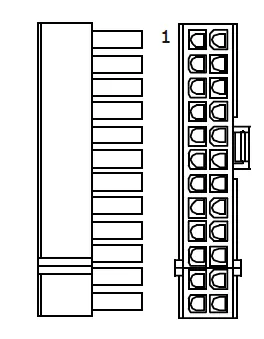
Pins 11/ 12/ 23/ 24 are made as separate jacks. It can be swung away in case of using older Mainboards.
Don´t mix the separate jack with the P4 connector.
EPS/ P4 Mainboard connector 4+4 pin
| Signal | Pin | Signal | Pin |
| COM | 1 | +12V DC | 5 |
| COM | 2 | +12V DC | 6 |
| COM | 3 | +12V DC | 7 |
| COM | 4 | +12V DC | 8 |
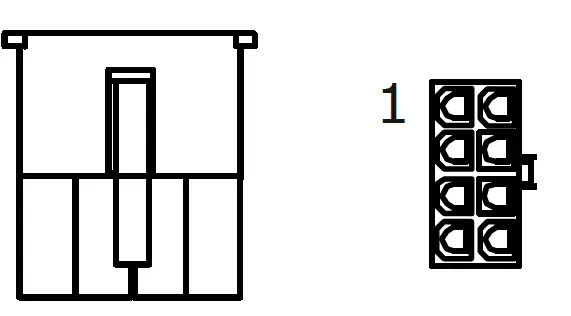
Depending on your mainboard you need an 8pin or 4pin connector. For that the connector is divisible. In the case of using just the 4pin connector the rest of the connector is without function.
Don´t plug it into another socket on the board.
IDE connector 4 pin
| Signal | Pin |
| +12V DC | 1 |
| COM | 2 |
| COM | 3 |
| +5V DC | 4 |
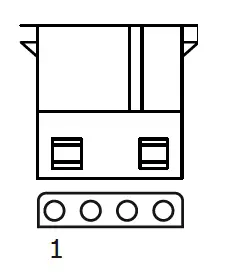
FDD connector 4 pin
| Signal | Pin | Signal |
| +5V DC | 1 | +12V DC |
| COM | 2 | +12V DC |
| COM | 3 | +12V DC |
| +12V DC | 4 | +12V DC |
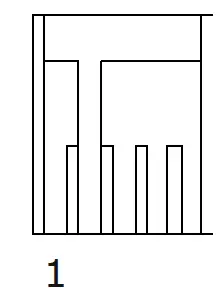
PCI-Express connector 6+2 pin
| Signal | Pin | Signal | Pin |
| +12V DC | 1 | COM | 5 |
| +12V DC | 2 | COM | 6 |
| +12V DC | 3 | COM | 7 |
| COM | 4 | COM | 8 |
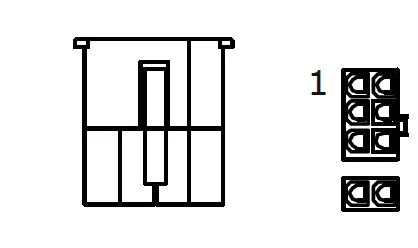
Some graphic adapters need only a 6pin plug for connection. In this case, pull off the 2pin connector from the PCIe connector.
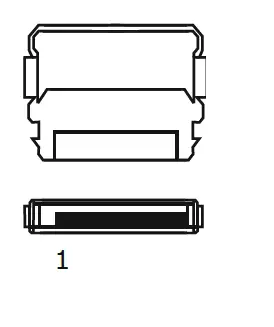
SATA connector 15 pin
| Signal | Pin # |
| +3.3VDC | 1 |
| +3.3VDC | 2 |
| +3.3VDC | 3 |
| Masse | 4 |
| Masse | 5 |
| Masse | 6 |
| +5VDC | 7 |
| +5VDC | 8 |
| +5VDC | 9 |
| Masse | 10 |
| Masse | 11 |
| Masse | 12 |
| +12VDC | 13 |
| +12VDC | 14 |
| +12VDC | 15 |
Assembling and initial operation
- Take out the power supply and check the package content for completeness or damages. Please contact your local dealer for replacement in case of missing or damaged parts. Please keep the original package for shipping in case of warranty claim.
Please connect the power supply to the grid after connecting all other devices. - Fix the power supply with the enclosed screws to the allocated space of the computer case.
- Connect all components with the suitable cables.
Please follow also chapter 5.2 (Pin configuration) as well as the instructions of the device manufacturers.
A faulty connection of the components can cause damage. Please ask your local dealer or our service hotline in case of discrepancies or questions. - Lay all cables in a way to avoid disturbing airflow or any rotating fan. Use the enclosed cable ties to fix the cables.
- Connect the power supply with the electric socket.
Use only the original power cord. In case of a damaged cable, please change it against an approved power cord from your local dealer. - Switch on the power supply at the backside of the power supply. Your computer is ready now.
By power on the power supply it is in Stand-By mode to start the computer by pressing the power button at the case front. To separate the computer totally from the electric grid power –off the power supply directly.
Fan Control
The power supplies of the ArgusNT® GPS-Series are provided with an intelligent fan control (IFC) which turns the fan on only if the temperature inside the power supply exceeds 65°C and an additional cooling is necessary. If the temperature falls below 65°C the fan will be switched off and will start again if the temperature will exceed this mark again.
In addition the fan speed is regulated between 0 and 1200 rpm automatically.
This keeps the noise level of the fan very low.
FAQ
| Error | Possible reason(s) | Help |
| The power supply runs shortly and stops. | Short circuit at Mainboard, HDD, FDD or CD-ROM | Check all connectors for right connection. |
| Eliminate short circuit or change components. | ||
| Power supply does not start | Secondary connectors not connected | Check all connectors for right connection. |
| Main switch on power supply is off | Switch on the main switch of the power supply. | |
| Power cord is not connected | Check if power cord is connected to power supply and electric grid. |
| Error | Possible reason(s) | Help |
| Power cord defective | Change power cord against an approved new power cord. | |
| Power socket defective | Let authorized experts check the socket. |
- Please unplug the power cord generally when working inside the computer case.
- In case of checking the electric socket exists a risk of the electric strike.
- Leave work on mains supply only to authorized experts.
Maintenance
The power supply needs no maintenance which requires opening of the housing or working inside the power supply. But the cause of the intake of air, dust can collect inside the power supply. This can lead to overheating or fire. You can remove this dust with compressed air by yourself. To do this, unplug the power supply
Disposal
Please dispose of this device by using the special discharge point for electronic waste
and ask your municipality or disposal company in case of further questions.
Please dispose of the cardboard and plastics by using the appropriate containers of the
household garbage.
Warranty terms
In spite of best efforts and quality controls, a device can have a fault. But because the ArgusNT® GPS- series is made by the highest quality standard we extend the legal warranty terms to totally 5 years up from purchase date at proper use. In case of a warranty claim please contact the dealer from whom you bought the product.
We will grant no warranty by:
- Missing or damaged warranty seal,
- Negligent behavior,
- Improper use,
- Nonobservance of the manual,
- External violence,
- Acts of god,
- Damages caused by manipulation, upgrading, updating or reconstruction of hardware or software
- Damages caused by other harm,
In case of data loss Inter-Tech will only be liable at wanton negligence or deliberate intention or, in all other cases, only for the recovery of data from a continuous, daily backup. Inter-Tech does not assume liability for all other matters.
Please look also at our complete warranty terms on our website. www.inter-tech.de