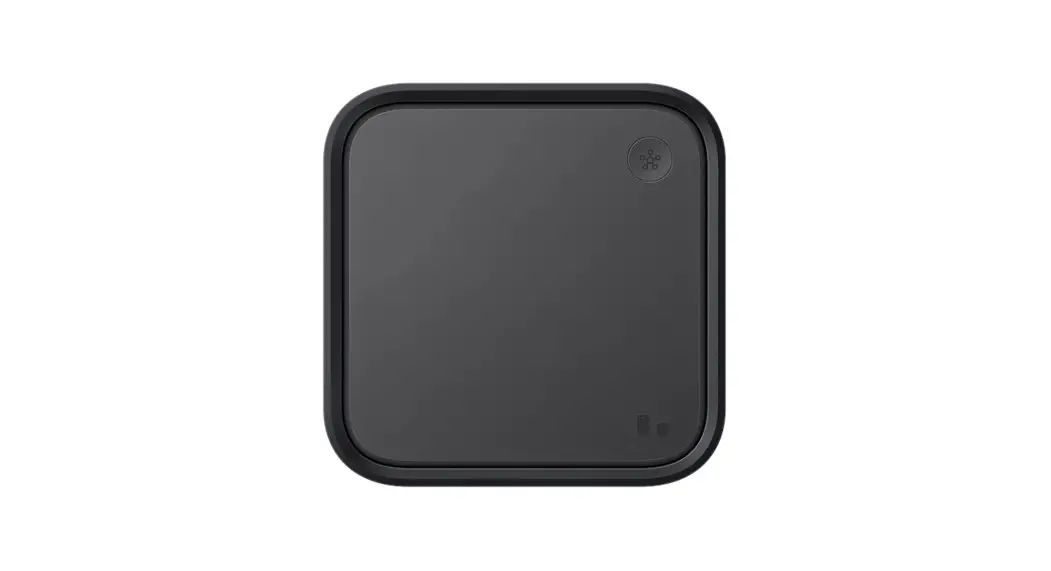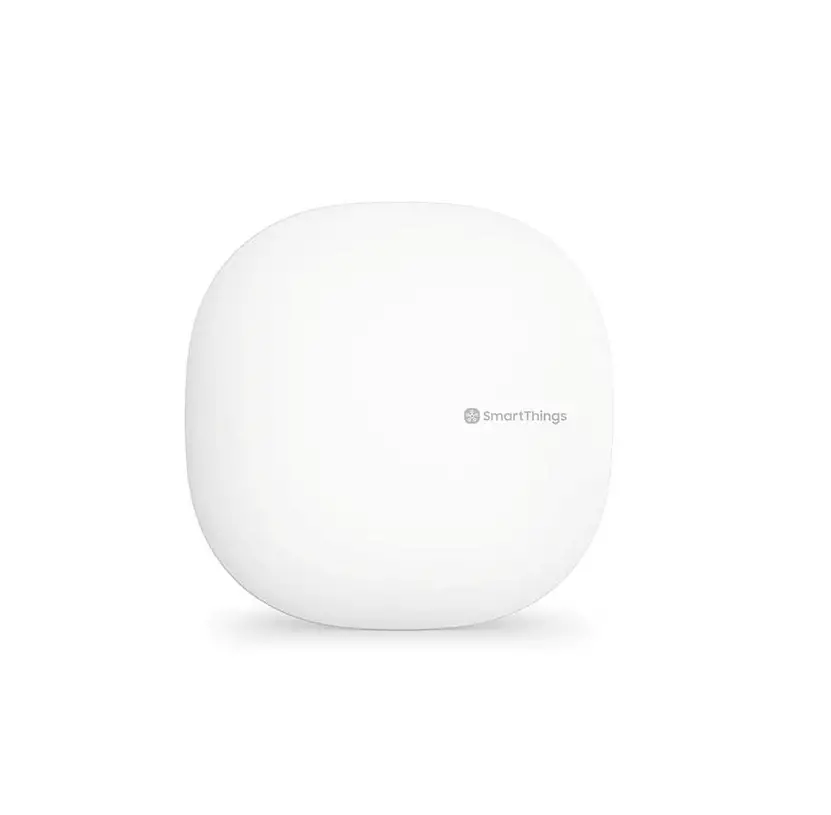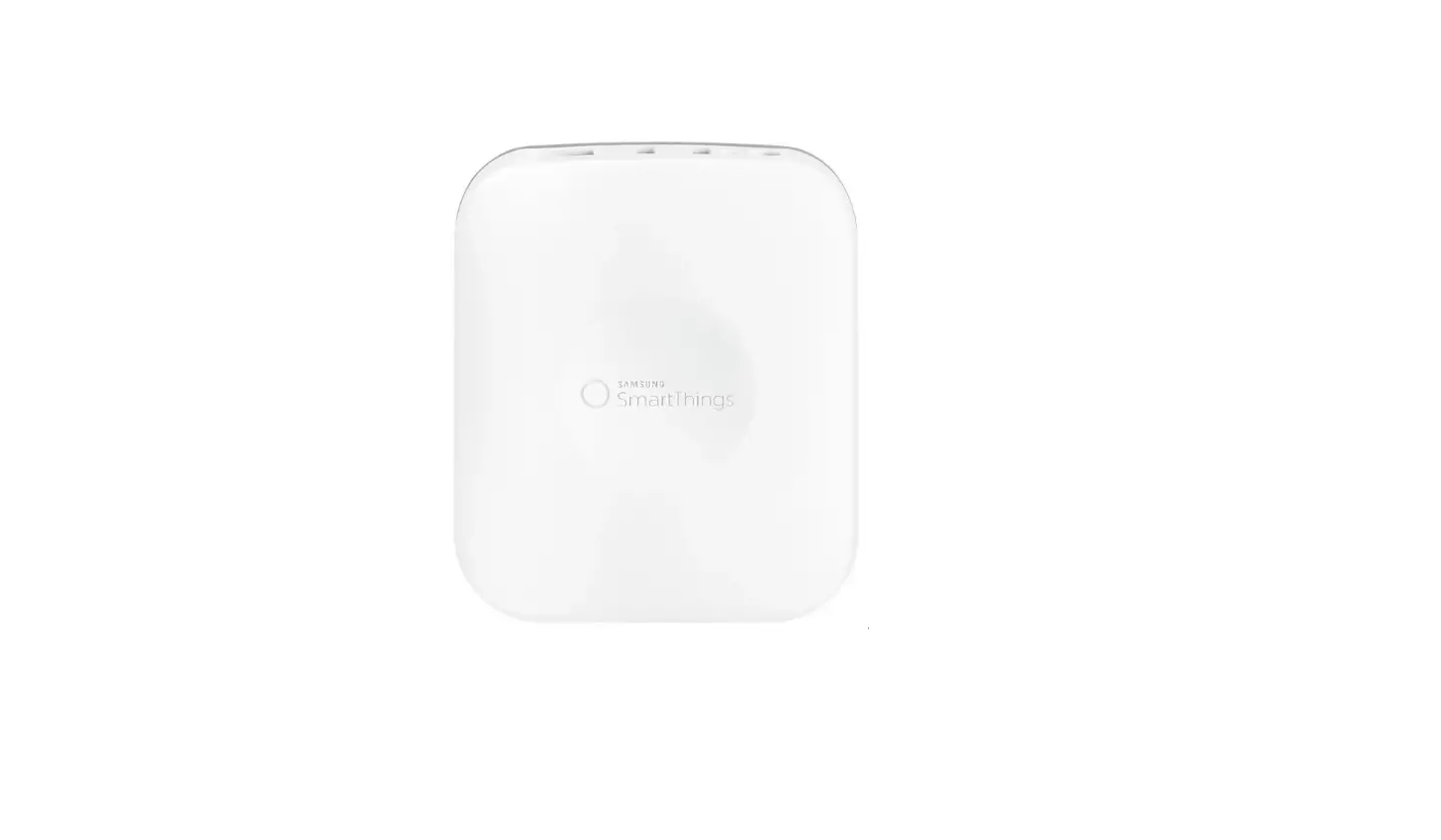

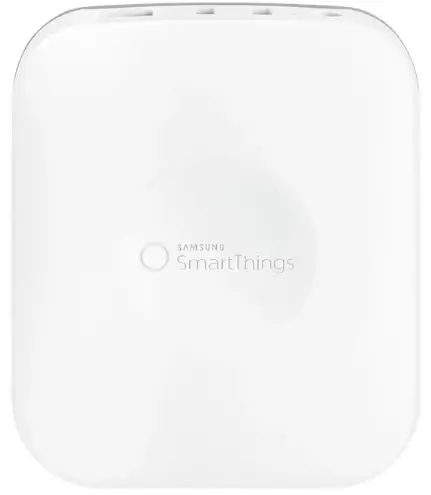
SAMSUNG STH-ETH-250 SmartThings Smart Home Hub 2nd Generation
One App + One Hub + All Your Things
Creating a safer, smarter home has never been easier. Start with the SmartThings app and Hub, add your favorite products, and control them from another room or another country.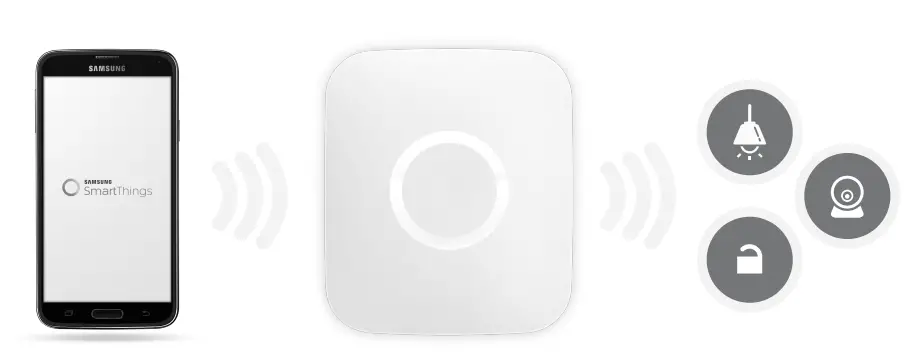
App
The free SmartThings app lets you get important notifications about what’s happening, control things in every room, and run your home from your phone.
Hub
The Hub sends commands from the free app to your connected things and sends important alerts from your things to your smartphone.
Things
Add devices from SmartThings’ family of sensors or hundreds of other connected products to create a smart home that fits your lifestyle.
Meet Your SmartThings Hub
SmartThings lets you easily control, monitor, and secure your home from anywhere in the world. At the center of it all is the SmartThings Hub.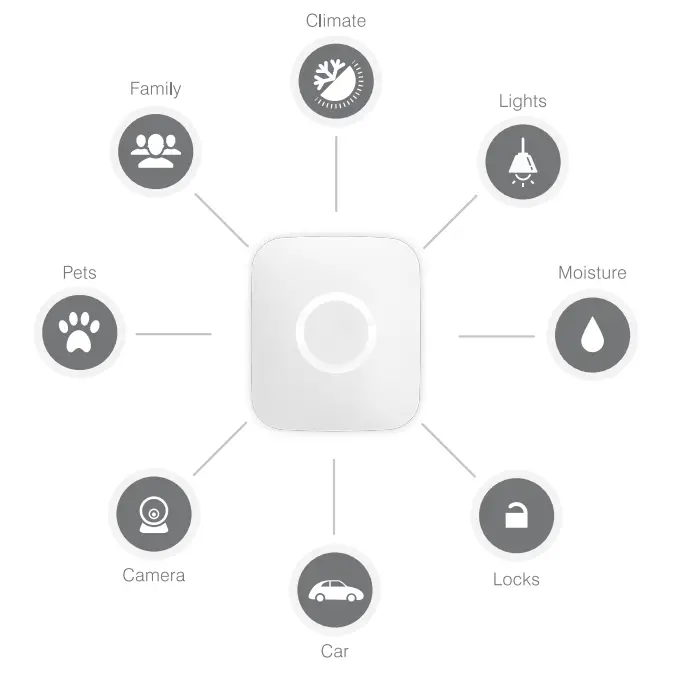
The Brain of Your Smart Home
Like a live-in translator, the Hub wirelessly connects all of the different sensors around your home so that they can send important information to your smartphone, and to each other.
The SmartThings Hub connects to your Internet router via the included Ethernet cable. The Hub has a ZigBee, Z-Wave, and Bluetooth radio, and also supports IP-accessible devices–providing customers with the widest range of supported devices of any smart home platform. In addition, the Hub contains replaceable batteries that allow it to continue operating in the event of a power outage.
For a list of products that have been tested and verified as compatible, please visit http://www.smartthings.com/product/works-with-smartthings/.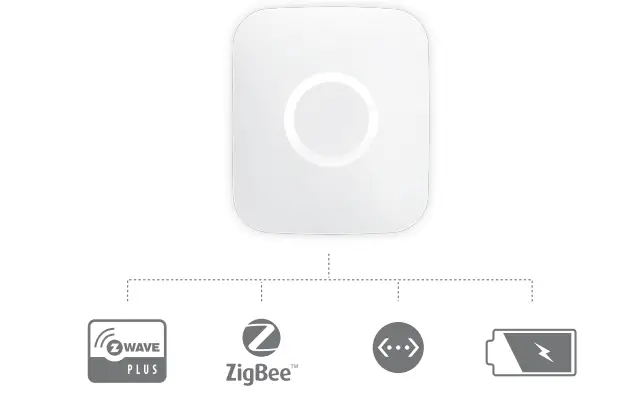
So Easy Anyone Can Do It
As with all SmartThings devices, the Hub requires no wiring or messy installation– just a simple setup that anyone can do.
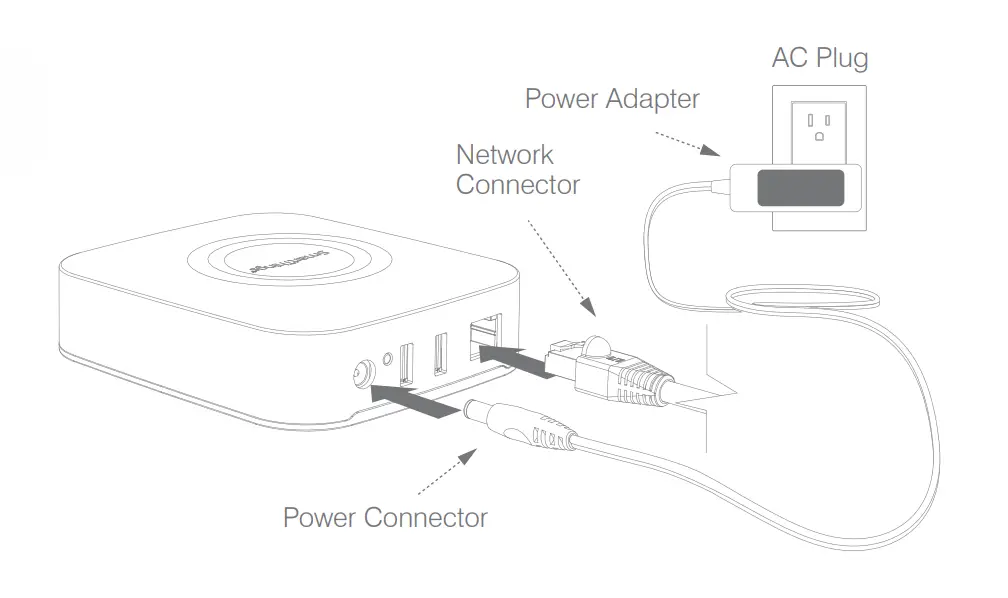
Simply plug in the included Ethernet cable from your Hub to your Internet router, attach the power cord to the wall, and then use the free SmartThings app to start connecting your devices. Easy peasy.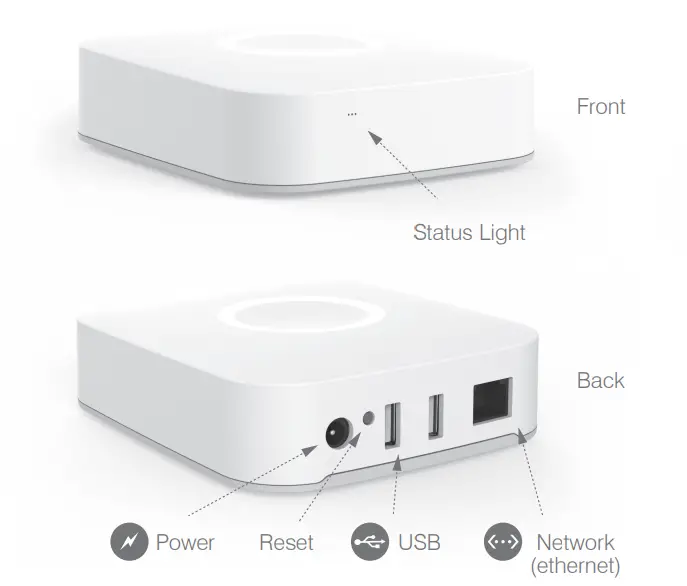
Simple Setup
The SmartThings Hub works best if installed in a central location to where your SmartThings will be connected. The recommended separation distance from the user for this equipment is 7.6 inches (20 cm).
- Connect your SmartThings Hub to your Internet router using the included Ethernet cable.
- Plug in the power adapter to an outlet and attach the power connector to the back of the Hub.
- Continue setting up your Hub by going to www.SmartThings.com/start on\ your smartphone and following the on-screen instructions.

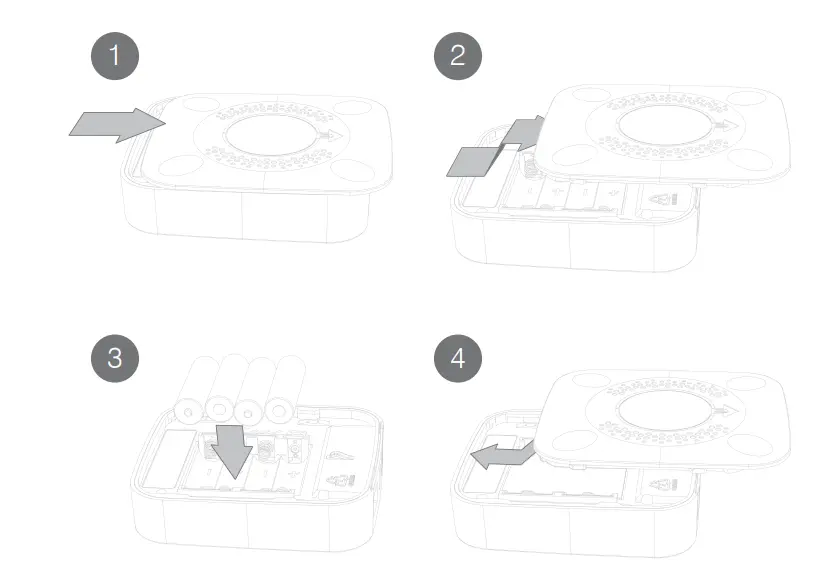
Battery Backup Installation
Disconnect the network cable and power adapter or any other connected peripherals before installing batteries (4 x AA):
- Slide the bottom covers off.
- Insert 4 AA batteries.
- Slide the bottom cover on till it snaps into place.
NOTE: Hub does not recharge batteries.
Disconnect the network cable and power adapter or any other connected peripherals if any of the following conditions exist:
- The power cord or connector is damaged or frayed.
- You want to clean the Hub (see Important Safety Instructions).
- The Hub or attached cables are exposed to rain, water/fluids, or excessive moisture.
- The Hub power adapter is damaged or has been dropped and you suspect it needs to be serviced.
Avoid installing the SmartThings Hub near or inside sources of metal, radio, or electromagnetic interference.
WARNING: No user-serviceable parts inside. Refer all servicing to qualified service personnel.
IMPORTANT CONSUMER INFORMATION: Please read before activating or using the Arrival Sensor.
WARNING: This product contains chemicals known to the State of California to cause cancer and reproductive toxicity. For more information, please call 1-800-SAMSUNG (726-7864).
Important Safety Instructions
- Read, keep, and follow these instructions.
- Heed all warnings.
- Do not use this product near water or expose the product to dripping or splashing of any water or liquid.
- Clean only with a dry cloth.
- Do not install near any heat sources such as radiators, heat registers, stoves, or other apparatus (including amplifiers) that produce heat.
- Only use attachments and accessories specified by the manufacturer.
- Read our Product Usage Guidelines at: http://SmartThings.com/guidelines
Correct disposal of this product
(Waste Electrical & Electronic Equipment)
(Applicable in countries with separate collection systems)
This marking on the product, accessories or literature indicates that the product and its electronic accessories (e.g. charger, headset, USB cable) should not be disposed of with other household waste.
To prevent possible harm to the environment or human health from uncontrolled waste disposal, please separate these items from other types of waste and recycle them responsibly to promote the sustainable reuse of material resources. Household users should contact either the retailer where they purchased this product, or their local government office, for details of where and how they can take these items for environmentally safe recycling. Business users should contact their supplier and check the terms and conditions of the purchase contract. This product and its electronic accessories should not be mixed with other commercial wastes for disposal.
(Applicable in countries with separate collection systems)
This marking on the battery, manual or packaging indicates that the batteries in this product should not be disposed of with other household waste. Where marked, the chemical symbols Hg, Cd or Pb indicate that the battery contains mercury, cadmium or lead above the reference levels in EC Directive 2006/66. If batteries are not properly disposed of, these substances can cause harm to human health or the environment.
To protect natural resources and to promote material reuse, please separate batteries from other types of waste and recycle them through your local, free battery return system.
Disclaimer
Some content and services accessible through this device belong to third parties and are protected by copyright, patent, trademark, and/or other intellectual property laws. Such content and services are provided solely for your personal non-commercial use. You may not use any content or services in a manner that has not been authorised by the content owner or service provider.
Without limiting the foregoing, unless expressly authorized by the applicable content owner or service provider, you may not modify, copy, republish, upload, post, transmit, translate, sell, create derivative works, exploit, or distribute in any manner or medium any content or services displayed through this device.
Certifications
Hereby, SmartThings Inc. declares that this product is in compliance with the essential requirements and other relevant provisions of Directive 1999/5/EC. The original Declaration of Conformity may be found at smartthings.com/eu/compliance.
Certified under FCC Part 15. Certified in Canada by IC to RSS-210.
This Class B digital apparatus complies with Canadian ICES-003.
SmartThings Hub Model: STH-ETH-200, FCC ID: R3Y-STH-ETH200,
IC: 10734A-STHETH200, M/N: PGC431-D ,
Contains FCC ID: D87-ZM5304-U,
IC: 11263A-ZM5304, M/N: ZM5304AU, CE version contains M/N: ZM5304AE.
FCC Statement
This device complies with Part 15 of the FCC rules. Operation is subject to the following two conditions:
- This device may not cause harmful interference, and
- This device must accept any interference received, including interference that may cause undesired operation.
Tested to Comply With FCC Standards FOR HOME OR OFFICE USE
Canada Statement
This device complies with Industry Canada license-exempt RSS standard(s). Operation is subject to the following two conditions:
- this device may not cause interference, and
- this device must accept any interference, including interference that may cause undesired operation of the device.
Information to the User
Changes or modifications not expressly approved by SmartThings, Inc. could void your authority to operate the equipment.
This equipment has been tested and found to comply with the limits for a Class B digital device, pursuant to Part 15 of the FCC Rules. These limits are designed to provide reasonable protection against harmful interference in a residential installation.
This equipment generates and can radiate radio frequency energy and, if not installed and used in accordance with the instructions, may cause harmful interference to radio communications. However, there is no guarantee that interference will not occur in a particular installation. If this equipment does cause harmful interference to radio or television reception, which can be determined by turning the equipment off and on, the user is encouraged to try to correct the interference by one or more of the following measures:
- Reorient or relocate the receiving antenna.
- Increase the separation between the equipment and the receiver.
- Connect the equipment to an outlet on a circuit different from that to which the receiver is Connected.
- Consult the dealer or an experienced radio/TV technician for help.
One (1) Year Limited Warranty
SmartThings Inc. warrants this product (the “Product”) against defects in materials and/or workmanship under normal use for a period of ONE (1) YEAR from the date of purchase by the original purchaser (“Warranty Period”). If a defect arises and a valid claim is received within the Warranty Period, then as your sole remedy (and SmartThings‘ sole liability), SmartThings will at its option either 1) repair the defect at no charge, using new or refurbished replacement parts, or 2) replace the Product with a new product that is functionally equivalent to the original, in each case within 30 days following receipt of the returned Product. A replacement product or part assumes the remaining warranty of the original Product. When a Product or part is exchanged, any replacement item becomes your property and the replaced Product or part becomes SmartThings’ property.
Obtaining Service: To obtain warranty service, visit support.SmartThings.com to speak with a service agent or open a service request. Please be prepared to describe the Product that needs service and the nature of the problem. A purchase receipt is required. The Product must be insured, and shipped freight prepaid and securely packaged. You must contact support for a Return Material Authorization Number (“RMA Number”) before shipping any Product, and include the RMA Number, a copy of your purchase receipt and a description of the problem you are experiencing with the Product. Any claim under this Limited Warranty must be submitted to SmartThings before the end of the Warranty Period.
Exclusions: This warranty does not apply to:
- damage caused by failure to follow instructions relating to the Product’s use or the installation of components;
- damage caused by accident, abuse, misuse, transport, neglect, fire, floods, earthquake or other external causes;
- damage caused by service performed by anyone who is not an authorized representative of SmartThings;
- accessories used in conjunction with a covered Product;
- a Product or part that has been modified to alter functionality or capability;
- items intended to be periodically replaced by the purchaser during the normal life of the Product, including, without limitation, batteries, bulbs or cables;
- a Product that is used commercially or for a commercial purpose, in each case as determined by SmartThings.
EXCEPT FOR BODILY INJURY, SMARTTHINGS SHALL NOT BE LIABLE FOR (I) ANY LOST PROFITS, COST OF PROCUREMENT OF SUBSTITUTE PRODUCTS, OR ANY INCIDENTAL OR CONSEQUENTIAL DAMAGES, OR (II) ANY AMOUNTS IN EXCESS OF THE PURCHASE PRICE FOR THE PRODUCT, IN EACH CASE WHETHER RESULTING FROM THE USE OF OR INABILITY TO USE THIS PRODUCT, OR ARISING OUT OF ANY BREACH OF THIS WARRANTY, EVEN IF COMPANY HAS BEEN ADVISED OF THE POSSIBILITY OF SUCH DAMAGES. SOME STATES DO NOT ALLOW THE EXCLUSION OR LIMITATION OF INCIDENTAL OR CONSEQUENTIAL DAMAGES, SO THE ABOVE LIMITATION AND EXCLUSIONS MAY NOT APPLY TO YOU.
TO THE EXTENT PERMITTED BY APPLICABLE LAW, SMART THINGS DISCLAIMS ANY AND ALL STATUTORY OR IMPLIED WARRANTIES, INCLUDING WITHOUT LIMITATION, WARRANTIES OF MERCHANTABILITY, FITNESS FOR A PARTICULAR PURPOSE, AND WARRANTIES AGAINST HIDDEN OR LATENT DEFECTS. IF SMARTTHINGS CANNOT LAWFULLY DISCLAIM STATUTORY OR IMPLIED WARRANTIES, THEN TO THE EXTENT PERMITTED BY LAW, ALL SUCH WARRANTIES SHALL BE LIMITED IN DURATION TO THE WARRANTY PERIOD. SOME STATES DO NOT ALLOW LIMITATIONS ON HOW LONG AN IMPLIED WARRANTY LASTS, SO THE ABOVE LIMITATIONS MAY NOT APPLY TO YOU. This warranty gives you specific legal rights and you may also have other rights, which vary from state to state. To exercise your rights under this warranty, please follow the instructions above under the heading “Obtaining Service,” or contact SmartThings at SmartThings, Inc., 456 University Ave. Suite 200, Palo Alto, CA 94301, USA.
Samsung is a registered trademark of Samsung Electronics Co., Ltd.
FAQs
It really depends on your needs. If you are in a situation where there is a serious concern for your home get a full security system like ADT or others. Most services have a multi connection (internet/cellular/phone) to ensure that they are always connected. SmartThings has a battery back but no secondary connection i.e. internet down=no notification. SmartThings integrates with Scout by sending you a notification allowing you to have Scout get a live operator to contact the authorities. SmartThings will give you fairly decent up-time , notifications, and a loud scary alarm. You can even have a sonos speaker tell the person in your house to get out. You can activate cameras automatically to see if there is actually an intruder
change codes to do what? There are a number of options in regards to codes- need specifics
Yes it works great depending on which lock you choose. I am using the Schlage 916 z-wave through my hub and they (3) all work great
Yes you can use iPhone… you need to download app in your iPhone
User replaceable.
The Samsung smart things hub is for Zwave-compatible devices. The hub then provides connectivity back to your Wi-Fi router to connect to the Internet as well as to Amazon echo products like Alexa. Zwave is a
very solid technology for home automation.
To make the hub work you should only need a modem and the hub but if you need to access the Internet
with a computer that you will need a wifi router as well.
slide out or is there some hidden hinge?
The cover slides down about an inch, then you can pull it off.
Yes you can. Same user name but the devices do show up as different devices. You can also set geofencing alerts separately, per device. The problem is, because they all share the same username (for now), the person whose phone you are tracking will also get alerted when the person’s phone comes/leaves the area. So, it’s a bit clunky, until they fix family invites.
suffice?
Some functions remain up if your Internet connection fails. For example you would still be able to turn your lights on and off. Setting up the hub and making changes still requires access to the cloud service. So it really depends on what you are looking for. If you are looking for a completely disconnected local solution, this isn’t going to work for you. If you want something that will work if your Internet connect is temporarily disconnected, then this will probably work for you.
Amazon Echo is what really makes this hub shine. I also recommend connecting the Harmony Hub. This allows you to turn off your TV and other media devices with voice command through the Echo.
This is the new hub, but I’d avoid it. ST promised a lot and didn’t deliver. It’s been out for over a month and it still only supports one user, and is highly unstable.
Worse the new app has pretty well left the V1 users in the lurch. Ask yourself, if this is how they treat the customers who funded them through Kickstarter and enabled them to get rich in a $200 million buyout from Samsung,
Yes. You can connect each unit directly to WiFi as I did originally but Samsung has a another common unit that you can connect to WiFi and then connect each Samsung unit to the common unit. Don’t recall the common unit’s name. Ask Samsung. I recommend using that as it is easier to connect multiple units once.
Yes
Yes, it works to turn on fire tv but not to voice control it.
It works only with a color-changing bulb made for the hive.
Something that is not iPhone-compatible, does not exist.
They may get their act together, but I’m beginning to have my doubts.