FEELLE EN2053 Digital Wireless Meat Thermometer
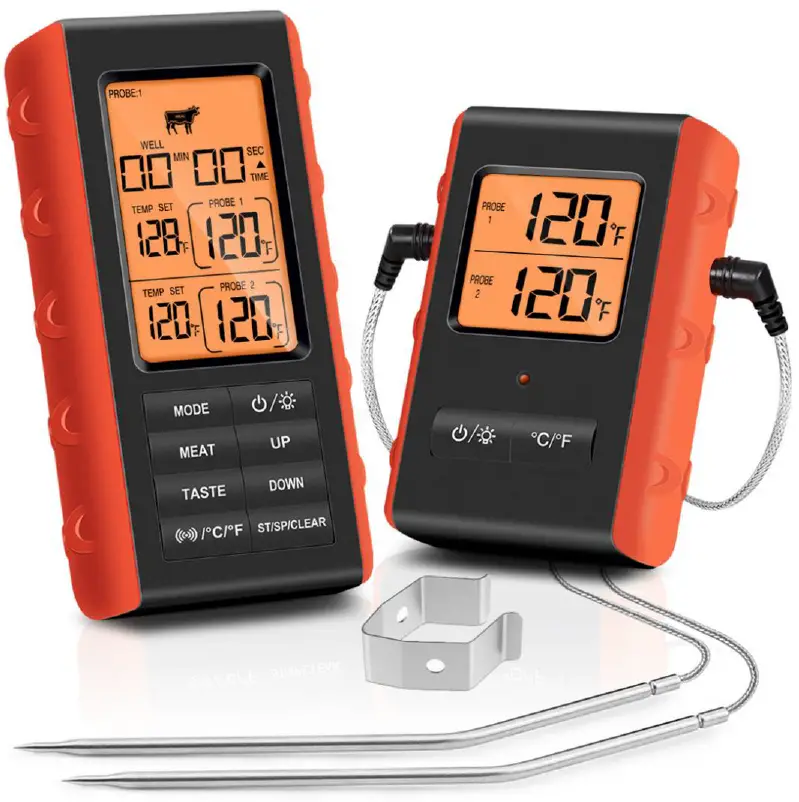

4 Simple Steps to Get Started to Use
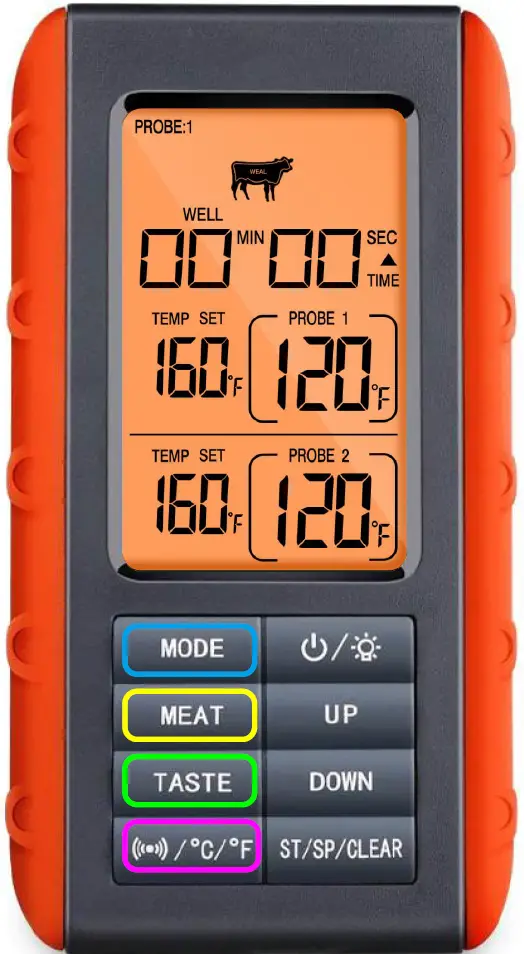
- Step 1:
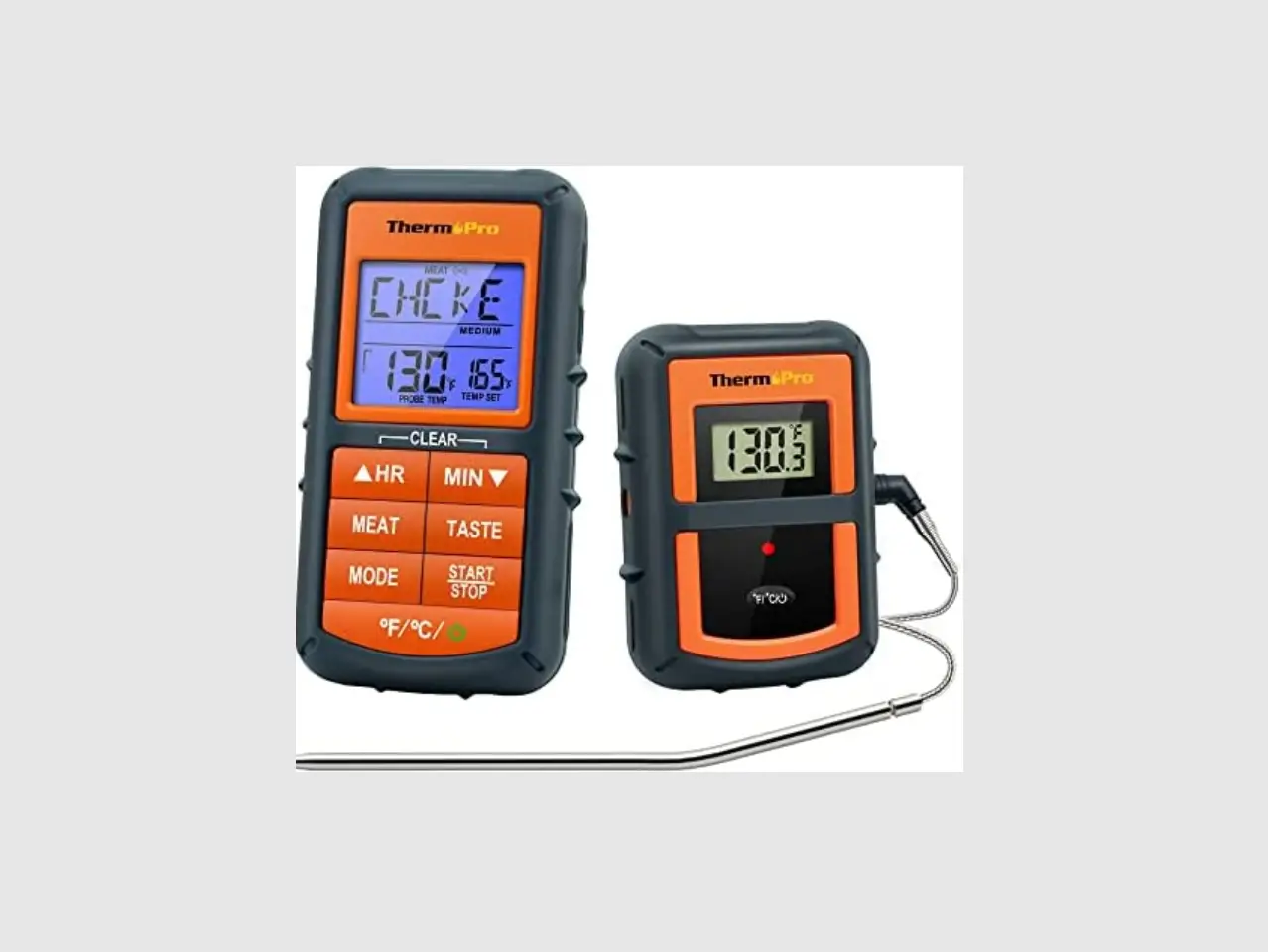
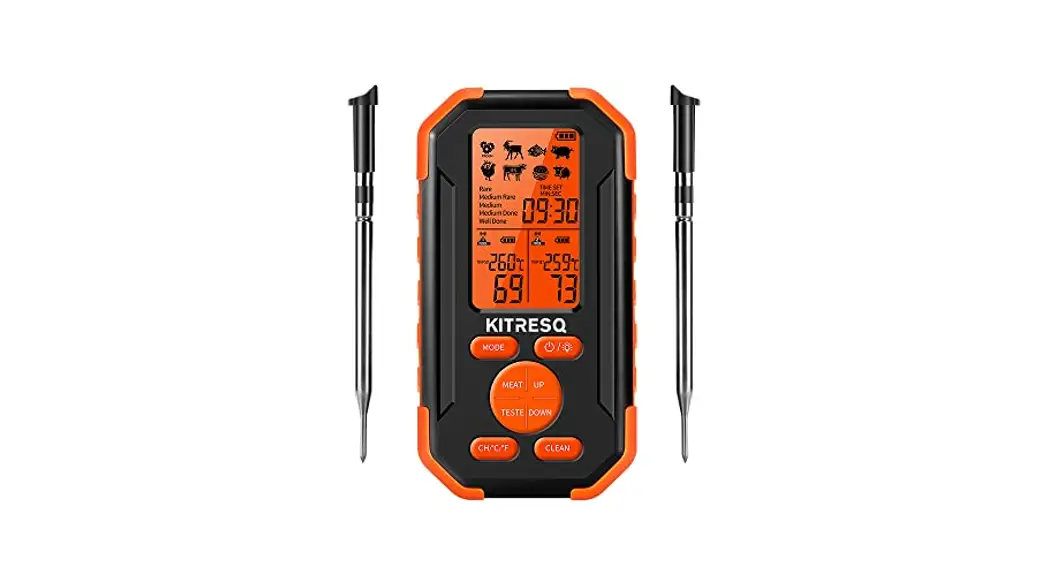
Press the MODE button to choose PROBE:1 or PROBE:2 - Step 2:
Press the MEAT button to choose meat type(8 Types-beef, veal, turkey etc.) - Step 3:
Press the TASTE button to choose taste level (5 Levels from RARE to WELL) - Step 4:
Press the °C/°F button to turn on the Alarm function
How to Set Your Specific Taste?
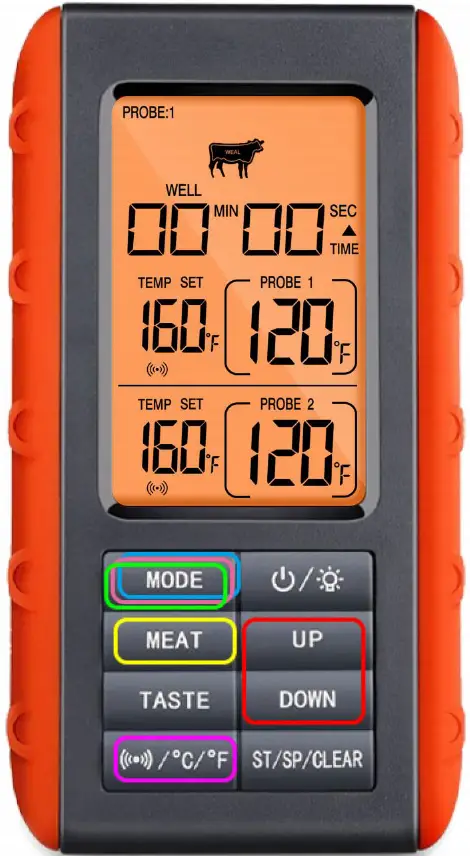
- Step 1:
Press the MODE button to select PROBE 1/2 - Step 2:
Press the MEAT button to select Meat Type-PROGM - Step 3:
Press and hold the MODE button until the temperature value blinks - Step 4:
Press UP/Down to set your desired temperature - Step 5:
Press the MODE button to confirm the temperature setting - Step 6:
Press the °C/°F button to turn on the Alarm function
Count UP/Down Timer
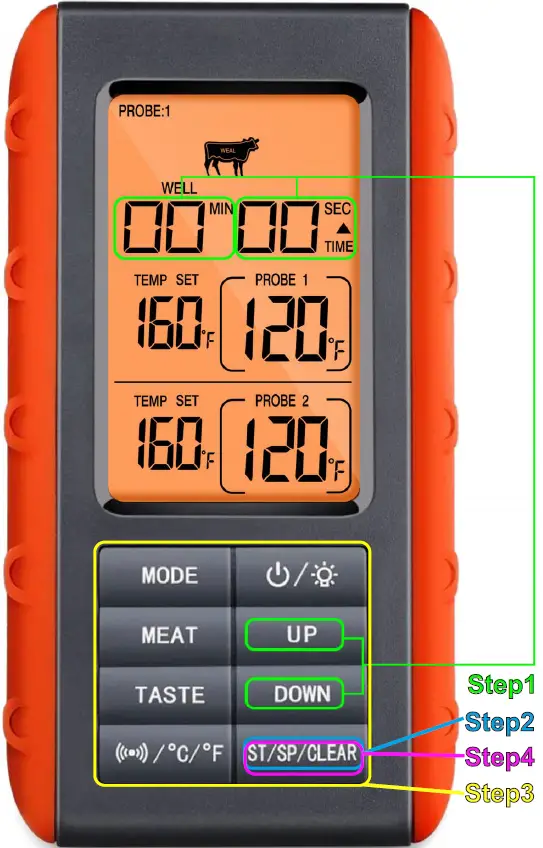
- Step 1:
Press the UP (Min) / Down (Sed) button to adjust time setting - Step 2:
Press ST/SP/CLEAR button to start the timer - Step 3: Stop Timer
Press any button to stop the timer - Step 4: Clear the timer setting
After stopping the timer, press and hold ST/SP/CLEAR button for 2s to clear the timer setting