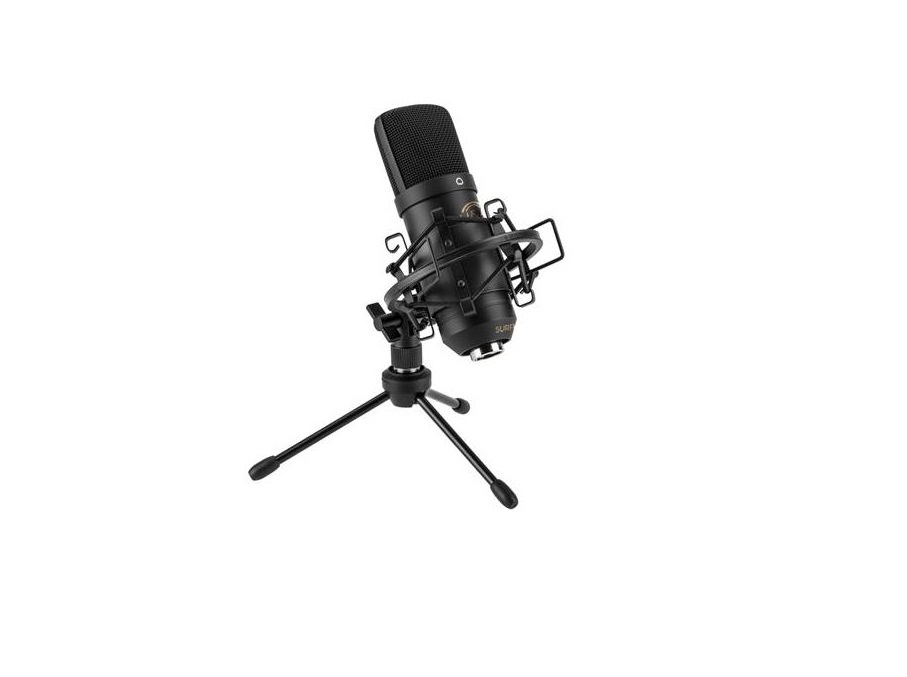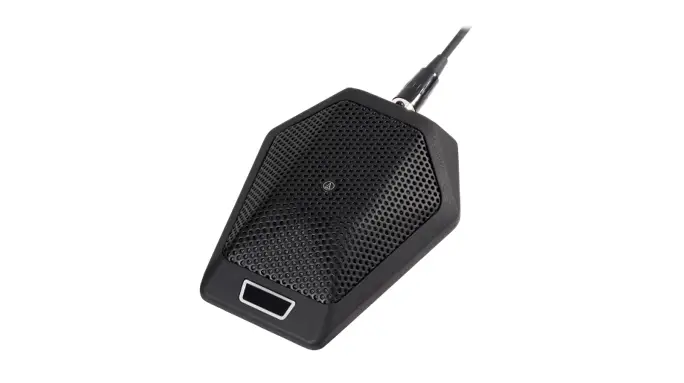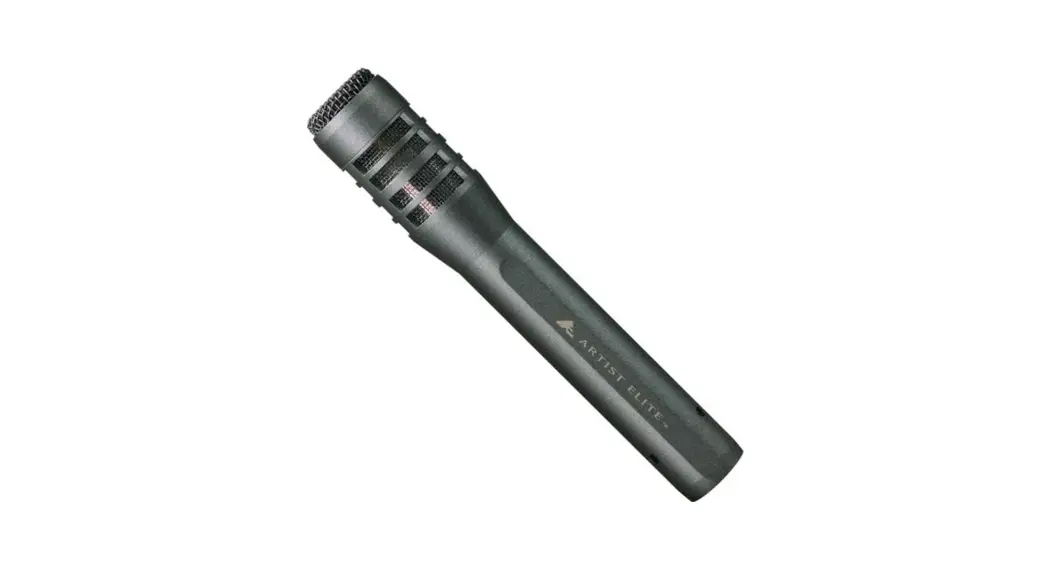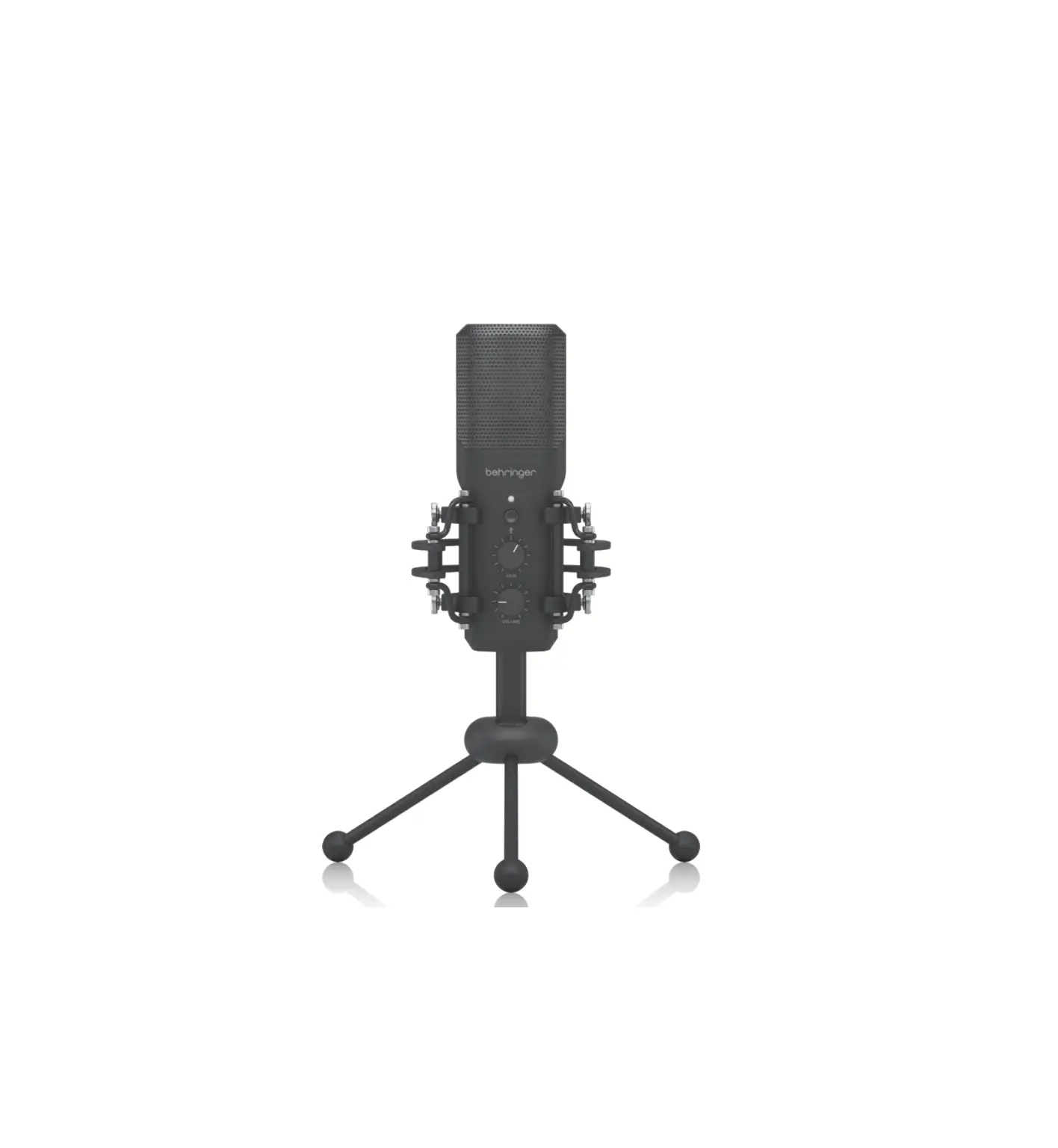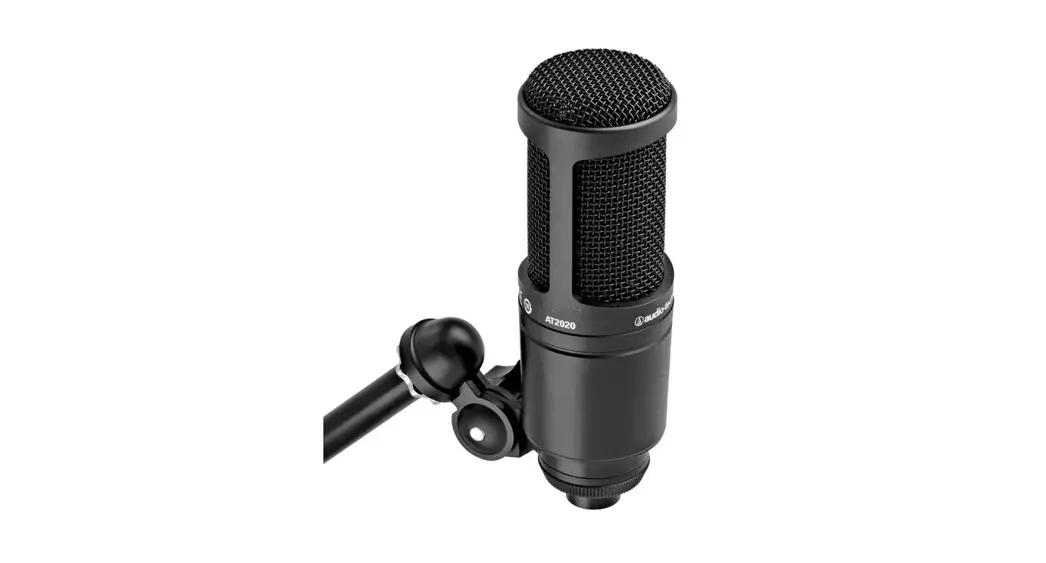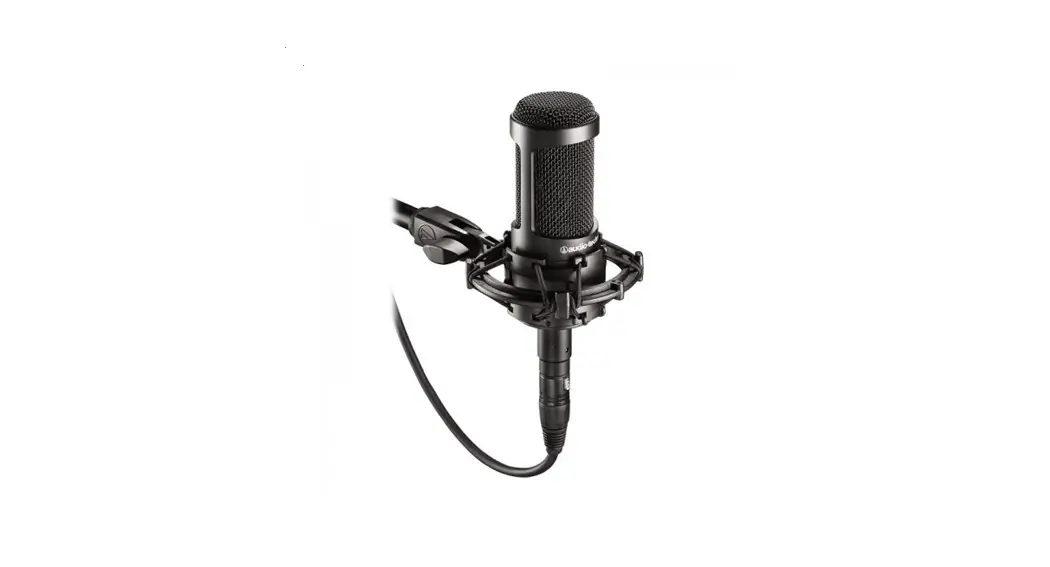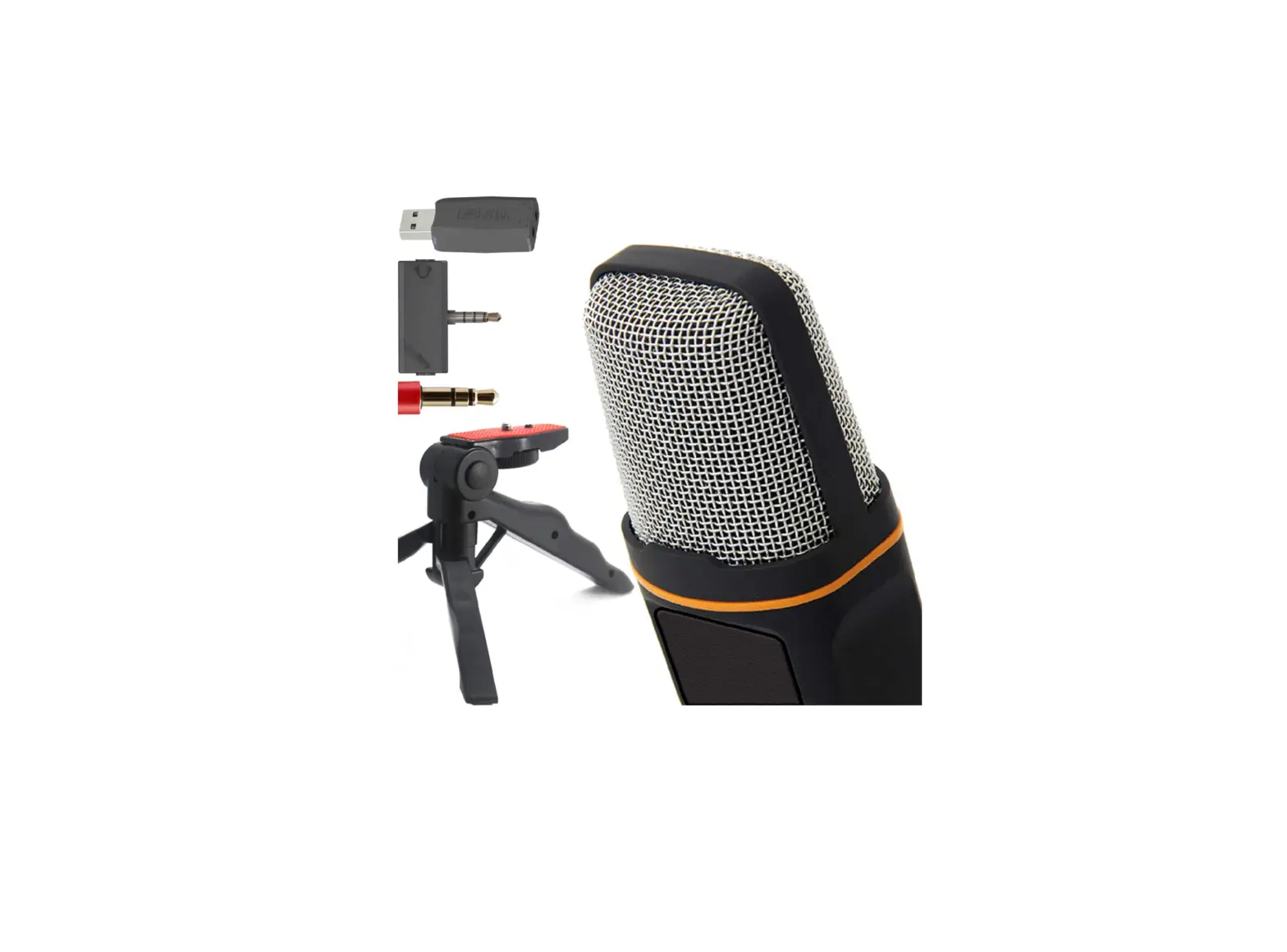

ZaxSound SF666PRO Professional Cardioid Condenser Microphone
INTRODUCTION
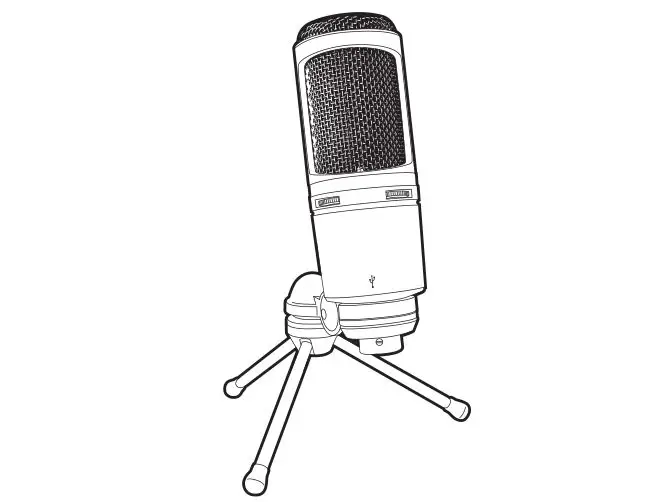
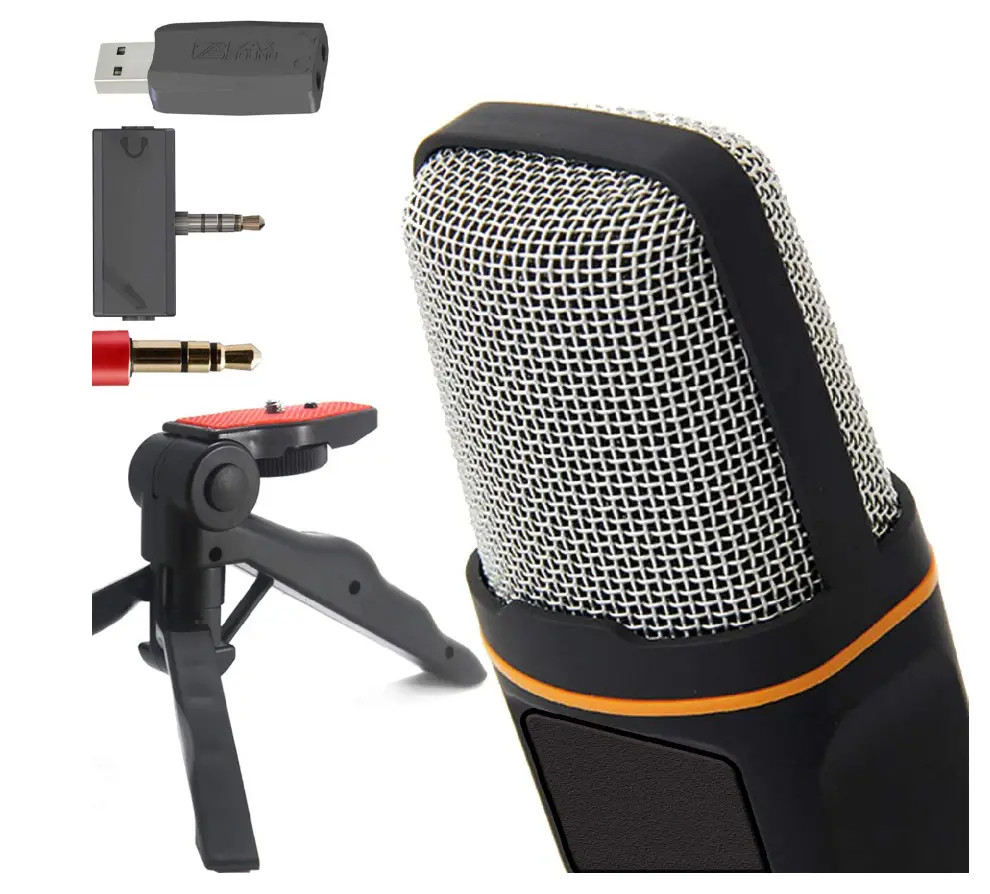
ZaxSound Condenser Microphone is one of the bestselling wired Mic that is a studio quality condenser microphone offering Cardioid pick-up patterns. It combines quality and unique design developed by ZaxSound to deliver legendary sound for everything from podcasting to recording instruments. It is great for vocals, VoIP, Gaming, Chatting and Webcasting. The benefits from ZaxSound Microphone is the ability to be used with any 35mm jack supported device, or if not available, to be used with any USB supported device, i.e. PC, Laptop, Tablet, Phone or Game Console. first affordable, sensitive cardioid microphone. a cardioid pickup pattern that isolates noise from the sides and back while picking up sound from the front. Condenser Microphone with 3.5mm Stereo Audio Jack Plug, TRRS 3.5mm and USB, No Software Required, Excellent Design, Perfect Grip. High compatibility with practically all devices, including game consoles like the XBox 360, PCs, notebooks, all iPhones, Android smart phones, and tablets released after 2010. For Windows 10 / 8.1 /8 / 7 and Mac PC Computers, Laptops, External Microphone with 6 Feet Cable Providing Clear Digital Stereo Sound. Use your smartphone to record YouTube videos in a quiet room from a distance of ten feet. comes with a tripod stand that lets you change the microphone’s angular position.
PRODUCT SPECIFICATIONS
| Color | Black | |||||||||
| Package Content | l* Microphone, 1 * Tripod Stand, l* Speaker/Headphone Splitter for Mobile Phones, Tablets and Xbox connector, 1″‘ USB Audio Adapter. | |||||||||
| Connectors | 3.5mm Jack/ USBAdapter | |||||||||
| Material | Rubber Coated | |||||||||
| Cable Length | 78 Inches | |||||||||
| Dimensions | 1.Sx 5.3 xl.75 Inches | |||||||||
| Product Weight | 6.5 Ounces | |||||||||
| Package Weight | 12 Ounces | |||||||||
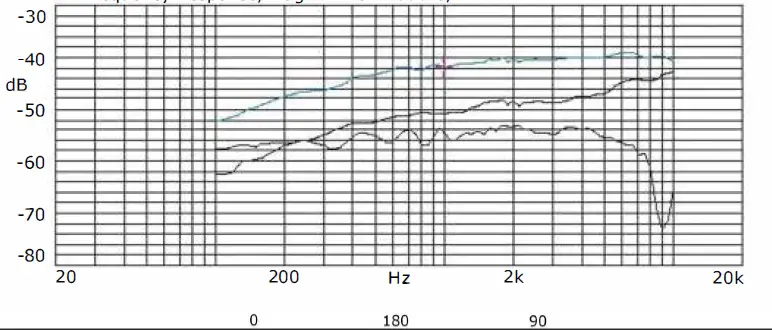
| TECHNICAL SPECIFICATIONS | ||||||||||
| NC | Parameter | symbol | Condition | Limits | Unit | |||||
| Min. | !Center | Max. | ||||||||
| 1 | Sensitivity | s | “‘kHz S.P.L= 1Pa Od3=-1VIP | ·41 | -38 | .35 | dB | |||
| 2 | o..tp..t impe:lao::e | zour | f.. kHz | 680 | n | |||||
| 3 | G.Jrre,t consunrrion | IDDS | vcc-1.Sv RL-680□ | 150 | 450 | “” | ||||
| 4 | Si<;Jl.3 to Noise Ratic | 5/N | f• 1 Khz, S.P.L• lPa | 60 | dB | |||||
| 5 | Oe:reasino Volraoe | 5-115 | Vcc:4.SVto l.CIV | ·3 | dB | |||||
| 6 | ()peratino Voltage | 1 | 10 | V | ||||||
| 7 | Maximum irout S.P.L | 110 | dB | |||||||
| 8 | Fr,,,,,.,,,..,.., | 10( | 161< | Hz | ||||||
LAPTOP OR PC INSTALLATION
- Use this jack type td connect the mic td your pc or laptop
- Do not use the adapter when connected to PC or Laptop.

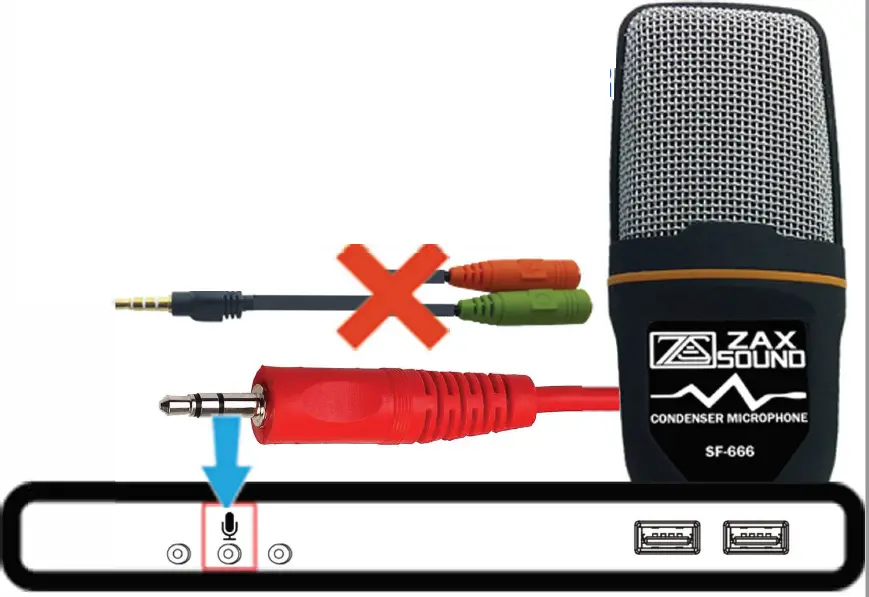
Please find on your laptop or pc the interface marked mic usually it’s on the side of your laptop, and on the back of your pc.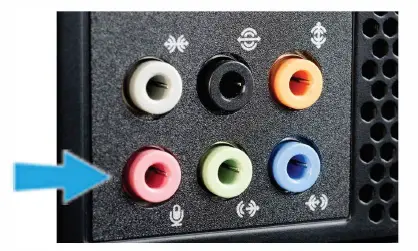
If your pc or laptop does not have the mic jack mentioned above, please use the USB adapter to connect the mic to the pc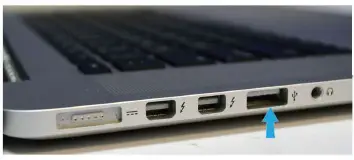
Connect the mic to the USB adapter securely and make sure it ticks to the end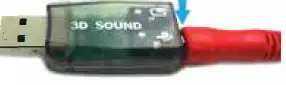
PHONE, TABLET OR XBOX INSTALLATION
Connect the mic cable to the splitter cable marked microphone then connect the splitter jack to your phone or tablet. Remove your phone case to make sure connections are secured and cables went all the way in. Note that the phone speaker will be muted when you connect the splitter to the phone you need to connect a speaker to your phone if you still need to hear any voice while recording.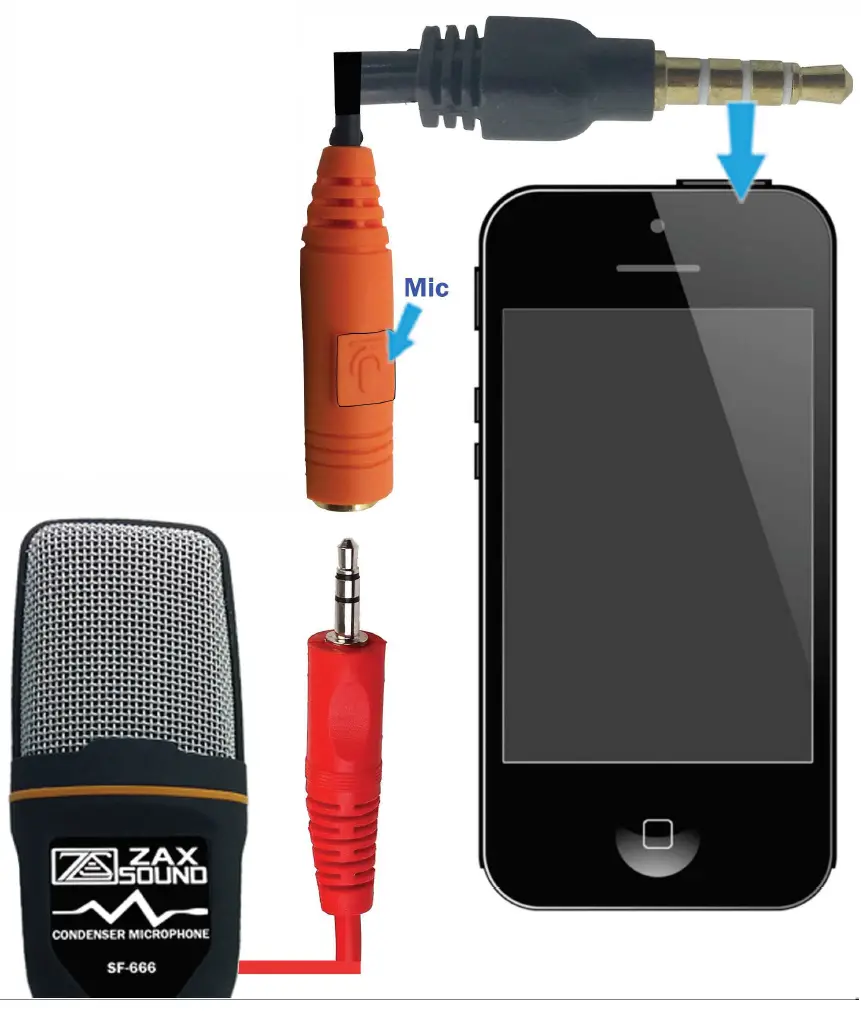
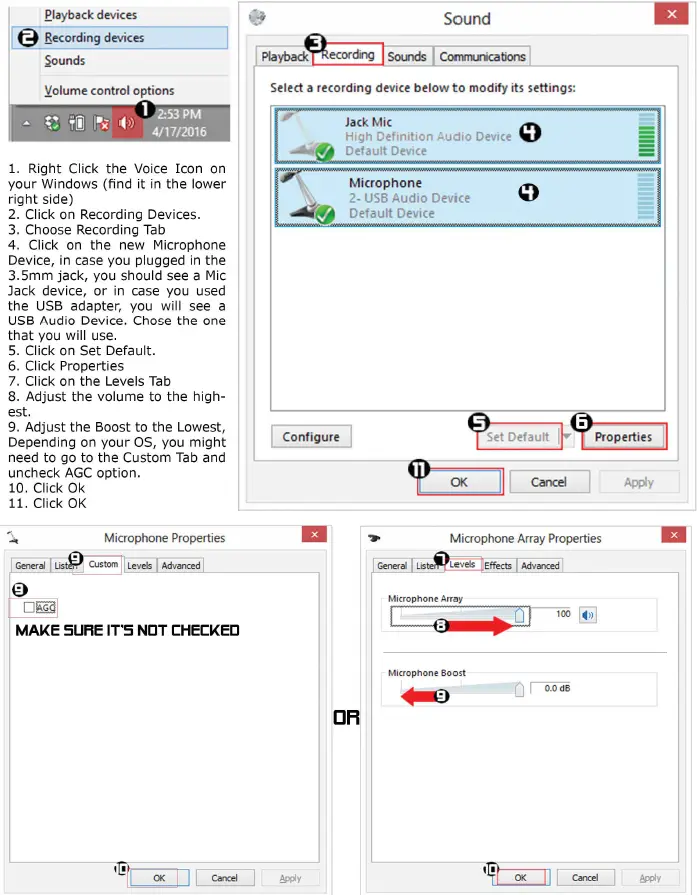
WINDOWS 10 INSTALLATION FOR 3.5MM AND USB
IOS INSTALLATION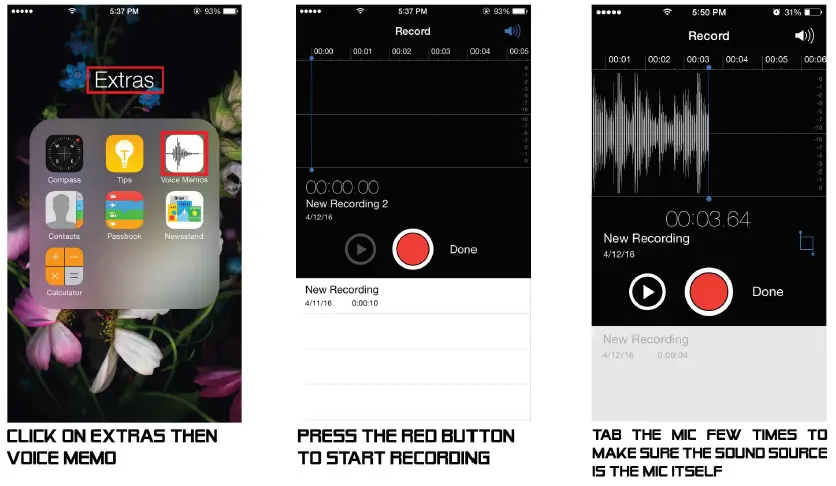
ANDROID INSTALLATION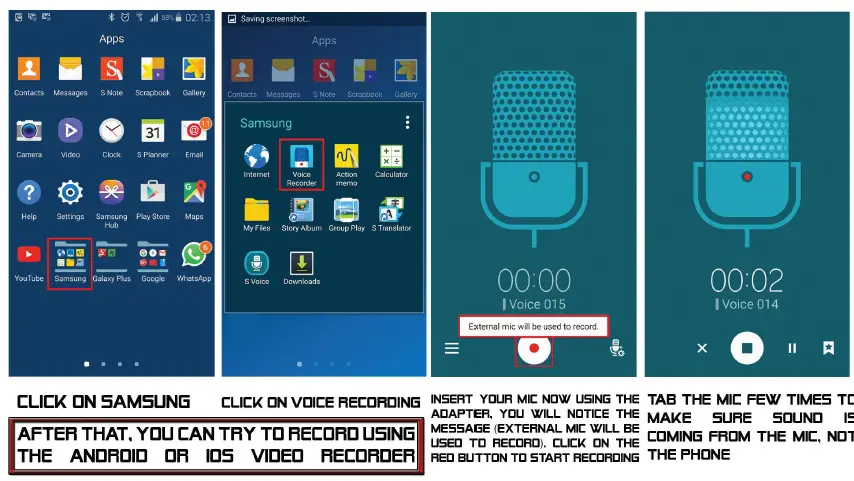
TROUBLESHOOTING GUIDE
Recommended recording software: Audacity
Download it from: http://www.audacityteam.org/
I barely can hear my voice using this microphone:
This is a Cardioid Microphone, this means it picks up the voice ONLY from the front side, eliminating all the surrounding noise from the sides or the back, if you try to speak from the sides or the back, the voice will be far. So locate where the ZaxSound Logo, and that is the front side.
I put the microphone in my PC/Laptop but there is no voice:
First, please check the Jack on your PC, does it have a microphone icon or written MIC on it? If not, use only the MIC (or microphone icon) jack in your PC. If you used others, i.e. Line-IN or Stereo, this Microphone cannot work because it requires phantom power, and the only jack can provide it is the MIC jack. In this case, use the USB Adapter in the package, connect the Mic to the MIC side of the adapter and make sure the connection is secured all the way in.
I put the microphone in my PC/Laptop MIC Jack but it is not picking up any voice:
make sure you have set the Microphone as the default source of recording. Please do the Following:
- Right click the volume icon and click on recording devices
- Locate your microphone from the list and click one time on it, then click set default button.
I have BUZZING sound:
You might have had the microphone Boost set to its maximum levels. This Microphone is a high sensitive condenser microphone, there is no need to boost it, please reduce the level or set it up to 0 (recommended}, to do so:
- Right click the volume icon and click on recording devices
- Locate your microphone from the list and double click on it
- On microphone properties, select Levels, and under microphone boost, adjust the level to 0.
- If there was no microphone boost, go to custom tab, and uncheck AGC option.
My phone is not picking the microphone sound
Please remove the phone case, insert the microphone into the MIC side of the adapter, and insert the adapter to your phone, make sure all connections are secured and cables inserted all the way in.
My phone has a random scratching voice when I record with this microphone
Try to record without touching the cables, if such noise appears, please do either of the following:
- check your phone jack by placing your normal headset and record, if you get such a noise, this means your phone jack has a problem, or the App used could be causing the noise.
- Put the microphone into your PC and try to record and see if such noise appears.
I am using the USB adapter, but my computer is not picking any voice
Make sure you securely connected the Microphone the MIC side of the adapter, and inserted it all the way in.
After that please do the following to make sure the computer is picking up the voice:
- Right click the volume icon and click on recording devices
- Locate your microphone from the list and double click on it
- Click on the Listen TAB and check the “Listen to this Device”
- Make sure the “Playback through this device” is set to the correct speakers from the list box.
- keep the Mic 5~6 feet away from the computer, then click OK.
- Speak to the Mic, you should be able to hear your voice back from the speakers as you speak.
- Uncheck the “Listen to this device” box.
My Computer Does not recognize the USB Adapter
The adapter does not need any software or driver to be installed. Please Take the USB Adapter out, replace it firmly back in. if it still does not recognize it, please restart your PC and try placing the adapter again.
FAQs
How is this able to work with an iPad with no power source
In the package including a Mobile Phone TRRS type jack that supports both stereo and microphone functionality (Tip-Ring-Ring-Sleeve) which draws power from the device it’s connected to. PC/Mobile microphone feeds lower voltage (typically ~3V) to ring contact of 3.5 mm jack via ‘phantom’ power, i.e., power derived from PC/Laptop/Mobile/Tablets source. That’s why it looks like the microphone does not need a power to function, but in reality, power is provided to the mic through its cable from the device it’s connected to.
How long is the cord?
The Condenser Microphone Cord Length is 6.5 feet long.
does it work with Xbox
Yes it does, to do that, find the splitter/adapter in the package, Plug your headphones and this microphone into the splitter/adapter included in the package, then plug the splitter/adapter into the Xbox 3.5mm Headset Adapter and it should work.
Does it work with ps4
Yes it does. To do so, Use the TRRS Male to TRS Female adapter, (included in the package), Plug the TRRS adapter to the PS4, then plug the Mic to the TRS Mic side of the adapter. To add a headphone, plug your headphone to the TRS Headphone side of the adapter. Make sure your headphone is a TRS Male.
does it work with Xbox one?
With older Xbox it was ok but newer ones It did not work at all or had lots of feedback and distortion.
i want to do interviews at comic conventions with my smartphone would this work well for that?
It did not work well on my phone. The feedback was horrible and inside where there are multiple Bluetooth and such going on have found it picks up other conversations.
Can i connect this to my Samsung galaxy s6. I need a mic to record videos on my android any suggestions?
100% yes. this microphone is perfect for YouTube or webcasting. here is how:
use the Audio splitter found in the package, then plug the splitter to your Samsung galaxy s6, and finally, plug the microphone to the mic side of the splitter.
Would it be suitable for recording music in a concert scenario?
I wouldn’t recommend it for a concert unless you’re going to be very close to the sound source. The range is limited. A Zoom stereo recorder would work much better for a live recording.
Would it be suitable for recording music in a concert scenario?
I wouldn’t recommend it for a concert unless you’re going to be very close to the sound source. The range is limited. A Zoom stereo recorder would work much better for a live recording.
Can the wire be removed?
No, The wire cannot be detached from the Microphone.
Can I put this between two people for an interview?
This Microphone pickup pattern is upgraded to a cardioid pickup pattern type. To be able to use it for interview, make sure that the microphone is closer to the person that is speaking at the back of the microphone.
Can this mic be used for dictation, i.e. in Word?
Yes.
Will this work with Xbox series s?
I don’t know a lot about the different models of Xbox. But my son has Xbox One S, and this mic works fine with his console.
Will professional cardioid condenser microphone with tripod stand work with mac-Mimi
Yes. Mac-Mini does not have a MIC input, so you will have to use the USB adapter (included in the package). Connect the USB Adapter to your mac mini USB port, then connect the Microphone to the USB adapter, and it will work.
I’m looking for a microphone to record guitar tracks with, but I’m on a budget, and I don’t have a studio or a computer. Is the mic any good for that?
Yes, this microphone is perfect for recording guitar. Make sure your recording equipment has a MIC input that provide phantom power so this Mic can work. Make sure you face the Microphone where the logo is to pick up all the sound.