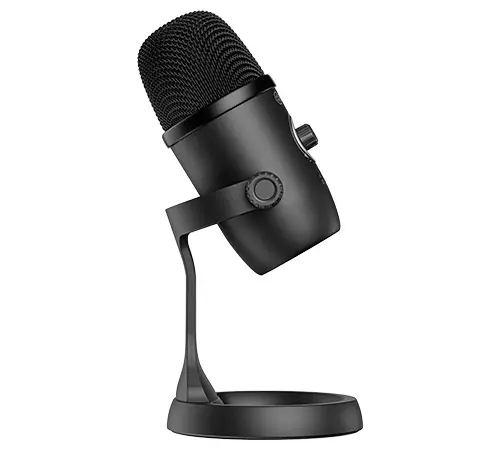
 MOVO WebMic USB Desktop Microphone
 MOVO WebMic USB Desktop Microphone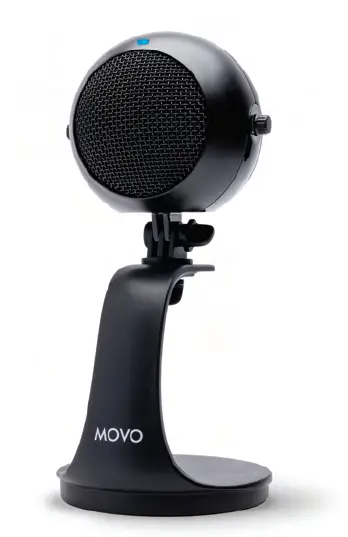
Instruction Manual
Thanks for choosing Move!
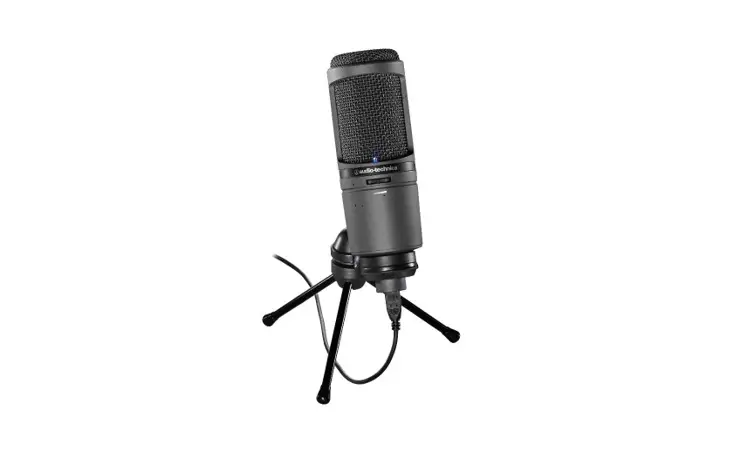
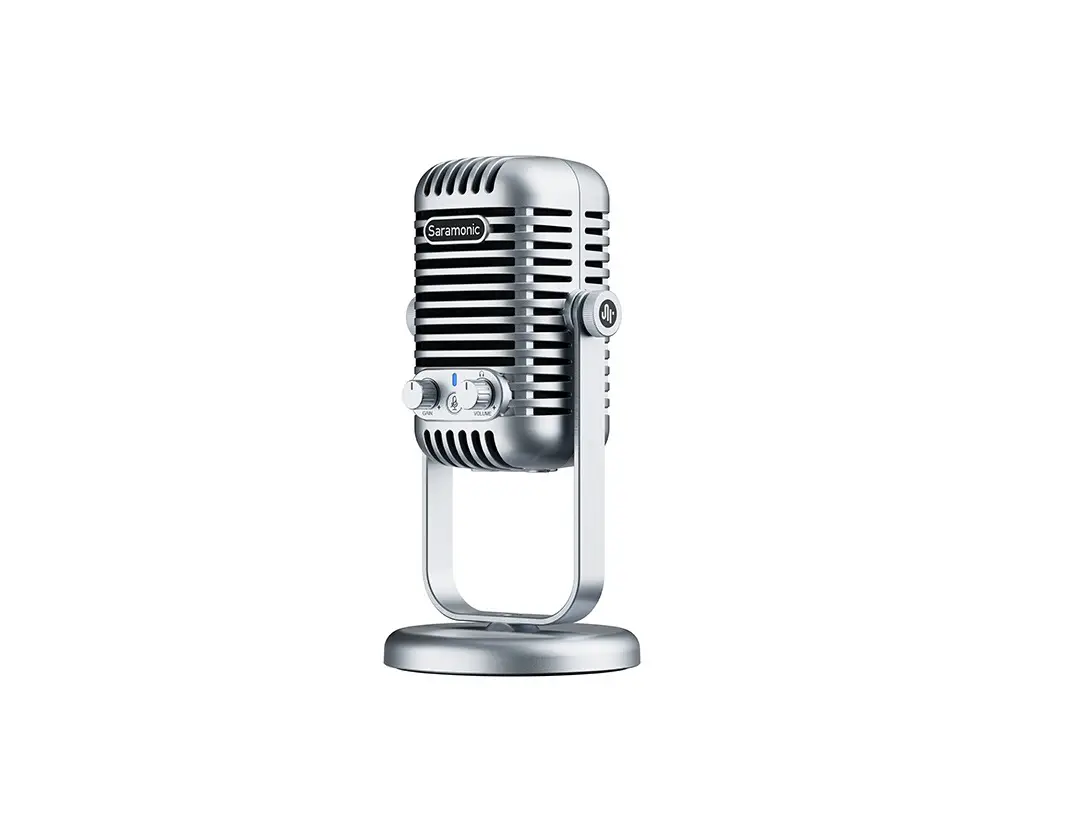
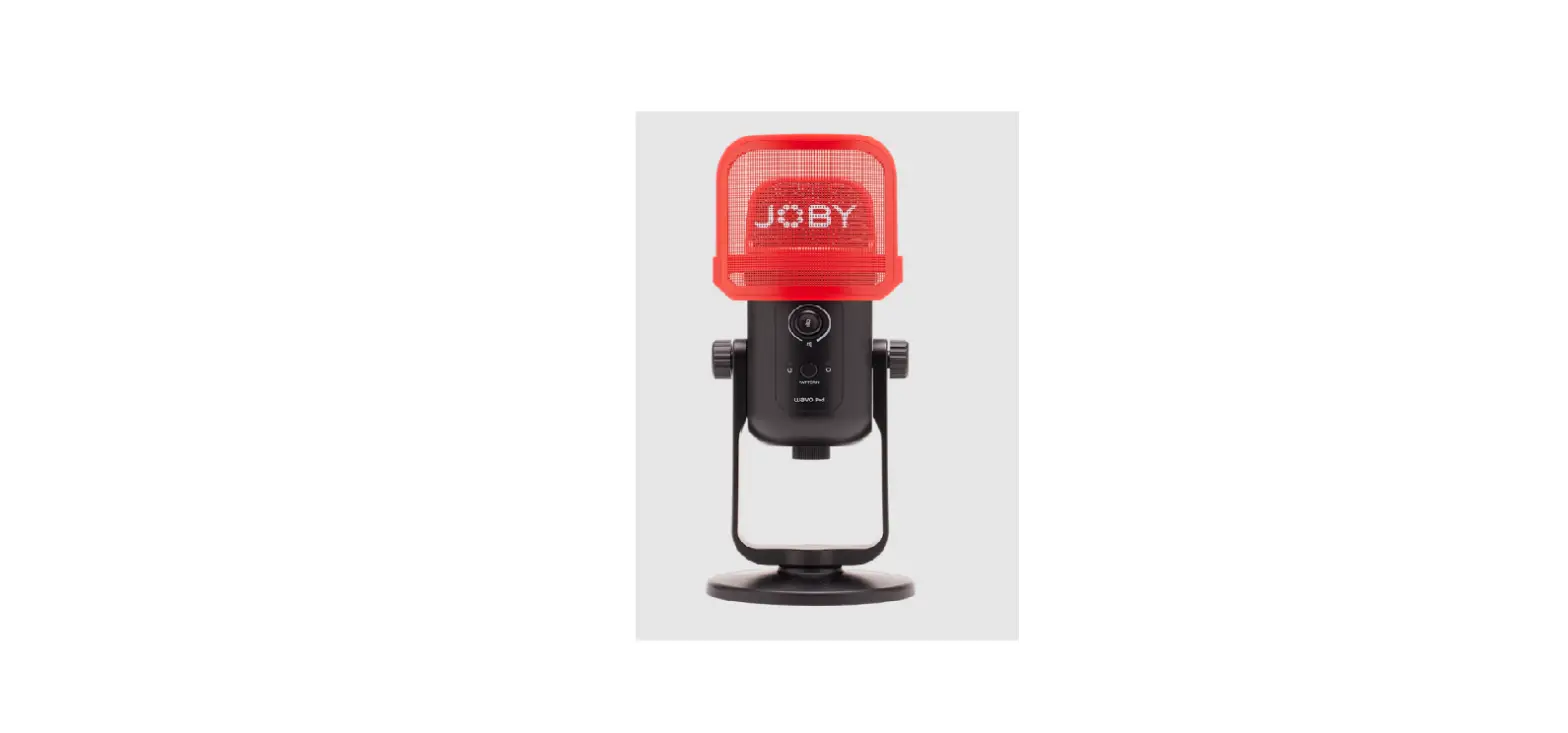
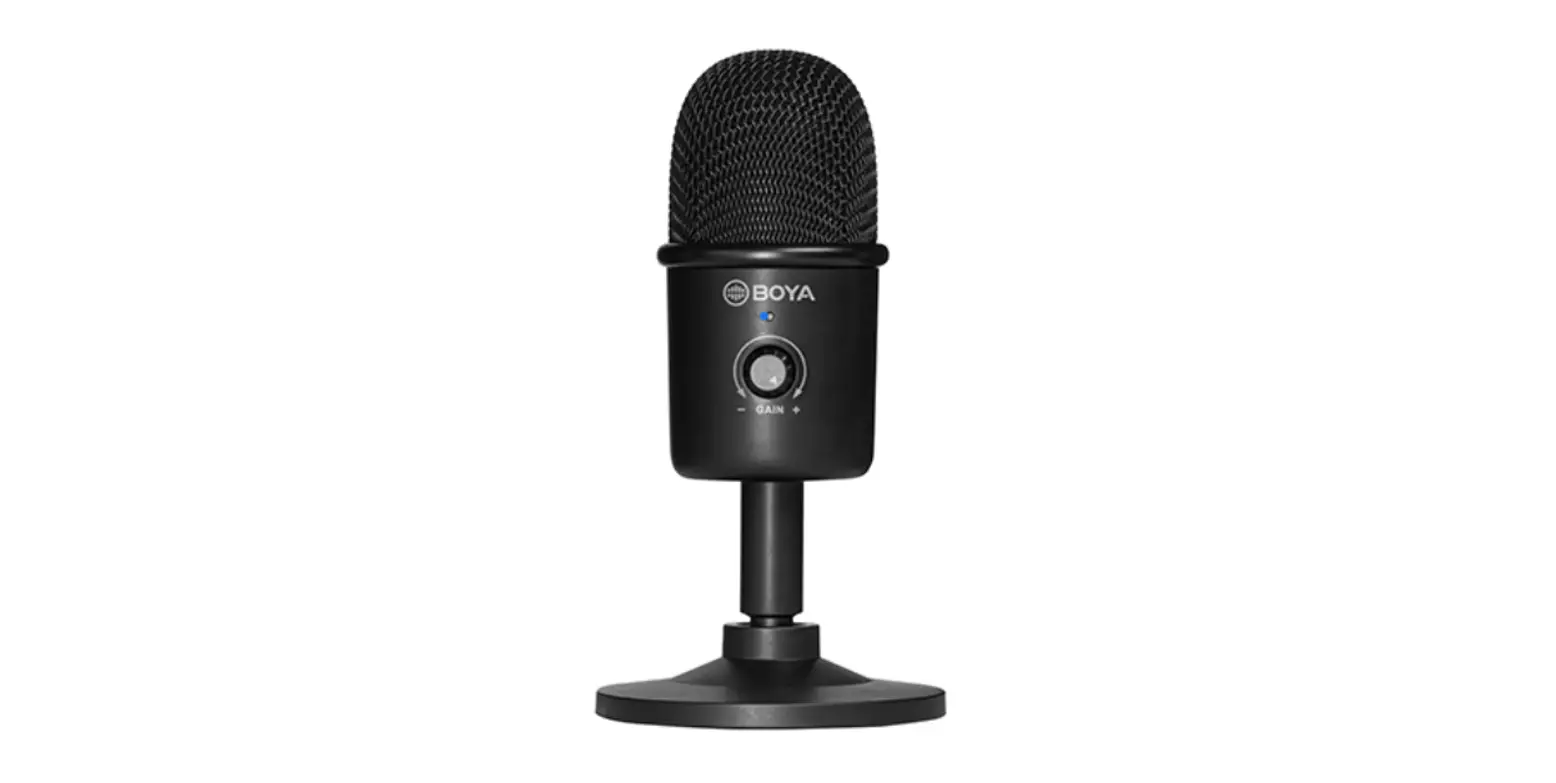
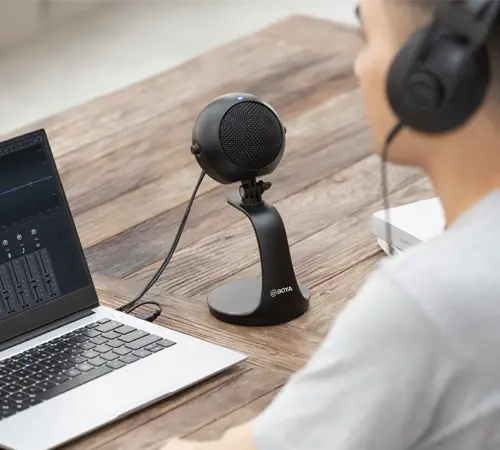
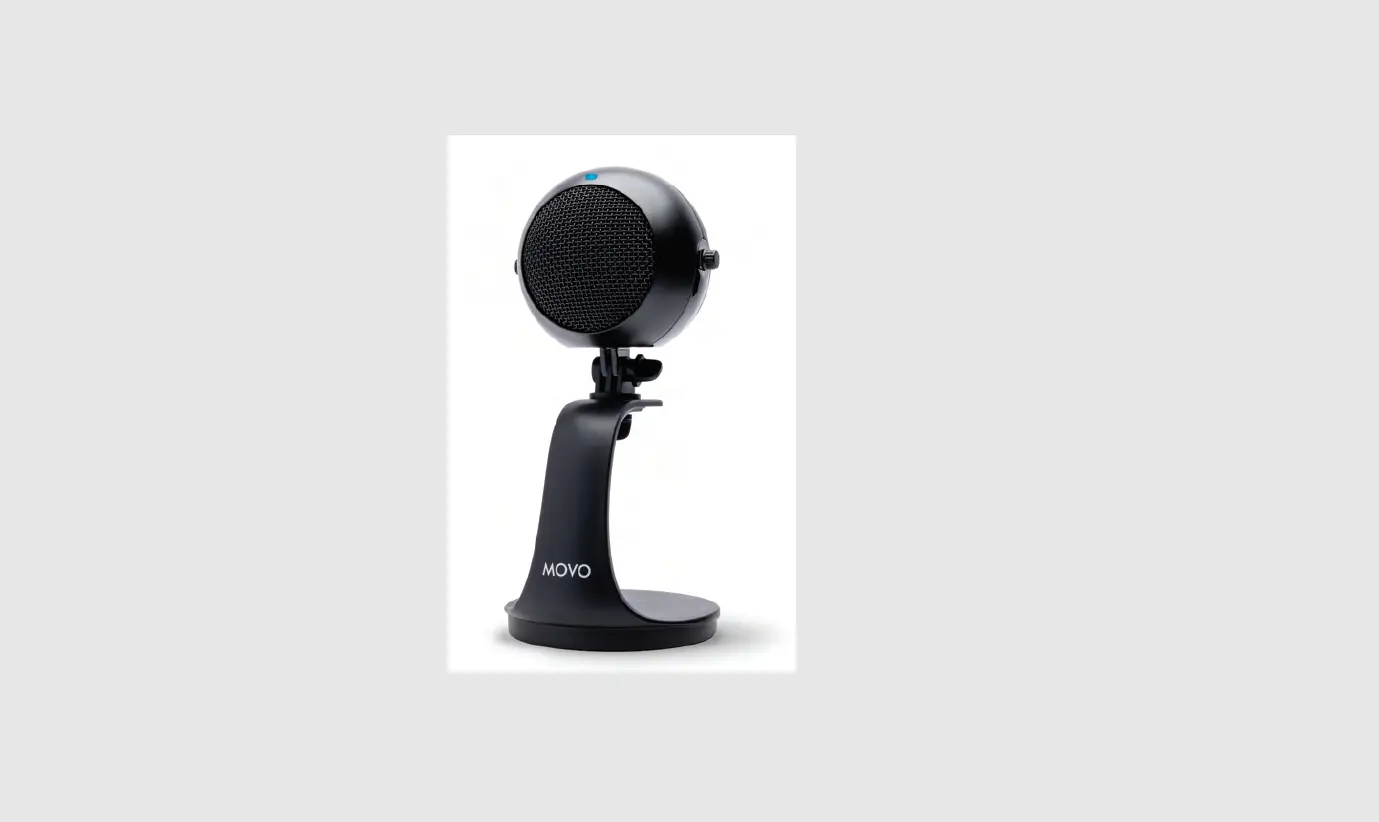
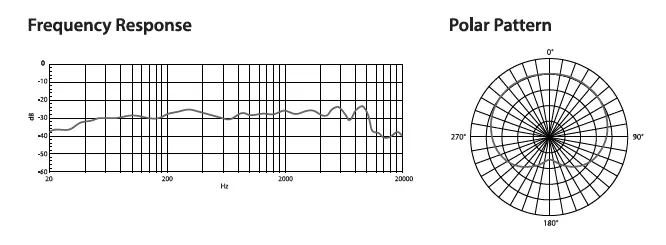
The Mova WebMic is a desktop USB microphone built for PC/Mac computers. With a cardioid pickup pattern, the WebMic is designed to capture sound in front of the microphone and effectively reduce unwanted background noise. It is ideal for home-studio recording, podcasting, vocal performance, and more. The WebMic features built-in controls for gain, headphone volume, and muting, and the 3.5mm headphone jack enables real-time monitoring. An adjustable desktop stand allows you to place your microphone at the angle that’s right for you.
Package contents
- WebMic Microphone
- Detachable Desktop Stand
- USB to USB-C Cable
Caution
If you do not intend to use the microphone for a long period of time, please remove the USB cable.
Do not touch the microphone while recording, as this will cause noise to be recorded. Do not let the microphone close to high-voltage equipment or to devices that emit strong electromagnetic fields, otherwise it may cause the noise to be recorded.
Do not use or leave the microphone in hot, humid places.
Product Structure
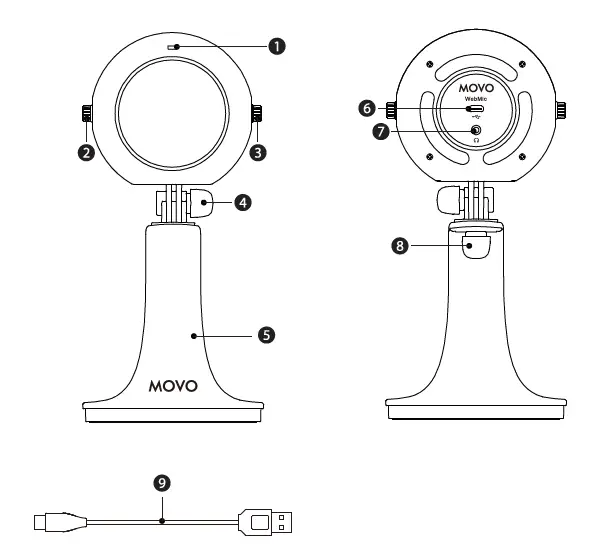
Power indicator
| Mode | Indicator |
| Power on | So lid blue lig ht |
| Power off | Light off |
| Mute on | So lid red li ght |
Gain control
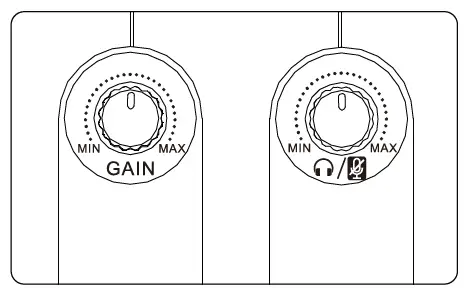
Turn the knob to adjust gain for microphone input level.
Headphone volume/mute control
- Turn the knob to adjust headphone volume.
- Press the knob to mute/unmute the microphone.
- Locking knob for angle adjustment
- Desktop stand
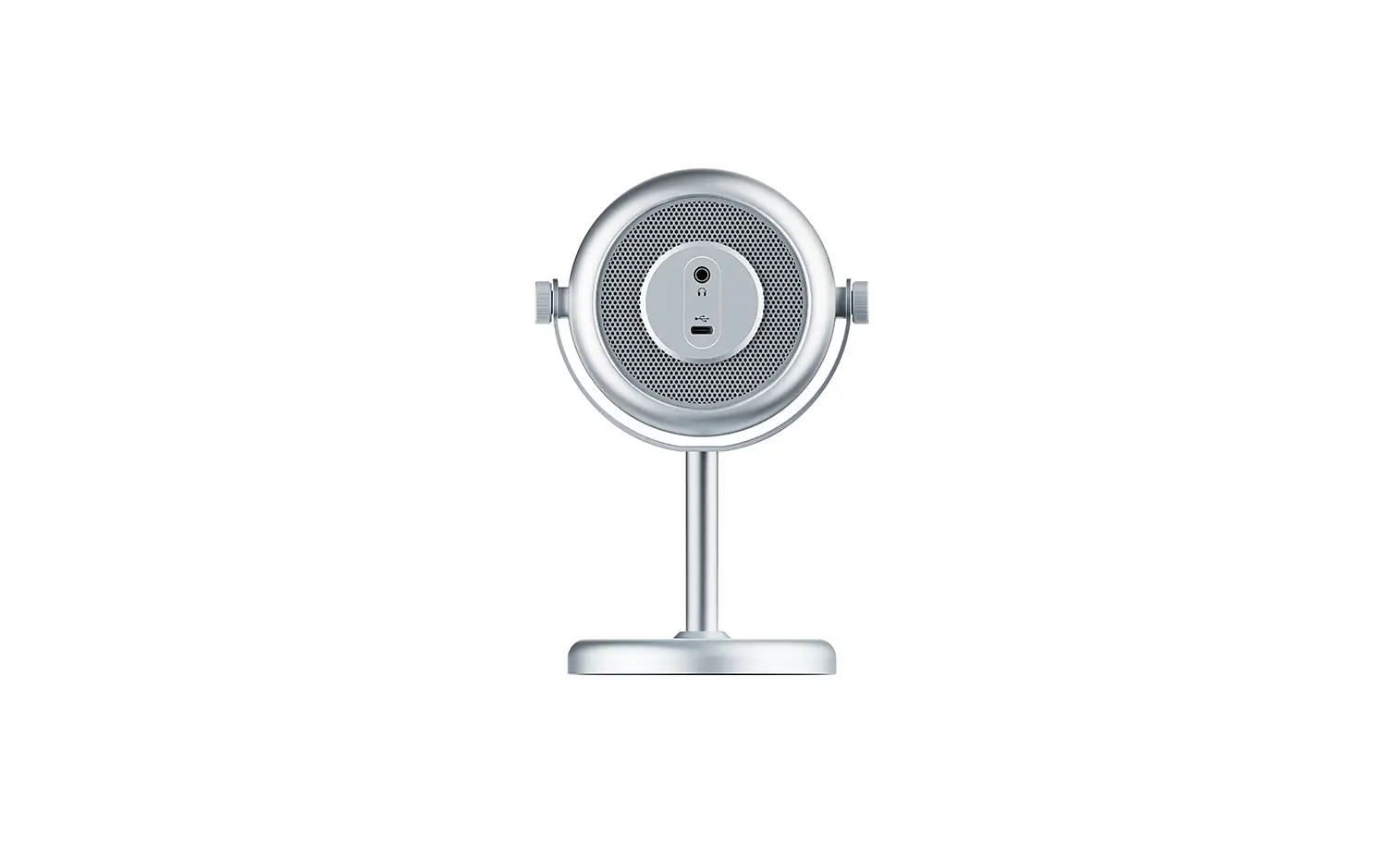
- USB-C audio output
- 3.5mm headphone output
- Locking knob for stand
- 52″ USB to USB-C audio output cable
How to Use

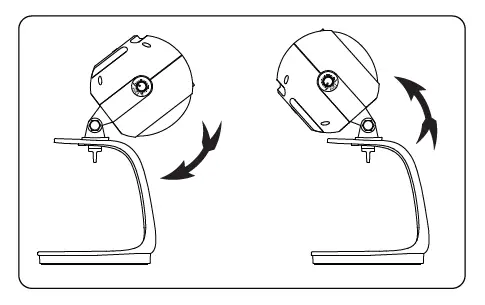
- Loosen the locking knob, adjust the microphone to the desired angle, then tighten the knob to secure.
- Turn the gain control and the volume control knobs halfway towards max before recording.
Note: 50% levels are recommended. Please turn up/down according to your needs. - Connect the microphone to a computer with the supplied cable.
- Connect your headphone to the 3.5mm headphone jack for real-time monitoring.
Setup for Windows 10
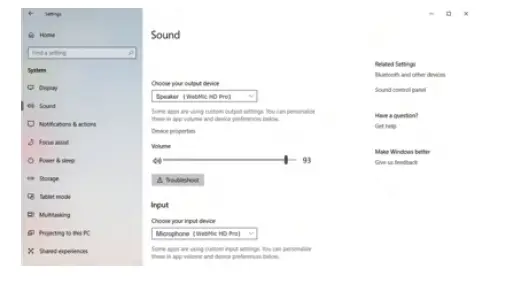
- Connect the microphone to your computer using the supplied cable.
- Go to”Settings•; choose”Sound” as shown.
- Select”Speaker WebMic” as the output device.
- Select”Microphone WebMic” as the input device.
Setup for Windows 7
- Connect the microphone to your computer using the supplied cable.
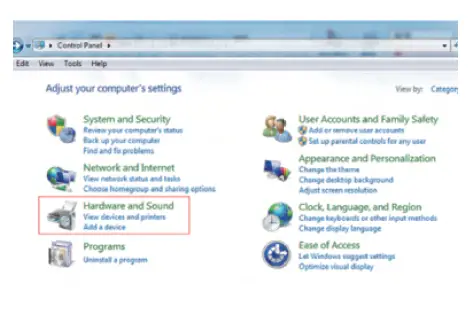
- From the”Settings Menu: select the “Control Panel
- Go to the “Control Panel select “Hardware and Sound”

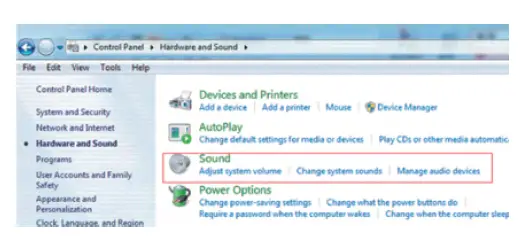
- Select”Sound”
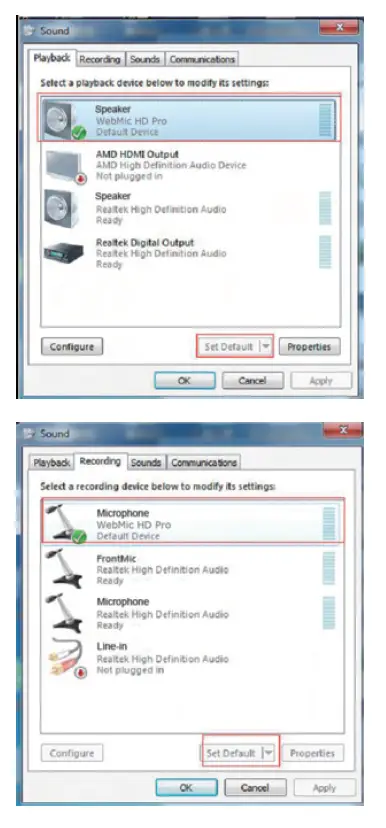
- Select”Speaker WebMic” as the default device in “Sound under the “Playback” menu.

- 6. Select “Microphone WebMic” as the default device in “Sound’. under the”RecordingN menu.
Setup for Apple System
- Connect the microphone to your computer using the supplied cable.
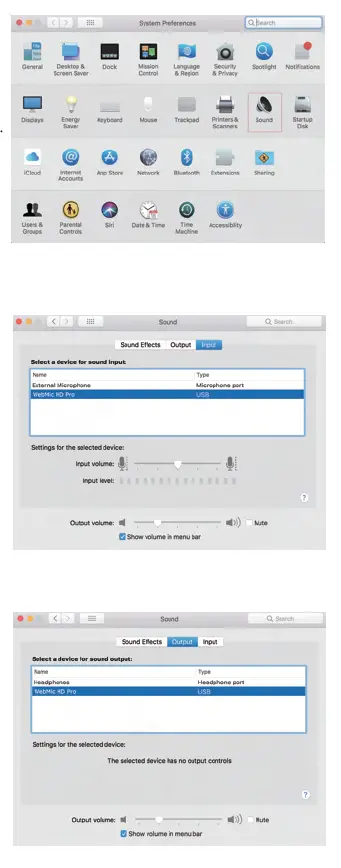
- Go to Apple lcon–>System Preferences–>Sound Icon.
- Select”WebMic”under the “In put” tab.
- Select”WebMic” under the “Output” tab.
Features
- High-quality desktop USB microphone
- Ideal for home-studio recording, podcasting, vocal performance, etc
- Compatible with PC/Mac computers
- Gain control, headphone volume control, and mute function
- 3.5mm headphone jack for real-time monitoring
- Cardioid polar pattern
- Durable detachable microphone desktop stand
Specifications
| Polar Pattern | Cardioid |
| Freque ncy Response | 20Hz-20kH z |
| Sensitiv ity | -45dB (Od B l V/Pa , 1 kH z 1Pa) |
| Power Consumption | 5V/ 120mA |
| Signal to Noise Rat io | 75d6 |
| M aximum SPL | 1 l(l{jB |
| M ic Gain | 38d6 |
| Sample Rate | 48kHz |
| Bi! Depth | 16b it/ 24b it |
| Audi o Outpu t Connecto r | 3.5mm headphone output |
| USB-C | |
| Dimensions | 249.6x 114.9×1 18.8mm (9.9×4.5×4.7″) |
| Weight | 556g (19.6 oz) |
HAPPY? LET US KNOW!

Share your experience with others by reviewing your product on Amazon. Scan the QR code below or visit: amazon.com/review/review-your-purchases#:
Act Now!
This product includes a 1 year limited warranty. If you register the product within 30 days of purchase, you’I I receive an additiona I 1-year warranty extension for a total of two years of protection.
To register your product and for full details on the warranty, v,sit www.movophoto.com/warranty or scan QR code:
NOT HAPPY? LET US HELP!
Our friendly and responsive customer service wants to make sure you have the best experience possible!
Call us at- 1-800-354-1739 (US)
Email us at
[email protected]
Monday-Friday:
9 am – 4 pm (PSD
Live chat us at
www.movophoto.com
Movo
www.movophoto.com
[email protected]