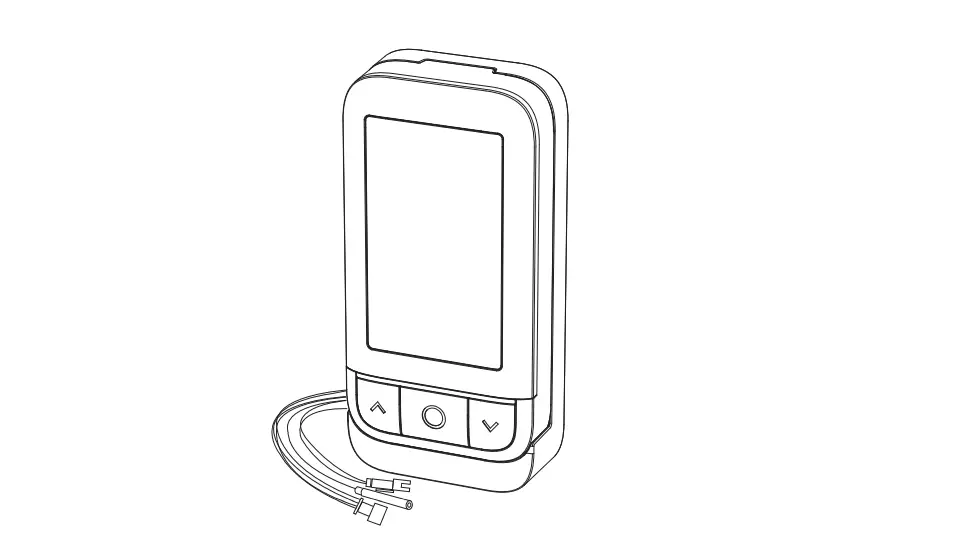
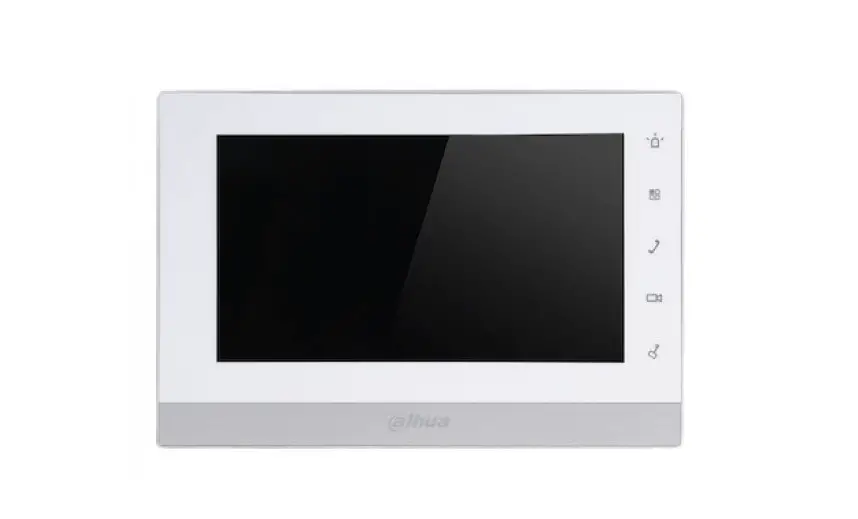
1760-31 Hands-Free Monitor
Product Information
Model: Mod. 1760
Product Code: DS1760-028
Product Name: VIDEOCITOFONO 7 VIDEO DOOR PHONE 7
Product Name (French): MONITEUR 7 VIDEOINTERFONO 7
Product Name (Dutch): 7 VIDEOSPRECHANLAGE 7 BEELDINTERCOM
Product Name (German): LBT21176
Schematic/Reference Numbers: 1760/31 – 1760/31A – 1760/33 –
1760/33A
Product Usage Instructions
Attention: To use the gesture commands (GESTURE), enable
the function on the video door phone. Access the configuration menu
and select the item: Accessibility —> Touchless actions
—> Gesture commands. This guide illustrates how to use the
gesture command while receiving a call (waiting for an answer) and
in audio operation.
Opgelet: Om gebarencommando’s (GESTURE) te gebruiken,
moet u deze functie op de beeldintercom inschakelen. Open het
configuratiemenu en selecteer de optie: Toegankelijkheid —>
Touchless acties —> Gebarencommando’s. In de volgende gids
wordt het gebruik van gebarenherkenning uitgelegd tijdens de
ontvangst van een oproep (wachten antwoord) en tijdens een
voicefunctie.
GESTURE 1:
- Sensore IR (IR sensor)
- Capteur IR (IR sensor)
- Sensor IR (IR sensor)
- IR-Sensor (IR sensor)
- IR-sensor (IR sensor)
Please refer to the user manual for more detailed instructions
on using the gesture commands and other features of the video door
phone.
Mod. 1760
DS1760-028
VIDEOCITOFONO 7″ VIDEO DOOR PHONE 7″
MONITEUR 7″ VIDEOINTERFONO 7″
7″ VIDEOSPRECHANLAGE 7″ BEELDINTERCOM
LBT21176
Sch./Ref.1760/31 – 1760/31A – 1760/33 – 1760/33A
GUIDA RAPIDA AI COMANDI GESTUALI / QUICK GUIDE TO GESTURE COMMANDS / GUIDE RAPIDE AUX COMMANDES GESTUELLES / GUÍA RÁPIDA DE COMANDOS GESTUALES / SCHNELLANLEITUNG ZU DEN GESTENSTEUERUNGEN / SNELLE GIDS BIJ DE GEBARENHERKENNING
ATTENZIONE! Per utilizzare i comandi gestuali (GESTURE) abilitare la funzione sul videocitofono. Accedere al menu di configurazione e selezionare la voce: Accessibilità —> Azioni senza tocco —> Comandi gestuali. La seguente guida illustra la modalità di utilizzo dei comandi gestuali durante la ricezione di una chiamata (attesa risposta) e nello stato di fonia.
ATTENTION! To use the gesture commands (GESTURE), enable the function on the video door phone. Access the configuration menu and select the item: Accessibility —> Touchless actions —> Gesture commands. This guide illustrates how to use the gesture command while receiving a call (waiting for an answer) and in audio operation.
ATTENTION! Pour utiliser les commandes gestuelles (GESTURE), activer la fonction sur le vidéophone. Accéder au menu de configuration et sélectionner l’élément : Accessibilité —> Actions sans contact —> Commandes gestuelles. Ce guide illustre le mode d’utilisation des commandes gestuelles lors de la réception d’un appel (attente décrochage) et en état de phonie.
¡ATENCIÓN! Para utilizar los comandos gestuales (GESTURE), activar la función en el videoportero. Ir al menú de configuración y seleccionar la opción: Accesibilidad —> Acciones sin contacto —> Comandos de gestos. Esta guía explica los modos de uso de los comandos gestuales durante la recepción de una llamada (espera de respuesta) y en el estado de fonía. ACHTUNG! Um die Gestensteuerungen (GESTURE) verwenden zu können, die Funktion an der Videosprechanlage freischalten. Greifen Sie dazu auf das Konfigurationsmenü der Videosprechanlage zu und markieren Sie den folgenden Menüpunkt: Barrierefreiheit —> Berührungslose Aktionen —> Gestenbefehle. Die folgende Anleitung veranschaulicht die Art und Weise der Verwendung der Gestensteuerungen während des Eingangs eines Anrufs (Wartezeit auf antwort) und im Gesprächsstatus.
OPGELET! Om gebarencommando’s (GESTURE) te gebruiken, moet u deze functie op de beeldintercom inschakelen. Open het configuratiemenu en selecteer de optie: Toegankelijkheid —> Touchless acties —> Gebarencommando’s. In de volgende gids wordt het gebruik van gebarenherkenning uitgelegd tijdens de ontvangst van een oproep (wachten antwoord) en tijdens een voicefunctie.
Attesa risposta / Waiting for an answer / Attente décrochage / Espera de respuesta / Wartezeit auf antwort / Wachten antwoord
GESTURE 1 Fonia / Audio operation / Phonie / Fonía / Gespräch / In voice
GESTURE 2 Apertura porta pedonale / Open pedestrian door / Ouverture porte piétons Apertura puerta para peatones / Öffnen Fußgängertür / Voetgangersdeur openen
GESTURE 3 Apertura passo carraio / Garage door opening / Ouverture du passage pour véhicules Apertura pasaje para vehículos / Öffnen Zufahrt / Inrijpoort openen
GESTURE 4 Termina chiamata / End call / Fin de l’appel Terminar llamada / Anruf beenden / Oproep beëindigen
GESTURE 1
1
Sensore IR IR sensor
2
Capteur IR
Sensor IR
IR-Sensor
IR-sensor
<2 s
<1 s
3
<1 s
4
GESTURE 2
1
<1 s
BEEP
BEEP
Attendere la conferma visiva della Gesture attivata prima di eseguire una nuova Gesture. Wait for the visual confirmation of the activated Gesture before running a new Gesture. Attendre la confirmation visuelle du Geste activé avant d’exécuter un nouveau Geste. Espere la confirmación visual del Gesto activado antes de ejecutar un nuevo Gesto. Warten Sie auf die visuelle Bestätigung der aktivierten Geste, bevor Sie eine neue Geste ausführen. Wacht op de visuele bevestiging van het geactiveerde gebaar voordat u een nieuw gebaar uitvoert.
2
BEEP 2
DS1760-028
GESTURE 3
1
<1 s
<3 s
2
<1 s
3
<1 s
BEEP
4
BEEP
BEEP
GESTURE 4
1
<1 s
<2 s
2
<1 s
3
BEEP
BEEP
DS1760-028
3
LIBRETTO COMPLETO COMANDI GESTUALI E VOCALI
Per le informazioni sull’utilizzo completo di tutti i comandi gestuali e vocali, scaricare il libretto completo scansionando il seguente QR Code con la fotocamera del proprio smartphone o tablet.
COMPLETE GESTURE AND VOCAL COMMAND BOOKLET NOTICE COMPLET DES COMMANDES GESTUELLES ET VOCALES MANUAL COMPLETO DE COMANDOS GESTUALES Y DE VOZ VOLLSTÄNDIGES ANLEITUNGSHEFT FÜR GESTEN- UND SPRACHBEFEHLE VOLLEDIGE HANDLEIDING VAN GEBAREN- EN STEMCOMMANDO’S
For information on how to use all the gesture and vocal commands, download the complete instruction booklet by scanning the following QR Code with the camera of your smartphone or tablet. Pour obtenir des informations sur l’utilisation complète de toutes les commandes gestuelles et vocales, télécharger le notice complet en scannant le code QR suivant avec l’appareil photo de son smartphone ou de sa tablette. Para obtener información sobre el uso completo de todos los comandos gestuales y de voz, descargar el manual completo escaneando el siguiente código QR con la cámara del teléfono móvil o la tableta. Um Informationen zur vollständigen Nutzung aller Gesten- und Sprachbefehle zu erhalten, laden Sie bitte das vollständige Heft herunter, indem Sie den folgenden QR-Code mit der Kamera Ihres Smartphones oder Tablets scannen. Voor informatie over het volledige gebruik van alle gebaren- en stemcommando’s kunt u het volledige boekje downloaden door de volgende QR-code te scannen met de camera van uw smartphone of tablet.
DS1760-028
URMET S.p.A.
10154 TORINO (ITALY)
VIA BOLOGNA 188/C
Telef.
+39 011.24.00.000 (RIC. AUT.)
Fax
+39 011.24.00.300 – 323
LBT21176
Area tecnica servizio clienti +39 011.23.39.810 http://www.urmet.com e-mail: [email protected]