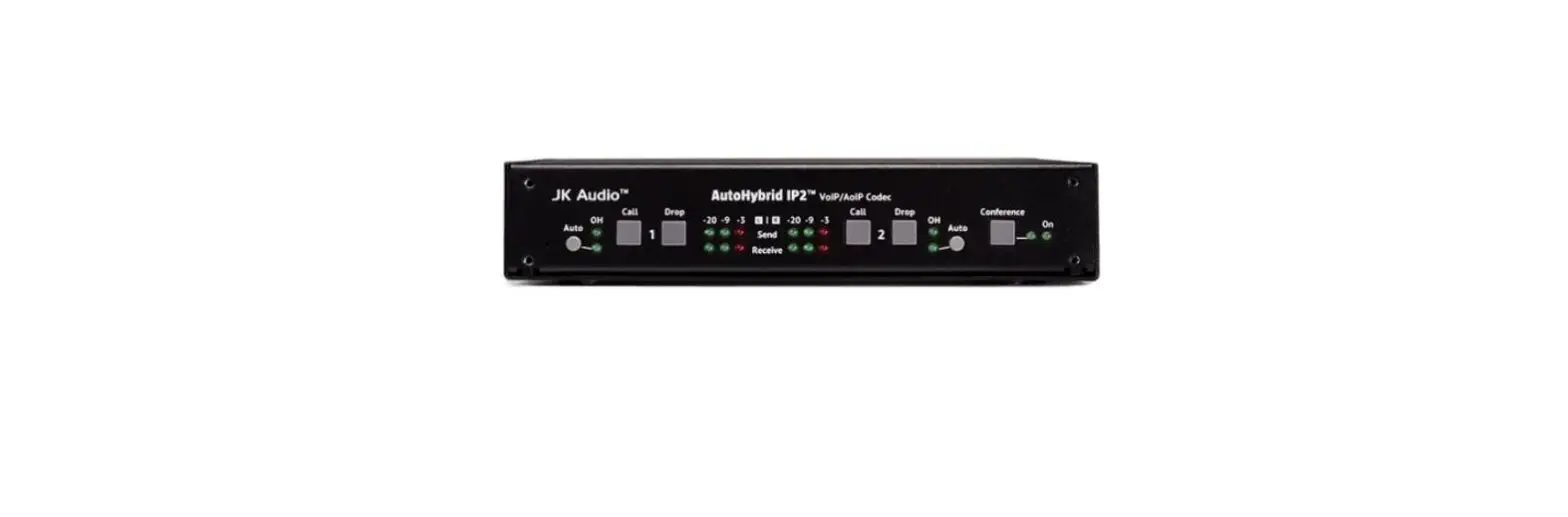
MARANI MDA2-140PAF IP Audio Advanced DSP
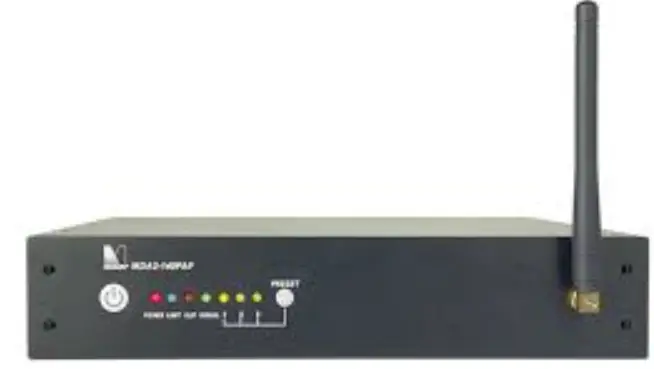
IP Audio-Advanced DSP- Sound Masking
Box Contents
One (1) MDA2-140PAF Phoenix Block Connectors
Power Cord This instruction sheet
Comprehensive installation and setup instructions are available at revolutionacoustics.com/downloads
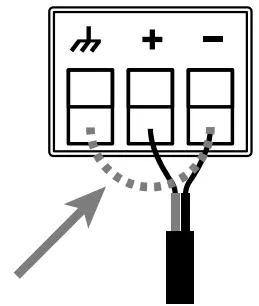
Balanced Input
If an unbalanced source input is used, ensure a jumper wire is connected between (-) and (g) on input Phoenix connector for each channel
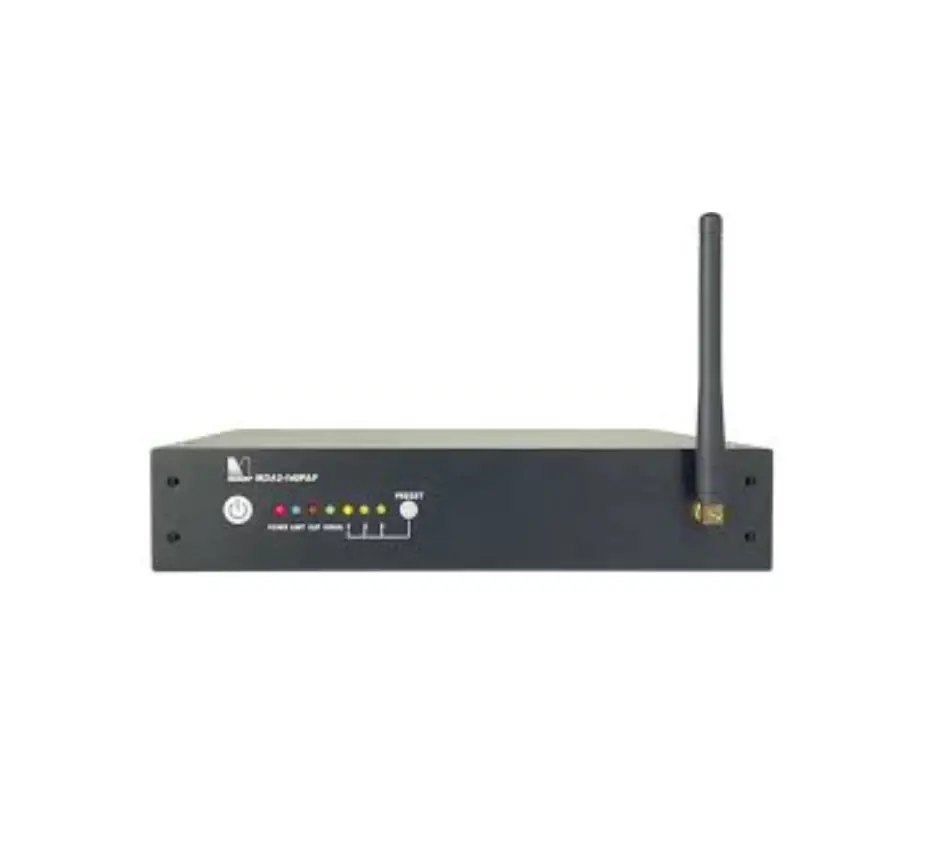
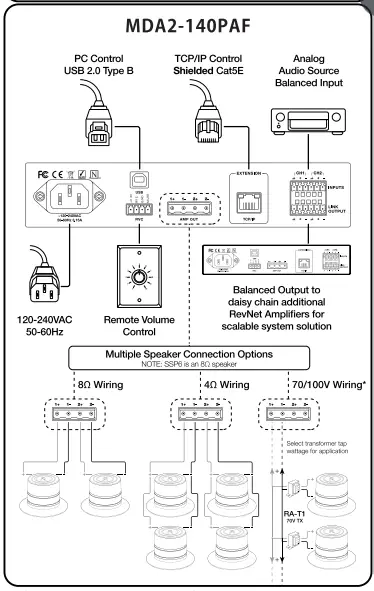
MDA2-140PAF
MDA2-140PAF Front Panel
Preset 1 : Drywall (Plasterboard)
Preset 2: Ubiqui-T360 Ceiling Tile Adaptor
Preset 3: Glass
Note: Any of these 3 positions can be written over with your own custom EQ settings should you wish to add a custom equalizat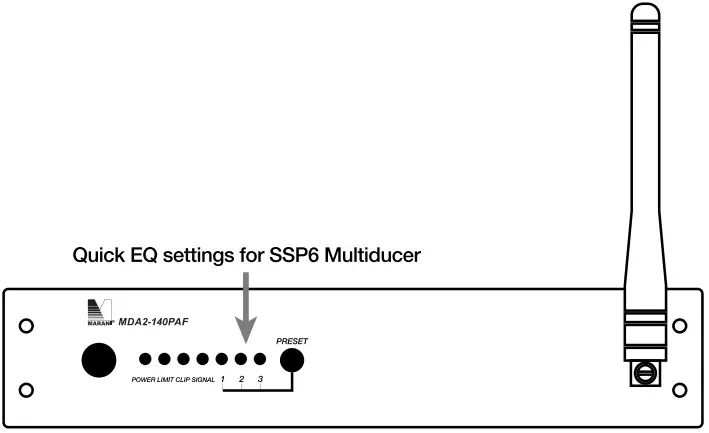
MDA2-140PAF (DANTE)
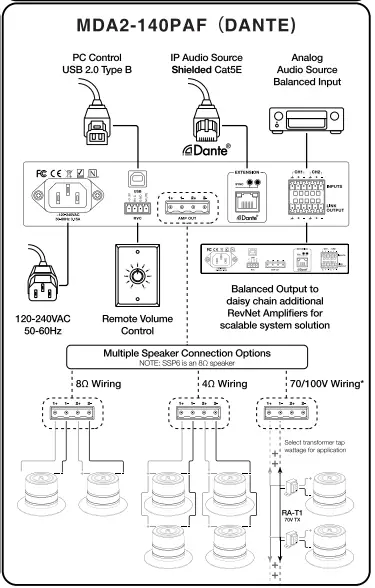
*NOTE: Channel 1 must be used for 70/1 00V Wiring
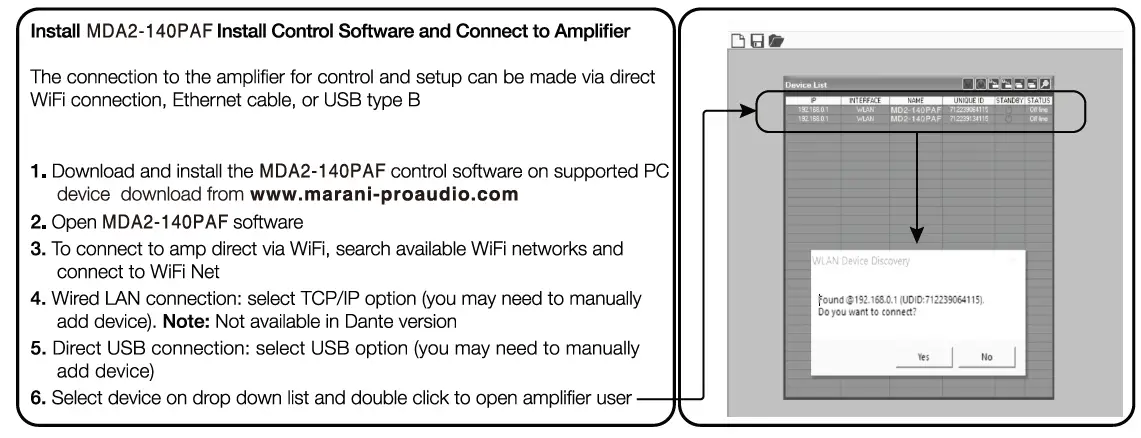
Install MD A2-140 PA F Install Control Software and Connect to Amplifier

- Load, Save, Store, Recall, and Copy settings to and from the amplifier
- Input and Output link check boxes when checked, changes made in one input or one output are applied to both inputs or both output
- Level Click to access the main screen Select Drive mode 40, 80, 160, 70V or 1 OOV; select input source; channel routing; and gain levels. All audio tools for all channels are quick accessible via silver shortcut buttons in channel workflow
- UR Click to access controls for both input channels including – Gain, Noise Gate and EQ filters
- 1 & 2 Click to access controls for output channels including EQ Filters, Gain, Compression, Limiter, and Dynamic Loudness
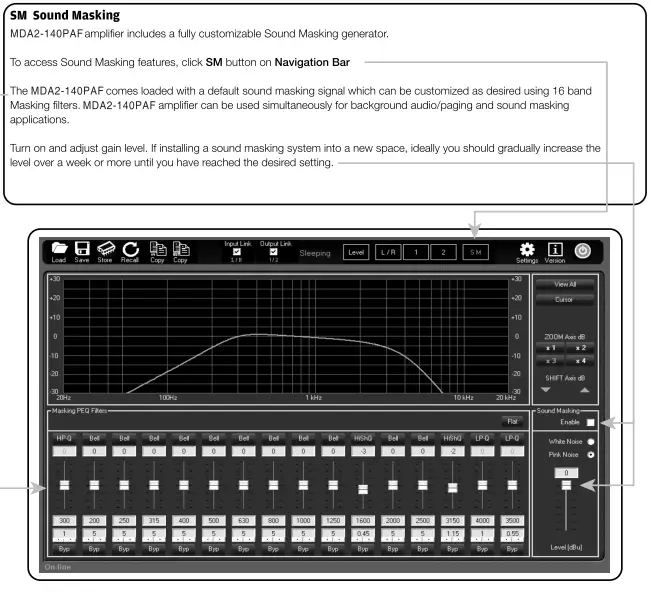
- SM Click to access controls for Sound Masking signal Enable and disable sound masking and adjust Masking EQ filters
- Settings Update firmware, rename device, and adjust network settings
- Power Button Toggle in and out of standby
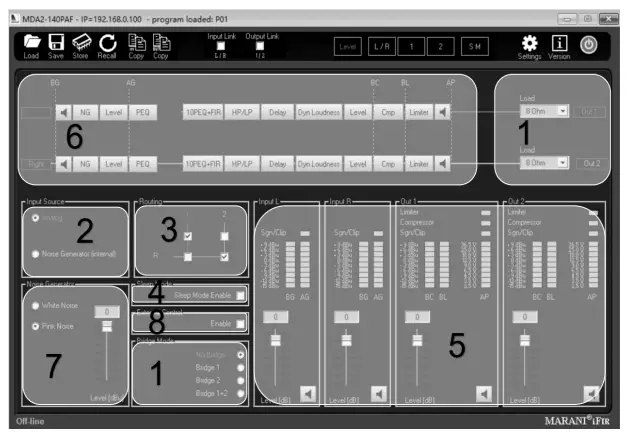
- Select Bridge Mode and Load
a. 40/80/160 (No Bridge)
b. 70V/1 OOV (Bridge 1, 2, or 1 +2) - Select Input Analog, Dante or Sound Masking (Noise Generator internal)
- Routing Route either input to either output
- Sleep Mode Enable to allow al’llp to go into sleep mode after 1 hour inactivity
- Gain Controls Adjust input and output levels
- Quick Access Buttons Quickly navigate to specific setting adjustment
- Noise Generator Test signal generator.
- External Control External potentiometer control.
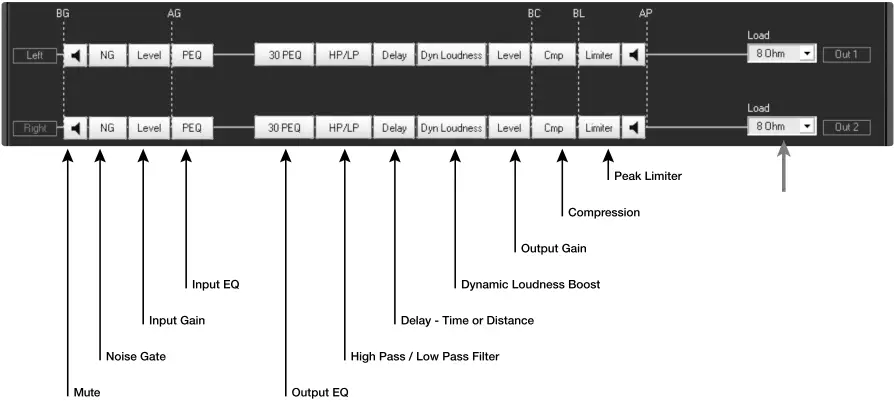
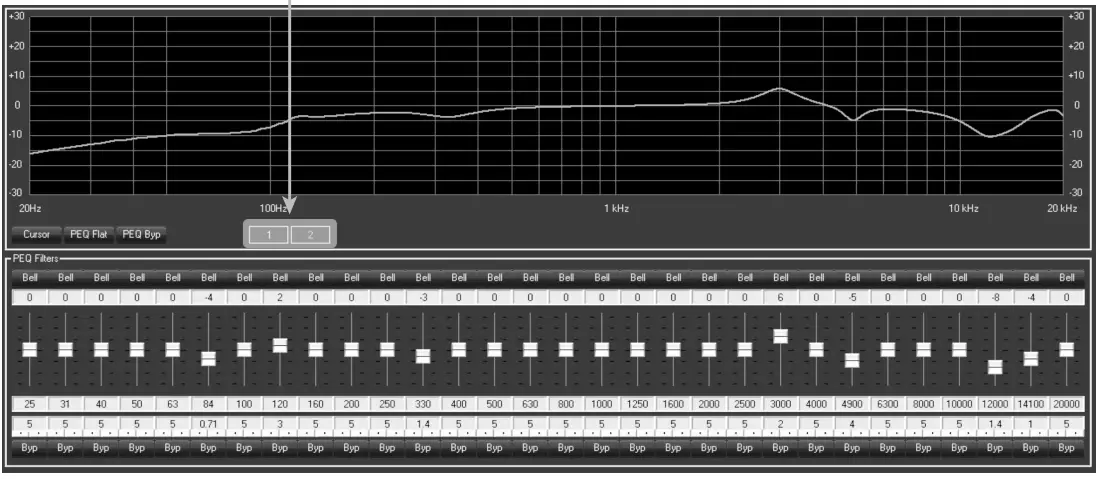
30 PEQ – Setting EQ Coefficients
The M DA2-140PAF amplifier includes front panel buttons for fast selection of EQ when using the amp with the Revolution Acoustics SSP6.
Manual EQ adjustments may also be made. EQ coefficients for the SSP6 are available at revolutionacoustics.com/downloads.
If connecting the amp outputs to SSP6 units on different substrates, you will need to configure the EQ manually for each output channel.