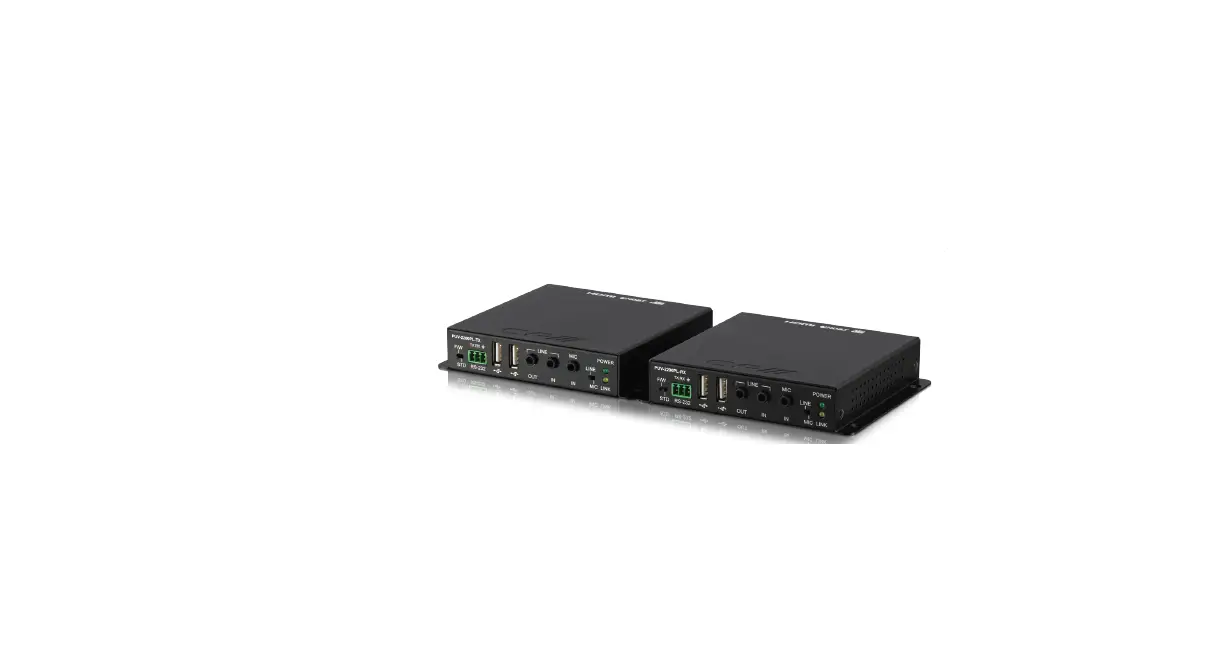
Prime Extend DP Box Transmitter
Product Information: Prime Extend DP Box Transmitter Standalone
Box
The Prime Extend DP Box is a transmitter standalone box produced
by Schubert System Elektronik GmbH. This product is designed to be
used in conjunction with third-party devices or components that are
recommended or approved by the manufacturer. The product complies
with relevant harmonized European standards (EN) for its respective
area of application.
The product manual contains important information about the
product, handling, and documentation that should be followed to
ensure proper and safe operation. The manual includes safety
instructions marked by a warning triangle and graded according to
the degree of risk. Non-compliance with these instructions can
cause damage to the product or other objects in the vicinity.
The product is intended for use only by qualified personnel who
are authorized to commission, ground, and label devices, systems,
and circuits in accordance with safety engineering standards. The
installation conditions and safety instructions specified in the
manual must be observed during the commissioning and ongoing
operation of the products.
Product Usage Instructions
To ensure safe and proper operation of the Prime Extend DP Box,
it is important to follow the instructions provided in the manual
carefully. Before installing or using the product, make sure to
read and understand all safety instructions.
Only qualified personnel should perform installation,
commissioning, operation, and maintenance work on the product. If
you are not qualified or authorized to perform these tasks, do not
attempt to do so.
When using the Prime Extend DP Box, make sure to use only
third-party devices or components that are recommended or approved
by the manufacturer. Failure to do so may result in damage to the
product or other objects in the vicinity.
Proper transport, storage, installation, and assembly are
essential for correct and safe operation of the product. Make sure
to follow the installation conditions and safety instructions
specified in the manual during the commissioning and ongoing
operation of the product.
Remember that non-compliance with safety instructions can cause
damage to the product or other objects in the vicinity. It can also
result in potential danger for the life and health of persons.
Therefore, it is important to observe all safety instructions
carefully to ensure safe and proper operation of the Prime Extend
DP Box.
Operating instructions
Prime Extend DP Box
Transmitter Standalone Box
Version 1.20
19. Apr. 2022
Prime Extend DP Box | To be observed in general
To be observed in general
Safety instructions
This document contains instructions that you must follow for your personal safety and to prevent damage to property. The instructions are marked by a warning triangle and are graded according to the degree of risk.
DANGER
Symbol with signal word: Danger Imminent danger to life and health of persons. Non-compliance will result in death or serious injury (crippling).
WARNING
Symbol with signal word: Warning Dangerous situation for the life and health of persons. Non-compliance may result in death or serious injury.
CAUTION
Symbol with signal word: Caution
Potentially dangerous situation Failure to do so may result in minor injury; also serves as a warning against damage to property.
Instructions for proper handling
Non-compliance can cause damage to the product or other objects in the vicinity.
Important information about the product, the handling of the product or the part of the documentation to which special attention should be paid.
Environmental protection Non-compliance may have an impact on the environment.
Designated use of the system
WARNING
Warning:
Products from Schubert System Elektronik GmbH may only be used for the purposes intended in the technical documentation and only in conjunction with third party devices or components that are recommended or approved by us.
Commissioning is prohibited until it has been established that the machine in which this component is to be installed complies with the provisions of Directive 2006/42/EC.
Correct and safe operation of the product is subject to proper transport, storage, installation and assembly as well as careful operation and maintenance.
Operating instructions 1.20
– I –
Prime Extend DP Box | To be observed in general
Qualification of the personnel Only qualified personnel may perform the following work on the products: Installation, commissioning, operation, maintenance. Qualified personnel in the sense of the safety instructions are persons who are authorized to commission, ground and label devices, systems and circuits in accordance with the standards of safety engineering.
Exclusion of liability We have reviewed the contents of this publication to ensure consistency with the hardware and software described. Since deviations cannot be precluded entirely, we cannot guarantee full consistency. The information in this publication is reviewed regularly and necessary corrections are included in subsequent editions. We are grateful for any suggested improvements.
Areas of application Products from Schubert System Elektronik GmbH comply with the relevant harmonized European standards (EN) for the respective area of application.
Warranty The agreements stipulated in the General Terms and Conditions of Business (GTC) apply to the equipment of Schubert System Elektronik GmbH.
Installation conditions The installation conditions and safety instructions specified in this document must be observed during the commissioning and ongoing operation of the products.
Trade names and/or trademarks All hardware and software names used are trade names and/or trademarks of the respective manufacturers.
Copyright Any user documentation is intended only for the operator and his personnel. Passing on and reproduction of this document and use and disclosure of its contents are prohibited unless expressly permitted. Any violations will result in compensation claims.
Operating instructions 1.20
– II –
Prime Extend DP Box | To be observed in general
EU Declaration of Conformity The product from Schubert System Elektronik GmbH complies with the directives listed in the “Technical data” chapter. The requirements are assessed on the basis of the standards listed therein.
The EU Declaration of Conformity and the associated documentation are provided in accordance with the directives at: Schubert System Elektronik GmbH take-off Gewerbepark 36 78579 Neuhausen ob Eck Germany
Note The Operating instructions Prime Extend DP Box describes the Prime Extend DP Box on Transfer of video and USB data. Please read the Operating instructions before using the device for the first time and keep it in a safe place for later use. It is intended for users with previous knowledge of PC and automation technology.
Intended purpose This Operating instructions is part of the technical documentation for Prime Extend DP Box. It provides technicians and system managers with the necessary information on installation, commissioning, operation and maintenance of the device.
Prime Extend DP Box US-English translation of the original German Operating instructions Material no. 69 02 164 © Copyright Schubert System Elektronik GmbH, 78579 Neuhausen ob Eck, 2022 We reserve the right to make technical changes.
Operating instructions 1.20
– III –
Prime Extend DP Box | Table of contents
Table of contents
1
Characteristics …………………………………………………………………………………………………..3
Connections and transmission ………………………………………………………………………………4
2 2.1 2.2 2.3 2.3.1 2.3.2 2.3.3
Installation …………………………………………………………………………………………………………5 Unpacking and checking delivery contents …………………………………………………………….5 Storage and transport…………………………………………………………………………………………..5 Installation …………………………………………………………………………………………………………..6 Temperature ……………………………………………………………………………………………………….. 6 Ventilation …………………………………………………………………………………………………………..6 Installation position and mounting………………………………………………………………………….7
3 3.1 3.2 3.3
3.3.1 3.3.2 3.4 3.4.1 3.4.2 3.4.3
Connection, commissioning and operation …………………………………………………………8 Establishing operational readiness …………………………………………………………………………8 Expanding the Prime Extend DP Box……………………………………………………………………..9 Connecting the power supply………………………………………………………………………………10 Supply voltage 5 V DC / 12 V DC / 24 V DC ………………………………………………………….10 Connection cable ……………………………………………………………………………………………….10 Plug connector for 5 V DC / 12 V DC / 24 V DC and functional ground …………………….11 Connecting peripheral devices …………………………………………………………………………….12 Access and arrangement of connections ………………………………………………………………12 Configuration of connections ………………………………………………………………………………12 Interfaces ………………………………………………………………………………………………………….13 USB ………………………………………………………………………………………………………………….13 DP ……………………………………………………………………………………………………………………13 Prime Extend …………………………………………………………………………………………………….13
4
Technical data ………………………………………………………………………………………………….14
4.1 General……………………………………………………………………………………………………………..14
4.2 Mechanical dimensions ………………………………………………………………………………………16
Operating instructions 1.20
Page 1 of 17
Prime Extend DP Box | Table of figures
Table of figures
Fig. 1-1: Fig. 1-2: Fig. 2-1: Fig. 3-1: Fig. 3-2: Fig. 3-3: Fig. 3-4: Fig. 4-1:
Prime Extend DP Box Device view…………………………………………………………………3 Prime Extend Block diagram …………………………………………………………………………4
Top-hat rail mounting ……………………………………………………………………………………..7
Connect the supply voltage 5 V DC / 12 V DC / 24 V DC …………………………………..10
Plug connector for 5 V DC / 12 V DC / 24 V DC and functional ground ……………….11
Connections to the peripherals ………………………………………………………………………12 Interface Prime Extend LEDs……………………………………………………………………….13 Prime Extend DP Box Device- and installation dimensions……………………………..16
Operating instructions 1.20
Page 2 of 17
Prime Extend DP Box | Characteristics
1 Characteristics
Prime Extend Provides the possibility of positioning an operator terminal a greater distance from the control cabinet computer and reducing the number of connecting cables at the same time. Transmission via Prime Extend: Video signals USB 2.0 Max. transmission distance 100 m All signals are transmitted via a single CAT Ethernet cable.
This requires the standalone Prime Extend DP Box as the transmitter (TX) on the computer side and the corresponding receiver (RX) on the terminal side.
The following includes a description of the Prime Extend DP Box.
Operating instructions 1.20
Fig. 1-1: Prime Extend DP Box Device view Page 3 of 17
Prime Extend DP Box | Characteristics
Connections and transmission The Prime Extend DP Box offers a DisplayPort (DP) as a connection for the video signals of the box PC. The graphics interface supports a maximum resolution of 1920 x 1200 pixels at 60 Hz and offers latency-free transmission in full HD. In addition, the Prime Extend DP Box has to be connected to the USB interface of the box PC and a separate power supply (5V/12V/24V).
Fig. 1-2: Prime Extend Block diagram
Operating instructions 1.20
Page 4 of 17
Prime Extend DP Box | Installation
2 Installation
2.1 Unpacking and checking delivery contents
Check the packaging of the Prime Extend DP Box for transport damage. Remove the packaging carefully to avoid damage.
Keep the original packaging in case you need to transport the Prime Extend DP Box again. Also keep the supplied documentation.
Check the contents of the packaging for visible transport damage. Check that the contents are complete using the delivery note.
2.2 Storage and transport
During storage and transport, observe the permissible limit values specified in the “General” section of the “Technical data” chapter. In cold weather and in the case of cold weather and extreme temperature differences, ensure that moisture does not condense on or in the device (dew).
Protect the Prime Extend DP Box from excessive mechanical stress. Suitable packaging improves its resistance to vibrations during transport. When transporting the individual device, the original packaging, including all shock-absorbing elements, or comparable packaging must be used!
Operating instructions 1.20
Page 5 of 17
Prime Extend DP Box | Installation
2.3 Installation
The Prime Extend DP Box is designed for operation in closed rooms. The following points are to be observed to ensure trouble-free operation of the Prime Extend DP Box and to avoid damage.
Please also refer to the “Technical data” chapter when installing the Prime Extend DP Box .
2.3.1 Temperature
Before commissioning: – Slowly adjust the device to the room temperature. – In case of condensation, do not start up the device until it is completely dry.
Prevent overheating during operation: Do not expose the device to direct irradiation from a heat source, such as sunlight.
The max. Ambient temperature range for operation must not exceed the value specified in the chapter “Technical data”.
2.3.2
Ventilation
Do not cover ventilation openings during the installation: These allow air circulation for the cooling of the device.
Provide sufficient volume for the air exchange in the control cabinet, etc. – The free space below and above the Prime Extend DP Box must be at least 10 cm. – A minimum of 5 cm is recommended for the lateral clearance.
Suitable ventilation must be provided.
Operating instructions 1.20
Page 6 of 17
Prime Extend DP Box | Installation
2.3.3 Installation position and mounting The Prime Extend DP Box is designed for installation in control cabinets. The unit is installed on a top-hat rail in a vertical position with the power supply facing upwards. Clamp fastening suitable for 35 mm profile rail according to DIN EN 50022 Quick and easy mounting by snapping onto the mounting rail
Fig. 2-1: Top-hat rail mounting
For the dimensions, see the “Technical data” chapter under section “Mechanical dimensions”.
Operating instructions 1.20
Page 7 of 17
Prime Extend DP Box | Connection, commissioning and operation
3 Connection, commissioning and operation
3.1 Establishing operational readiness
CAUTION
Caution: Interference-free connections for trouble-free operation
When connecting peripheral devices, it is necessary to use shielded bus and LAN cables with shielded connectors in order to meet the EMC requirements.
If possible, screw or lock the plug connectors This will improve the electrical shielding.
Signal lines must not be routed in the same cable duct as power lines.
All cable connections must be checked before commissioning the system.
It must be ensured that all voltages and signals comply with the required values.
CAUTION
Caution: Safe discharge of electrical interference
Connect the device and control cabinet to a central grounding point using the shortest possible path.
Ensure that the connection (functional earth) between the device and the control cabinet is as low impedance as possible.
The earth connection takes place via a terminal in the supply plug.
WARNING
Warning: Do not open the device The Prime Extend DP Box is a fully configured device. An extension by the user is not intended.
Emitted interference
according to EN 61000-6-4 limit class A This device may cause radio interference in residential areas; in this case, the operator may be required to implement appropriate measures.
Electrostatic discharge All assemblies and components are ESD sensitive. The ESD instructions must be observed. The adjacent symbol indicates the use of electrostatic sensitive devices (ESD). Avoid touching electrostatically sensitive components (e.g. connector pins). Discharge your body electrostatically before touching the device (e.g. by touching a grounded metallic object). The system is to be switched off during maintenance work.
Operating instructions 1.20
Page 8 of 17
Prime Extend DP Box | Connection, commissioning and operation
3.2 Expanding the Prime Extend DP Box
Limitation of liability
The devices are supplied with a specific hardware and software configuration according to the respective application.
No liability can be assumed in the event of changes to the hardware or software that go beyond the documented possibilities or in the event of improper use of the components.
Precautionary measures
CAUTION
Note:
Electronic components are very sensitive to electrostatic discharges. Precautionary measures must therefore be taken when handling the assemblies. These can be found in the guidelines for electrostatically sensitive components (ESD guidelines).
Before plugging in the cables, the static charge of your body, that of the Prime Extend DP Box and the cables must be brought to the same potential.
Divert electrostatic charges from your tools.
Never operate the Prime Extend DP Box with the housing open.
Preconditions
The devices of the Schubert System Elektronik GmbH feature peripheral interfaces that can be used to connect various components.
When using commercially available peripheral devices (e.g. at the USB port), please note that their EMC interference immunity is often designed for office use.
However, they are not suitable for operation in an industrial environment!
For process operation, devices that are connected must have the CE mark (for the area of industry).
When connecting peripheral devices, ensure that they are suitable for industrial use!
Hot-plugging
The plugging and unplugging of the cables at the peripheral connections (Prime Extend, DP, USB) is possible during operation.
Operating instructions 1.20
Page 9 of 17
Prime Extend DP Box | Connection, commissioning and operation
3.3 Connecting the power supply
Supply voltage 5 V DC / 12 V DC / 24 V DC
WARNING
Warning:
The device has to be supplied by SELV- or PELV-circuits, rated 24 VDC (4.6…31.2 V) according UL/EN 61010-2-201.
Voltage range (see the “Technical Data” chapter in the “General” section)
Observe “+” and “-” polarity!
Functional earthing: Connect the ground point to the cabinet ground point! A terminal in the 4-pin connector of the power supply is intended for the connection of the functional ground (see the details provided in this chapter under section “Plug connector for 5 V DC / 12 V DC / 24 V DC and functional ground”).
POWER SUPPLY 5 V DC / 12 V DC / 24 V DC
WARNING
Note: pin assignment
Fig. 3-1: Connect the supply voltage 5 V DC / 12 V DC / 24 V DC
3.3.1
Connection cable
The following is recommended for connecting the power supply: Recommended Copper conductor 0,5 mm² Tightening torque 0.5 … 0.6 Nm
Operating instructions 1.20
Page 10 of 17
Prime Extend DP Box | Connection, commissioning and operation
3.3.2 Plug connector for 5 V DC / 12 V DC / 24 V DC and functional ground
on the top of the device:
Base strip
MSTBO 2.5/ 4-G1R THR BK
4-pin, pitch: 5 mm Phoenix Contact part no. 2709752
Plug component
Enclosed as accessory on delivery!
MSTBT 2.5/ 4-ST
4-pin, pitch: 5 mm Imprint: 24V + Phoenix contact art. no. 1754063
Designation +
Meaning GND supply voltage +5/+12/+24 V Supply voltage n.c. Functional ground
Fig. 3-2: Plug connector for 5 V DC / 12 V DC / 24 V DC and functional ground
Supply voltage 5 V DC, 12 V DC or 24 V DC
The Prime Extend DP Box can be supplied with one of these three voltages and automatically detects the respective power supply.
Connect the supplied plug to the wires of a cable according to the labeling and plug it into the socket on the top of the housing. Connect the “+” and “” wires of the supply cable to the respective supply.
Connect the line to the ground at the installation location.
The device is ready for operation with 5 V DC, 12 V DC or 24 V DC.
Operating instructions 1.20
Page 11 of 17
Prime Extend DP Box | Connection, commissioning and operation
3.4 Connecting peripheral devices 3.4.1 Access and arrangement of connections
The connections to the peripherals are located on the front of the housing.
Fig. 3-3: Connections to the peripherals
Connections are standardized contacts with the known standard pin assignments.
3.4.2 Configuration of connections
Designation USB DP Prime Extend
Interfaces USB 2.0 DisplayPort Video and USB signals
Plug configuration USB type mini-B socket, 4-pin DisplayPort socket, 20-pin RJ45 socket, 8-pin, 2 LEDs
Connection Box PC Box PC Terminal
Operating instructions 1.20
Page 12 of 17
Prime Extend DP Box | Connection, commissioning and operation
3.4.3 Interfaces
USB The interface supports USB 2.0 and is to be connected to a USB port on the box PC.
DP The interface is to be connected to the DisplayPort on the box PC.
Prime Extend
The Prime Extend DP Box is to be connected to the remote operator terminal via this interface.
A standardized CAT-6a Ethernet cable must be used for the connection.
The LEDs integrated in the RJ-45 socket show the following operating states:
RJ45 socket
Color yellow
green
Meaning
The LED indicates different states, and whether the firmware has been loaded.
LED off
No FW loaded
LED flashes 0.5 Hz Entire FW has been fully loaded and is running
LED flashes 2.5 Hz Internal boot-FW has been loaded and is running
LED flashes 5.0 Hz Basic-FW was loaded
LED on
Link established
LED off
No link
Fig. 3-4: Interface Prime Extend LEDs
Operating instructions 1.20
Page 13 of 17
Prime Extend DP Box | Technical data
4 Technical data
4.1 General
Component Device system
Housing
Protection class (tightness)
Weight Supply voltage
Nominal voltage Voltage range Over-voltage category External interfaces Prime Extend
Connection Connecting cable (request) maximum length DP supports max. resolution Connection Connecting cable USB supports
Connection Connecting cable
Description
Designation
Transfer of video and USB data
Prime Extend
Transmitter Standalone Box
Prime Extend DP Box
Material no.
63 10 068
Insulated housing, built-in unit
Complete housing made of polyamide, with metal base latch, with ventilation slots
Housing fixed via profile rail 35 mm according to DIN EN 50022
according to EN 60529
IP 20 (not evaluated by UL)
117 g
5 V DC / 12 V DC / 24 V DC 4.6 V DC … 31.2 DC II
RJ-45 socket CAT 6a / CAT 7 / AWG 22 100 m
V1.2 and V1.1a 1920 x 1200 pixels @ 60 Hz DisplayPort socket max. 5 m
USB 2.0 max. 7 devices (depending on the endpoints) USB type mini-B socket max. 5 m
Operating instructions 1.20
Page 14 of 17
Prime Extend DP Box | Technical data
Component
Description
Ambient temperature range Operation
Storage/transport Relative humidity Ambient atmosphere Degree of pollution Altitude
Operation Applied standards
Vibration resistance (in operation)
Shock resistance (in operation)
EMC Emitted interference Interference resistance
Product safety Applied directives
CE
-20 ºC to +50 ºC Vertical installation position [power supply upwards] with natural convection -20 ºC to +55 ºC 10% … 80%, non-condensing free from corrosive gases 2
max. 2,000 m above sea level
according to EN 60068-2-6 2…9 Hz: 3.5 mm Amplitude 9…200 Hz: 1 g according to EN 60068-2-27 15 g: 11 ms 25 g: 6 ms CE conformity testing according to EN 61000-6-4 limit class A according to EN 61000-6-2 according to EN 61010-2-201
2014/30/EU EMV directive 2015/863/EU RoHS directive
Operating instructions 1.20
Page 15 of 17
Prime Extend DP Box | Technical data 4.2 Mechanical dimensions
Dimensions in mm General tolerance
ISO 2768 mK
Fig. 4-1: Prime Extend DP Box Device- and installation dimensions
Operating instructions 1.20
Page 16 of 17
www.schubert-system-elektronik.de
The forwarding or reproduction of this document as well as the use or disclosure of its contents are prohibited unless expressly permitted. Any violations will result in compensation claims. All rights reserved in the case of the granting of a patent or utility model registration.
Schubert System Elektronik GmbH take-off Gewerbepark 36 78579 Neuhausen ob Eck, Germany
Tel. +49 7467 9497-0 Fax +49 7467 9497-350
[email protected] www.schubert-system-elektronik.de
 System-Elektronik
 Schubert System Elektronik GmbH | Schubert System Elektronik