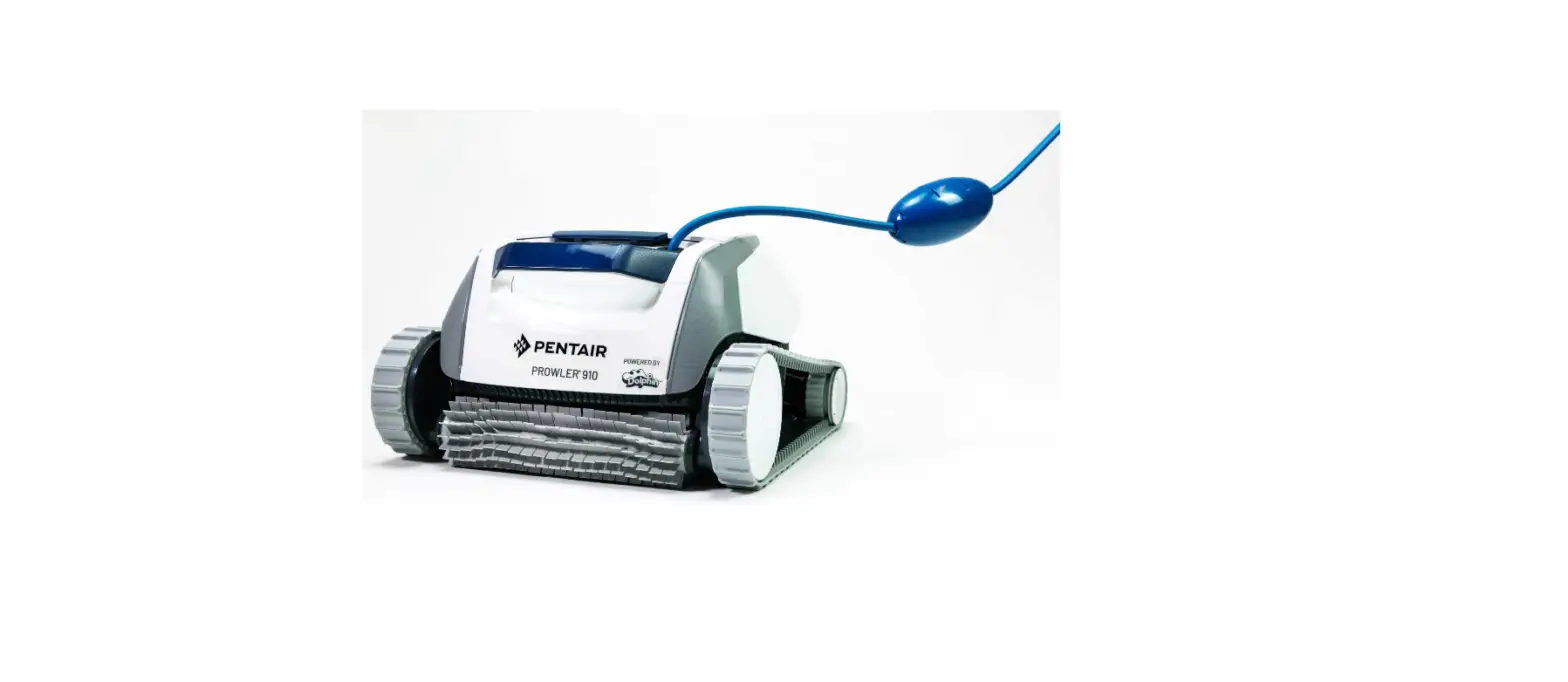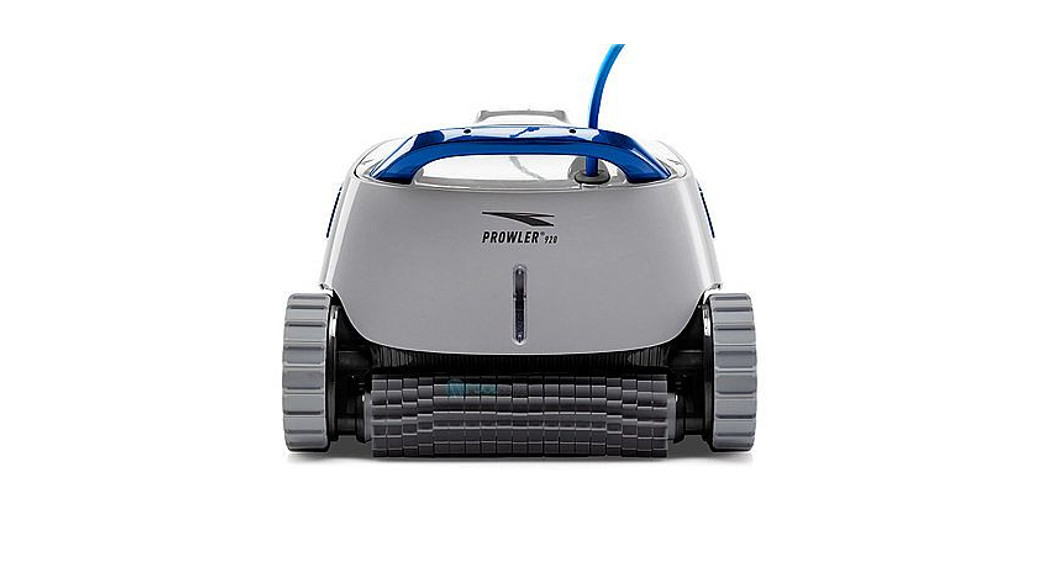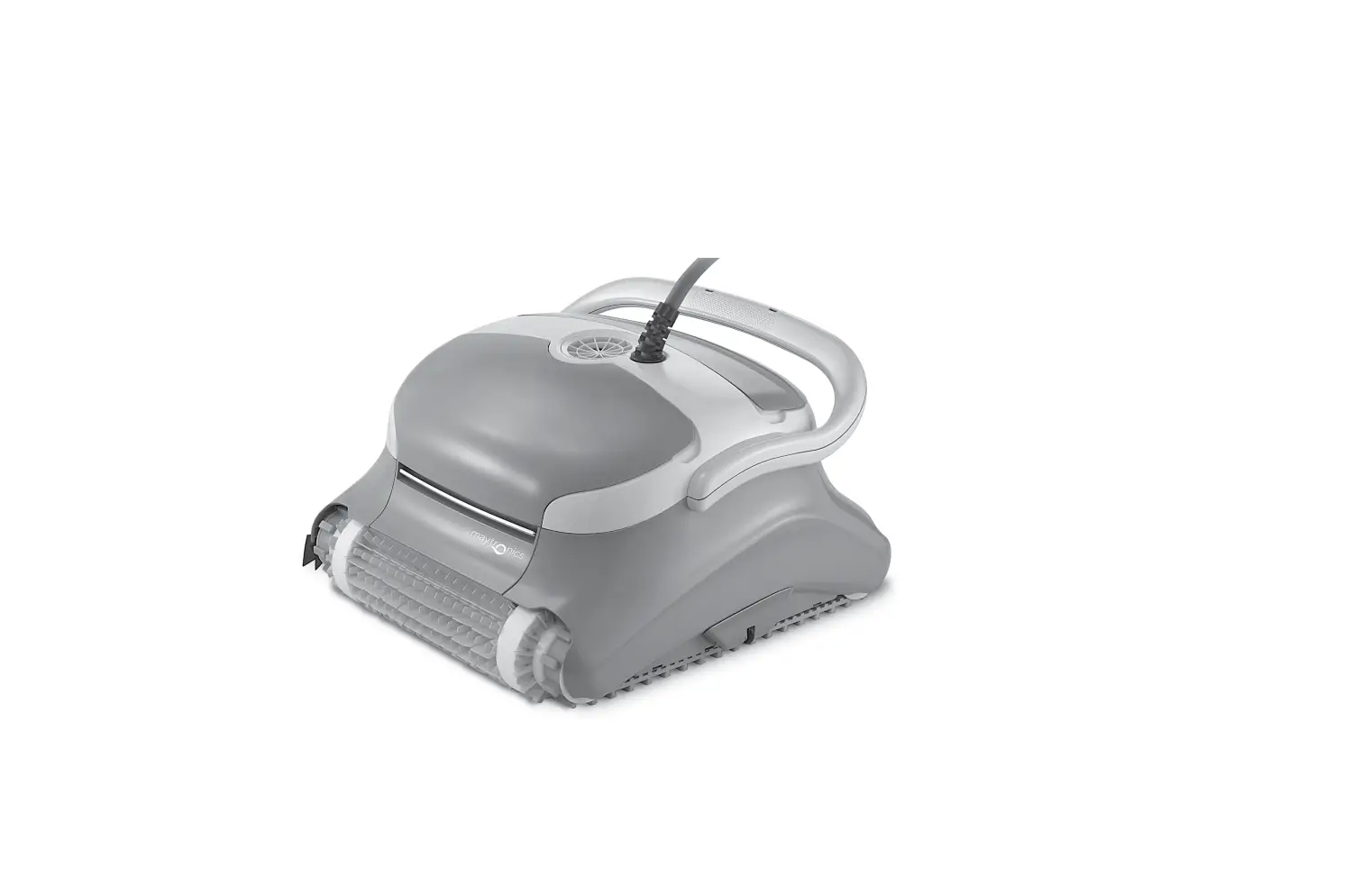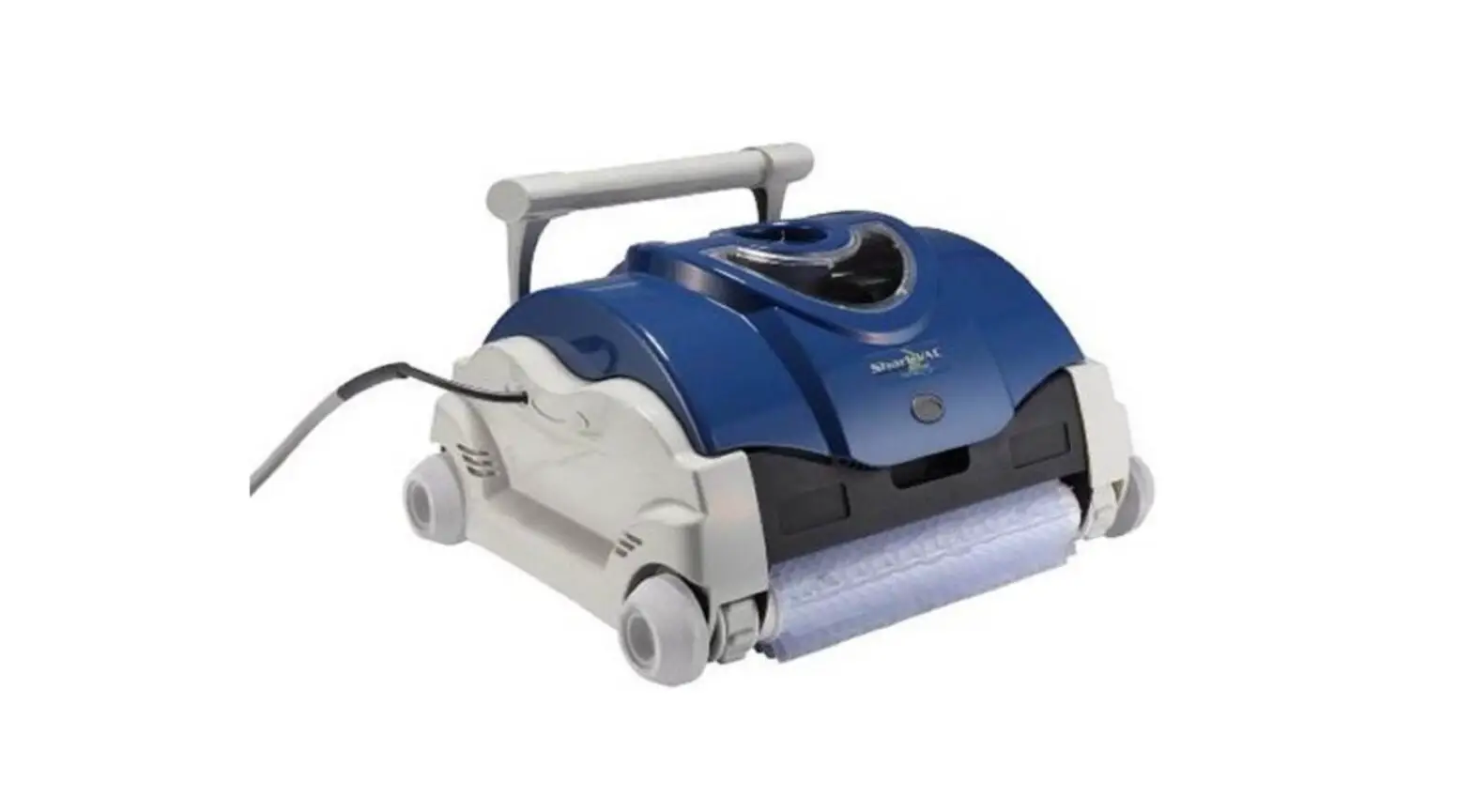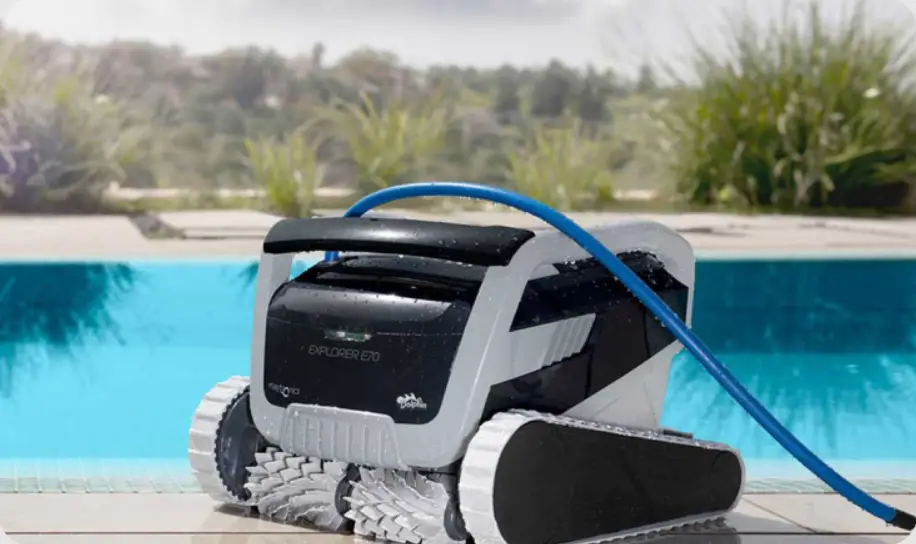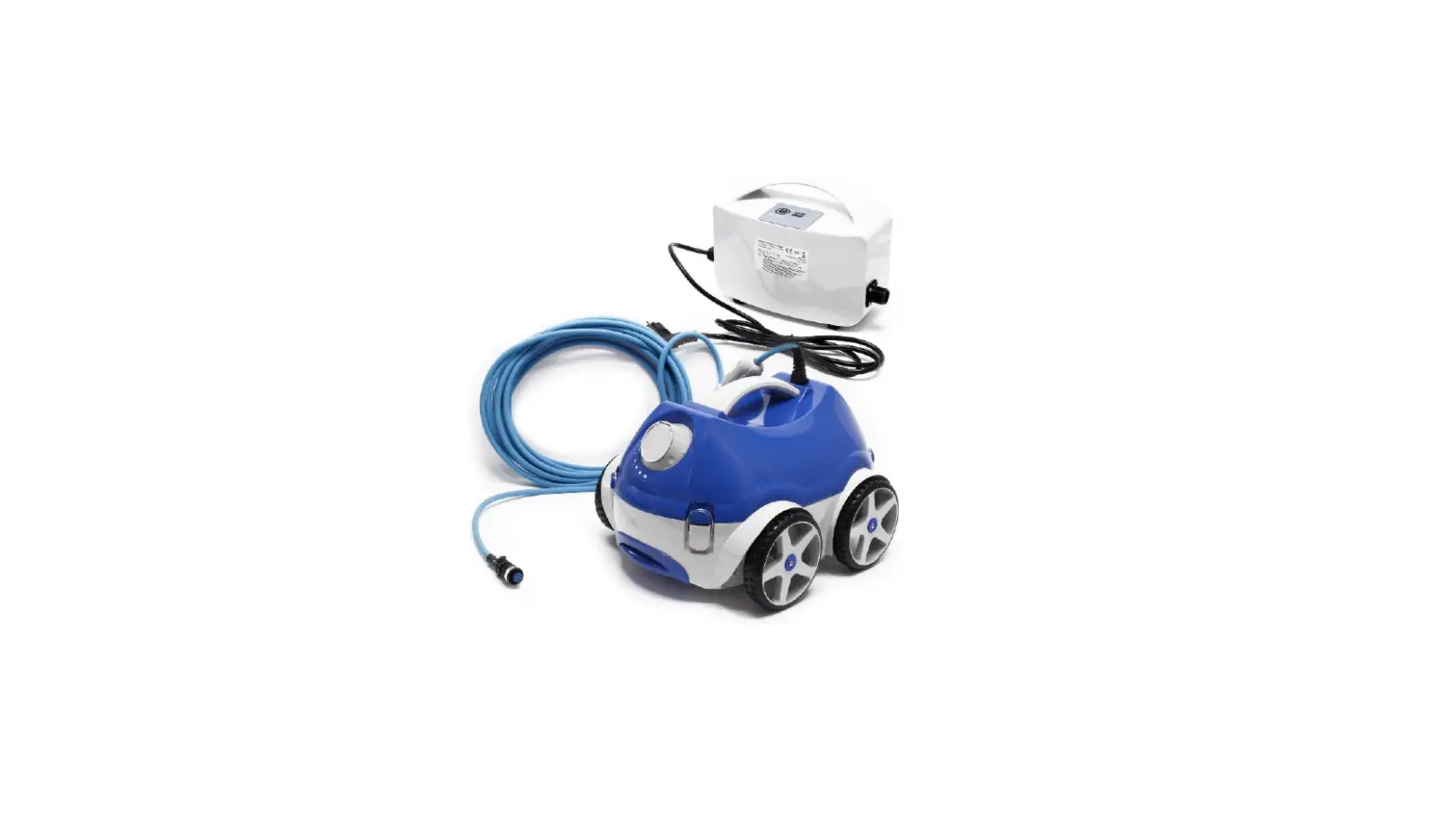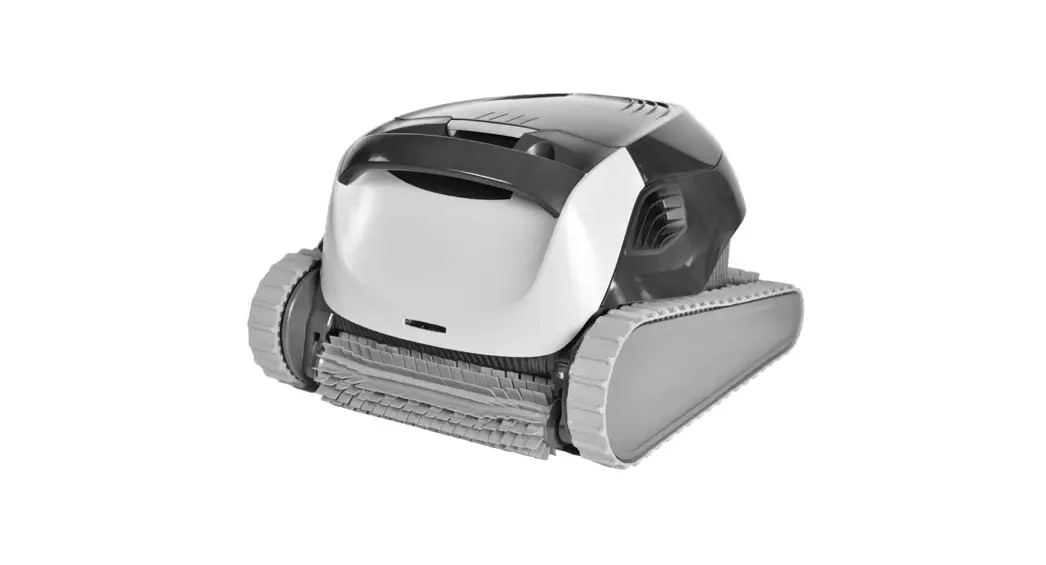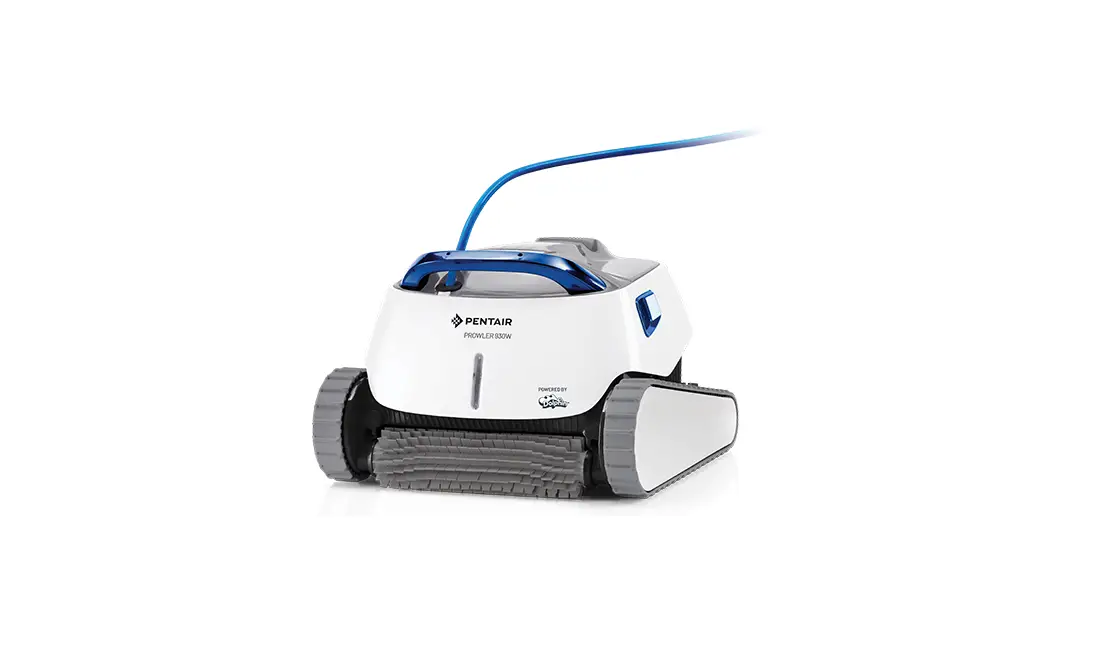
PENTAIR Prowler 930w Robotic Inground Pool Cleaner Installation Guide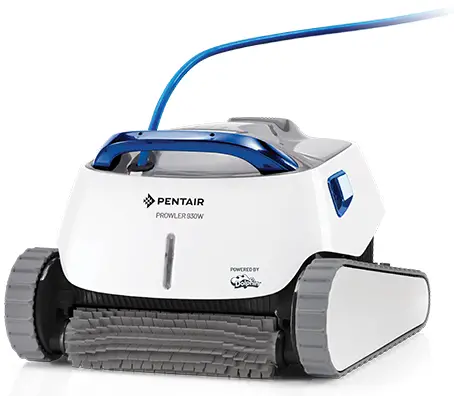
IMPORTANT SAFETY INSTRUCTIONS
 Important Notice:
Attention Installer: This guide contains important information about the installation, operation and safe use of this product. This information should be given to the owner and/or operator of this equipment after installation of the pool cleaner.
Attention User: This manual contains important information that will help you in operating and maintaining this pool cleaner. Please retain it for future reference. Consult Pentair with any questions regarding this equipment
 WARNING: Before installing this product, read and follow all warning notices and instructions which are included. Failure to follow safety warnings and instructions can result in severe injury, death, or property damage. Call (800) 831-7133 for additional free copies of these instructions.
Consumer Information and Safety
These pool cleaners are designed and manufactured to provide many years of safe and reliable service when installed, operated and maintained according to the information in this manual. Throughout the manual, safety warnings and cautions are identified by the “ ” symbol. Be sure to read and comply with all of the warnings and cautions.
WARNING: R I S K O F E L E C T R I C A L SHOCK OR ELECTROCUTION. Connect only to a grounding type receptacle protected by a ground-fault circuit-interrupter (GFCI). Contact a qualified electrician if you cannot verify that the receptacle is protected by a GFCI.
WARNING: HAZARDOUS SUCTION.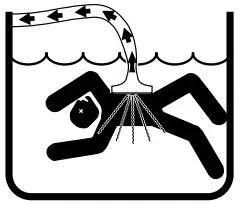 Do not play with cleaner or hose or apply to body. Can trap and tear hair or body parts. Hose can trip or entangle swimmers which could result in drowning.
WARNING: Do not operate the robotic pool cleaner when there are people swimming in the pool. Hose can trip or entangle swimmers which could result in drowning.
WARNING: Keep the robotic pool cleaner out of reach of persons with reduced physical, sensory or mental capabilities, or lack of experience and knowledge, without proper supervision and understanding of the instructions.
WARNING: To reduce the risk of electrical shock, do not use extension cord to connect unit to electrical supply.
WARNING: An original power cable must be used at all times, replaced by a certified technician, if needed to avoid hazard.
WARNING: When examining the robotic pool cleaner, disconnect the main power supply.
WARNING: Keep the robotic pool cleaner out of reach of children.
WARNING: This product contains a chemical known to the state of California to cause cancer, birth defects or other reproductive harm.
 CAUTION: To avoid hand injury, operator should keep hands away from drive mechanism.
CAUTION: Position the caddy and power supply at least 12 feet (3.5 m) from the edge of the pool during operation.
CAUTION: Do not bury cord. Locate cord to minimize abuse from lawn mowers, hedge trimmers and other equipment.
CAUTION: When lifting the robotic pool cleaner, take care to prevent back injury
General Installation Information
FCC Statement
NOTE: This equipment has been tested and found to comply with the limits for a Class B digital device, pursuant to part 15 of the FCC Rules. These limits are designed to provide reasonable protection against harmful interference in a residential installation.
This equipment generates, uses and can radiate radio frequency energy and, if installed and used in accordance with the instructions, guarantees that interference will not occur in a particular installation. If this equipment does cause harmful interference to radio or television reception, which can be determined by turning the equipment off and on, the user is encouraged to try to correct interference by one or more following measures:
- Reorient or relocate the receiving antenna.
- Increase the separation between the equipment and the receiver.
- Connect the equipment into an outlet on a circuit different from that to which the receiver is connected.
- Consult the dealer or an experienced radio/TV technician for help
Changes or modifications to this equipment not expressly approved by the party responsible for compliance (Pentair) could void the user’s authority to operate this equipment.
Pre-Installation Check List
Before installing your cleaner, review and understand all warnings and safety information in this guide. Failure to follow these instructions or improper installation of the cleaner can result in damage to the pool finish or the vinyl liner, Pentair disclaims any liability for repairs or replacement to any of these structures or components of the customer’s pool.
Before installing the cleaner in a vinyl liner pool:
Check liner closely for signs of deterioration or damage from age, chemicals, pool wall damage, etc. If any damage is found, have a qualified pool professional make all the necessary repairs. Also, if there are stones, roots, etc., under the liner, remove them before installing the cleaner.
Before installing the cleaner in a gunite pool or a pool that is partially or completely tiled:
Repair loose tiles and tighten any loose light rings.
Before installing the cleaner, clean your filter system:
Make sure you have cleaned the filter, including backwashing, rinsing, and emptying all baskets. A clean system is necessary for proper cleaner operation and coverage.
Before installing the cleaner, understand cleaner coverage:
The cleaner is designed to rid your pool of debris in approximately 4-6 hours. Less time could be needed, depending on the pool size. The cleaner was not designed to automatically clean steps or swimouts or to work under a solar cover. It was also not designed to do initial cleanup for a new pool or when opening your pool for the season.
AFTER installing the cleaner, make sure the cleaner is operating correctly:
The cleaner may need some minor adjustments to make sure it is operating properly so there is no damage to the pool finish. Certain vinyl liner patterns are particularly susceptible to surface wear, pattern removal, ink rubbing off of, or serious scratches to the pattern caused by objects coming into contact with the vinyl surface, including automatic pool cleaners. Pentair is not responsible for any pattern removal, abrasions or markings on vinyl liners.
Disclaimer of Liability
About your Pool and Cleaner
There are a multitude of factors that contribute to the life of your pool. These robotic pool cleaners are very passive products that will have no impact on pool life.
Please be aware that over time, deterioration, discoloration and brittleness of any pool finish can be caused separately by, or in combination with, age, an imbalance in pool water chemistry, improper installation and other factors. Robotic pool cleaners will not remove or cause wear on “good” pool plaster. In fact, the opposite is true–pool plaster will eventually cause wear on the cleaner.
The same situation holds true for vinyl-lined in-ground swimming pools, because vinyl liners are also affected by the environment and factors such as pool water chemistry, sunlight and the pool’s surroundings.
Therefore over time, vinyl can become brittle and weak. In addition, vinyl-lined pools are affected by the workmanship, composition and installation of the liner and the workmanship and quality of construction of the supporting walls and pool base. These are all factors which can contribute to liner failure. The existence of any of these type of conditions in your pool is not caused by the use or operation of the cleaner. The manufacturer disclaims any liability for repairs or replacement to any of these structures or components of the customer’s pool.
The pool owner must assume all responsibility for the condition and maintenance of the pool’s surface, water and deck
SAVE THESE INSTRUCTIONS
CUSTOMER SERVICE / TECHNICAL SUPPORT
If you have questions about ordering Pentair replacement parts, and pool products, please use the following contact information:
CUSTOMER SERVICE (8 A.M. to 4:30 P.M. — Eastern and Pacific Times)
Phone: (800) 831-7133
Fax: (800) 284-4151
TECHNICAL SUPPORT
Sanford, North Carolina (8 A.M. to 4:30 P.M. ET)
Phone: (919) 566-8000
Fax: (919) 566-8920
Moorpark, California (8 A.M. to 4:30 P.M. PT)
Phone: (805) 553-5000 (Ext. 5591)
Fax: (805) 553-5515
WEB SITE
Visit www.pentair.com to find information about Pentair products.
INSTALLATION
Overview
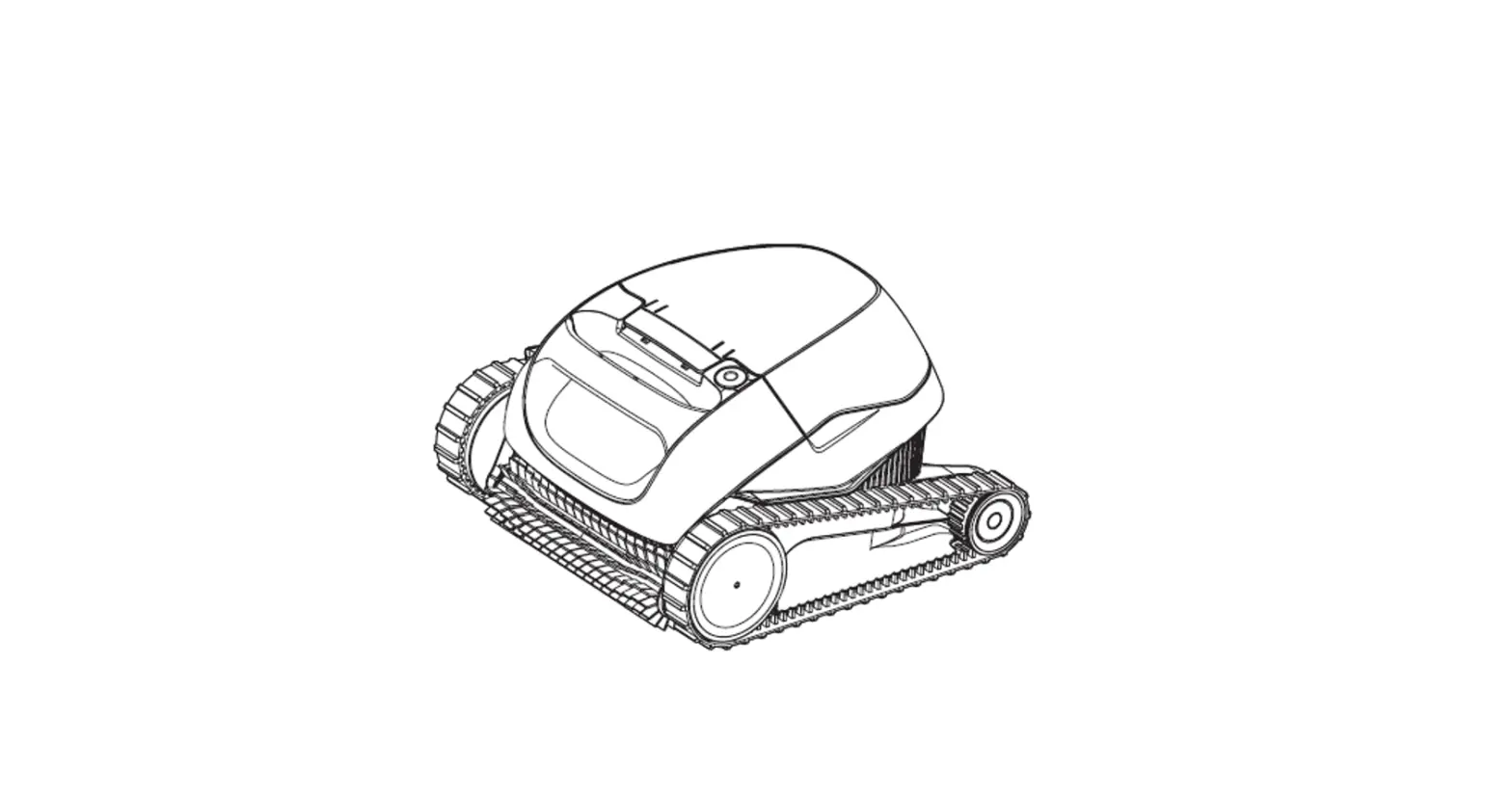
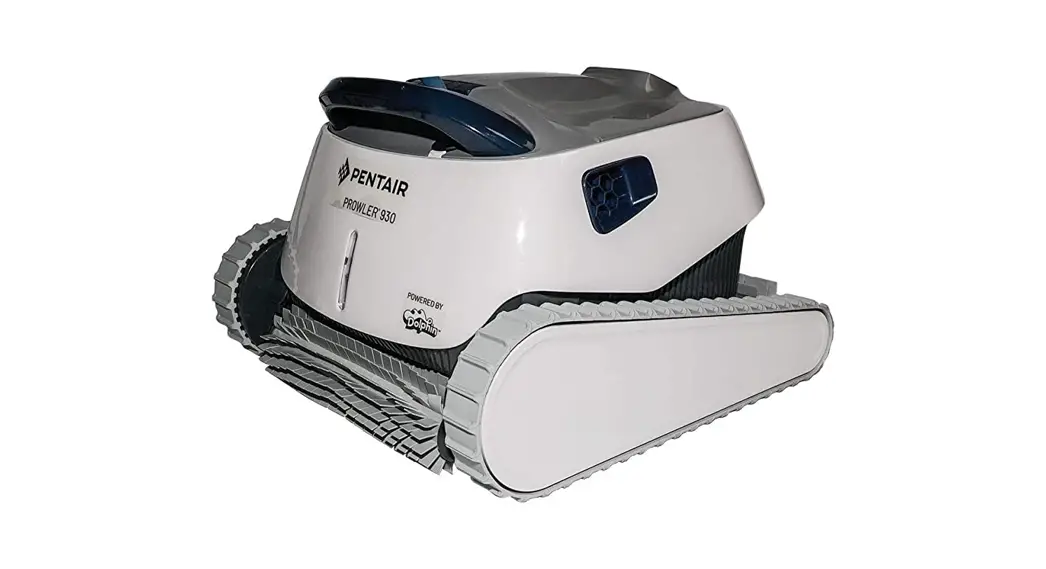
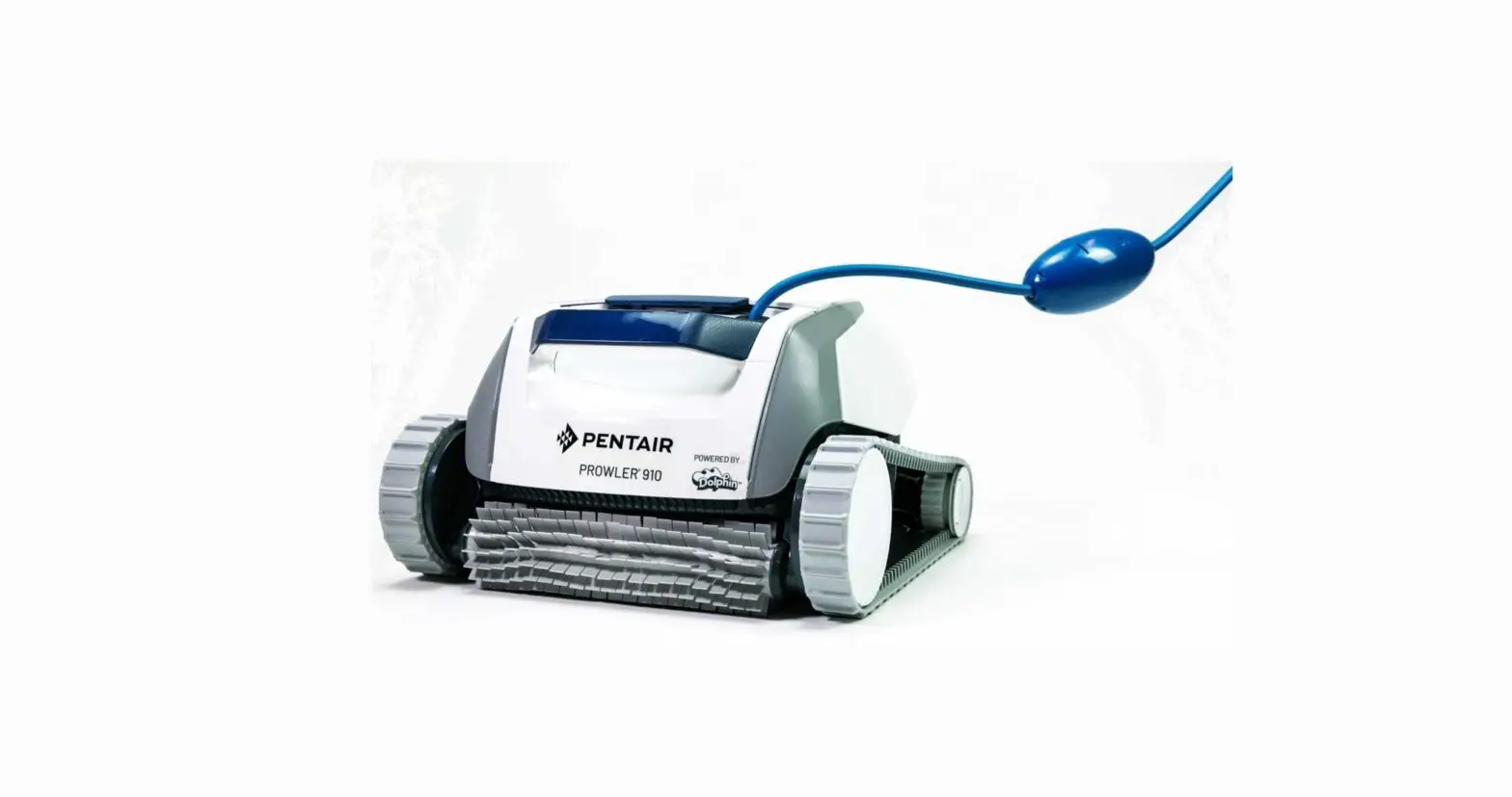
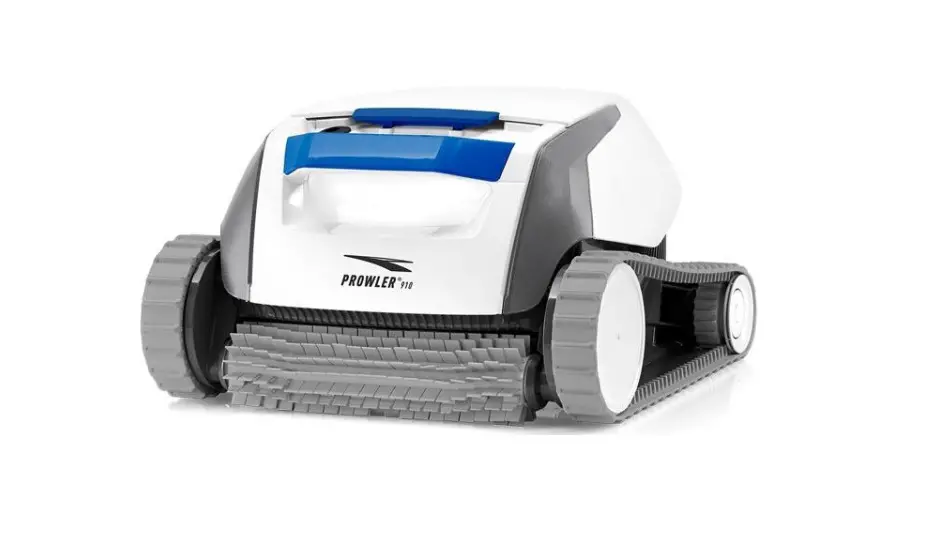
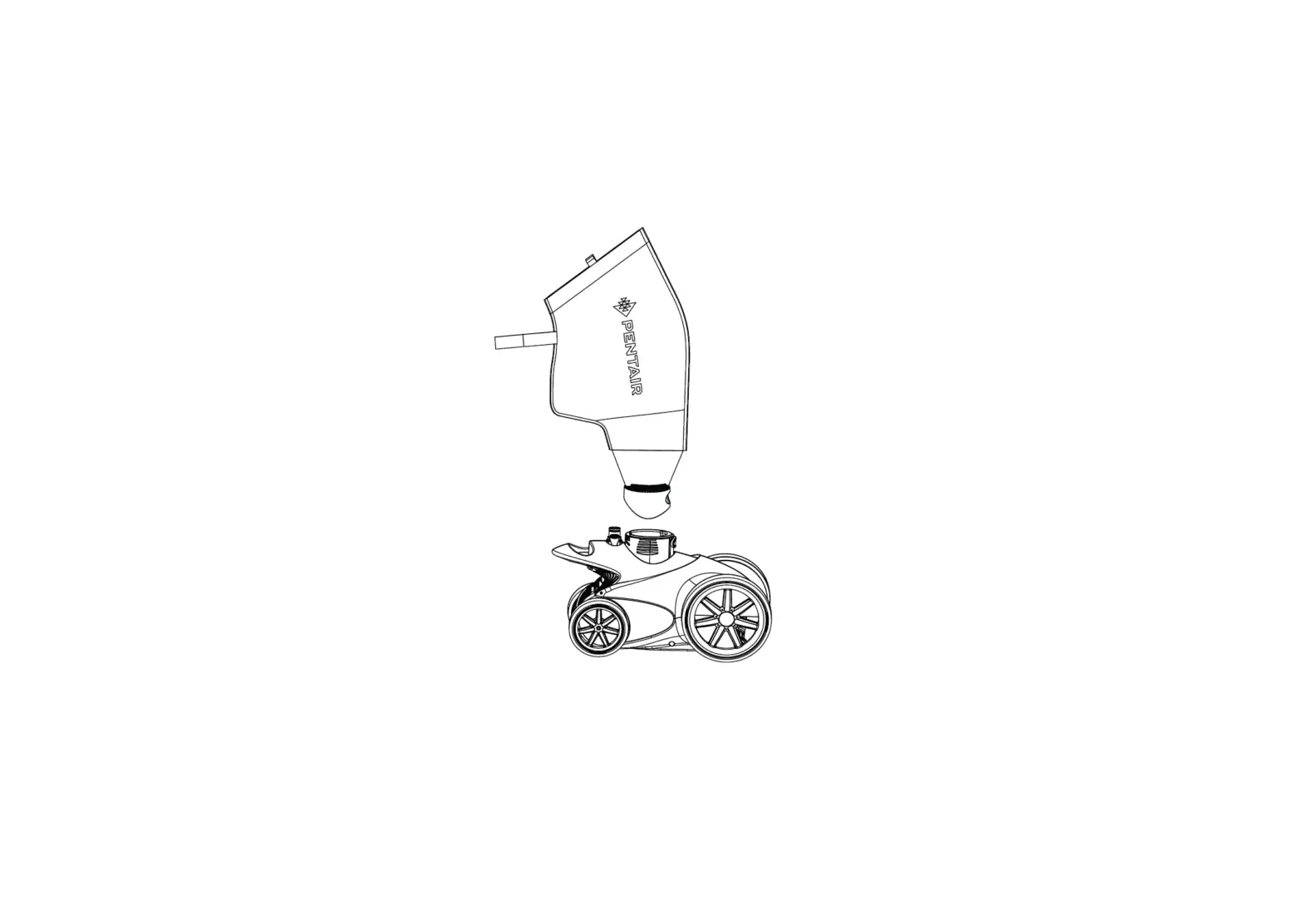
Prowler® 930W Robotic Inground Pool Cleaners are designed to scrub, vacuum, and filter your inground pool. Before operating this product, be sure to read and follow all safety instructions on
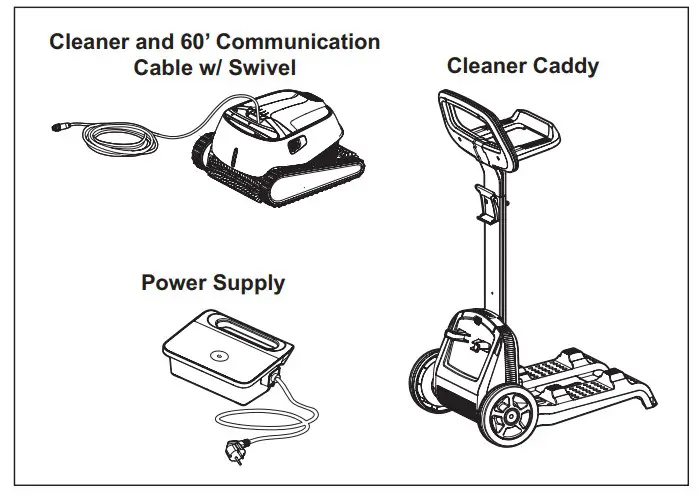
Cleaner Components:
- Cleaner and 60 ft. Communication Cable with Swivel
- Power Supply
- Cleaner Caddy

Cleaner Features:
- Weekly Timer
- Wall and Waterline Scrubbing
- Top Loading Basket Filtration
- Quick Clean
- Delayed Start
- WiFi Connectivity
- Pentair Home Mobile App for Smartphones
Initial Setup
Before using the cleaner for the first time, perform the following procedures:
STEP 1: Caddy Placement
The cleaner comes with a cleaner caddy that requires assembly before continuing further into this section. See Caddy Assembly on page 3 for assembly instructions.
Position the caddy and power supply at least 12 feet (3.5 m) from the edge of the pool. See Figure 1.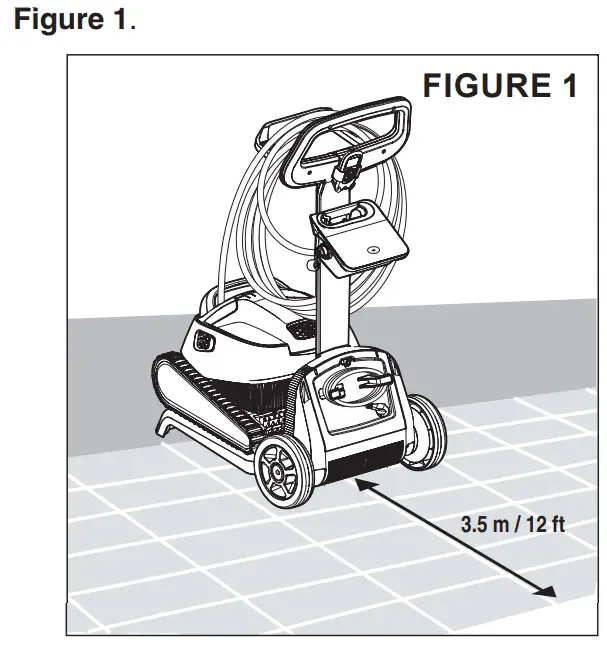
STEP 2: Unroll Communication Cable
Unroll the communication cable and stretch it out completely so there are no kinks. See Figure 2.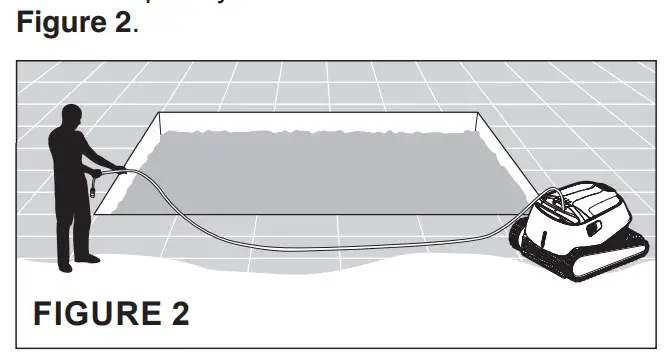
STEP 3: Connect Power Supply to Cleaner
Connect the communication cable to the power supply.
Ensure the connector notch is lined up with the corresponding groove in the socket on the power supply. Tighten the cable nut clockwise to secure the cable. See Figure 3.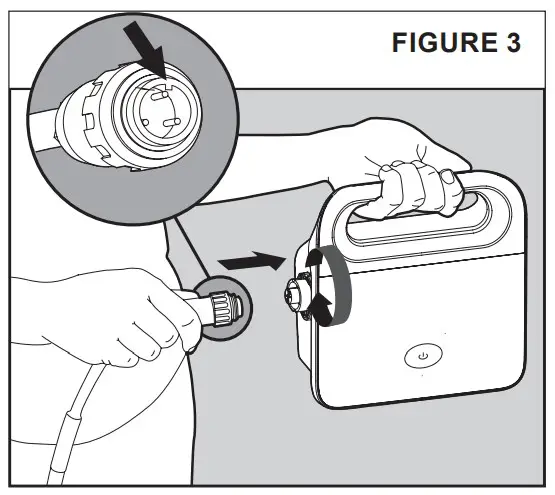
STEP 4: Connect Power Supply to Power Source
Connect the power supply to the desired electrical source/outlet. See Figure 4.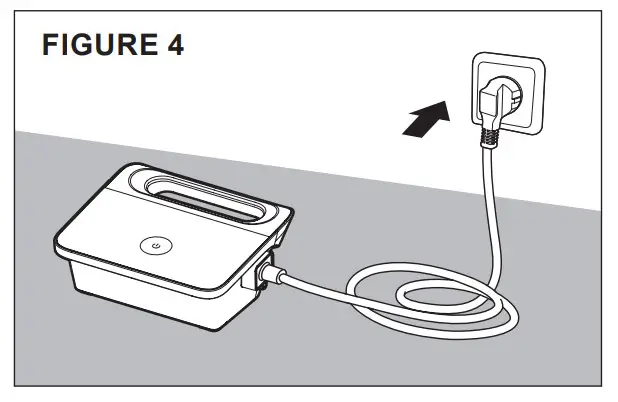
WARNING: RISK OF ELECTRICAL SHOCK OR ELECTROCUTION: Connect only to a grounding type receptacle protected by a ground-fault circuitinterrupter (GFCI). Contact a qualified electrician if you cannot verify that the receptacle is protected by a GFCI.
WARNING: To reduce the risk of electrical shock, do not use extension cord to connect unit to electrical supply; provide a properly located outlet.
STEP 5: Placing the Cleaner in the Pool
CAUTION: Do not operate the pool cleaner if it is not fully immersed in water. Operating the cleaner out of water will immediately cause severe damage to the cleaner and result in loss of warranty. Do not leave the cleaner in the pool all the time. Always remember to turn the power supply “OFF” and unplug it from the power outlet before removing the cleaner from the pool.
- Ensure the power supply is positioned at least 12 feet (3.5 m) from the pool.
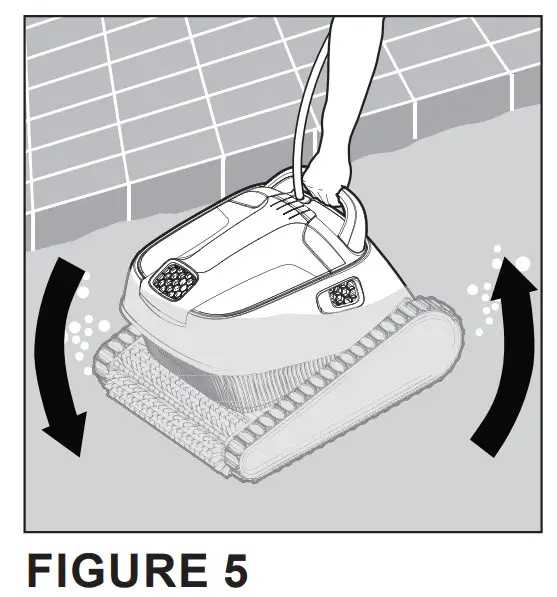
- Lower the cleaner into the pool by the handle (see Figure 5).
Note: Never lower the cleaner into the pool by the communication cable. This puts unnecessary strain on the cable and could damage the cleaner. - Gently tilt the cleaner from side to side or turn it upside down to release trapped air. See Figure 5.

Caddy Assembly
To assemble the caddy, follow the instructions below:
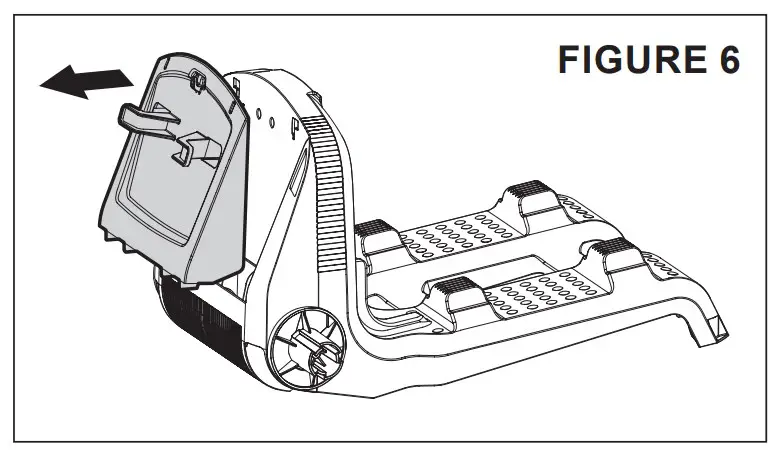
STEP 1: Removing the Communication Cable Holder
- While holding the caddy chassis in place, pull the top of the communication cable holder straight out until it snaps loose. See Figure 6.
- Place the attachment to the side. It will be reinstalled in Step 4.

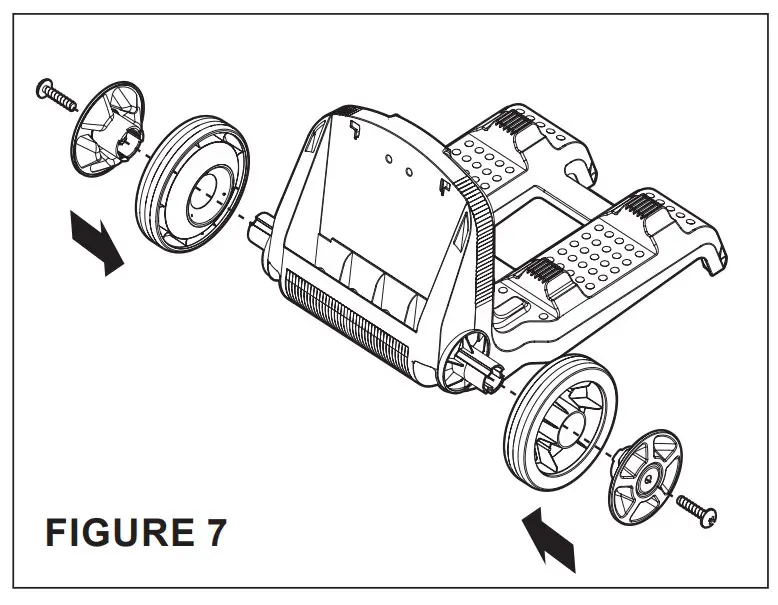
STEP 2: Installing the Wheels
- Using two of the shorter Phillips-head screws provided with the caddy, secure both caddy wheels to the chassis. See Figure 7.

STEP 3: Installing the Handle Support
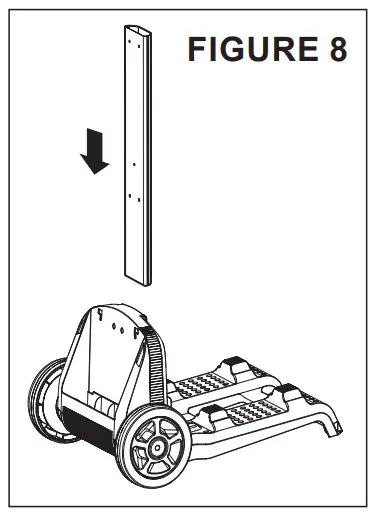
- Slide the handle support into the top of the chassis and push downwards firmly until it seats into the chassis. See Figure 8.

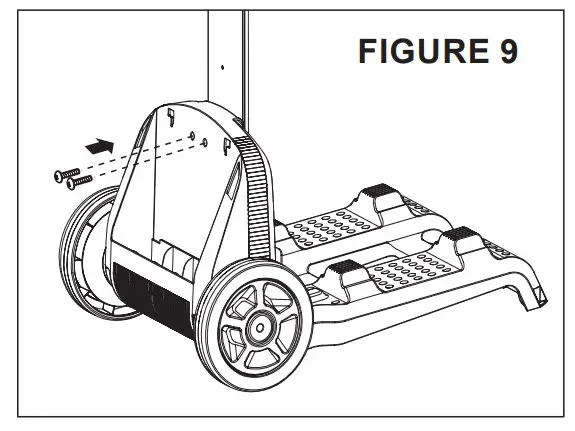
Note: The handle support seats tightly into the chassis and substantial force may be needed. Ensure the support is seated all the way into the chassis, otherwise the securing screws will not line up correctly. - Using two of the shorter Phillips-head screws provided with the caddy, secure the chassis to the handle support. See Figure 9

STEP 4: Reinstall the Communication Cable Holder
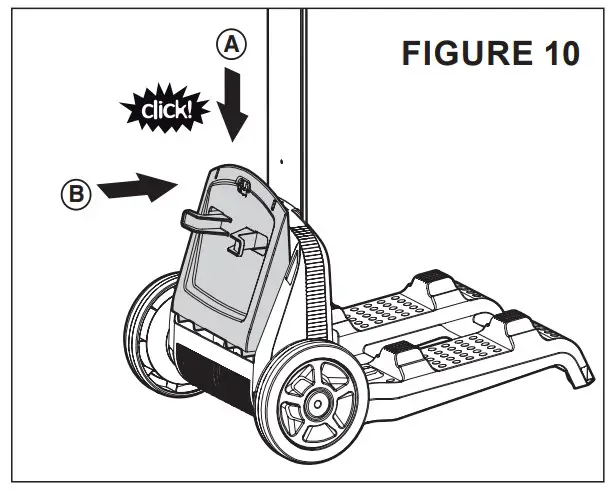
- Slide the bottom of communication cable holder onto the front of the chassis.
- While holding the chassis in place, push the top of the cable holder inwards until it clicks into place. See Figure 10.

STEP 5: Install the Handle
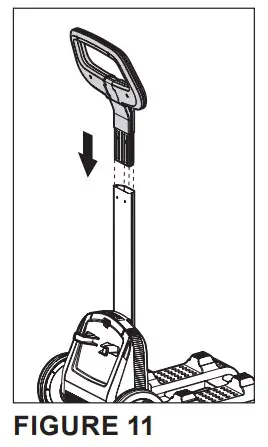
- Insert the handle into the handle support. See Figure 11.
- Push the handle into the support as far as possible.

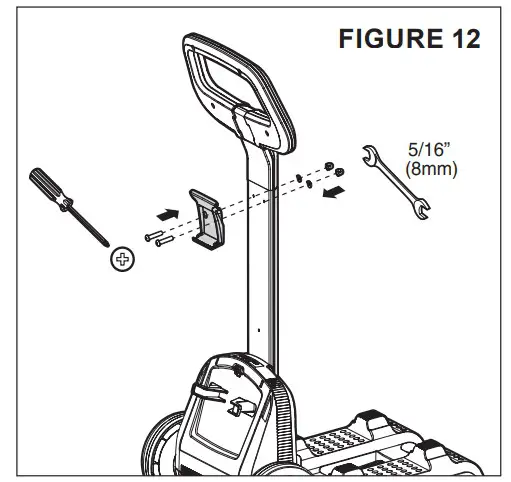
STEP 6: Install the Power Supply Clip
- Using the two longer Phillips-head screws, two washers and two 5/16” (8 mm) nuts provided with the caddy, install the power supply hook onto the handle support. See Figure 12

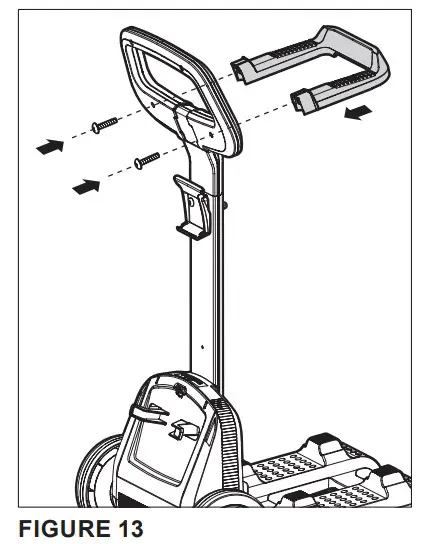
STEP 7: Install the Power Cable Holder
- Using the final two shorter Phillips-head screws, secure the power cable holder to the caddy handle. See Figure 13.

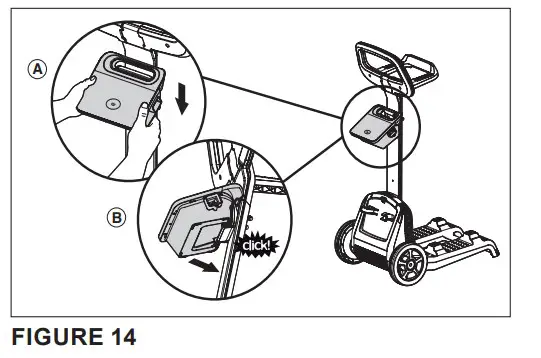
STEP 8: Attach the Power Supply to the Caddy
- Hook the power supply’s handle over the top lip of the power supply clip. See Figure 14 (A).
- Tilt the power supply toward the handle support until the power supply snaps into the bottom lip of the power supply clip. See Figure 14 (B).

MAINTENANCE
WARNING: Make sure the cleaner’s power supply is turned “OFF” and is disconnected from the electrical source/outlet before servicing the cleaner. Moving parts may injure hands or fingers if cleaner inadvertently powers on during servicing.
Removing the Cleaner from the Pool
The cleaner will shut off automatically at the end of a cleaning cycle.
Follow the steps below to remove the cleaner from the pool.
CAUTION: Ensure the power supply is turned “OFF” and disconnected from the electrical source/outlet before removing the cleaner from the pool. Operating the cleaner out of water will immediately cause severe damage to the cleaner and result in loss of warranty. Do not leave the cleaner in the pool all the time.
- Disconnect the power supply from the electrical outlet and disconnect the cleaner communication cable from the power supply.
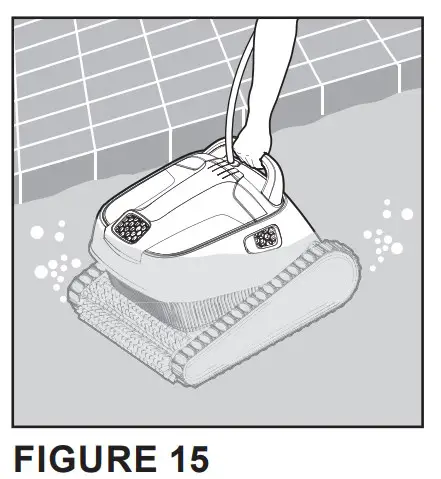
- Using the cleaner’s communication cable, slowly and gently pull the cleaner to the waterline at the edge of the pool until you can reach the handle. DO NOT lift the cleaner out of the water by the cable.
- Using the handle, lift the cleaner out of the pool. See Figure 15.

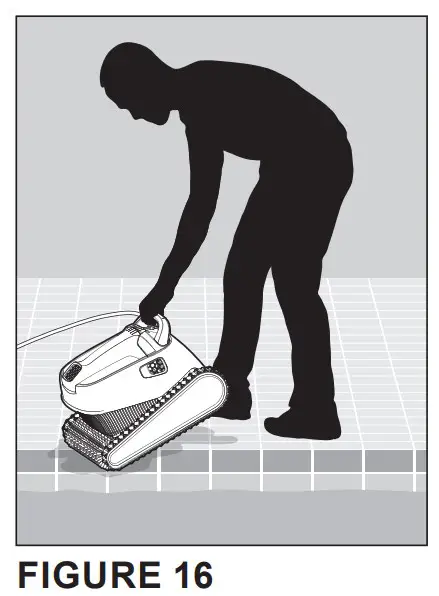
Note: Never lift the cleaner out of the pool by the communication cable. This puts unnecessary strain on the cable and could damage the cleaner. - Place the cleaner on the edge of the pool and allow excess water to drain from the cleaner. See Figure 16.

- Store the cleaner in the caddy with communication cable coiled when not in use.
If not using a caddy, store the cleaner in a covered area with the communication cable coiled.
Cleaning the Filter Baskets
Note: Pentair recommends that you clean the filter baskets after each cleaning cycle. Excess debris in the filter basket will restrict the suction power of the cleaner and reduce its effectiveness.
To clean the filter baskets, follow the instructions below:
STEP 1: Open the Filter Cover
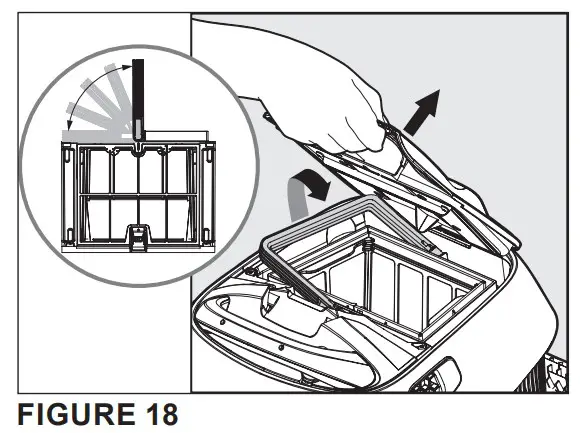
When the filter cover is opened the filter basket handle will pop up. See Figures 17 and 18.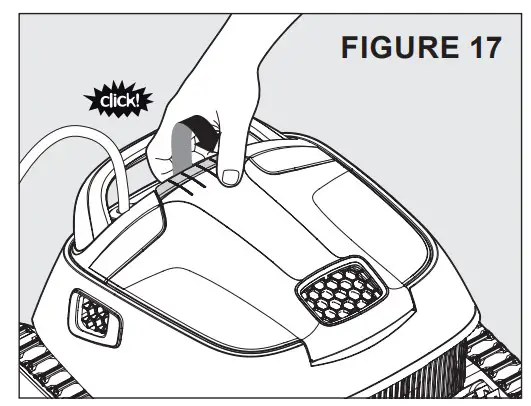
STEP 2: Lift the basket out of the cleaner body.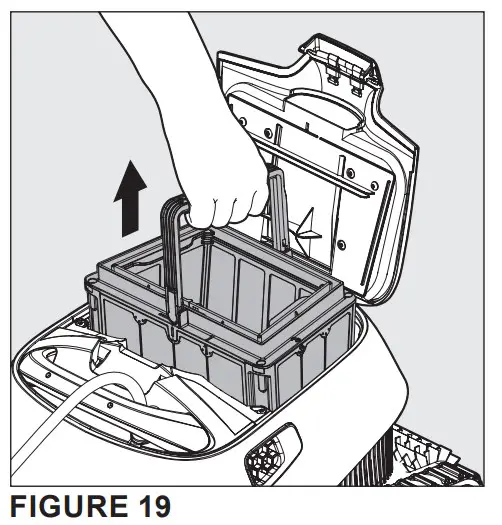
STEP 3: Remove and Rinse the Inner Filter Basket
Remove the inner filter basket from the outer filter basket (see Figure 20).
Dump any loose debris from the inner basket and thoroughly rinse it with a garden hose.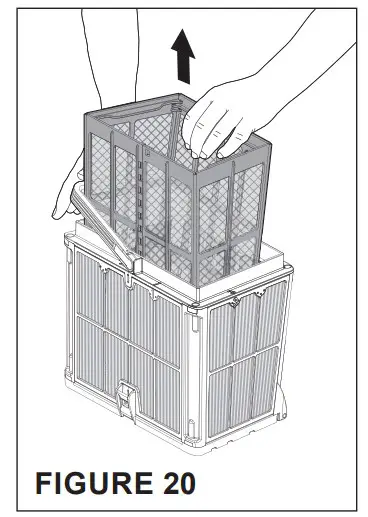
STEP 4: Empty the Outer Filter Basket
Open the latch at the bottom of the filter basket. This will release the bottom lid of the basket. See Figure 21.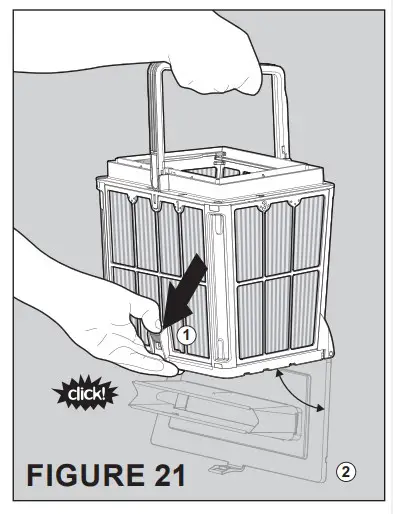
STEP 5: Clean the Outer Filter Basket
Thoroughly rinse the filter basket with a garden hose. See Figure 22.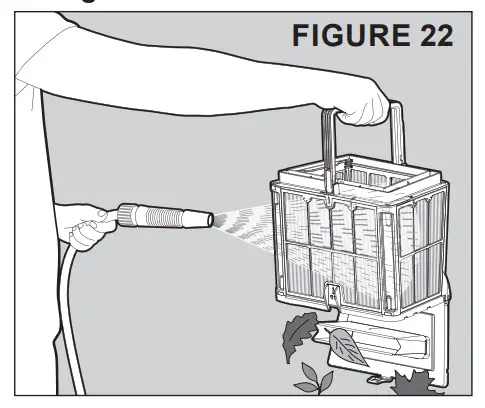
Cleaning the Filter Screens
Note: Pentair recommends that you clean the filter screens at least once a month. Excess debris in the filter screens will restrict the suction power of the cleaner and reduce its effectiveness.
To dismantle and clean the four filter screens, follow the instructions below:
STEP 1: Empty the Inner and Outer Filter Baskets.
Follow steps 1-5 on the previous page.
The inner and outer filter baskets should be emptied and rinsed clean before removing the outer basket’s filter screens.
STEP 2: Remove the Filter Screens
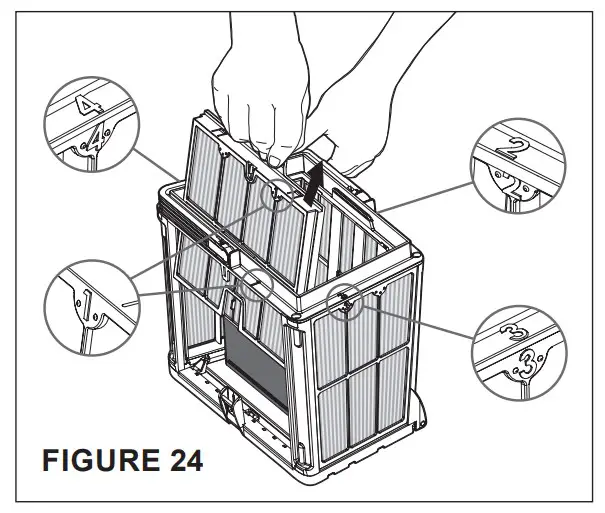
Using your thumbs, firmly press inwards on the top of Panel 1 to remove the filter screen from its frame (see Figure 23).
Each filter screen is stamped with a number (see Figure 24). Remove the filter screens in numerical order; Screen 1 > 2 > 3 > 4.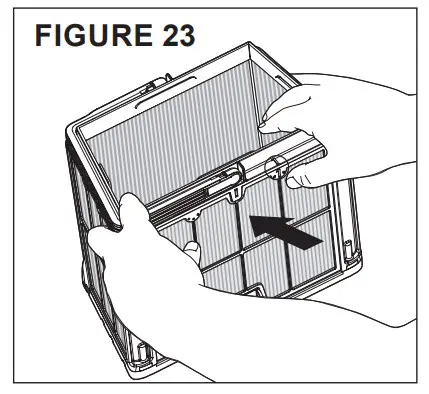
STEP 3: Clean the Filter Screens
Thoroughly clean the filter screens with a garden hose. See Figure 25.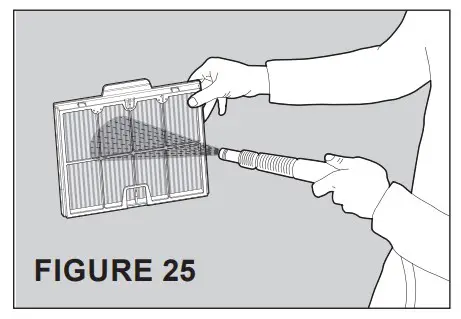
STEP 4: Reassemble the Filter Screens
Replace the filter screens by seating the bottom of the screen into its frame, then pushing firmly outwards on the top of the screen until it clicks into place.
Each filter screen is stamped with a number (see Figure 26). Replace the filter screens in numerical order; Screen 4 > 3 > 2 > 1.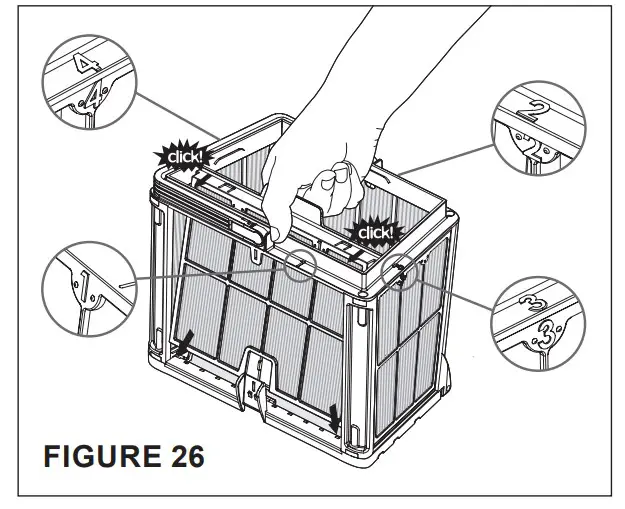
Cleaning the Impeller
WARNING: Always disconnect power to the cleaner before servicing, disassembly, or reassembly. Failure to do so could result in death or serious injury to servicemen, pool users or others due to electrical shock. Read all servicing instructions before servicing the cleaner
Every so often debris may become trapped in the cleaner’s impeller. To remove debris trapped in the impeller follow the instructions below:
STEP 1: Open the Filter Cover and Remove the Basket
See Figure 27 and Figure 28.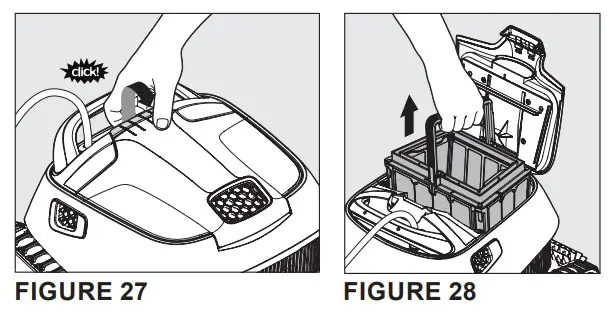
STEP 2: Unmount and Remove the Intermediate Cover and Manifold Assembly
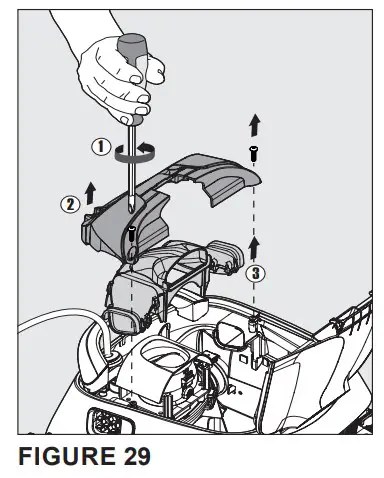
- Using a No. 2 Phillips-head screwdriver, remove the two screws that hold the intermediate cover and manifold assembly in place. These screws can be found in the inside corners of the intermediate cover. See Figure 29.
- Place the two screws aside.
- Gently pull the intermediate cover (Item #2 in Figure 29) away from the cleaner and place it aside.
- Gently pull the manifold assembly (Item #3 in Figure 29) away from the cleaner and place it aside.

STEP 3: Unmount and Remove the Impeller Cover
Press the tabs on both sides of the impeller cover (Item #1 in Figure 30) to unlock the cover from the impeller assembly. While pressing both tabs, pull the cover away from the cleaner. Place the impeller cover aside.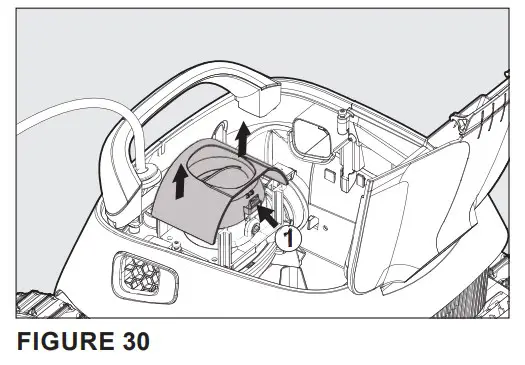
STEP 4: Clean Debris from the Impeller
By hand, remove any debris that has become trapped inside the impeller. See Figure 31.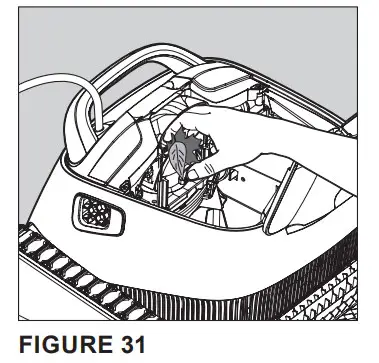
STEP 5: Remount the Impeller Cover
Gently push the impeller cover back onto the impeller assembly. See Figure 32.
The tabs on the motor unit will lock the cover into place.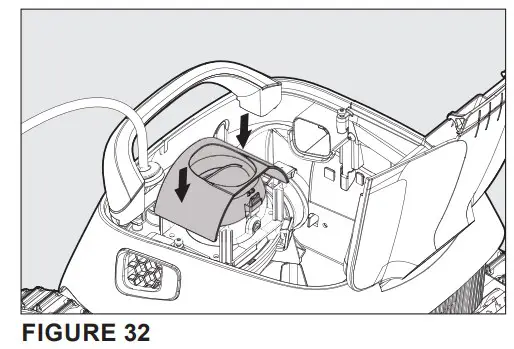
STEP 6: Remount the Intermediate Cover and Manifold Assembly
Reseat the manifold assembly and intermediate cover. Reinstall the two screws. See Figure 33.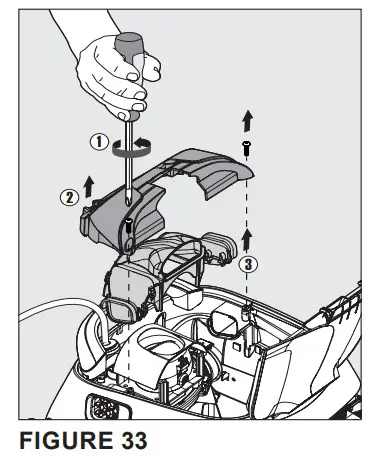
Storing the Cleaner
If the cleaner will not be used for an extended period of time, follow the storage recommendations below:
- Be sure to disconnect the power supply after use.
- Store the power supply, cable and cleaner on the caddy.
- Store the cleaner in a protected area out of direct sun, rain and frost, at a temperature between 41°-113°F (5°-45°C).
- Drain all water from the pool cleaner.
- Thoroughly clean the filter baskets and filter screens and store the cleaner with them installed.
TROUBLESHOOTING
| Problem | Possible Cause | Corrective Action |
| Cable twisting or coiling up | Obstruction in poolCleanis getting stuck on the main drain coverExcess cable in the pool | Remove obstruction in pool.Turn off pump and install main drain cover ring. Straighten cable and lay in sun periodically.Remove excess cable from pool. |
| Cleaner is moving in circles | Dirt stuck in moving partsTracks worn due to extended use Power supply positioned incorrectly Algae in pool | Remove dirt from moving parts. Contact your dealer. Replace tracks.Place power supply in a position so that the cleaner can reach all walls.Correct pool and water conditions. |
| Cleaner does not reach all areas of the pool | Power supply positioned incorrectly Cleaner does not climb walls Algae on pool walls and floor Pool filter and pump is on | Place power supply in a position so that the cleaner can reach all walls.Check reasons for not climbing walls below. Brush pool walls and floor.Turn off pool filter and pump and run another cleaning cycle. |
| Cleaner does not climb walls | Cleaner is too heavy Algae on wallsWater temperature too low and/or too highBrushes are wornDebris caught around impeller Cleaner is too light fromtrapped air Unsuitable pH level | Clean and wash cartridge. Brush walls.Ideal water temperature between 43-95°F (6-35°C)Replace brushes – contact your dealer. Clean impeller (see page 8).Turn cleaner upside down under water to remove trapped air.Check pH level – should be between 7.4 – 7.8; minimum level of 7.2. |
| Motor not working | Impeller blocked Drive system blockedElectrical problem – motor unit, communication cable, or power supply | Clean impeller (see page 8). Clean tracks and wheels.Consult with your dealer or service center. |
| Cleaner will not sink | Air caught in trapped in cleaner | Turn cleaner upside down under water to remove trapped air. Wash the cartridge. Remove calcium deposits or other chemical sediments.Open inlet flap in the bottom lid to remove dirt and/ or trapped air. |
| Power supply or power supply switch light is not working | Not plugged in properly or main socket is damaged | Reconnect and check main power supply. |
REPLACEMENT PARTS
Parts Illustration
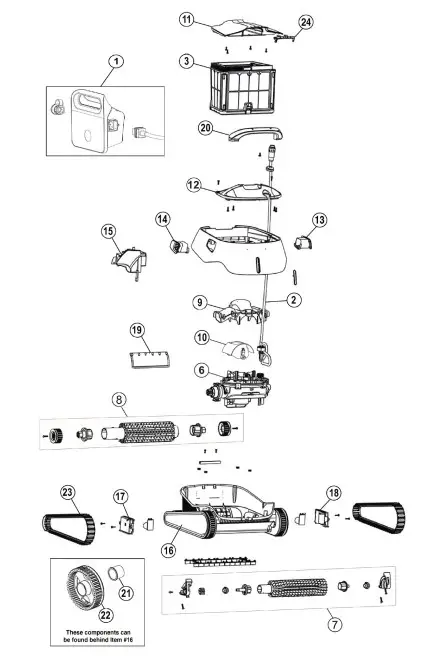
| Item No. | Part No. | Description |
| 1 | 360541 | Power Supply |
| 2 | 360446 | Communication Cable |
| 3 | 360507 | Outer Filter Basket |
| * | 360445 | Inner Filter Basket |
| * | 360363 | Cartridge Filter Kit |
| * | 360364 | Net Filter Kit |
| 6 | 360365 | Motor Unit |
| 7 | 360366 | Front Brush Assembly |
| 8 | 360367 | Rear Brush Assembly |
| 9 | 360370 | Manifold Assembly |
| 10 | 360371 | Impeller Cover |
| 11 | 360447 | Filter Cover |
| 12 | 360375 | Intermediate Cover |
| 13 | 360377 | Left Grill |
| 14 | 360378 | Right Grill |
| 15 | 360379 | Internal Float |
| 16 | 360380 | Side Panel |
| 17 | 360382 | Bypass Cover, Right |
| 18 | 360383 | Bypass Cover, Left |
| 19 | 360384 | Rapid Drain Flap |
| 20 | 360385 | Handle Assembly |
| 21 | 360388 | Front Brush Bushing |
| 22 | 360372 | Front Wheel |
| 23 | 360342 | Track |
| 24 | 360373 | Latch |
| * | 360381 | Rear Wheel |
| * | 360340 | Impeller |
| * | 360170 | Cleaner Caddy |
1620 HAWKINS AVE., SANFORD, NC 27330
- (919) 566-8000
10951 WEST LOS ANGELES AVE., MOORPARK, CA 93021
- (805) 553-5000
All indicated Pentair trademarks and logos are property of Pentair. Third party registered and unregistered trademarks and logos are the property of their respective owners.
© 2022 Pentair. All rights reserved. WWW.PENTAIR.COM
 Pentair