PC4-R Processor
Product Information
- The Crestron PC4-R is a control processor that provides the
same experience, features, and tools as other Crestron Home
processors. - It communicates with the Crestron Home Setup App for system
configuration and the Crestron Home App for system control. - Crestron Home Setup and Crestron Home apps provide a simple and
real-time setup experience. - It has enhanced performance to handle large whole home
applications as well as single room and MDU applications. - It integrates control and monitoring of audio, video, lighting,
shades, thermostats, door locks, sensors, and other devices. - It integrates directly with IP-controllable devices over the
network. - COM, I/O, relay, and IR integration can be achieved using
CEN-IO control modules and C3 Series Control Cards (sold
separately). - It has native BACnetTM network/IP support.
- It employs enterprise-grade security to ensure maximum
reliability and privacy.
Product Usage Instructions
The Crestron PC4-R is secured and ready for operation out of the
box. To use it, follow these steps:
- Connect the PC4-R to a power source.
- Connect the PC4-R to an Ethernet network using an Ethernet
cable. - Download and install the Crestron Home Setup app and Crestron
Home app on your mobile device. - Launch the Crestron Home Setup app and follow the on-screen
instructions to configure your Crestron Home system. - Once the system is configured, you can use the Crestron Home
app to control your system.
Integration and Expansion
The Crestron Home system supports a wide variety of Crestron and
third-party devices. You can add controls to the system when and
where they are needed, allowing for system expansion that utilizes
centralized and distributed system controls. The flexibility to
combine centralized and distributed controls simplifies system
installation and setup.
myCrestron Services
The myCrestron services provide enhanced monitoring, remote
access, and system configuration:
- The myCrestron.com Dynamic DNS (DDNS) service furnishes a URL
for the system that enables a remote connection for configuration
using the Crestron Home Setup app. This also enables monitoring of
a Crestron Home system. - Use the Crestron Home Configurator to create and manage system
configurations using the myCrestron RMS. Unlike the Crestron Home
Setup app, the configuration can be created before arriving on-site
and can be used to generate a variety of detailed configuration
reports. After the system is installed, use a Deploy code to
transfer the configuration onto the Crestron Home processor.
BACnet Network/IP Support
The Crestron PC4-R has native support for the BACnetTM
communication protocol. This provides a direct interface to
third-party building management systems over Ethernet, simplifying
integration with HVAC, security, and other systems. It supports up
to 2,000 BACnet objects out of the box with no licensing
required.
Versatile Installation
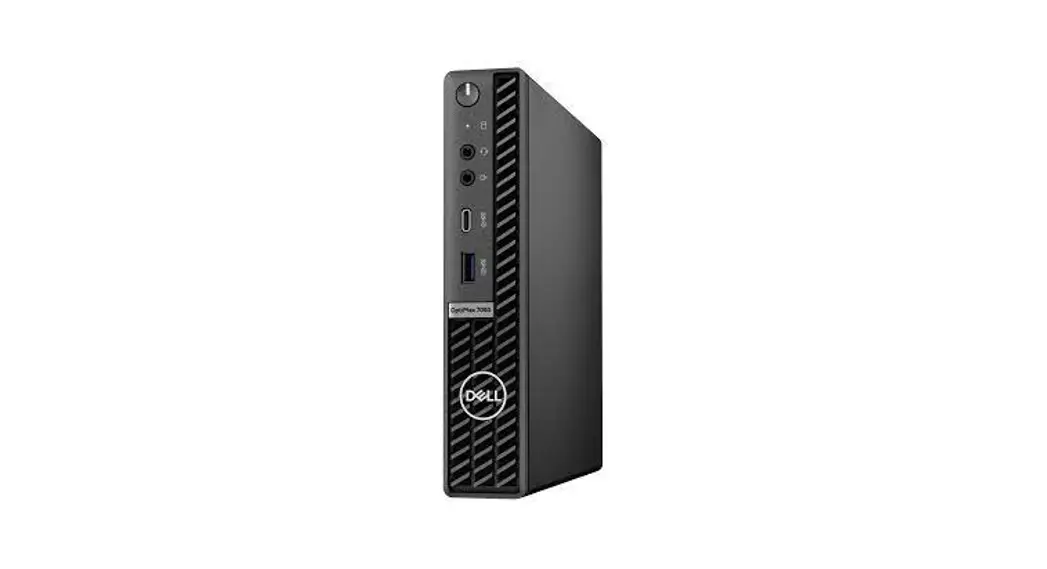
The Crestron PC4-R is designed for versatile installation. It
features various connectors including USB-C, SSUSB 3.2 Gen 2, LAN,
SSUSB 3.2 Gen 1, and Kensington Lock. It operates on 19.5VDC
power.
Specifications
Computer:
- Processor: Micro computer providing control processor
functionality for a Crestron Home system (Typical PC functions are
not supported). - RAM: Not specified.
- Storage: 8 GB Flash Memory.
- Network: Ethernet (100/1000 Mbps), BACnetTM network/IP support
(supports up to 2,000 BACnet objects). - Operating System: Not specified.
Connectors:
- USB-C (Front), SSUSB 3.2 Gen 2 (Front), LAN, SSUSB 3.2 Gen 1,
Kensington Lock. - (1) USB Type-A 3.2 (Gen 2) connector, with PowerShare, female;
Connects to a USB flash drive for password reset or factory
restore.
PC4-R
PC Control Processor for Crestron Home® OS
l PC control system designed exclusively for Crestron Home® OS
l Employs a powerful Dell® micro computer
l Ships with Crestron Home® OS preinstalled
l Provides the same experience, features, and tools as other Crestron Home processors
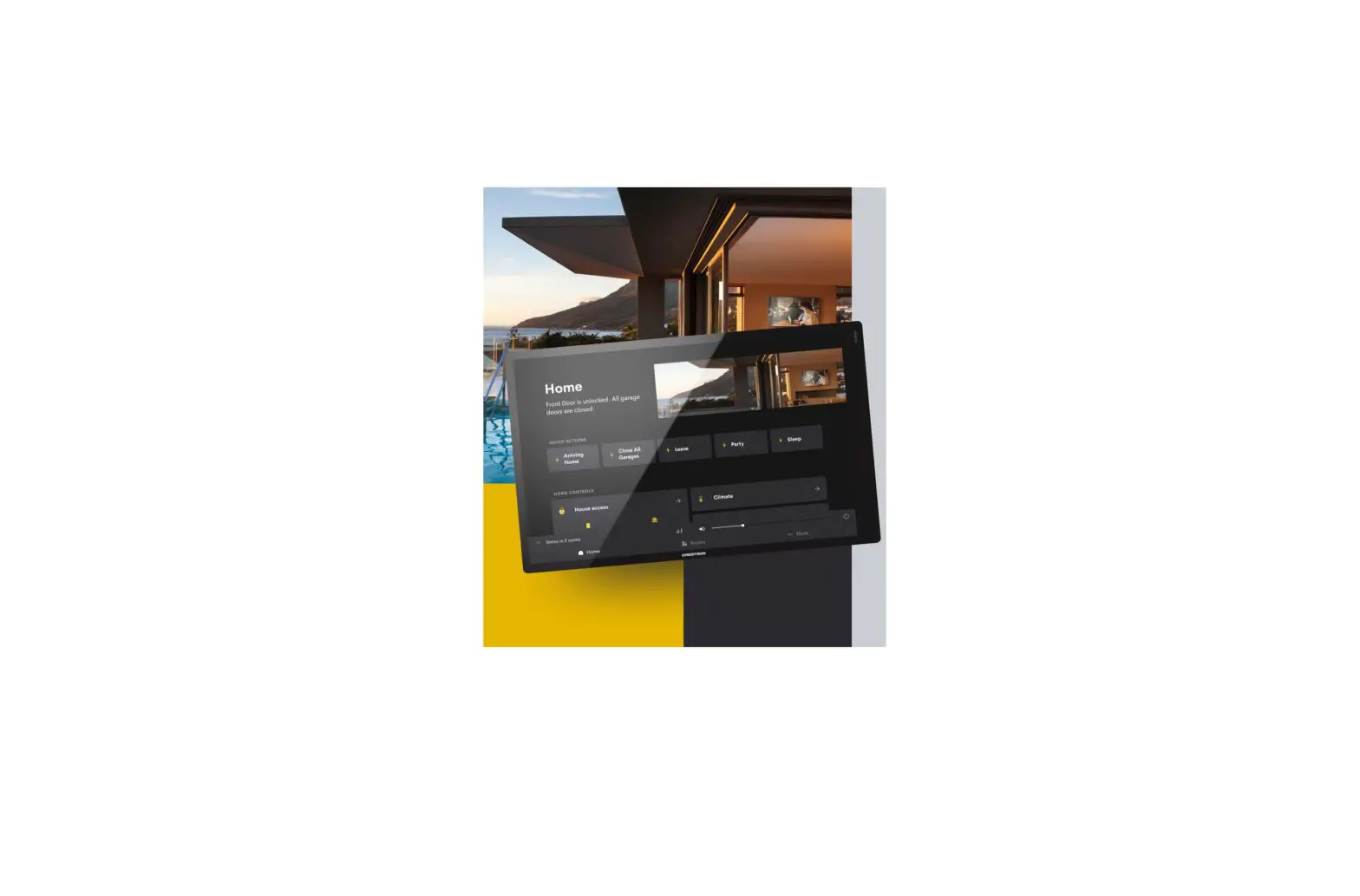
l Communicates with the Crestron Home Setup App for system configuration and the Crestron Home App for system control
l Crestron Home Setup and Crestron Home apps provide a simple and real-time setup experience
l Enhanced performance to handle large whole home applications as well as single room and MDU applications
l Integrates control and monitoring of audio, video, lighting, shades, thermostats, door locks, sensors, and other devices
l Integrates directly with IP-controllable devices over the network
l Integrates with serial, IR, CEC, and other controllable devices via decentralized control ports on DM®, DM NVX®, and other Crestron® interfaces
l COM, I/O, relay, and IR integration using CEN-IO control modules and C3 Series Control Cards (all sold separately)
l Integrates directly with Cresnet® controllable devices using an Ethernet-to-Cresnet bridge (DIN-CENCN-2-POE or CAEN-BLOCK-CENCN-2-POE, sold separately)
l Crestron shade and drape integration using the CSAPWS10S-HUB-ENET Ethernet-to-Cresnet® Bridge for shade and drape motors (sold separately)
l Supports infiNET EX® network wireless devices via an external Crestron wireless gateway (sold separately)
l Native BACnetTM network/IP support
l Employs enterprise-grade security to ensure maximum reliability and privacy
l External 100240V power pack included
The Crestron PC4-R is a PC-based control processor that is embedded with the Crestron Home® operating system. It is designed exclusively to function as the core of a Crestron Home system.
The Crestron PC4-R is secured and ready for operation out of the box and only needs power and an Ethernet connection to function.
Crestron Home® OS
Unlock the full potential of a smart home with the Crestron Home® OS. It provides dealers with the ability to deliver a simple and clean user interface that includes sophisticated page designs and dynamic room controls. It also provides powerful features such as support for multiple homes, favorites, custom access, and room image customizations. For additional information, see crestron.com/crestronhome.
PC Control Processor for Crestron Home® OS
The powerful Dell® micro computer takes the place of a traditional control processor and provides remarkable speed and performance while handling the demands of an advanced automated system. The PC control processor provides enhanced processing power to handle larger Crestron Home systems such as large home automation, home theater, multiroom video, and MDU (multidwelling unit) applications.
Crestron Home Setup and Control Apps
Set up and control the Crestron Home system with the Crestron Home Setup app and Crestron Home app.
l Use the Crestron Home Setup app to configure the Crestron Home system. The Crestron Home Setup app can be used on an Apple® iPad® device or a Mac® or Windows® PC.
PC4-R
PC Control Processor for Crestron Home® OS
l Use the Crestron Home app to control audio, video, lighting, shading, climate, a security system, door locks, cameras, and more throughout your home. The Crestron Home app provides the same look and feel on Crestron Home user-interface devices such as Crestron touch screens, Apple® iOS® devices, and AndroidTM devices.
Integration and Expansion
Add controls to the system when and where they are needed. This allows for system expansion that utilizes centralized and distributed system controls. The flexibility to combine centralized and distributed controls simplifies system installation and setup.
Centralized control is accomplished using Ethernet-toCresnet® bridges and wireless gateways. Cresnet wired devices such as keypads, lighting modules, and thermostats can be controlled using Ethernet-to-Cresnet bridges (DINCENCN-2-POE or CAEN-BLOCK-CENCN-2-POE) and Cresnet wired shade and drape motors can be controlled using the 10-Shade Power Supply and Ethernet-to-Cresnet Bridge (CSA-PWS10S-HUB-ENET). Control of SG wireless and infiNET EX® wireless devices is available using Crestron wireless gateways (all sold separately).
Distributed control of devices using COM, I/O, IR, and relays is available using CEN-IO control modules and C3 Series Control Cards (all sold separately). Additionally, DM®, DM NVX®, and other Crestron® interfaces allow integration of serial, IR, CEC, and more using their control ports.
Works with Crestron Home® OS
The Crestron Home system supports a wide variety of Crestron and third-party devices and controls them all from one user interface.
l Crestron Home® OS is designed to work with a wide variety of devices to provide control of audio, video, lighting, shading, climate, security systems, door locks, cameras, I/O devices, and third-party devices.
l The Crestron Home system utilizes Crestron Drivers to expand the functionality of the system. Crestron Drivers are available for AV receivers, AV switchers, Blu-ray® disc players, cable boxes, displays, pool controllers, projectors, video servers, and more. To view the complete list of drivers, visit drivers.crestron.io.
l Crestron works with our partners to offer the best smart home solution for you and your clients. Some of these partners include 2N video intercom door stations, Amazon® Alexa® voice control, Apple® iOS® devices and Siri® voice commands, Cool Automation, Android devicesTM and Google AssistantTM voice control, Josh.ai voice control, Sonos® speakers and amplifiers, Yale® door locks, and more.
myCrestron Services
The myCrestron services provide enhanced monitoring, remote access, and system configuration.
l The myCrestron Residential Monitoring Service (RMS) enables you to centrally monitor and manage Crestron Home systems with ease, identify issues, and resolve them faster. Crestron Home systems are displayed on an online dashboard to provide a comprehensive status update at a single glance. System-level information is available as well as device-level event logs that the Crestron Home system automatically sends to the cloud. Crestron True Blue Support and your technicians can access log files to eliminate many troubleshooting truck rolls.
l The myCrestron.com Dynamic DNS (DDNS) service furnishes a URL for the system that enables a remote connection for configuration using the Crestron Home Setup app. This also enables monitoring of a Crestron Home system.
l Use the Crestron Home Configurator to create and manage system configurations using the myCrestron RMS. Unlike the Crestron Home Setup app, the configuration can be created before arriving on-site and can be used to generate a variety of detailed configuration reports. After the system is installed, use a Deploy code to transfer the configuration onto the Crestron Home processor.
BACnet Network/IP Support
Native support for the BACnetTM communication protocol provides a direct interface to third-party building management systems over Ethernet, simplifying integration with HVAC, security, and other systems. Up to 2,000 BACnet objects are supported out of the box with no licensing required.
Versatile Installation
Install it on a flat, level surface or VESA® mounted using third-party VESA mounting solutions.
PC4-R
PC Control Processor for Crestron Home® OS
Specifications
Computer Computer
Processor RAM Storage Network Operating System
Dell® OptiPlex® 7080 Micro Desktop computer Intel Core® i5-10500T CPU @ 2.30GHz 8 GB DDR4 2666MT/s 256 GB SSD Intel® I219-LM 100/1000 Mbps Ethernet Crestron Home® OS
NOTE: The micro computer provides control processor functionality for a Crestron Home system. Typical PC functions are not supported.
Communications
Ethernet
BACnetTM network/IP
100/1000 Mbps Supports up to 2000 BACnet objects
Memory Flash
8 GB
Connectors USB-C (Front)
SSUSB 3.2 Gen 2 (Front) LAN SSUSB 3.2 Gen 1
SSUSB 3.2 Gen 2
Kensington Lock 19.5VDC
(1) USB Type-C® 3.2 (Gen 2) connector, female; Connects to a USB flash drive for password reset or factory restore
(1) USB Type-A 3.2 (Gen 2) connector, with PowerShare, female; Connects to a USB flash drive for password reset or factory restore
(1) 8-pin RJ-45 connector, female; 100BASE-TX/1000BASE-T Ethernet port
(2) USB Type-A 3.2 (Gen 1) connectors, female; Provides one port with Smart Power; Connects to a USB flash drive for password reset or factory restore
(2) USB Type-A 3.2 (Gen 2) connectors, female; Connects to a USB flash drive for password reset or factory restore
(1) Slot for optional Kensington® lock
(1) DC power connector; 19.5VDC power input; For included power adapter
NOTE: The Audio, Line-Out, Antenna, HDMI® video, and DisplayPort® video connectors are disabled and not used.
Controls and Indicators
POWER LAN
(1) Push button with LED backlight; For power on/off and reset
(2) LEDs on LAN port; Indicate Ethernet link status and activity
Power
Power Adapter (Included)
Input: 100240VAC, 50/60 Hz; Output: 130 W @ 19.5V
Environmental
Temperature
32 to 104°F (0 to 40°C)
Enclosure Enclosure Mounting
Metal, plastic
Freestanding, optional VESA® mount and Kensington® lock capabilities
Dimensions Height Width Depth
1.40 in. (36 mm) 7.20 in. (183 mm) 7.00 in. (178 mm)
Weight 2.87 lb (1.30 kg)
Compliance
To search for product certificates, refer to support.crestron.com/app/certificates.
Model
PC4-R PC Control Processor for Crestron Home® OS
Available Accessories
For a list of available accessories, visit the PC4-R product page.
PC4-R
PC Control Processor for Crestron Home® OS
This product may be purchased from select authorized Crestron dealers and distributors. To find a dealer or distributor, please contact the Crestron sales representative for your area. A list of sales representatives is available online at www.crestron.com/How-To-Buy/Find-a-Representative or contact us for additional information by visiting www.crestron.com/contact/our-locations for your local contact.
The original language version of this document is U.S. English. All other languages are a translation of the original document.
The product warranty can be found at www.crestron.com/warranty.
The specific patents that cover Crestron products are listed online at www.crestron.com/legal/patents.
Certain Crestron products contain open source software. For specific information, please visit www.crestron.com/opensource.
Crestron, the Crestron logo, Crestron Home, and infiNET EX, are either trademarks or registered trademarks of Crestron Electronics, Inc. in the United States and/or other countries. Kensington is either a trademark or registered trademark of Acco Brands Corporation in the United States and/or other countries. Alexa and Amazon are either trademarks or a registered trademarks of Amazon in the United States and/or other countries. BACnet is either a trademark or registered trademark of American Society of Heating, Refrigerating and Air-Conditioning Engineers, Inc. in the United States and/or other countries. Apple, iPad, and Siri are either trademarks or registered trademarks of Apple, Inc. in the United States and/or other countries. Blu-ray is either a trademark or registered trademark of the Blu-ray Disc Association (BDA) in the United States and/or other countries. IOS is either a trademark or a registered trademark of Cisco Systems, Inc. in the United States and/or other countries. Dell and OptiPlex are either trademarks or registered trademarks of Dell, Inc. in the United States and/or other countries. Android, Google, Google Assistant, and Google Play are either a trademarks or a registered trademarks of Google Inc. in the United States and/or other countries. HDMI is either a trademark or registered trademark of HDMI Licensing LLC in the United States and/or other countries. Intel and Intel Core are either trademarks or registered trademarks of Intel Corporation in the United States and/or other countries. Sonos is either a trademark or registered trademark of Sonos, Inc. in the United States and/or other countries. USB Type-C is either a trademark or registered trademark of USB Implementers Forum, Inc. in the United States and/or other countries. VESA and DisplayPort are either trademarks or registered trademarks of Video Electronics Standards Association in the United States and/or other countries. Yale is either a trademark or registered trademark of Yale Security Inc. in the United States and/or other countries. Other trademarks, registered trademarks, and trade names may be used in this document to refer to either the entities claiming the marks and names or their products. Crestron disclaims any proprietary interest in the marks and names of others. Crestron is not responsible for errors in typography or photography. Specifications are subject to change without notice.
Specifications are subject to change without notice.
©2023 Crestron Electronics, Inc.
Rev 03/01/23
References
 Crestron Home [Crestron Electronics, Inc.]
 Crestron Drivers
-
Josh.ai | Voice Control - Artificial Intelligence - Smart Home Automation
-
Login [Crestron Electronics, Inc.]
-
Our Locations [Crestron Electronics, Inc.]
-
Find a Crestron Representative [Crestron Electronics, Inc.]
-
Patents [Crestron Electronics, Inc.]
-
Open Source Software [Crestron Electronics, Inc.]
-
Standard Terms & Conditions and Warranties [Crestron Electronics, Inc.]
-
DIN-CENCN-2-POE [Crestron Electronics, Inc.]
-
PC4-R [Crestron Electronics, Inc.]
-
Crestron Drivers
-
Our Locations [Crestron Electronics, Inc.]
-
Crestron Home [Crestron Electronics, Inc.]
-
Find a Crestron Representative [Crestron Electronics, Inc.]
-
Patents [Crestron Electronics, Inc.]
-
Open Source Software [Crestron Electronics, Inc.]
-
Control Cards [Crestron Electronics, Inc.]
-
Control Modules [Crestron Electronics, Inc.]
-
Wireless Gateways [Crestron Electronics, Inc.]
-
Standard Terms & Conditions and Warranties [Crestron Electronics, Inc.]
 Crestron Home [Crestron Electronics, Inc.]
 Crestron Drivers
 Josh.ai | Voice Control - Artificial Intelligence - Smart Home Automation
 Login [Crestron Electronics, Inc.]
 Our Locations [Crestron Electronics, Inc.]