101 Water Level Meters
Product Information:
The Reel Hub Replacement is a component used in water level
meters to replace the existing hub assembly. It is compatible with
SC Series water level meters and comes with necessary tools and
materials for installation.
The package includes:
- SC Series Replacement Hub Assembly (#103561)
- Phillips Screwdriver
- Robertson (Square head) Screwdriver
- Retaining Ring Pliers (Solinst pt#103546 or similar)
- Molex Pin Extraction Tool (available at most tool outlets)
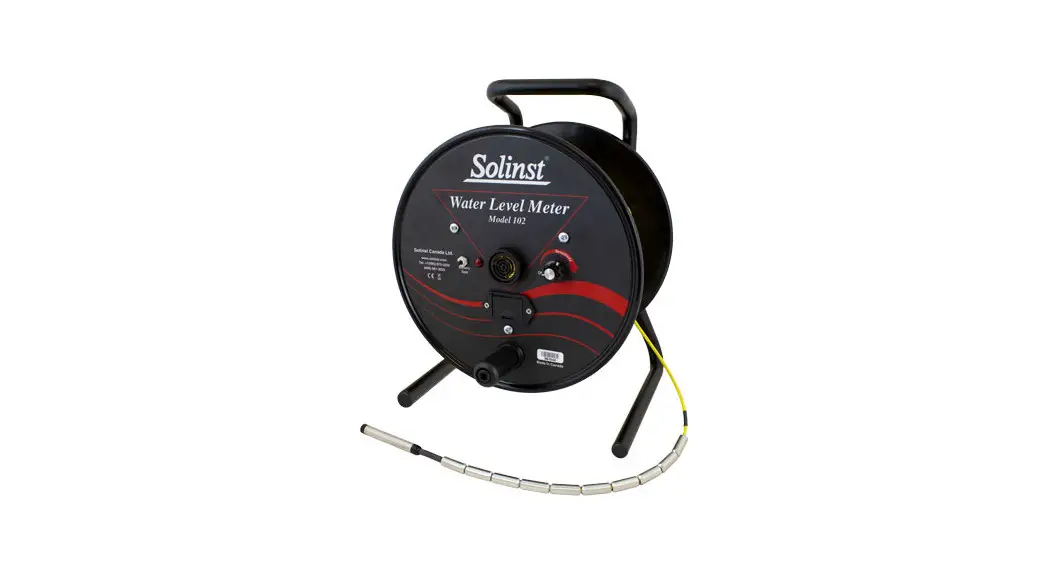
The replacement hub assembly is designed for Model 101/102 water
level meters and features a hub side view and model 101/102 hub
inside view.
Product Usage Instructions:
To replace the old hub with the new one, follow these steps:
Removing the Old Hub:
- Unwind the tape/cable from the hub and pull it through the
grommet until you reach the end. - Use a Phillips or Robertson screwdriver to undo the three
screws holding the faceplate to the hub. Remove the faceplate. - Remove the two Robertson screws holding the clamp over the
tape/cable inside the hub and remove the clamp. - For Mk1 Water Level Meters, use the Molex pin extraction tool
to remove the pins from the tape/cable Molex connector, noting the
polarity. The negative pin is removed from the terminal on the
pointed side of the Molex connector. - Use retaining ring pliers to remove the retaining ring holding
the hub to the center rod of the frame. Remove the three
washers. - Pull the hub and attached backplate from the frame. Remove the
three screws holding the hub to the backplate.
Attaching the New Hub:
- Fasten the three screws to secure the backplate to the new
hub. - Ensure the black Delrin spacer is installed on the center rod
of the frame and the brake pad is flush with the back of the frame.
Slide the hub and backplate back onto the frame. - Replace the three washers over the center rod (nylon washer
between the two stainless steel washers) and reinstall the
retaining ring on the center rod. - Feed the tape/cable through the grommet in the new hub (grommet
may need to be installed in hub opening). - For Mk1 Water Level Meters, by hand, insert the pins back into
the Molex connector. The negative pin is inserted into the terminal
on the pointed side of the Molex connector, and the positive pin
into the other/middle terminal. - For Mk2 Water Level Meters, push down on the white terminals on
the circuit board, insert the leads, then release the
terminals. - Position the tape/cable inside the hub, with the clamp over top
and numbers facing up. Refasten the two screws to secure the
tape/cable to the new hub. - For Mk1 Water Level Meters, connect the Molex connector from
the faceplate to the tape/cable. - With the Probe in a glass of tap water, turn the Water Level
Meter to the ‘ON’ position. If the connections are correct, the
buzzer and light on the Meter will be activated. Check connections
if the buzzer does not sound. - Align the faceplate on the hub and re-secure the three
screws. - Slowly wind the tape/cable onto the reel, holding to ensure no
slack.
Reel Hub Replacement
More Info | Instructions | Get Quote
Tools and Materials Needed
1. SC Series Replacement Hub Assembly (#103561)
· Molded Hub (#102157) · Retaining Ring (#102159) · 2 x Stainless Steel Washers (#102560) · Nylon Washer (#103507) · Clamp (#102164) · 2 Robertson Screws (#103494) · 6 x Phillips/Robertson Screws (#103485) · Grommet (#102864) · Black Delrin Spacer (not used for SC2000 reels) (#102163)
Hub Side View
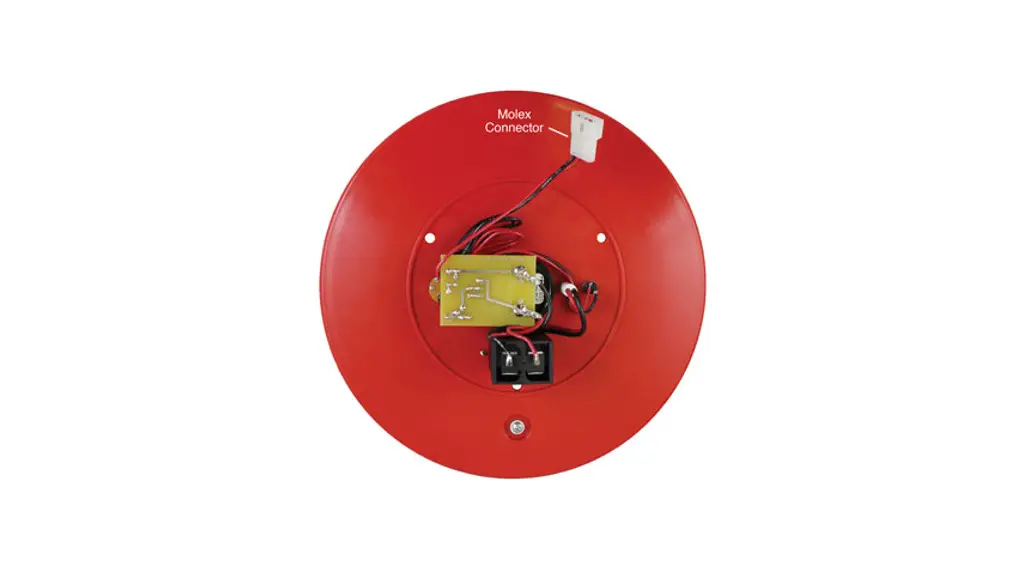
Model 101/102 Hub Inside View
2. Phillips Screwdriver
3. Robertson (Square head) Screwdriver
4. Retaining Ring Pliers (Solinst pt#103546 or similar)
5. Molex Pin Extraction Tool (available at most tool outlets)
Removing the Old Hub
1. Unwind the tape/cable from the hub and pull it through the grommet until you come to the end.
2. Use the Phillips or Robertson screwdriver to undo the three screws holding the faceplate to the hub. Remove the faceplate.
3. For Mk1 Water Level Meters, disconnect the Molex connector that attaches the faceplate electronics to the tape/cable. For Mk2 Water Level Meters, press down on the push-release fittings on the circuit board to remove the tape/cable leads. Remember which lead is removed from each terminal this is important when reconnecting.
4. Remove the two Robertson screws holding the clamp over the tape/cable inside the hub and remove the clamp.
5. For Mk1 Water Level Meters, use the Molex pin extraction tool to remove the pins from the tape/cable Molex connector, noting the polarity. The negative pin is removed from the terminal on the pointed side of the Molex connector.
Retaining Ring
101/102 Replacement Hub Assembly
Attaching the New Hub
10. Fasten the three screws to secure the backplate to the new hub (see photo at right).
11. Ensure the black Delrin spacer is installed on the centre rod of the frame and the brake pad is flush with the back of the frame. Slide the hub and backplate back onto the frame (See photo at right).
Note: SC2000 reels do not need the spacer, as there is a shoulder on the centre rod.
Centre Rod
12. Replace the three washers over the centre rod (nylon washer between the two stainless steel washers) and reinstall the retaining ring on the centre rod.
13. Feed the tape/cable through the grommet in the new hub (grommet may need to be installed in hub opening).
Black Spacer
14. For Mk1 Water Level Meters, by hand, insert the pins back into the Molex connector. The negative pin is inserted into the terminal on the pointed side of the Molex connector, and the positive pin into the other/middle terminal.
Note: Model 101: the negative pin is on the top of the tape, numbers facing up. Model 102: the negative pin is connected to the black insulated braided wire
Clamp
6. Pull the tape/cable through the grommet and remove it from the reel.
7. Use the retaining ring pliers to remove the retaining ring holding the hub to the centre rod of the frame. Remove the three washers.
8. Pull the hub and attached backplate from the frame. 9. Remove the three screws holding the hub to the backplate.
®Solinst is a registered trademark of Solinst Canada Ltd.
For Mk2 Water Level Meters, push down on the white terminals on the circuit board, insert the leads, then release the terminals.
15. Position the tape/cable inside the hub, with the clamp over top and numbers facing up. Refasten the two screws to secure the tape/cable to the new hub.
16. For Mk1 Water Level Meters, connect the Molex connector from the faceplate to the tape/cable.
17. With the Probe in a glass of tap water, turn the Water Level Meter to the `ON’ position. If the connections are correct, the buzzer and light on the Meter will be activated. Check connections if the buzzer does not sound.
18. Align the faceplate on the hub and re-secure the three screws.
19. Slowly wind the tape/cable onto the reel, holding to ensure no slack.
Solinst Canada Ltd. 35 Todd Road, Georgetown, Ontario Canada L7G 4R8 www.solinst.com E-mail: [email protected] Tel: +1 (905) 873-2255; (800) 661-2023 Fax: +1 (905) 873-1992
February 11, 2022 (#109506)
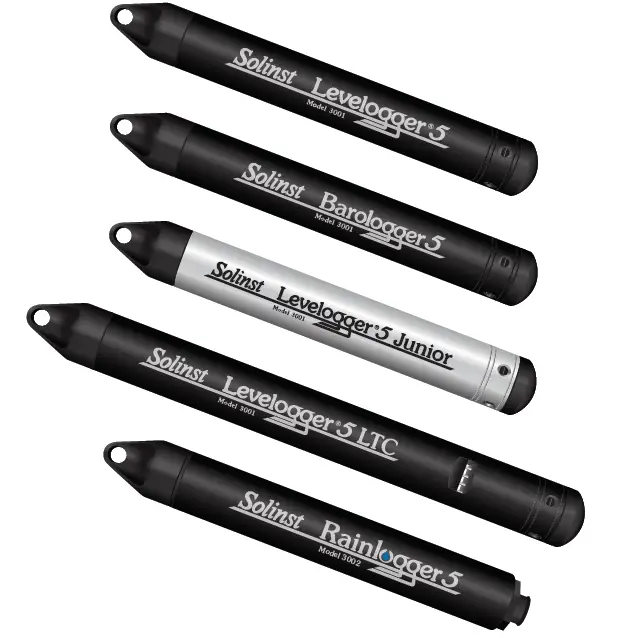
 Solinst Groundwater and Surface Water Monitoring Instrumentation, Water Level Meters, Interface Meters, Dataloggers