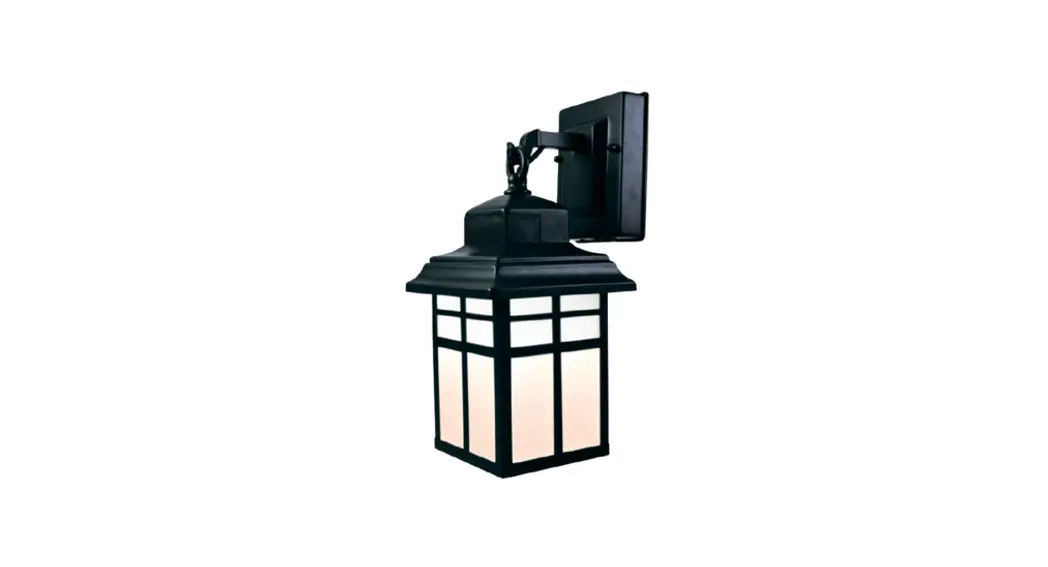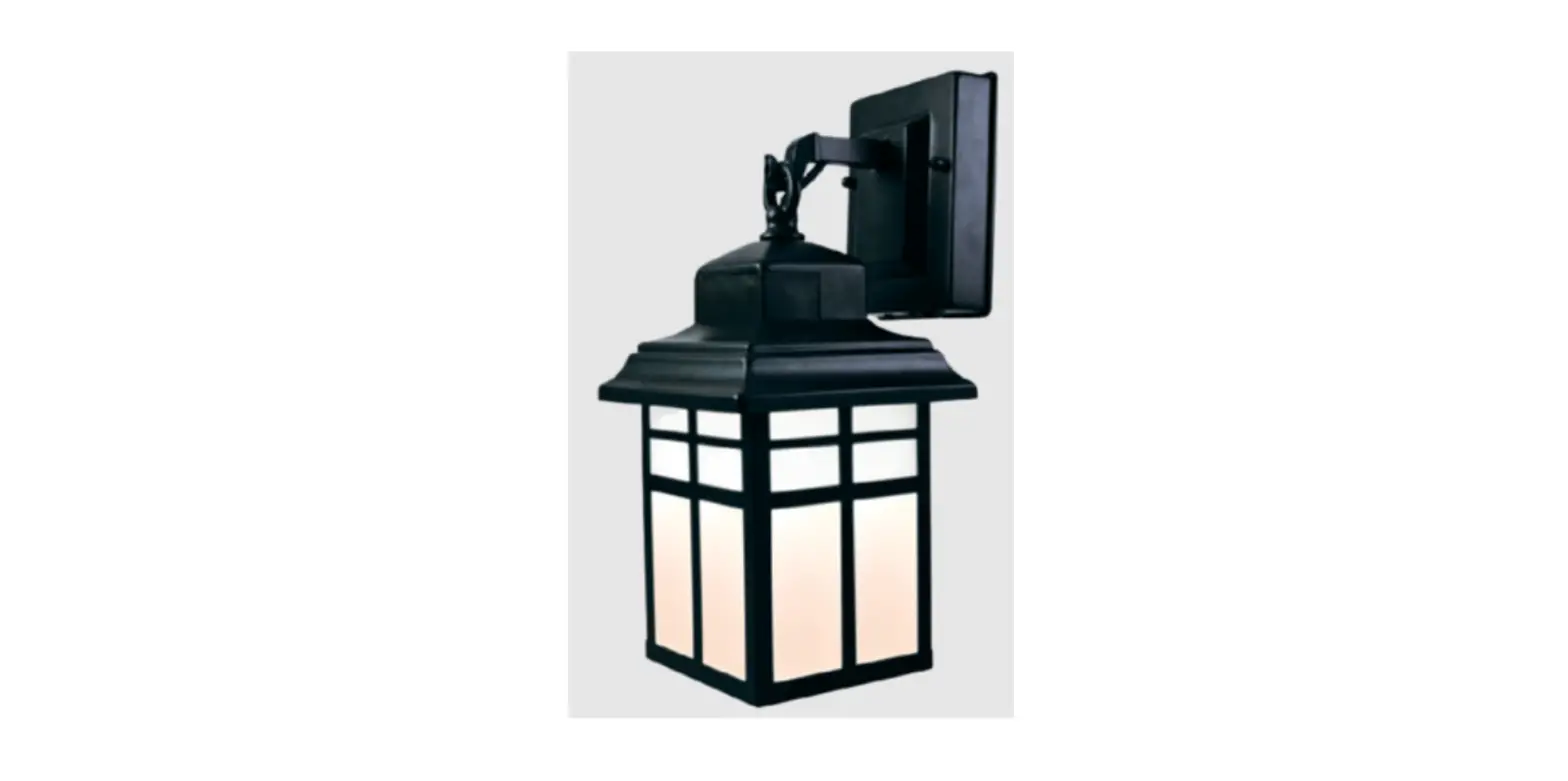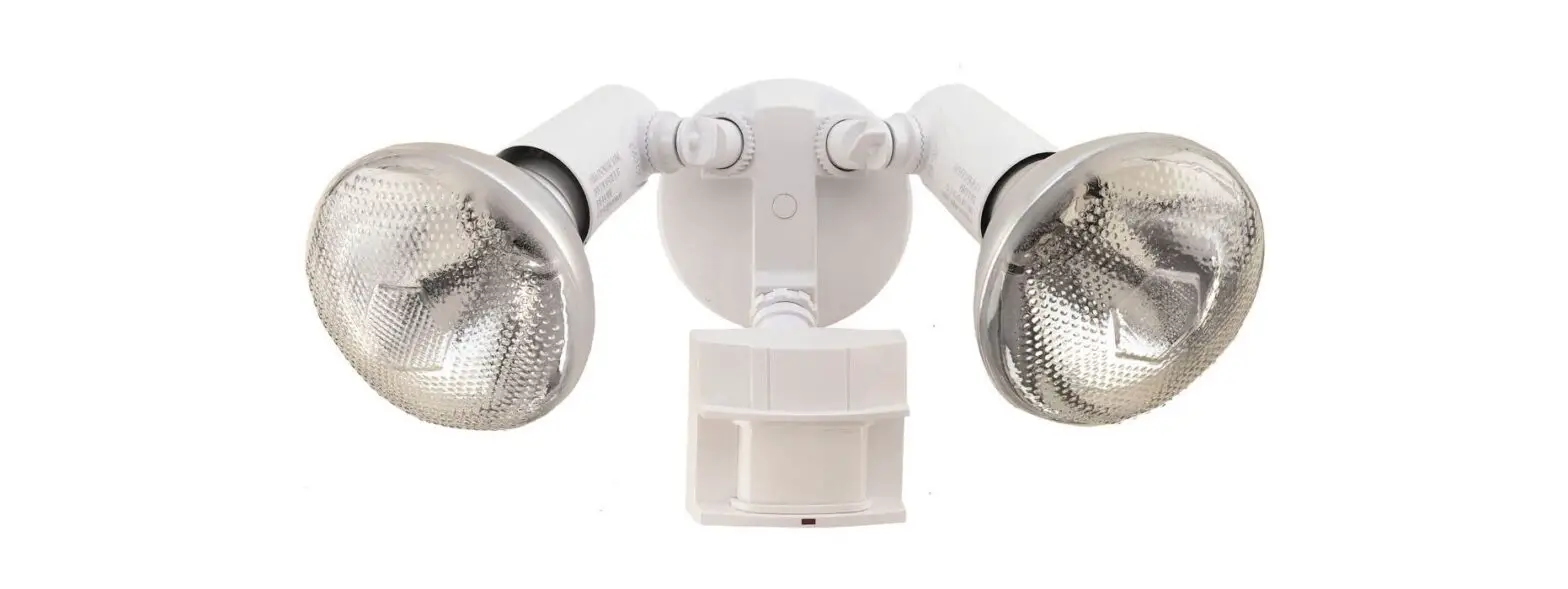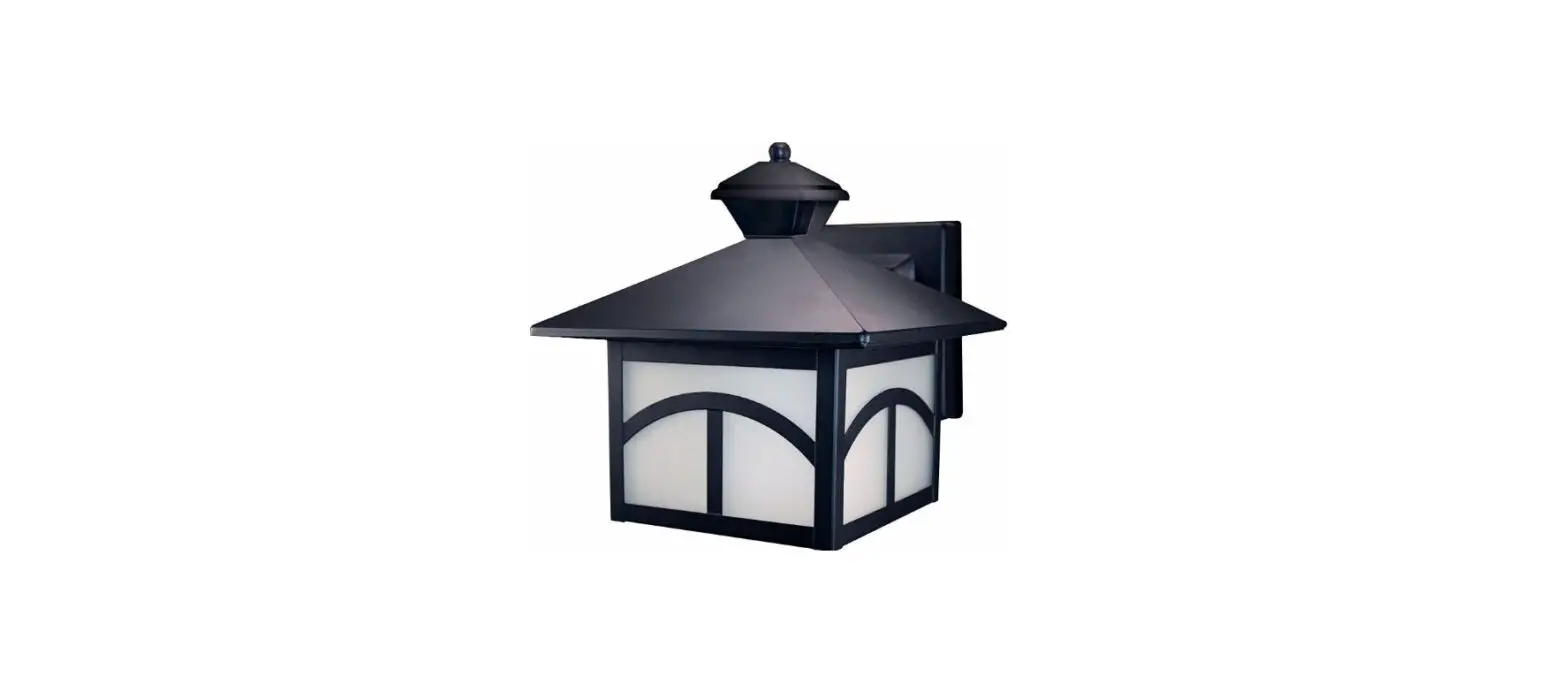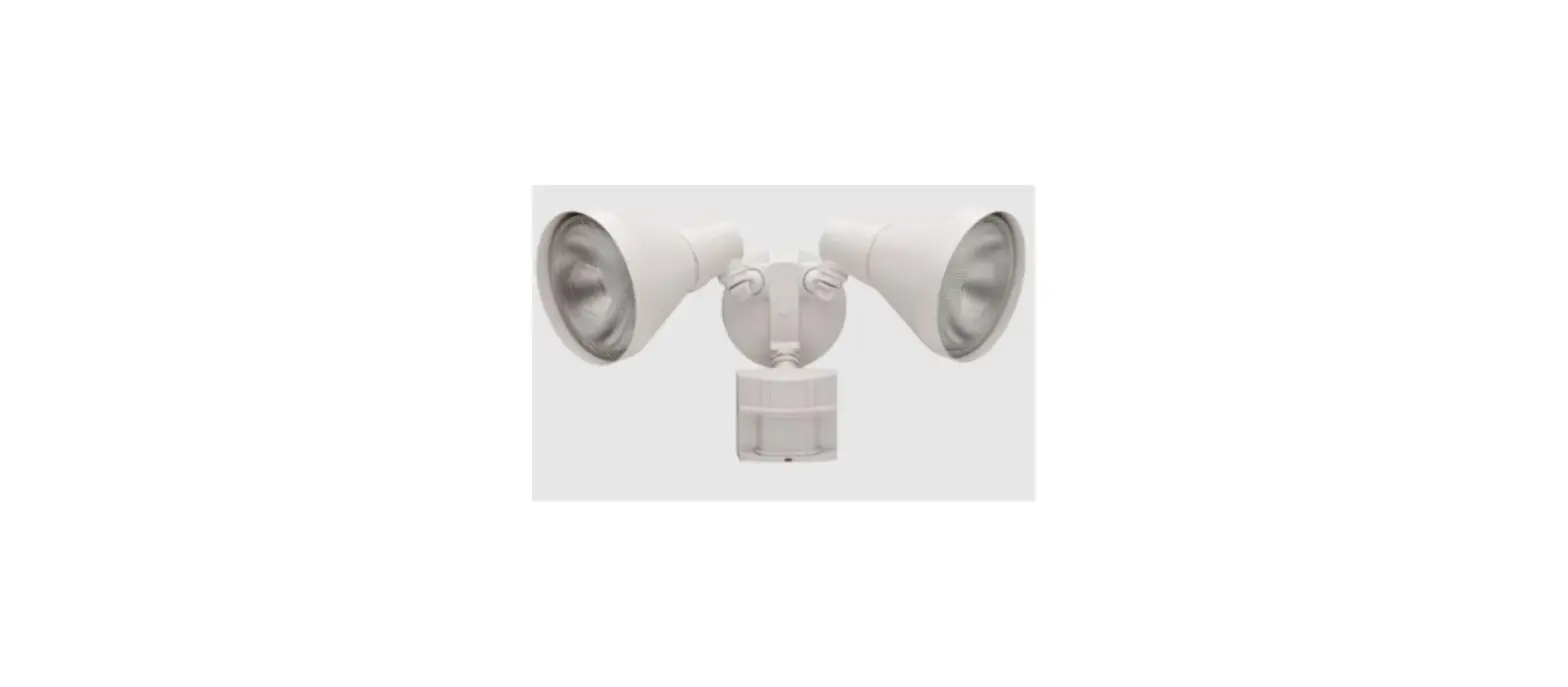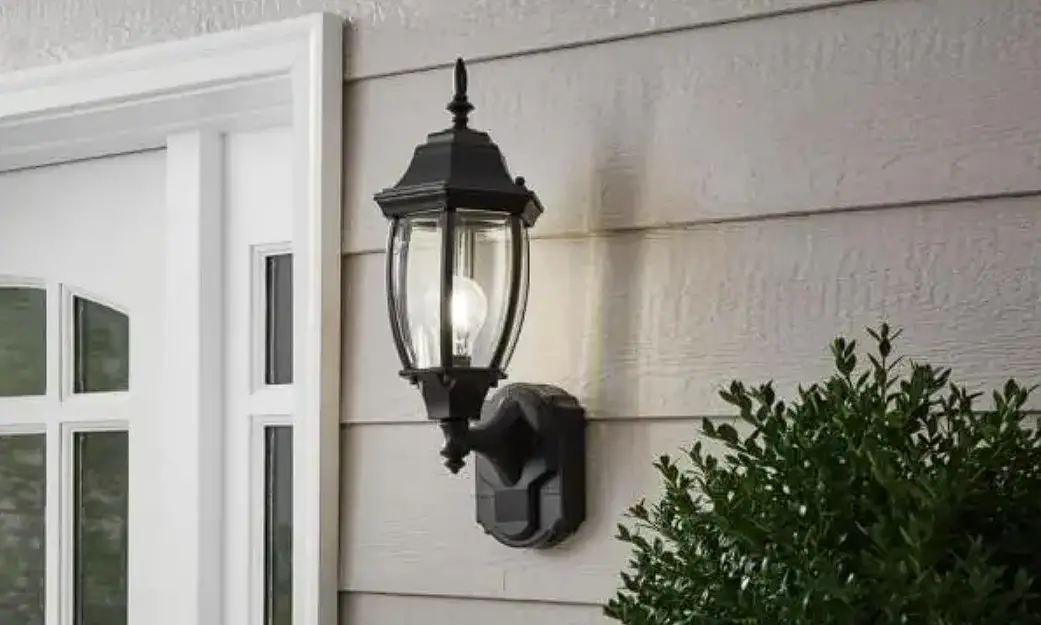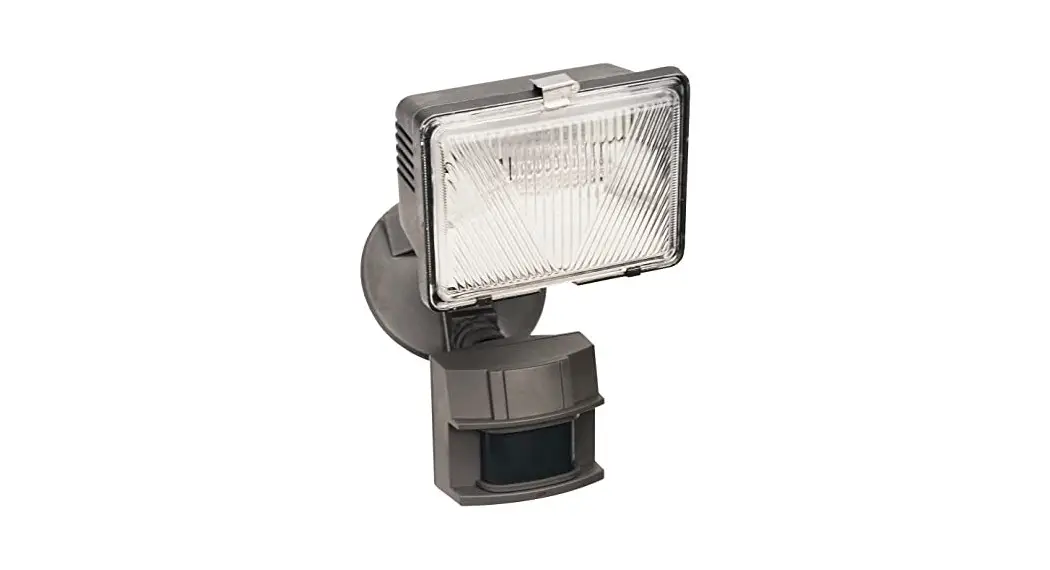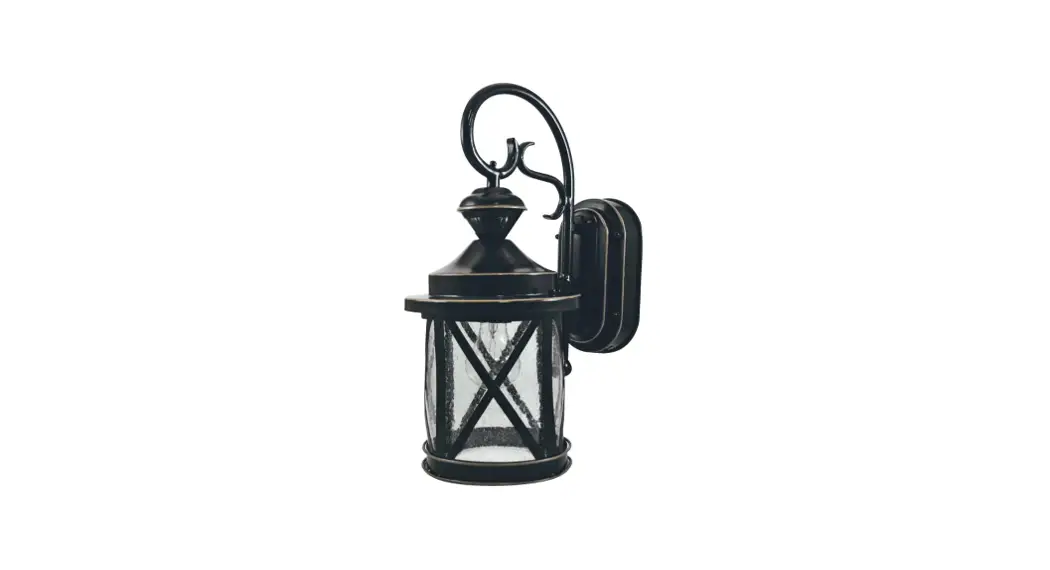
 DUALBRITE® Motion
Sensing Coach Light
Model 4298
Installation and Operating Instructions
FEATURES
- Automatically comes on when motion is detected.
- Automatically turns light off.
- Dusk Accent lighting.
- Photocell keeps the light off during daylight hours.
This package includes: - Coach Light
- Mounting Bracket and Screws
- Wire Connectors
- Owner’s Manual
REQUIREMENTS
- The light control requires 120 volts AC.
- If you want to use Manual Mode, the control must be wired through a switch.
- Some electrical codes require installation by a qualified electrician. Please check the codes in your area.
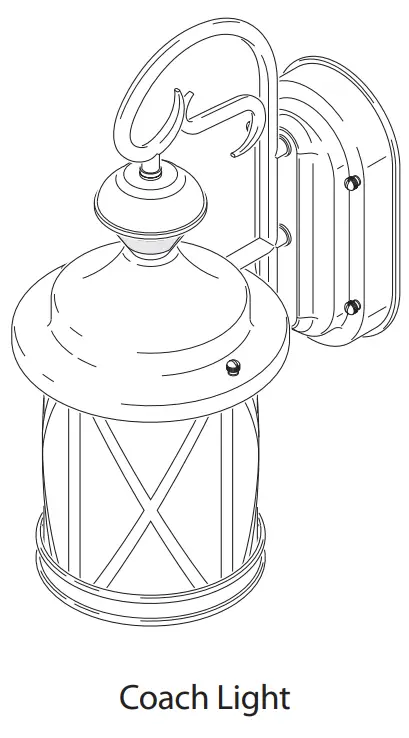
Before installation, record the model number listed inside the fixture. Attach receipt in case of possible warranty issues. Model Number:
INSTALLATION
 WARNING: Turn power off at circuit breaker or fuse.
For best performance, mount the fixture about 6 feet (1.8 m) above the ground.
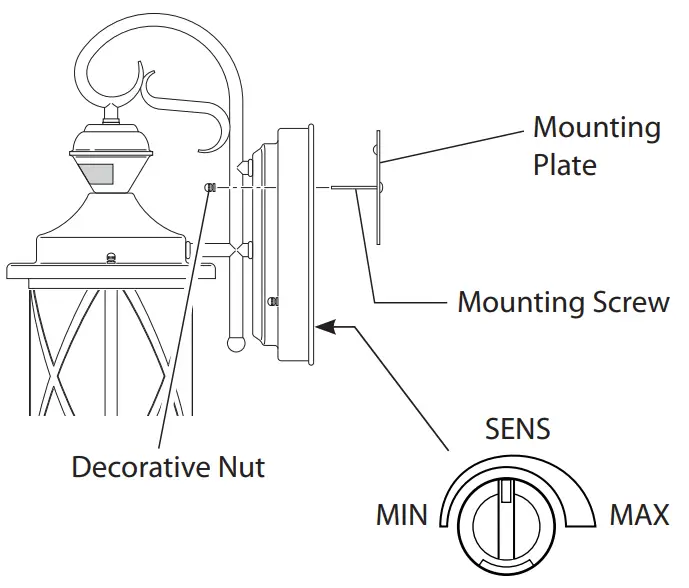
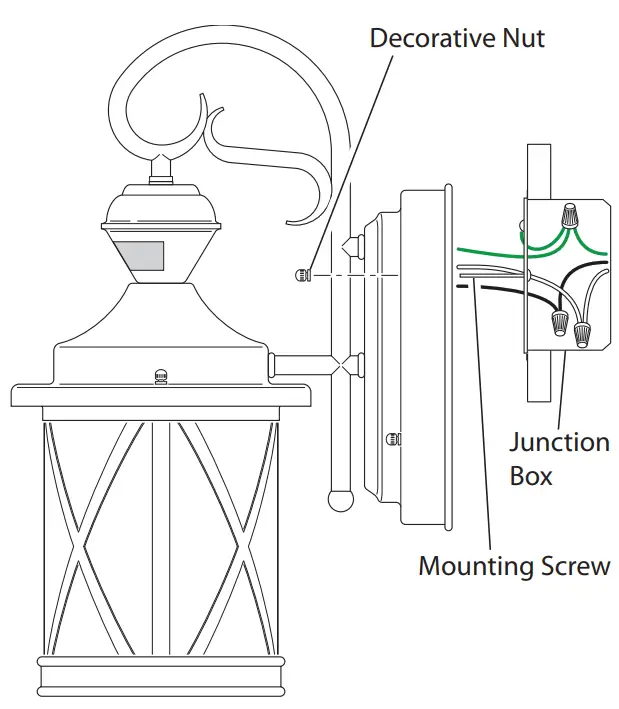
- Remove two decorative nuts.
- Remove the mounting plate.
- Tighten mounting screws finger tight.
- Set sensitivity control on the back of the fixture to mid-position.
- Attach mounting plate to a junction box.
 |  |
Note: We recommend having an assistant help hold the lantern assembly during the wiring process.
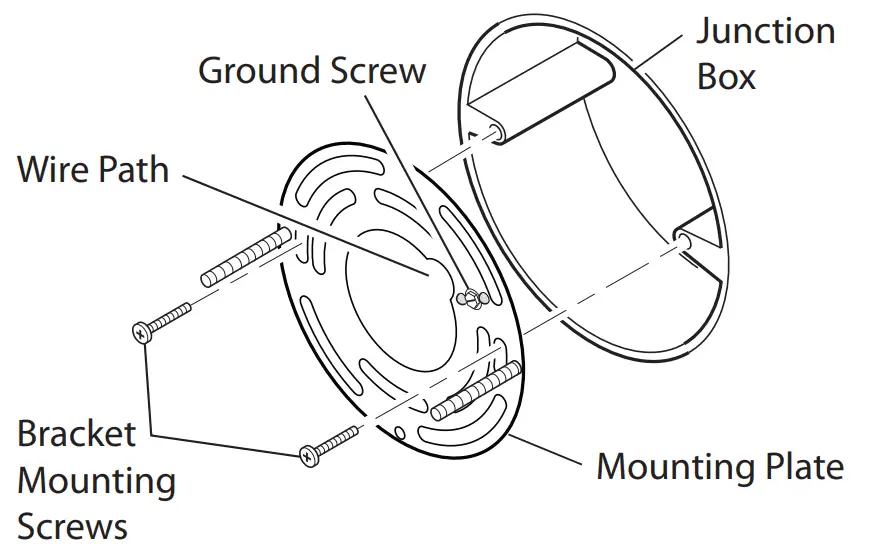
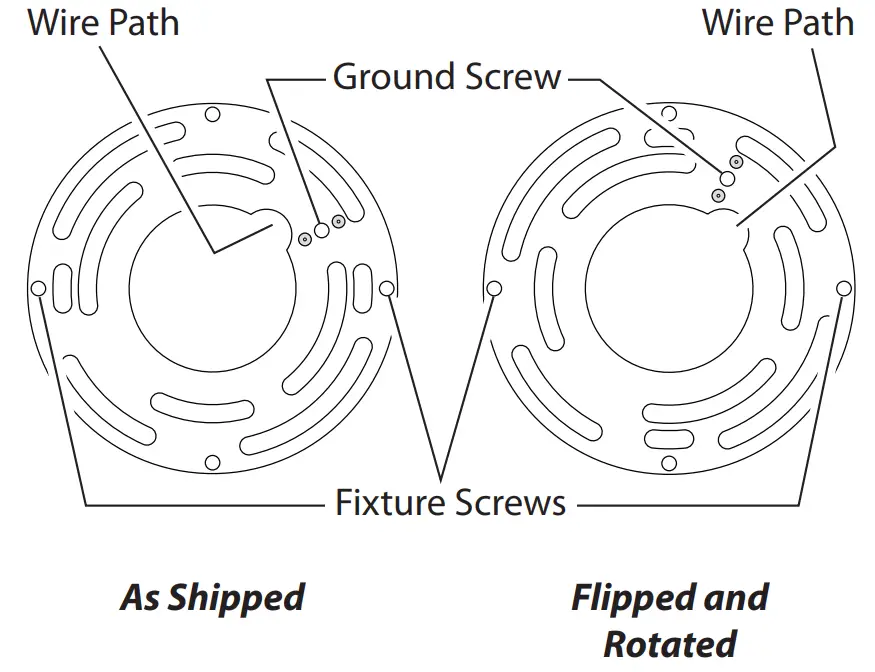
This fixture comes with a universal mounting bracket. It is pre-assembled on the fixture to fit the majority of junction box applications. However, if the slots on the mounting plate do not line up with the junction box screw holes:
- Remove the fixture mounting screws from the mounting plate. Note: Do not remove the ground screw.
- Attach ground wire “pigtail” to ground screw on mounting plate (See Recommended Grounding Method for additional information).
- Flip the mounting plate over.
- Rotate the mounting plate so the wire path is on the upper right.
Note: The wire path on the mounting plate must be located as shown below to allow the wires on the back of the fixture to pass through. - Reinstall the fixture mounting screws and attach the mounting plate to the junction box as shown.
WIRING WARNING: Turn power off at circuit breaker or fuse.
Note: All wiring must be run in accordance with the National Electrical Code through conduit or another acceptable means. Contact a qualified electrician if there is any question as to the suitability of the system.CAUTION: DO NOT connect the RED wire unless you want to control other lights from the motion sensor (see Optional Wiring).
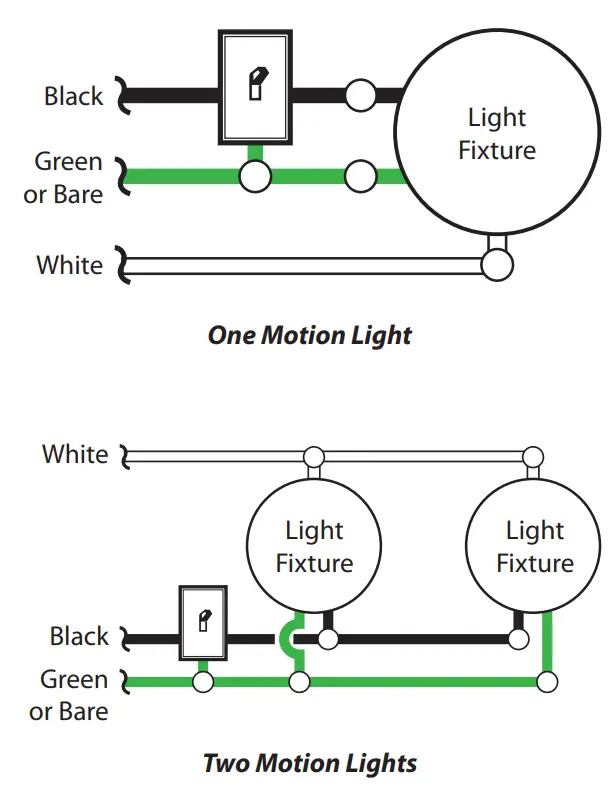
Connect the fixture wires to the wires in the junction box. Twist the wires together and secure with wire connectors.

Recommended Grounding Method
Use a green ground “pigtail” (not provided) and twist one end together with the bare fixture wire and the box ground wire. Secure with a wire connector. Secure the other end of the “pigtail” with the GND screw on the mounting plate.
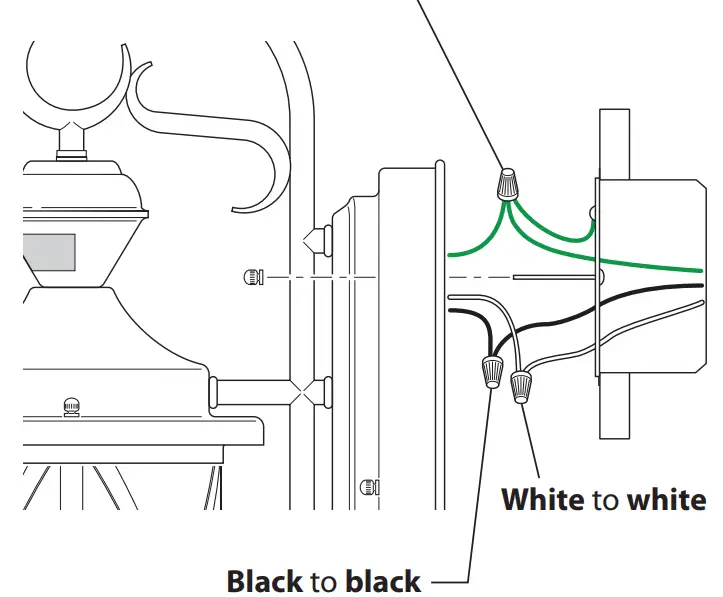
If you have a metal junction box, you may not need the green “pigtail”. If you are unsure about the grounding method, consult your local building code.
OPTIONAL WIRING
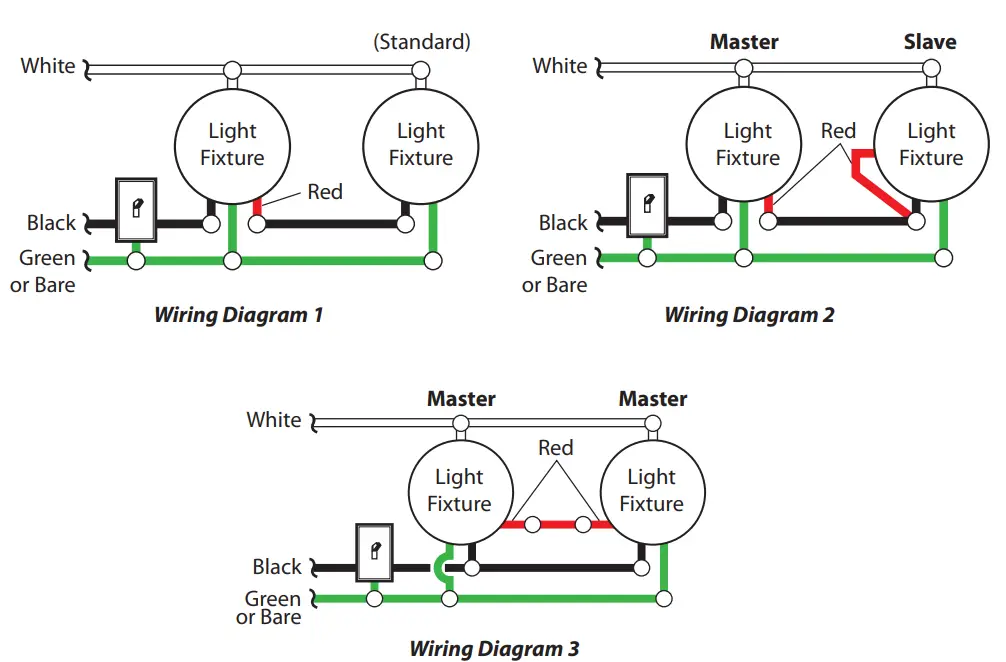
This fixture is provided with a sensor rated for 360 Watts. Since the fixture is only rated 100 Watts, 260 Watts of additional lighting may be controlled by this sensor. When determining what a fixture is rated for, do not simply look at the rating on the light bulb in the fixture. Look at the marking which specifies the maximum bulb wattage for which the fixture is suitable. Once you have selected the fixtures to be connected and determined their maximum ratings, add these ratings up. For instance, if you have 3 fixtures rated 100 Watts, 150 Watts, and 75 Watts respectively, you have a total load of 325 Watts.
Wiring Diagram 1 – When wiring to control a standard light fixture: Strip the motion sensor’s red wire and connect to the standard light’s black wire. Connect all white wires together. Total fixture ratings must not exceed 360 Watts (3.0 A).
Wiring Diagram 2 – When wiring to control another motion sensing light fixture (Master / Slave): Strip the red wire in both light fixtures. Connect the red wire of the controlling (master) fixture to the red and black wires of the controlled (slave) fixture. Connect all white wires together. Total fixture ratings must not exceed 360 Watts (3.0 A).
Wiring Diagram 3 – When wiring so either motion light turns on both motion lights (Master / Master): Strip the red wire in both light fixtures. Connect the red wire of one fixture to the red wire of the second fixture.
Note: In most installations, an additional wire (same gauge as the existing house wire) will have to be installed in the house to connect the two fixtures as master/master. Connect all white wires together and all black wires together. Total fixture ratings must not exceed 360 Watts (3.0 A).
FINAL ASSEMBLY
- Push the wires into the junction box. Make sure the wires from the fixture go through the wire path and no wires get pinched.
- Slide the fixture assembly onto the mounting screws. Tighten decorative nuts removed in step 1 of the Installation section securely against the fixture base.

- Install one medium-base light bulb (100 Watt maximum).
- Caulk around fixture base with silicone weather sealant after all
Testing and Adjustments are complete.
TESTING AND ADJUSTMENTS
- Turn on the circuit breaker and light switch.
Note: The sensor has an 1½ minute warm-up period before it will detect motion. When first turned on wait 1 ½ minutes. - Set:
• ON-TIME switch to TEST
• DualBrite® switch to OFF
• SENSITIVITY dial to Midway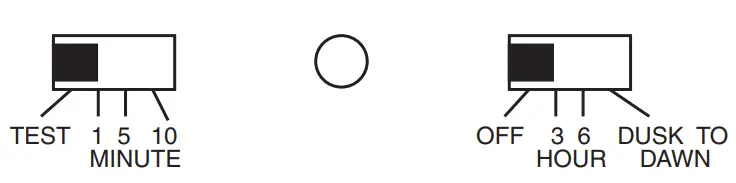
- Walk through the coverage area noting where you are when the lights turn on. In TEST mode, the light will stay on for 5 seconds after sensing motion and then turn off.
- Move the sensor head left or right to change the coverage area. Note: Grasp the sensor only as shown and turn the entire sensor. Any other method may damage the sensor. Do not force it past the stops.

- Adjust the SENSITIVITY to increase or decrease the range as needed. Too much sensitivity may cause false triggering due to heat sources in the coverage area (see Adjustment of Coverage Area or troubleshooting section).
- Set the amount of ON-TIME you want the light to stay on after motion is detected (1, 5, or 10 minutes).
- Set the DualBrite® switch to off, 3 hours, 6 hours, or dusk-to-dawn.

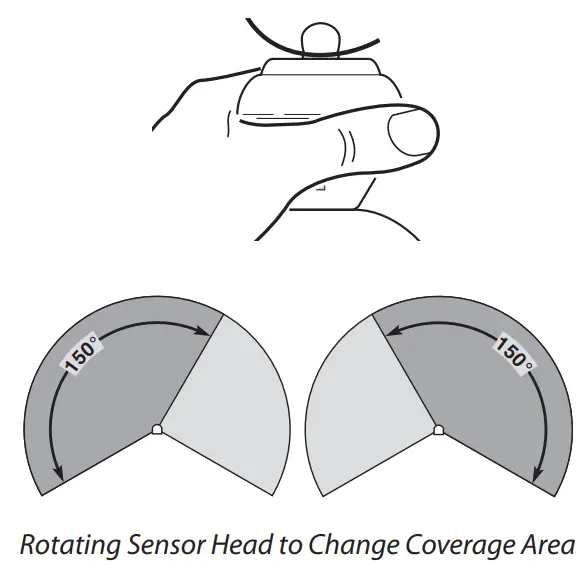
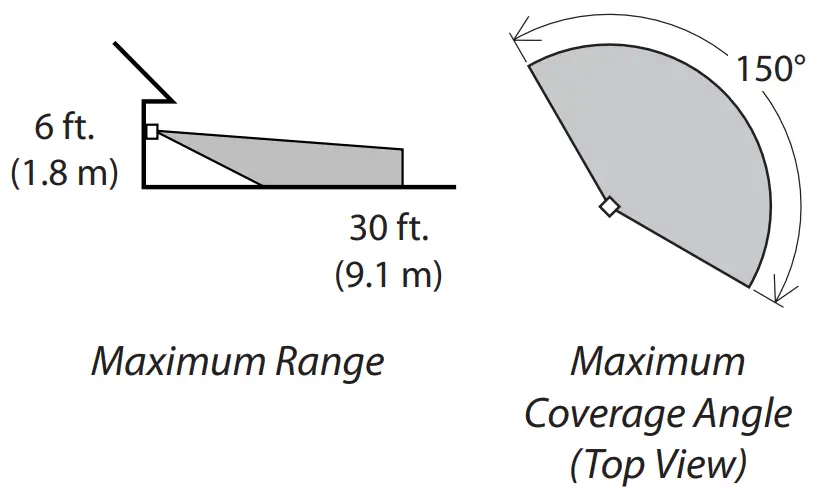
The sensor is less sensitive to motion directly towards it and more sensitive to motion across the coverage area.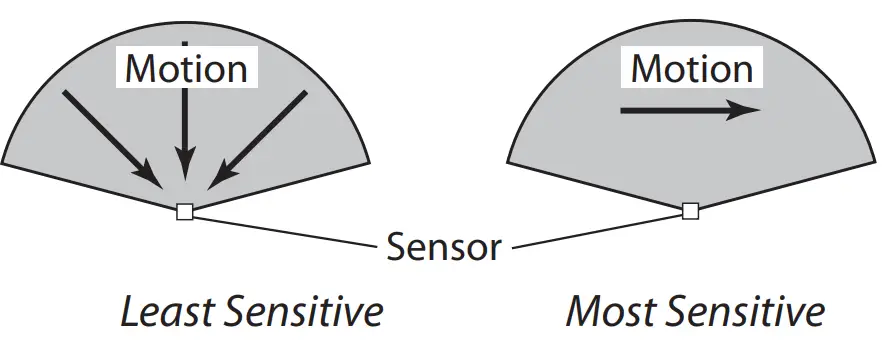 OPERATION
| Mode: | On-Time | Works: Day Night |
| Test | 5 Seconds | x x |
| Auto | 1, 5, or 10 Minutes | x |
| Accent | 3, 6 Hour, To Dawn | x |
| Manual | To Dawn* | x |
* resets to Auto Mode at dawn.
Note: When first turned on wait about 1½ minutes for the circuitry to calibrate.
MANUAL MODE
Manual mode only works at night because daylight returns the sensor to AUTO.
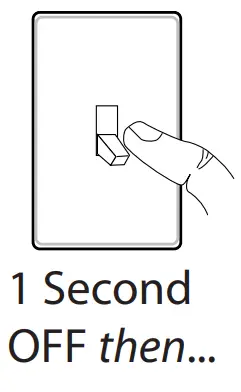
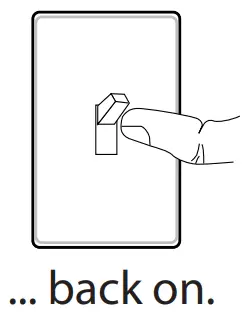
Flip the light switch off for one second then back on to toggle between AUTO and MANUAL MODE.
Manual mode works only with the ON-TIME switch in the 1, 5, or 10 positions.
MODE SWITCHING SUMMARY
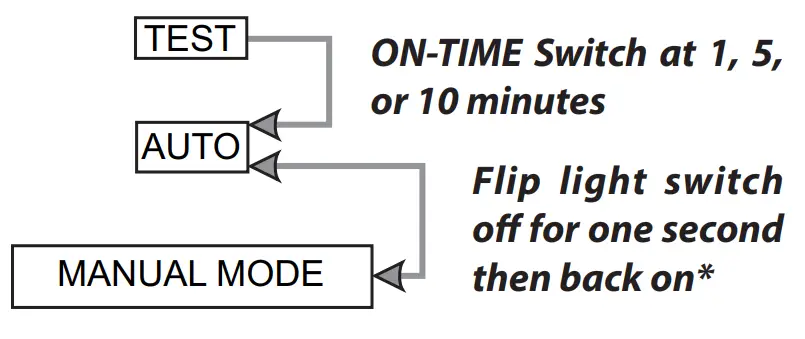
* If you get confused while switching modes, turn the power off for one minute, then back on. After the calibration time, the control will be in the AUTO
mode.
DUALBRITE® Dimmer Control
Light comes on half-bright for a selected time after dusk (Off, 3 hr., 6 hr., until dawn). Selecting OFF disables this feature. The motion-sensing features will continue to work as described in this manual.
If the motion is sensed, the light turns on full bright for the ON-TIME (1, 5, or 10 minutes) and then returns to dim mode.
ADJUSTMENT OF COVERAGE AREA
The sensor on this light fixture detects “motion” by the movement of heat across the coverage area. However, the following are examples of objects that also produce heat and can cause the sensor to trigger:
- Pools of Water
- Dryer Vents
- Heating Vents
- Air Conditioners
- Animals
- Automobile Traffic
If you suspect that a heat source of this type is triggering the sensor, reduce the sensitivity.
SPECIFICATIONS
Range …………………….Up to 30 ft. (9.1 m) [varies with surrounding temperature]
Sensing Angle………..Up to 150°
Sensor Aiming Adjustment Angle …..90°
Electrical Load ……..Up to 100 Watt Maximum Incandescent
Bulb Type ………………..Medium Base, Type “A”, 100 Watt Maximum
Sensor Capacity …………….Up to 360 Watt (3.0 A) Maximum Tungsten
Power Requirements ………….120 VAC, 60 Hz
Operating Modes ……………TEST, AUTO, and MANUAL MODE
ON-Timer …………..1, 5, 10 minutes
DualBrite® Timer …………Off, 3, 6 hours, dusk-to-dawn
Test Timer ……………..5 Seconds
Manual Mode Timer ……….Dusk-to-Dawn
TROUBLESHOOTING GUIDE
| SYMPTOM | POSSIBLE CAUSE | SOLUTION |
| Lights will not come on. | 1. Light switch is turned off. 2. Light bulb is loose or burned out. 3. Fuse is blown or circuit breaker is turned off. 4. Daylight turn-off is in effect. 5. Sensor not detecting movement. 6. Incorrect circuit wiring, if this is a new installation. | 1. Turn the light switch on. 2. Check the bulb and replace if burned out. 3. Replace the fuse or turn the circuit breaker on. 4. Recheck after dark. 5. Re-aim the sensor to cover the desired area. 6. Verify wiring is correct. |
| Lights come on in daylight. | 1. Light control may be installed in a relatively dark location. 2. Light control is in TEST. | 1. The fixture is operating normally under these conditions. 2. Set the control switch to 1, 5, or 10 minutes. |
| Lights come on for no apparent reason. | 1. Light control may be sensing small animals or automobile traffic. 2. Sensitivity is set too high. | 1. Re-aim sensor. Reduce sensitivity. 2. Reduce sensitivity. |
| Lights stay on continuously. | 1. The sensor may be picking up a heat source like an air vent, dryer vent, or brightly painted, heat-reflective surface. 2. Light control is in Manual Mode. 3. Light control is in DualBrite® mode. 4. Sensitivity is set too high. | 1. Re-aim sensor. Reduce sensitivity. 2. Switch to Auto. 3. Slide DualBrite® switch to OFF position. 4. Reduce sensitivity. |
| Lights flash on and off. | 1. Light control is in the TEST mode and warming up. 2. Heat being reflected from other objects may be affecting the sensor. | 1. Flashing is normal under these conditions. 2. Re-aim sensor. Reduce sensitivity. |
TECHNICAL SERVICE
Please call 1-800-858-8501 (English speaking only) for assistance before returning a product to store.
If you experience a problem, follow this guide. You may also want to visit our Web site at: www.hzsupport.com
. If the problem persists, call* for assistance at
1-800-858-8501
(English speaking
only), 8:00 AM to 5:00 PM CST (M-F). You may also write* to:
HeathCo LLC
P.O. Box 90045
Bowling Green, KY 42102-9045
ATTN: Technical Service
* If contacting Technical Service, please have the following information available: Model Number, Date of Purchase, and Place of Purchase.
No Service Parts Available for this Product
Please keep your dated sales receipt, it is required for all warranty requests.
TWO YEAR LIMITED WARRANTY
This is a “Limited Warranty” which gives you specific legal rights. You may also have other rights
which vary from state to state or province to province.
For a period of two years from the date of purchase, any malfunction caused by factory defective
parts or workmanship will be corrected at no charge to you.
Repair service, adjustment, and calibration due to misuse, abuse, or negligence,
Not Covered –
light bulbs, batteries, and other expendable items are not covered by this warranty. Unauthorized service or modification of the product or of any furnished component will void this warranty in its entirety. This warranty does not include reimbursement for inconvenience, installation, setup time, loss of use, unauthorized service, or return shipping charges.
This warranty covers only HeathCo LLC assembled products and is not extended to other equipment and components that a customer uses in conjunction with our products.
THIS WARRANTY IS EXPRESSLY IN LIEU OF ALL OTHER WARRANTIES, EXPRESS OR IMPLIED, INCLUDING ANY WARRANTY, REPRESENTATION, OR CONDITION OF MERCHANTABILITY OR THAT THE PRODUCTS ARE FIT FOR ANY PARTICULAR PURPOSE OR USE, AND SPECIFICALLY IN LIEU OF ALL SPECIAL, INDIRECT, INCIDENTAL, OR CONSEQUENTIAL DAMAGES. REPAIR OR REPLACEMENT SHALL BE THE SOLE REMEDY OF THE CUSTOMER AND THERE SHALL BE NO LIABILITY ON THE PART OF HEATHCO LLC FOR ANY SPECIAL, INDIRECT, INCIDENTAL, OR CONSEQUENTIAL DAMAGES, INCLUDING BUT NOT LIMITED TO ANY LOSS OF BUSINESS OR PROFITS, WHETHER OR NOT FORESEEABLE. Some states or provinces do not allow the exclusion or limitation of incidental or consequential damages, so the above limitation or exclusion may not apply to you.
Please keep your dated sales receipt, it is required for all warranty requests.
HeathCo LLC reserves the right to discontinue products and to change specifications at any time without incurring any obligation to incorporate new features in products previously sold.
Purchase Information
Model #: _____________
Date of Purchase: ____________
Staple Purchase Receipt Here
PLEASE KEEP YOUR DATED SALES RECEIPT,
IT IS REQUIRED FOR ALL WARRANTY REQUESTS.
200473-02
 hzsupport.com
 موقع محمد الخضير
 hzsupport.com