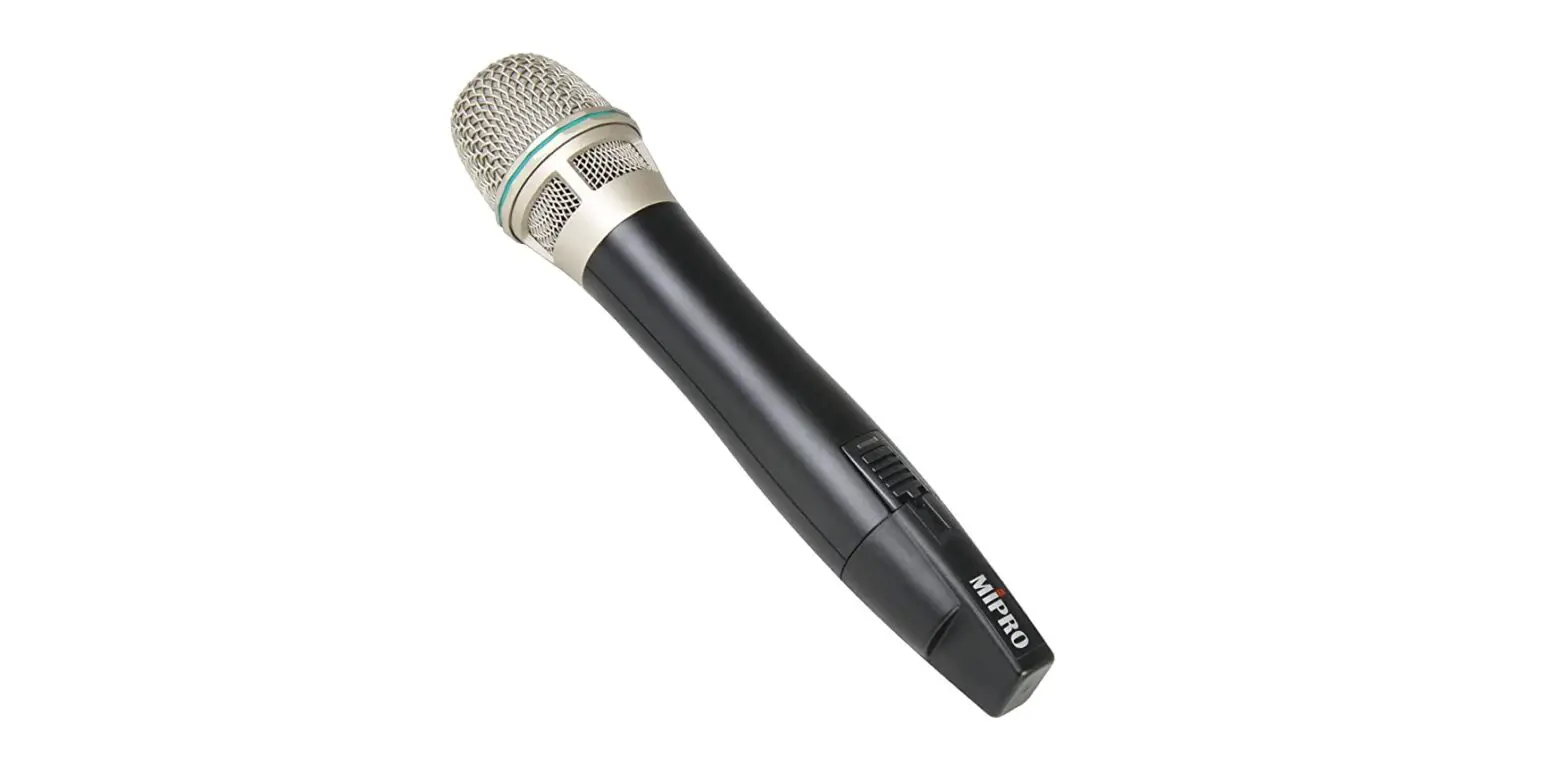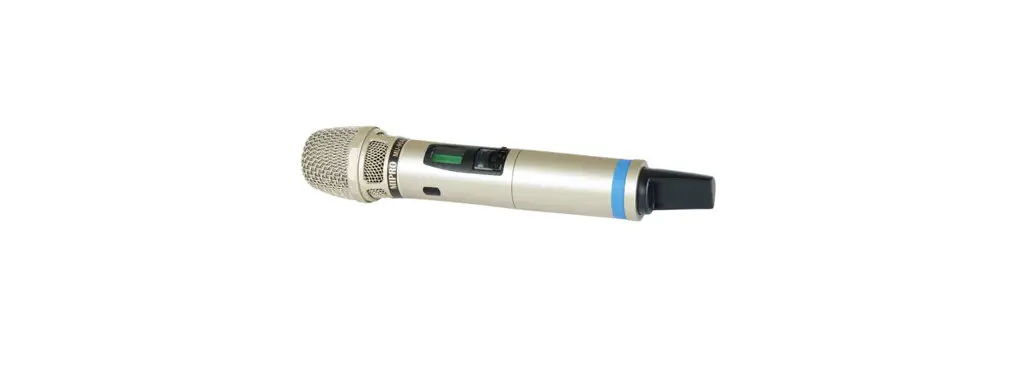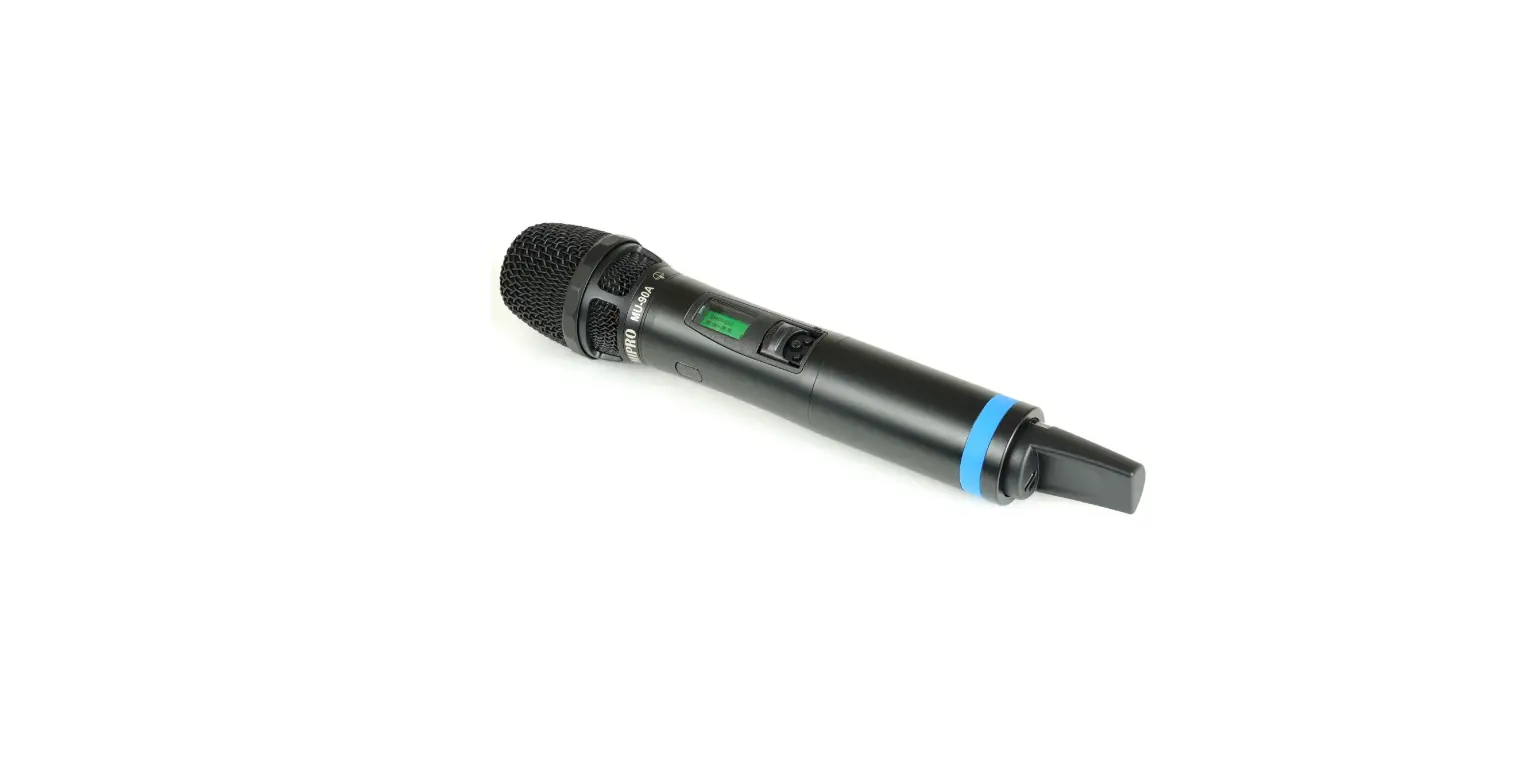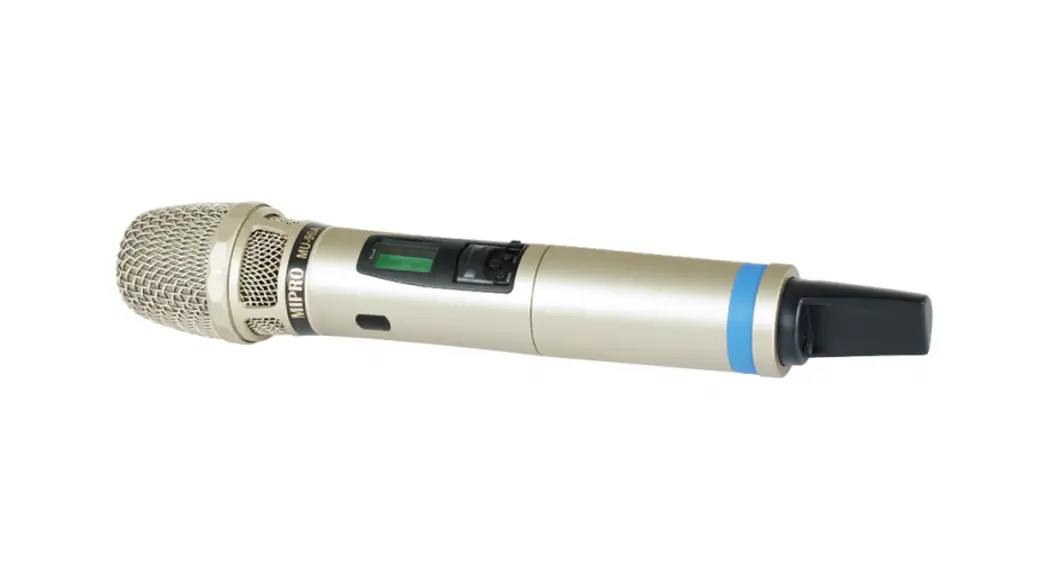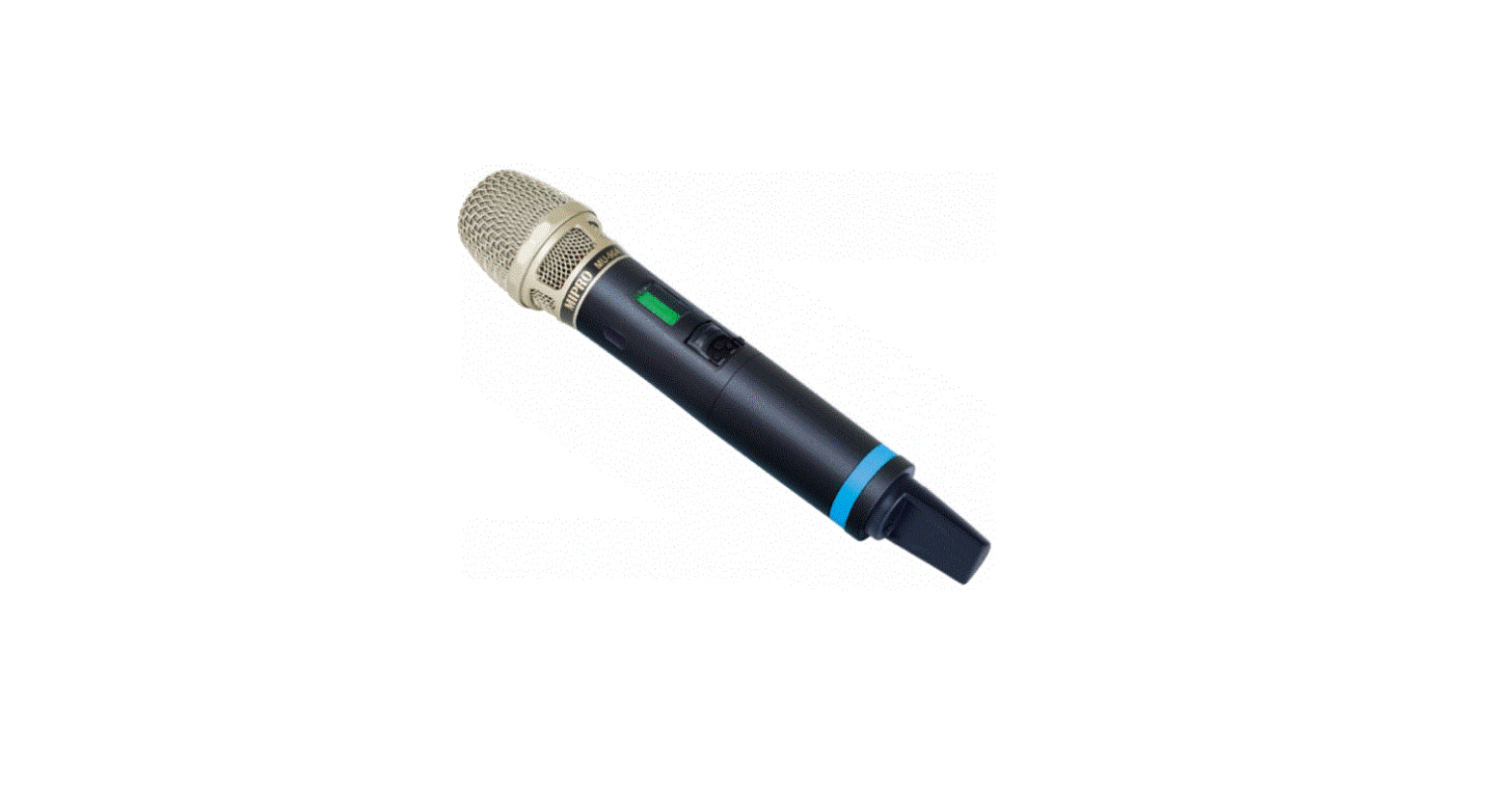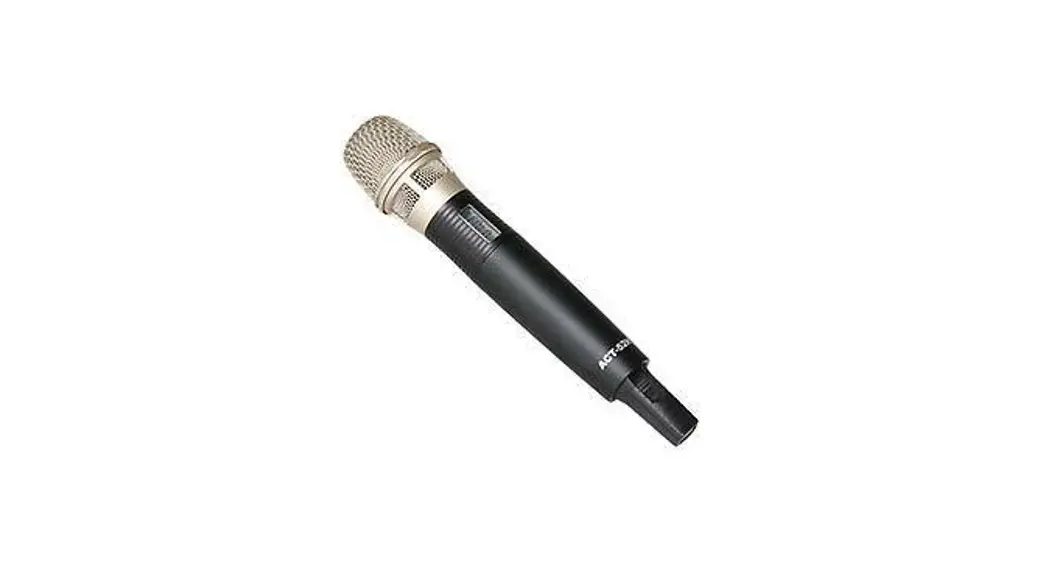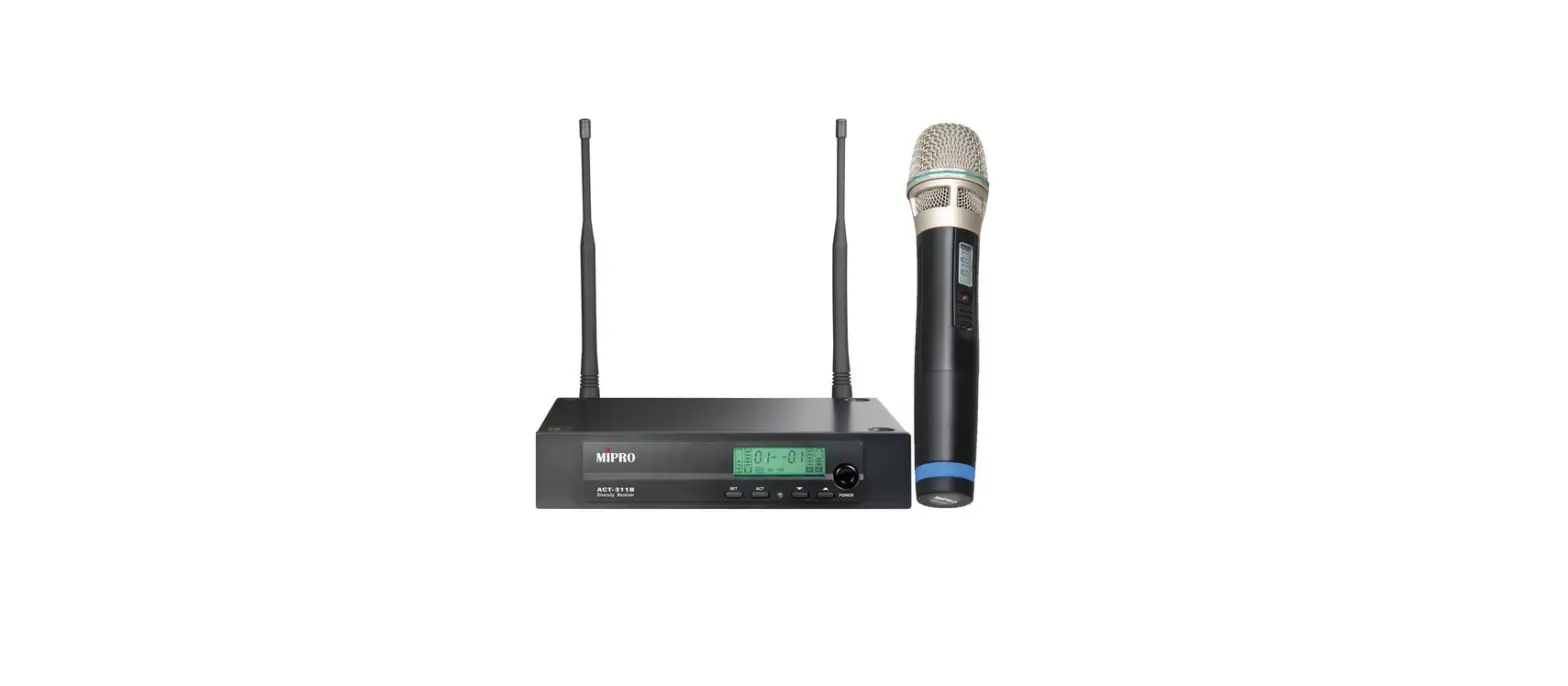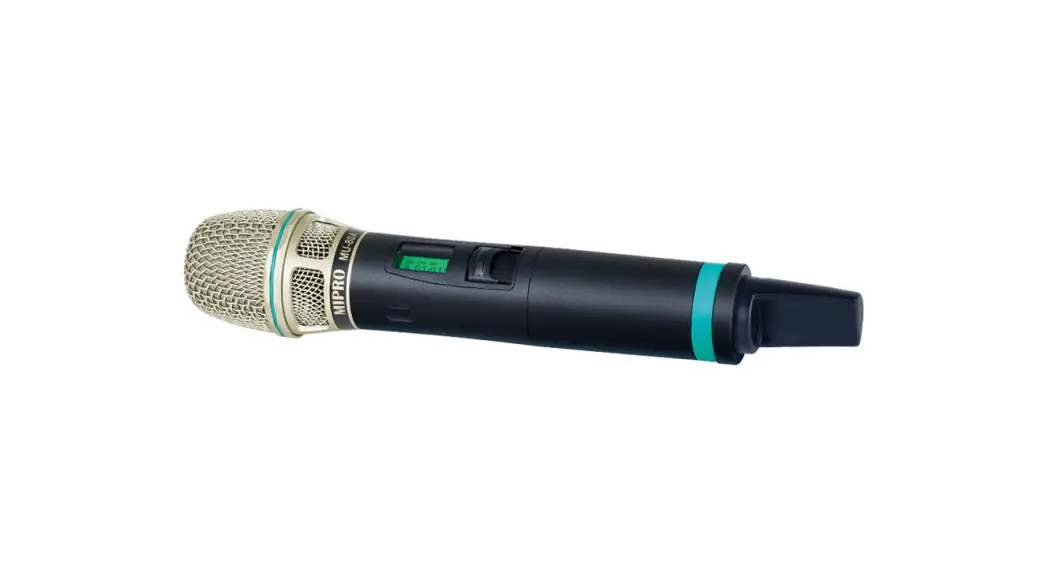
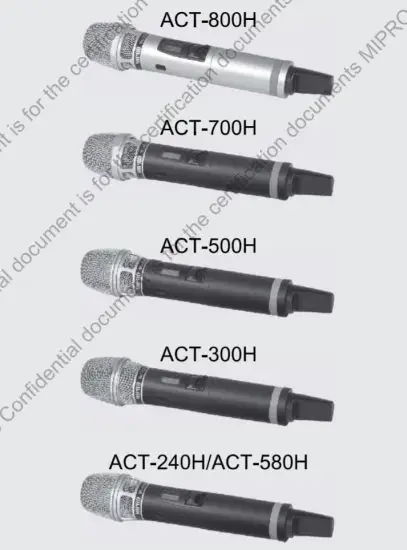
 ACT-800H UHF Digital Handheld Wireless Microphone
User Guide
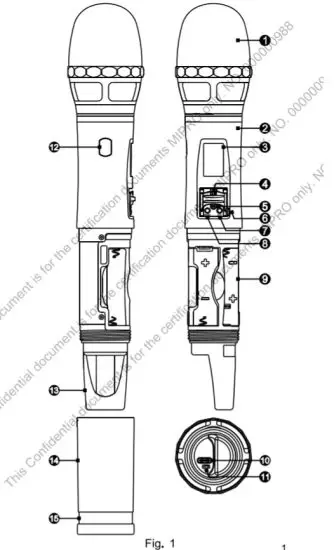
Part Names. Fig. 1
All rights reserved. Do not copy or forward without prior approvals MIPRO. Specifications and design subject to change without notice. YM 020/11
| 1. Microphone Capsule Module 2. Upper Housing 3. LCD Panel 4. Power Switch 5. Mute Button 6. Power Switch Block Latch 7. SET Button 8. MODE Button | 9. Battery Holder 10. USB Type-C Charging Port 11. Charging Indicator 12. ACT Sync Window 13. Rear Cap 14. Lower Housing 15. Channel Identification Ring |
Battery Insertion and Replacement
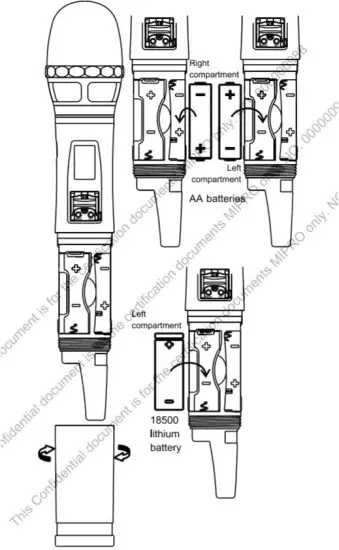
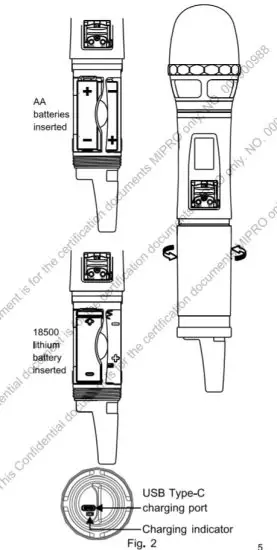
- Battery Insertion. Fig. 2:
(A) Turn to detach the lower housing 14
(B)Insert one 18500 lithium battery or two AA batteries.
(C) 18500 lithium battery insertion: insert one into the left holder with + pole upward.
(D) AA batteries insertion: insert one into the right holder with – pole upward, and then insert another into the left holder with + pole upward. - Check battery polarity was inserted correctly if battery power is sufficient but unable to turn on the transmitter.
- Power off to conserve battery power.
Remove the battery when it will not be used for an extended period of time.

- This device can charge only one ICR-18500 lithium battery via USB Type-C. Cautions during charging:
(A) Before charging, make sure the inside battery is an ICR-18500 lithium battery.
(B) Confirm the battery polarity is inserted correctly.
(C) Turn off the power first and then charge.
(D) Do not charge AA batteries or NiMH batteries. Any damage caused by incorrect batteries is excluded from the warranty.
(E) The charging port doesn’t supply the power for the device.
(F) Do not remove the lithium battery during charging status. Detach the charging cable before removing the lithium battery.
(G) Indicator: Amber ( charging); Green (full).
(H) Check the 18500 lithium battery is inserted correctly if the indicator doesn’t glow.
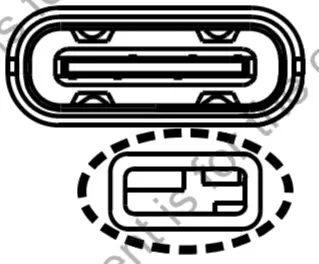 Indicator: Amber ( charging); Green (full).
Operating Instructions
- Power On/Off:
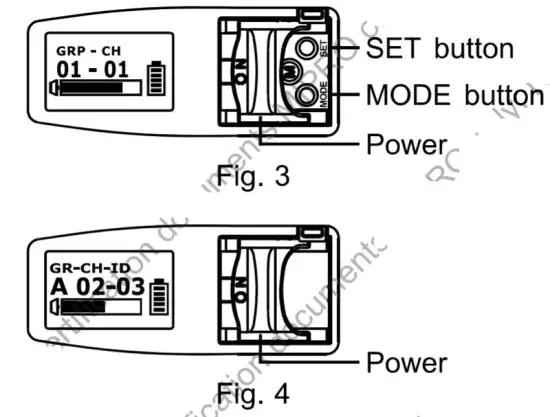
(A) Push the power switch upward to turn on. The LCD panel glows when power is on. Push the power switch downward to turn off. Fig. 3, 4 (B) The LCD shows OFF … during power off. Fig. 5
- Press the MODE button to select functions.
- Press the SET button, the parameter blinks, press SET button again to change the parameter. Fig. 3
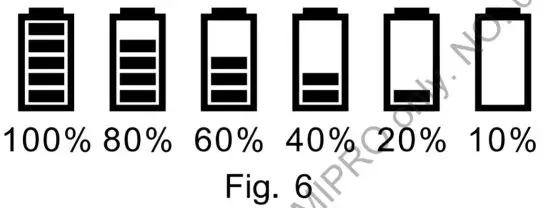
- Battery Level Status:
Replace with a charged battery once the level falls to 10%. The device will power off automatically with an OFF message once the power level falls too low. Fig. 6
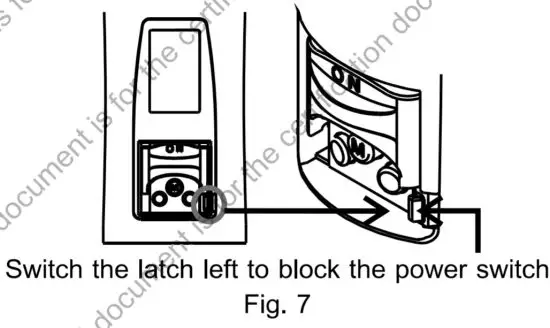
- How to Prevent Accidental Power On/Off:
To prevent users from powering off the microphone accidentally, switch the Power Switch Block Latch 6 left to block the power switch. Fig. 7
 (B) The LCD shows OFF … during power off. Fig. 5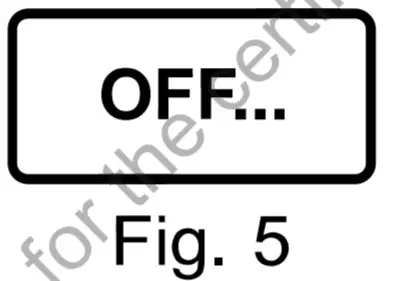
LCD and Operating Instructions
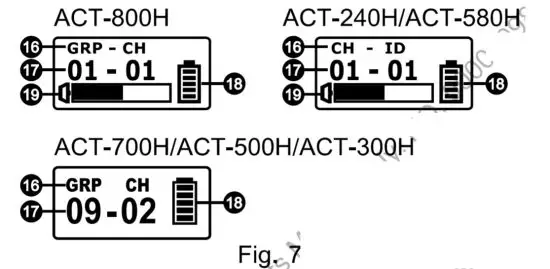
- LCD Display. Fig. 7:
 16. Functions
17. Parameters
18. Battery Status
19. Audio Signal Level Bar - ACT-800H LCD. Fig. 8:
 16. Functions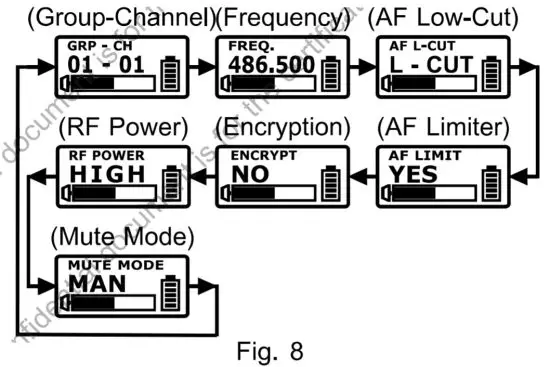
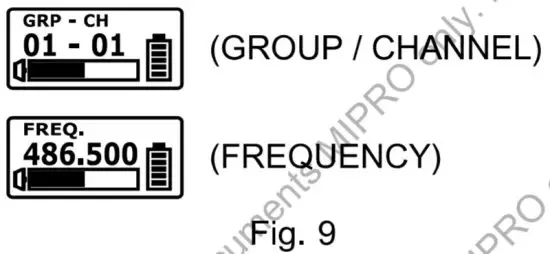
(A) Group (GRP) / Channel (CH) / Frequency (FREQ.). Fig. 9:
- Group / Channel / Frequency is synced from the receiver and cannot be changed.
- To change Group / Channel / Frequency, do it at the receiver and then press the ACT button to sync.

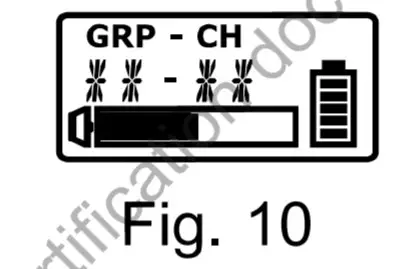
The specific group and channel set via PC will display  Fig. 10
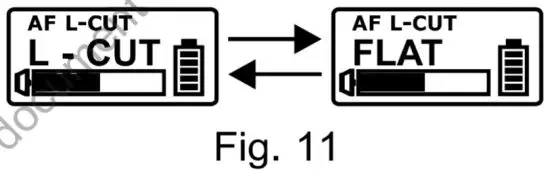
 (B) AF L-CUT: AF Low-Cut Setting. Fig. 11
- Select L-CUT or FLAT.
- L-CUT: the frequency response at 100Hz will decrease about 3dB with a slope of -6dB/Octave.
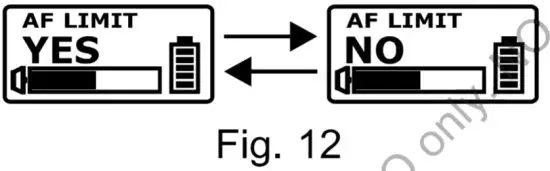
(C) AF LIMIT: Audio Input Limit Setting.
Fig. 12
- Select YES or NO.
- YES: the maximum output of the receiver is limited to 1V.
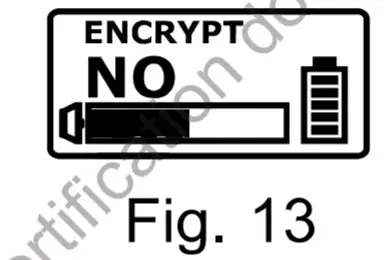
(D) ENCRYPTION: Display Encryption Information. Fig. 13
The ENCRYPTION function must be set at the receiver first then using ACT to program the transmitter. (Refer to ENCRYPTION function of the receiver)
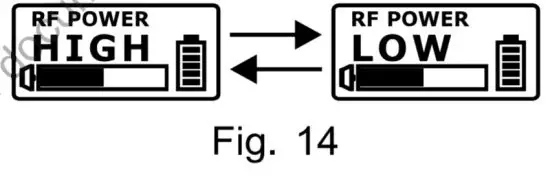
(E) RF POWER: RF Power Setting. Fig. 14
- Select HIGH or LOW.
- HIGH has 50mW transmitting power.
LOW has 10mW transmitting power. Set appropriate power to meet region/country regulations.
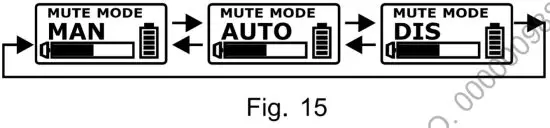
(F) MUTE MODE: Mute Setting. Fig. 15
- Select MAN, AUTO, or DIS.

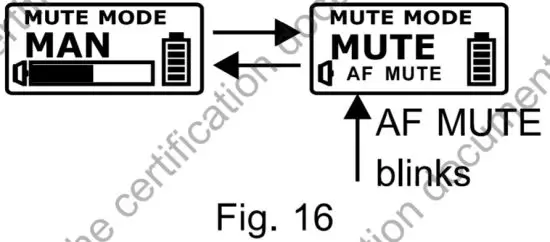
- MAN (Manual): the mute function is controlled by the MUTE button. Fig. 16
(a) Press the MUTE button to mute the transmitter, and the Audio Signal Level Bar 19 shows AF MUTE and blinks. Press again to unmute and the blink stops.
(b) AF MUTE will be disabled automatically when power is off.
- AUTO (Automatic): the mute button has no effect. The handheld transmitter microphone determines to MUTE and UNMUTE automatically.
(a) Audio mutes automatically when the microphone head points toward the floor (down). Audio unmutes automatically when the microphone head points toward the roof (up).
(b) Audio is muted automatically if sitting idled for over 4 seconds. Audio is unmuted when moved. - DIS (Disabled): Mute is disabled and cannot be muted in any method.
(G) Error codes:
- ROM-ER » Channel wasn’t programmed or internal data error.
- ERROR 1 ➔ RF frequency targeting circuitry is failed.
- NO—-03 » The set frequency exceeds the upper band.
The transmitter frequency will not be changed but it can be operated as long as the power switch is turned on again. - NO—-04 ➔ The set frequency exceeds the lower band. The transmitter frequency will not be changed but it can be operated as long as the power switch is
turned on again.
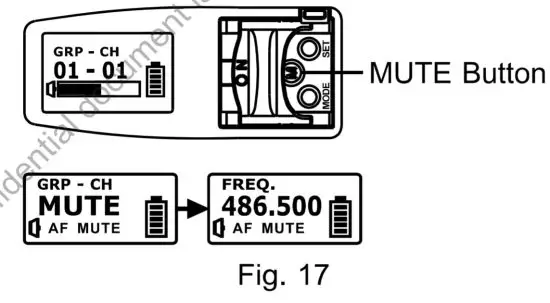
(H) MUTE Button. Fig. 17:
- Press the MUTE button to enter MUTE status, the Audio Signal Level Bar 19 shows AF MUTE and blinks, and all operations and the ACT function are still workable.
- Press the MUTE button again to unmute. AF MUTE will be disabled automatically when power is off.
- MUTE button is only workable under MAN (Manual Setting) mode.
ACT-240H / ACT-580H LCD:
GR (Group) – CH (Channel) – ID (ID Code).
Fig. 18:
- Group / Channel / ID Code messages are displayed only and cannot be changed.
- To change Group/ Channel/ ID Code, do it at the receiver and then press the ACT button to sync.
(Group-Channel-ID Code)
- ACT-240H: GROUP A, CH 1~12, ID 1~64.
ACT-580H: GROUP A, B1, B2, CH 1~12,
ID 1-64, and pairing mode.

 pairing mode.
ACT-700H I ACT-500H / ACT-300H LCD.
Fig. 19:
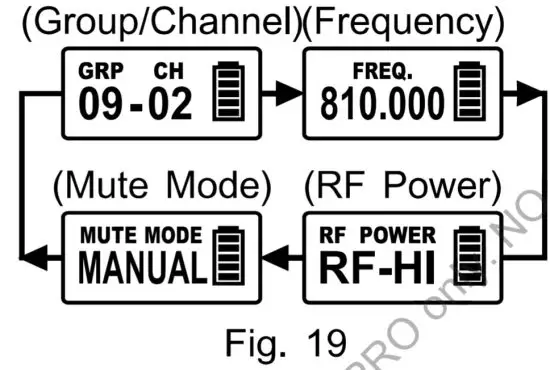
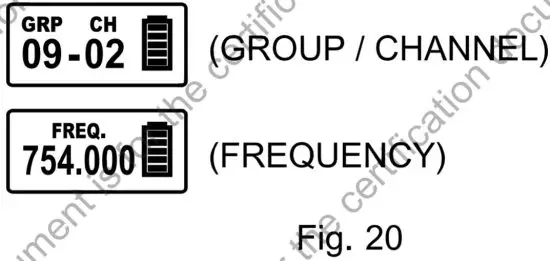
(A) Group (GRP) / Channel (CH) / Frequency (FREQ.). Fig. 20:
- Group / Channel / Frequency messages are displayed only and cannot be changed.
- To change Group/ Channel/ Frequency, do it at the receiver and then press the ACT button to sync.

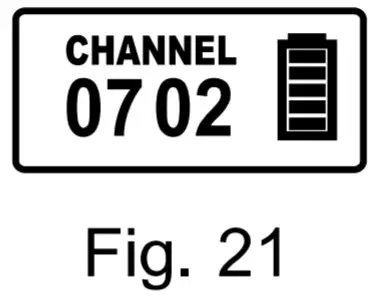
- For those specific channels set via PC, the screen shows only CHANNEL and numbers. Fig. 21
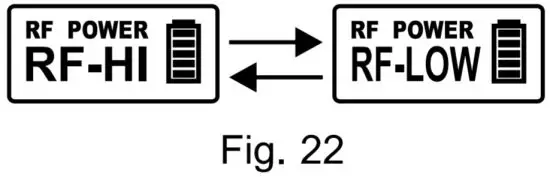
(B) RF POWER Setting. Fig. 22:
Select RF-HI or RF-LOW.
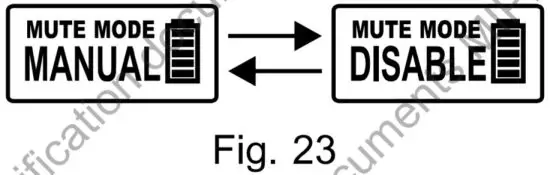
(C) MUTE MODE Setting. Fig. 23:
- Select MANUAL or DISABLE.
- MANUAL: Use the MUTE button to mute/unmute.
- DISABLE: MUTE button is disabled. The mute setting is canceled.
(D) Error Codes:
- ERR no1
 EEPROM Channel wasn’t programmed or internal data error.
 - ERR no02 for testing only.
- ERR no03 the set frequency exceeds the upper band. The transmitter frequency will not be changed but it can be operated as long as the power switch is turned on again.
- ERR no04 the set frequency exceeds the lower band. The transmitter frequency will not be changed but it can be operated as long as the power switch is turned on again.
 EEPROM Channel wasn’t programmed or internal data error.
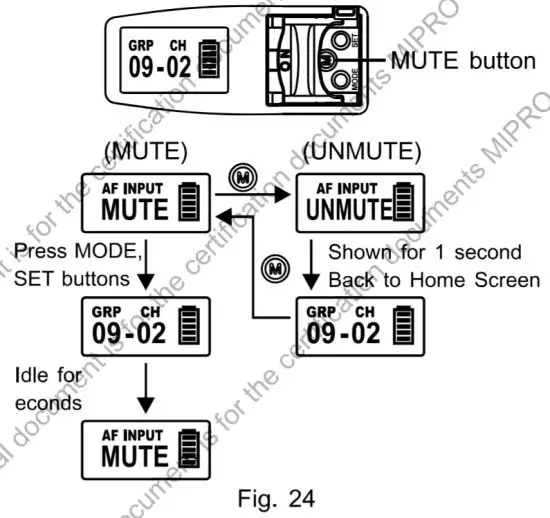
(E) MUTE Button. Fig. 24:
- Press the MUTE button to enter mute status.
- Press MODE, SET buttons to select parameters. Idle for 5 seconds and return to MUTE mode.
- Press the MUTE button again to unmute.
- Unmute Mode: The screen shows UNMUTE for 1 second and returns to Home Screen.
- The MUTE button is only workable under MANUAL mode.
Cautions
- Turn off to save battery life when not in use. Remove the battery not used for an extended period of time.
- To improve the efficiency of the transmitting antenna, do not cover the hands over the rear housing section.
- To prevent degraded microphone sound quality, directionality, and annoying feedback, do not cover the hands over the microphone grille.
- Correct posture of holding the handheld microphone is required because the distance between the microphone and the mouth will have a significant impact on the sensitivity and sound quality.
- Keep the microphone grill clean and unblocked to enhance pick-up sound quality.
Notes
- Refer to the actual product in the event of product description discrepancy.
- Frequency range, RF output power, and maximum deviation comply with the regulations of different countries.
Federal Communication Commission Interference Statement
This equipment has been tested and found to comply with the limits for a Class B digital device, pursuant to Part 15 of the FCC Rules. These limits are designed to provide reasonable protection against harmful interference in a residential installation.
This equipment generates, uses, and can radiate radio frequency energy and, if not installed and used in accordance with the instructions, may cause harmful interference to radio communications. However, there is no guarantee that interference will not occur in a particular installation. If this equipment does cause harmful interference to radio or television reception, which can be determined by turning the equipment off and on, the user is encouraged to try to correct the interference by one of the following measures:
- Reorient or relocate the receiving antenna.
- Increase the separation between the equipment and receiver.
- Connect the equipment into an outlet on a circuit different from that to which the receiver is connected.
- Consult the dealer or an experienced radio/TV technician for help.
FCC Caution: To assure continued compliance, any changes or modifications not expressly approved by the party responsible for compliance could void the user’s authority to operate this equipment. (Example – use only shielded interface cables when connecting to computer or peripheral devices).
FCC Radiation Exposure Statement
This equipment complies with FCC RF radiation exposure limits set forth for an uncontrolled environment. This equipment should be installed and operated with a minimum distance of 0.5 centimeters between the radiator and your body.
This transmitter must not be co-located or operating in conjunction with any other antenna or transmitter.
The antennas used for this transmitter must be installed to provide a separation distance of at least 0.5 cm from all persons and must not be co-located or operating in conjunction with any other antenna or transmitter.
This device complies with Part 15 of the FCC Rules.
Operation is subject to the following two conditions:
(1) This device may not cause harmful interference, and (2) This device must accept any interference received, including interference that may cause undesired operation.
MICROPHONE PROFESSIONALS 
All rights reserved. Do not copy or forward without prior approvals MI PRO. Specifications and design are subject to change without notice. YM 021/04
MIPRO Electronics Co., Ltd
Headquarters: No. 814, Beigang Rd.
Tel : +886.5.238.0809
www.mipro.com.tw
Chiayi City 600079, Taiwan
Fax : +886.5.238.0803
[email protected]

This Confidential document is for the purposes of repairing MIPRO products only.
It is forbidden to modify, add, sell, print, copy, improperly use or offer to third parties. Otherwise, MIPRO will reserve the right to proceed with legal action