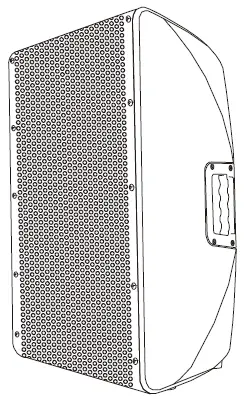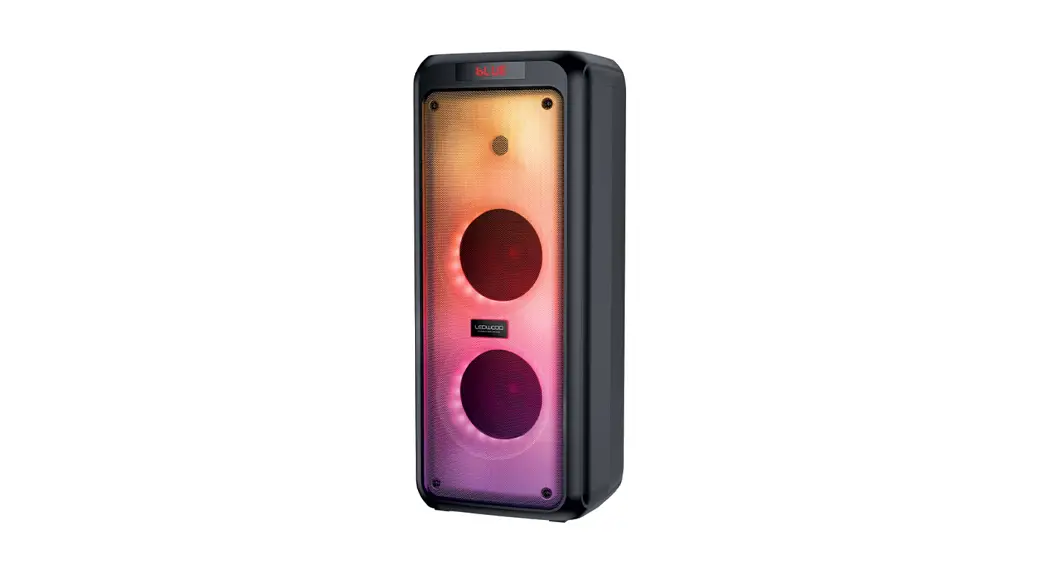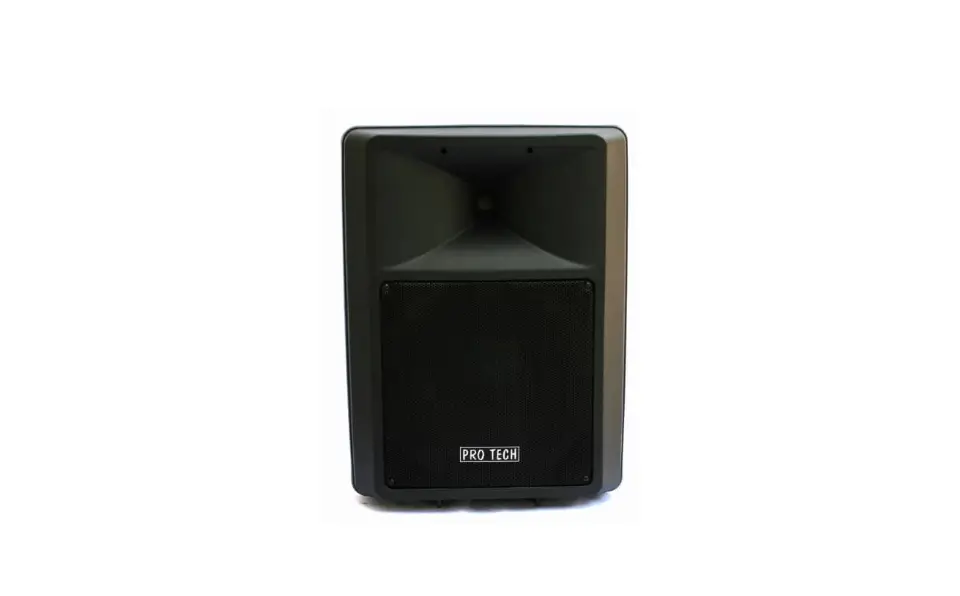

ProTech 400N-BT Portable Speaker
Important Safety Instructions:
Refer to the user guide for more information about your 400N-BT / SOON BT.
- Read these instructions.
- Keep these instructions.
- Heed all warnings.
- Follow all instructions.
- Do not use this apparatus near water.
- Clean only with a dry cloth.
- Do not block any ventilation openings. Install in accordance with the manufacturer’s instructions.
- Do not install near any heat sources such as radiators, heat registers, stoves, or other apparatus (including amplifiers) that produces heat.
- Do not defeat the safety purpose of the polarized or grounding-type plug. A polarized plug has two blades with one wider than the other. A grounding type plug has two blades and a third grounding prong. I he wider blade or third prong is provided for your safety. If the provided plug does not fit in your outlet, consult an electrician for replacement of the obsolete outlet.
- Protect the power cord from being walked on or pinched, particularly at plugs, convenience receptacles, and the point where it exits from the apparatus.
- Only use attachments/accessories specified by the manufacturer.
- Use only with the cart, stand, tripod, bracket, or table specified by the manufacturer or sold with the apparatus. When a cart is used, use caution when moving the cart/apparatus combination to avoid inJury from tip-over.
- Unplug this apparatus during lightning storms or when unused for long periods of time.
- Refer all servicing to qualified personnel. Servicing is required when the apparatus has been damaged in any way such as power supply cord or plug is damaged, liquid has been spilled or objects have fallen into the apparatus, the apparatus has been exposed to rain or moisture, does not operate normally, or has been dropped.
WARNINGS/CAUTIONS:
- This product symbol enclosure on the that product may means present a there risk is of uninsulated, electrical shock. dangerous voltage within the
- This symbol on the product means there are important operating and maintenance instructions in this GUIDE.
- Contains small parts which may be a choking hazard. Not suitable for children under age 3
- This product contains magnetic material. Consult your physician on whether this might affect your implantable medical device.
System Setup Connections and Controls 
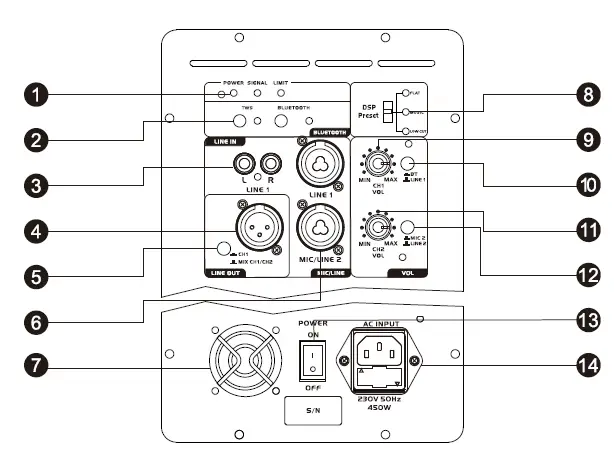
- Indicator light: Displays the input signal status in color.
- Green: Signal Power
- Yellow: Signal
- Red: Signal Limit
- Bluetooth & TWS: Used Bluetooth Button to set up pairing with Bluetooth-capable devices, such as mobile phones, tablets
and laptops. Press the TWS button on the same time on both 2 speakers, and wait them paired (one TWS LED blink slow,
the other one doesn’t blink), then connect Bluetooth-capable devices to systems to achieve stereo sound play. - Line input channel 1: RCA and XLR/6.3 mm jacks for connecting audio units with line level output (e.g. mixer, CD player,
music instrument). - Feed-through output LINK: Balanced XLR jack to pass either the input signal of channel 2 or the master signal
to another device, e.g. a further active speaker system. - Output selector switch CH 1/MIXED: Determines the signal at the link output.
- switch disengaged= Output of the input signal of channel 1.
- switch engaged = Output of the master signal.
- Mic/line input channel 2: Combo input {XLR/6.3 mm jack) for connecting microphones or audio units with line level output
{e.g. mixer, CD player, music instrument). - Fan: Do not cover to avoid overheating.
- DSP PRESET switch: To select various equalizer presets: FLAT= neutral frequency response, MUSIC= low and high frequency
boost, LOW CUT= low and high frequency cut, mid boost. - Level control CH 1 VOL: Adjust the level of channel 1.
- Input selector switch Bluetooth/LINE: Switches the signal input of channel 1 between bluetooth and line input.
- switch disengaged= Bluetooth input.
- switch engaged= Line 1 input.
- D Level control CH 2 VOL: Adjust the level of channel 2.
- Input selector switch MIC 2 / LINE 2: Switches the signal input of channel 2 between line and microphone input.
- switch disengaged= microphone input.
- switch engaged= line input.
- Power switch: Turns power to the speaker system on and off.
- Power input with fuse holder: Used to plug in the supplied power cord. Only replace the fuse when the device is disconnected
from mains. Only use fuses of the same rating and power. The correct fuse value is specified on the rear panel.
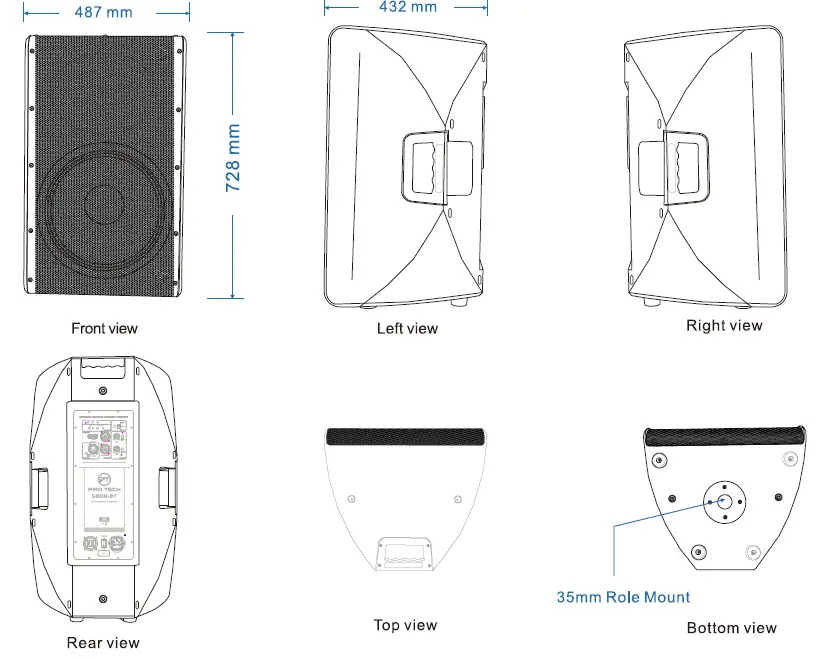
Structural diagram 
| Model No. | 400N-BT | 500N-BT |
| Type | 12″ 2-way full range speaker, active | 15″ 2-way full range speaker, active |
| Transducer LF | 12″ woofer , 2.5″ voice coil , 50oz | 15″ woofer , 3″ voice coil , 70oz |
| Transducer HF | 38mm polymer tweeter | 38mm polymer tweeter |
| Frequency Response (-6dB) | 55 Hz – 20 kHz | 50 Hz – 20 kHz |
| Max. SPL (1m, free space) | 125 dB | 129 dB |
| Impedance | 4Ohms | 4Ohms |
| Power Output (RMS) | 400W@4O(LF)+ 100W@8O(H F) | 500W@4O(LF)+ 100W@8O(H F) |
| Power Output (PEAK) | 800W@4O(LF)+200W@8O(HF) | 1000W@4O(LF)+200W@8O(HF) |
| Enclosure | ABS Molded with painting , 35mm stand pole1 top+ 2 side handles | |
| Grille | Metal grille with acoustic foam | |
| Amplifier | Class-D Bl amplifier | |
| DSP Module | 96 kHz , 24-bit DSP process or with preset modes: FLAT, MUSIC , LOW CUT | |
| Protection | Short circuit overheating, over-current | |
| Controls | Power On I Off switch, DSP modes switch, BT&TWS, CH1&CH2 line level, mic/line switch, BT/line switch , link out CH1&MIXED switch | |
| Indicators | Power , signal, limit, DSP modes , BT&TWS | |
| Audio Input / Output | 2 • Combo XLR /Jack input 1 • RCA line input 1 * XLR output | |
| Bluetooth | Bluetooth 5.0 pair & link | |
| Power Supply | 210-250V 50/60HZ | |
| Package Measure | 397x377x628 mm 487x432x728 mm | |
| Gross Weight | 17 kgs 23 kgs | |