Time Electronics 1061 Resistance Decade Box User Manual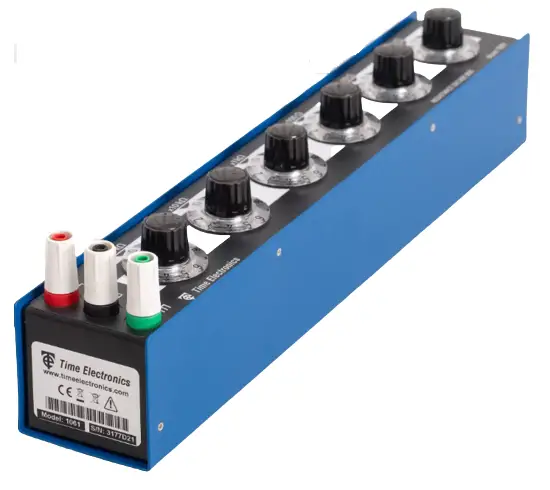
Introduction
A resistance decade box designed to meet the standard required in both educational and industrial applications. Metal film resistors with a 0.75 watt power rating are used throughout, providing the advantages of stability and low temperature coefficient.
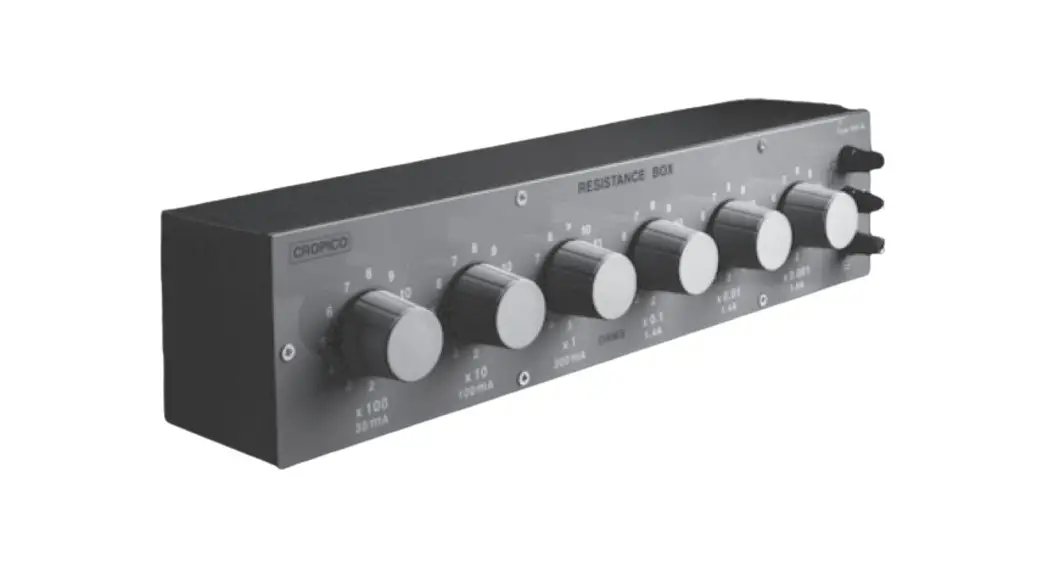
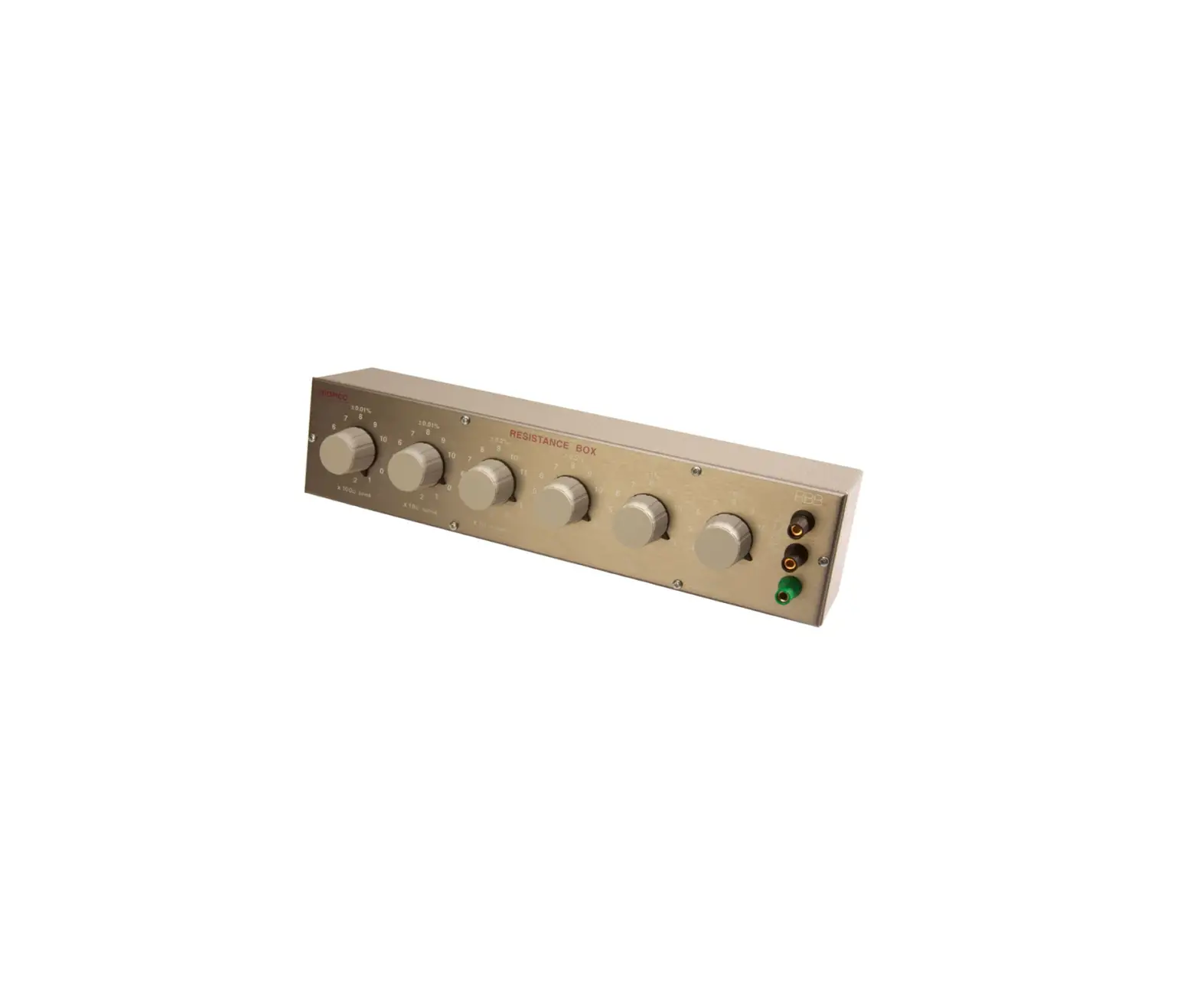
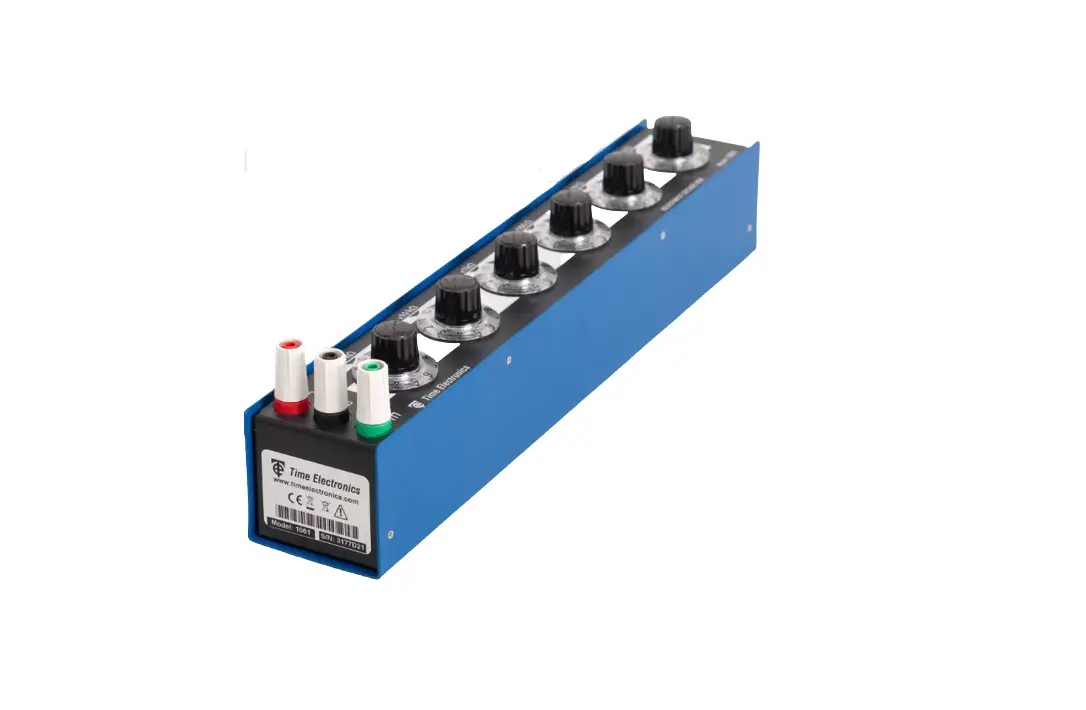
The 1061 features six large rotary switches (dials), each with a clear numerical readout that makes resistance setting easy and fast. The robust design provides a durable solution for long term usage, making it ideal for use in education.
The slimline form factor means it takes up minimum bench space, while the 1 % accuracy and wide range makes it suitable for production or select-on-test usage. The case provides complete electrostatic screening. The front panel safety terminals are compatible with 4 mm shrouded plugs, as well as standard plugs, bare wires, and spade terminals.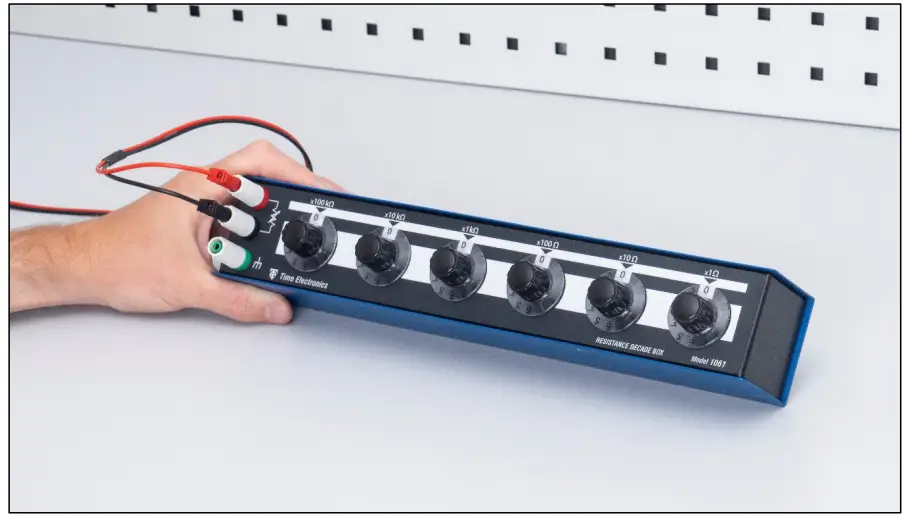
Features
- 1 Ω to 1.2 MΩ
- 1 % accuracy
- In-line readout
- Low temperature coefficient
- Mechanically and electrically robust
- Safety terminals
- Fully screened
Specifications
- Range/Resolution: 0 to 1.2 MΩ / 1 Ω steps.
- Number of decades: 6. Each settable from 1 to 11.
- Accuracy: ± 1 %.
- Residual resistance: Less than 150 mΩ.
- Power rating: 0.75 watt per resistor.
- Voltage rating: Maximum 150 V DC / 100 V RMS.
- Case Isolation: Maximum 500 V peak.
- Temperature coefficient: 100 ppm/°C.
- Connections: 2 x 4 mm active safety terminals. A third safety terminal is to enable the case to be earthed or connected to either output.
- Dimensions: W 355 x H 63 x D 82 mm.
- Weight: 0.75 kg.
- Options Calibration certificates: Traceable (factory) and accredited (ISO 17025).
- Country of origin: United Kingdom.
Operation
Safety Precautions
 Observe proper safety operational guidelines when working with high voltages.
- To minimize shock hazard connect the case terminal to an electrical ground.
- Always take precautions to avoid and prevent contact with live components.
- Handle the unit with care and use as per the instructions in this manual.
Front Panel Controls and Connections
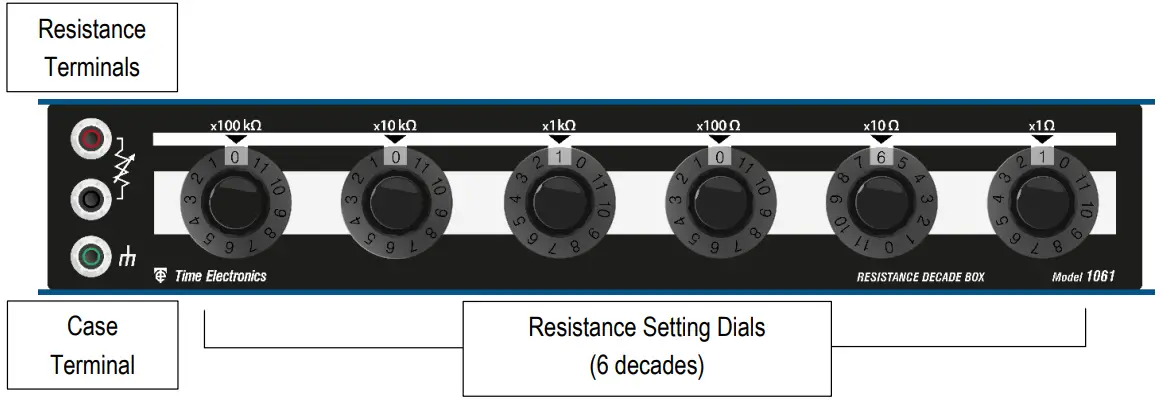
- Resistance Terminals: Resistance is connected via the safety terminal binding posts that are suitable for twisted stripped wire compression connection, spade terminals, or by 4 mm shrouded or normal plug insertion.
- Case Terminal: The case terminal is isolated from the two active resistance terminals. When connected to ground/earth, it may be used as a guard or shield connection, this can help to reduce unwanted electrical noise pickup, and help maintain the case at a safe voltage in certain modes of use.
- Resistance Setting Dials: Used for selecting the required resistance by setting the dial to the value of the decade range. Each dial can be set from 0 to 11. The value is clearly displayed in the white setting window below the decade range.

Operating Instructions
Connections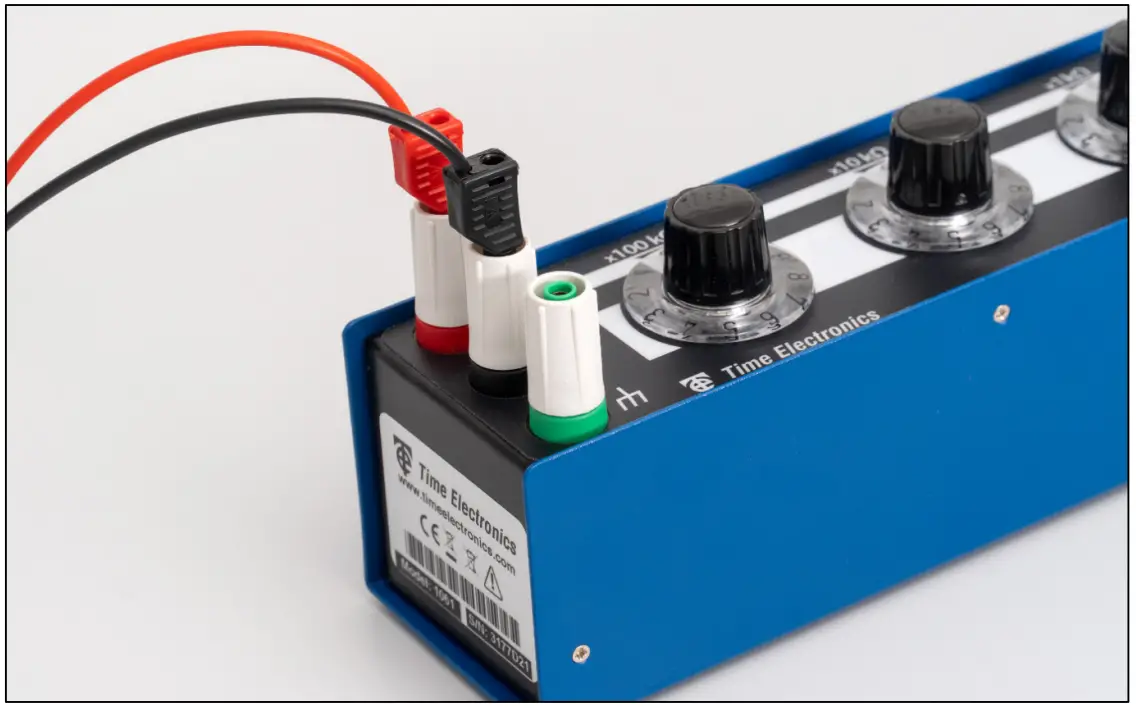
Connection to the decade box is via 4 mm safety terminal posts, using 4 mm shrouded or standard plugs. Alternatively, crocodile clips or stripped wire connections can be used. Whatever method is used, the connection must be tight to the terminal posts to avoid introducing unwanted additional resistance.
The red and black active terminals connect to the resistance elements, and the green terminal is connected to the case for screening purposes.
 For certain applications, the user may want to connect the case terminal to either of the active terminals. This can be done, but the case would then be at the same potential as the active terminals. The user should be aware that this could be hazardous and safety precautions must be taken to prevent electric shock.
Setting Resistance
Use the front panel dials to set the required values according to the decade ranges. The selected value shown in the white setting window under the range arrow. This enables precise setting with a clear unambiguous indication.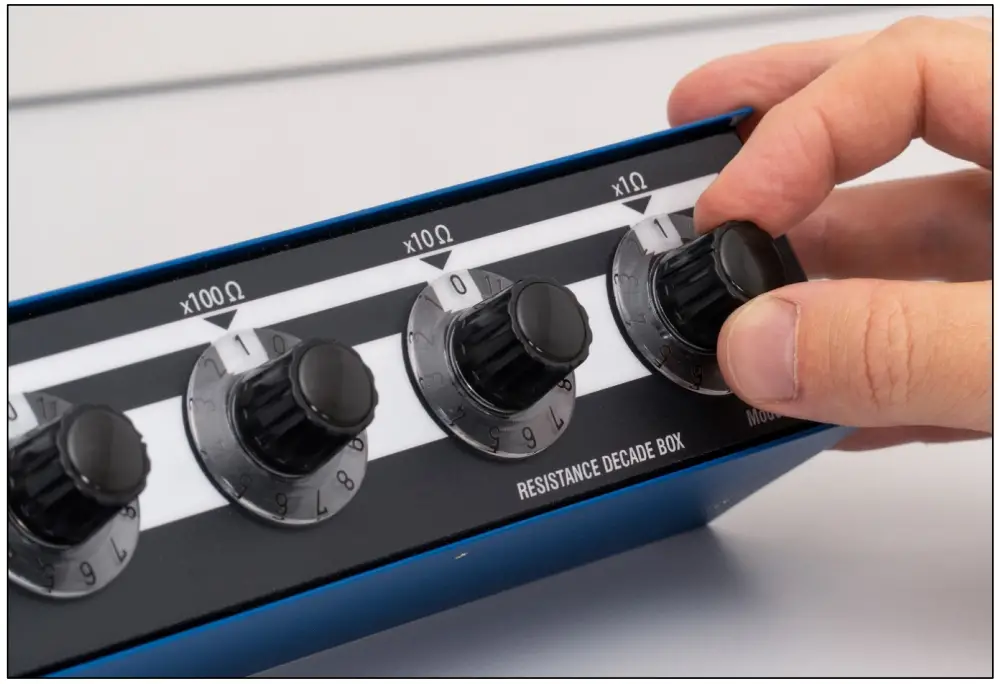
For example, to set 1061 Ω:
- Set the 100 kΩ & 10 kΩ to 0.
- Set the 1 kΩ dial to 1.
- Set the 100 Ω dial to 0.
- Set the 10 Ω dial to 6.
- Set the 1 Ω dial to 1.

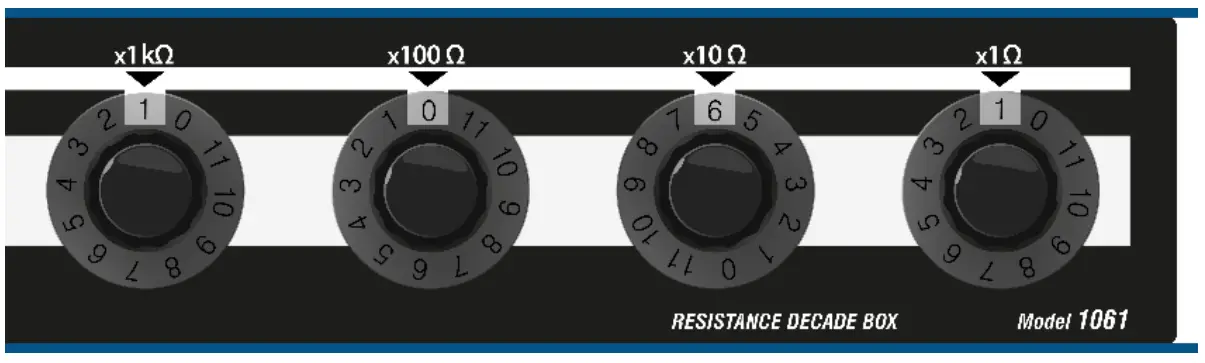
For a quick reference to the setting values of the 1061, please see the Resistance Setting Table on the following page.
Note: All resistance boxes have a residual resistance, meaning that when the dials are set to zero a small resistance remains. If you are making precision measurements or recalibrating the instrument, this residual value must be subtracted from all measurements.
Typical values of residual resistance are shown in the specifications. For precise values relating to your specific unit, refer to calibration certificate (if ordered).
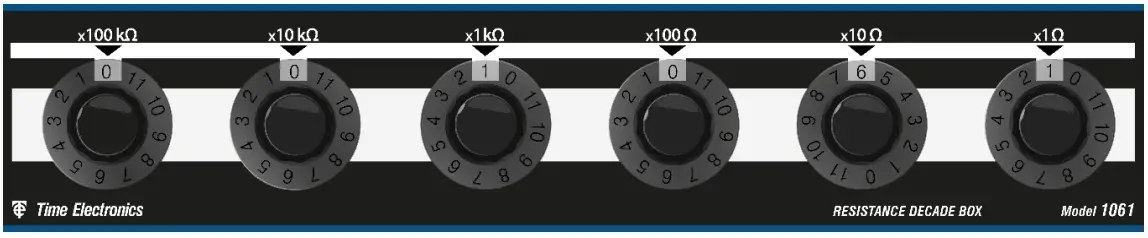
Resistance Setting Table
The below table shows the settings of each resistance decade using the dials.
 | |||||||||||
| 100 kΩ Decade | 10 kΩ Decade | 1 kΩ Decade | 100 Ω Decade | 10 Ω Decade | 1 Ω Decade | ||||||
| Dial | Ω | Dial | Ω | Dial | Ω | Dial | Ω | Dial | Ω | Dial | Ω |
| 0 | 0 Ω | 0 | 0 Ω | 0 | 0 Ω | 0 | 0 Ω | 0 | 0 Ω | 0 | 0 Ω |
| 1 | 100 kΩ | 1 | 10 kΩ | 1 | 1 kΩ | 1 | 100 Ω | 1 | 10 Ω | 1 | 1 Ω |
| 2 | 200 kΩ | 2 | 20 kΩ | 2 | 2 kΩ | 2 | 200 Ω | 2 | 20 Ω | 2 | 2 Ω |
| 3 | 300 kΩ | 3 | 30 kΩ | 3 | 3 kΩ | 3 | 300 Ω | 3 | 30 Ω | 3 | 3 Ω |
| 4 | 400 kΩ | 4 | 40 kΩ | 4 | 4 kΩ | 4 | 400 Ω | 4 | 40 Ω | 4 | 4 Ω |
| 5 | 500 kΩ | 5 | 50 kΩ | 5 | 5 kΩ | 5 | 500 Ω | 5 | 50 Ω | 5 | 5 Ω |
| 6 | 600 kΩ | 6 | 60 kΩ | 6 | 6 kΩ | 6 | 600 Ω | 6 | 60 Ω | 6 | 6 Ω |
| 7 | 700 kΩ | 7 | 70 kΩ | 7 | 7 kΩ | 7 | 700 Ω | 7 | 70 Ω | 7 | 7 Ω |
| 8 | 800 kΩ | 8 | 80 kΩ | 8 | 8 kΩ | 8 | 800 Ω | 8 | 80 Ω | 8 | 8 Ω |
| 9 | 900 kΩ | 9 | 90 kΩ | 9 | 9 kΩ | 9 | 900 Ω | 9 | 90 Ω | 9 | 9 Ω |
| 10 | 1 MΩ | 10 | 100 kΩ | 10 | 10 kΩ | 10 | 1 kΩ | 10 | 100 Ω | 10 | 10 Ω |
| 11 | 1.1 MΩ | 11 | 110 kΩ | 11 | 11 kΩ | 11 | 1.1 kΩ | 11 | 110 Ω | 11 | 11 Ω |
Warranty and Servicing
Warranty
Time Electronics products carry a one-year manufacturer’s warranty as standard.
Time Electronics products are designed and manufactured to the highest standards and specifications to assure the quality and performance required by all sectors of industry.
Time Electronics products are fully guaranteed against faulty materials and workmanship.
Should this product be found to be defective, please contact us using the below details.
Inform us of the product type, serial number, and details of any fault and/or the service required. Please retain the supplier invoice as proof of purchase.
This warranty does not apply to defects resulting from action of the user such as misuse, operation outside of specification, improper maintenance or repair, or unauthorized modification. Time Electronics’ total liability is limited to repair or replacement of the product.
Note that if Time Electronics determine that the fault on a returned product has been caused by the user, we will contact the customer before proceeding with any repair.
Product Registration
You can register your product at: www.timeelectronics.com/contact/product-registration.
Registering your product will enable us to maintain a record of purchase for your warranty.
You can also use the web form to provide feedback about our products and services.
Calibration and Repair Services
Time Electronics offers repair and calibration services for all the products we make and sell.
Routine maintenance by the manufacturer ensures optimal performance and condition of the product. Periodic traceable or accredited calibration is available.
Contacting Time Electronics
Online
Please visit www.timeelectronics.com and select Technical Support from the Contact links.
From this page you will be able to send information to the Time Electronics service team who will help and support you.
By phone:
+44 (0) 1732 355993
By email:
[email protected]
Returning Instruments
Prior to returning your product please contact Time Electronics. We will issue a return merchandise authorization (RMA) number that is to accompany the goods returning.
Further instructions will also be issued prior to shipment. When returning instruments, please ensure that they have been adequately packed, preferably in the original packing supplied.
Time Electronics Ltd will not accept responsibility for units returned damaged.
Please ensure that all units have details of the service required and all relevant paper work.
Disposal of your old equipment

- When this crossed-out wheeled bin symbol is attached to a product it means the product is covered by the European Directive 2002/96/EC.
- All electrical and electronic products should be disposed of separately from the municipal waste stream via designated collection facilities appointed by the government or the local authorities.
- The correct disposal of your old appliance will help prevent potential negative consequences for the environment and human health.
- For more detailed information about disposal of your old appliance, please contact your city office, waste disposal service or return to Time Electronics.
Send the instrument, shipping charges paid to:
Time Electronics Ltd
Unit 5, TON Business Park, 2-8 Morley Road, Tonbridge, Kent, TN9 1RA.
United Kingdom.
Tel: +44(0)1732 355993
Fax: +44(0)1732 350198
Email: [email protected]
Web Site: www.timeelectronics.com
 Time Electronics – Precision Test Instruments, Calibration Benches