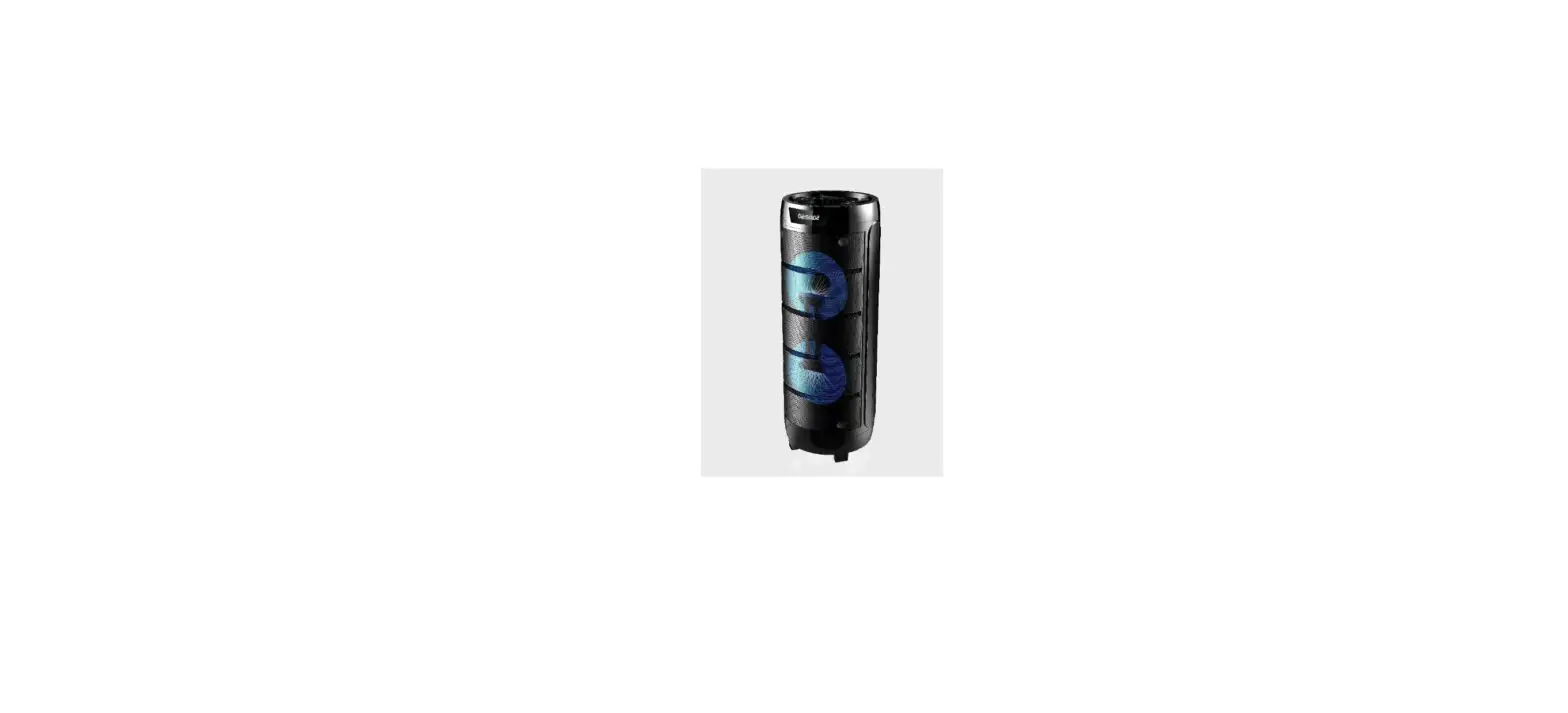
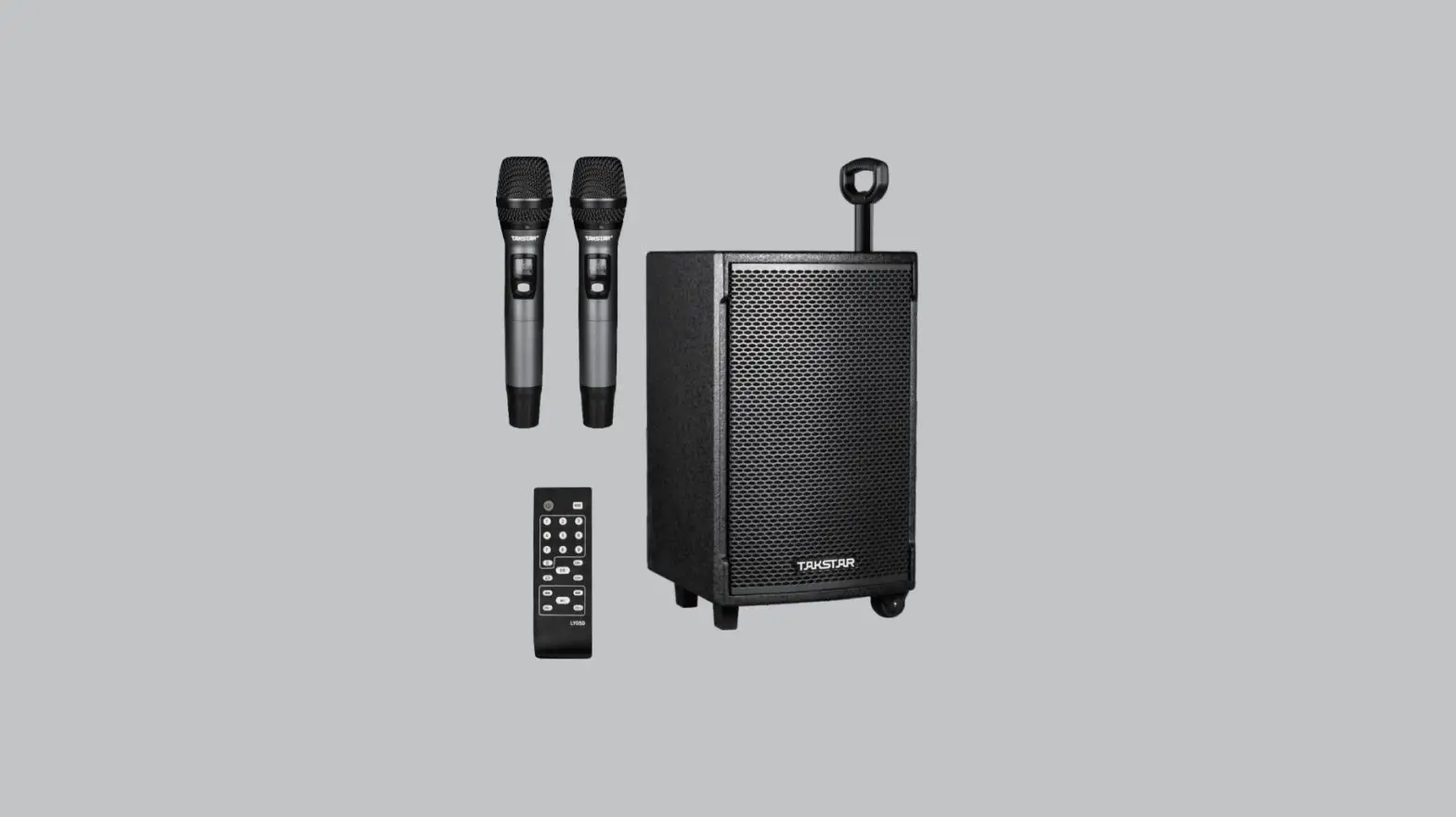
BOOMASTER 700 Active Column Speaker
Product Information:
The Active Column Speaker with LEDs is a powerful speaker system
with a total power output of 700W. It features two 10-inch speakers
and comes with USB and Bluetooth connectivity options. The speaker
is equipped with LED lights, adding a visual element to your audio
experience. It is designed for versatile use, whether for personal
enjoyment or professional applications.
Product Usage Instructions:
- Attention: Please read the manual carefully
and keep it for future reference. - Recommendations for Batteries: If the speaker
system uses batteries, follow the recommended guidelines for their
safe usage and handling. - Remote Control: The speaker system comes with
a remote control for convenient operation. Refer to the manual for
instructions on using the remote control. - Control Panel: Familiarize yourself with the
control panel layout to easily access and adjust various settings
on the speaker system. - Audio Input: Connect external audio sources
using a 3.5mm jack for a wired audio connection. - Bluetooth Connection: Follow the instructions
provided to establish a Bluetooth connection between your devices
and the speaker system. - Microphone Recording: Learn how to properly
set up and record audio using the microphone inputs on the speaker
system. - Line In Mode: Understand the functionality of
the Line In mode for connecting external audio devices. - USB Player Usage: Utilize the built-in USB
player to play audio files directly from a USB storage device.
Refer to the manual for instructions on file format compatibility
and controls. - Product Dimensions and Weight: The speaker
system has dimensions of 900 x 330 x 315mm and weighs 16.3KG /
14.35KG (including packaging).
Please adhere to the safety precautions mentioned in the manual
to ensure proper and safe usage of the product. For any further
assistance or clarification, feel free to contact customer support
or consult a specialist.
MODE D’EMPLOI USER MANUAL HANDLEIDING – MANUAL DE USO
ACTIVE COLUMN SPEAKER WITH LEDS 2 X 10″ 700W WITH USB & BLUETOOTH ENCEINTE ACTIVE COLONNE A LEDS 2 X 10″ 700W AVEC USB ET BLUETOOTH ACTIEVE LUIDSPREKERZUIL MET LED 2 X 10″ 700W MET USB & BLUETOOTH ALTAVOZ ACTIVO TIPO COLUMNA CON LED 2 X 10″ 700W CON USB Y BLUETOOTH
BOOMASTER400
1
TELECOMMANDE REMOTE CONTROL AFSTANDSBEDIENING CONTROL REMOTO PANNEAU DE COMMANDE CONTROL PANEL CONTROLPANEEL PANEL DE CONTROL
2
FR MODE D’EMPLOI
Lire attentivement le manuel et le conserver pour référence ultérieure. L’éclair dans le triangle attire l’attention sur un danger physique (due à une
électrocution p.ex.).
Le point d’exclamation dans le triangle indique un risque dans la manipulation ou l’utilisation de l’appareil
ATTENTION:
Ne pas placer de petits objets tels que des pièces ou des trombones sur l’appareil car ils risquent de tomber à l’intérieur de l’appareil. Vous risquez de provoquer un incendie ou une électrocution. Si un liquide ou un objet pénètre dans l’appareil, débranchez immédiatement la prise secteur et contactez votre revendeur. Pour débrancher la fiche secteur, tirez toujours sur la fiche, jamais sur le cordon. Ne jamais brancher ou débrancher la fiche secteur avec des mains mouillées. Tenir des appareils électriques hors de la portée des enfants. Soyez particulièrement vigilants en présence d’enfants. Les enfants ne sont pas conscients du danger d’un appareil électrique. Ils pourraient essayer d’insé- rer un objet à l’intérieur de l’appareil ce qui représente un grave danger d’électrocution. Ne jamais placer l’appareil sur une surface instable ou mobile. L’appareil risque de blesser une personne ou de s’abîmer en tombant. Toutes les personnes impliquées dans l’utilisation, l’installation et la maintenance de cet appareil doivent être formées et qualifiées et respecter ces consignes Remplacer les câbles secteur défectueux uniquement par un spécialiste. Risque d’électrocution! Si vous n’êtes pas sûr de la bonne connexion ou si vous avez des questions auxquelles le mode d’emploi ne répond pas, n’hésitez pas à demander conseil à un spécialiste ou votre revendeur. Débranchez l’adaptateur et éteignez l’appareil en cas d’une non-utilisation prolongée afin d’éviter des dommages causés par des surtensions.
3
L’appareil en operation ne peut pas être exposé à des temperatures extremes (pas en dessous de 5°C et pas au-dessus de 35°C)
L’appareil peut seulement être utilisé à l’intérieur Ne pas placer de flamme ouverte telle qu’une bougie sur ou à côté de l’appareil. Ne pas exposer les batteries à une chaleur excessive telle que le soleil, le feu ou autre. Lorsque le cordon d’alimentation ou un coupleur d’appareil est utilisé comme dispositif de déconnexion, ce dispositif doit rester facilement accessible
Utilisation de la Télécommande
Utilisez la télécommande à une distance maximale de 4m et un rayon de 30° par rapport à l’appareil. Pointez la télécommande en direction du capteur. Il ne doit pas y avoir d’obstacle entre la télécommande et le capteur. Latélécommande risqué de nepasfonctionner lorsque le capteur est soumis à une forte lumière.Si la télécom- mande ne fonctionne pas, vérifiez les piles
NOTE IMPORTANTE : Les produits électriques ne doivent pas être mis au rebut avec les ordures ménagères. Veuillez les faire recycler là où il existe des centres pour cela. Consultez les autorités locales ou votre revendeur sur la façon de les recycler. En conformité avec les exigences de la norme CE Les produits recyclés sont recyclables Utilisation uniquement à l’intérieur
4
RECOMMANDATIONS POUR LES BATTERIES
Ce pictogramme indique que les piles et batteries usagées ne doivent pas être jetées avec les ordures ménagères, mais déposées dans des points de collecte séparés pour être recyclées.
Tenir les piles à l’abri d’une chaleur excessive telle que le soleil, le feu ou similaires.
Lorsque les piles ne sont pas utilisées, retirez-les pour éviter les dommages causés par des fuites ou la corrosion de la pile.
ATTENTION
Danger d’explosion si la pile n’est pas remplacée correctement. Ne remplacer que par le même type ou un type équivalent.
AVERTISSEMENT
Ne pas ingérer la pile. Danger de brûlure chimique. En cas de doute concernant le fait que les piles pourraient avoir été avalées ou introduites dans une partie quelconque du corps, consulter immédiatement un médecin. Conserver les piles neuves et usées hors de portée des enfants.
Si le compartiment à pile ne se ferme pas correctement, cesser d’utiliser le produit et tenir hors de portée des enfants
TELECOMMANDE
1. Mise sous tension/arrêt 2. Mute : Coupure du son 3. Répétition (répétition unique/générale) en mode USB/TF 4. Touche MODE (Sélectionnez AUX/USB/TF/BLUETOOTH/FM). Maintenir appuyée pour allumer ou éteindre l’animation
à LED des boomers 5. Touches 0-9 6. Egaliseur (choisissez entre rock, pop, jazz, etc.) en mode USB/TF 7. Lecture/pause (le son est coupé en mode pause) en mode USB/TF/BT 8. Diminuer le volume 9. Augmenter le volume 10. Titre précédent en mode USB/TF 11. Titre suivant en mode USB/TF 12. Arrêt en mode USB/TF
PANNEAU DE COMMANDE
1. Echo. Pour ajouter de l’effet echo sur le son des micros 2. Treble. Pour diminuer ou augmenter les aigus. 3. Bass. Pour diminuer ou augmenter les basses. 4. Entrée micro 1 sur jack 6.35mm 5. Entrée micro 2 sur jack 6.35mm 6. Entrée USB / TF 7. Bouton rotation pour régler le volume des micros 8. Bouton REC pour l’enregistrement des micros sur clé USB 9. Repeat pour la répetition des titres en mode USB (repeat 1 ou tout) 10. MODE pour commuter entre les différentes entrées (Ligne, Bluetooth, USB). EN maintenant appuyé, pour
couper l’éclairage led des hauts parleurs. 11. Interrupteur marche / arrêt
5
12. Pour sélectionner les différents effets LED 13. Contrôle de volume général 14. Bouton Play / pause 15. Bouton précédent 16. Bouton suivant 17. Entrée d’alimentation 220-240 VAC. Pour connecter l’enceinte avec le câble fourni à une prise domestique
secteur. 18. Bouton micro prioritaire. Baisse le volume général lorsque l’on parle dans les micros 19. Entrée ligne (Aux) en jack 3.5mm. Pour y connecter une tablette, ou tout autre appareil équipé d’une sortie
audio en jack 3.5mm
CONNEXION ET UTILISATION DU BLUETOOTH
1. Mettez l’appareil sous tension et appuyez sur la touche MODE (10) sur l’appareil ou la télécommande pour sélectionnerlafonction BLUETOOTH.«Blue» commenceà clignotersur l’écranet l’appareil commute en mode de recherche.
2. Activez la fonction Bluetooth sur l’appareil externe à synchroniser. 3. Lancez la recherche d’appareil. L’enceinte s’affiche sous le nom ” BOOMASTER700 “. 4. Sélectionnez-la et entrez le mot de passe « 0000 » si nécessaire. 5. Appuyez sur la touche de lecture sur l’appareil sur la télécommande pour commencer la lecture.
Sélectionnez les titres avec les touches NEXT et PREV et le Volume avec le bouton rotatif en s’assurant que le volume de la source Bluetooth (mobile, tablette) soit bien actif.
ENREGISTREMENT DES MICROS
En mode de lecture USB/TF et après insertion d’un clé USB (6):
Maintenir la touche REC (8)appuyée pour aller en mode d’enregistrement.
La musique en cours s’arrête et l’enregistrementcommence lorsque 00:01s’affiche.Vouspouvez brancher un microphone et enregistrer le son du microphone. Si vous branchez la clé USB/carte micro-SD pour la première fois sur cette enceinte, le système va créer un dossier.
La fonction REC n’enregistre uniquement le son des micros et jamais le son de l’entrée ligne ou du Bluetooth.
MODE LINE IN
Pour utiliser ce mode, appuyer sur le bouton mode (10) jusqu’à ce que LINE soit affiché sur l’écran.
Brancher ensuite un appareil compatible à l’aide d’un câble mini-jack sur l’entrée (19) et régler le volume à l’aide de (13).
UTILISATION DU LECTEUR USB
Fichiers de musique compatibles: MP3, WMA Appuyer sur la touche MODE (10) pour passer les sources audio à USB. 1. Lecture/pause: Appuyez pour la lecture, mettre en pause et reprendre la lecture. 2. Retour/suivant: Pendant la lecture, appuyez une fois pour revenir au début du titre en cours ou du titre sui- vant. 3. Répétition: Pendant la lecture, appuyez une fois pour répéter le titre en cours, et deux fois pour répéter tous les titres, trois fois pour désactivr la fonction
6
CARACTÉRISTIQUES TECHNIQUES
Alimentation électrique Haut-parleurs Puissance musicale Maximale Consommation électrique Réponse en fréquences Puissance d’émission Bluetooth max Plage de fréquence Bluetooth Dimensions du carton Dimensions du produit Poids brut / Poids net
AC220-240V 50/60Hz 2 x 10” (25cm) + Tweeter piezo 1.5” 700W 60W max 50Hz 20KHz 2.18dBm 2402 2480MHz 1002 x 370 x 365 mm
900 x 330 x 315mm
16.3KG / 14.35KG
La déclaration UE de conformité est disponible sur notre site internet www.msc-distribution.om
GB USER MANUAL
Please read the manual carefully and keep it for future reference. The lightning flash with arrowhead symbol, within an equilateral Triangle, is intended to alert the user to the presence of not insulated dangerous voltages within the product’s enclosure that may be of sufficient
magnitude to constitute a risk of electric shock to persons. The exclamation point within an equilateral triangle is intended to alert the user to the presence of impor- tant operating and maintenance (servicing) instructions in the literature accompanying the appliance.
CAUTION:
Donotplaceanyrecipientsfilledwithliquids,suchasglassesorvases,ontopofordirectlynexttotheap- pliance. Theycouldfallover,causingwatertoentertheappliance.Neverpouroutliquidsovertheappliance. Donotplace smallobjects,suchascoinsorpaperclips,ontheappliancesince theycouldfallinsidethe applianceandcausefire orashockhazard!Ifanyliquidorobjectsentertheappliance,pullimmediatelythe mains plug out of the socket and contact a specialist.
0nly pull the mains plug out of the socket by the intended gripping surface. Do not pull it by the cable. Never plug the mains plug in or out with damp or wet hands Electricalappliancesmustbe kept outof the reachof children. Be particularly carefulif childrenare present. Children
arenotawareofthehazardsinvolvedinhandingelectricalappliancesimproperly.Childrencould attempt to poke objects into the appliance. There is a life-threatening danger of electrocution. Neverplacetheapplianceonanunstableormobilesurface.Personscouldbeinjuredortheapplianceda-maged by it fallingdown. AIIpersonsinvolvedinoperating,installingandservicingtheapplianceandputtingitintoservicemustbetrained and qualified accordingly and observe these operating instructions.
Defective mains cables may only be replaced by specialists. Danger of shock hazard! If you are not sure about the correct connection or if questions arise which are not answered by the operating
instructions, please do not hesitate to contact support or a specialist of your choice. Consult a specialist if you are in doubt about the operating principle or the safety of the product. Please unplugthe adaptorandswitchtheunitoffifyoudon’tuseitforalongtime, to avoiddamagedueto voltage surges.
No naked flame sources such as lighted candles should be placed on the apparatus. Awarningthatbatteries(batterypackorbatteriesinstalled)shallnotbeexposedtoexcessiveheatsuchassunshine,
fire or the like.
7
Where the MAINS plug or an appliance coupler is used as the disconnect device, the disconnect device shall remain readily operable.
The device in operation cannot be exposed to extreme temperatures (not below 5 ° C and not above 35 ° C)
The device can only be used indoors Use of the Remote Control
Pleaseoperatetheremotecontrolwithinadistanceof6mand30°betweentheremoteandtheappliance.Aim the remote at the sensor. Remove all obstacles between the remote and the sensor. The remote control might not work properly if the sensor is exposed to strong sunshine. If the remote control doesn’t work properly, please check the batteries
RECOMMENDATIONS FOR BATTERIES
This symbol indicates that used batteries should not be disposed of with household waste but deposited in separate collection points for recycling. ATTENTION Danger of explosion if batteryisincorrectlyplaced.Only replace by the same or equivalenttype. Keep new and old batteries out of the reach of children. If the battery compartment doesn’t close properly, stop using the product and keep it out of the reach of children. Batteries shall not be exposed to excessive heat such as sunshine, fire or the like. When theinternalbatteriesarenottobeused, removethemto avoiddamagecaused bybattery leakageor corrosion. WARNING The supplied remote controlcontains abattery. In case of ingestion,it might cause serious internal burns within only 2 hours that might lead to death. If you are indoubt whether the batteries have been swallowedorintroducedintoanyother part of the body, contact immediately a doctor.
Electric products must not be put into household waste. Please bring them to a recycling centre. Ask your local authorities or your dealer about the way to proceed.
Accordance with the requirements of CE standard
Recycled products can be recycled
The product is suitable for indoor use
REMOTE CONTROL
1. Standby 2. Mute 3. Repeat key (single repeat, repeat all) in USB/TF mode
4. Mode key (Choose from AUX/USB/TF/BLUETOOTH). Long press to switch the LEDs on the woofer on or off.
5. 0 9 keys 6. Sound EQ mode key (To select from Rock, Pop, Jazz, Norm,…) 7. Play / Pause 8. Volume 9. Volume + 10. Previous Track 11. Next Track 12. Stop
8
CONTROL PANEL
1. Echo > to add echo effect on microphone sound 2. Treble > to increase or decrease high frequency 3. Bass > to increase or decrease low frequency 4. Microphone input 1 (6.35mm jack) 5. Microphone input 2 (6.35mm jack) 6. USB / TF input 7. Microphone Volume > to adjust the voulume of MIC 1 and MIC 2 8. REC > to record sound of MIC1 and MIC2 on USB drive 9. REPEAT > to repeat One track or all track (USB mode) 10. MODE > to switch between USB-TF/ BLUE / LINE-IN 11. POWER SWITCH ON/OFF 12. To select LED light effect 13. Main Volume control knob 14. PLAY / PAUSE 15. Previous Track (Hold to decrease volume of USB) 16. Next Track (Hold to increase volume of USB) 17. AC220-240V input socket to connect the speaker to a domestic wall socket. 18. MIC priority switch > reduce the sound of music when talk in microphone 19. AUX IN > to connect an MP3 ao other applinace with 3.5mm output phone jack
BLUETOOTH OPERATION
1. Turnon theunitandpress the MODE buttonon unitorontheremotecontrolto 2. Selectthe Bluetooth function. “blue” will start flashing on the display, the system automatically enters search
mode. 3. Activate the Bluetooth feature on the external device to be paired. 4. Initiate a search for devices. The device shows up as “BOOMASTER700″ 5. Select it and enter the password «0000» if required. 6. Play now the music from the device 7. Press the PLAY button on the unit or the key on remote control, to start playing and the buttons NEXT and PREV, or the keys and for the selection of songs.
MICROPHONE RECORDING
In USB/TF play mode: Long press on the record key to go into recording mode.
The current sound output will stop and go to mute status. The recording will start when the screen displays 00:01. You can use a microphone to record. If you connect the USB/TF card for the first time to the speaker, the system will create a folder.
LINE IN MODE
1. Press MODE button (10) on the unit or on the remote control until `’LINE” appears on display. 2. You can play music from the connected device (19) and adjust Volume
9
USB/TF OPERATION
Support music formats: MP3, WMA 1. USB port: plug and play 2. TF slot: plug and play 3. Play/pause: Press to play, press to pause, press again to resume play. 4. Previous/Next: During play press once to go back to the beginning of the track or to the next track. 5. Repeat: During play press once to repeat the current song, press twice to repeat all songs.
Technical Specification
Power supply Speakers Maximum musical power Power consumption Frequency response Bluetooth frequency range Max BT RF emission Packaging dimension Product dimension Gross weight / Net weight
AC220-240V 50/60Hz 2 x 10” (25cm) + Tweeter piezo 1.5” 700W 60W max 50Hz 20KHz 2402 2480MHz 2.18dBm 1002 x 370 x 365 mm
900 x 330 x 315mm
16.3KG / 14.35KG
The EU declaration of conformity is available on our website www.msc-distribution.om
NL HANDLEIDING
Aandachtig de handleiding lezen en bewaren. De driehoek met een bliksemschicht wordt gebruikt om aan te geven wanneer uw gezondheid gevaar loopt (bijvoorbeeld door elektrocutie). Een uitroepteken in een driehoek wijst op bijzondere risico’s bij het hanteren of bedienen van het apparaat.
BELANGRIJKE VEILIGHEIDS- EN RISICOWAARSCHUWINGEN:
1. Plaats geen ontvangers gevuld met vloeistoffen, zoals glazen of vazen, op of direct naast het apparaat. Ze kunnen omvallen, waardoor water in het apparaat binnendringt. Giet nooit vloeistoffen uit boven het toestel. Plaats geen kleine voorwerpen, zoals munten of paperclips, op het toestel, aangezien zij zou kunnen vallen in het apparaat. Zij kunnen brand of stroomslag veroorzaken! Als er vloeistof of voorwerpen in het apparaat drin- gen, trek dan onmiddellijk de stekker uit het stopcontact en raadpleeg een deskundige.
2. Trek de stekker alleen uit het stopcontact via de ervoor bepaalde oppervlak. Niet aan het kabel trekken.
3. Nooit de stekker met vochtige of natte handen aanraken.
4. Elektrische apparaten buiten het bereik van kinderen houden. Wees vooral voorzichtig wanneer er kinderen aanwezig zijn. Kinderen zijn zich niet bewust van de gevaren die betrokken zijn bij elektrische apparaten. Kinderen kunnen proberen voorwerpen in het apparaat te stekken. Er is een levensbedreigend gevaar van stroomslag.
10
5. Plaats het apparaat nooit op een instabiele of beweegbare ondergrond. Mensen kunnen gewond raken of het apparaat wordt beschadigd door het vallen. 6. Alle personen die dit apparaat gebruiken, installeren of onderhouden moeten gekwalificeerd zijn en deze gebruiksaanwijzing naleven. 7. Defecte stroomkabels mogen enkel vervangen worden door specialisten. Gevaar van elektrische schok! 8. Als u niet zeker bent over de correcte aansluiting of als er vragen zijn die niet worden beantwoord door de gebruiksaanwijzing, contacteer een specialist. Raadpleeg een specialist indien u twijfel heeft aan het werkings- principe of de veiligheid van het product. 9. Adapter afkoppelen en toestel uitschakelen als het voor langere tijd niet wordt gebruikt om beschadiging door overspanningen te vermijden. 10. Plaats geen open vlammen, zoals brandende kaarsen op of naast het apparaat. 11. De batterijen mogen niet worden blootgesteld aan overmatig warmte zoals zon of vuur. 12. Indien het toestel via het stopcontact wordt uitgeschakeld, moet de contactdoos altijd gemakkelijk be- reikbaar zijn. 13. Het apparaat in werking kan niet worden blootgesteld aan extreme temperaturen (niet lager dan 5 ° C en niet hoger dan 35 ° C) 14. Het apparaat kan alleen binnenshuis worden gebruikt ADVIES VOOR HET GEBRUIK VAN DE AFSTANDSBEDIENING De afstandsbediening heeft een bereik van 6m in een hoek van 30° ten opzichte van de ontvanger en moet altijd precies op de ontvanger worden gericht. Nooit voorwerpen tussen de ontvanger en de afstandsbediening plaatsen. Wanneer de ontvanger of de afstandsbediening onder een sterke lichtbron staan, kan de transmissie verstoord worden. Als de transmissie niet langer goed is, de batterij vervangen.
ADVIES VOOR BATTERIJEN in de afstandsbediening
Dit symbool geeft aan dat gebruikte batterijen en accu’s niet bij het huisvuil mogen worden weggegooid, maar moeten worden gedeponeerd in gescheiden inzamelpunten voor recycling. WAARSCHUWINGEN VOOR HET GEBRUIK VAN BATTERIJEN Er is explosiegevaar als de batterij verkeerd is geplaatst. Alleen vervangen door hetzelfde of een vergelijkbaar type. Tegen hitte beschermen. Bij langere niet-gebruik batterijen uit het vak verwijderen. Slik de batterij niet in. Gevaar voor chemische brandwonden. Als u twijfelt of de batterijen zijn ingeslikt of in een ander deel van het lichaam zijn ingebracht, neem dan onmiddellijk contact op met een arts Houd nieuwe en oude batterijen buiten het bereik van kinderen. Als het batterijcompartiment niet goed sluit, stop dan met het gebruik van het product en houd het buiten het bereik van kinderen.
BELANGRIJKE OPMERKING: Elektrische producten mogen niet samen met het huishoudelijk afval worden verwijderd. Lever ze a.u.b. in bij een gespecialiseerd inzamelpunt. Raadpleeg de plaatselijke autoriteiten of uw ver koper over hoe de producten te recycleren.
Voldoet aan de europese CE richtlijnen
Ook hergebruikte materialen kunnen worden gerecycleerd
Geschikt voor gebruik binnenshuis
11
AFSTANDSBEDIENING
1. Aan/Uit 2. Geluidonderbreking 3. Herhaalfunctie (van een enkel of van alle nummers) 4. Modus (omschakelen LINE/USB/TF/BLUETOOTH) 5. Numerieke toetsen 0-9 6. Klank (u kunt kiezen uit verschillende soorten klank) 7. Afspelen/Pauze(indemodusPauze wordenallegeluidsbronnenonderbroken); in FM modus: Geluidsonderbreking. Lang drukken: Automatisch zoeken naar zenders 8. Volume9. Volume+ 10. Vorige nummer 11. Volgende nummer 12. Stop
CONTROLPANEEL
1. ECHO 2. TREBLE 3. BAS 4. MICROFOON INGANG 1 5. MICROFOON INGANG 2 6. USB / TF KAARTJE 7. MIC.VOL: volume instelling van de aangesloten microfoons 8. REC (OPNAME OP USB/TF KAARTJE) 9. Herhaling van één of alle tracks op USB/TF/BT 10. MODUS (omschakelen tussen USB/TF/ BLUETOOTH/AUX) 11. AAN/UIT SCHAKELAAR 12. Om verschillende LED-effecten te selecteren 13. HOOFDVOLUME controle 14. PLAY / PAUZE in USB/TF/BT modus 15. TERUG: Kort drukken: VORIGE NUMMER. Lang drukken: Volume minderen 16. VERDER: Kort drukken: VOLGENDE NUMMER. Lang drukken: Volume verhogen 17. 220-240 VAC voedingsingang. Om de luidspreker met de bijgeleverde kabel aan te sluiten op een
stopcontact. 18. Microfoon prioriteit: Het volume wordt geminderd als de microfoon wordt gebruikt 19. LINE INGANG
BLUETOOTH OPERATIE
1. Schakel het apparaat in en druk op de MODE knop op het apparaat of op de afstandsbediening om de
12
Blue- tooth-functie te selecteren. “blue” op de display begint te knipperen en het systeem gaat automatisch zoeken.
2. Activeer de Bluetooth-functie op het externe apparaat.
3. Starten een zoekopdracht naar apparaten. Het apparaat verschijnt als ” BOOMASTER700 “.
4. Selecteer het en voer het wachtwoord “0000” in indien nodig. 5. Druk op de PLAY-knopop hetapparaat of de toets op de afstandsbediening, om te beginnen met spe len, en de toetsen NEXT en PREV of de toetsen en voor de selectie van songs.
OPNAME FUNCTIE VOOR DE MICROFOON
In afspeelmodus voor USB/TF lang op de opnametoets drukken om naar opnamemodus te gaan. De opname begint van zodra er op het scherm 00:01 verschijnt. Nu kunt u spreken of zingen in de microfoon. Als de USB- stick/TF-kaart voor de eerste maal worden gebruikt met deze speaker maakt het systeem een bestand aan.
LINE IN
Druk kort op de toets “MODE” om naar de modus “AUX” te gaan na het inschakelen. Beluister de muziek van het toestel dat op de AUX ingang aangesloten is.
USB-/TF-POORTEN
De speaker is geschikt voor MP3, WMA 1. USB port: plug & play 2. TF slot: plug & play 3. Op de toets MODE drukken om tussen AUX / USB/TF/BLUETOOTH om te schakelen 4. Play/pauze: drukken om te starten of te pauzeren. 5. Vorige/ volgendenummer: Tijdenshetafspelen druk opde toetsomnaarhet begin van hetlopende nummer of het begin van het volgende nummer te gaan. 6. Op de herhaaltoets drukken om een enkel of alle nummers opnieuw te beluisteren.
SPECIFICATIES
Stroomvoorziening Luidspreaker Maximaal vermogen Energieverbruik Frequentierespons Bluetooth frequentiebereik Max RF emissievermogen Afmetingen doos Afmetingen product Gewicht
AC220-240V 50/60Hz 2 x 10” (25cm) + Tweeter piezo 1.5” 700W 60W max 50Hz 20KHz 2402 2480MHz 2.18dBm 1002 x 370 x 365 mm
900 x 330 x 315mm
16.3KG / 14.35KG
De EU-conformiteitsverklaring is beschikbaar op onze website www.msc-distribution.com
13
ES – MANUAL DE USO
Lea atentamente el manual y conservelo para consultas posteriores.
El rayo dentro del triangulo avisa de un daño físico ( Por ejemplo, electrocución…).
El signo de exclamación dentro del triangulo indica un riesgo en la manipulación o uso del equipo
ATENCION:
1. No coloque pequeños objetos encima o cerca del equipo. Corre el riesgo de que se introduzcan dentro del equipo y puede producir daños al equipo, incendio y riesgo de descarga eléctrica a personas. 2. Si un líquido u objeto penetra dentro del equipo, desenchúfelo y apáguelo inmediatamente y contacte con su vendedor. 3. Para desconectar el enchufe, estire siempre de la clavija, jamás del cable. 4. Jamás enchufe o desenchufe el conector de corriente con las manos húmedas. 5. Mantener los equipos eléctricos como este fuera del alcance de los niños. Sea particularmente atento en presencia de niños, ya que estos no son conscientes de los peligros de un aparato eléctrico y puede intentar introducir objetos en el interior con el consecuente peligro de electrocución, por ejemplo. 6. Jamás coloque el equipo en una superficie inestable o móvil. El equipo sufre riego de caerse y dañar a una persona o/y al propio equipo. 7. Todas las personas implicadas en el uso, instalación y mantenimiento del equipo, deben de estar formadas y cualificadas, para respetar estas instrucciones de seguridad 8. Cambiar los cables de corriente defectuosos, solo ha de ser relaizado por un técnico cualificado y especialis- ta. Riesgo de electrocución! 9. Si usted no sabe conectarlo o hacerlo funcionar, pida ayuda a un profesional. 10. Desenchufe el adaptador y apague el equipo en caso de uno no utilización prolongada, con el fin de evitar daños por sobretensiones. 11. No colocar una llama, como por ejemplo una vela, cerca del equipo. 12. No exponga las baterías a un calor excesivo, como por ejemplo el Sol, el fuego u otros. 13. Cuando el cable de corriente o el interruptor del equipo, sean utilizados como dispositivo de desconexión, este dispositivo ha de permanecer fácilmente accessible 14. El dispositivo en funcionamiento no puede exponerse a temperaturas extremas (ni por debajo de 5 ° C ni por encima de 35 ° C) 15. El dispositivo solo se puede utilizar en interiores
Uso del mando a distancia
Utilice el mando a una distancia máxima de 6m y en un ángulo de 30° en relación al equipo. Apunte el mando endirecciónalcaptador.Nodebehaberningúnobstáculoentreel mandoyelequipo.Esposiblequeelmando no funcione, si el captador está bajo una fuente de luz muy intensa. Si el mando a distancia, no funciona, verifique las pilas
14
NOTA IMPORTANTE: Los productos eléctricos no deben ser tirados a la basura normal, han de ser reciclados en un lugar destinado a ello. Pregunte a las autoridades locales, por el punto más cercano a su domicilio.
Conforme con los requisitos de la norma CE Los productos reciclados, son reciclables
Este producto, es adecuado solo para uso en interiores
MANDO A DISTANCIA
1. Encendido/apagado 2. Mute 3. Repetición (Repetición única/General) 4. Tecla MODE (Seleccione AUX/USB/TF/BLUETOOTH) 5. Teclas 0-9 6. Ecualizador (Seleccione entre rock, pop, jazz) 7. Lectura/pause (El sonido se corta en modo Pausa) En el modo USB / TF / BT: presione para pausar y reanudar el juego En modo FM: presione para silenciar el sonido Manten pulsado para escaneo automático 8. Volumen9. Volumen+ 10. Título anterior 11. Título siguiente 12. Detener
DESCRIPCIÓN DEL PANEL DE CONTROL
1. ECO 2. Graves 3. Agudos 4. Entrada para micro 1 5. Entrada para micro 2 6. Entrada USB /TF 7. Volumen micro 8. REC (Grabación en USB/TF) 9. REPETIR: presione este botón para repetir la pista USB / TF 10. MODO (Conmute entre USB/TF/BLUETOOTH/ AUX-IN) 11. Interruptor ON/OFF 12. Para seleccionar diferentes efectos LED 13. Control de volumen general 14. (lectura/pausa) cuando está en modo USB / TF, presione este botón para pausar o reproducir.
15
15. PREV (CANCIÓN ANTERIOR): cuando está en el modo USB / TF / Bluetooth, presione este botón para ir a la pista anterior. Manténgalo presionado para reducir el volumen de USB / TF / Bluetooth. 16. SIGUIENTE (SIGUIENTE CANCIÓN): cuando está en el modo USB / TF / Bluetooth, presione este botón para pasar a la siguiente pista. Manténgalo presionado para aumentar el volumen de USB / TF / Bluetooth.
17. Entrada de alimentación de 220-240 VCA. Para conectar el altavoz con el cable suministrado a una toma de corriente doméstica.Interruptor de prioridad MIC: reduce el sonido de la música cuando se usa el micrófono
18. Clavija AUX (conecte el cable Jack incluido para la recepción FM)
GRABACION
En modo lectura USB/TF, mantenga presionada la tecla de grabación para pasar la modo de grabación. La grabación comienza cuándo 0001 se indica en el display. Entonces, usted puede hablar o cantar en el micrófono.
UTILIZACIÓN DE LA ENTRADA USB/TF
Mantenga el equipo protegido del calor, de los campos magnéticos potentes y de equipos que puedan producir interferencias. Si el altavoz no funciona, apague y vuelva a encender o bien enchufe/desenchufe el dispositivo USB/tarjeta TF. El altavoz, deberá funcionar normalmente. Ficheros de música compatibles: MP3, WMA 1. Puerto USB: Plug & play 2. Entrada TF: Plug & play 3. Tecla MODE: Apriete para pasar por las entradas de audio AUX/USB/TF /BLUETOOTH 4. Lectura/pausa: Apriete para lectura, poner en pausa y reiniciar la lectura. 5. Anterior/Siguiente: Durante la lectura, apriete una vez para volver al inicio del título en curso o al título si- guiente. 6. Repetición: Durante la lectura, apriete una vez para repetir el título en curso, y dos veces para repetir todos los títulos.
OPERACIÓN DE BLUETOOTH
1. Encienda la unidad y pulse el botón MODE en la unidad o en el mando a distancia para seleccionar la fun- ción Bluetooth. “BLUE” en la pantalla comenzará a parpadear, el sistema entra automáticamente en modo de búsqueda. 2. Active la función Bluetooth en el dispositivo externo. 3. Inicie una búsqueda de dispositivos. El dispositivo se muestra como ” BOOMASTER700″. 4. Seleccionar e introducir la contraseña “0000” si es necesario. 5. Pulse el botón PLAY de la unidad o la tecla en el control remoto, para empezar a reproducir y los botones NEXT y PREV, o las teclas y para la selección de canciones.
AUX IN MODE:
PresioneelbotónMODEen launidadoenelcontrolremotohastaqueseseleccioneAUX.Reproduzcala música del dispositivo conectado a la entrada AUX.
16
CARACTERÍSTICAS TÉCNICAS
Alimentación eléctrica Altavoz Poder musical El consumo de energía Respuesta en frecuencias
Rango de frecuencia Bluetooth Máxima potencia de emisión Bluetooth Dimensiones de la caja Dimensiones del producto Peso Bruto / Peso neto
AC220-240V 50/60Hz 2 x 10” (25cm) + Tweeter piezo 1.5” 700W 60W max 50Hz 20KHz 2402 2480MHz 2.18dBm 1002 x 370 x 365 mm
900 x 330 x 315mm
16.3KG / 14.35KG
La declaración de conformidad de la UE está disponible en nuestro sitio web www.msc-distribution.com
Importé par / Imported by BoomtoneDJ MSC
9 Avenue Camille Flammarion 91630 Avrainville / FRANCE [email protected]
17
 distribution.com
 MSC-Distribution.com