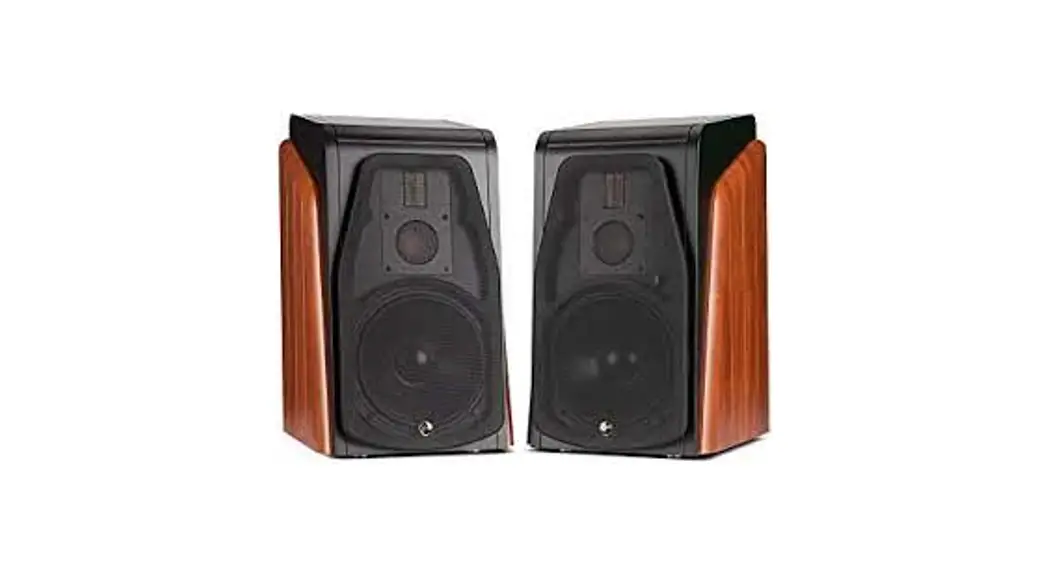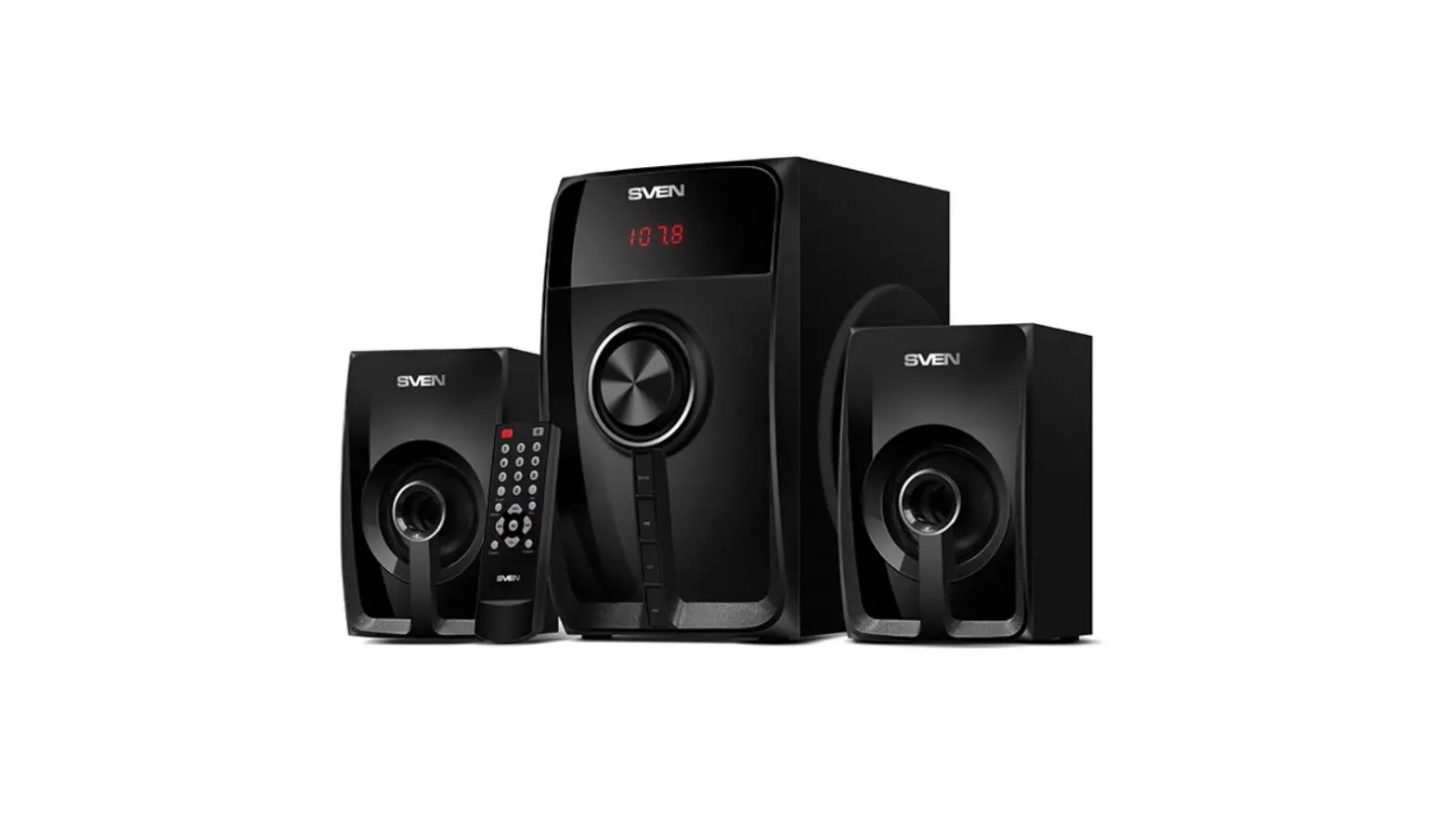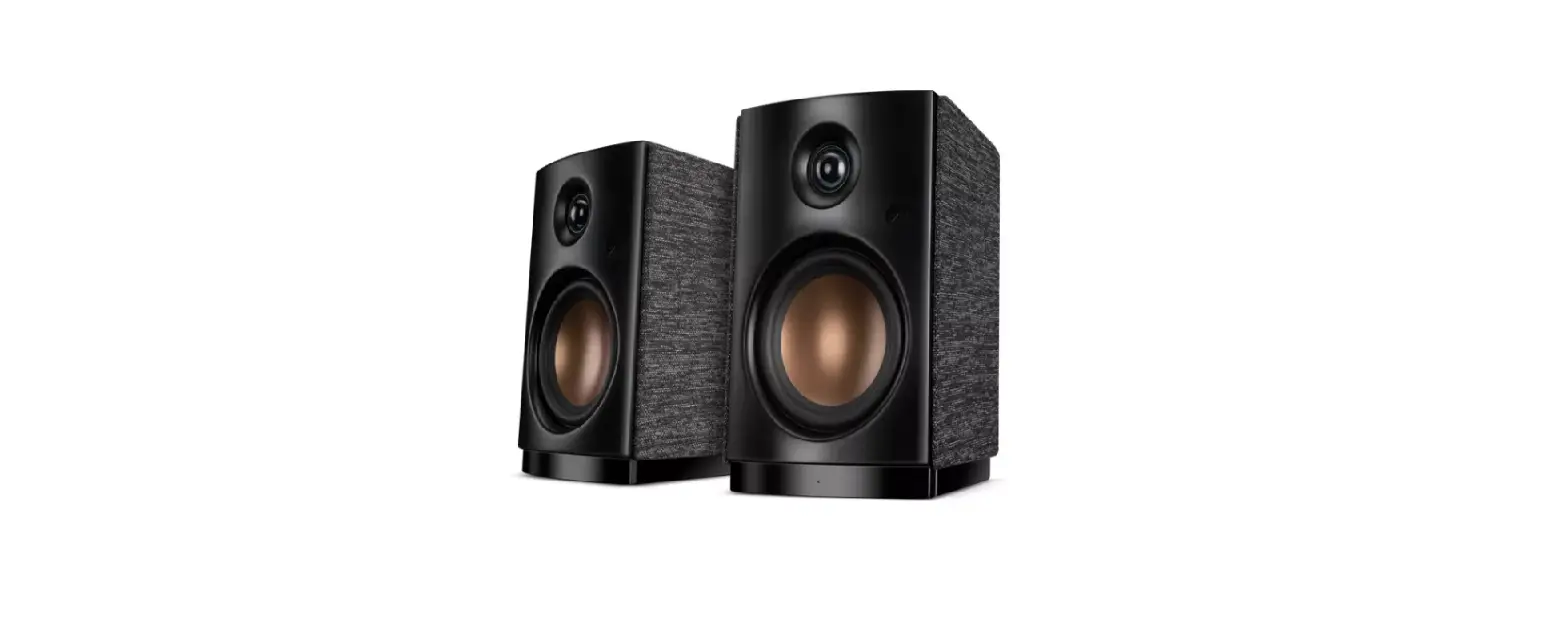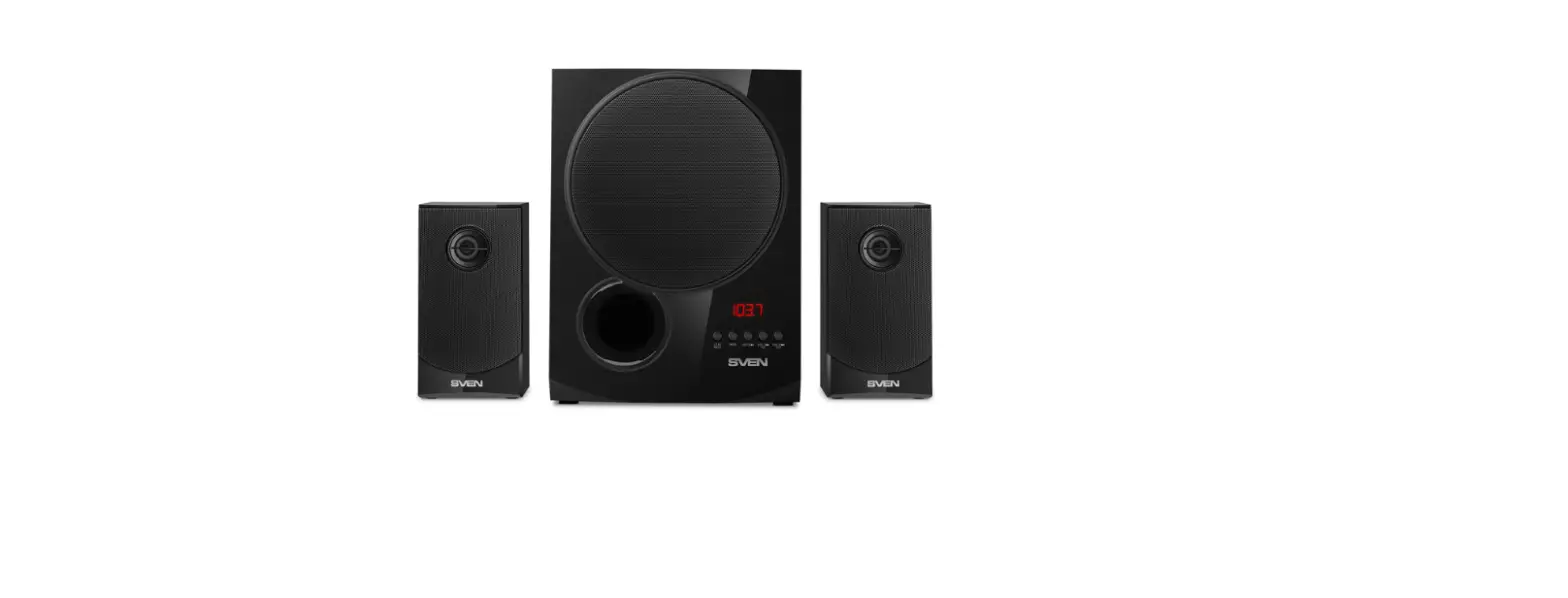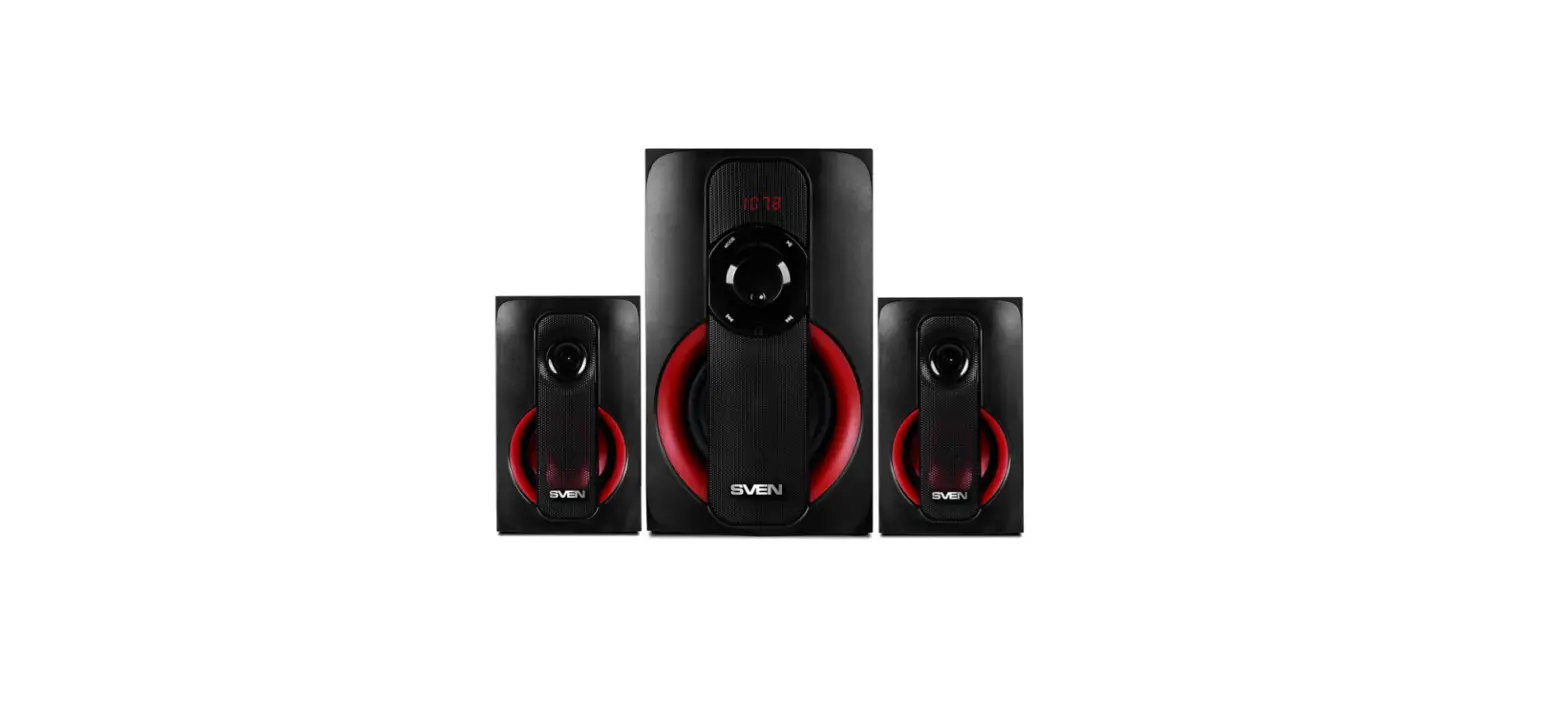
 Technology M200MKIII Multimedia Active Speaker
User Manual
Unpacking
This speaker adopts fine packing material to protect it from damage during shipping.
Please check if all accessories are in the box.
- Active speaker 1 piece
- Passive speaker 1 piece
- Speaker connection cable 1 piece
- Remote control 1 piece
- Power cable 1 piece
- 5mm to RCA audio cable 1 piece
- Manual 1 piece
- Optical cable 1 piece
Figures of speaker functions and electrical parts
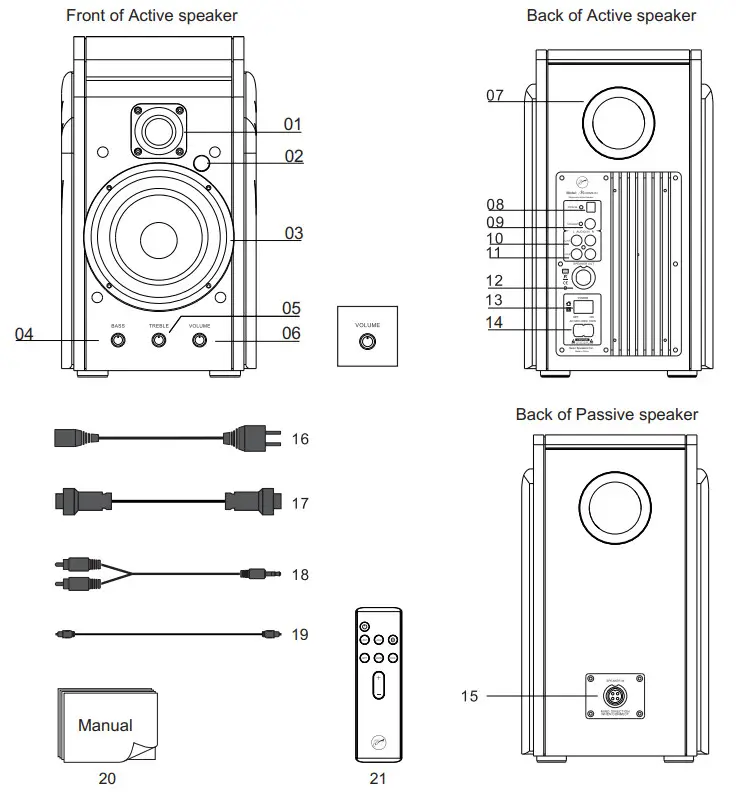
| 01. Tweeter | 08. Optical input | 15. Speaker input to active speaker |
| 02. Signal Indicator | 09. Coaxial input | 16. Power cable |
| 03. Woofer | 10. RCA input Line1 | 17. Speaker connection cable |
| 04. Bass volume control | 11. RCA input Line2 | 18. 3.5mm to RCA audio cable |
| 05. Treble volume control | 12. Speaker output | 19. Optical cable |
| 06. Volume control | 13. Power switch | 20. Manual |
| 07. Rear port | 14. Power plug | 21. Remote Control |
Volume control function
- You can switch input mode by pressing the volume control. The indicator will change accordingly.
- If the speaker is in “mute” mode, press volume control then the speaker is unmuted.
- Indicator color:
| RCA input LIN1 (green) | Mute (Red flashing light) |
| RCA input LIN2 (purple) | Coaxial(white) |
| Bluetooth input (blue) | Standby(red breathing light) |
| Optical input (grass green) |
Remote Control
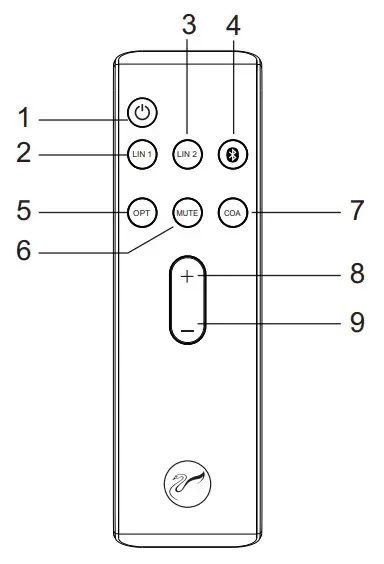
| 1. Standby | 6. MUTE |
| 2. RCA audio input LIN1 | 7. Coaxial |
| 3. RCA audio input LIN2 | 8. Volume up |
| 4. Bluetooth input | 9. Volume down |
| 5. Optical |
Notice:
- Please do not put the remote under any objects heavy in case it is destroyed.
- Take the battery off if you are not going to use the remote for a long period of time.
- Keep the remote under a cool and dry place and do not get it wet.
Remote control introductions
- After the speakers are connected properly, turn on the power when the indicator light is red, and the speaker is in Standby mode. Press the Standby button, the indicator is green when the speaker is in working mode and the default input is LIN1.
- Press the other button and it can be switched to LIN2, Bluetooth, optical or coaxial input, and the indicator will change accordingly.
- Press MUTE the speaker is in Mute when the indicator is a red light flashing then press again, and the speaker is unmuted.
- Long-press the volume up, and the volume can go up quickly.
- Long-press the volume down, and the volume can go down quickly.
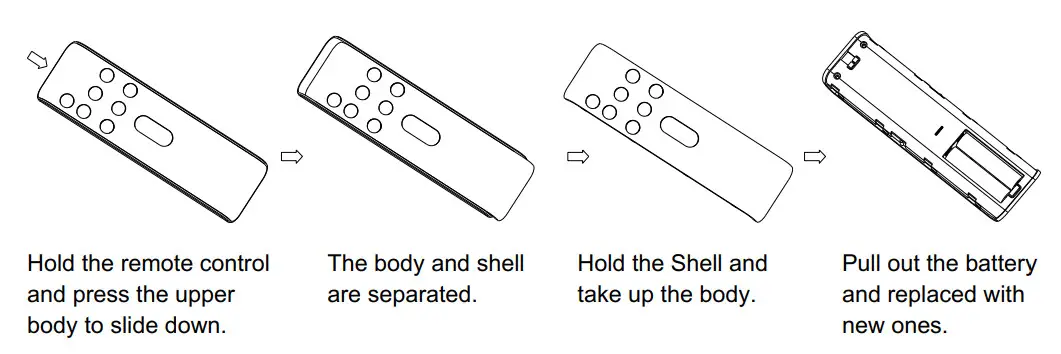
How to Replace the remote’s battery
Speaker placement and listening environment
Speaker placement
Put the main speaker on the right and the passive speaker on the left When listening to music, the distance between the two speakers should be over 70cm so that a natural sound field can be achieved. Adjust the angle and distance of the speakers until optimal sound accuracy and imaging are achieved.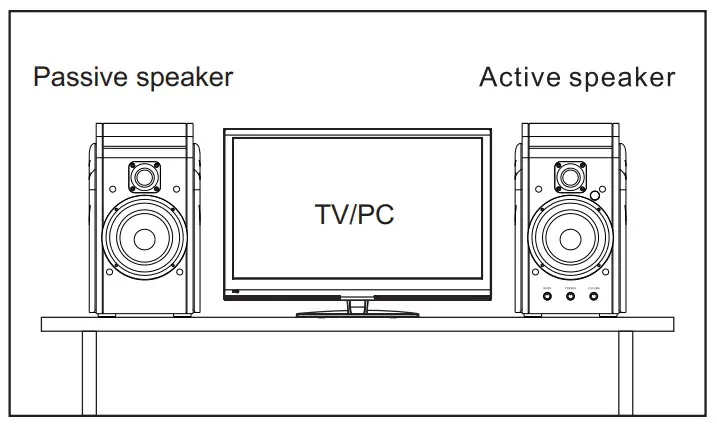 In order to get the best sound, not only do we recommend using high-quality components to match the speakers, but also a good listening environment. The placement and the size of the listening area will influence the sound quality.
A few simple suggestions to optimize your listening environment:
a. Carpet the floor to avoid the sound reflection.
b. Decorate the wall with a cloth or other sound-absorbing materials to improve sound quality.
c. Use a thick curtain to avoid the sound reflected by glass windows.
Speaker Connections
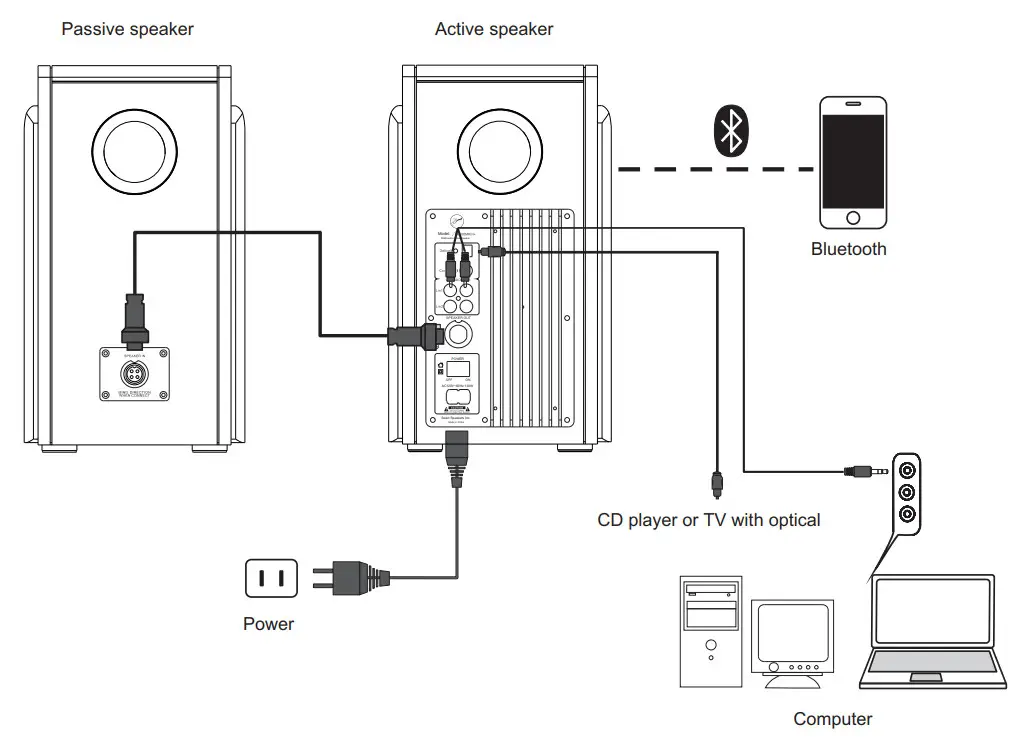
The M200MKIII+ is built in with an amplifier. On the back there are power outlet, audio in, and volume control. The connection diagram is as below:
- Diagram of an active speaker connected to a passive speaker

- Active speaker connection to passive speaker
Insert the end of the speaker connection cable into the SPEAKER OUT of the active speaker and the SPEAKER IN of the passive speaker. Make sure the pins are fully inserted to avoid loose connection. - Connecting with a computer or another sound source
Insert the RCA connectors of the RCA to 3.5mm cable into the audio input terminals of the active speaker, red to red and white to white. Then insert the 3.5mm stereo jack to the stereo output of your computer. - Connecting the power
Make sure the power switch is off, and plug the power cable into the power outlet.
Notice:
a. Please make sure the power is switched off when connecting the power cable.
b. The speaker is built-in with an amplifier. Please do not stuff the rear port with anything. It can destroy the amplifier.
c. Make sure connections are firm to avoid influencing sound quality.
d. The quality of cables will directly influence the sound quality. We suggest using the original cable.
Listening
- Turn on the computer or other sound source, and turn on the volume control to a minimum(0).
- Play the MP3, or CD, and turn up the volume gradually.
- You can use the three function knobs on the back panel to adjust the volume to meet your listening habit.
Notice:
a. Turn off the power when you are not going to listen.
b. We suggest using a high-quality sound card so that it can produce the best possible high-fidelity sound. Using a poor-quality sound card will degrade the sound quality.
Break-in
Break-in refers to the aging period for the speakers to where they perform best acoustically. Upon purchase, the speakers are not broken-in. A period ranging from 48-400 hours of usage is recommended before both the amplifier and speaker drivers behave optimally.
Maintenance
The M200MKIII+ can be operated under normal conditions without requiring any maintenance. Avoid using any corrosive liquids or gasses on the surface of the cabinet or on the speaker drivers. Do not place in high temperatures, moist conditions, or sunshine for long periods of time. For cleaning be sure to use a detergent without any strong chemicals.
 |  |  |  |
| Avoid Magnets | Do not touch the driver with your hands | Avoid corrosive liquids and gases | Do not place in high heat and humidity for an extended period of time |
Troubleshooting
Problems with the sound quality
a. Please check and make sure all drivers have sound or not? Is there any problem with the speaker?
b. Please check if the connection cables are firmly connected with the OUTPUT of the computer sound card or OUTPUT of the line output.
c. Please check if the connection cable is inserted in the right position.
No sound at all
a. Please check if the power cable is connected well and if the power switch is on.
b. Please check if the signal cable between the speaker and the sound source is shortcircuited?
c. Please check if the sound source is set up properly.
Only one speaker has sounded
a. Please check the balance controls on the sound source and make sure it is set to the middle position.
b. Please check the cable between the active speaker and passive speaker is inserted properly.
Warranty
If the problems still exist after you check as No. IX shows, please contact the local dealer.
Specification
| Model | HiVi M200MKIII+ |
| Series | HIVI Professional active crossover 2.0 multimedia speaker series |
| System Type | Two-way 4th order vented speaker system |
| Drivers Configuration | 5.25-inch mid-range driver, 28mm soft dome tweeter |
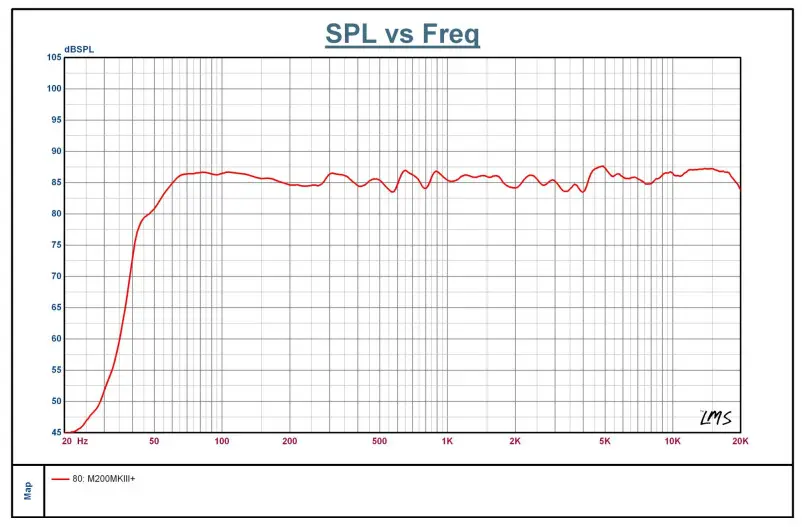
| Frequency Range | 53Hz-20kHz ±3dB(Free Space) |
| Harmonic Distortion | 90Hz-20kHz 51%(2.83V/1m) |
| Wireless Input | Bluetooth 4.0 |
| Rated Power | Each channel power6OW RMS, both channels 120W RMS |
| Signal-to-Noise | >89dB |
| Input Sensitivity | 680mV |
| Input Impedance | 28kil |
| Maximum Input | 3000mV |
| Finish | Luxury fine wood/black matte finish |
| Dimensions(WXDXH) | 194 x 273 x 338mm |
| Net Weight | 12.9kg |
FCC Warning
This device complies with Part 15 of the FCC Rules. Operation is subject to the following two conditions:
(1) This device may not cause harmful interference, and (2) this device must accept any interference received, including interference that may cause undesired operation.
NOTE 1: This equipment has been tested and found to comply with the limits for a Class B digital device, pursuant to Part 15 of the FCC Rules. These limits are designed to provide reasonable protection against harmful interference in a residential installation. This equipment generates uses and can radiate radio frequency energy and, if not installed and used in accordance with the instructions, may cause harmful interference to radio communications. However, there is no guarantee that interference will not occur in a particular installation. If this equipment does cause harmful interference to radio or television reception, which can be determined by turning the equipment off and on, the user is encouraged to try to correct the interference by one or more of the following measures:
- Reorient or relocate the receiving antenna.
- Increase the separation between the equipment and receiver.
- Connect the equipment into an outlet on a circuit different from that to which the receiver is connected.
- Consult the dealer or an experienced radio/TV technician for help.
NOTE 2:
Any changes or modifications to this unit not expressly approved by the party responsible for compliance could void the user’s authority to operate the equipment.
This equipment complies with the FCC RF radiation exposure limits set forth for an uncontrolled environment. This equipment should be installed and operated with a minimum distance of 20cm between the radiator and any part of your body.
you can hear the difference between High-performance speakers from HiVi