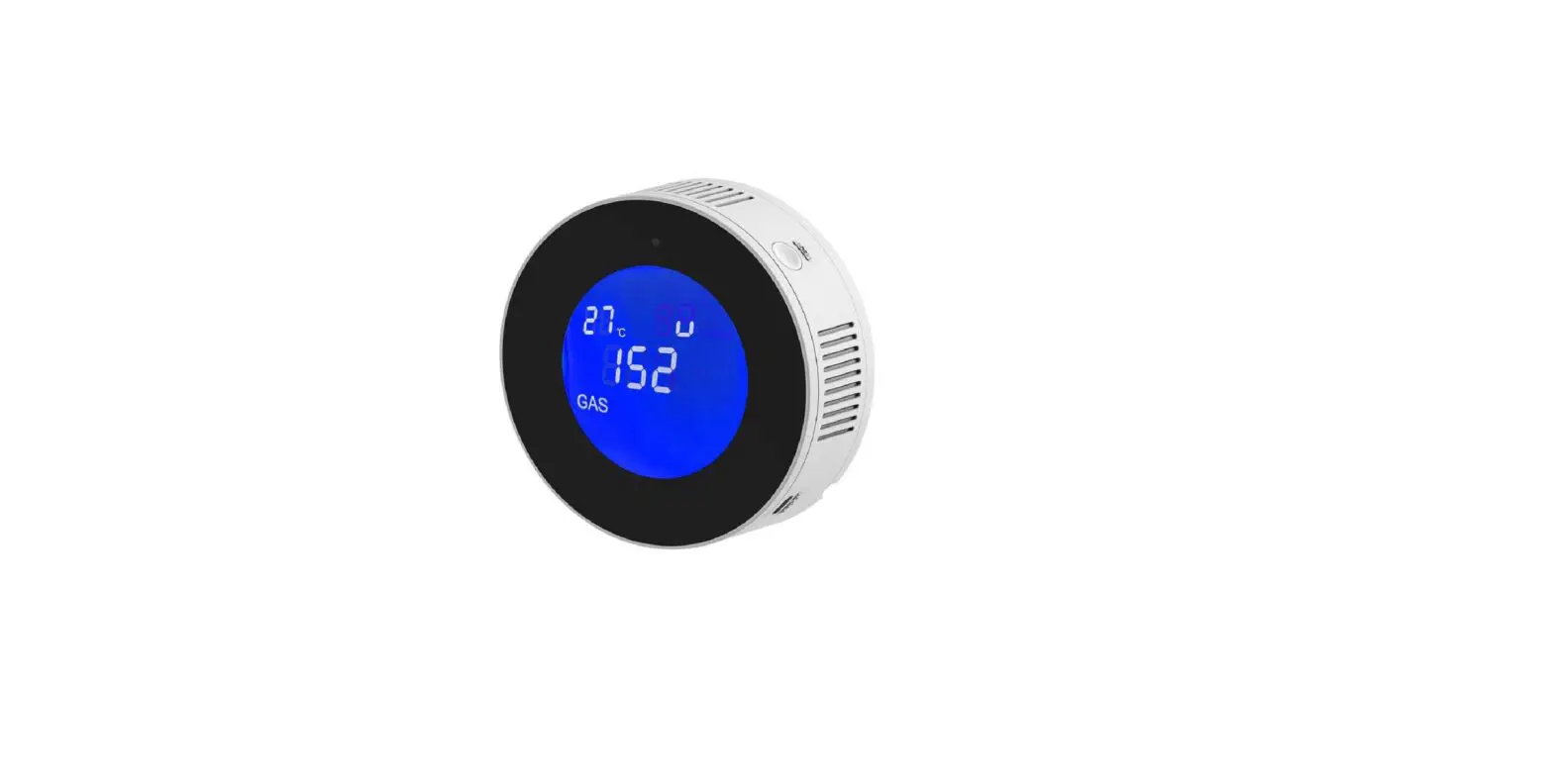
BK17-221117 WiFi CO2 T and H Detector
Product Information:
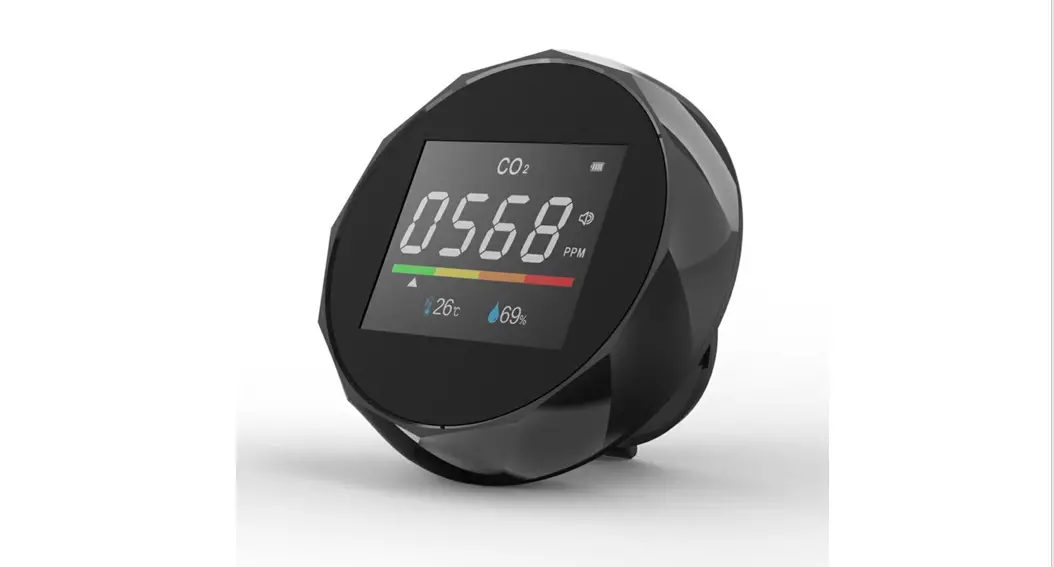
The WiFi CO T&H Detector by Moes Home is a smart device that
measures temperature, humidity, and carbon dioxide levels in your
home. It features a built-in Wi-Fi connection, a buzzer for alarms,
and a battery level indicator. The device has a hanging hole for
easy installation and can be charged via a TYPE-C charging port. It
also allows for customization of the CO2 alarm threshold and sound
alarm value.
- Temperature Range: Not specified
- Humidity Range: Not specified
- Carbon Dioxide Levels:
- Green: 400 ~ 700 ppm
- Yellow: 700 ~ 1500 ppm
- Red: 1500 ~ 5000 ppm
Product Usage Instructions:
Power On/Off and Backlight Control:
- To turn on/off the backlight in normal mode, press the button
once. - In the setting mode, press the button once to decrease the
value. - Long press the button to enter or disconnect the network
configuration state.
CO2 Alarm Threshold and Reset:
- Double click the button to customize the CO2 alarm
threshold. - Long press the button to turn on or off the alarm.
- Press the button to reset the device using a pointed
object. - Note: When the carbon dioxide concentration exceeds 1500 ppm
and the alarm is activated, long press the button to stop the
alarm.
Sound Alarm Value Customization:
- To customize the sound alarm value, double click the button to
enter the setting mode. - Use the button to increase or decrease the value.
- Press the button to confirm the setting and go back to the home
page.
Connecting to the App:
Download the MOES App from the App Store or scan the provided QR
code. The MOES App is recommended for better compatibility and
additional features compared to the Tuya Smart/Smart Life app.
- Enable Bluetooth, 2.4G WiFi, and location service on your
phone. - Open the Smart Life App and click “Add Device” on the home page
or click the “+” icon at the top right. - Long press the button until the icon flashes on the screen,
indicating that the device is in network configuration mode. - Search for devices in the app and select your 2.4G WiFi
network. Enter the password and click “Next” to add the
device. - Click “Done” to enter the device page and start enjoying smart
life with home automation.
Important Notes:
- Avoid placing the device in an environment full of dust or
corrosive gas for accurate measurements. - Avoid prolonged exposure to direct sunlight when measuring the
environment in a car. - The device comes with a 1-year warranty against manufacturing
defects or faulty workmanship. This warranty does not cover fuses,
disposable batteries, or damage caused by accidents, neglect,
misuse, alteration, contamination, or abnormal conditions of
operation or handling.
Warranty Limitations:
- Warranty service may be refused if the product has a damaged
appearance, missing logo, or if the service term has expired. - Products that have been disassembled, privately repaired,
modified, or have missing parts may not be eligible for warranty
service. - Warranty does not cover products with burned circuits or
damaged data cables/power interfaces. - Products damaged by foreign matter intrusion (e.g., fluids,
sand, dust) are not covered under warranty.
Contact Information:
Thank you for choosing Moes Home. We strive for your complete
satisfaction. If you have any questions or need assistance, please
feel free to contact us.
HOME, SMART MOES HOME
Instruction Manual WiFi CO T&H Detector
English
Product Introduction
Wi-Fi
Buzzer
Battery Level
Green400 ~ 700 ppm Yellow700 ~ 1500 ppm Red1500 ~ 5000 ppm
Temperature Humidity Carbon Dioxide
01
Hanging Hole
TYPE-C Charging (5V 1A)
Specification Carbon Dioxide Range: 400 ~ 5000 ppm [± (50ppm + 5%) ] Temperature Range: -10°C ~ 40°C (±2) / 14 ~ 104 (±3.6) Humidity Range: 20 ~ 80 % RH (±5 % RH) Product Size: 98 × 90 × 40 mm Power Supply: Built-in Lithium Battery (2400mAh) Wireless Connection: Wi-Fi (only for 2.4GHz Wi-Fi network) Input: 5V 1A Packing List: PTH-9CW × 1User Manual × 1TYPE-C Charging Cable × 1
02
Operation Press to turn on/off the backlight in the normal mode, or to minus one in the setting mode. Long press to enter or disconnect the network configuration state.
Double click it to custom CO2 alarm threshold. Long press it to turn on or off. Press it to reset with a pointed object.
Press to switch °C or in the normal mode, or to plus one in the setting mode. Long press it to turn on or off the buzzer. After powering off, long press the 3 buttons to enter calibration mode then the device begins to count down 200s on the screen. Pay attention to doing it outdoors without people.
Note: When the carbon dioxide concentration value exceeds 1500ppmand when the buzzer is onthe buzzer will sound an alarm. Long press ” ” button to stop the alarm.
03
Customize Sound Alarm Value Tips: You can customize the sound alarm value for this meter. How to set the sound alarm value? Double click ” ” to enter the setting. Then click ” ” or ” “. Click ” ” to confirm setting and go back to home page.
How to connect to the app
Download MOES App on App store or scan the QR code.
Moes application is much more compatible than Tuya smart / smart life application. It also provides a new customized service for controlling scenes through Siri, widgets and scene recommendation. (Note: Tuya smart / Smart Life app is still working, but moes app is highly recommended)
04
Registration or Log in. · Download “MOES” Application. · Enter the Register/Login interface; tap “Register” to create an account by entering your phone number to get verification code and “Set password”. Choose “Log in” if you already have a MOES account. 1. Make sure your phone is connected to Wi-Fi and Bluetooth.
SET 2.4G WiFi Bluetooth
05
2. Scan the QR code to configure the network guide.
Scan this QR code
06
1. Please confirm you have enabled the phone Bluetooth, 2.4G WiFi and location service. 2. Open Smart Life APP,click “Add Device”on the home page or click the icon “+”on the top right.
(3) (2)
06
3. Long press the ” ” button until the ” ” icon flashes on the screen, and the device enters the network configuration state. 4. Click “Add”when searching devices, choose your 2.4G WiFi by entering password for clicking “Next”to wait for successful device adding.
WiFi CO2 Detector
WiFi CO2 Detector
06
5. Click “Done”and enter the device page to enjoy smart life with home automation.
Note: 1. Besises the “Auto Scan” mode, you can also click “Add Manually” and follow the path “Sensors – CO2 Alarm – CO2 Detector (other)” to click on the corresponding icon and operate as prompted on the interface. 2. During the connection process, it is necessary to ensure that the device and the mobile phone are within 30 meters during the connection process, as Wi-Fi is short-distance connection. 3. During the connection process, make sure that the device and the mobile phone are in the same Wi-Fi environment, and only support the 2.4GHz Wi-Fi signal mode.
Limited Warranty Note 1.Do not expose this product to water, nor place it in a high temperature environment exceeding 60°C, and keep it away from fire; 2.This product is a precision measuring instrument, and it is not allowed to disassemble the machine without authorization;
07
3.Can not be placed in an environment full of dust or corrosiv gas for measurement 4.When measuring the environment in the car, please do note expose this product directly to the sun for a long time. 1 year warranty against any manufacturing defects or faulty workmanship. This warranty does not cover fuses, disposable batteries or damage from accident, neglect, misuse, alteration, contamination or abnormal conditions of operation or handling.
SERVICE Thank you for your trust and support to our products, we will provide you with a two-year worry-free after-sales service (freight is not included), please do not alter this warranty service card, to safeguard your legitimate rights and interests. If you need service or have any questions, please consult the distributor or contact us. Product quality problems occur within 24 months from the date of receipt, please prepare the product and the packaging, applying for after-sales maintenance in the site or store where you purchase; If the product is damaged due to personal reasons, a certain amount of maintenance fee shall be charged for repair.
08
We have the right to refuse to provide warranty service if: 1. Products with damaged appearance, missing LOGO or beyond the service term 2. Products that are disassembled, injured, privately repaired, modified or have missing parts 3. The circuit is burned or the data cable or power interface is damaged 4. Products damaged by foreign matter intrusion (including but not limited to various forms of fluid, sand, dust, soot, etc.)
RECYCLING INFORMATION All products marked with the symbol for separate collection of waste electrical and electronic equipment (WEEE Directive 2012 /19 / EU) must be disposed of separately from unsorted municipal waste. To protect your health and the environment, this equipment must be disposed of at designated collection points for electrical and electronic equipment designated by the government or local authorities. Correct disposal and recycling will help prevent potential negative consequences for the environment and human health. To find out where these collection points are and how they work, contact the installer or your local authority.
09
WARRANTY CARD
Product Information Product Name_____________________________________________ Product Type______________________________________________ Purchase Date_____________________________________________ Warranty Period____________________________________________ Dealer Information__________________________________________ Customer’s Name__________________________________________ Customer Phone___________________________________________ Customer Address__________________________________________ ___________________________________________________________
Maintenance Records Failure date Cause Of Issue
Fault Content Principal
10
Thank you for your support and purchase at we Moes,we are always here for your complete satisfaction,just feel free to share your great shopping experience with us.
If you have any other need,please do not hesitate to contact us first,we will try to meet your demand.
MOES.Official @moes_smart
@moessmart @moes_smart
@moes_smart www.moes.net
EVATOST CONSULTING LTD Address: Suite 11, First Floor, Moy Road Business Centre, Taffs Well, Cardiff, Wales, CF15 7QR Tel: +44-292-1680945 Email: [email protected]
11
AMZLAB GmbH Laubenhof 23, 45326 Essen Made In China Manufacturer: WENZHOU NOVA NEW ENERGY CO.,LTD Address: Power Science and Technology Innovation Center, NO.238, Wei 11 Road, Yueqing Economic Development Zone, Yueqing, Zhejiang, China Tel: +86-577-57186815 After Service Email: [email protected]
12
BK17
 MOES Smart WiFi ZigBee Smart 2/3 Way Switch Socket Thermostat Sensor