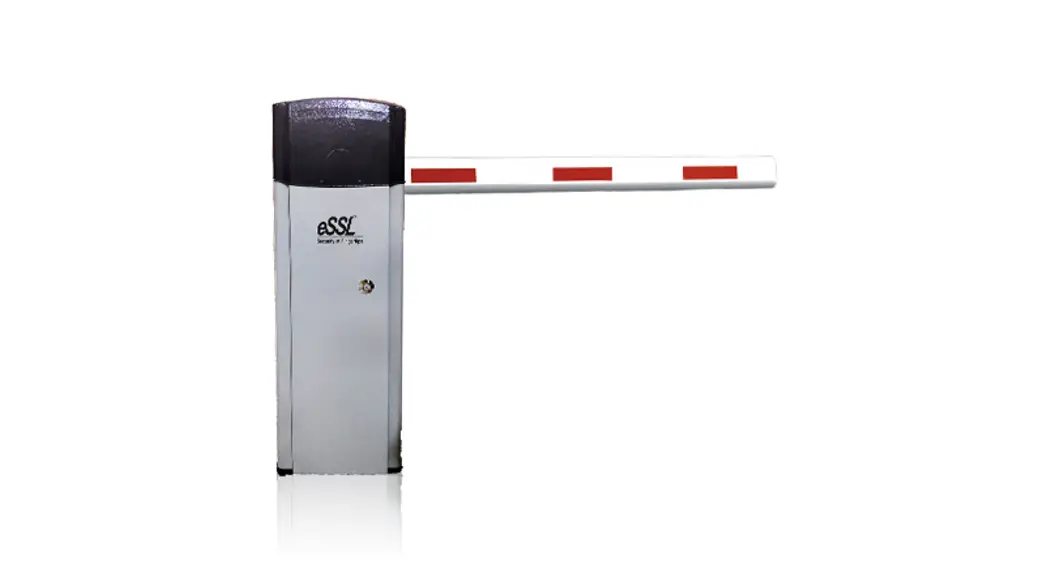

User Manual
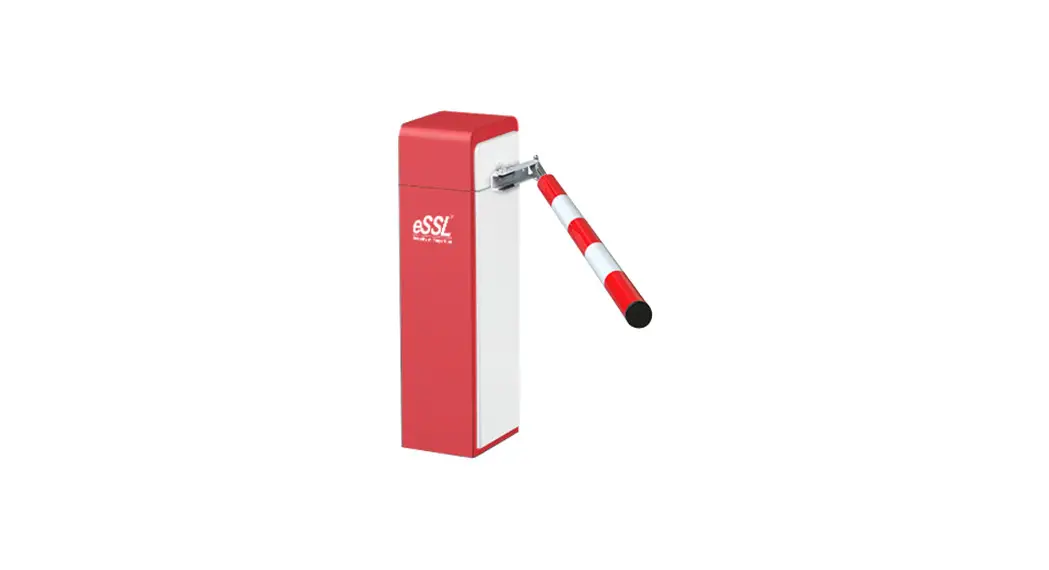
BG100-Grey & BGL-100
Automated Vehicular Boom Gate System
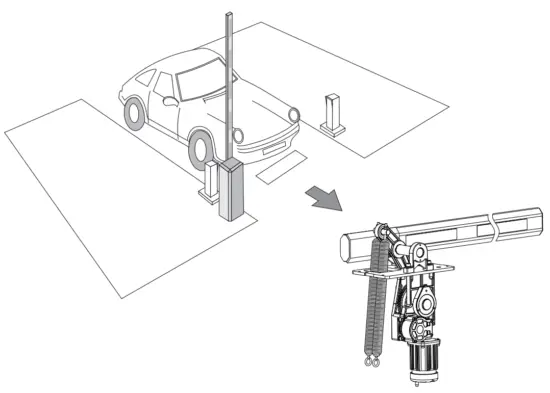 Installer and User’ s Manual Please read carefully before using
Technical specifications
| Power Supply: | 220VAC50Hz/110VAC 60Hz |
| Motor’s power: | 240WAC |
| Max length of Boom: | 5M |
| Time of Up/Down: | 1.5S(for 1-3M) 3S(for 3-4M) 6S(for 5M) |
| Working environment: | -25℃-50℃ |
| Protection class: | Ip55 |
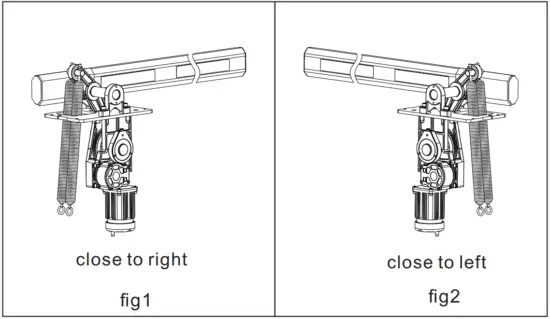
Direction of Barrier
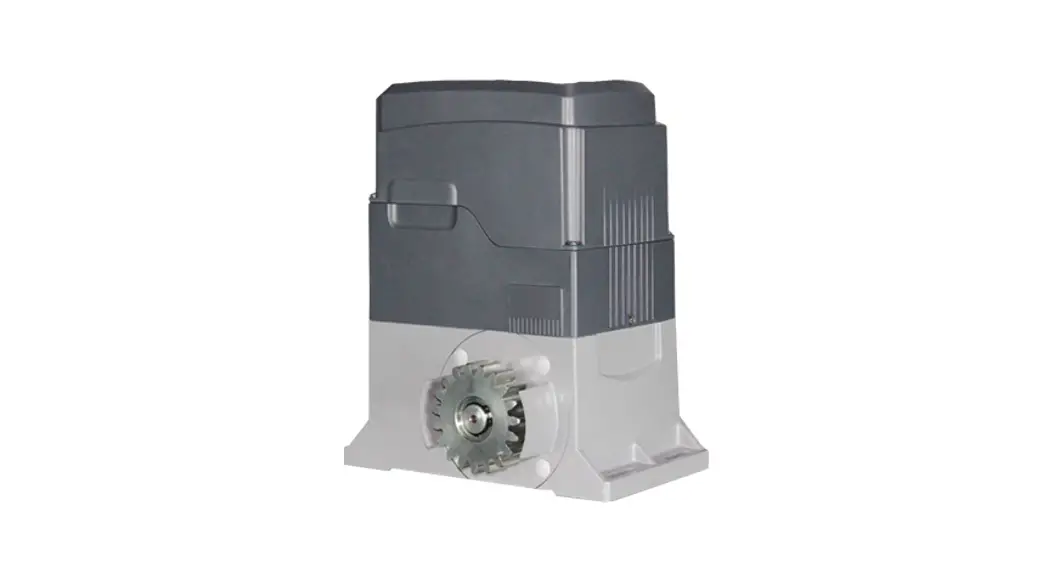
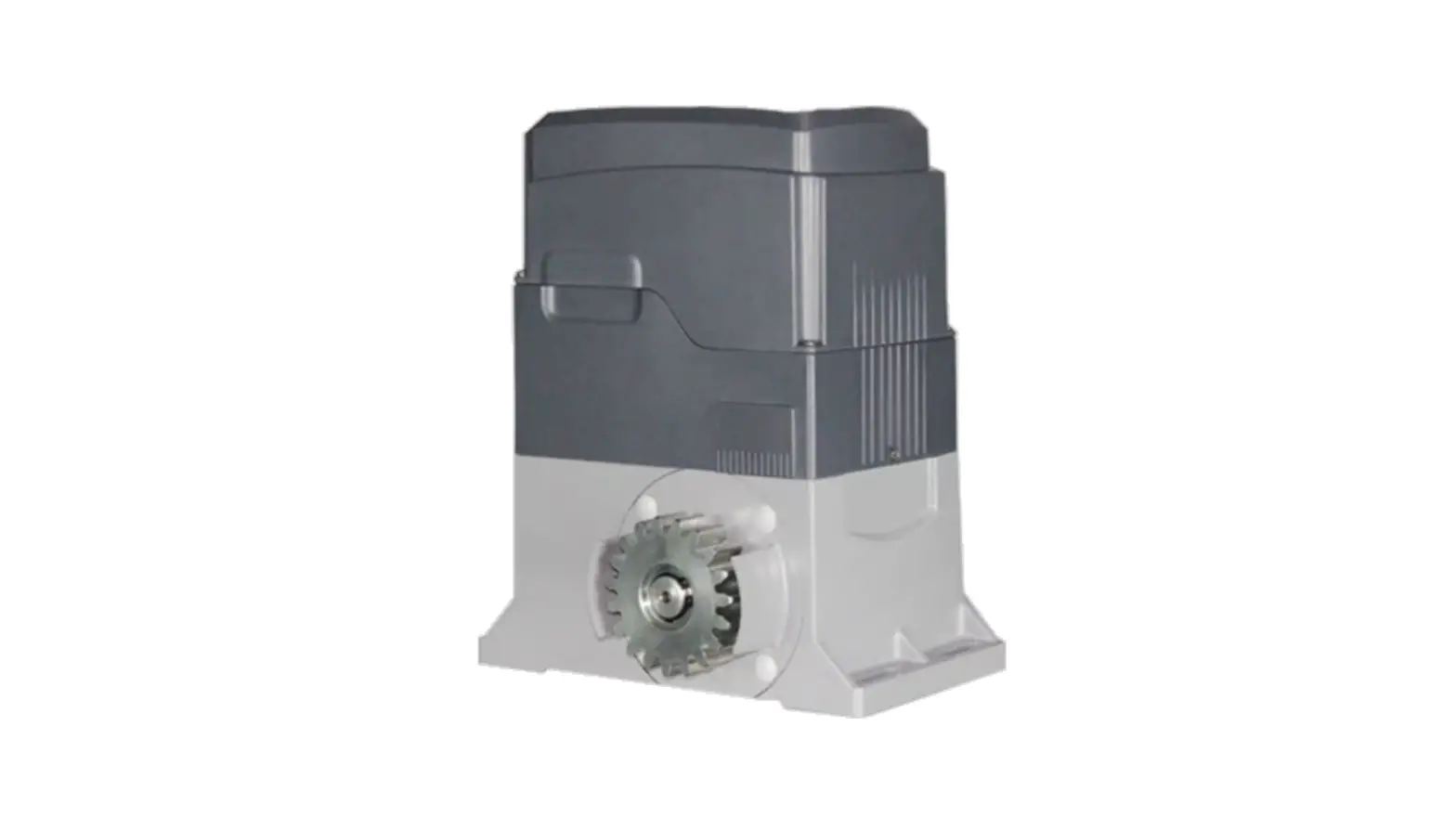
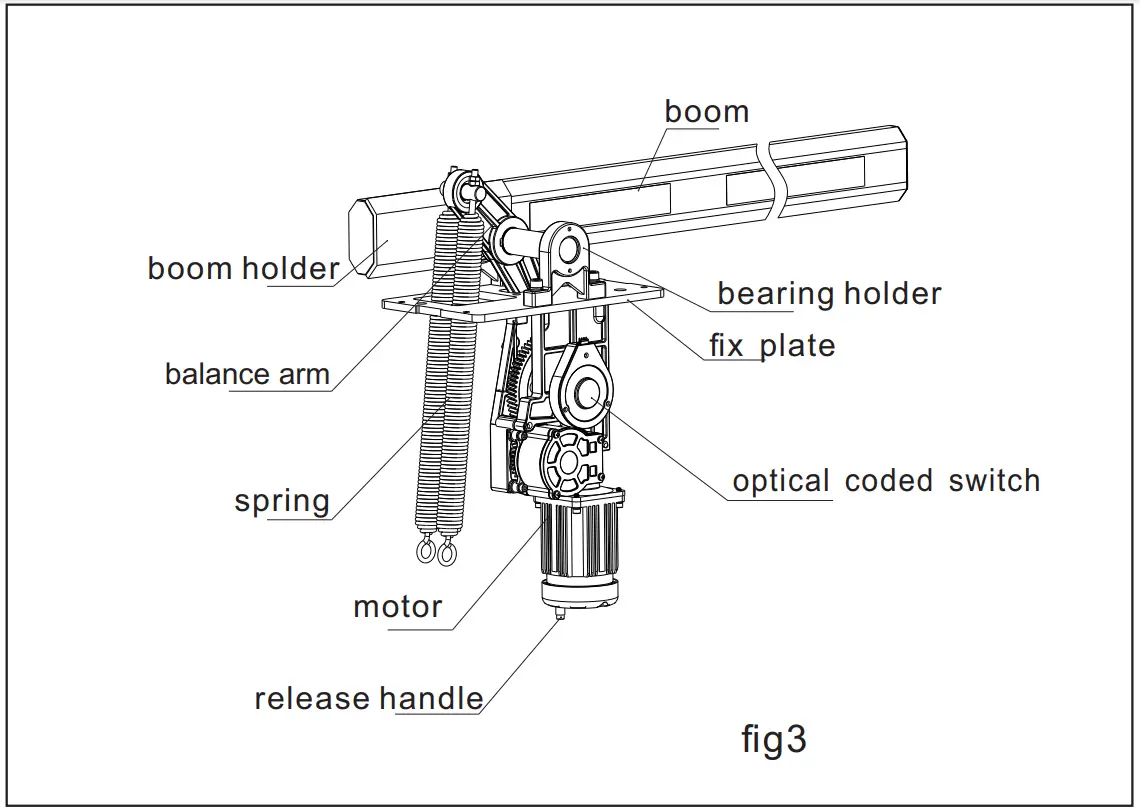
Mechanical Structure
Installing and adjusting
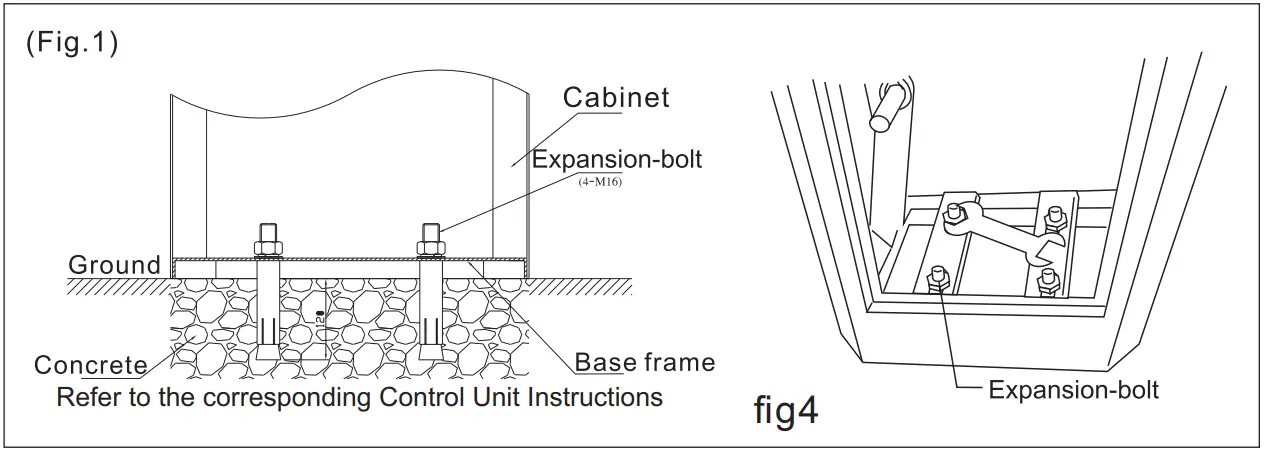
- Install the machine on the ground fig4

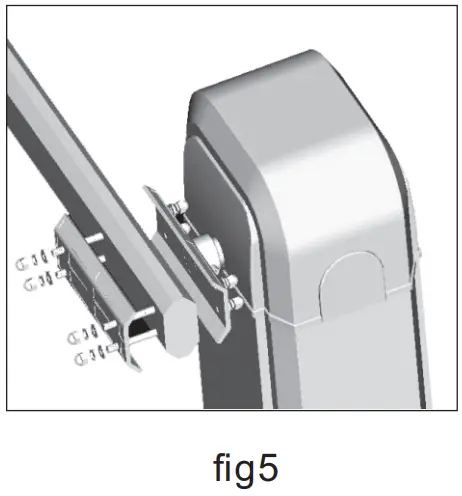
- Install boom (fig.5)

- Adjust the limit position
The barrier is supplied to you with the optical coded switch that is already set to allow optimum boom movement. Do not change the limit position

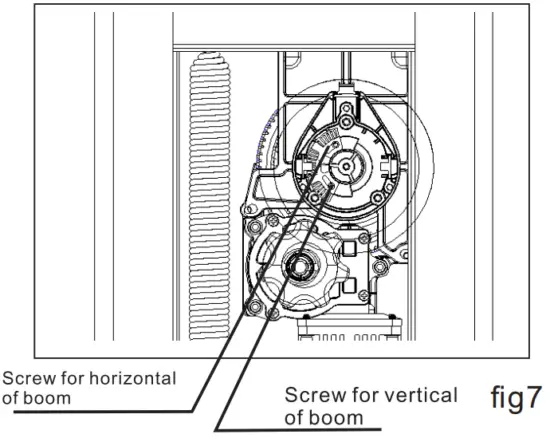
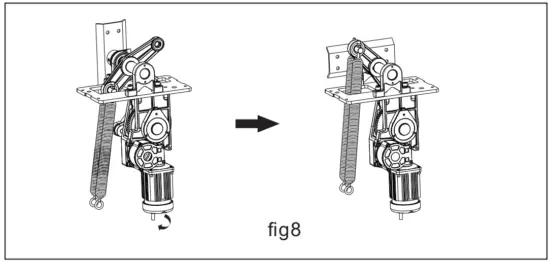
Adjust the vertical and horizontal line of the Boom
D. 1 Boom needs to be shorter (fig9) (fig10) (fig)11)
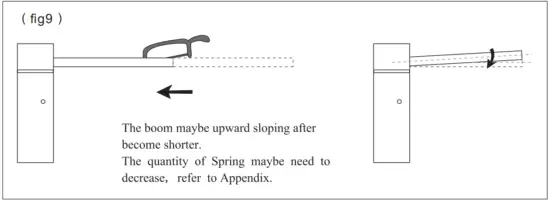
remove the spring quantity according to the Appendix spring list, then adjust balance according to fig10 and fig11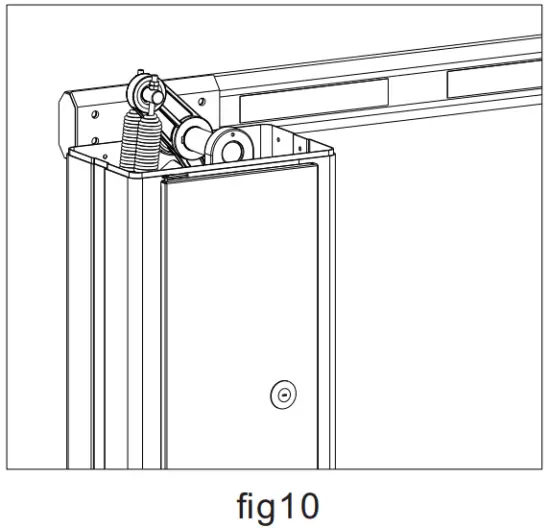 Note: the boom must be horizontal position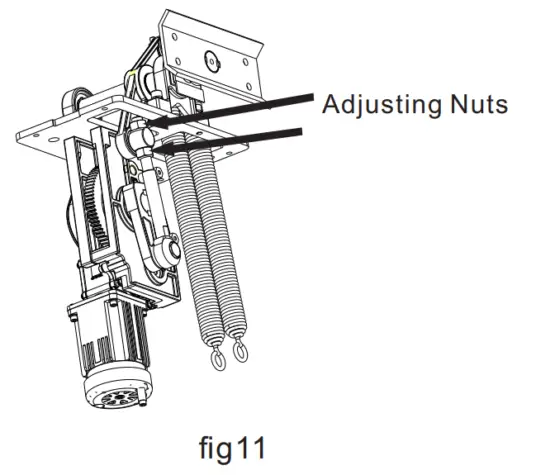
- Loosen the Adjusting Nuts.
- Adjust the Tuning Screw and see the Boom, if the Boom is perpendicular to the ground when it is open, tighten the Adjusting Nuts.
D.2 Boom needs to be longer fig12 fig13 fig14
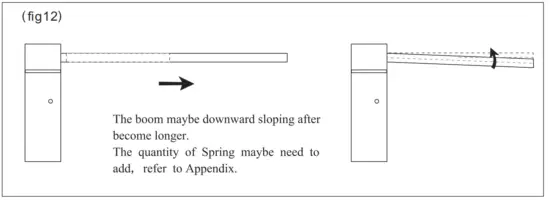
add the spring quantity according to the Appendix spring list, then adjust balance according to fig13 and fig14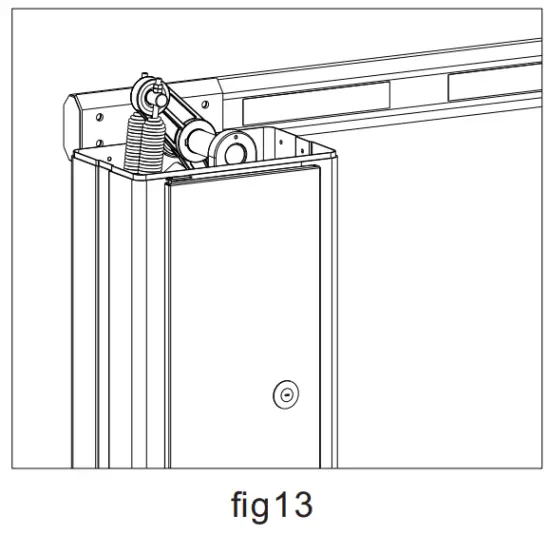
Note: the boom must be horizontal position
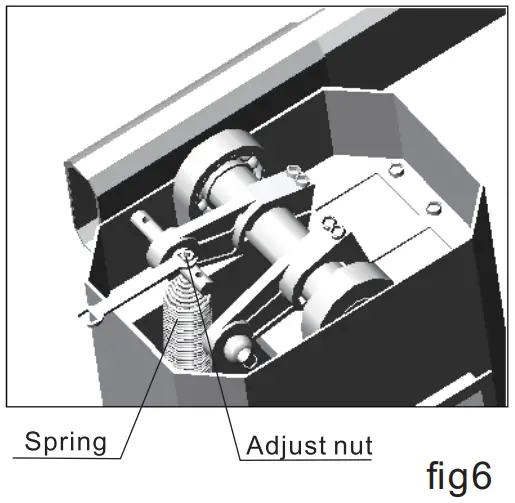
 Adjust the balance of the spring with boom.
The springs have been already adjusted to balance with the boom. If the length of the boom needs to be changed, the springs should be re-adjusted. See the Appendix and Fig3/Fig4/Fig5/Fig 6
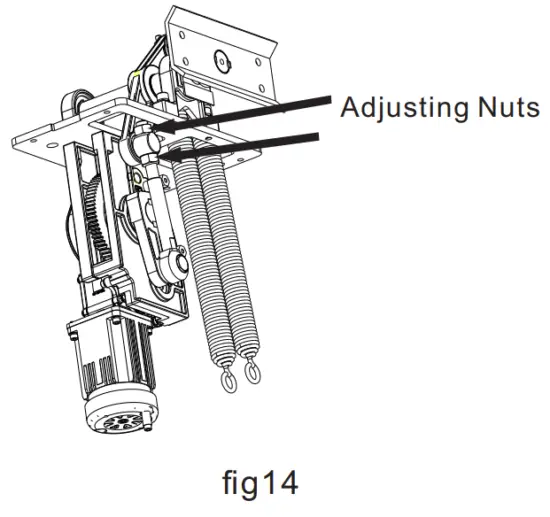
- Loosen the Adjusting Nuts.
- Adjust the Tuning Screw and see the Boom, if the Boom is perpendicular to the ground when it is open, tighten the Adjusting Nuts.
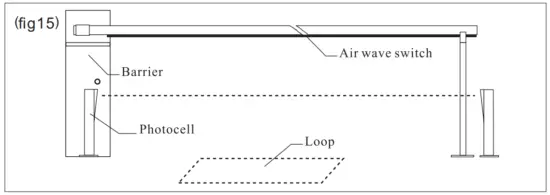
Electrical safety devices fig15
- The BARRIERS limit switches, motor, and control unit are already connected up.
- Only the photo cells, the loop detector, and the supply voltage have to be connected up in the installation.
Packing List
| No. | Name | Quantity(Unit:pcs) | Marck |
| 1 | barrier | 1 | |
| 2 | boom | 1 | |
| 3 | boom clamp | 1 | |
| 4 | stud | 4 | |
| 5 | cap nut | 8 | M10 |
| 6 | at washer | 8 | ø10 |
| 7 | spring washer | 8 | ø10 |
| 8 | mounting plate | 2 | |
| 9 | explosive anchoring | 4 | M14*150 |
| 10 | explosive anchoring | 4 | M10*100, boom≥4M |
| 11 | boom support | 1 | boom ≥3M |
| 12 | control unit | 1 | including 2 remotes |
| 13 | manual | 1 | |
| 14 | key | 2 |
Appendix
Table of spring quantity and size with Boom’s length
| Model | Boom length | Quantity of Spring | Spring Size |
| BS-7206 | ≤3M | 1 | ø4 |
| ≥3&≤4 | 1 | ø5 | |
| ≥4&≤5 | 2 | ø5 |

#24, Shambavi Building, 23rd Main, Marenahalli, JP Nagar 2nd Phase, Bengaluru – 560078
Phone : 91-8026090500 | Email : [email protected]
www.esslsecurity.com
 Home | eSSL Security