
ifi ZEN Air Phono Single-Ended MM/MC Phono Stage User Guide
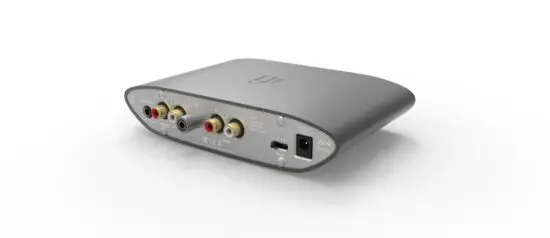
Thank you for purchasing the Phono from the ZEN Air series.
The ZEN Air Phono is a single-ended MM/MC phono stage.
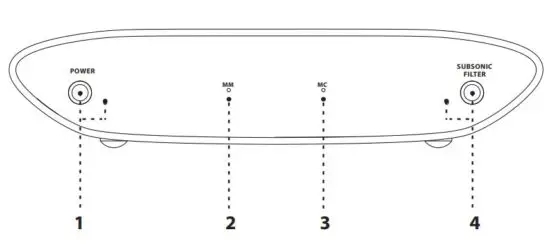
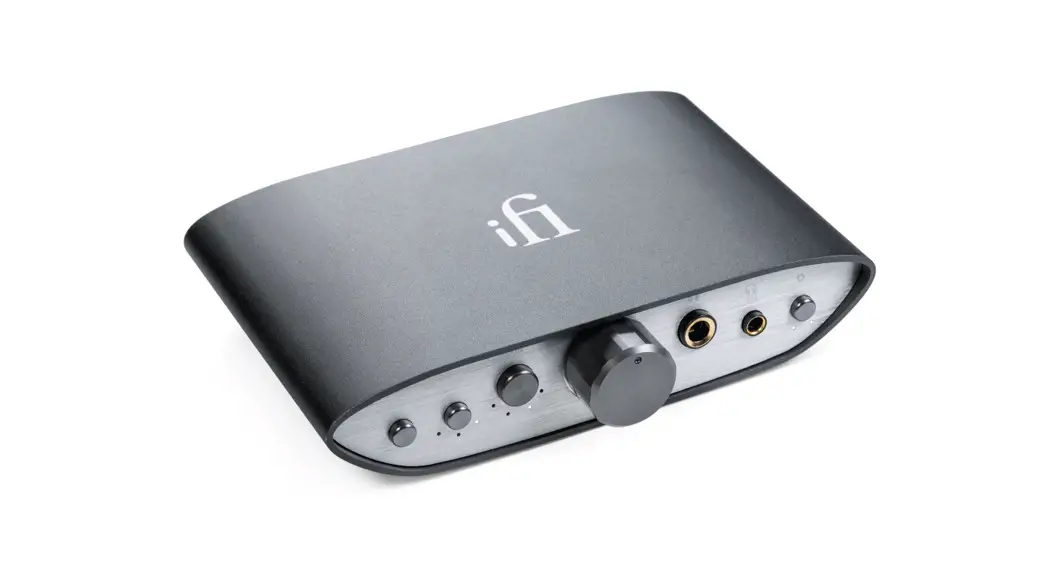
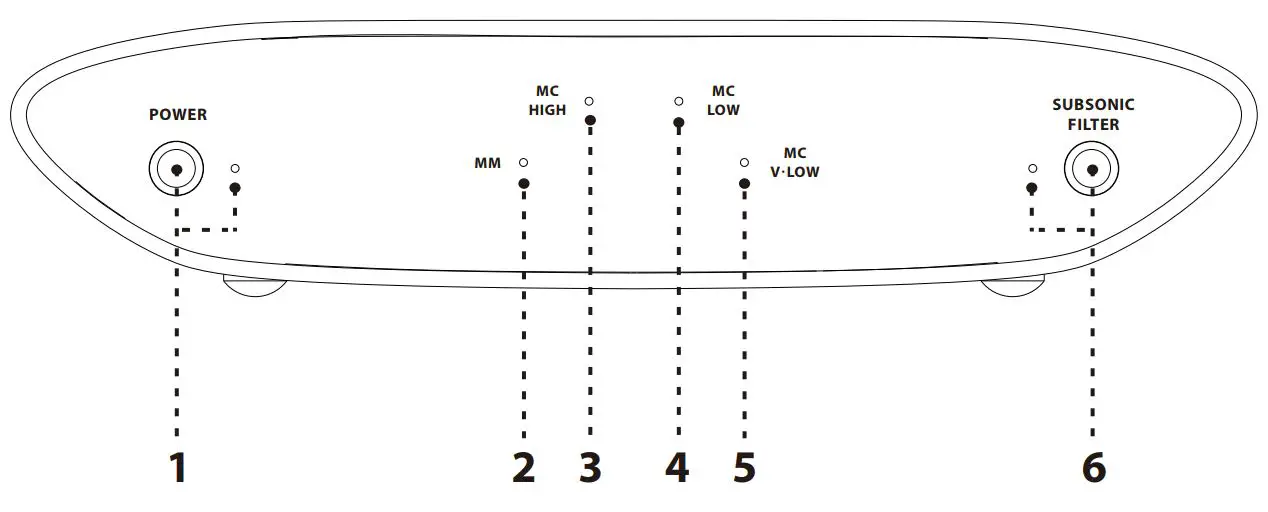
1. Power ON/OFF
This is the power switch.
Note: If the unit has been powered on for a while, you need to press the power switch twice to turn it off. This is because the MCU goes into sleep mode for less noise, so you get to enjoy the best sonics!
2. MM input LED
This is the MM input indication. Use this setting for MM cartridges with output voltage 2mV and higher. Please select MM on the gain switch at the rear.
3. MC input LED
This is the MC input indication. Use this setting for MC cartridges with output voltage <2mV. Please select MC on the gain switch at the rear.
4. SUBSONIC Filter ON/OFF and Gain switch unlocked
This is the SUBSONIC filter switch (short press)
The iFi-designed subsonic filter will intelligently detect whether a subsonic frequency is a warp or a bass note. It will eliminate the warps and let all the bass and mid-range frequencies pass through untouched. Therefore, it will have little effect on the sound quality.
Gain switch function unlocked (short press)
To change gain after the unit has been on for more than 10 minutes, short press this switch to unlock the rear gain switch (8).
Tip: To protect your device, the gain switch (8) will enter lock mode after 10 minutes and will need to be unlocked each time you operate it.
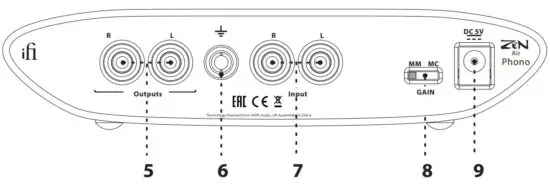
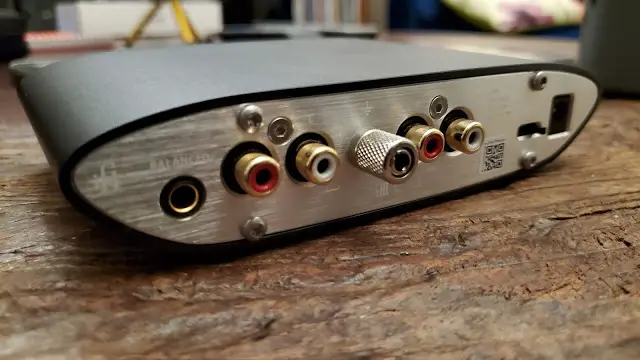
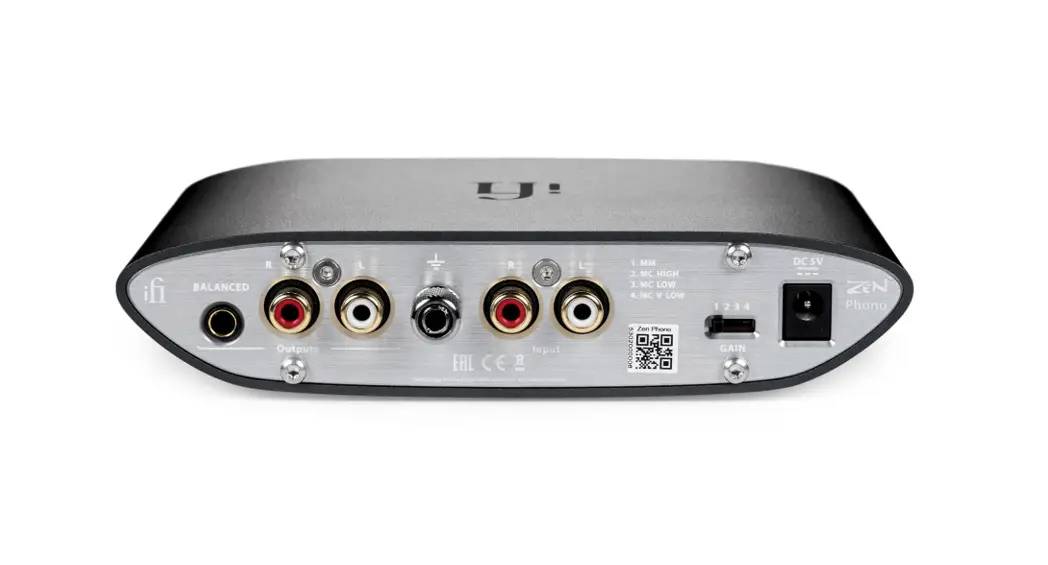
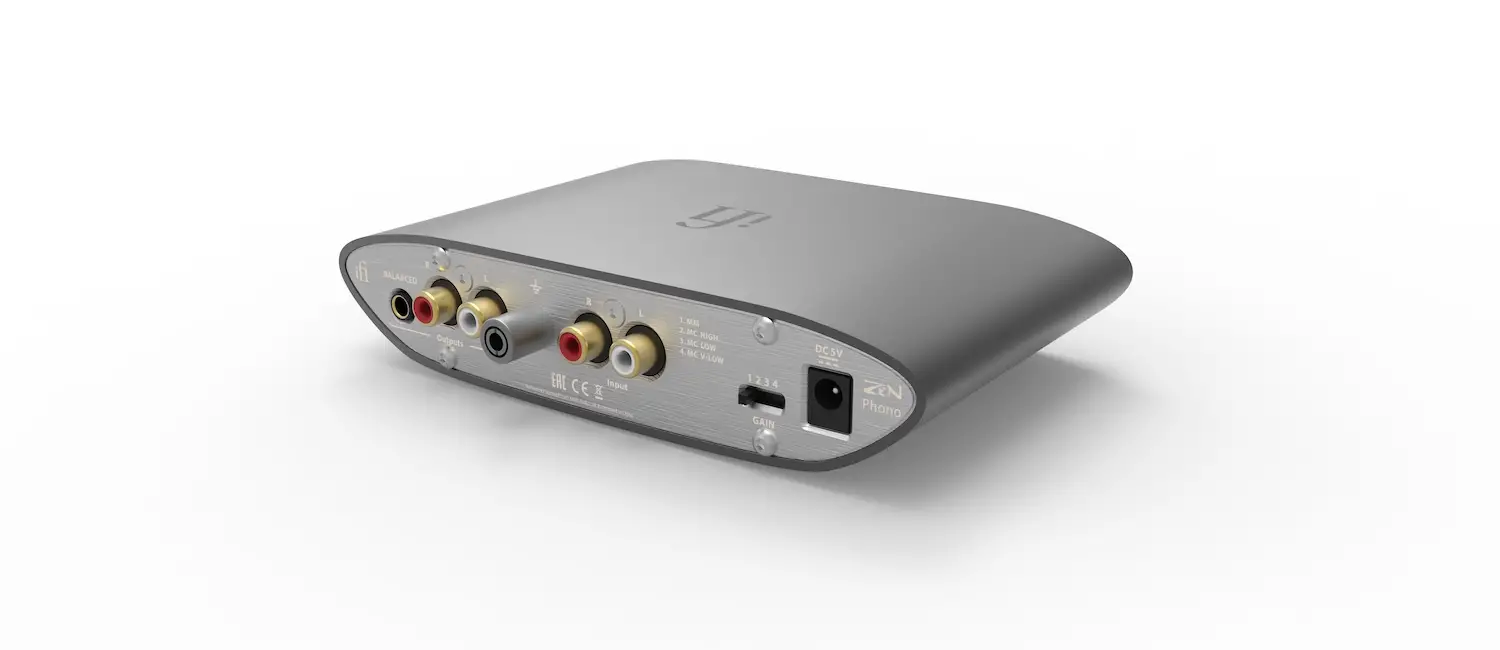
5. RCA analogue output
This is an analogue output.
6. Ground
This is the ZEN Air Phono’s ground, please connect it to the turntable’s grounding wire.
7. RCA analogue input
This is the analogue input.
8. Gain channel switch
This button selects either of two gain levels:
MM: for use with MM cartridges (>2mV)
MC: for use with MC cartridges (<2mV)
Please adjust the gain channel switch in accordance with your preference and your turntable’s specifications.
9. DC 5V power
The ZEN Air Phono must ONLY be powered by 5 volts.
Tip: For best performance, an ultra-low noise power adapter such as the iFi iPower2 or iPower X is recommended.
Specifications:
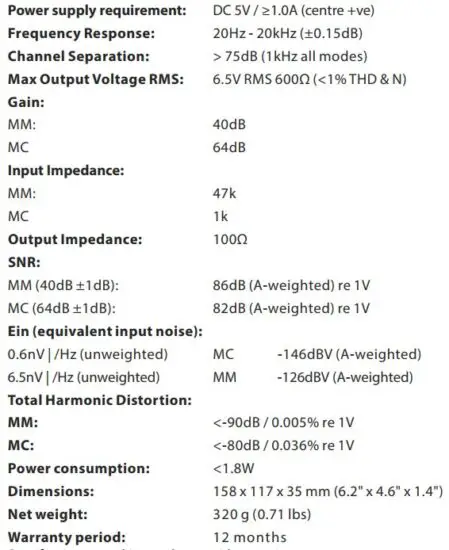
Specifications are subject to change without notice.
Read More About This Manual & Download PDF:
 iFi audio | the Award-Winning Audio Technology Company