AGE 14+
 H36
H36
* Please read this manual carefully before operation and keep it properly for future reference.
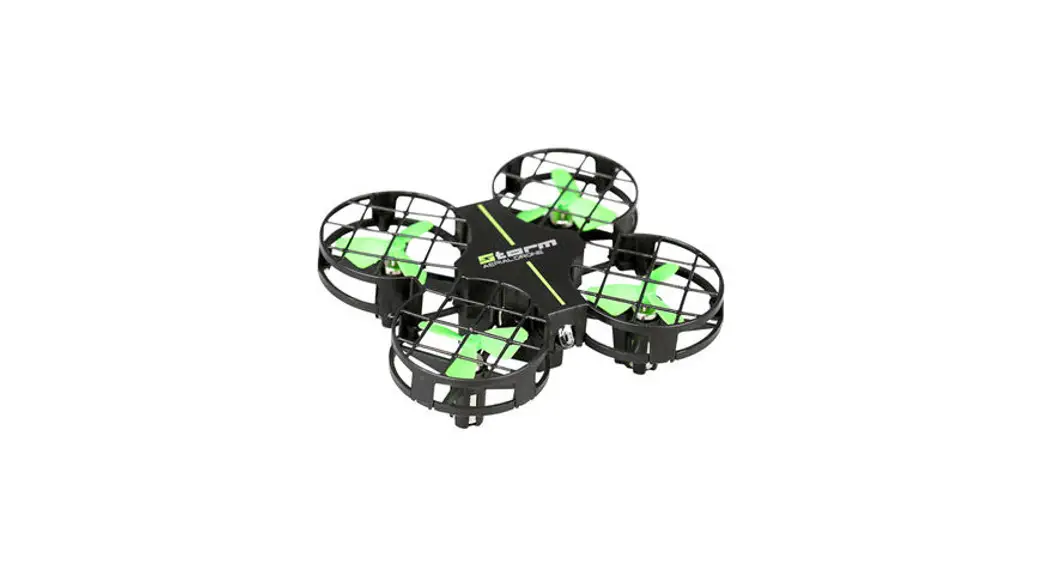
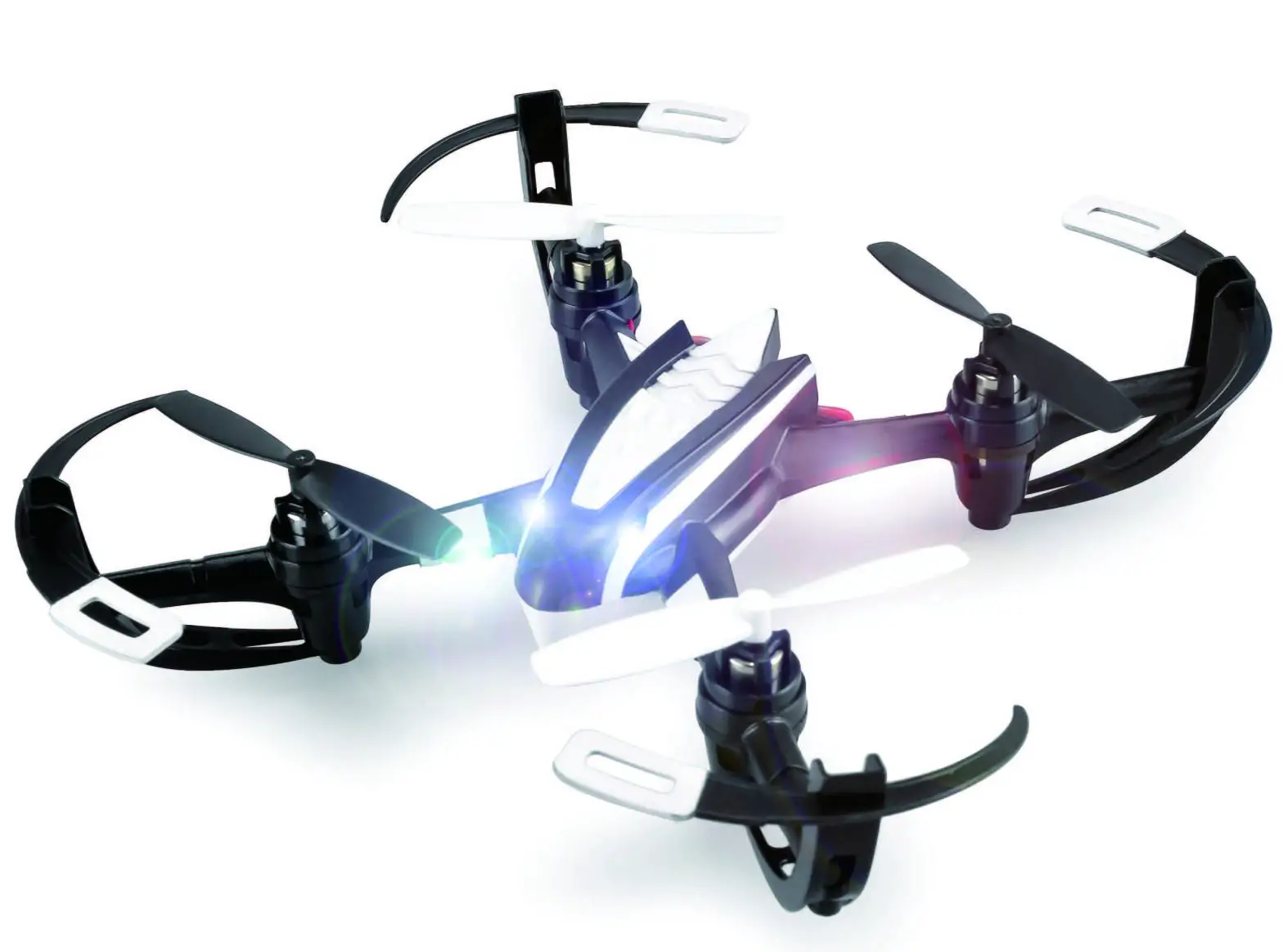
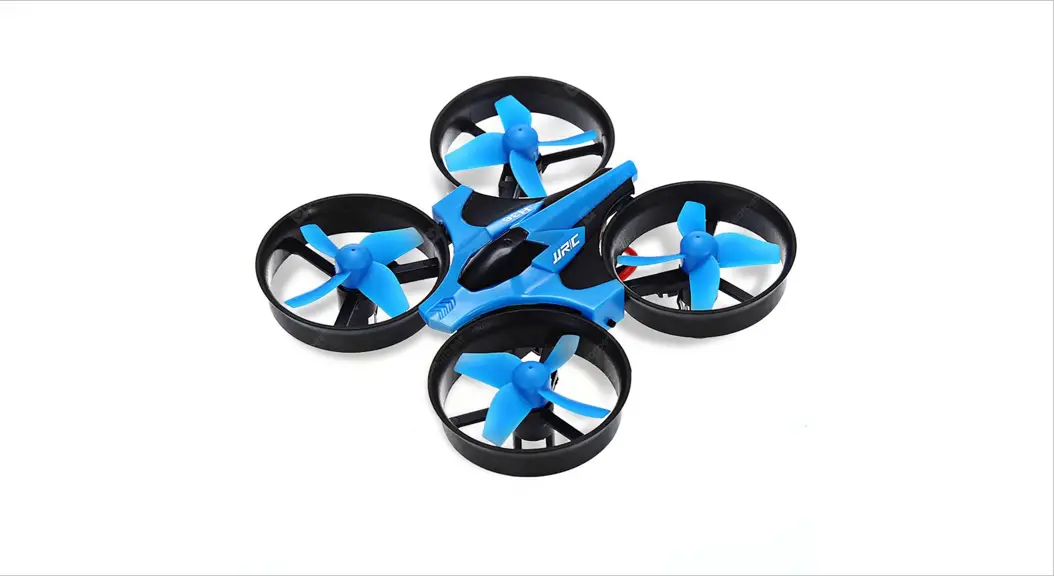
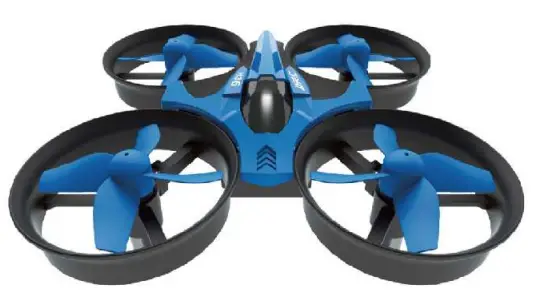
Know Your H36
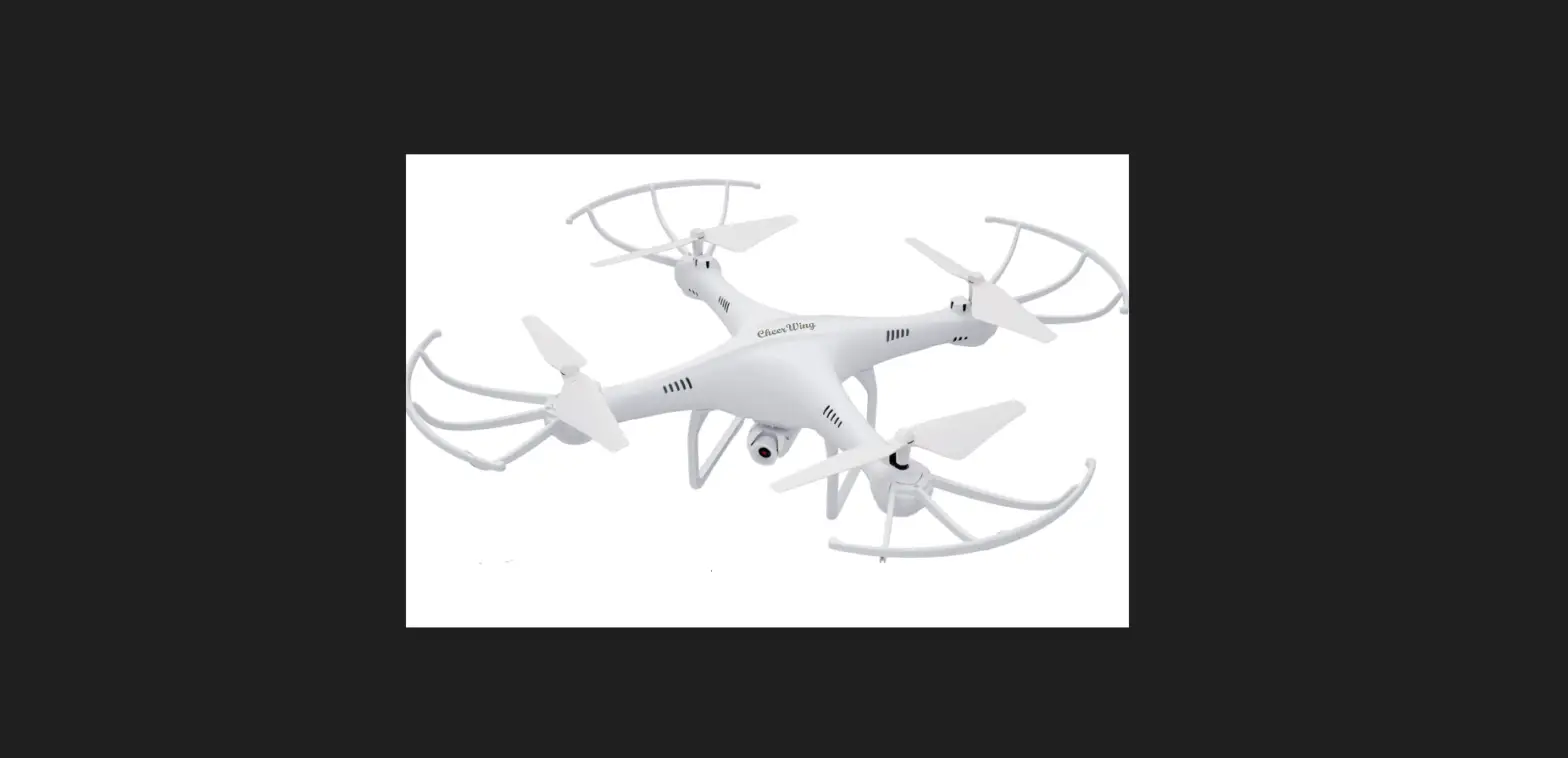
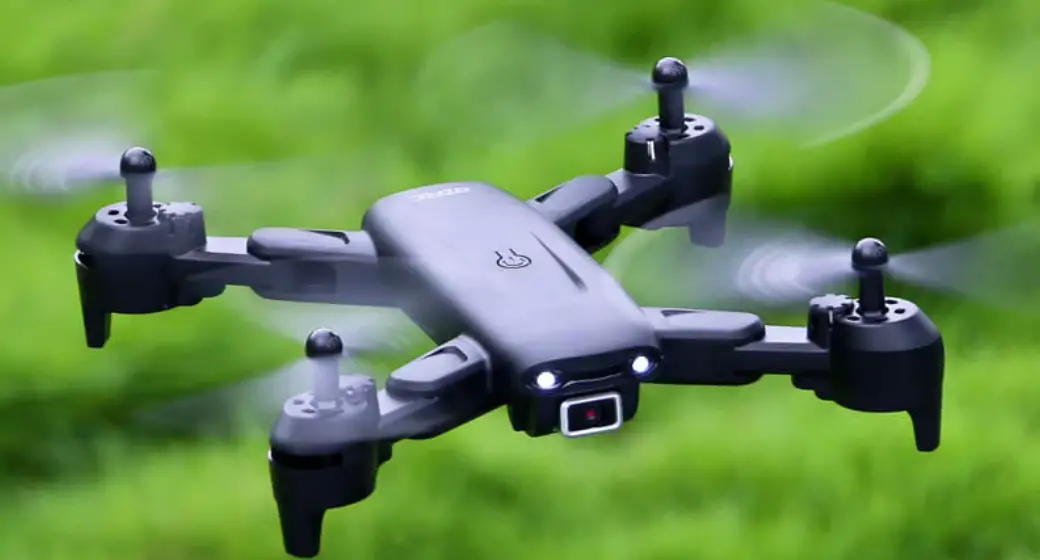
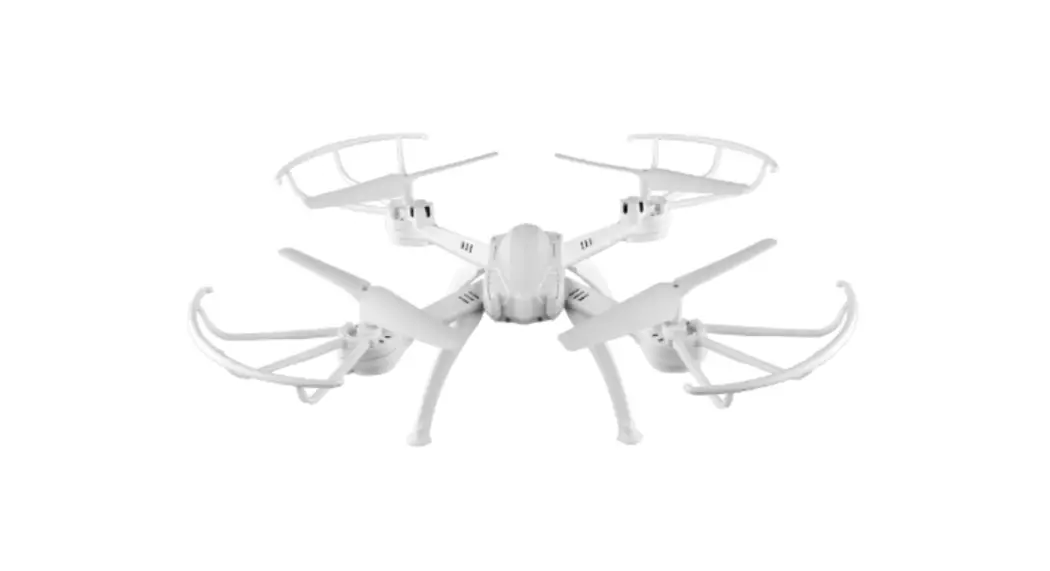
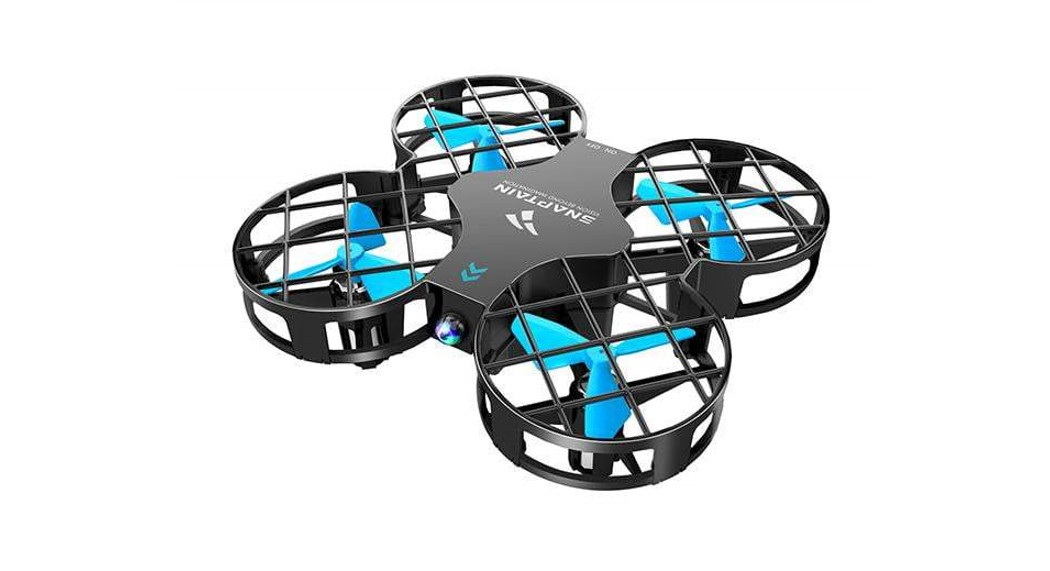
With 2AG frequency band for long remote control distance. H36 allows multiple flights at the same time without any interference. Users can control It to fly forward, backward, sideward, turn left/right. flip and roll with the remote control.
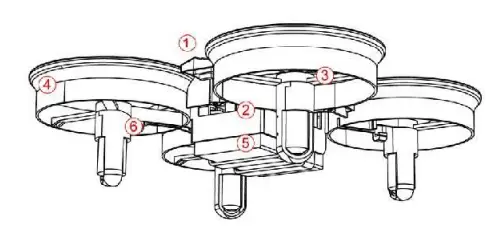
- Upper Casing
- Protective Guard
- Lower Casing
- battery
- Blade
- Motor
In The Box
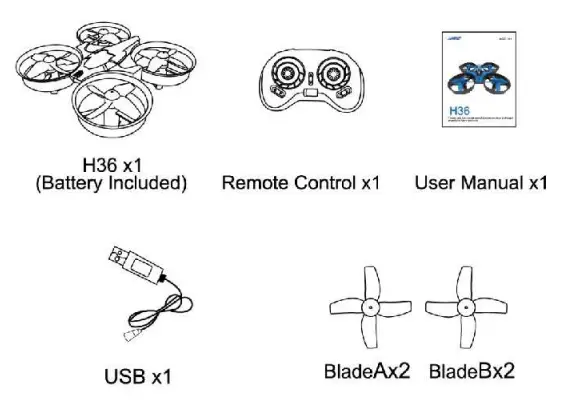
Notes:
Please check the list of accessories. If you find any component missing, please contact the retailer for exchange with your receipt.
Pre-flight Preparations
- Flight Environment
 Ensure the drone is within your sight and the outdoor surroundings are spacious and open, which are away from tall buildings, signal towers, electricity pylons, and crowds.
 - Battery Assembling and Charging
Battery Assembling for Remote Control: Open the cover of the battery compartment, insert two AA batteries. (not included)
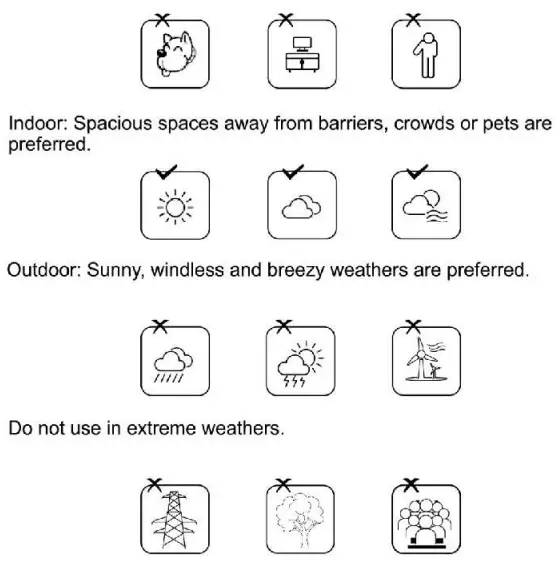 Ensure the drone is within your sight and the outdoor surroundings are spacious and open, which are away from tall buildings, signal towers, electricity pylons, and crowds.
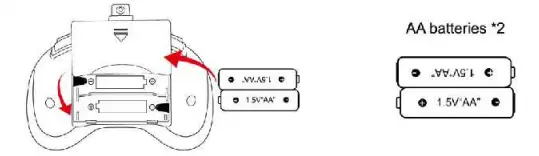 Open the cover of the battery compartment, insert two AA batteries. (not included)
Notes:
- Ensure the polarity symbols on the batteries match the symbols inside the battery compartment.
- Do not mix new and old batteries.
- Do not mix different types of batteries.
Battery Charging for Drone:
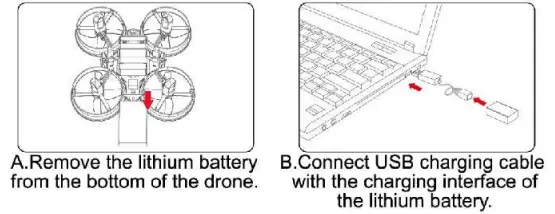 Notes:
The LED lights would keep off till the charging cycle completes, which lasts about 45 minutes.
 Battery Instructions
- There is a certain risk when using a lithium battery. It may cause fire, body injury, or property loss. Users must be aware of the risks and take full responsibility for using batteries improperly.
- If battery leakage occurs, please avoid contacting your eyes and skin with electrolytes. Once it happens, please wash your eyes with clean water and seek medical care immediately.
- Please remove the plug immediately if you sense any peculiar smell, noise or smog.
Battery Charging
- Please use the charger from the original factory to ensure your safe usage.
- Do not charge the dilatant or outworn battery.
- Do not overcharge the battery. Please unplug the charger once fully charged.
- Do not charge the battery next to inflammable, such as carpet, timber floor, or wood furniture or on the surface of electro-conductive objects. Please always keep an eye on the battery when charging.
- Do not charge the battery which has not cooled down yet.
- The charging temperature should be between Otto 40°C.
Battery Recycling
- Do not dispose of the battery as daily rubbish. Please familiarize yourself with the local garbage disposal method and dispose of it according to the special requirement.
Know Your Remote Control
- 0peration Board of Remote Control
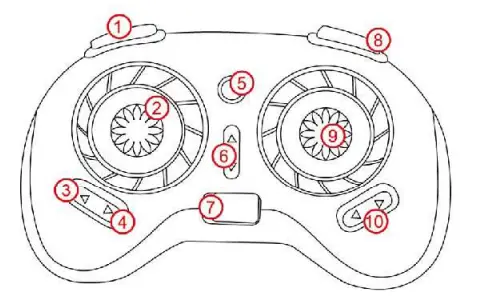
- high/Low Speed
- Left Joystick (throttle)
- Return to Home
- Headless Mode
- Indicator Light
- Forward/ Backward Fine-tuning
- Power Switch
- 360° Flip and Roll
- Right Joystick (forward/ backward/lifting)
- Leftward/Rightward Fine-tuning
Pairing Remote Control With Drone
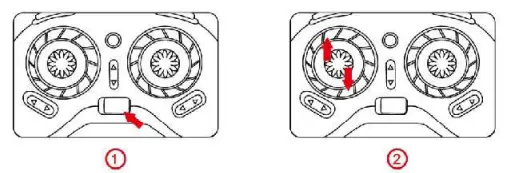
- Insert the battery into the drone and con the power cord, put the drone on plain ground, then power on the remote control, the indicator lights of remote control and LED lights of drone will flash.
- Push the accelerator joystick to the top and then pull back to the bottom. After the sounds of Di-Di, the flash of indicator lights of remote control and LED lights of drone will turn to constant lights, which means the frequency operation completes.

Calibration of Remote Control
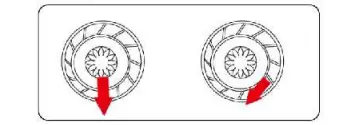
Calibrate the drone when it cannot vertically ascend. Firstly push the accelerator joystick and steering joystick to the left bottom corner. Then release all the buttons till the flash of the drone’s indicator light turns to constant light. Thus the calibration completes.
Ensure the whole process of calibration is operated under horizontal and steady circumstances.
Flights
Flying
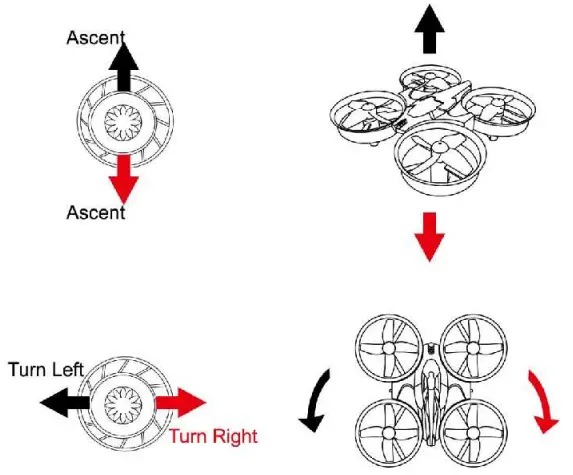
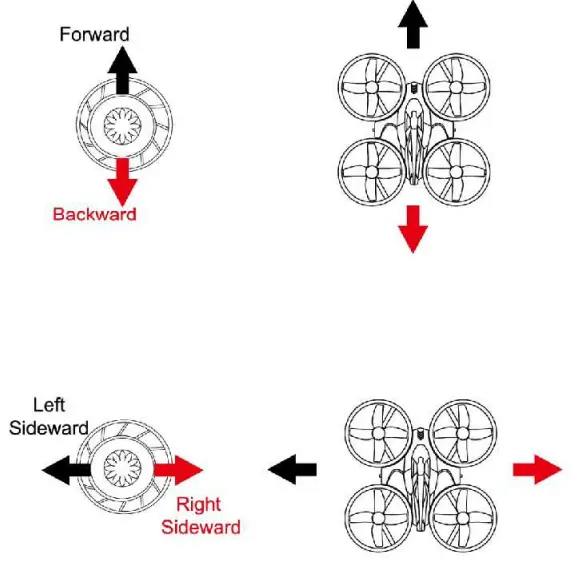
The left joystick is used to control flying height and left and right turning, while the right joystick is used to control forward-backward and sideward flights.
Left Joystick
Right Joystick
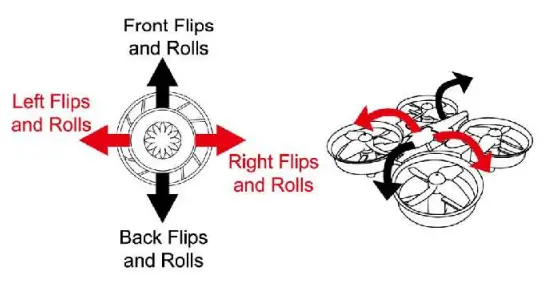
Flips and Rolls
Till the drone flies over 3 meters, press the button of flips and rolls and move the right joystick to a certain direction to finalize flips and rolls.
Right Joystick
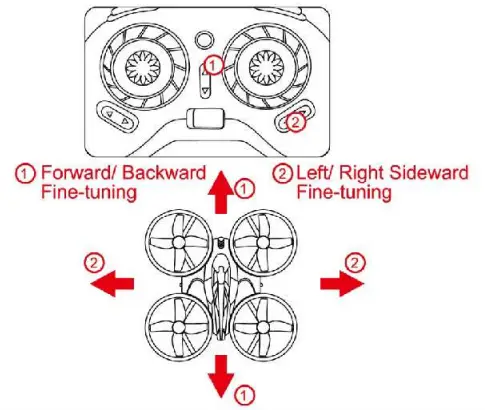
Fine-tuning
Gradually push the accelerator joystick to make the drone ascend. Fine-tune the direction when the drone rolls or deviates to one direction.
 Notes:
“Ground effect” means when the drone flies very close to the ground, the effect of ground can result in “floating” (when landing) or temporarily ‘stall speed”(when taking off). When the drone flies at a ground level approximately below 30 cm from the ground, the vortex will influence the steadiness of the flight, causing the ground effect.
Keep Calm When Dealing With Problems
| PROBLEMS | CAUSES | SOLUTIONS |
| Remote Control fails. | The remote control might disconnect. | Connect the remote control. |
| The polarity symbols on the battery don’t match the symbols inside the battery compartment. | Check the polarity symbols of the battery and reassure they match the symbols inside the battery compartment. | |
| The batteries might run out. | Replace with new batteries. | |
| Unable to control | The power of the remote control might not be switched on. | Turn on the remote control. |
| The battery of the drone might disconnect. | Reassure the drone’s battery Is well connected. | |
| The drone might fly in strong winds | Strong winds might prohibit the flight. | |
| The drone fails to ascend. | The rotor might turn slowly. | Push the accelerator to speed up. |
| The drone might not be fully charged. | Fully charge the drone. | |
| The drone ascends too fast. | The accelerator might be pulled back too fast. | Gradually pull back the accelerator to ensure a steady landing. |
| Out of control. | The drone might fly out of the effective control distance. | Reassure frequencies delivered within 30 meters are not identical. |
FCC Statement
WARNING: Any changes or modifications not expressly approved by the party responsible for compliance could void the user’s authority to operate this equipment.
NOTE: This equipment has been tested and found to comply with the limits for a Class B digital device, pursuant to Part 15 of the FCC Rules. These limits are designed to provide reasonable protection against harmful interference in a residential installation. This equipment generates uses and can radiate radio frequency energy and, if not installed and used in accordance with the instructions, may cause harmful interference to radio communications. However, there is no guarantee that interference will not occur in a particular installation. If this equipment does cause harmful interference to radio or television reception, which can be determined by turning the equipment off and on, the user is encouraged to try to correct the interference by one of the following measures:
– Reorient or relocate the receiving antenna.
– Increase the separation between the equipment and receiver.
– Connect the equipment into an outlet on a circuit different from that to which the receiver is connected.
– Consult the dealer or an experienced radio/TV technician for help.