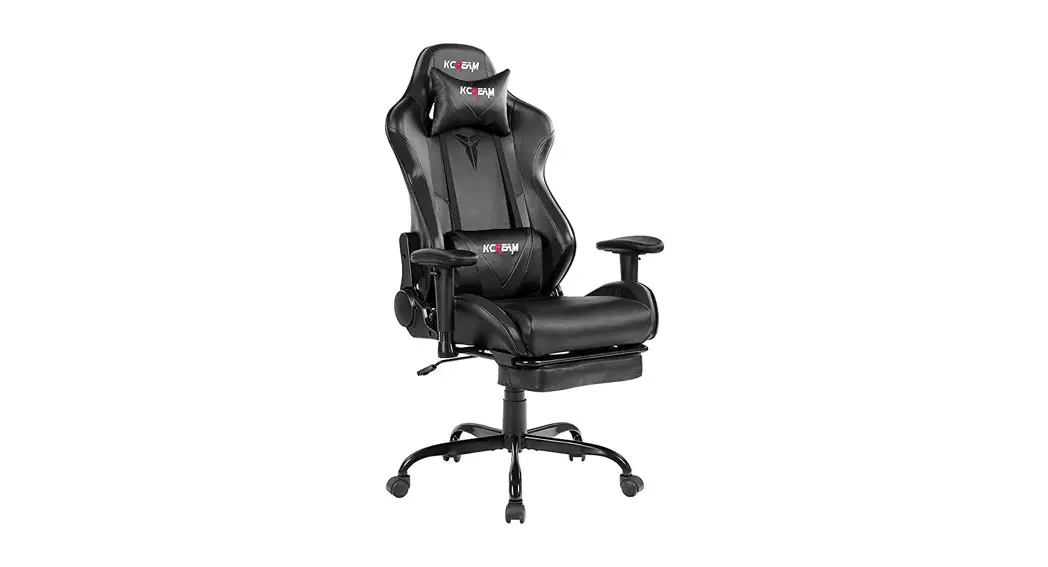

K800 Office Chair
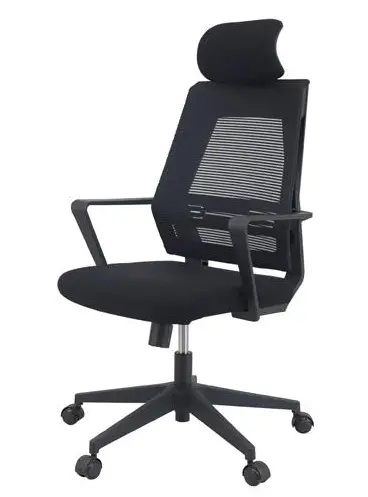
Product Information: KLIM K800
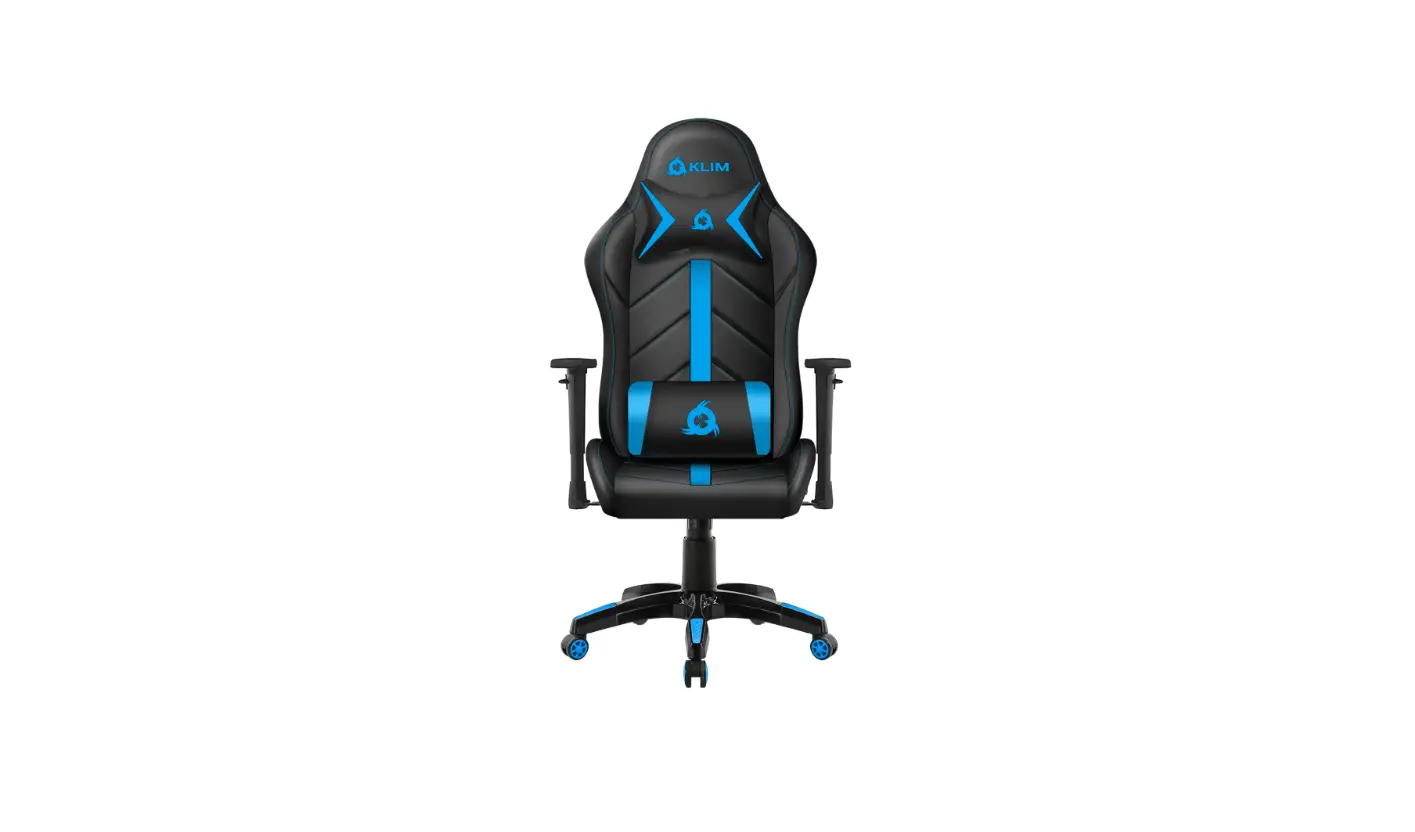
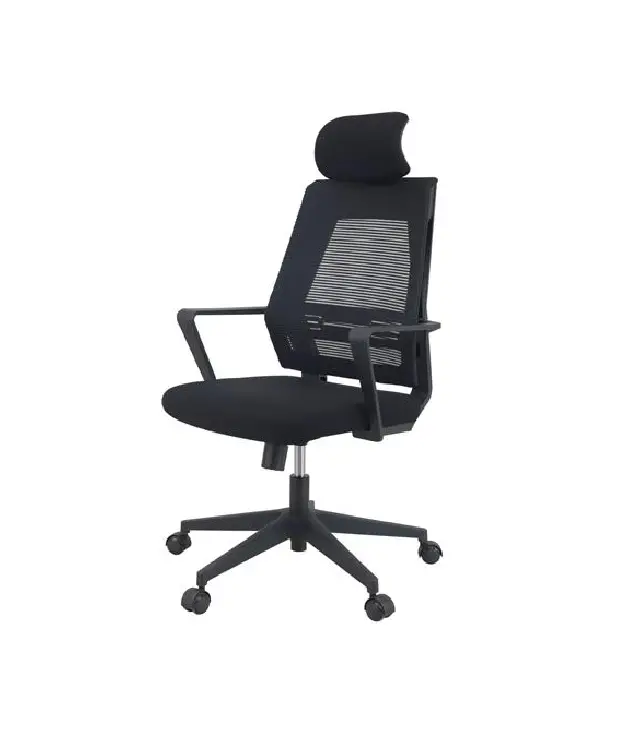
The KLIM K800 is a high-quality office chair designed for ultimate comfort and functionality. The chair comes with five chair legs, five casters, armrests, a center bracket, a seat, a gas piston, a backrest, and a headrest. The chair is easy to assemble and comes with an assembly guide.
Product Features
- Adjustable armrests for maximum comfort
- Five caster wheels for easy movement
- Gas piston for adjustable seat height
- Backrest and headrest for added support
Content & Diagram
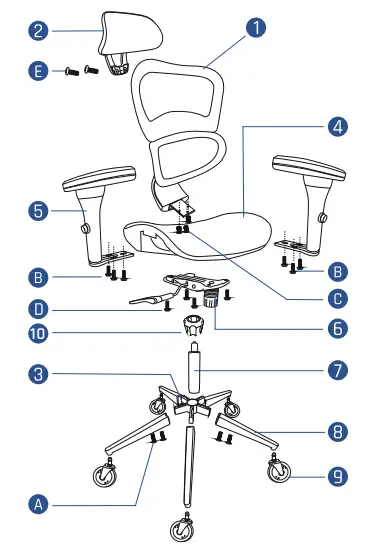
- Backrest
- Headrest
- Center bracket
- Seat
- Armrests
- Mechanism
- Gas piston
- Chair leg (x5)
- Caster (x5)
- Bracket cover
- A. M6 x 14 mm Screw (x10)
- B. M6 x 25 mm Screw (x6)
- C. M8 x 20 mm Screw (x3)
- D. M6 x 20 mm Screw (x3)
- E. M6 x 20 mm Screw (x2)
- F. Allen Wrench
ASSEMBLY GUIDE
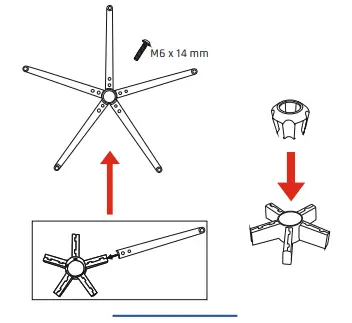
- Insert the 5 legs into the center bracket and use the 10 screws (M6 x 14 mm) to fasten them. Then, insert the bracket cover over the assembled bracket.

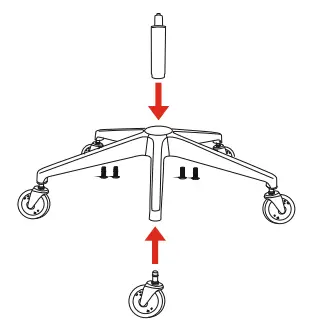
- Push the casters into the five-star bracket and insert the gas piston in the center of the bracket. Pay attention to the orientation of the piston.

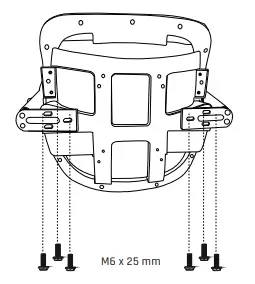
- Fix the armrests to the bottom of the seat using the 6 screws (M6 x 25 mm).

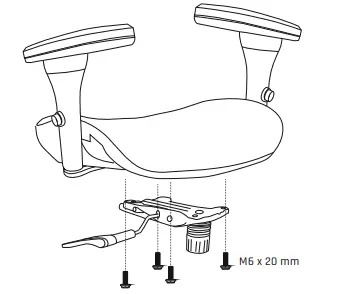
- Align the mechanism with the screw holes at the bottom of the seat and use the 4 screws (M6 x 20 mm) to fix it in place. Make sure that the mechanism is correctly oriented to keep the lever in the good position.

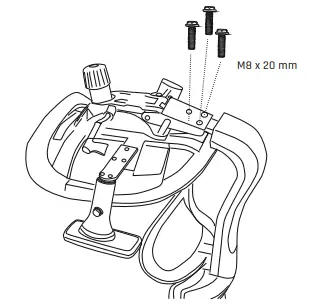
- Fix the assembled backrest to the seat using the 3 screws (M8 x 20 mm).

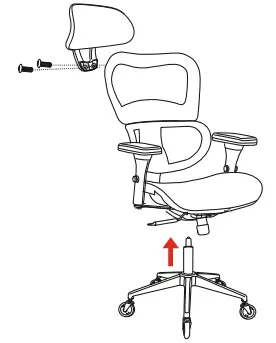
- Align the headrest with the holes located on the upper part of the backrest then use the 2 screws (M6 x 20 mm – E) to fix it. Align the top of the gas piston with the hole of the mechanism. Place the upper part of the chair onto the piston and keep lowering it until both parts are fully connected.

USER INSTRUCTIONS
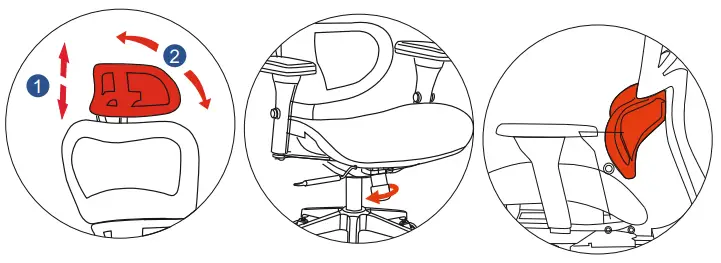
- Seat height adjustment
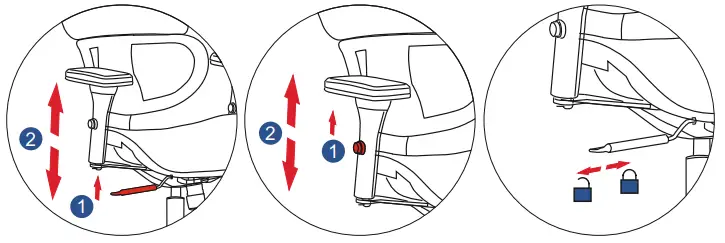
- 4D Armrests adjustment
- Tilt lock

- Headrest adjustment
- Tilt tension adjustment
- Ergonomic Lumbar Support System

Thank you for acquiring our KLIM K800 Office Chair! We hope that you enjoy this chair for years to come, remember to keep a healthy posture while sitting: your back & neck will thank you!
If you need any help during assembly or use, or if you simply want to share your feedback, do not hesitate to reach out to us directly at [email protected]. Our specialists will reply within 24 hours!
 KLIM Technologies | Built to last. Built for you.