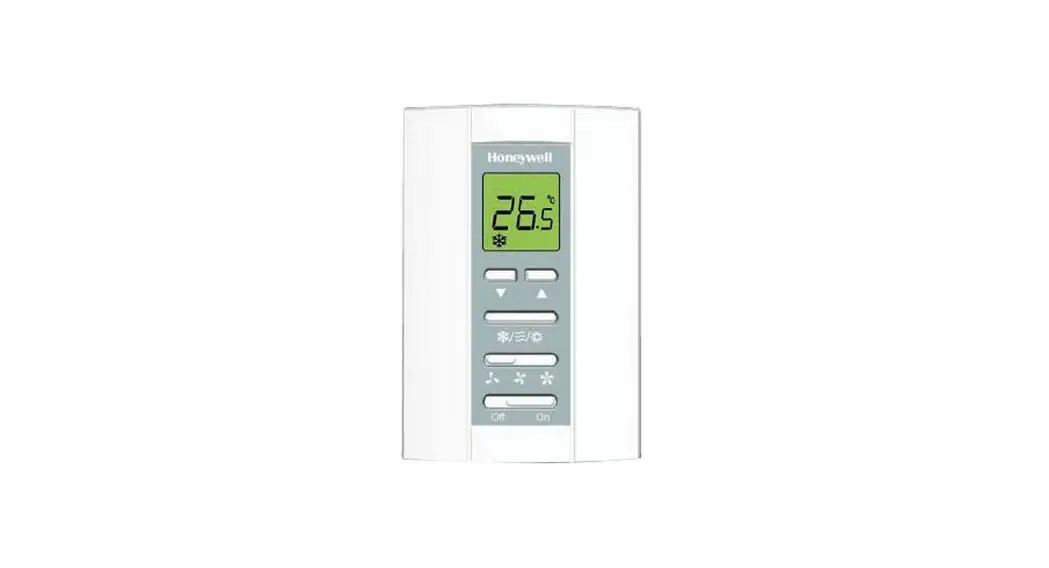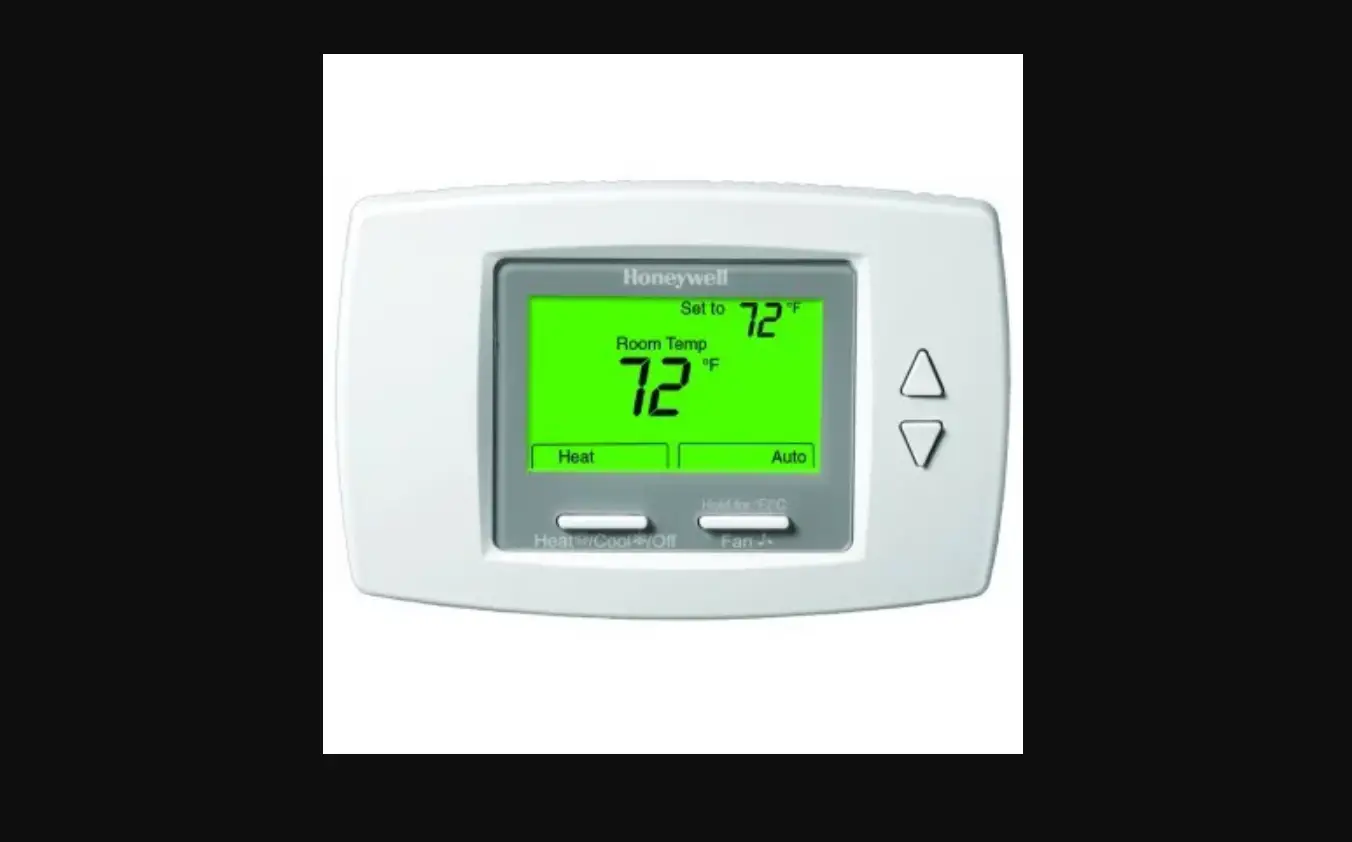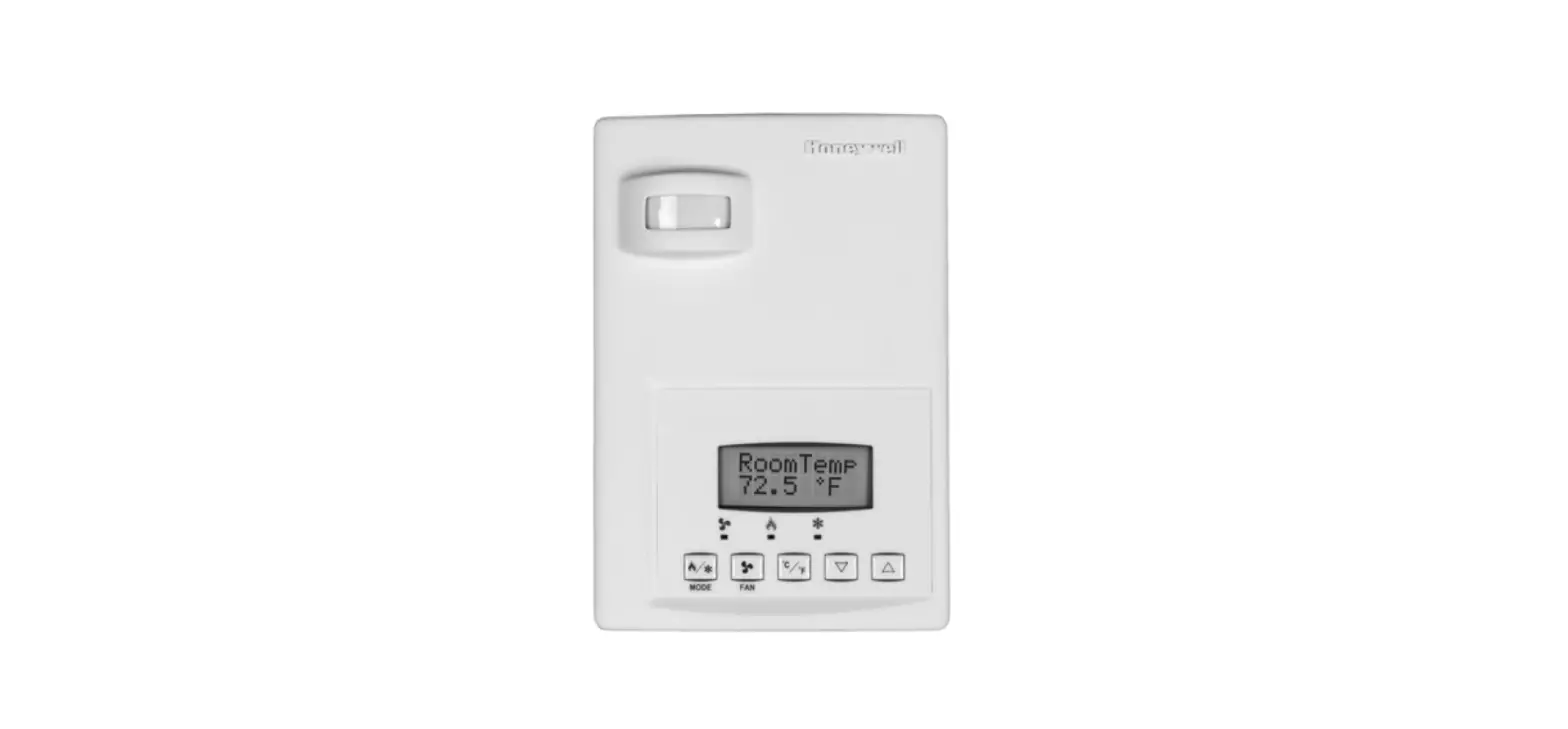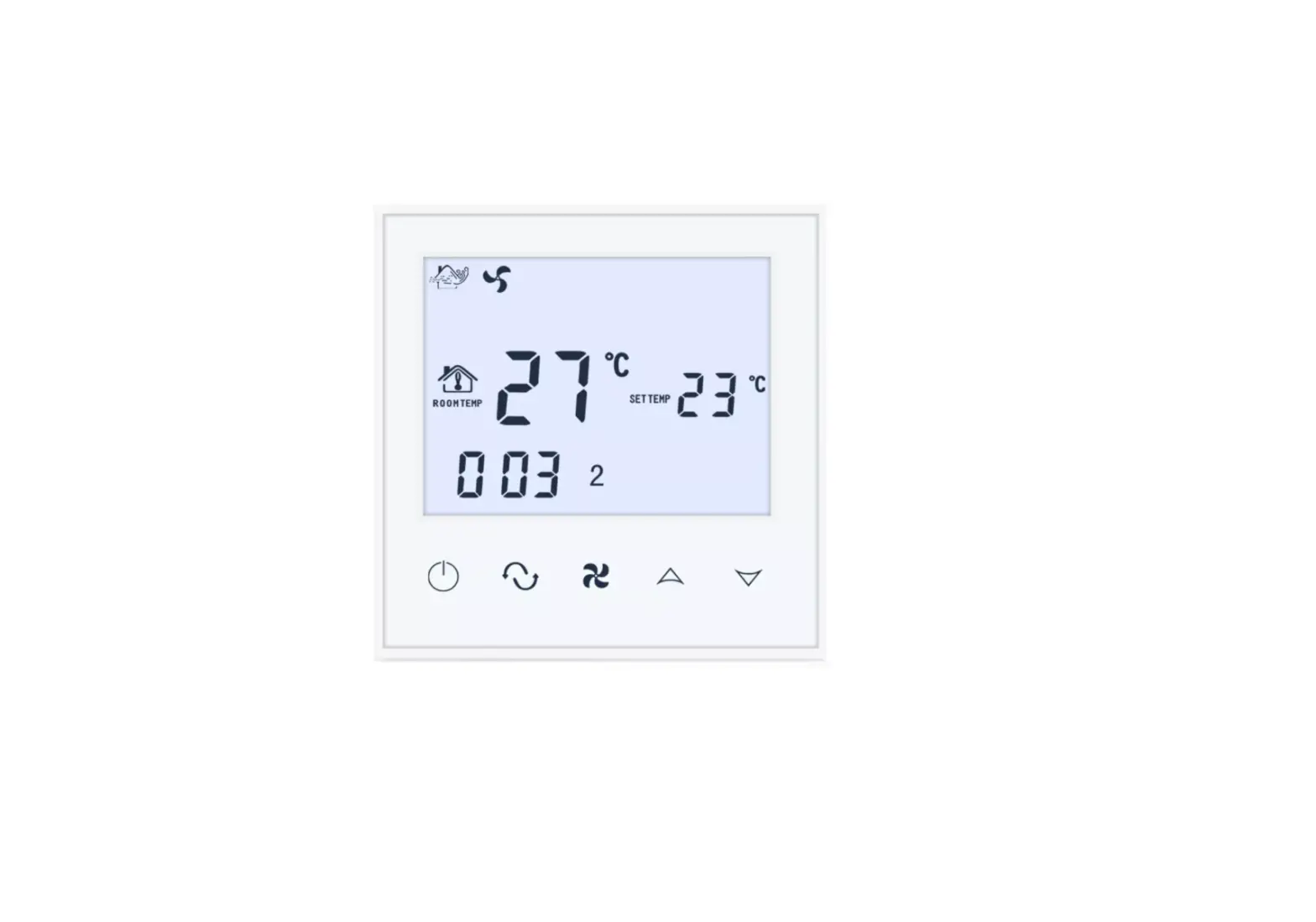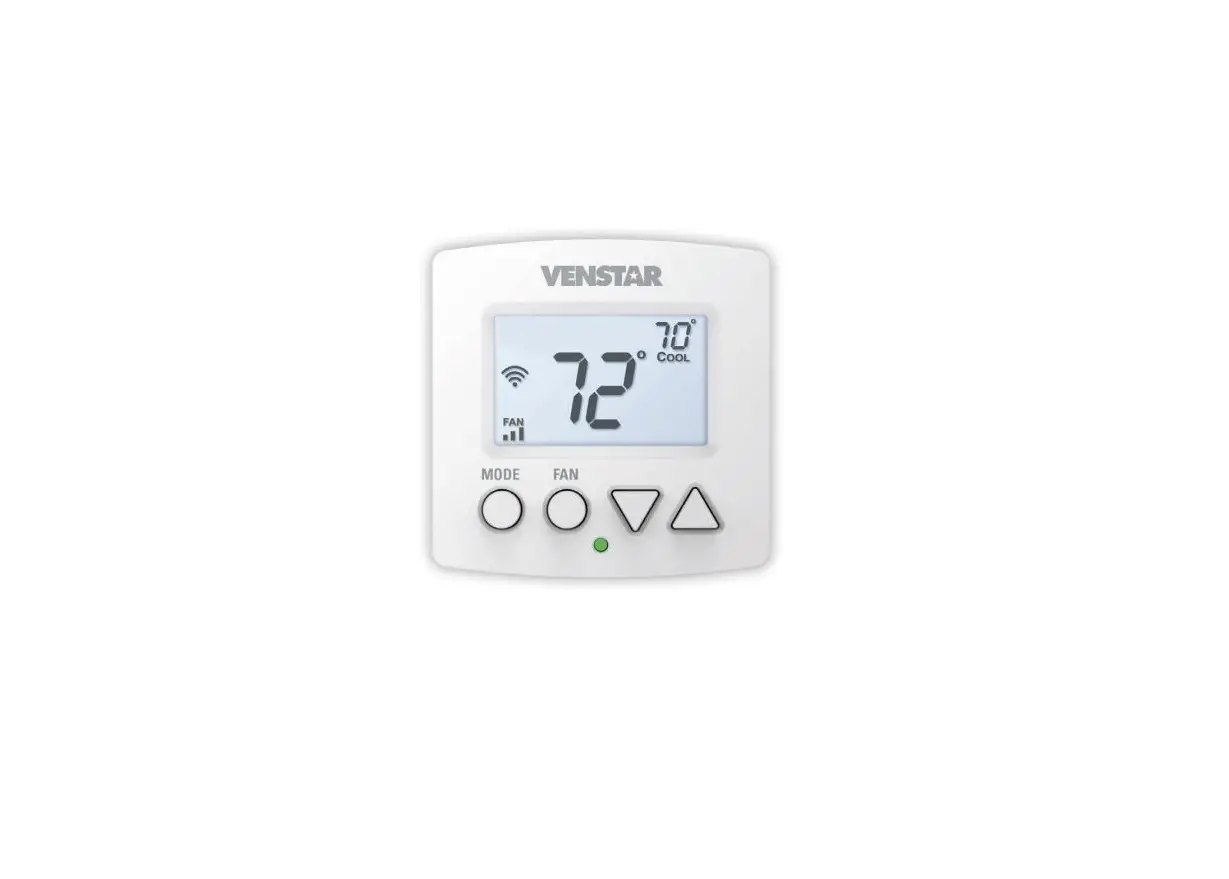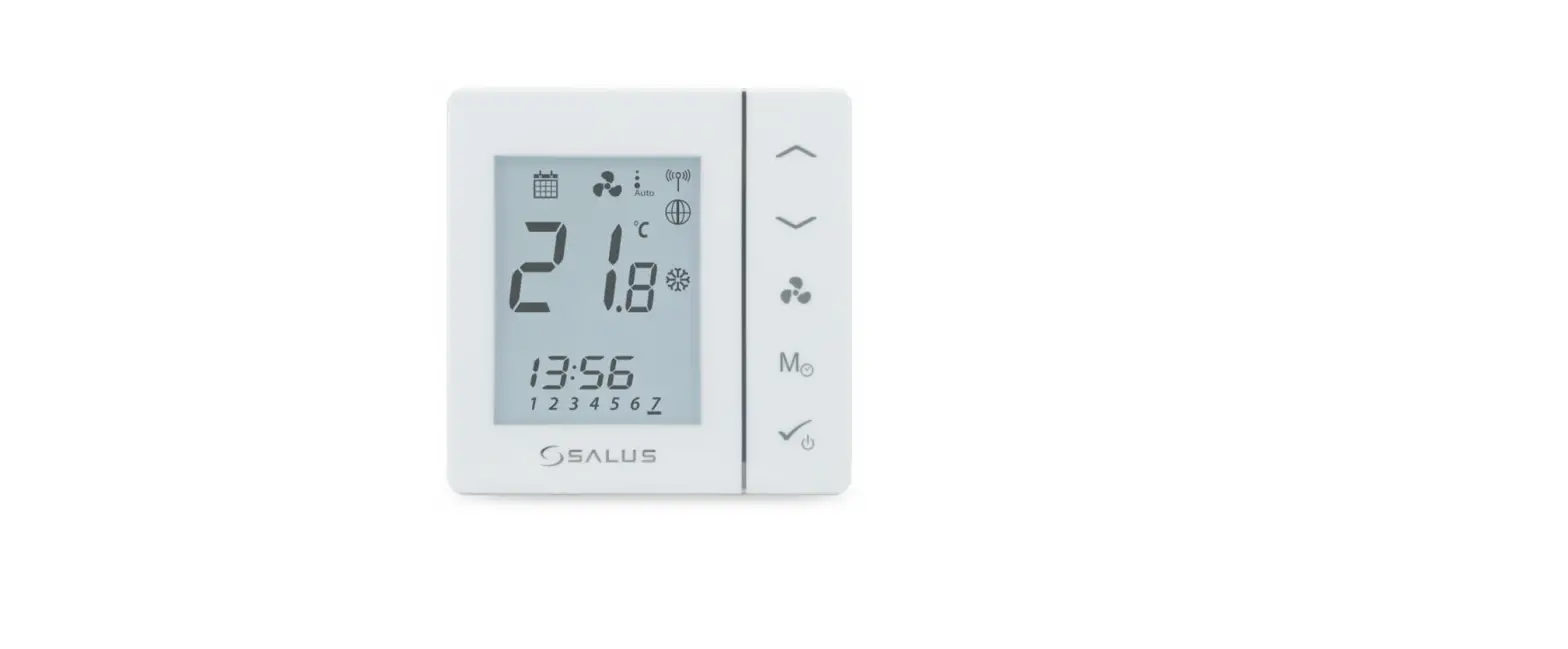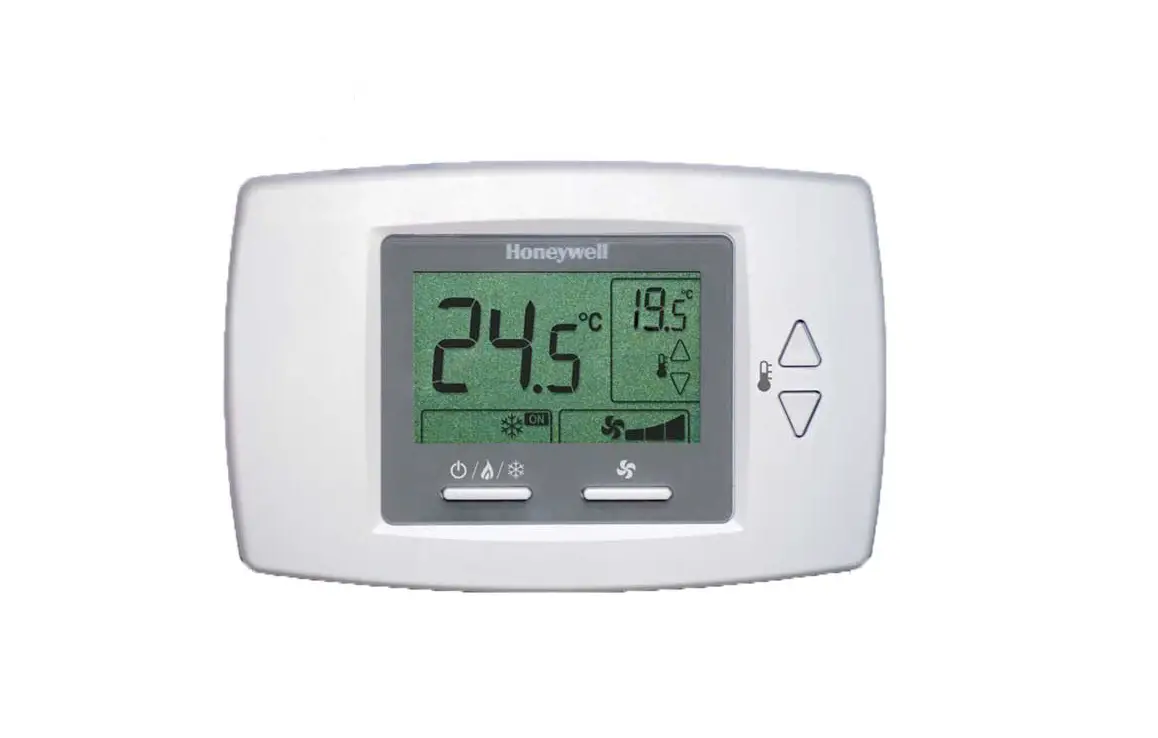
Honeywell Home T6590A Fan-Coil Controller Installation Guide
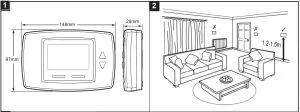
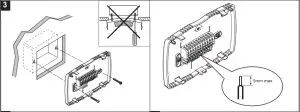
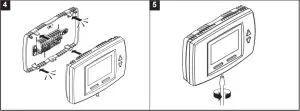
Installation
Wiring
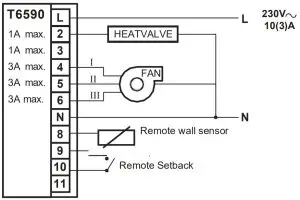
Application 0: Two Pipes, Heating only
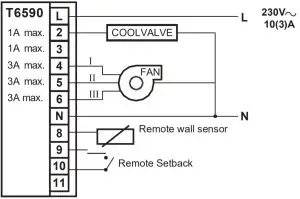
Application 1: Two Pipes, Cooling only
Application 2: Two pipes, Heating or Cooling, Manual changeover
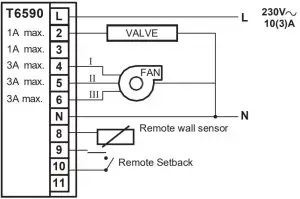
Application 3: Two pipes, Heating or Cooling, Auto changeover
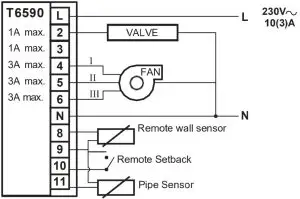
Application 4, 5 & 7 (T6590B ONLY / SEULEMENT T6590B / T6590B SOLTANTO / SOLO T6590B): Four pipes, Heating & Cooling, Manual or Auto changeover
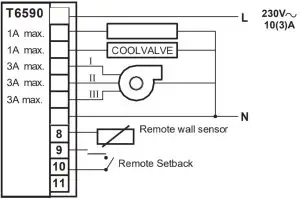
Application 6 (T6590B ONLY / SEULEMENT T6590B / T6590B SOLTANTO / SOLO T6590B) : Two pipes, Heating or Cooling with Auxiliary electric heater
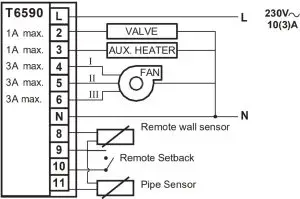
Applications
T6590A (2 Pipe Model)
Application | Description | Changeover | Fan speed | Remote sensor | Pipe sensor | Remote setback | Auxiliary Heater | Output type |
| 0 | 2 pipe system, heating only | – | ON/OFF, 1/2/3, AUTO | • | – | • | – | ON, OFF |
1 | 2 pipe system, cooling only | – | ON/OFF, 1/2/3, AUTO | • | – | • | – | ON, OFF |
2 | 2 pipe system, 1 stage heat or 1 stage cool | Manual | ON/OFF, 1/2/3, AUTO | • | – | • | – | ON, OFF |
3 | 2 pipe system, 1 stage heat or 1 stage cool, auto changeover | Seasonal Changeover | ON/OFF, 1/2/3, AUTO | • | • | • | – | ON, OFF |
T6590B (4 Pipe Mode)
Application | Description | Changeover | Fan speed | Remote sensor | Pipe sensor | Remote setback | Auxiliary Heater | Output type |
0 | 2 pipe system, heating only | – | ON/OFF, 1/2/3, AUTO | • | – | • | – | ON, OFF |
| 1 | 2 pipe system, cooling only | – | ON/OFF, 1/2/3, AUTO | • | – | • | – | ON, OFF |
2 | 2 pipe system, 1 stage heat or 1 stagecool | Manual | ON/OFF, 1/2/3, AUTO | • | – | • | – | ON, OFF |
| 3 | 2 pipe system, 1 stage heat or 1 stage cool, auto changeover | Seasonal Changeover
| ON/OFF, 1/2/3, AUTO | • | • | • | – | ON, OFF |
4 | 4 pipe system 1 stage heat and 1 stage cool | Manual | ON/OFF, 1/2/3, AUTO | • | – | • | – | ON, OFF |
5 | 4 pipe system 1 stage heat and 1 stage cool auto changeover | Auto changeover | ON/OFF, 1/2/3, AUTO | • | – | • | – | ON, OFF |
| 6 | 2 pipe system, 1 stage heat or 1 stage cool with auxiliary electric heater | Manual with seasonal changeover | ON/OFF, 1/2/3, AUTO | • | • | • | • | ON, OFF |
7 | 4 pipe system, mixed manual and auto | Manual / Auto changeover | ON/OFF, 1/2/3, AUTO | • | – | • | – | ON, OFF |
Installer Setup Mode
The T6590 is delivered with a set of pre-configured operational values that will allow the device to function immediately. However, in order to make the device compatible with a specific system, some of the internal settings may need to be changed. For information on the default values and the configurable options, please refer to the “Installer Parameter Table”.
- To enter the Installer Setup Mode, press the (
 ) and
) and  buttons together for 3 seconds.
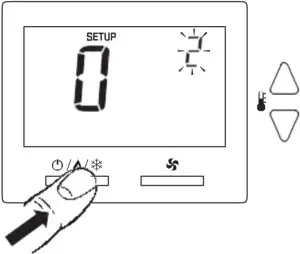
- To index between the individual Parameters, use the () button. It is only possible to move upwards through the parameters.

- To change a selected parameter, use the or
 button.
- To save the altered settings, exit the Installer Setup Mode by Pressing the () and buttons together for 3 seconds. NB: If the Installer Setup Mode is exited by time-out (approximately 120 seconds), then the newly changed values will not be saved.

 ) and
) and  buttons together for 3 seconds.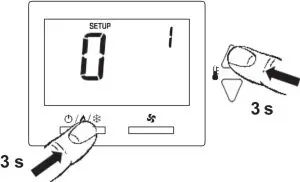
 button.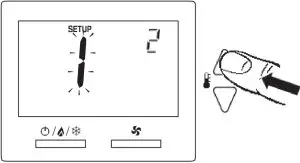
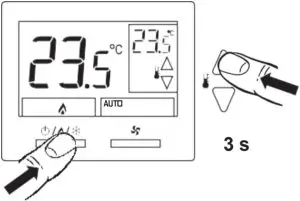
Installer Parameters Table
| Parameter No | Parameter | Setting |
| 1 | System Type | 0 = 2 Pipe system Heat Only |
| 1 = 2 Pipe system Cool Only | ||
| 2 = 2 Pipe system 1H1C manual changeove | ||
| 3 = 2 Pipe system 1H1C auto changeover (default on T6590A) | ||
| 4 = 4 pipe system with manual changeover (not available on T6590A) | ||
| 5 = 4 Pipe system auto changeover (default on T6590B | ||
| 6 = 2 pipe system 1H1C with Auxiliary Heater. Manual changeover | ||
| 7 = 4 pipe system, mixed manual and automatic changeover (not available on T6590A) | ||
| 2 | Valve output type | 0 = NO* ON/OFF (Default) |
| 1 = NC** ON/OFF | ||
| 3 | Sensor Type | 0 = Onboard Sensor (Default) |
| 1 = Remote Sensor | ||
| 4 | Pipe sensor (Note: This item will be automatically populated based on Parameter No.2) | 0 = NO* input (Default = Heat |
| 1 = NO* input (Default = Cool) | ||
| 2 = NC** input (Default = Heat) | ||
| 3 = NC** input (Default = Cool) | ||
| 4 = Analogue input (Default) (NTC20K, T7414C1012) | ||
| 5 | Threshold for pipe sensor cooling | 10 – 18°C (Default) |
| 6 | Threshold for pipe sensor heating | 24 – 32°C (Default) |
| 7 | Fan control type Fan stops in deadband | 0 = Cycle or Constant (Default) (3 speed: Low->Med->High->Auto-> Low) |
| 1 = Constant only (3 speed: Low->Med->High-> Low) | ||
| 8 | Dead band for four pipes | 1 – 5°C (Default = 2°C) (not available on T6590A) |
| 9 | Cycles Per Hour (CPH) value for heating | 1 – 12 CPH (Default) |
| 10 | Cycles Per Hour (CPH) value for cooling | 1 – 6 CPH (Default) |
| 11 | Cycles Per Hour(CPH) value for Auxiliary Heater | 1 – 12 CPH (Default) |
| 12 | Display Temperature adjustment | -2 to +2°C (Default) |
| 13 | Temperature Display mode | 0 = Room Temperature only |
| 1 = Setpoint only | ||
| 2 = Room Temperature and Setpoint (Default) | ||
| 14 | Heating setpoint Range Stops | 10 – 32°C (Default) |
| 15 | Cooling setpoint Range Stops | 10 – 32°C (Default) |
| 16 | Keypad Lockout | 0 = All keys available (Default) |
| 1 = System button Locked out | ||
| 2 = Fan and System button Locked out | ||
| 3 = All buttons locked out | ||
| 17 | Remote setback | 1 = Hotel card NO*, with 1 second software delay going from Unoccupied to Occupied; 2 minute delay going from Occupied to Unoccupied |
| 2 = Hotel card NC**, with 1 second software delay going from Unoccupied to Occupied; 2 minute delay going from Occupied to Unoccupied | ||
| 3 = Hotel Card enabled, NO*, with 1 second software delay going from Unoccupied to Occupied; 30 minute delay going from Occupied to Unoccupied | ||
| 4 = Hotel Card enabled, NC**, with 1 second software delay going from Unoccupied to Occupied; 30 minute delay going from Occupied to Unoccupied | ||
| 18 | Remote setback heating setpoint | 10 – 21°C (Default) |
| 19 | Remote setback cooling setpoint | 22 – 32°C (Default) |
| 20 | Activity Sensing (If no key is pressed after a certain period which is configured in this item, the system will enter Unoccupied mode) | 0 = Disabled (Default) |
| 1 = 4 Hour Sensing | ||
| 2 = 12 Hour Sensing | ||
| 3 = 24 Hour Sensing. NB: Anytime the thermostat is not touched (no single key pressed), the thermostat will automatically fall back into Unoccupied setpoints. When any key is pressed, thermostat controls to occupied mode | ||
| 21 | Freeze Protection | 0 = Disabled (Default) |
| 21 | 1 = Enabled – Thermostat Cycles On Heat when room temperature reaches 4°C and disables Heat when room temperature reaches below 8°C. This feature can not activate if the application is cool only | |
| 22 | Auto Fan Reset | 1 = Reset back to Auto after 2 hours (Not allowed when constant fan is selected in Parameter No.7). The start time is calculated after the initial call for heat |
| 2 = Reset back to Auto after 4 hours (Not allowed when constant fan is selected in Parameter No.7). The start time is calculated after the initial call for heat/cool | ||
| 23 | Fan run-on time after auxiliary heater is switched off | 0 – 600 Sec. (Default) |
Support

Ademco 1 GmbH
Hardhofweg 40
74821 Mosbach
Phone: +49 1801 466 388
[email protected]
homecomfort.resideo.com
@2020 Resideo Technologies, Inc. All rights reserved. The Honeywell Home trademark is used under license from Honeywell International Inc. This product is manufactured by Resideo Technologies, Inc and its affiliates.

 HoneywellHome comfort Europe from Resideo
 Smart Home Products and Systems | Resideo