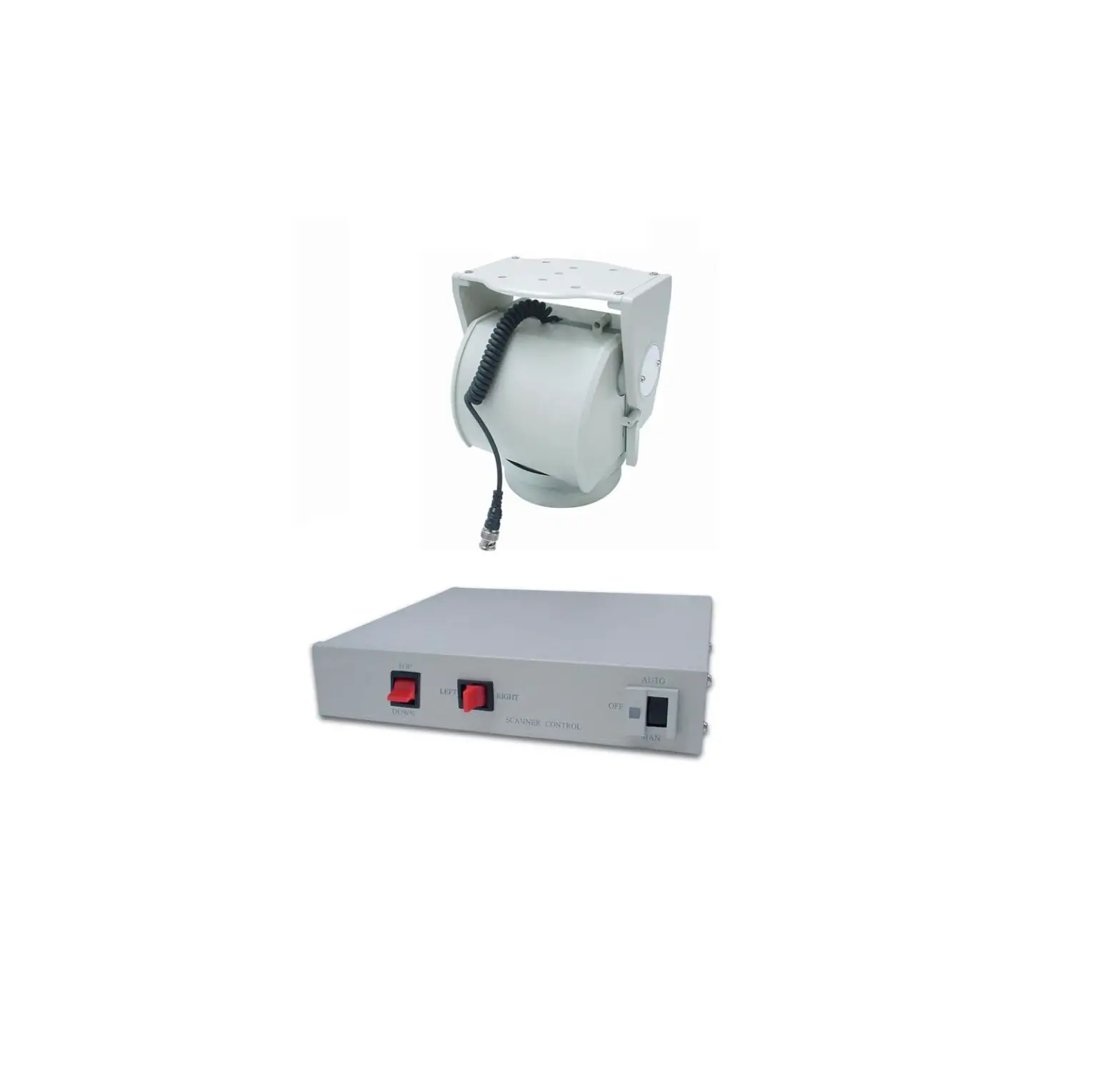
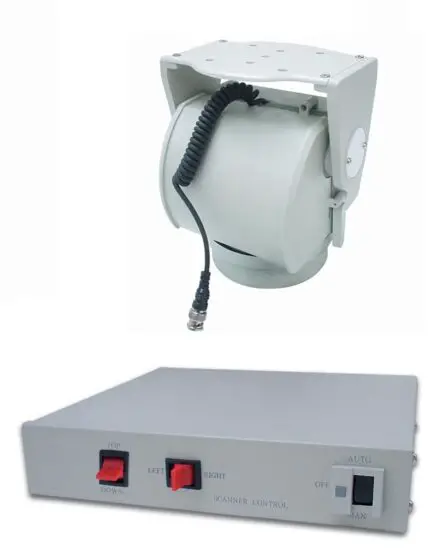
VISP1 Indoor Pan-Tilt Scanner
INSTALLATION
The unit is intended to be mounted on a Wall Mount. Installation of the pan and tilt drive to the wall mount requires a stainless steel 1/4-20 screw supplied with the wall mount. Note the ribs on the underside of the unit base engage slots in the mount. This allows positioning of the unit in any of four directions with respect to the wall mount. Secure unit to the wall mount using screw from underside of wall mount into unit and tighten.
WIRING OF UNIT
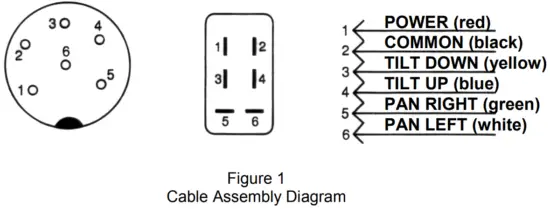
Fabricate the interconnecting cable in accordance with Figure 1. for proper operation.
INVERTED MOUNTING
When the unit is mounted in the inverted position, the left-right directions are reversed for manual operation. This must be corrected when wiring the cable between control unit and the pan and tilt drive. Simply reverse leads going to terminals 3 and 4.
ADJUSTING LIMIT STOPS
After cable is installed and unit has been mounted, proceed as follow :
- Plug control unit into AC 24V source. Be sure auto switch is in the OFF
position. - To adjust pan limit stops (see Figure 2), loosen screws securing both stops (1) and (3) to unit. Slide stops around unit to desired locations and secure by tightening screws.
- To adjust tilt limit stops (see Figure 2) located in each end plate, remove two screws securing each end cap to unit. Loosen and adjust tilt limit stop screws for desired tilt limit position. Tighten limit stop screws and reinstall each end caps to unit and secure with two screws.
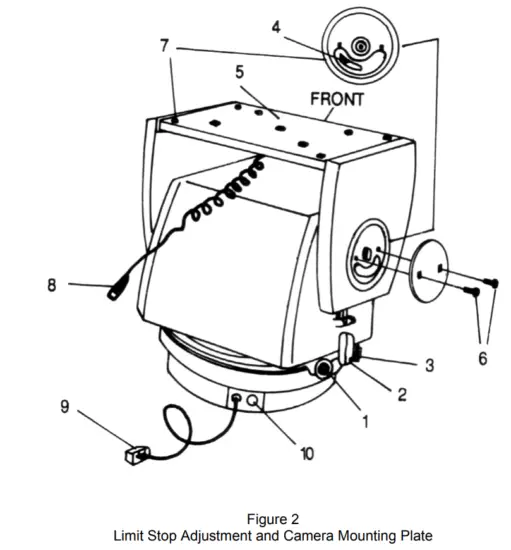
- Right Pan Limit Stop
- Limit-Switch Actuator
- Left Pan Limit Stop
- Tilt Limit Stop Screw
- Camera Mounting Plate
- Screw
- Down Limit Stop
- 4-conductor cable for video signal
- Connection to control (VSCP1)
- Video Output
MAINTENANCE
This pan and tilt drive requires no lubrication or maintenance for the life of the unit. If the unit fails to function, turn it off and check the fuse on the control unit. Replacement fuse values are given in the instructions supplied with the control unit.
SPECIFICATIONS
| Angular travel | Pan : 350° / Tilt : ± 75° |
| Limited Stop | Externally adjustable |
| Speed | Pan : 6° / second Tilt : 4° / second |
| Load Rating | Pan : 7 kg / Tilt : 5 kg |
| Duty Cycle | Pan : continuous Tilt : intermittent |
| Input Voltage | AC 24V |
| Power Consumption | 6W |
| Normal Operating Current | 24V-200mA |
| Cable Requirement | Six-conductor, unshielded |
| Operating Temperature | -5°C to + 60°C |
| Construction | Aluminum and plastic |
| Finish | Off white baked enamel finish |
| Dimensions | 150 x 160 x 200mm |
| Weight | 2.3 kg |
PAN/TILT SCANNER CONTROL
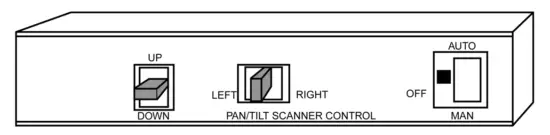
Feature
- Auto on : LED – Green
- Bypass on : LED – Red
- Non light during off
- Special screw terminal-detachable connector easy for installation
Specifications
| Tilt control | Push Button, UP/DOWN |
| Pan control | Push Button, LEFT/R |
| Power control | Slide Switch MAN/OFF/AUTO |
| Input Voltage | AC 220-230V |
| Output Voltage to Scanner | AC 24V |
| Temperature Operating | -10°C to +60°C |
| Connector | Screw Terminal-Detachable |
| Construction | Steel, Off-White Textured |
| Dimensions | 212 x 218 x 45mm |
| Weight | 1.2Kg |
Operations
FRONT PANEL –
- Power : Push the rocker switch to “AUTO”, the Green LED will illuminate.
Scanner automatic left and right adjust.
Push the rocker switch to “MAN”, the Red LED will illuminate.
Scanner adjust by manual.
Non light during “OFF” - UP AND DOWN : Paddle switch, UP/DOWN
- LEFT AND RIGHT : Paddle switch, LEFT/RIGHT
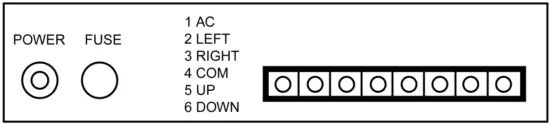
BACK PANEL –
- AC POWER : Terminal block no. 1 point
- LEFT : Terminal block no. 2 point
- RIGHT : Terminal block no. 3 point
- COM : Terminal block no. 4 point
- UP : Terminal block no. 5 point
- DOWN : Terminal block no. 6 point