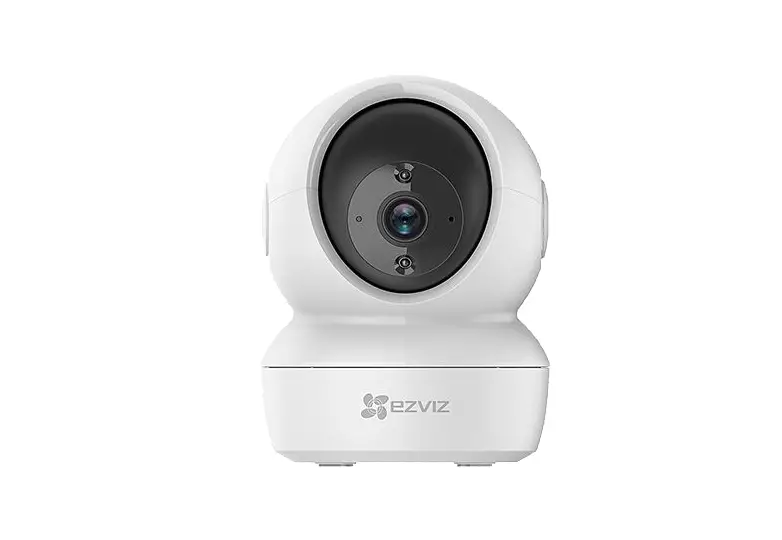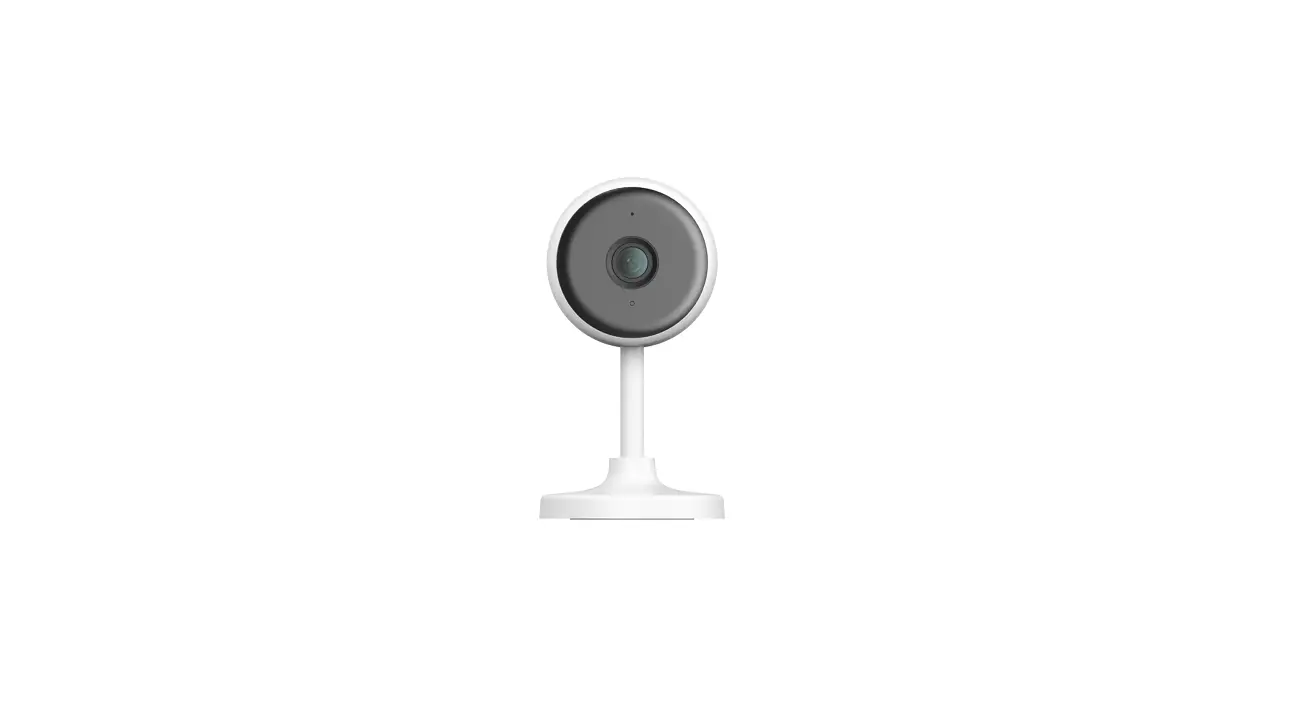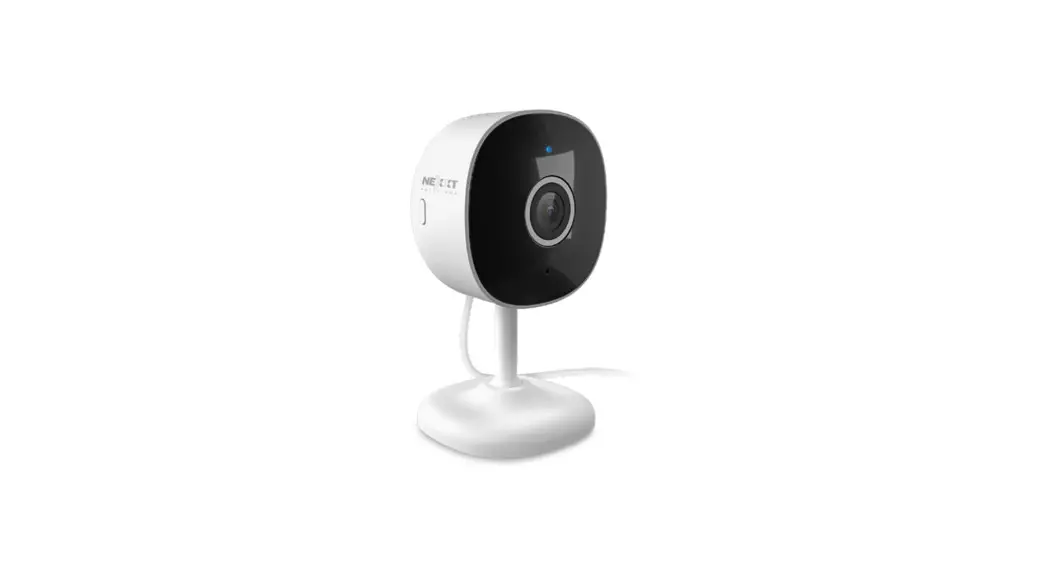
 NHC-I710 Smart Wi-Fi 2K Indoor Camera
User Manual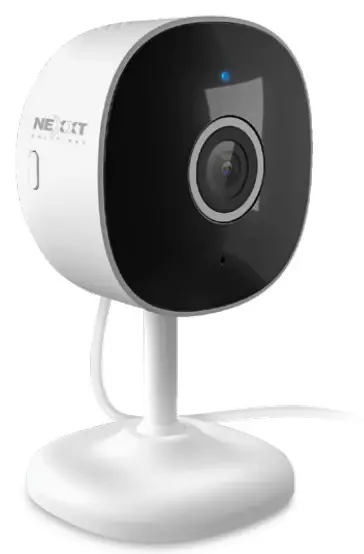
User guide
Thank you for purchasing the Smart 2K Wi-Fi camera from Nexxt Solutions. We are excited in being a part of making your life easier, safer and bringing peace of mind into your homes.
Product overview
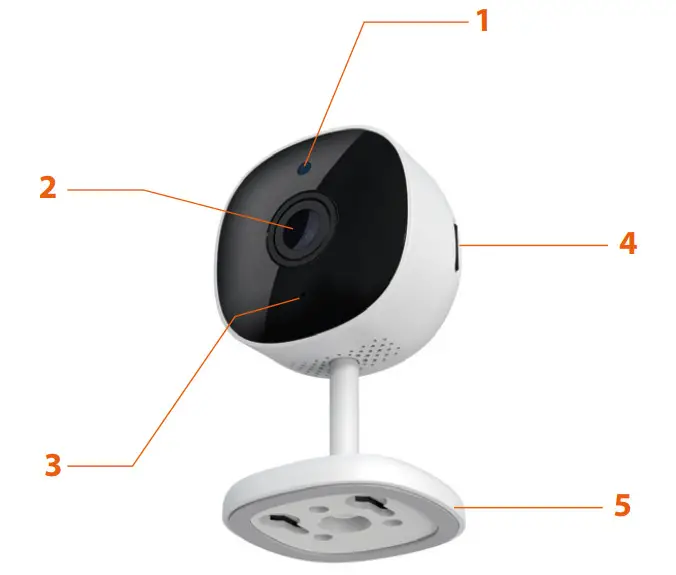 | 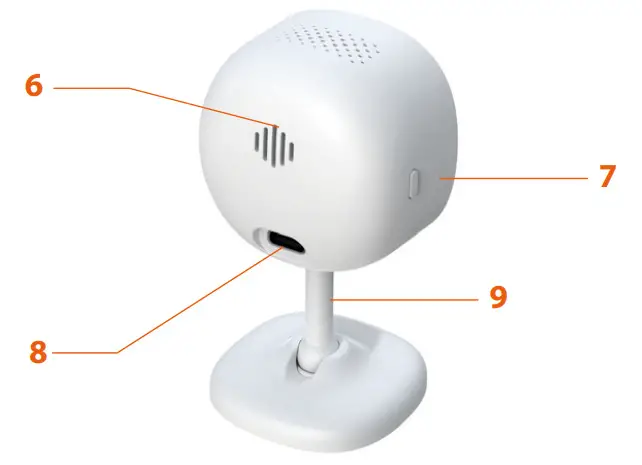 |
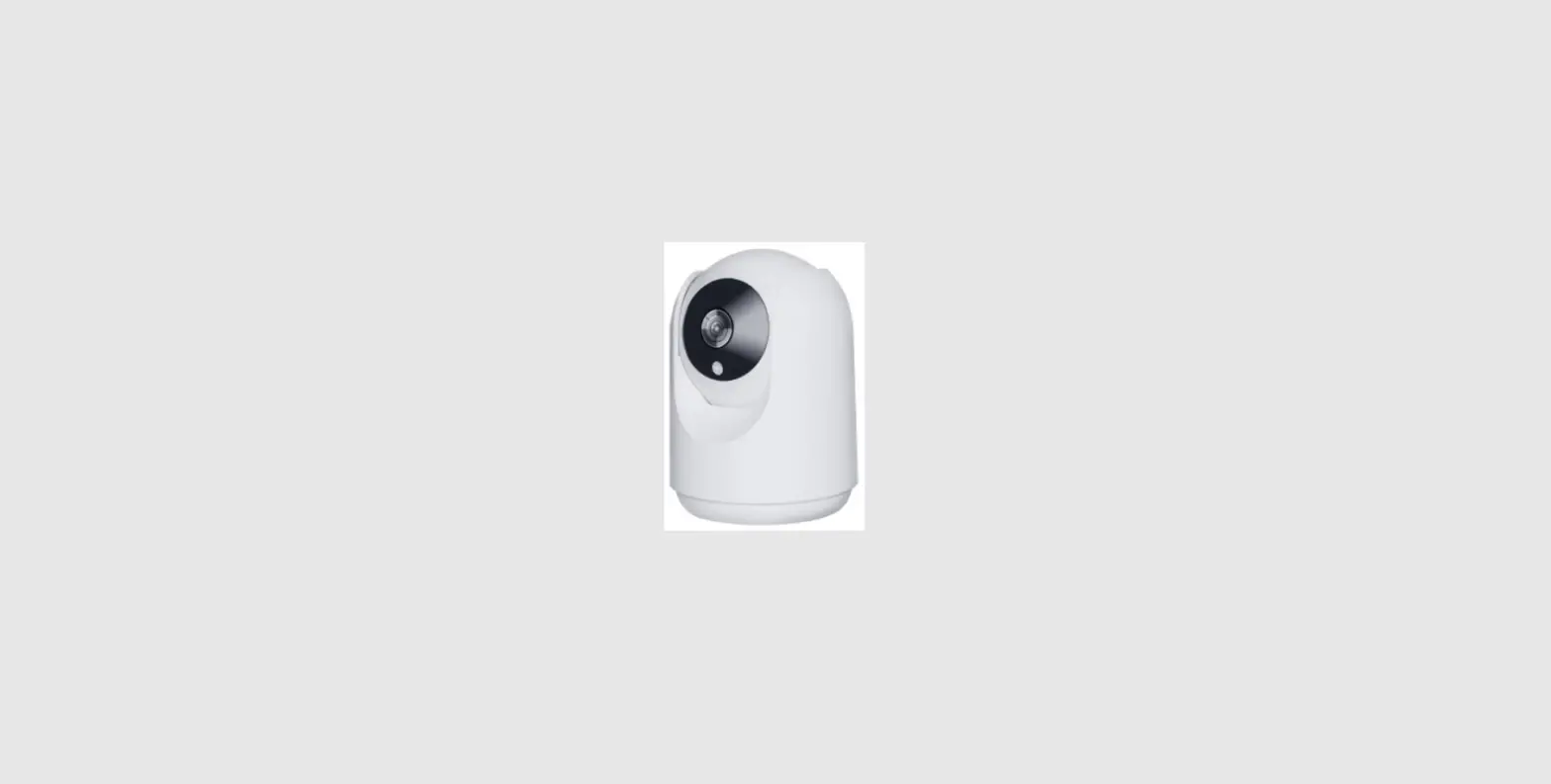
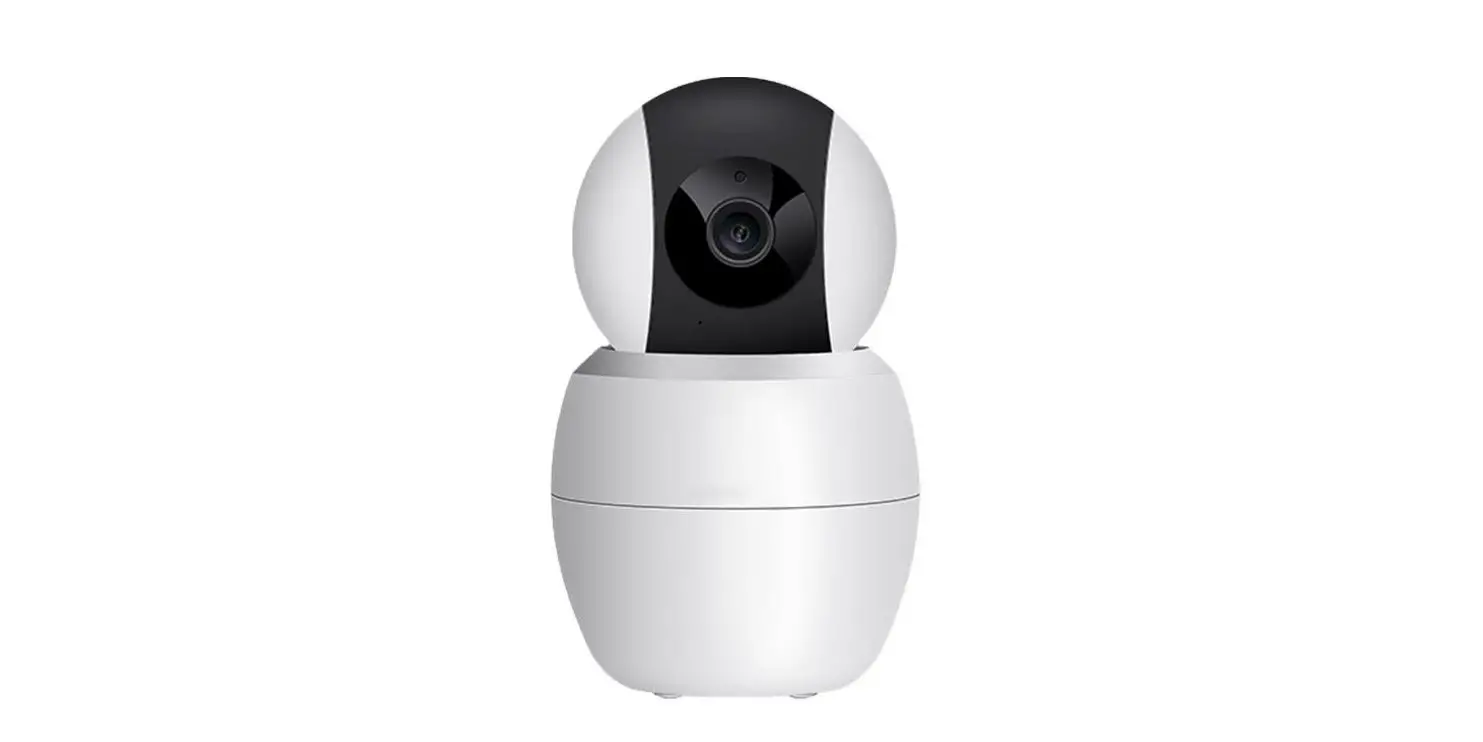
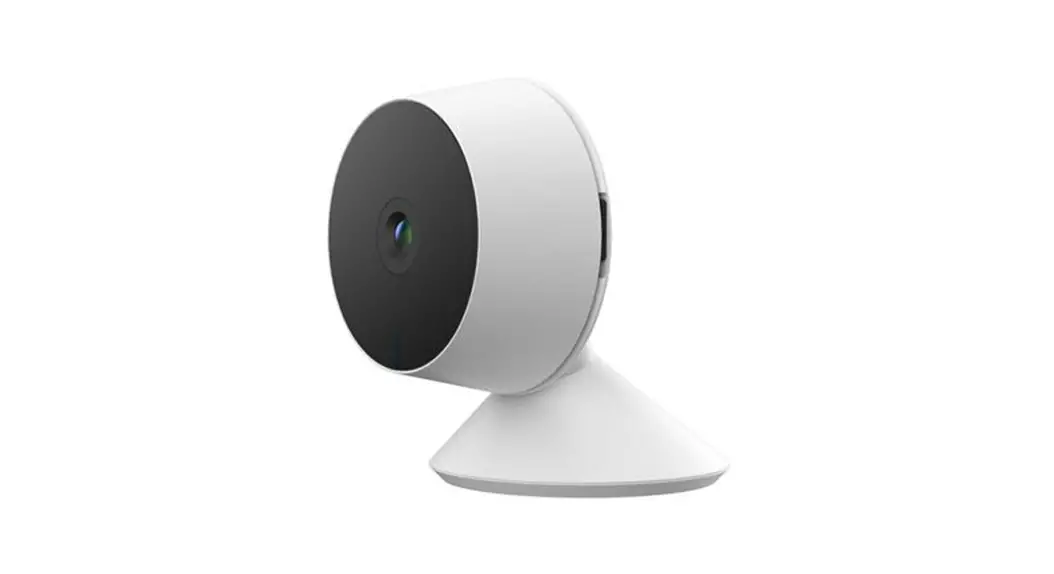
- Infrared LED: for night vision
- Lens
- Microphone: picks up your voice and any sound near the camera
- MicroSD™ card slot: supports local storage for a card of up to 128GB
- Stand/bracket: designed for desktop, wall or ceiling installation.
- Speaker: it allows you to be heard from your phone via the Nexxt Home app
- Reset button: press and hold this button to reset the device. If you have modified any settings, they will return to factory default
- Power: DC5V, 1A return to factory default.
- Stem: fully adjustable with a 360-degree rotation installation
Package content
- Smart Wi-Fi 2K camera (1)
- Type-C cable (1)
- Power adapter (1)
- Mounting hardware (1 set)
- 3M self-adhesive pad (1)
- Drilling template (1)
- Quick Start Guide (1)
Installing the Nexxt Home App
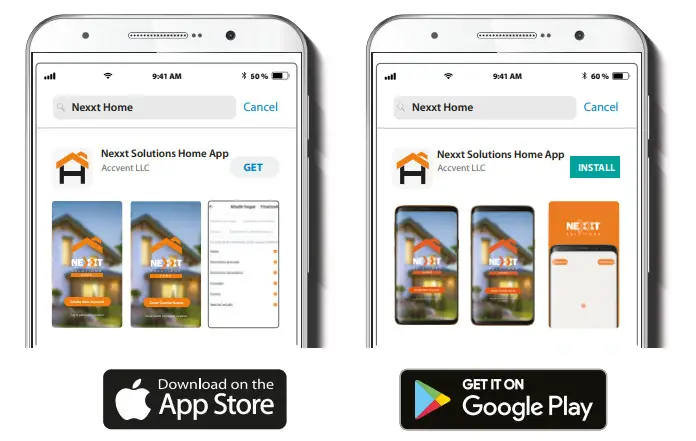
Download the Nexxt Home app on Google Play or Apple App Store.
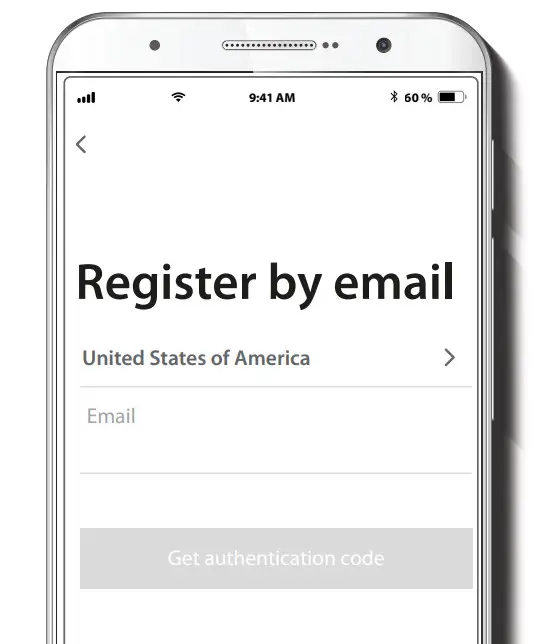
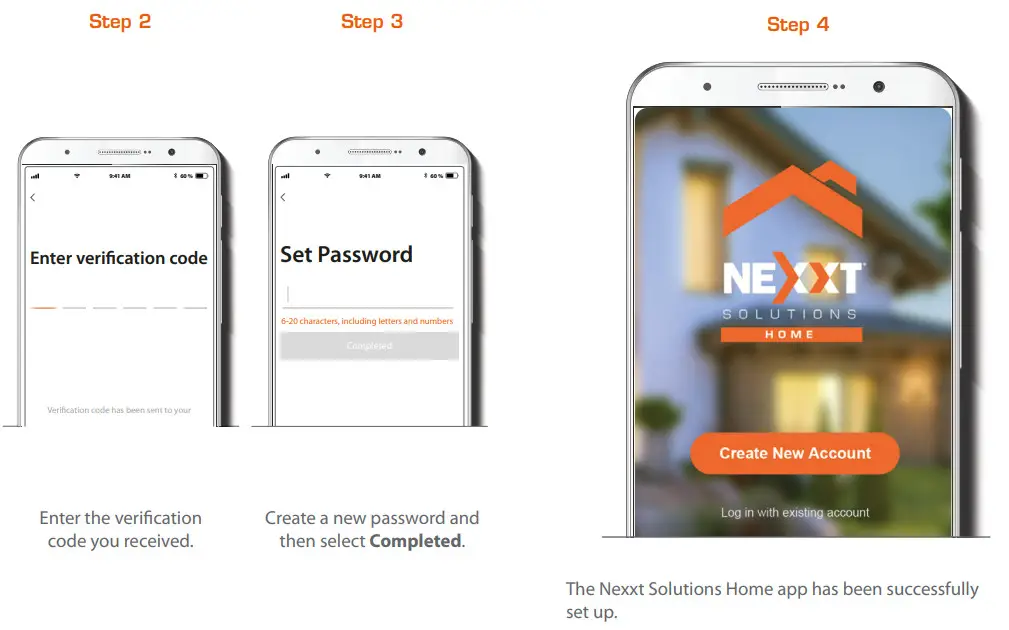
Register by email. Fill in the required fields.
Plug in
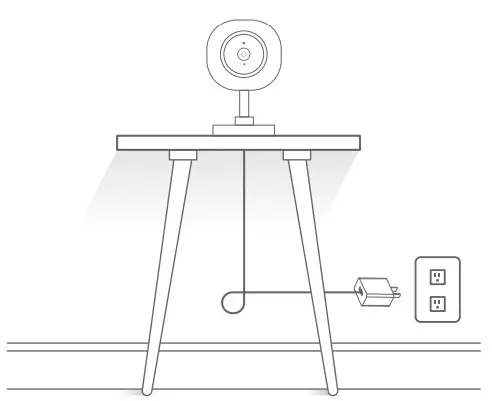
Plug in the camera using the provided AC adapter.
After 30 seconds, you will hear a first tone indicating that the camera has started correctly.
After another 10 seconds, a second tone will be heard indicating that the camera is ready to be paired.
If you do not hear the tones, hold down the reset button for 8 seconds to reset the device.
Add device
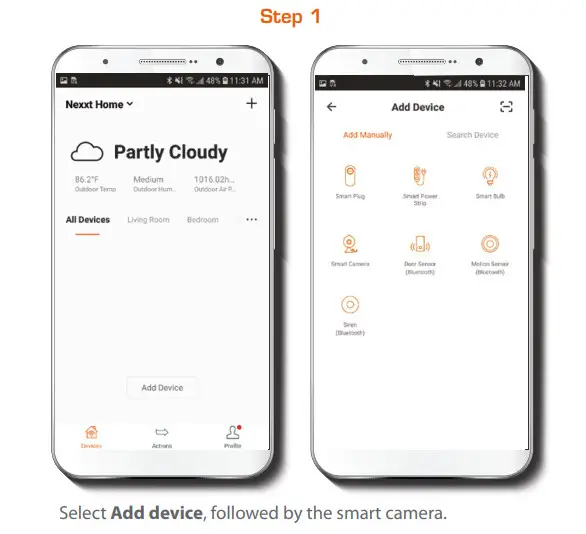
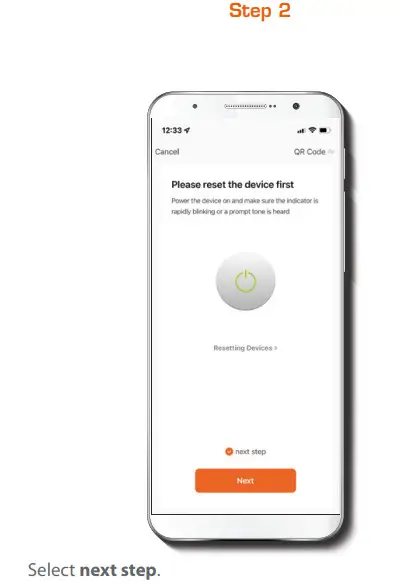
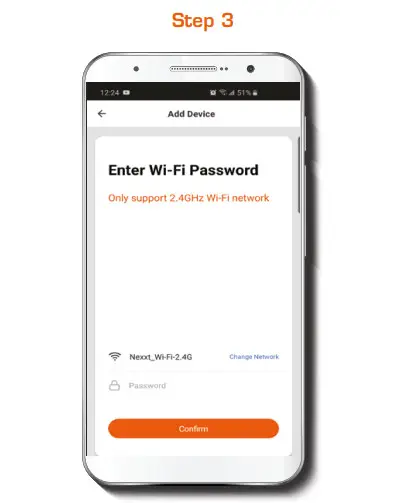
You must connect to a 2.4GHz WIFI network. Enter your network password. Make sure you enter the correct password, otherwise the device will not connect.
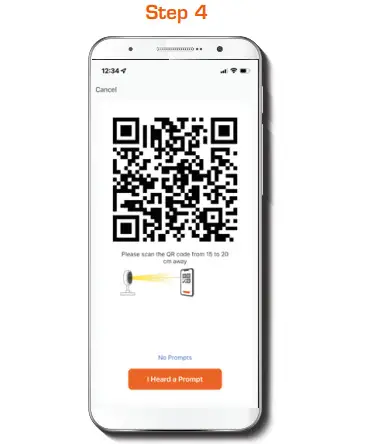
Select Continue to get the QR code. Scan the QR code from your mobile device with the smart camera. Once you hear the tone, click on the I heard a prompt button.
If you experience any issues, reset the camera. If a Registered Account added the camera through the app, then another user will be prevented from setting up that camera in a different account, unless permission is granted through the Share access option.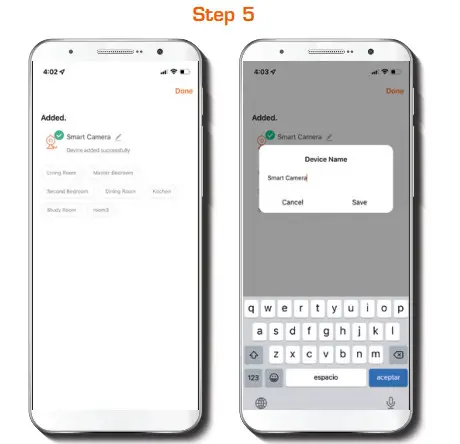
If pairing is successful, the notification Device added successfully will be displayed on the screen.
Click on the pencil icon to rename the camera, and then select Save to store your settings.
Camera interface
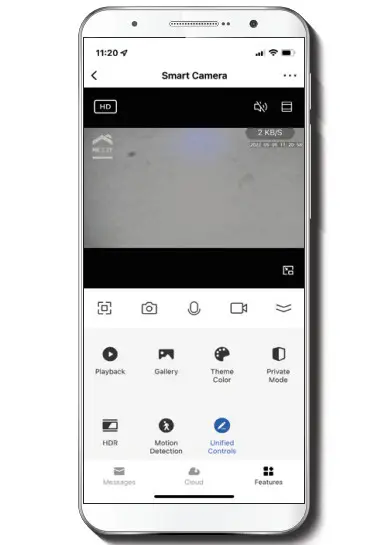
 | Full screen: Switches to full screen mode. |
 | Screenshot: Takes a picture of what the camera is viewing. |
 | Speak: Allows voice communications through the microphone. |
 | Record: Starts recording a video. |
 | Playback: If a microSD™ is installed, you can use the playback function to watch recordings. |
 | Gallery: Presents a list of all recorded videos and photos stored locally or in the cloud. |
 | Theme color: Allows users to customize the appearance of the interface by switching to either light mode or dark mode, the latter recommended for battery-saving purposes on your smart device. |
 | Private mode: It switches the camera to sleep mode to give users peace of mind about their privacy by blocking the lens, recording and microphone functions when they are at home. |
 | HDR: The High Dynamic Range is a technology that improves the quality of scenes by enhancing the brightness and contrast ratios of the screen. |
 | Motion detection settings: Turns the motion detection feature on and of. |
 | Uni ed controls: Use it to set up shortcuts to control other compatible smart devices. |
 | Messages: A quick way to view the list of push noti cations sent to your mobile device. |
 | Cloud storage: For added storage capacity, check our cloud services available through a subscription. |
 | HD/SD: Switches between High Definition and Standard Definition. |
 | Mute: Disables the microphone function on the camera. |
 | Settings: Allow access to the camera parameters. |
Settings
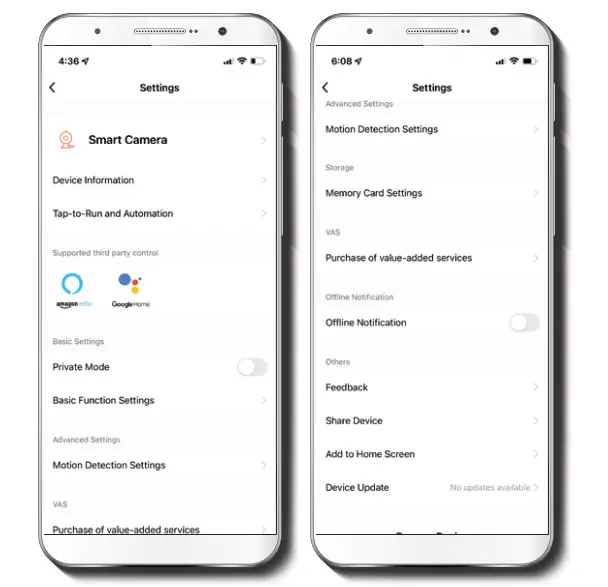
Smart camera 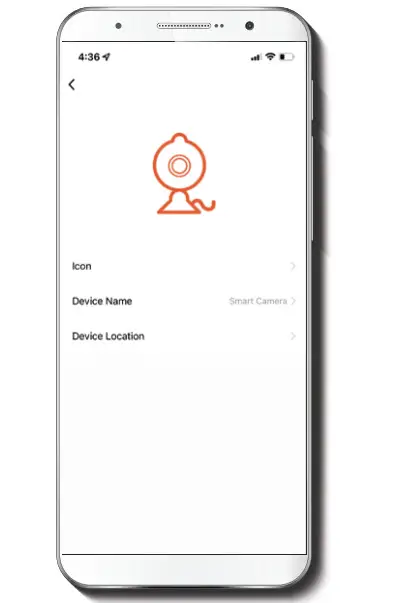
It allows the user to change the icon, device name and device location.
Device information
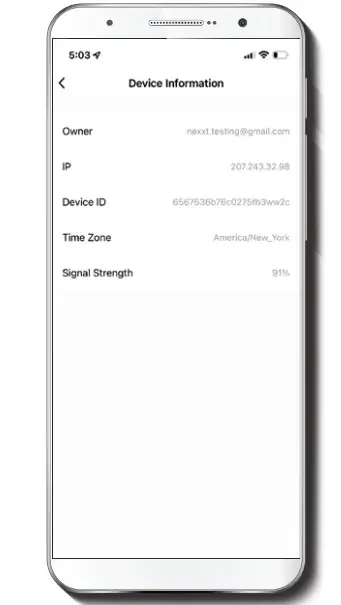
This menu will display information about the camera.
Basic function settings
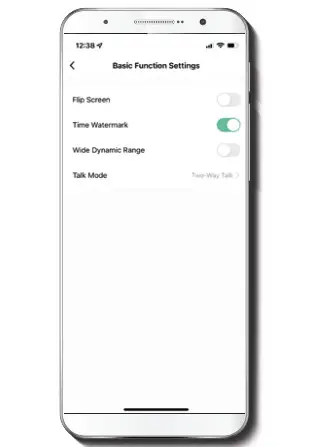
Flip screen: Flips the image 180 degrees, if the camera is mounted upside down.
Time watermark: Enables and disables the time and date stamp shown in real time while streaming, or on the recorded videos and photos.
High dynamic range: HDR is a technology that improves the quality of scenes by enhancing the brightness and contrast ratios of the screen.
Talk mode: Allows either One-way or Two-way speech.
Motion detection settings 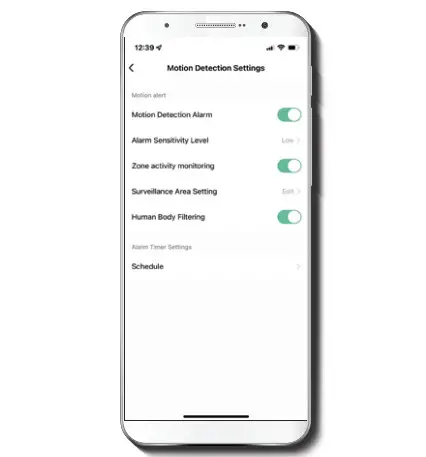
Motion detection settings: Turns the motion detection feature on and of. It also enables or disables zone activity monitoring and human body filtering. The alarm timer settings can also be set through the Schedule function. It changes the sensitivity levels between Low, Medium, or High.
Memory card settings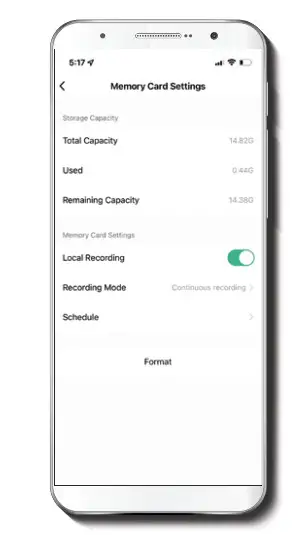
Total capacity: Shows the capacity of the microSD™ card.
Used: Shows how much memory has been used.
Remaining capacity: Shows how much space is left on the microSD™ card.
Local recording: You can set the camera to constantly record 24/7. How much it records, depends on the size of the microSD™ card.
Recording mode: You can switch between Event Recording and Continuous Recording
Schedule: Lets you program when to turn the recording on or off.
Format: This will format the microSD™ card to be used on the camera.
Value-added service (VAS)
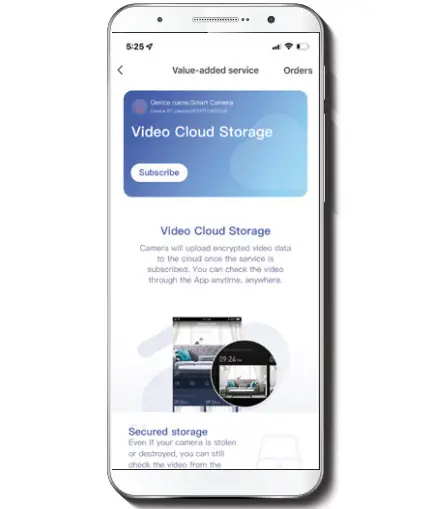
Cloud storage: Access photos and videos at any time and from anywhere with an optional subscription plan.
Offline notification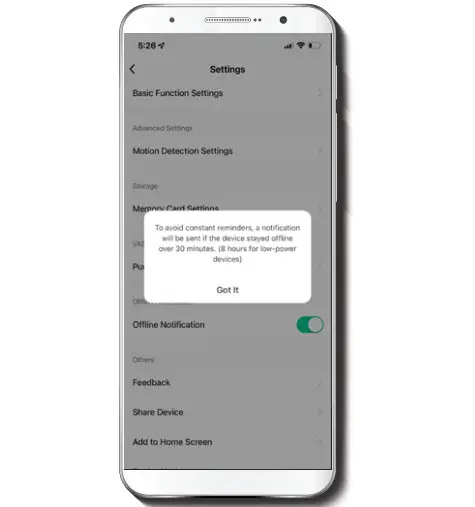
Offline notification: provides a selection button to enable/disable this feature. An Offline notification will be triggered after 30 minutes the device has remained in this state or as a result of a power outage.
Feedback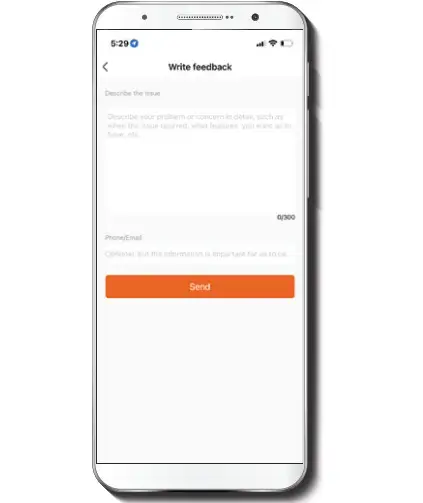
Write feedback: Please let us know if you have any issues setting up the product.
Add to home screen: a newly added UI interface which provides direct access to the main controls of the device by adding a shortcut to the main screen on your mobile phone.
Share device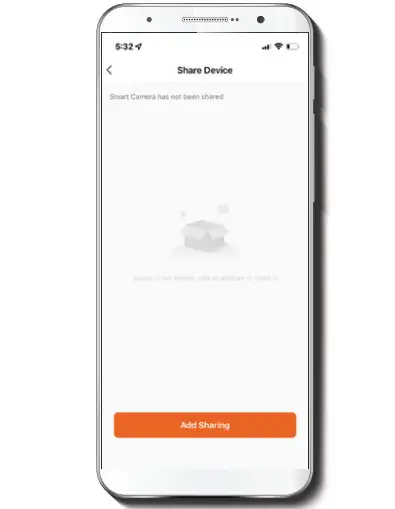
Additional users will need their own Nexxt Home Account Select Add sharing and then enter the-mail address of family or friends. Tap on Completed.
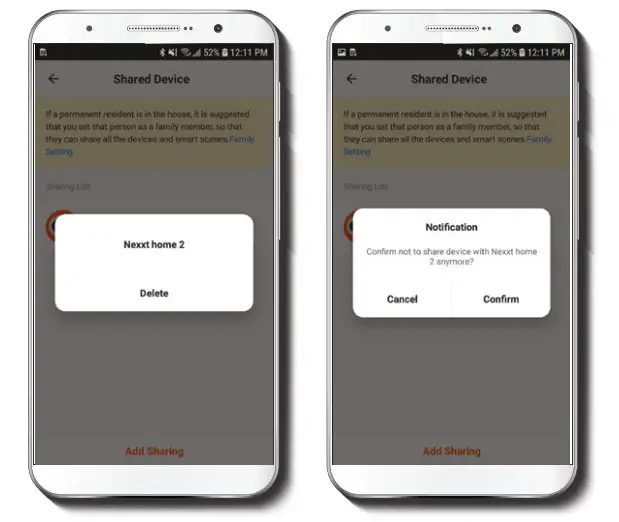
To remove a user on iOS, slide the name to the left. On Android, press and hold the name of the person you wish to delete. When the pop-up box comes up, select Delete. A Notification confirming that you no longer want to share the device with the selected user will be displayed. Tap on Confirm to permanently remove the user.
Device update
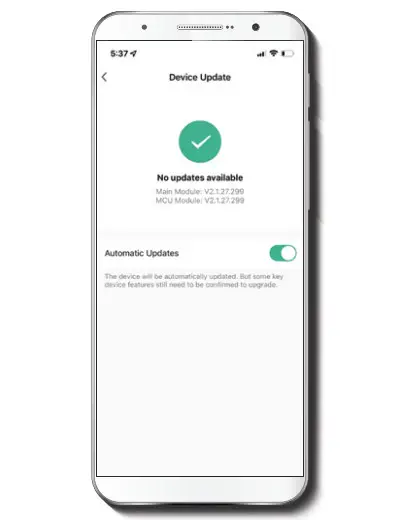
Device update: adds new features or provide updates with a new firmware upgrade. You can choose to have it automatically updated by clicking the button below.
Nexxt Solutions®is a registered trademark. All rights reserved.
Amazon, Alexa and all related logos are trademarks of Amazon.com, Inc. or its afiliates. Google, Android and Google Play are trademarks of Google LLC. SD™ and microSD™ are trademarks owned by SD-3C, LLC. All other brand names and trademarks are the property of their respective owners. Made in China.
Smart Wi-Fi 2K indoor camera