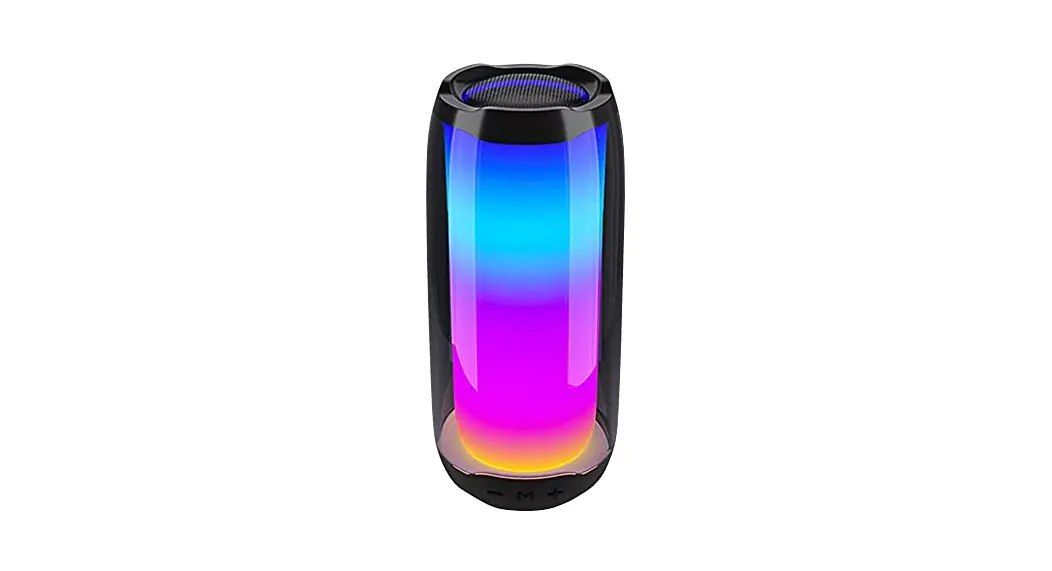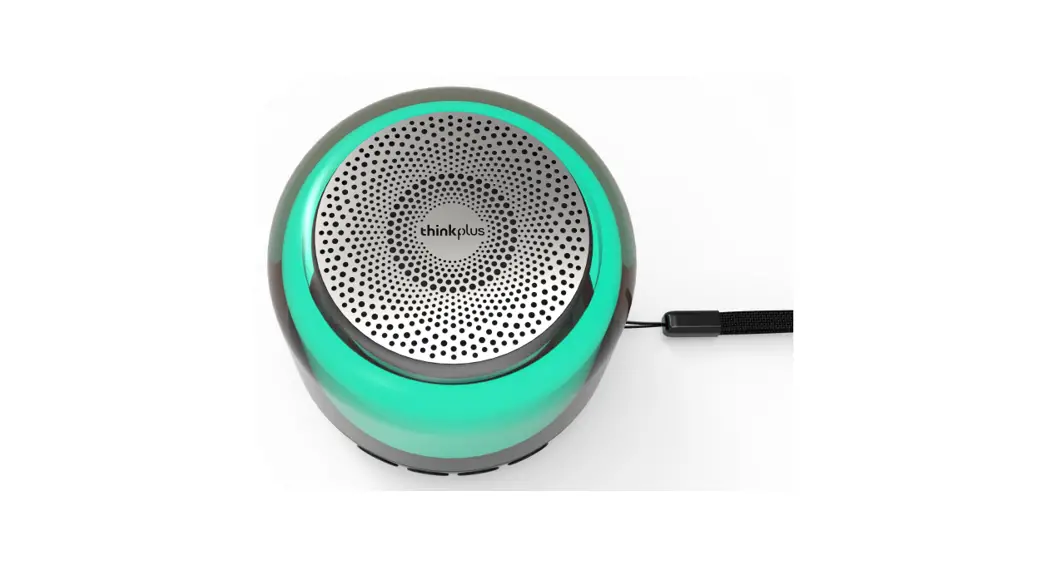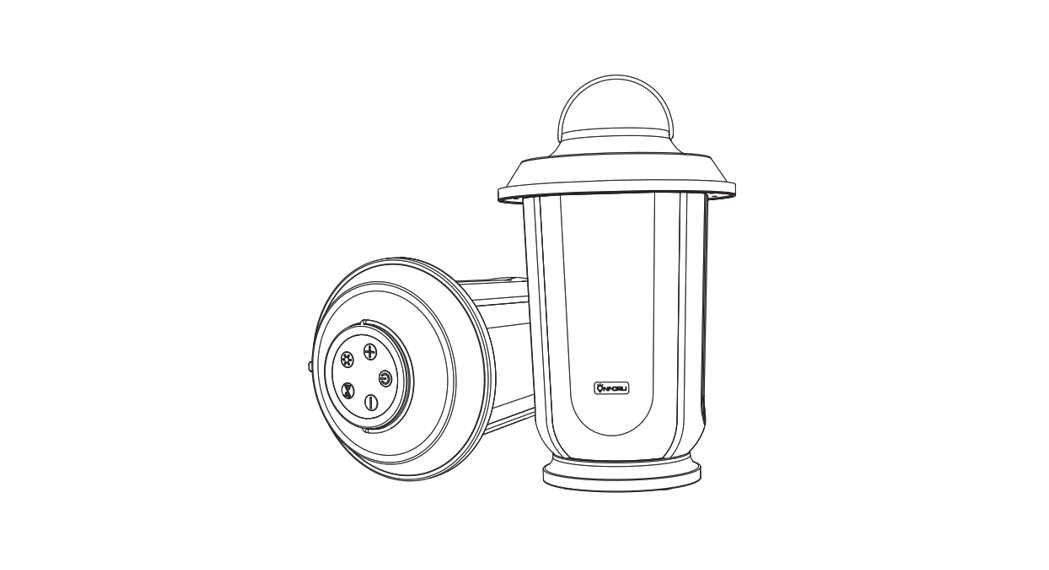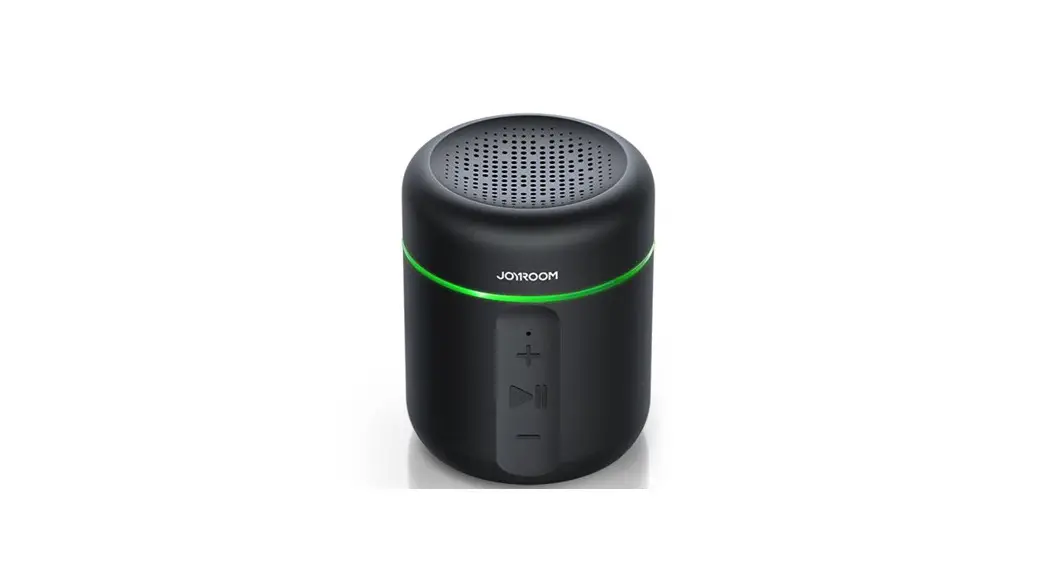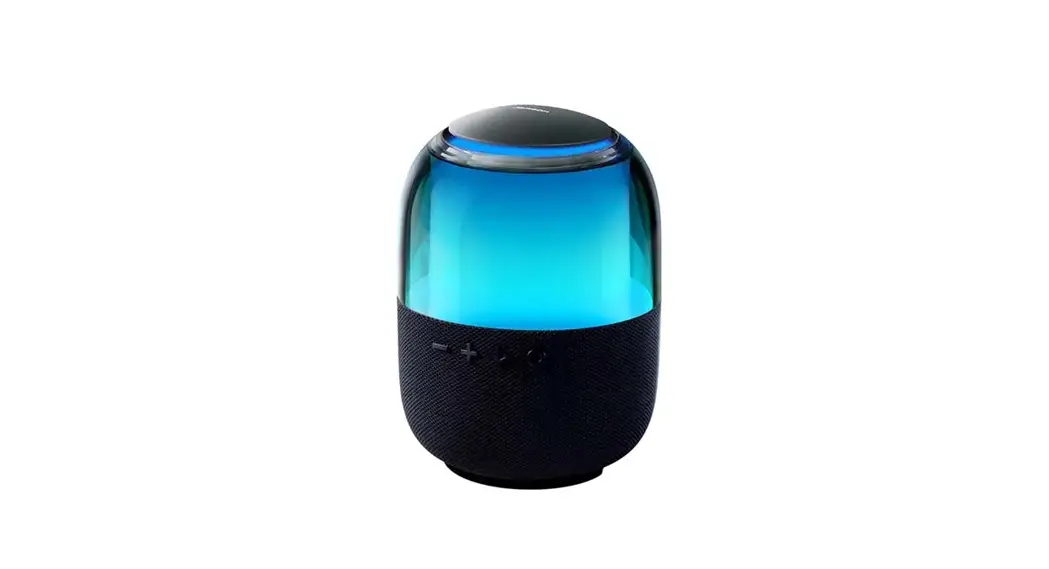

JR-ML05 RGB Wireless Speaker
User Manual
Product diagram
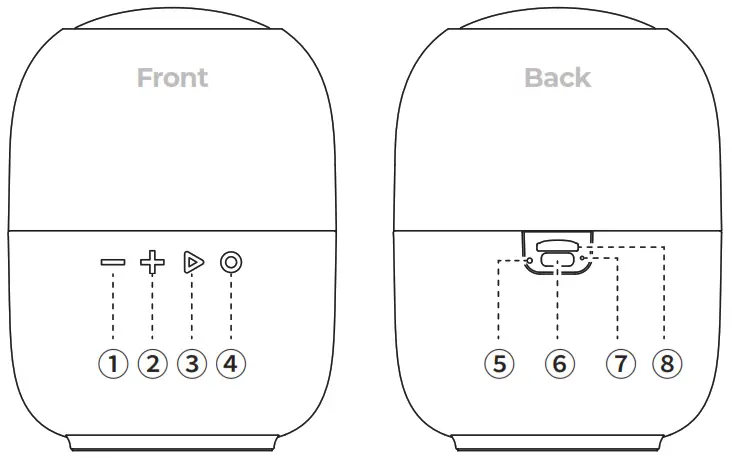
- Volume down/previous song
- Volume up/next song
- Pause/play
- Power button
- Reset hole
- Type-C charging port
- Indicator light
- TF card slot
Packing list
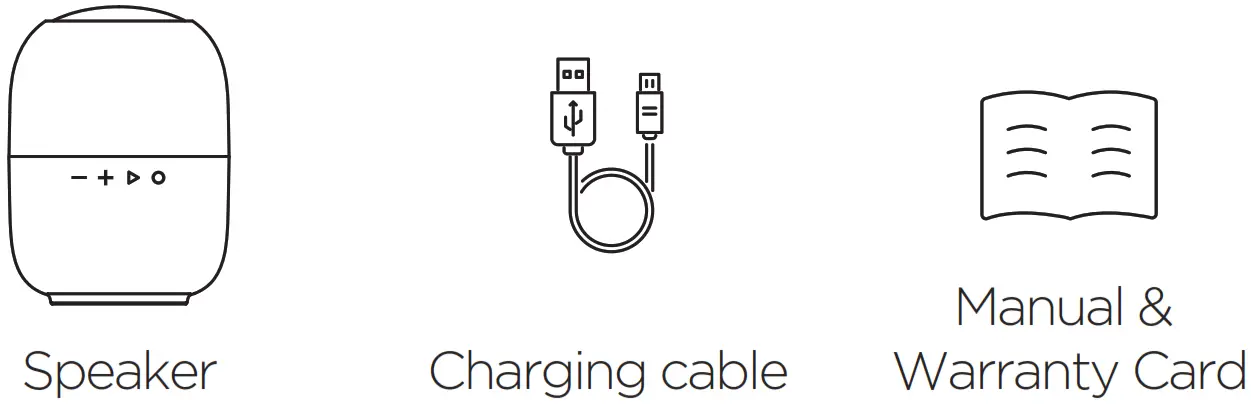
Parameters
Name: RGB Wireless Speaker
Model: JR-ML05
BT version: V5.3
Audio decoding: SBC
Supported protocols: HSP, HFP, A2DP, AVRCP
BT range: 10m
Frequency response range: 20Hz-20KHz
Speaker: φ57mm
Power: 8W
Music format: MP3
TF card capacity: 32G (max)
Music time: about 3h (80% volume)
Standby time (connected): about 15h
Battery capacity: 1500mAh
Charging time: about 3.5h
Charging port: Type-C
Charging input: 5V 1A
Size: 137*100mm
Material: ABS+PC+Speaker mesh
Net weight: 490g
Pairing operation
- Press and hold the power button for 1s, the speaker will make a “bom” sound, and the blue RGB light will keep on for 2s, which means the speaker is turned on; The speaker makes a “ding-dong” sound, the blue RGB light flashes quickly in breathing mode, which means the speaker is ready for pairing.

- Turn the phone’s BT function on and search for the BT device “JR-ML05”; Connect the phone with it, and then you are free to listen to music or make calls via the speaker.

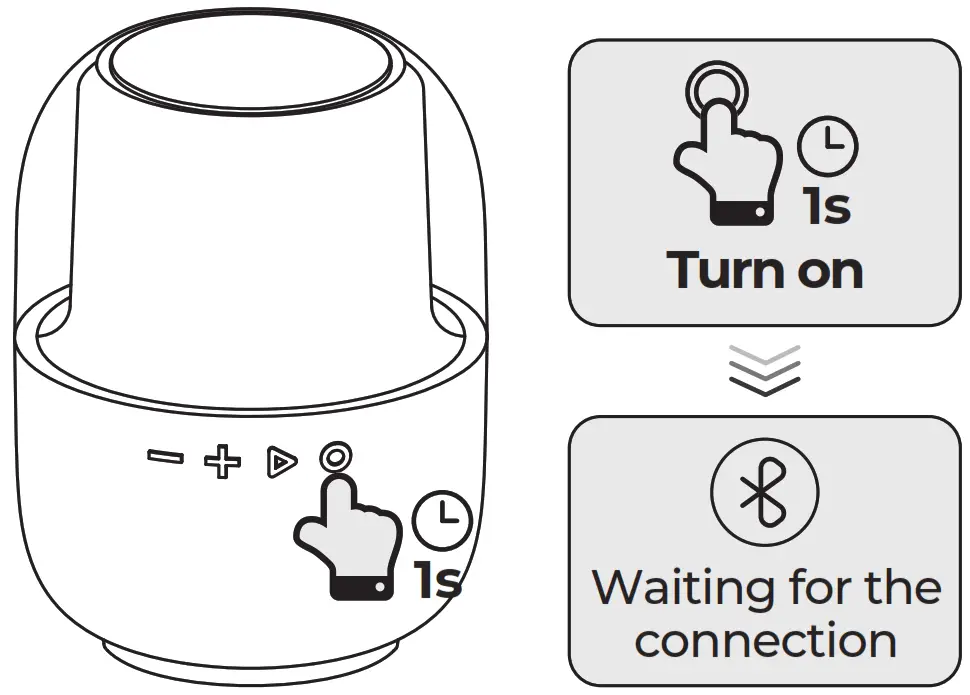
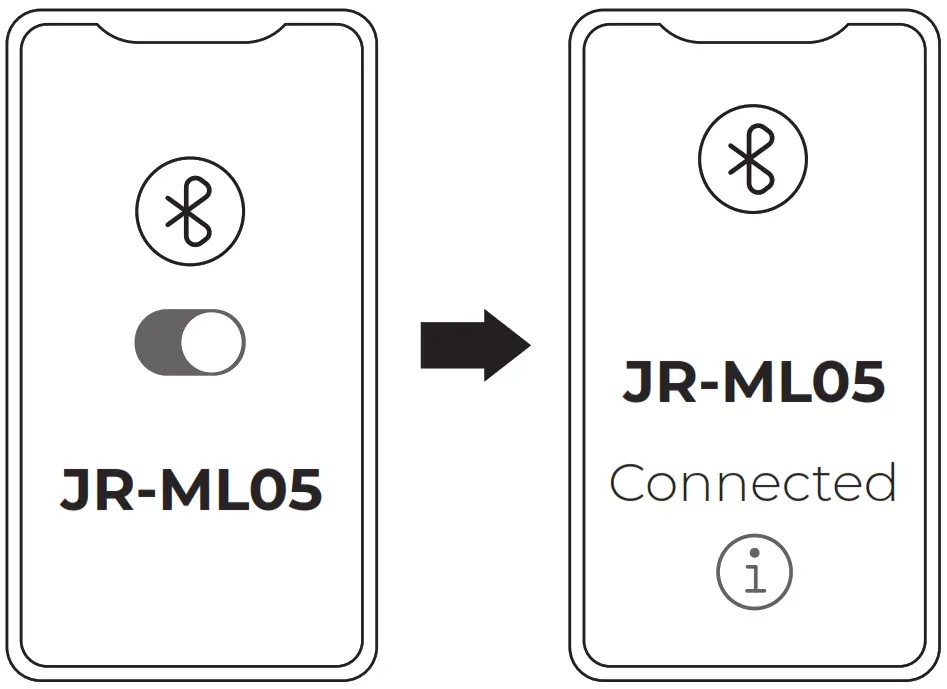
Note:
Please connect the speaker manually for the first time, after that it will connect to the last connected device automatically. (iP & Android devices connecting in the same way)
Operation instructions
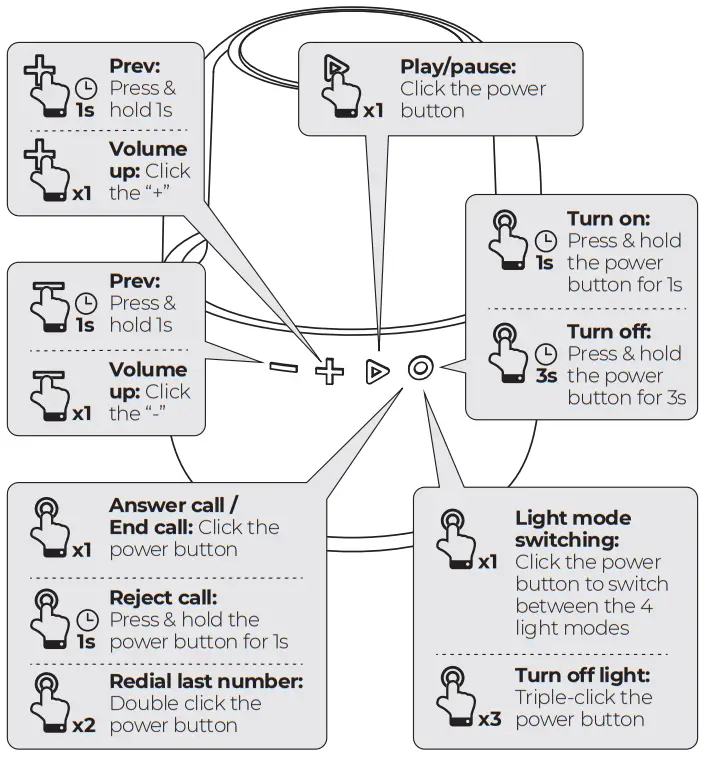
* Speaker interconnection mode *
- When two speakers are in turned on but unpaired condition, triple-click the mode switch button of either speaker, they will enter speaker interconnecting mode with a “doo-doo” sound. And another “doo” sound after that indicates that the speaker interconnection is succeeded.

- Under interconnection mode, triple-click the mode switch button of either speaker to quit that mode.
 Speaker interconnection mode: Triple-click the mode switch button of either speaker
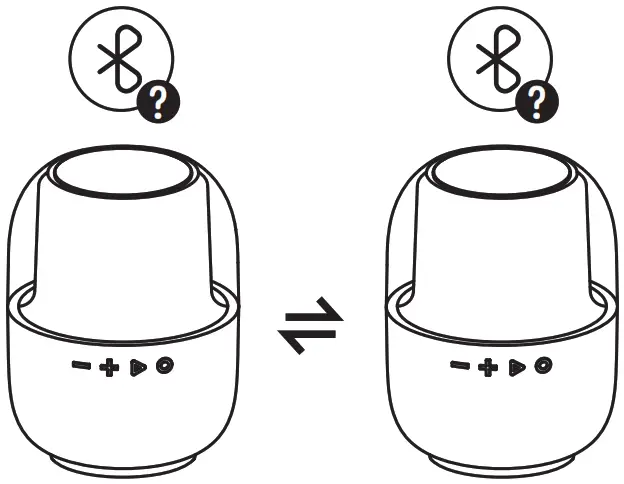
 Speaker interconnection mode: Triple-click the mode switch button of either speaker
* BT mode / TF card mode / FM mode switching *
Press and hold the pause/play button for 1s to switch between BT mode, TF card mode and FM mode
Note: You must insert a TF card to switch mode. When the speaker is turned on, it will enter BT mode automatically. Mode switching: Press and hold the mode switch button for 1s
* FM tuning *
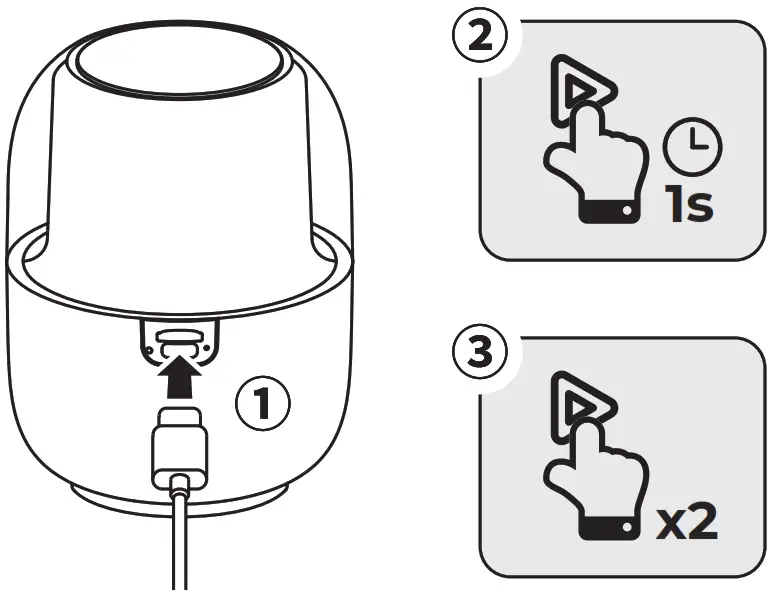
- Insert the charging cable into the Type-C charging port of the speaker (Note: there is no need to connect power supply, the charging cable serves as an external antenna);
- Press and hold the pause/play button for 1 second to switch to FM mode;
- Double-click the pause/play button to tune in a station automatically. After that, you can long press the “+” and “-” buttons to switch stations.

* Restore factory settings *
In turned on condition, triple-click the volume up (+) button quickly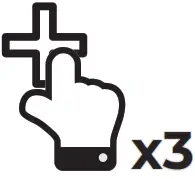 Restore factory settings: triple-click the volume up (+) button quickly
Indicator light instructions
| Turn on | Blue RGB light keeps on for 2s |
| Ready for pairing | Blue RGB light flashes in breathing mode |
| Light mode 1 | Blue RGB light keeps on |
| Light mode 2 | RGB light flashes slowly and changes color in cycles |
| Light mode 3 | RGB light flashes quickly and changes color in cycles with the rhythm of music |
| Light mode 4 | Yellow RGB light keeps on |
| Charging indicator light | The white indicator light keeps on. When fully charged, it will turn off. |
| Turn on | “bom” sound |
| Connected | “doo-der” sound |
| Disconnected | “der” sound |
| Turn off | “hum-” sound |
| Max volume | “der-der” sound |
| Call reminder | “doo-doo-doo” sound |
| Low battery warning | “doo” sound every 60 s until powered off at low battery |
FAQ
– A. Please check whether the speaker is still with power. If not, please charge it for more than half an hour before turning it on.
– Please long press the power button, if you press it too shortly or at a wrong position, the speaker may fail to turn on.
– A: Check whether the speaker is powered on normally and ready for pairing. (Please check it by the indicator light or prompt tone.)
– Check whether the speaker is connected to another device. If so, please disconnect with it and make a re-connection again.
– Turn off the phone’s BT function and the speaker, then turn them on again for re connection.
– If the speaker still cannot be connected after above operations, you can restore it to factory settings.
– A: The speaker’ signal may be disconnected because of the long distance between the speaker and connected device. Please keep them within 10m distance.
– The speaker’ signal may be interfered when being used in an environment with strong interference. Please make sure there’s no large shield, metal partition or large interference source around you.
– Please make sure the phone’s signal and network are in good condition, in case of poor signal or network cache problems, jamming or discontinuity will happen to your speaker.
– A: Please check whether the playback channel of the mobile phone is turned on normally. If not, turn on your phone’s BT function, click the icon on the right side of connected device and make sure the media channel and call channel are turned on properly.
– Open the “Settings” interface of your phone and check if there is a maximum volume limit.
– The volume up/down control of the speaker and the mobile phone may be operated separately due to different settings of mobile phones (such as Android). Please adjust the volume of both the mobile phone and the speaker according to the settings of the mobile phone.
– A: Please turn on the output channel of the computer and set the speaker output mode as default mode.
– The win 7 system may have incompatibility problems, while the systems above win 10 are better compatible with the speaker.
– Or it may be caused by the wireless adapter if connecting a desktop computer with the speaker by it.
– A: The charging port and cable may not be connected properly, please pull the cable out and plug it in again repeatedly to make sure it is well inserted.
– Please use adapters that conform to national/regional safety standards together with the included charging cable to charge it. Avoid using unqualified or unguaranteed chargers/cables which may damage the speaker.
Safety Criterion
- Please follow the instructions, do not disassemble the product or refit it for any reason, otherwise it may break down or burn down.
- Do not immerse it in any liquid or wash it with water.
- Please use adapters that conform to national/regional safety standards together with the included charging cable to charge the speaker, otherwise the speaker’s battery may be damaged or cause safety problems.
- Please use and store it in normal temperatures; too low or too high temperature (below 0 ℃ or above 45 ℃) is not permitted.
- Do not block the openings of the speaker, such as charging port and indicator light, etc.
- Do not use it with loud volume or in a long time to avoid dizziness or hearing damage.
- Do not use it under thunderstorm which may lead to abnormal performance and signal interruption.
Warranty Card
| User Name: | User Tel: |
| User address (with postcode): | |
| Dealer Name: | Purchase date: |
| Dealer Tel: | Invoice No.: |
| Dealer Address (with postcode): |
Warranty
A. If there is performance failure on this product and it’s not cause by human error damage, we will provide 12-month free warranty service for consumers from the date of purchase.
B. Warranty Exceptions:
- Human damage;
- Beyond the warranty period;
- Failure to provide valid purchase certificate;
- Product damage caused by failure to follow the use, maintain and preserve instructions;
- Product damage caused by dismantle it or repair the product without authorization, or immerse the product in water;
- Damage caused by other force majeure.
FCC Statement
This device complies with part 15 of the FCC Rules. Operation is subject to the following two conditions:
- This device may not cause harmful interference, and
- This device must accept any interference received, including interference that may cause undesired operation.
This equipment has been tested and found to comply with the limits for a Class B digital device, pursuant to part 15 of the FCC Rules. These limits are designed to provide reasonable protection against harmful interference in a residential installation. This equipment generates, uses and can radiate radio frequency energy and, if not installed and used in accordance with the instructions, may cause harmful interference to radio communications. However, there is no guarantee that interference will not occur in a particular installation. If this equipment does cause harmful interference to radio or television reception, which can be determined by turning the equipment off and on, the user is encouraged to try to correct the interference by one or more of the following measures:
- Reorient or relocate the receiving antenna.
- Increase the separation between the equipment and receiver.
- Connect the equipment into an outlet on a circuit different from that to which the receiver is connected.
- Consult the dealer or an experienced radio/TV technician for help.
Caution: Any changes or modifications to this device not explicitly approved by manufacturer could void your authority to operate this equipment.
RF Exposure Information
The device has been evaluated to meet general RF exposure requirement. The device can be used in portable exposure condition without restriction.