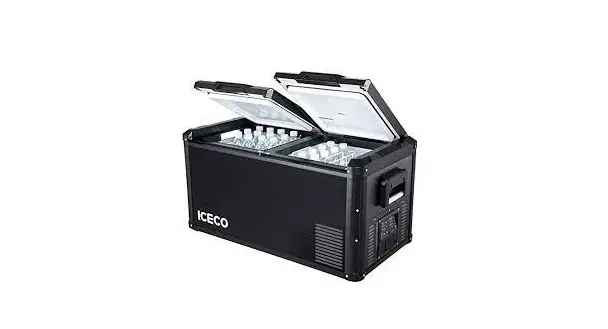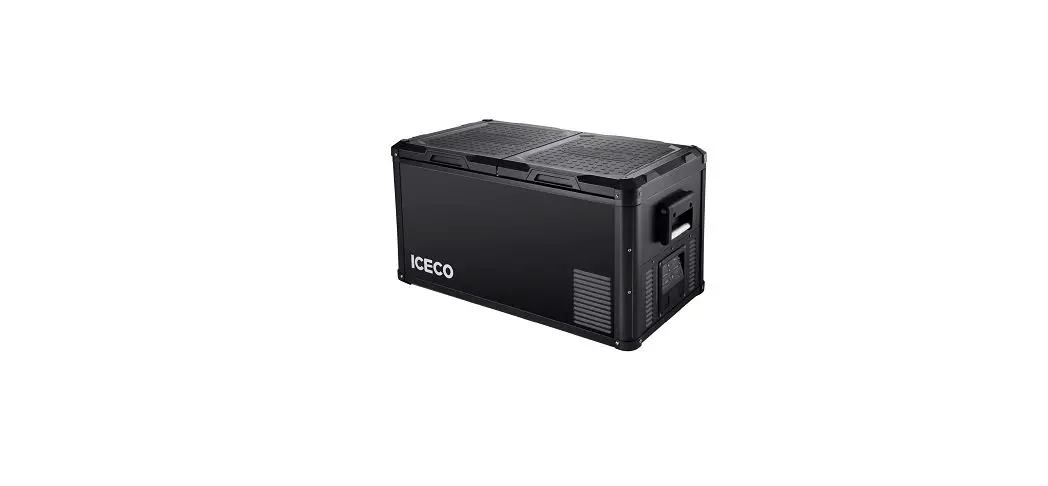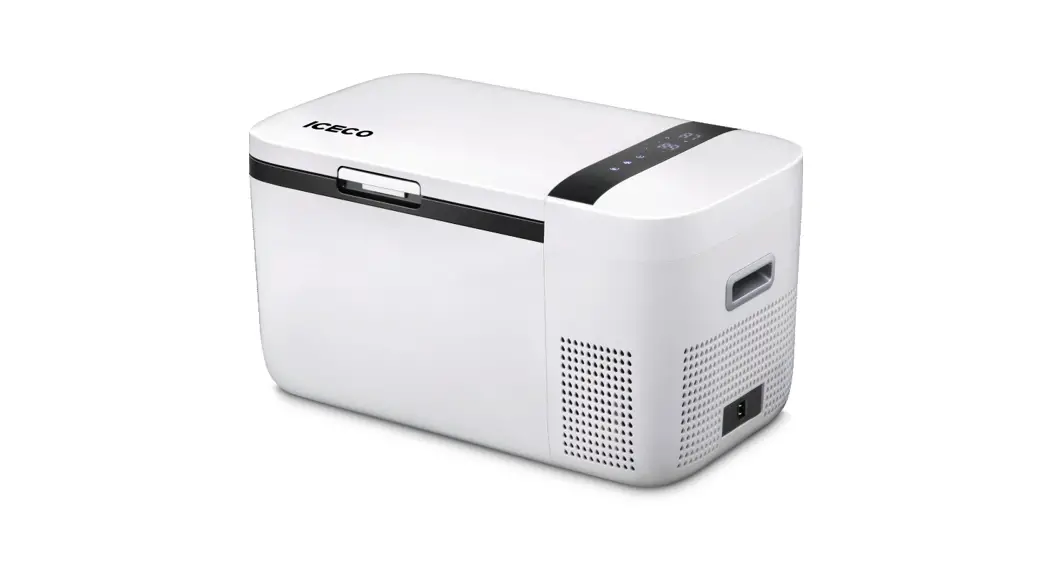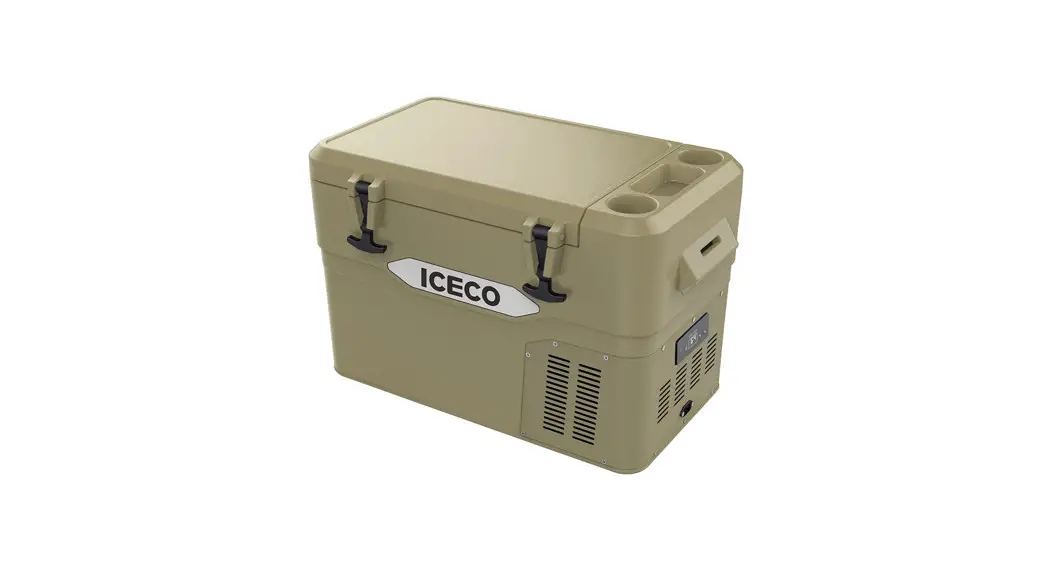

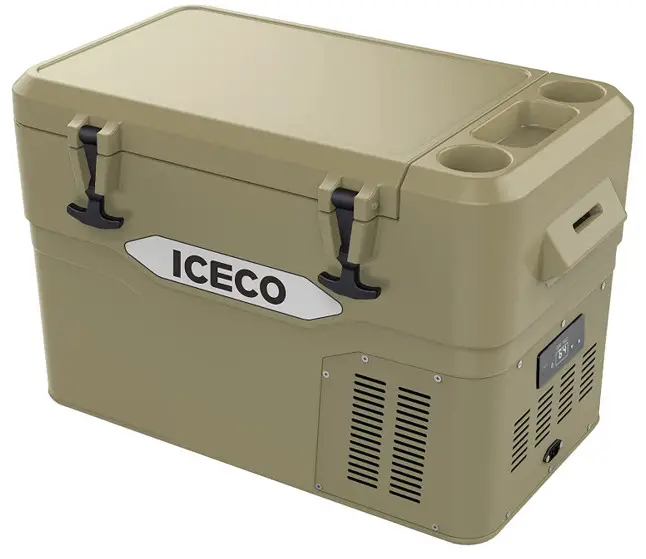
JP42 Refrigerator
User ManualPlease email us at: [email protected]
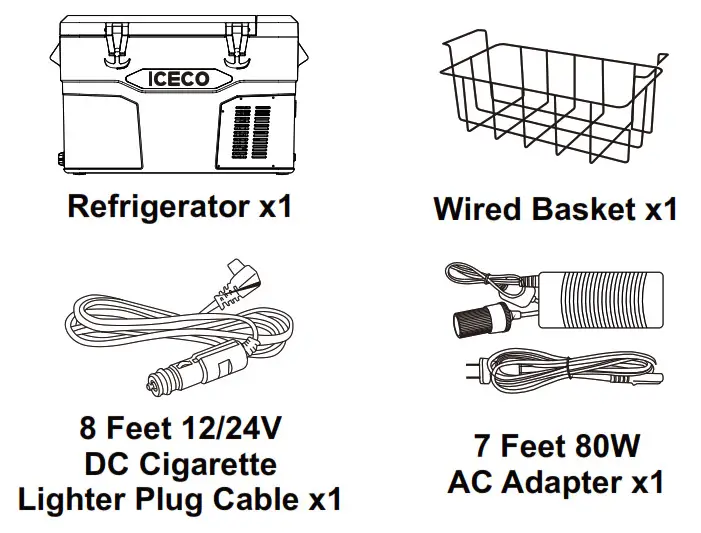
What’s Inside
| MODEL JP42 Series | |
| External dimensions(LxWxH) | 720×415×445 mm (28.4×16.4×17.6 inch) |
| Net weight | 20.5 kg (45 lbs) |
| Storage volume | 42 liters (44 quarts) |
| Supply voltage | DC 12V/24V |
| Temperature setting | -18°C to + 10°C (0°F to 50°F) |
| Insulation | C-pentane |
| Shell material | LLDPE |
Operation
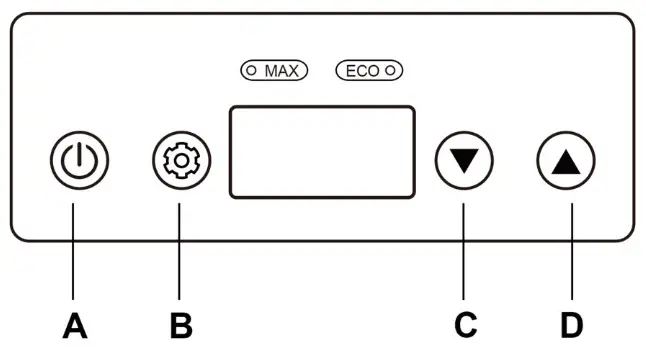
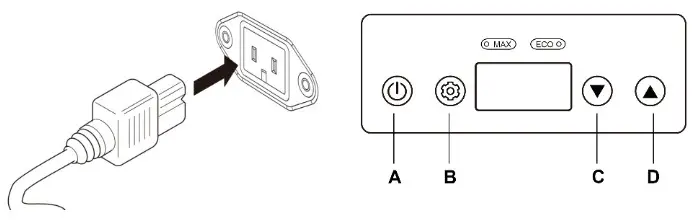
A Power (Turn on/off)
B Compressor Speed (MAX/ECO Mode)
C Temp. Setting DOWN
D Temp. Setting UP
2.1 MAX & ECO ModeAfter the fridge turned on(Press A/Power Button), you can press Button B to switch between MAX or ECO compressor speed for the fridge.
2.2 Switch Between °C to °F
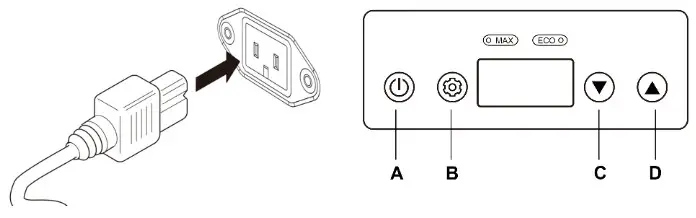
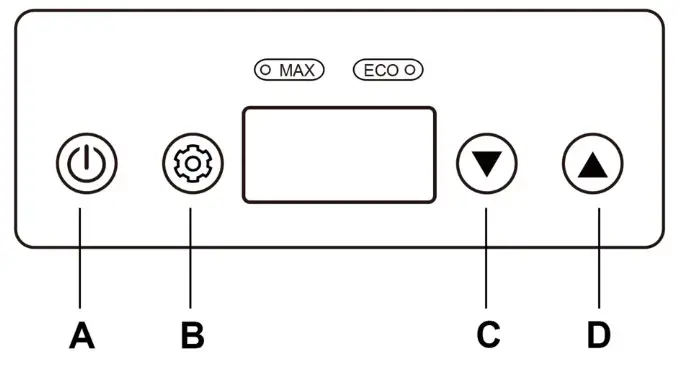
With the fridge standby (plug-in, without pressing Power Button A to turn on), press and hold Botton B and D for 3 seconds, press Button C or D to select Celsius or Fahrenheit.
2.3 Triple Battery Protection OperationWith the fridge standby (plug-in, without pressing Power Button A to turn on), press and hold Button A & B for 3 seconds to enter adjustment mode. Short press Button C or Button D to adjust the fridge’s battery. protection level pre-sets. “  ” represents low gear. “
  ” represents medium gear. “
 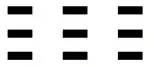 ” represents high gear.
NOTICE: Details of Battery Protection Mode could be found in Page 12.
2.4 Setting Temperature
The SET temperature will appear as a FLASHING number, and after the temperature is SET, the display will return to showing the fridge’s CURRENT interior temperature.
Care And Maintenance
3.1 Cleaning
Please use a wet cloth and warm water mixed with gentle non-abrasive detergents to clean the interior and exterior of your fridge.
3.2 DOs and DON’Ts
- Please power off and unplug the unit before cleaning
- Please use non-abrasive detergent to cleaning the interior/exterior of the fridge
- Please don’t scrap the interior of the fridge to defrost/de-ice the fridge
- Please don’t pressure-wash/spray the fridge with a running water hose
Error Codes & Solutions
| Code | Description |
| E1 | The DC voltage is below the protection setting and the battery protection mode is activated. |
| E2 | The cooling fan overloads with more than 1A of current. |
| E3 | Motor start error The motor of compressor is blocked or the pressure difference in the refrigeration system is too high. |
| E4 | Minimum motor speed error The compressor overloads and the motor can not maintain its minimun speed 1850 rpms. |
| E5 | Thermal cut-out of electronic unit Thermal cut-out error If the refrigeration system overloads, or the ambient temperature is too high, the thermal sensor is overheated. |
| E6 | NTC fault NTC open circuit or short circuit. |
Solutions
- If this error code appears when the fridge is operating on 12V DC, please try to lower the battery protection setting and see if the error is resolved. The battery protection mode may be triggered prematurely on certain vehicles due to small wiring imperfections, contributing to a measured DC voltage drop at compressor start-up. Lowering the battery protection setting may resolve this issue.
- Please also care about the reading of your battery voltage to make sure it is not depleted/discharged.
- If possible, please connect the AC power to try if the refrigerator appears error code.
- Please contact us directly if the error persists.
Warranty & Return Policy
- 30 days refund guarantee upon receiving.
- 5 years warranty on the compressor.
- 1 year warranty for other parts or accessories.
For returns or exchanges, please fill out the following return and exchange registration form in the package as a proof of return. All materials must be returned in the original
condition and packaging. Thank you for your cooperation.
If the product is received damaged or defective during transportation, you need to contact our customer service within 2 business days. Make sure to provide relevant photos or videos, your order ID number and your name. A customer service agent will help assist into solving the issue at a timely manner. (Return, Exchange, or Discount Compensation) A free return label will be provided if needed.
Troubleshooting (Q & A)
– Heat resistance
– ICECO refrigerators are engineered to operate at an ambient temperature of up to 55 °C(131 °F).
– Weather Proof
– ICECO refrigerators can operate under light rain conditions. Please keep the vents above clear of water, and please add some clearances to the bottom of the fridge if the ground is wet.
– We DO NOT recommend exposing the fridge to moderate or heavy rain.
– As with all electrical appliances, over-exposure to moisture may shorten the fridge’s life.
– The following data only represented the result of the lab experiment with empty box. Everything is based on the actual situation.
– Insulation Performance
– The Solid/Non-Flashing number on the display is the CURRENT interior temperature.
– The Flashing number is your SET temperature after adjustment. The compressor will shut off when the SET temperature is reached.
– Please leave your refrigerator upright for 24 hours to allow the compressor lubricant to resettle before powering on the fridge.
– Otherwise it may contribute to certain operation abnormalities.
– The triple battery protection is designed to prevent over-discharge and battery depletion.
– When the measured DC voltage is below the set value, the compressor is shut off to prevent battery depletion.
– For example, when you switch to a LOW MODE, the battery voltage is under 9.6 volts, the refrigerator will automatically cut the power OFF;
– The refrigerator will start again till the battery voltage reached back to 10.9 volts.
| Model | Insulation Test |
| JP42 | Ambient temperature of 25°C (77°F),refrigerator temperature from -18°C(0°F) to 20°C (68°F) needs 8 hourson average. |
| Battery Protection (SWITCH POSITION) | Cut-out 12V | Cut-in 12V | Cut-out 24V | Cut-in 24V |
| LOW | 9.6 | 10.6 | 21.3 | 22.7 |
| MED | 10.1 | 11.4 | 22.3 | 23.7 |
| HIGH | 11.1 | 12.4 | 24.3 | 25.7 |
– This data is only suitable for laboratory testing, and the actual power is subject to actual conditions.
| Model | Electrical Power | Model | Electrical Power |
| GO12 | 50W | JP42 | 55W |
| GO20 | 50W | VL35 Series | 65W |
| JP Series | 60W | VL Series | 85W |
| VL45 ProS | 45W | VL60 ProS | 47W |
| VL75 ProD | 57W | VL90 ProD | 61W |
– Because of the sinking nature of cold air, the different temperatures may exist in different locations in the refrigerator (the temperature of the bottom will be the lowest). The panel only shows the average temperature of the refrigerator.
– The DC cable is provided. You can power it from your vehicle’s cigarette lighter plug using the DC cable. You can also power it at home, but you need to use with AC cable as precondition.
– The supply line is protected by a 15A fuse located in the refrigerator.
Safety Instruction
SAFETY INSTRUCTIONS
Please read the user manual and safety instructions carefully before using the appliance.
By ignoring the safety instructions, the manufacturer cannot be held responsible for the damage.
The use of accessories that are not recommended by manufacturer can cause injuries and will invalidate any warranty that you may have.
The appliance shall not be exposed to moderate/heavy rain.
Place the refrigerator on a dry, secure surface, with adaquate ventilation. Do not leave the refrigerator unattended in uncovered, outdoor areas exposed to the elements. Do not use this appliance near direct heatsources, such as an open flame or radiator. Do not place open containers of liquid inside the fridge. Please don’t put hot/warm food into the fridge directly without letting it cooling off. Place/arrange the content of your fridge securely when using the refrigerator inside a moving vehicle.
To maximize energy savings, please make sure the lid is closed and secure, and only open the fridge when you need to.
The power cable must only be replaced by qualified technical personnel and by an assistant body authorized by the manufacturer.
Before carrying out any maintenance operations on the refrigerator, disconnect all power sources from the fridge.
This appliance is suitable for camping use.
WARNING! Please keep the fridge in a well ventilated area. Do not use mechanical devices or other means to accelerate the defrosting process, other than those recommended by the manufacturer. Do not use electrical devices inside the food storage compartments of the appliance, unless approved/recommended by the manufacturer. Do not store explosive items, such as aerosol cans with a flammable propellant in this appliance. Risk of fire and electrical shock. Do not let hot items touch the plastic parts of the appliance. Do not put flammable products or items in, near or on the appliance.Do not touch the compressor or the condenser when the fridge is operating. They may be very hot.When setting up the appliance, ensure the supply cord is not trapped or damaged.
Further information is provided on the technical data label inside the product.
- This appliance is not intended for use by persons (including children) with reduced physical, sensory or mental capabilities, or lack of experience and knowledge, unless they have been given supervision or instruction concerning use of the appliance by a person responsible for their safety.
- Children should be supervised to ensure that they do not play with the appliance.
- This appliance is intended to be used in household and similar applications such as
– staff kitchen areas in shops, offices and other working environments;
– farm houses and by clients in hotels, motels and other residential type environments;
– bed and breakfast type environments;
– catering and similar non-retail applications. - If the supply cord is damaged, it must be replaced by the manufacturer, its service agent or similarly qualified person in order to avoid a hazard.
- Do not store explosive substances such as aerosol cans with a flammable propellant in this appliance.
- DANGER: Risk of child entrapment. Before you throw away your old refrigerator or freezer:
* Take off the doors.
* Leave the shelves in place so that childrenmay not easily climb inside.
Cooler Than A Cooler