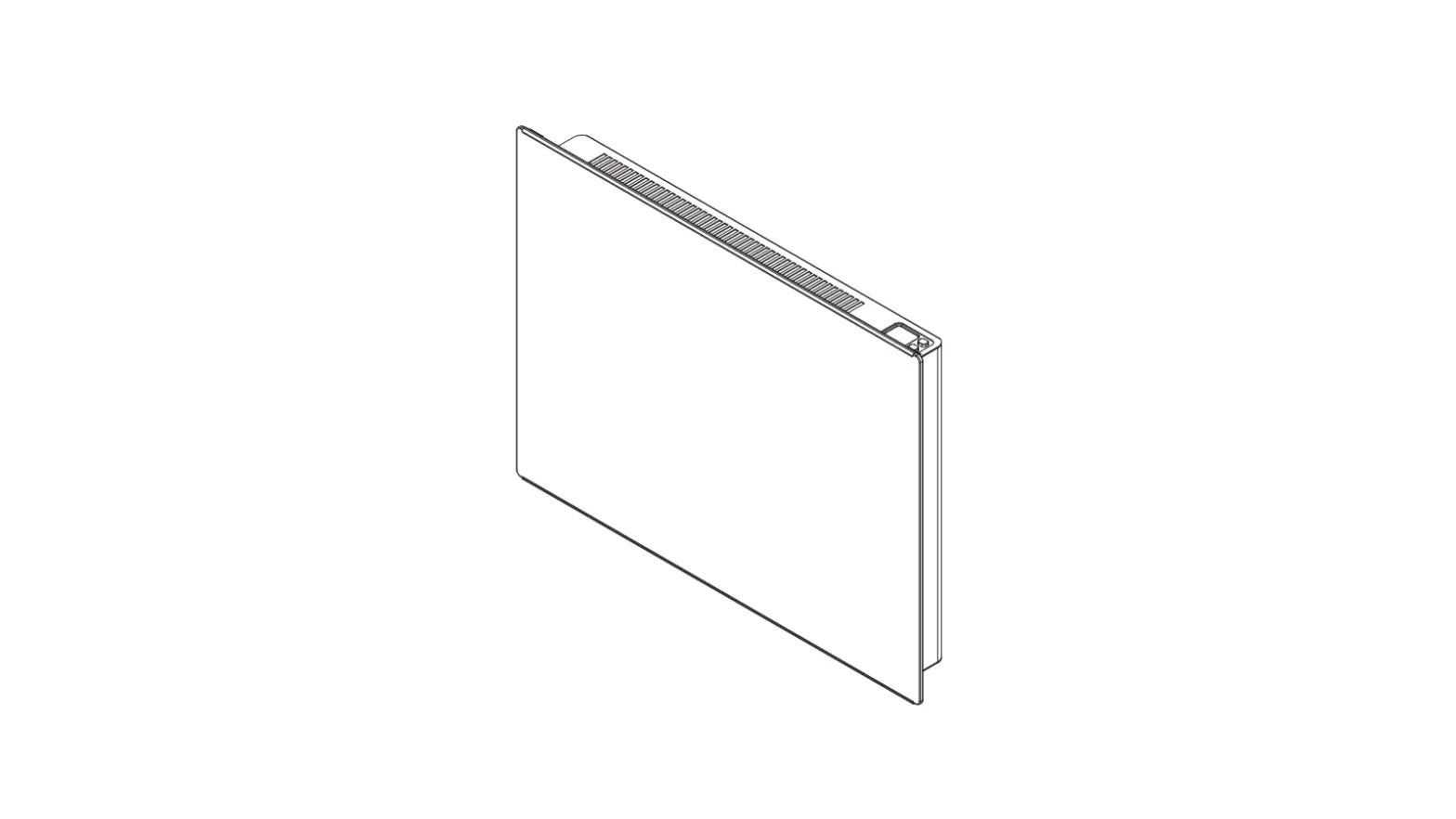
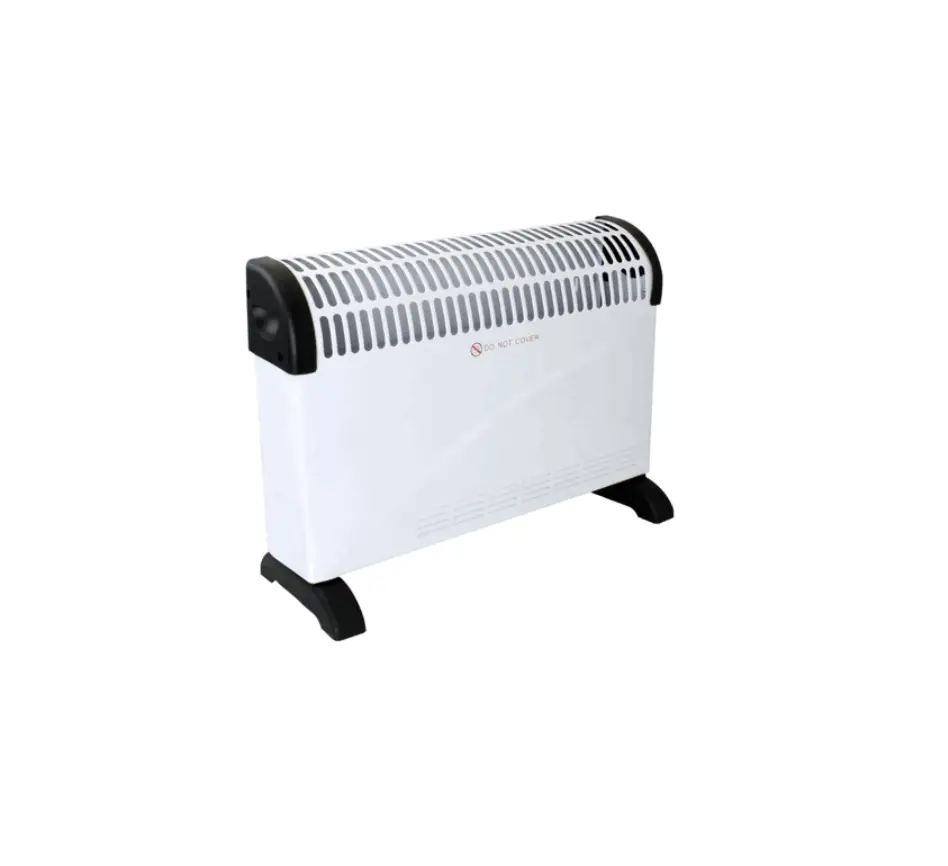
UACXX01 Glass Front Convector
Product Information
The Glass Front Convector is a heating unit manufactured by
UNIWATT, a product line of STELPRO. It is designed to provide
efficient heating for indoor spaces. The unit is compliant with CSA
standards and is suitable for use in various regions.
Important Instructions
- This product must be installed by a qualified person and
connected by a certified electrician, according to the electrical
and building codes in your region. - Ensure the appropriate circuit breaker or fuse is used to
protect the heating unit. - Check that the line voltage matches the voltage indicated on
the unit’s nameplate. - Turn off the power at the circuit breaker/fuse before
installing, repairing, or cleaning the unit. - Use the unit only for its intended purpose as described in the
manual. Do not use it outdoors. - Avoid installing the unit where objects or furniture could be
heat damaged. - Ensure the unit’s capacity is suitable for the size of the room
to prevent continuous operation and potential defects. - Follow the installation instructions regarding distances and
positions. - Modifying the unit will void its CSA certification and may
result in damage for which the installer or user will be
responsible. - Avoid contact with water sources and protect the unit from
splashes. Do not use it if any part has been immersed. - Take caution when mounting the unit to ensure the anchorage can
support its weight with the mounting brackets. - Avoid damaging electrical wiring and hidden utilities when
cutting or drilling into a wall. - Temporary odors and whitish smoke may occur when starting up
the unit for the first time or after a long period. - Handle the unit with care as it becomes hot during operation.
Avoid touching hot surfaces with bare skin. Allow the unit to cool
down before handling. - Keep children and invalids away from the heater when in use and
never leave it operating unattended. - Do not install the unit on a wall behind a door.
- Avoid blocking air vents to prevent damage to the heater and
the risk of electric shock, overheating, or fire.
GLASS FRONT CONVECTOR
REPLACEMENT COMPONENT LIST INCLUDED
UAC
USER’S GUIDE
This unit complies with CSA standards
UNIWATT is a line of products manufactured by STELPRO. For more information please contact customer service.
INSUAC0220
IMPORTANT INSTRUCTIONS
WARNING
Before installing and operating this product, the user and/or installer must read, understand and follow these instructions and keep them handy for future reference. If these instructions are not followed, the warranty will be considered null and void and the manufacturer deems no further responsibility for this product.
This product must be installed by a qualified person and connected by a certified electrician, according to the electrical and building codes effective in your region.
The following instructions must be adhered to in order to avoid personal injuries or property damages, serious injuries and potentially fatal electric shocks.
Protect the heating unit with the appropriate circuit breaker or fuse, in accordance with the nameplate.
Make sure the line voltage (volt) is consistent with that indicated on the unit’s nameplate.
Switch off the power at the circuit breaker/fuse before installing, repairing and cleaning the unit.
Make sure the unit is appropriate for the intended use (if needed, refer to the product catalog or a representative). Use this heater only as described in this manual. Any other use not recommended by the manufacturer may cause fire, electric shock, or injury to persons. Do not use outdoors.
RECOMMENDED HEATING CAPACITY: 1.25 W/cubic foot (0.03 m³)
It corresponds to 10 W/square foot (0.09 m²) based on a standard ceiling height of 8 feet (2.44 m). The recommended capacity is usually sufficient for normal heating needs. Please note that the insulation quality of walls and windows are some of the factors that influence heat losses, which modify the required capacity to heat a room. If needed, refer to a specialist who will be able to calculate these heat losses and optimize the required capacity or consult the “Online heating calculation” section of the Stelpro website (residential buildings). To heat a large room and to increase your comfort, it is recommended to install several units instead of one. For example, 2 X 1000 W rather than 1 X 2000 W.
Do not install the unit where objects or pieces of furniture could be heat damaged.
If the unit’s capacity is insufficient for the size of the room, it will be in operation continuously, and may become defective earlier and turn yellow.
Respect distances and positions indicated in the installation section.
If the installer or user modifies the unit, they will be held responsible for any damage resulting from this modification, and the CSA certification could be void.
This unit must not come into contact with a water source and must be protected from splashes (e.g. a wet mop). Do not use it if any part has been immersed. Moreover, do not turn it on or off when standing in water or if your hands are wet.
When mounting the unit, make sure that the anchorage used can support the total weight of the unit with the mounting brackets.
When cutting or drilling into a wall, do not damage electrical wiring and other hidden utilities.
When starting up the unit for the first time or after a long period, it is normal that it produces some temporary odours and whitish smoke.
Because this unit is hot when in use, it may pose risks even in normal operation. Therefore, be careful and responsible when using it. To avoid burns, do not let bare skin touch hot surfaces. Let the unit cool down for a few minutes before handling it (it stays warm for some time after shut-down). Extreme caution is necessary when any heater is used by or near children or invalids and whenever the heater is left operating and unattended.
The bottom of this unit must be installed at least 4 inches (10.2 cm) from the floor and 6 inches (15.2 cm) from any adjacent surfaces (and PVC windows). However, make sure objects or pieces of furniture such as, but not limited to, blankets, towels, beds, laundry baskets, clothing, papers, etc. do not come into contact with the unit and keep them at least 12 inches (30.5 cm) from the unit since they are more flammable than walls and floors. Failure to comply with this warning could lead to a fire. Some materials are more heat-sensitive than others, so make sure those near the unit can withstand heat.
Do not install on a wall behind a door.
Never block air vents (with objects or other items). You risk damaging the heater and the obstruction could lead to electric shock or overheating, which could result in a fire.
Do not insert or allow foreign objects to enter any air vent as this may cause electric shocks, a fire or damages to the unit.
This unit has hot and arcing or sparking parts inside. It is not designed to be used or stored in wet areas or areas containing flammable liquids, combustible materials or corrosive, abrasive, chemical, explosive and flammable substances such as, but not limited to, gasoline, paint, chlorine, sawdust and cleaning products.
Some areas are dustier than others. Thus, it is the user’s responsibility to evaluate if the unit must be cleaned based on the amount of dirt accumulated on and inside air vents. Accumulated dirt can lead to a component malfunction or give a yellowish colour to unit. Failure to install and maintain unit in accordance with these instructions poses a fire hasard.
Thermal protection activation indicates that the unit has been subjected to abnormal operating conditions. If the thermal protection remains activated or activates and deactivates repeatedly, it is recommended that a qualified electrician or a certified repair centre examine the unit in order to make sure it is not damaged. (Refer to the limited warranty.)
Before unplugging the unit, all controls must be in the “OFF” position and the current from the main breaker panel should be cut. (The general switch may be used also, if included.)
If the unit is damaged or defective (the glass front panel is broken, for example), discontinue use, cut off power supply at circuit breaker and contact a certified electrician or certified repair centre. (Refer to the limited warranty)
SAVE THESE INSTRUCTIONS
Note: When a part of the product specification must be changed to improve operability or other functions, priority is given to the product specification itself. In such instances, the instruction manual may not entirely match all the functions of the actual product. Therefore, the actual product and packaging, as well as the name and illustration, may differ from the manual.
2
INSUAC0220
TECHNICAL DRAWINGS AND SPECIFICATIONS
TECHNICAL DRAWINGS
1 3/16″ 30mm
18 1/16″ 458mm
TOP
LENGTH
1 15/16″ 49mm
1/4″ 7mm KO 7/8″ 22mm
1 5/16″ 34mm
3 9/16″ 91mm
3/4″ 19mm
10 15/16″ 278.2mm
4″ 102mm
MIN.
FRONT
SIDE
SPECIFICATIONS
BUILT-IN THERMOSTAT CODE
UAC1002W UAC1502* UAC2002W
WITHOUT THERMOSTAT CODE
UAC1002WCW UAC152WC* UAC2002WCW
* Add W for white or BK for black
POWER
WATTS 1000/750 1500/1125 2000/1500
VOLTAGE
VOLTS 240/208 240/208 240/208
MODEL WITH 120 V PLUG (RESIDENTIAL OUTLET)
BUILT-IN THERMOSTAT CODE
UAC1501PW
POWER WATTS
1500
VOLTAGE VOLTS 120
LENGTH
MM
IN.
610
24
762
30
914
36
LENGTH
MM
IN.
762
30
WEIGHT
KG
LB
6.4
14.2
7.9
17.5
9.3
20.5
WEIGHT
KG
LB
7.9
17.5
3
INSUAC0220
INSTALLATION
INSTALLATION
CUT OFF POWER SUPPLY AT CIRCUIT BREAKER/FUSE BEFORE PROCEEDING TO THE INSTALLATION.
– The bottom of this unit must be installed at least 4 inches (10.2 cm) from the floor and 6 inches (15.2 cm) from any adjacent surfaces (and PVC windows). However, make sure objects or pieces of furniture such as, but not limited to, blankets, towels, beds, laundry baskets, clothing, papers, etc. do not come into contact with the unit and keep them at least 12 inches (30.5 cm) from the unit since they are more flammable than walls and floors. Failure to comply with this warning could lead to a fire. Some materials are more heat-sensitive than others, so make sure those near the unit can withstand heat.
– Before operating the unit, make sure that both the air inlet (bottom) and air outlet (front) are free from obstruction.
INSTALLATION OF THE WALL RACK
1. Remove the unit from the wall rack’s hooks. 2. Put the bracket on the floor, on the wall where the appliance is installed and draw a temporary line under the horizontal line of the bracket
using a pencil. (FIG. 1) 3. Align bottom of wall bracket with the temporary line drawn in the previous step. (FIG. 2) 4. Make marks with a pencil to identify the four areas where you will screw the bracket. 5. Secure the bracket to the wall making sure it is level. When drilling the wall, make sure not to damage electrical wiring and other hidden
utilities. N.B. The wall where you install the device must be straight so that the bracket is perfectly level, without any pressure. It is very important to follow this directive to prevent damaging the bracket during the installation. This could cause malfunction of the interlock system.
HANGING THE UNIT ON THE WALL BRACKET
1. Insert the lower hooks of the wall bracket in the device. (FIG. 3) 2. Tilt the top of the unit and snap it. (FIG. 4) 3. Push the unit to secure it. (FIG. 5) 4. The unit must be mounted at least 4 inches (10.2 cm) from the floor.
(FIG. 6)
REMOVING THE UNIT FROM THE WALL RACK
1. Using a screwdriver, press on each clip. (FIG. 7) 2. Pull the upper part of the unit toward you to disengage the hooks. 3. Pull the unit off the lower hooks
DRAW LINE IN PENCIL HERE FLOOR
FIG. 1
LINE DRAWN IN PENCIL
FLOOR
FIG. 2
# #
#
FIG. 3
FIG. 4
FIG. 5
4″ MIN. 102mm
FIG. 6
4
FIG. 7
INSUAC0220
ELECTRICAL CONNECTION & OPERATION
ELECTRICAL CONNECTION
STANDARD MODELS (À RACCORDEMENT FIXE)
THIS PRODUCT MUST BE CONNECTED BY A QUALIFIED ELECTRICIAN, ACCORDING TO THE ELECTRICAL AND BUILDING CODES EFFECTIVE IN YOUR REGION.
This unit must be connected by a certified electrician. Connect the bare wire (ground) to the green wire. Connect wires from the electric box to the unit’s supply leads.
Connector (marette)
L1
Electric box
L2
Unit
MODELS WITH 120 V PLUG (RESIDENTIAL OUTLET)
THIS UNIT IS EQUIPPED WITH A THREE-WIRE GROUNDING TYPE AC PLUG:
– For safety reasons, the plug can only be inserted into an outlet with grounding. If you are unable to insert the plug into the outlet, contact your electrician to have a suitable receptacle installed. Do not condemn the ground prong of the plug.
– This heater must be plugged into a dedicated 120 V circuit. The addition of other electrical appliances on this circuit may trip the circuit breaker.
– Plug the cord of the heater directly into the wall outlet (do not use an extension cord).
Green wire
OPERATION
This unit was designed to be used with an electronic built-in or wall thermostat.
WITH A BUILT-IN ELECTRONIC THERMOSTAT
TEMPERATURE CONTROL AND DISPLAY
The thermostat has two modes: the DAY mode, identified on the digital screen by a SUN icon and the NIGHT mode, identified by a MOON icon. To switch from one mode to the other, simultaneously press down both buttons once.
N.B. When you select the NIGHT mode, the thermostat will respond accordingly for the duration of the time preprogrammed for this mode (see “Selection of the Duration of the NIGHT Mode”). When the preprogrammed time has passed, the thermostat will automatically return to the DAY mode.
THE NORMAL DISPLAY WILL CONTINUOUSLY INDICATE: – the current mode icon ( or ); – the ANTIFREEZE mode icon ( ), (if applicable, see “Antifreeze Protection”); – the LOCK icon ( ), (if applicable, see “Lock option”); – the automatic mode icon ( ), (if applicable, see “Automatic Mode”); – the ambient temperature of the room; – the selected temperature scale (°C or °F).
BUTTON FUNCTIONS
BUTTONS ONE (1) BUTTON TWO (2) BUTTONS, SIMULTANEOUSLY TWO (2) BUTTONS, SIMULTANEOUSLY FOR 3 SECONDS TWO (2) BUTTONS, SIMULTANEOUSLY FOR 8 SECONDS TWO (2) BUTTONS, SIMULTANEOUSLY FOR 13 SECONDS
IN DAY MODE TO SET THE DESIRED TEMPERATURE TO SWITCH TO NIGHT MODE FOR A PRE-DETERMINED TIME TO ACTIVATE OR DEACTIVATE THE BACKLIGHT TO CHANGE THE TEMPERATURE SCALE (°C OR °F)
TO ACTIVATE THE LOCK OPTION
IN NIGHT MODE TO SET THE DESIRED TEMPERATURE
TO SWITCH BACK TO DAY MODE TO SELECT THE DURATION OF THE NIGHT MODE
N/A N/A
5
INSUAC0220
OPERATION
DAY MODE
NIGHT MODE
HOW TO SET THE DAY TEMPERATURE
By pressing down the top or bottom button, you will enter the setting mode indicated by the flashing SUN icon. This way, you can see the DAY temperature setting.
You can change the temperature with these same buttons by increasing (top button) or decreasing (bottom button) the set point. The temperature set point will increase or decrease by increments of 0.5 °C (or 1 °F) each time you press down a button. If you hold down the button, the temperature will quickly scroll through, allowing a faster and more efficient setting.
Once the temperature is set, release the button; normal display will resume after three (3) seconds.
HOW TO SET THE NIGHT TEMPERATURE
By pressing down the top or bottom button, you will enter the setting mode indicated by the flashing MOON icon. This way, you can see the NIGHT temperature setting.
You can change the temperature with these same buttons by increasing (HIGH button) or decreasing (LOW button) the set point. The temperature set point will increase or decrease by increments of 0.5 °C (or 1 °F) each time you press a button. If you hold down the button, the temperature will quickly scroll through, allowing a faster and more efficient setting.
Once the temperature is set, release the button; normal display will resume after three (3) seconds.
NIGHT LIGHT MODE
Normally, the backlight is activated when you press down the button, and stays on for fifteen (15) seconds afterwards. To keep the backlight on, simultaneously press down both buttons for 3 seconds (until the backlight blinks), then release. Repeat this procedure to deactivate the night light mode.
SELECTION OF THE TEMPERATURE SCALE
To change the temperature scale (°C or °F), simultaneously press down both buttons for eight (8) seconds, the °C or °F symbol will blink. Release the buttons to set the new scale (note that the backlight will blink after 3 seconds).
LOCK OPTION
It is possible to impose a maximum temperature set point by activating this mode. Then, it becomes impossible to exceed this set point, regardless of the current mode (DAY/NIGHT). However, it is still possible to lower the temperature at your discretion. All the other functions remain unchanged. For increased security, the power supply needs to be cut off in order to deactivate the lock.
LOCKING PROCEDURE
1. From the DAY mode, adjust the set point to the maximum desired value.
2. Simultaneously press down both buttons for more than 13 seconds, until the LOCK icon is displayed (note that the backlight will blink after 3 seconds and the °C and °F symbols, after 8 seconds).
3. Release the buttons. The thermostat is now locked.
UNLOCKING PROCEDURE
1. Cut off the power supply of the thermostat at the electrical panel.
2. Wait about 1 minute.
3. Restore the power supply of the thermostat at the electrical panel.
4. The LOCK icon blinks on the thermostat display, meaning that it is possible to unlock the thermostat.
5. While the LOCK icon is blinking, simultaneously press down both buttons for more than 10 seconds, until the LOCK icon disappears.
6. Release the arrows. The thermostat is now unlocked.
N.B. If the thermostat is not unlocked within 5 minutes after restoring the power supply, the LOCK icon will stop blinking and it will be impossible to unlock the thermostat without cutting off the power supply again.
SELECTION OF THE DURATION OF THE NIGHT MODE
By simultaneously pressing down both buttons for three (3) seconds, you will be able to program the desired duration of the NIGHT mode. You can decrease or increase the number of hours (1 to 999 hours). If you hold down the button, the hours will quickly scroll through allowing a faster setting. Normal display will resume three (3) seconds after releasing the button.
Therefore, you can regulate the unit according to your specific needs. For example, to save energy and increase comfort at night, you can set the number of hours so that the unit automatically switches to DAY mode when you awake (see “Automatic Mode”). Furthermore, if you are going away for some time and wish to save energy during your absence without having to come back to an uncomfortable room, simply indicate the number of hours you will be absent (1 day = 24 hours, 1 week = 168 hours). By setting the NIGHT mode this way before leaving, the temperature will automatically switch back to DAY mode upon your return, thus ensuring optimal comfort.
AUTOMATIC MODE
To activate or deactivate this mode, you must switch to the “Selection of the Duration of the NIGHT Mode”. The number of programmed hours must be 23 or less to activate the AUTOMATIC mode. To activate it, simultaneously press down both buttons for three (3) seconds. To deactivate this mode, simultaneously press down both buttons again for three (3) seconds. If the number of programmed hours is increased to more than 23, the AUTOMATIC mode will immediately be deactivated (if it was activated). The AUTOMATIC mode icon lights on or off as applicable.
If you do not press down any button for five (5) seconds, you exit the programming mode and return to the NIGHT mode, the programming of the NIGHT mode is re-initialized and the AUTOMATIC mode becomes effective (if it was activated). After 24 hours, the thermostat returns to the NIGHT mode automatically.
Then, the night programming is re-initialized and another 24 hours cycle starts. Even if the thermostat is in AUTOMATIC mode, you can switch from DAY mode to NIGHT mode at your discretion, it will not impact the 24 hours cycle or the automatic return of the NIGHT mode.
N.B. Activation of the OFF mode deactivates the AUTOMATIC mode.
When power is restored (after a power failure for example), the AUTOMATIC mode is deactivated. If it was activated before the powerdown, the AUTOMATIC mode icon blinks. Then, the thermostat will be in DAY mode. The blinking will cease as soon as you press down a button.
6
INSUAC0220
OPERATION, MAINTENANCE & TROUBLESHOOTING
PRECISE ELECTRONIC CONTROL
A chrono-proportional electronic thermostat controls this unit with a high degree of accuracy in order to minimize temperature differences and increase your comfort level. It allows very stable temperature and ensures uniform comfort. It also keeps the casing at a low temperature, making it more secure.
The chrono-proportional electronic thermostat entirely regulates the unit by increasing or decreasing the heating cycle percentage according to the selected temperature. Please note that the unit becomes warmer if the heating demand is higher and that it remains mildly warm when the demand is lower.
N.B. If the unit is set on high or if it is not functioning at all, the temperature gage of the thermostat sensor cannot take a precise reading. However, the reading becomes extremely precise once the heating level has stabilized. Therefore, uniform convection increases the precision of the thermostat.
In order to obtain a precise and optimal ambient temperature reading, the unit must operate on a regular basis, i.e. without significant temperature variation for at least an hour. (This amount of time increases if a temperature change of more than 4 degrees is requested. Add approximately 15 minutes for every degree above 4).
ANTIFREEZE PROTECTION
In order to protect your home against freezing and limit energy consumption during long absences, put the thermostat on ANTIFREEZE mode. To enter this mode, lower the day temperature to between 3°C and 5°C. A snowflake icon ( ) is displayed. This icon indicates that the economic and secure ANTIFREEZE mode is on.
THE OFF MODE
To turn the unit off, you must lower the day temperature to less than 3°C. The inscription “OFF” is displayed (note that there is still electrical current to the unit, meaning that there is a risk of electrical shock).
MAINTENANCE
Cut off power supply at circuit breaker/fuse and wait for the unit to cool down before cleaning. Use a soft rag for dusting. When cleaning, use only a damp rag and non-abrasive dish soap. Do not use abrasive or chemical cleaners because they may damage the finish. If the unit is used in a very dusty location, use a vacuum brush to remove dust and other foreign objects from the grilles. Note that cigarette smoke could yellow the discharge grill and that the best way to prevent it is to clean the unit on a regular basis. Do not remove the glass, clean only the air inlet and outlet.
N.B. There is an electrical current linked to the unit even if the thermostat is set to off. This means that there is a risk of electric shock as long as the unit is energized.
Do not use cleaning products identified with these symbols:
TROUBLESHOOTING
PROBLEM The unit does not work The unit runs continuously The enclosure is extremely hot
The desired room temperature cannot be reached
Overheating The unit cycles under control of the thermal protection (overheat indicator) The heater is on and the breaker trips
DEFECTIVE PART OR PART TO CHECK · Open circuit breaker or fuse · Thermal protection activated · Faulty connections
· Defective thermostat or wrong thermostat setting
· Defective thermal protection · Blocked air vents
· One or more defective elements · Defective thermostat or wrong thermosat setting · Voltage lower than indicated on the nameplate · Heat losses greater than the unit’s capacity
· Defective thermostat or wrong thermostat setting
· Blocked air vents
· Faulty connections · Voltage higher than that indicated on the nameplate
N.B. If you do not solve the problem after checking these points, cut off the power supply at the main electrical panel and contact our customer service (please refer to the LIMITED WARRANTY to obtain the phone numbers).
7
INSUAC0220
LIST OF REPLACEMENT COMPONENTS
REF. # 1 1 1 2 2 3 3 3 3 3
4 (option) 4 (option) – (option)
PART # V-UAC10W V-UAC15* V-UAC20W PROT-006 PROT-005 EUC0250-05-1 EUC0500-10-1 EUC0750-15-1 EUC0750-15-60 EUC1000-20-1
ST-214 ST-216 CD-013
DESCRIPTION GLASS UAC 1000W GLASS UAC 1500W GLASS UAC 2000W THERMAL PROTECTION 500W/1000W THERMAL PROTECTION 1500W/2000W ELEMENT 250W -120V ELEMENT 500W -120V ELEMENT 750W -120V ELEMENT 750W -60V ELEMENT 1000W -120V ELECTRONIC THERMOSTAT ELECTRONIC THERMOSTAT POWER CORD 120 V/15 A
* Add W for white or BK for black
4 1
3
2
WARRANTY LIMITED WARRANTY LIMITED WARRANTY LIMITED WARRANTY
LIMITED WARRANTY LIMITED WARRANTY LIMITED WARRANTY LIMITED
LIMITED WARRANTY LIMITED WARRANTY LIMITED WARRANTY
LIMITED WARRANTY LIMITED WARRANTY
This limited warranty is offered by Stelpro Design inc. (“Stelpro”) and applies to the following product made by Stelpro: UNIWATT UAC model. Please read this limited warranty carefully. Subject to the terms of this warranty, Stelpro warrants its products and their components against defects in workmanship and/or materials for the following periods from the date of purchase: 2 years. This warranty applies only to the original purchaser; it is nontransferable and cannot be extended.
CLAIM PROCEDURE
If at any time during the warranty period the unit becomes defective, you must cut off the power supply at the main electrical panel and contact 1) your installer or distributor, 2) your service center or 3) Stelpro’s customer service department. In all cases, you must have a copy of the invoice and provide the information written on the product nameplate. Stelpro reserves the right to examine or to ask one of its representatives to examine the product itself or any part of it before honoring the warranty. Stelpro reserves the right to replace the entire unit, refund its purchase price or repair a defective part. Please note that repairs made within the warranty period must be authorized in advance in writing by Stelpro and carried out by persons authorized by Stelpro.
Before returning a product to Stelpro, you must have a Stelpro authorization number (RMA). To obtain it, call the customer service department at: 1-800-363-3414 (electricians and distributors – French), 1-800-343-1022 (electricians and distributors – English), or 1-866-766-6020 (consumers). The authorization number must be clearly written on the parcel or it will be refused.
CONDITIONS, EXCLUSIONS AND DISCLAIMER OF LIABILITY
This warranty is exclusive and in lieu of all other representations and warranties (except of title), expressed or implied, and Stelpro expressly disclaims and excludes any implied warranty of merchantability or implied warranty of fitness for a particular purpose.
Stelpro’s liability with respect to products is limited as provided above. Stelpro shall not be subject to any other obligations or liabilities whatsoever, whether based on contract, tort or other theories of law, with respect to goods or services furnished by it, or any undertakings, acts or omissions relating thereto. Without limiting the generality of the foregoing, Stelpro expressly disclaims any liability for property or personal injury damages, penalties, special or punitive damages, damages for lost profits, loss of use of equipment, cost of capital, cost of substitute products, facilities or services, shutdowns, slowdowns, or for other types of economic loss or for claims of a dealer’s customers or any third party for such damages. Stelpro specifically disclaims all consequential, incidental and contingent damages whatsoever.
This warranty does not cover any damages or failures resulting from: 1) a faulty installation or improper storage; 2) an abusive or abnormal use, lack of maintenance, improper maintenance (other than that prescribed by Stelpro) or a use other than that for which the unit was designed; 3) a natural disaster or an event out of Stelpro’s control, including, but not limited to, hurricanes, tornadoes, earthquakes, terrorist attacks, wars, overvoltage, flooding, water damages, etc. This warranty does not cover any accidental or intentional losses or damages, nor does it cover damages caused by negligence of the user or owner of the product. Moreover, it does not cover the cost of disconnection, transport, and installation.
The warranty is limited to the repair or the replacement of the unit or the refund of its purchase price, at the discretion of Stelpro. Any parts replaced or repaired within the warranty period with the written authorization of Stelpro will be warranted for the remainder of the original warranty period. This warranty will be considered null and void and Stelpro will have the right to refuse any claims if products have been altered without the written authorization of Stelpro and if the nameplate numbers have been removed or modified. This warranty does not cover scratches, dents, corrosion or discoloration caused by excessive heat, chemical cleaning products and abrasive agents. It does not cover any damage that occurred during the shipping.
Some states and provinces do not allow the exclusion or limitation of incidental or consequential damages and some of them do not allow limitations on how long an implied warranty lasts, so these exclusions or limitations may not apply to you. This warranty gives you specific legal rights and you may have other rights which vary from state to state or from province to province.
LIMITED WARRANTY LIMITED WARRANTY LIMITED WARRANTY LIMITED WARRANTY LIMITED WARRANTY LIMITED
STELPRO DESIGN INC. | Saint-Bruno-de-Montarville | Quebec | J3V 6L7
8
INSUAC0220