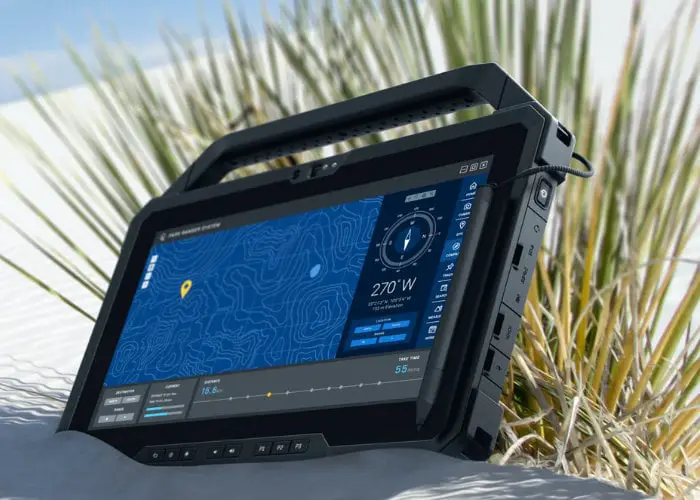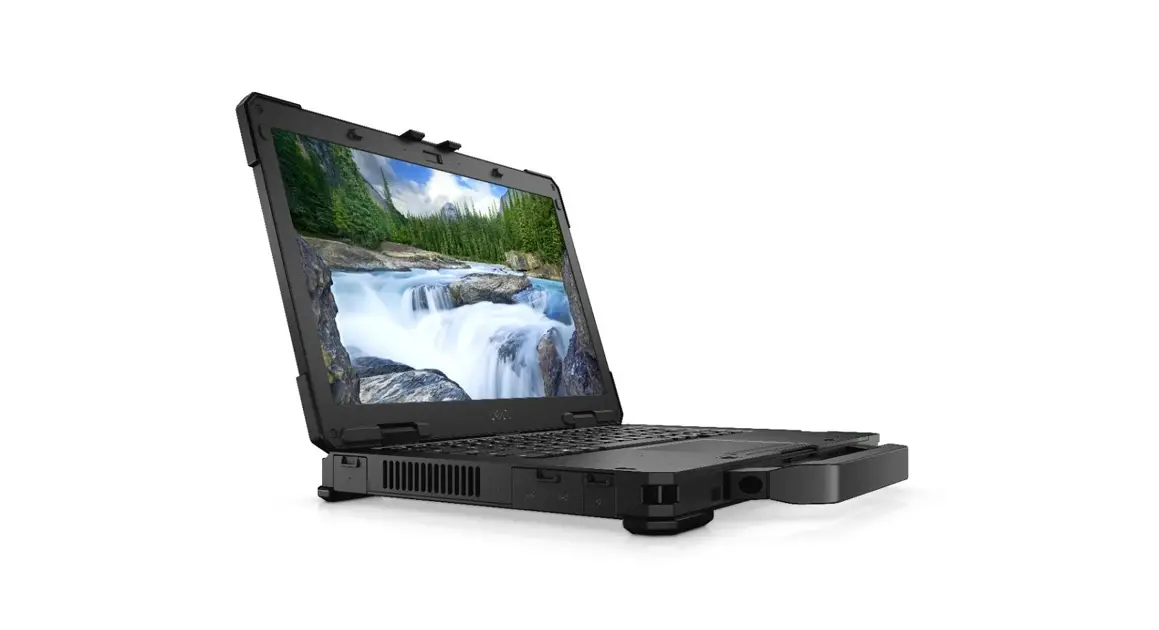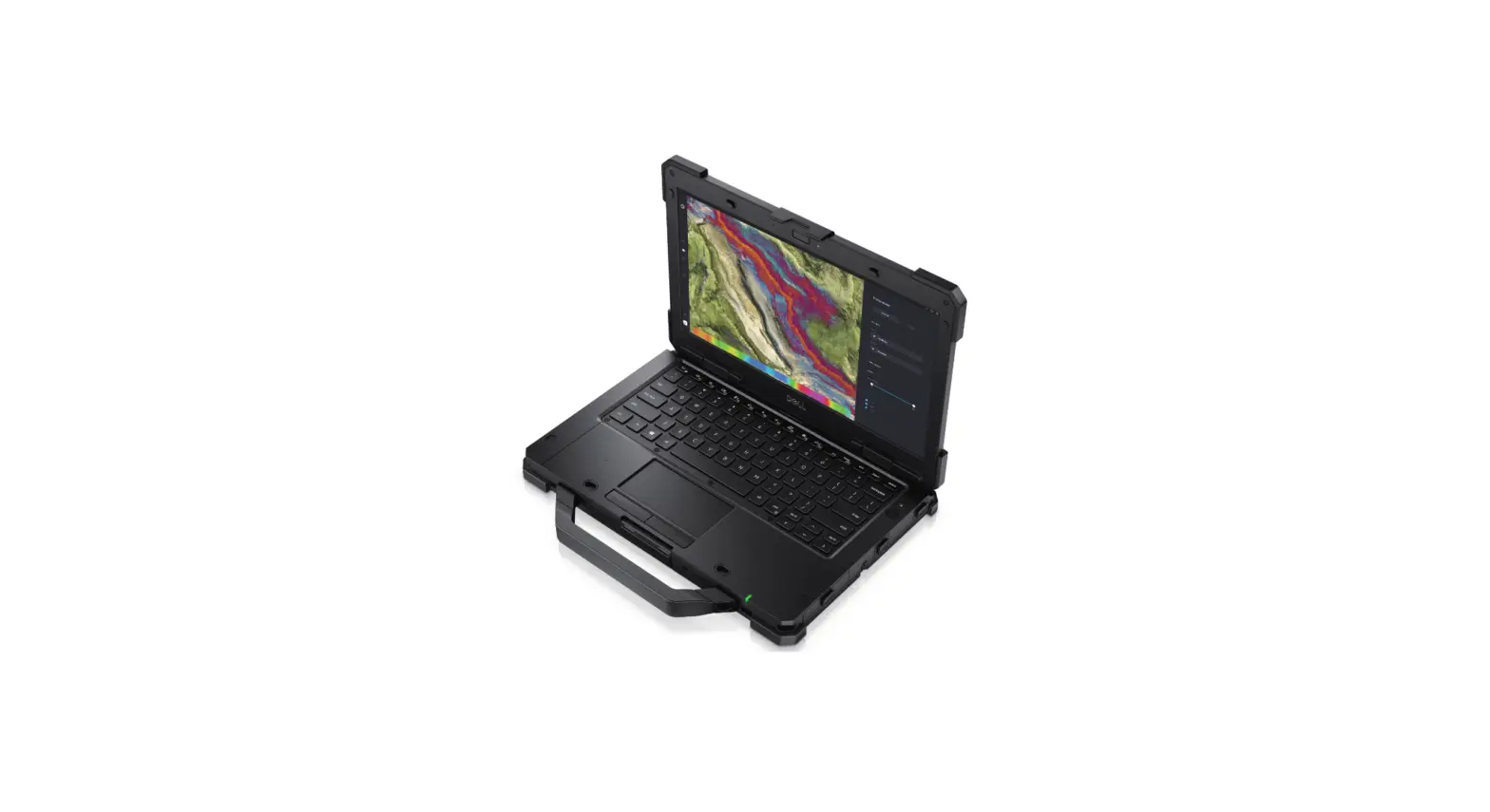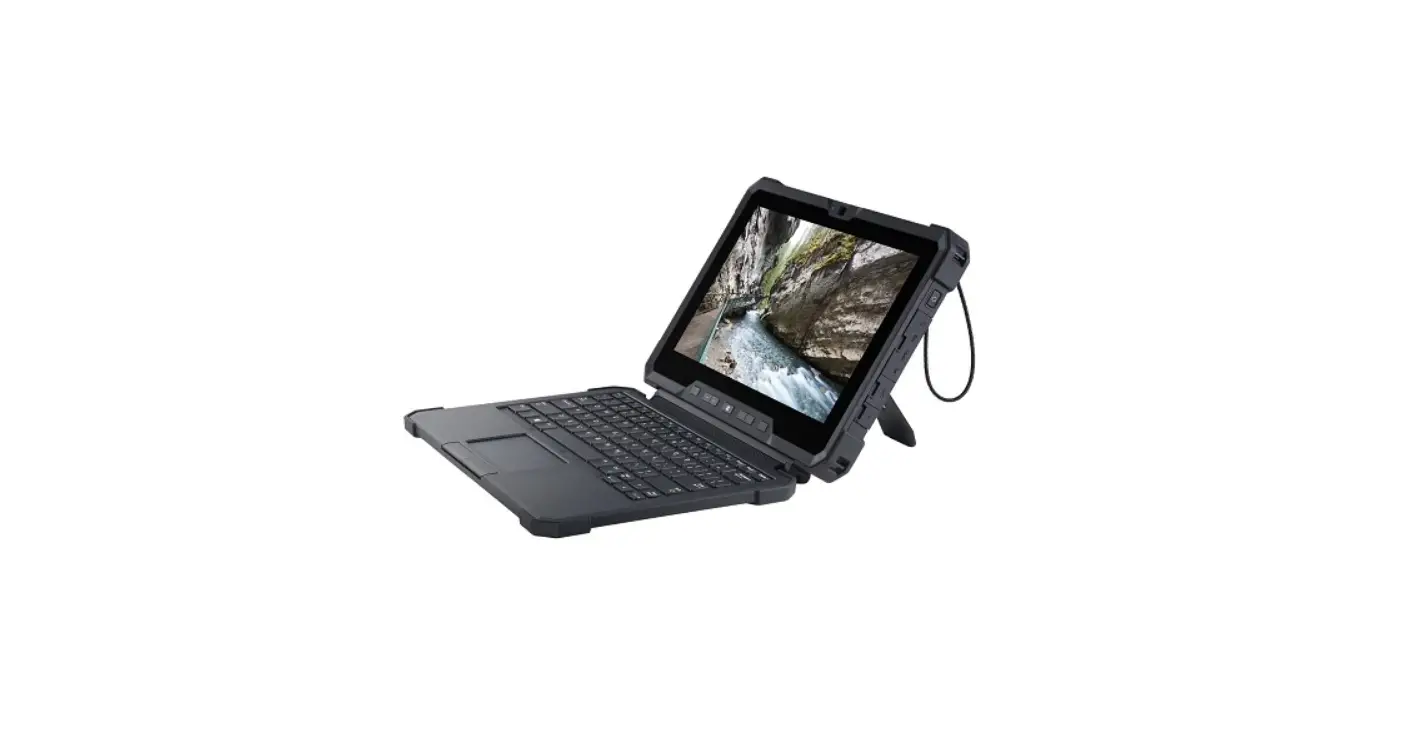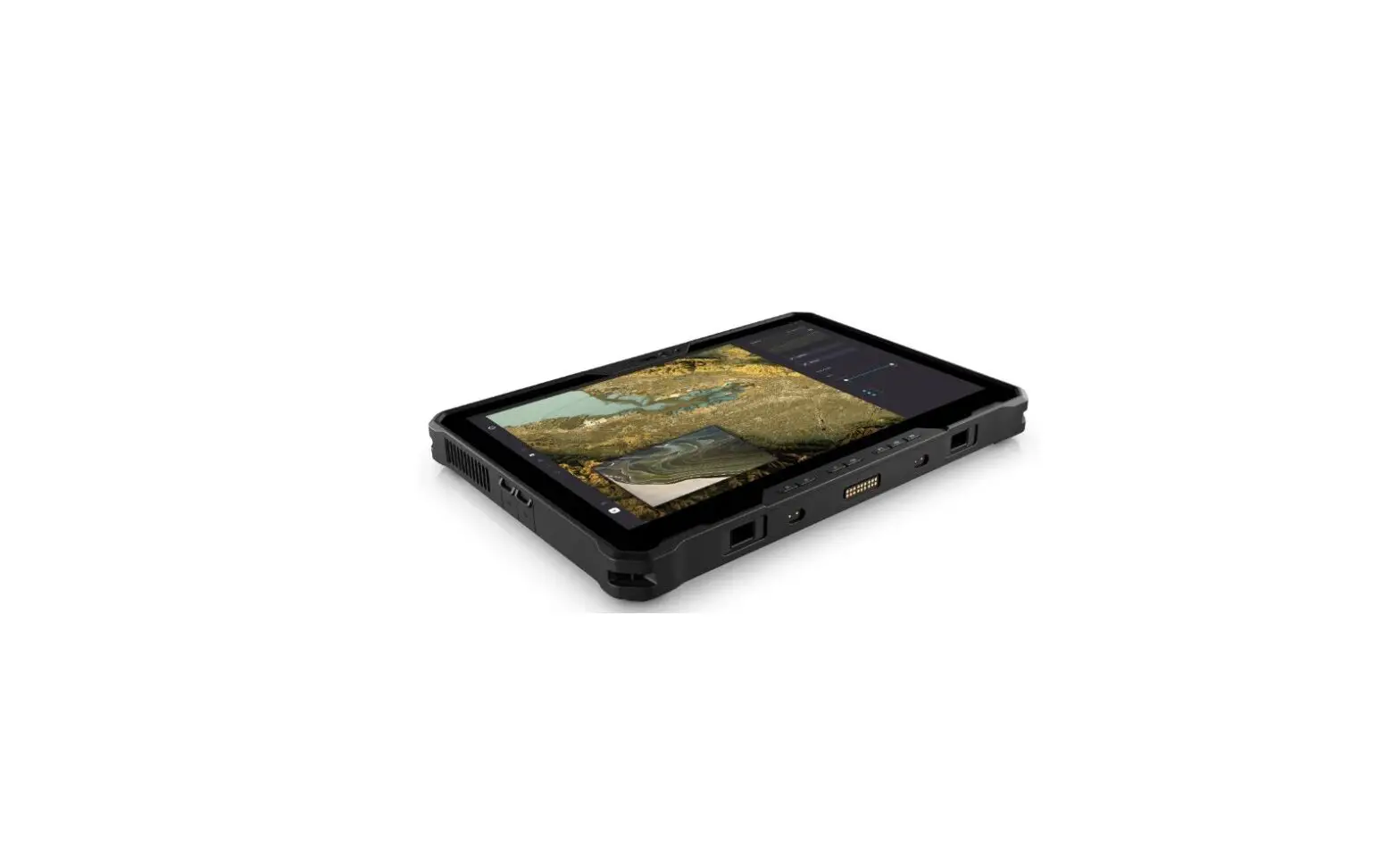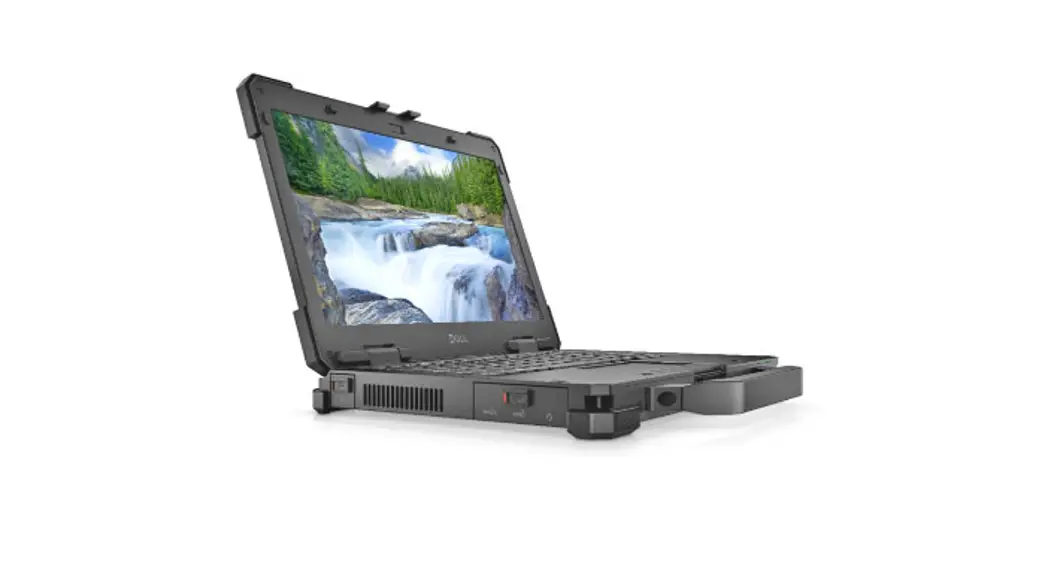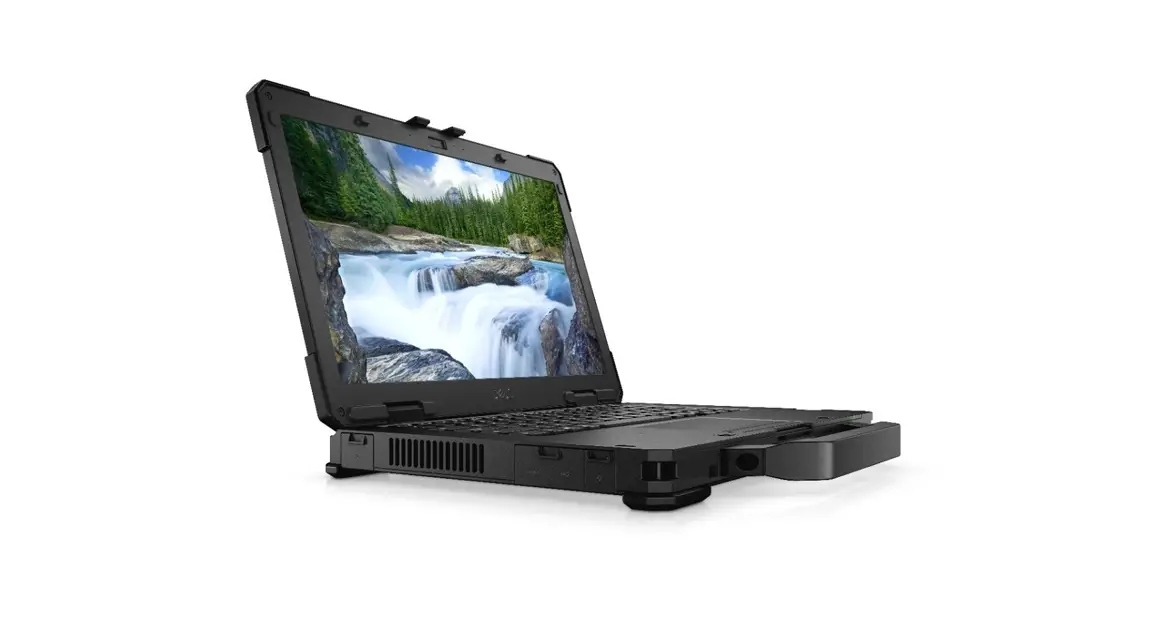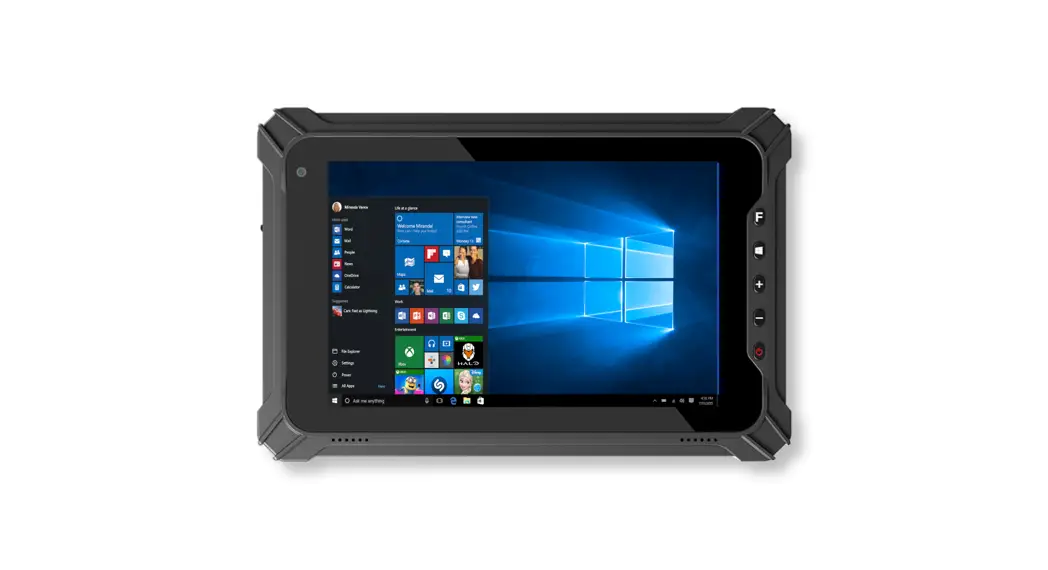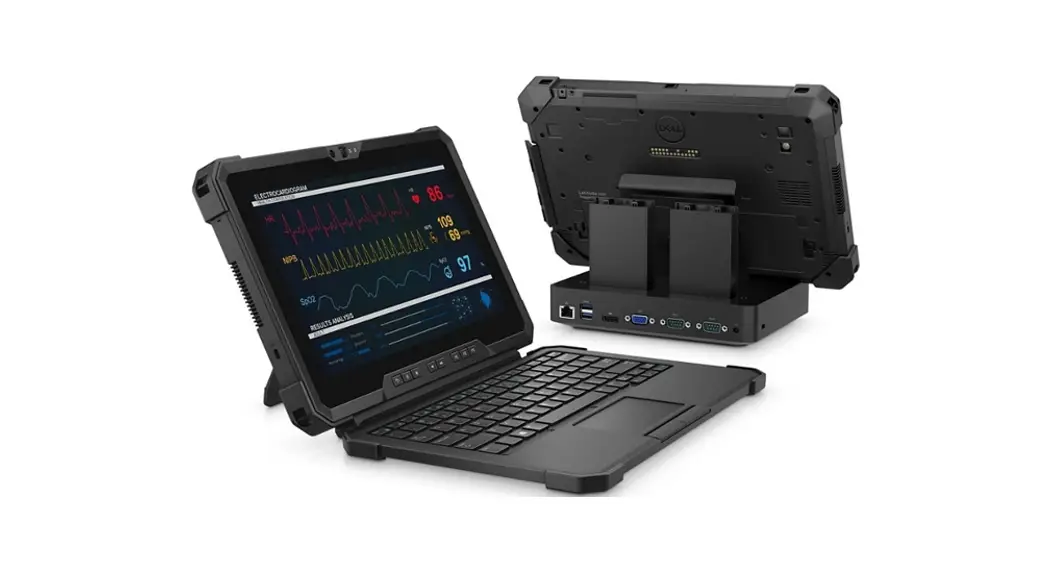
 Latitude 7220 Rugged Extreme Tablet
Setup and Specifications
User Guide
Latitude 7220 Rugged Extreme Tablet
Notes, cautions, and warnings NOTE: A NOTE indicates important information that helps you make better use of your product.
 CAUTION: A CAUTION indicates either potential damage to hardware or loss of data and tells you how to avoid the problem.
 WARNING: A WARNING indicates a potential for property damage, personal injury, or death.
© 2019-2022 Dell Inc. or its subsidiaries. All rights reserved. Dell Technologies, Dell, and other trademarks are trademarks of Dell Inc. or its subsidiaries. Other trademarks may be trademarks of their respective owners.
Set up your tablet
Steps
- Connect the power adapter, and press the power button.
 NOTE: To conserve battery power, the battery might enter power-saving mode.
- Finish Windows system setup.
Follow the on-screen instructions to complete the setup. When setting up, it is recommended that you:
● Connect to a network for Windows updates. NOTE: If connecting to a secured wireless network, enter the password for the wireless network access when prompted.
● If connected to the Internet, sign in with or create a Microsoft account. If not connected to the Internet, create an offline account.
● On the Support and Protection screen, enter your contact details. - Locate and use Dell apps from the Windows Start menu—Recommended.
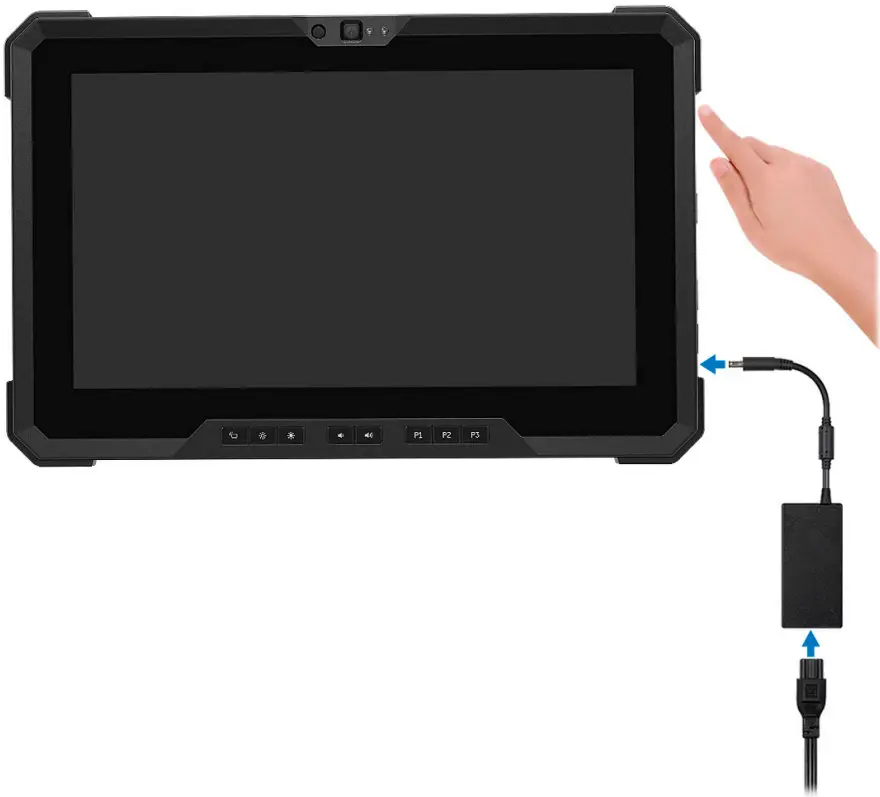
Table 1. Locate Dell apps
| Resources | Description |
 | Dell Product Registration Register your computer with Dell. |
 | Dell Help & Support Access help and support for your computer. |
 | My Dell Centralized location for key Dell applications, help articles, and other important information about your computer. It also notifies you about the warranty status, recommended accessories, and software updates if available. |
 | Support Assist Support Assist is the smart technology that keeps your computer running at its best by optimizing settings, detecting issues, removing viruses and notifies when you need to make system updates. Support Assist proactively checks the health of your system’s hardware and software. When an issue is detected, the necessary system state information is sent to Dell to begin troubleshooting. Support Assist is preinstalled on most of the Dell devices running Windows operating system. For more information, see Support Assist for Home PCs User’s Guide on www.dell.com/serviceabilitytools. NOTE: In Support Assist, click the warranty expiry date to renew or upgrade your warranty. |
 | Dell Update Updates your computer with critical fixes and latest device drivers as they become available. For more information about using Dell Update, see the knowledge base article 000149088 at www.dell.com/support. |
 | Dell Digital Delivery Download software applications, which are purchased but not pre-installed on your computer. For more information about using Dell Digital Delivery, see the knowledge base article 000129837 at www.dell.com/support. |
Chassis overview
Topics:
- Front view
- Left view
- Right view
- Back view
- Top view
- Bottom view
Front view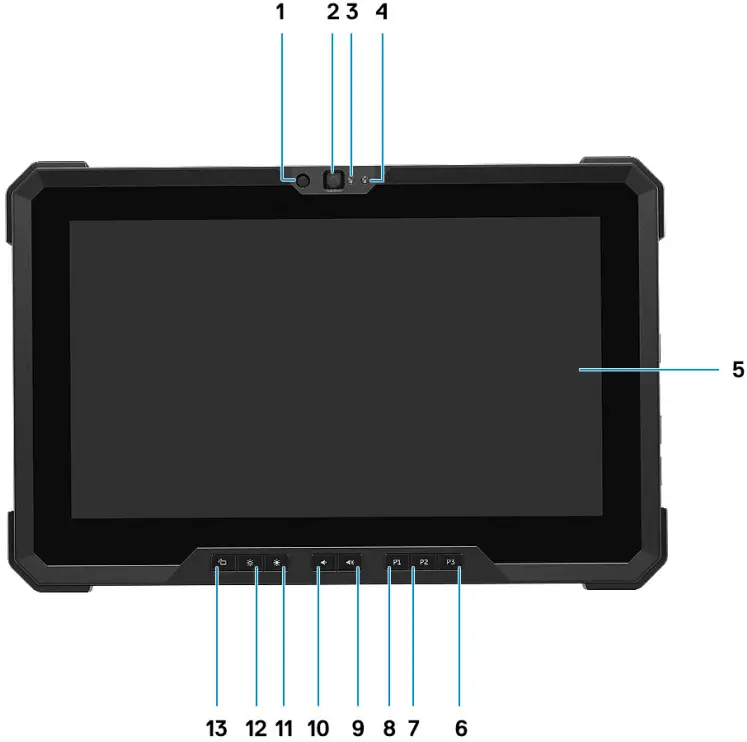
- IR emitter
- Camera
- Camera status light
- Ambient light sensor
- Display
- User programmable button 3
- User programmable button 2
- User programmable button 1
- Volume increase button
- Volume decrease button
- Brightness increase button
- Brightness decrease button
- Screen rotate lock button
Left view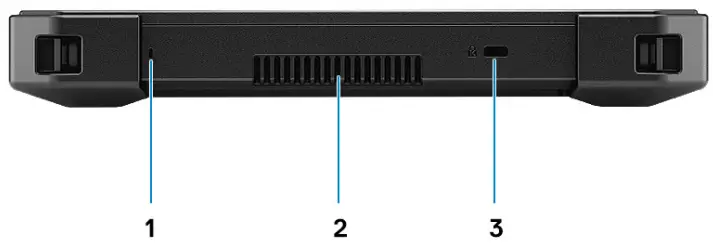
- Microphone
- Quad cool vent output
- Lock slot (T-bar)
Right view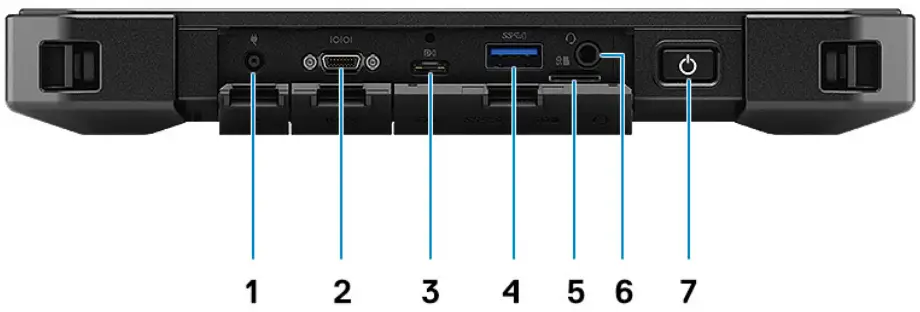
- Power connector port
- Mini serial RS-232 port
- USB Type-C DisplayPort Alt mode/USB 3.2 Gen2/Power Delivery
- USB 3.2 Gen1 Type-A with Power Share
- Micro SD-card slot
- Universal audio jack
- Power button/ LED status light
Back view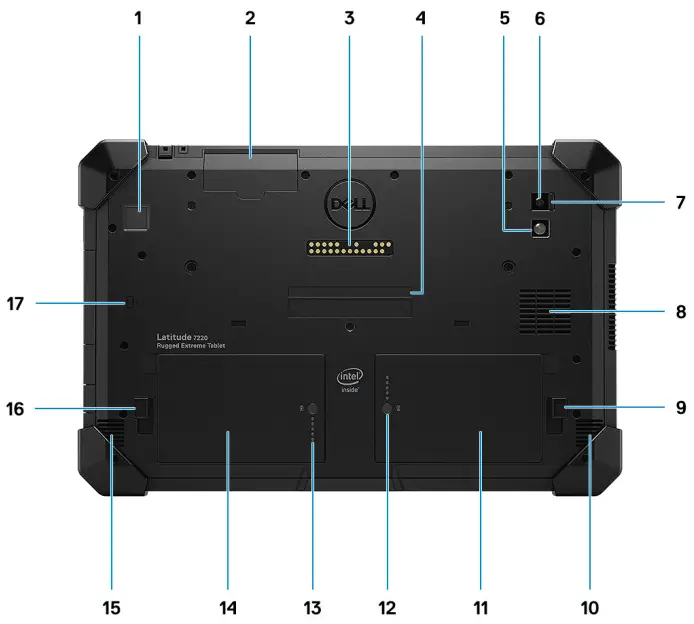
- Fingerprint reader (optional)
- Smart card reader slot
- OpExpansion module pogo connector
- Service tag and Express service code label
- LED flash
- Rear camera
- Rear camera shutter switch
- Quad cool intake vent
- Right battery release latch
- Speaker
- Right battery
- Right battery LED indicator
- Left battery LED indicator
- Left battery
- Speaker
- Left battery release latch
- Contactless smart card reader (optional)
Top view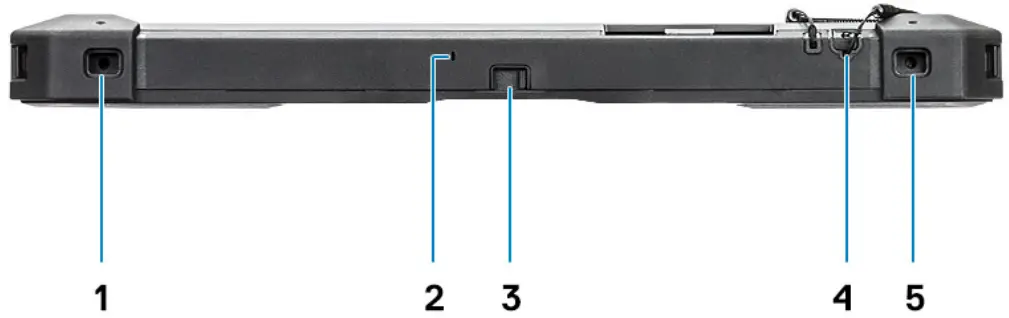
- Accessory connection point
- Microphone
- Camera shutter switch
- Stylus
- Accessory connection point
Bottom view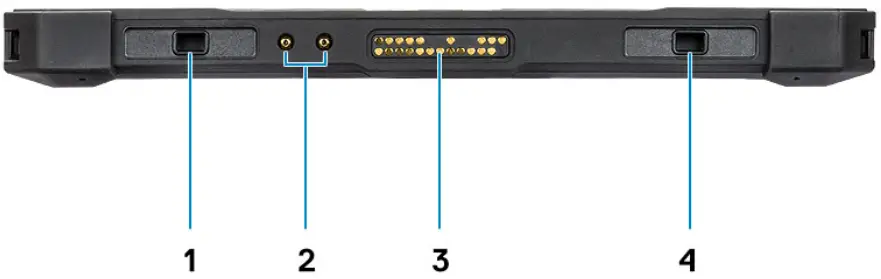
- Docking/Keyboard retention alignment feature
- Radio antennae pass-through connector
- Docking pogo connector NOTE: Used for docking a docking station or a rugged keyboard.
- Docking/Keyboard retention alignment feature
Technical specifications
NOTE: Offerings may vary by region. The following specifications are only those required by law to ship with your computer. For more information about the configuration of your computer, go to Help and Support in your Windows operating system and select the option to view information about your computer.
Topics:
- Processors
- Chipset
- Operating system
- Memory
- Storage
- Internal slots
- External ports
- Audio
- Video
- Camera
- Communications
- Media-card reader
- Power adapter
- Battery
- Dimensions and weight
- Display
- Fingerprint reader
- Security
- Data security
- Regulatory, Environmental Compliance and Trusted Platform Module (TPM)
- Computer environment
- Support policy
Processors
Table 2. Processors
| Processors | Wattage | Core count | Thread count | Speed | Cache | Integrated graphics |
| 8th Generation Intel Core i3-8145U | 15 W | 2 | 4 | 2.10 GHz to 3.90 GHz Turbo | 4 MB Smart Cache | Intel UHD Graphics 620 |
| 8th Generation Intel Core i5-8365U, vPro | 15 W | 4 | 8 | 1.60 GHz to 4.10 GHz Turbo | 6 MB Smart Cache | Intel UHD Graphics 620 |
| 8th Generation Intel Core i7-8665U, vPro | 15 W | 4 | 8 | 1.90 GHz to 4.80 GHz Turbo | 8 MB Smart Cache | Intel UHD Graphics 620 |
Chipset
Table 3. Chipset
| Description | Values |
| Chipset | Intel |
| Processor | Whiskey lake – 8th Gen Intel Core |
| DRAM bus width | Two channels, 64 bits |
| Flash EPROM | 32 MB |
| PCIe bus | Up to Gen 3 |
Operating system
Your Latitude 7220 Rugged Extreme Tablet supports the following operating systems:
- Windows 11 Pro, 64-bit
- Windows 10 Pro, 64-bit
Memory
Table 4. Memory specifications
| Description | Values |
| Slots | Two integrated on system board |
| Type | LPDDR3 |
| Speed | 2133 MHz |
| Maximum memory | 16 GB |
| Minimum memory | 8 GB |
| Configurations supported | ● 8 GB LPDDR3 at 2133 MHz ● 16 GB LPDDR3 at 2133 MHz |
Storage
Your tablet supports one M.2 2230/2280 slot for solid-state drive.
Table 5. Storage specifications
| Storage type | Interface type | Capacity |
| One M.2 2230 solid-state drive | PCIe Gen3 x4 NVMe, Class 35 SSD | 128 GB |
| One M.2 2280 solid-state drive | PCIe Gen3 x4 NVMe, Class 40 SSD | 256 GB to 2 TB |
| One M.2 2280 solid-state drive | PCIe Gen3 x4 NVMe, Class 40 Self Encrypting SSD | 256 GB to 1 TB |
Internal slots
The following table lists the internal slots of your Latitude 7220 Rugged Extreme Tablet.
Table 6. Internal slots
| Description | Values |
| M.2 | ● One M.2 2230 slot for solid-state drive 128 GB ● One M.2 2280 slot for solid-state drive 256 GB/512 GB/1 TB/2 TB NOTE: To learn more about the features of different types of M.2 cards, search in the Knowledge Base Resource at www.dell.com/support. |
External ports
The following table lists the external ports of your Latitude 7220 Rugged Extreme Tablet.
Table 7. External ports
| Description | Values |
| Network port | Ethernet connection available through optional Expansion Module or dock. |
| USB ports | ● One USB 3.2 Gen 2 Type-A with PowerShare ● One USB Type-C DisplayPort Alt Mode/USB3.2 Gen2/ Power Delivery |
| Audio port | One headset (headphone and microphone combo) port |
| Video port | Supported via dock or directly through USB Type-C DP Alt mode |
| Media-card reader | One micro SD-card slot |
| Power-adapter port | 4.5 mm barrel-type |
| Security-cable slot | Lock slot (T-bar) |
Audio
Table 8. Audio specifications
| Description | Values |
| Controller | Realtek ALC3254 |
| Stereo conversion | Supported |
| Internal interface | Intel high definition audio (HDA) |
| External interface | Universal Audio Jack |
| Speakers | 2 |
| Speaker Output Average | 2 W RMS |
Table 8. Audio specifications (continued)
| Description | Values |
| Speaker Output Peak | 2.5 W |
Video
Table 9. Integrated graphics specifications
Integrated graphics
| Controller | External display support | Memory size | Processor |
| Intel UHD 620 Graphics | USB Type-C DisplayPort | Shared system memory | 8th Generation Intel Core i3/i5/i7 |
Camera
Table 10. Camera specifications
| Description | Values | |
| Number of cameras | Two | |
| Type | ● Front Camera – 5 MP, RGBlr camera with Windows Hello feature ● Rear Camera – 8 MP, RGB camera with Auto Focus and Flash LED | |
| Location | ● Front Camera – 5 MP ● Rear Camera – 8 MP | |
| Sensor type | CMOS sensor technology | |
| Camera | ||
| Still image | ● Front Camera – 5.03 megapixels ● Rear Camera – 7.99 megapixels | |
| Video | ● Front Camera – 2592 x 1944 (5 MP) at 30 fps ● Rear Camera – 3264 x 2448 (8 MP) at 15 fps | |
| Diagonal viewing angle | ||
| Camera | ● Front Camera – 88.9° ● Rear Camera – 77.3° | |
Communications
Wireless module
Table 11. Wireless module specifications
| Description | Values | |||
| Model number | Intel Wireless-AC 9560, 2 x2, 802.11ac with Bluetooth 5.1 | Intel Wi-Fi 6 AX200, 2 x 2, 802.11ax with MU-MIMO, without Bluetooth | Intel Wi-Fi 6 AX200, 2 x 2, 802.11ax with MU- MIMO, Bluetooth 5.2 | DW5821E Snapdragon X20 4G/LTE Wireless WAN card |
| Transfer rate | Up to 1.73 Gbps | Up to 2.40 Gbps | Up to 2.40 Gbps | Up to 1.2 Gbps |
| Frequency bands supported | 2.4 GHz/5 GHz | 2.4 GHz/5 GHz | 2.4 GHz/5 GHz | 5 x 20 MHz |
| Wireless standards | ● Wi-Fi 802.11a/b/g ● Wi-Fi 4 (Wi-Fi 802.11n) ● Wi-Fi 5 (Wi-Fi 802.11ac) | ● Wi-Fi 802.11a/b/g ● Wi-Fi 4 (Wi-Fi 802.11n) ● Wi-Fi 5 (Wi-Fi 802.11ac) ● Wi-Fi 6 (Wi-Fi 802.11ax) | ● Wi-Fi 802.11a/b/g ● Wi-Fi 4 (Wi-Fi 802.11n) ● Wi-Fi 5 (Wi-Fi 802.11ac) ● Wi-Fi 6 (Wi-Fi 802.11ax) | ● LTE FDD/TDD ● WCDMA/HSPA+ ● GPS/GLONASS/Beidou/ Galileo |
| Encryption | ● 64-bit and 128-bit WEP ● AES-CCMP ● TKIP | ● 64-bit and 128-bit WEP ● AES-CCMP ● TKIP | ● 64-bit and 128-bit WEP ● AES-CCMP ● TKIP | NA |
| Bluetooth | Bluetooth 5.1 | Not supported | Bluetooth 5.2 | NA |
GPS and RF antenna passthrough
This section provides the GPS passthrough and RF antenna passthrough information for the Dell Latitude 7220 Rugged Extreme Tablet.
Table 12. GPS and RF Antenna passthrough (WLAN)
| For WLAN Main Antenna | |||||||
| Frequency (MHz) | Switch Circuit Loss (dB) | Jump Cable Loss (dB) 51 mm, 1.37LL | Total Loss (dB) | ||||
| Non-ATEX (MU2) | ATEX (MU2) | Non-ATEX (DVT1) | Non-ATEX | ATEX | DVT1 | ||
| 2400~2500 | -1.18 | -0.60 | -0.85 | -0.24 | -1.42 | -0.84 | -1.09 |
| 5150~5850 | -1.91 | -1.31 | -1.37 | -0.35 | -2.26 | -1.66 | -1.72 |
Table 13. GPS and RF Antenna passthrough (LTE)
| For LTE Main Antenna | |||||||
| Frequency (MHz) | Switch Circuit Loss (dB) | Jump Cable Loss (dB) 51 mm, 1.37LL | Total Loss (dB) | ||||
| Non-ATEX (MU2) | ATEX (MU2) | Non-ATEX (DVT1) | Non-ATEX | ATEX | DVT1 | ||
| 600~1000 | -0.5 | -0.26 | -0.4 | -0.14 | -0.64 | -0.40 | -0.54 |
| 1700~1880 | -1.2 | -0.45 | -0.77 | -0.18 | -1.38 | -0.63 | -0.95 |
| 1880~2330 | -1.52 | -0.48 | -0.89 | -0.21 | -1.73 | -0.69 | -1.10 |
| 2330~2700 | -1.54 | -0.53 | -0.85 | -0.24 | -1.78 | -0.77 | -1.09 |
| 3300~3800 | -1.58 | -0.63 | -0.98 | -0.27 | -1.85 | -0.90 | -1.25 |
| 5150~5930 | -1.96 | -1.38 | -1.28 | -0.35 | -2.31 | -1.73 | -1.63 |
Media-card reader
Table 14. Media-card reader specifications
| Description | Values |
| Type | Micro SD-card slot |
| Cards supported | ● Micro Secure Digital (mSD) ● Micro Secure Digital High Capacity (mSDHC) ● Micro Secure Digital Extended Capacity (mSDXC) |
Power adapter
Table 15. Power adapter specifications
| Description | Values | |
| Type | E4 45 W | E5 90 W |
| Input voltage | 100 VAC x 240 VAC | 100 VAC – 240 VAC |
| Input frequency | 50 Hz x 60 Hz | 50 Hz – 60 Hz |
| Input current (maximum) | 1.3 A | 1.56A |
| Output current (continuous) | 2.31 A (continuous) | 4.62 A (continuous) |
| Rated output voltage | 19.50 VDC | 19.50 VDC |
| Temperature range: | ||
| Operating | 0 °C – 40 °C (32 °F – 104 °F) | 0 °C – 40 °C (32 °F – 104 °F) |
| Storage | -40 °C – 70 °C (-40 °F – 158 °F) | -40 °C – 70 °C (-40 °F – 158 °F) |
Battery
Table 16. Battery specifications
| Description | Values | ||
| Type | 34 WHr, 2-Cell, Express Charge, user- replaceable | 34 WHr (LCL) | |
| Voltage | 7.6 VDC | 7.6 VDC | |
| Weight (maximum) | 220 g (0.48 lb) | 220 g (0.48 lb) | |
| Dimensions: | |||
| Height | 15.00 mm (0.59 in.) | 15.00 mm (0.59 in.) | |
| Width | 62.70 mm (2.46 in.) | 62.70 mm (2.46 in.) | |
| Depth | 103.60 mm (4.07 in.) | 103.60 mm (4.07 in.) | |
| Temperature range: | |||
| Operating | 0 °C – 60 °C (32 °F – 140 °F) | 0 °C – 60 °C (32 °F – 140 °F) | |
| Storage | -20 °C – 65 °C (-4 °F – 149 °F) | -20 °C – 65 °C (-4 °F – 149 °F) | |
| Operating time | Varies depending on operating conditions and can significantly reduce under certain power-intensive conditions. | Varies depending on operating conditions and can significantly reduce under certain power-intensive conditions. | |
| Charging time (approximate) | ● 0 °C – 15 °C: 0-100% RSOC within 4 hours ● 15 °C – 45 °C: 0-100% RSOC within 2 hours ● 46 °C – 50 °C: 0-100% RSOC within 3 hours | ● 0 °C – 15 °C: 0-100% RSOC within 4 hours ● 15 °C – 45 °C: 0-100% RSOC within 2 hours ● 46 °C – 50 °C: 0-100% RSOC within 3 hours | |
| Life span (approximate) | 300 discharge/charge cycles | 300 discharge/charge cycles | |
| Coin-cell battery | CR2032 | CR2032 | |
| Operating time | Varies depending on operating conditions and can significantly reduce under certain power-intensive conditions. | Varies depending on operating conditions and can significantly reduce under certain power-intensive conditions. | |
Dimensions and weight
Table 17. Dimensions and weight
| Description | Values |
| Height: | |
| Front | 203 mm (7.99 in.) |
| Rear | 209 mm (8.23 in.) |
| Width | ● with bumpers: 318.2 (12.52 in.) ● without bumpers: 312.20 mm |
| Depth | ● with bumpers: 27.7 mm (1.09 in.) ● without bumpers: 24.7 mm (0.97 in.) |
| Starting weight | 1.31 kg (2.9 lb) NOTE: The weight of your tablet depends on the configuration ordered and the manufacturing variability. |
Display
Table 18. Display specifications
| Description | Values | |
| Type | Full High Definition (FHD) | |
| Panel technology | Wide View Angle (WVA) | |
| Luminance (typical) | 1000 nits outdoor readable | |
| Dimensions (active area): | ||
| Height | 256.32 mm (10.09 in.) | |
| Width | 144.18 mm (5.67 in.) | |
| Diagonal | 294.64 mm (11.6 in.) | |
| Native resolution | 1920 x 1080 | |
| Megapixels | 16.7 million | |
| Color gamut | 72% NTSC | |
| Pixels Per Inch (PPI) | 190 | |
| Contrast ratio (min) | 1500 : 1 (Typ) | |
| Response time (max) | 40 ms (max) | |
| Refresh rate | 60 Hz | |
| Horizontal view angle | 89 degrees | |
| Vertical view angle | 89 degrees | |
| Pixel pitch | 0.1335 mm x 0.1335 mm | |
| Power consumption (maximum) | 8.02 W | |
| Anti-glare vs glossy finish | Anti-glare, Anti-smudge | |
| Touch options | Yes, Glove-capable touchscreen with 10-point touch support | |
| Glass | Gorilla Glass 3 | |
Fingerprint reader
Table 19. Fingerprint reader specifications
| Description | Values |
| Sensor technology | Trans-capacitive sensing |
| Sensor resolution | 363 dpi |
| Sensor area | 7.42 mm x 5.95 mm |
| Sensor pixel size | 70 um x 70 um |
Security
Table 20. Security
| Features | Specifications |
| Trusted Platform Module (TPM) 2.0 | Integrated on system board |
| Fingerprint reader | Optional |
| Contacted Smartcard reader | Optional |
| Contactless Smartcard reader | Optional |
| Lock slot (T-bar) | Standard |
| Protected slot/vent openings | Standard |
Data security
Table 21. Data security
| Features | Specifications |
| Dell Data Protection – Endpoint Security Suite Enterprise (DDP|ESSE) | Optional |
| Dell Data Protection – Software Encryption (DDPE) | Optional |
| Dell Control Vault 3.0 | Optional |
| Microsoft Device Guard and Credential Guard (Windows Enterprise) | Optional |
| Microsoft Windows Bitlocker | Optional |
Regulatory, Environmental Compliance and Trusted Platform Module (TPM)
Table 22. Regulatory, Environmental Compliance and TPM
| Features | Specifications |
| Energy Star | Energy Star 7 compliant |
| TPM | ● Hardware Trusted Platform Module (Discrete TPM Enabled) ● Firmware Trusted Platform Module only (Discrete TPM Disabled) |
| Environmental, Ergonomic, and Regulatory standards | ● Energy Star ● EPEAT* Registered ● CEL ● WEEE ● Japan Energy Law ● South Korea Eco-label ● EU RoHS ● China RoHS ● MIL 810G See your local representative or https://www.dell.com for specific details. * For specific country participation and rating, please see https://www.epeat.net. |
Computer environment
Airborne contaminant level: G1 as defined by ISA-S71.04-1985
Table 23. Computer environment
| Description | Operating | Storage |
| Temperature range | -29°C to 63°C (-20.2°F to 145°F) | -51°C to 71°C (-70.6°F to 160°F) |
| Relative humidity (maximum) | 10% to 90% (non-condensing) | 5% to 95% (non-condensing) |
| Vibration (maximum)* | ● 1.04 GRMS ● 0.20 GRMS ● 0.74 GRMS | ● 2.24 GRMS ● 1.45 GRMS ● 1.32 GRMS |
| Shock (maximum) | 40 G† , 11ms, saw-tooth, 3 shocks +/- per axis, 3 axes | 185 G† , 2ms half sine; 2 shocks/axis/ direction for a total of 12 shocks |
| Altitude (maximum) | Chamber at 15,000 ft for 1 hour | Chamber at 30,000 ft for 1 hour |
* Measured using a random vibration spectrum that simulates user environment.
† Measured using a 2 ms half-sine pulse when the hard drive is in use.
Support policy
For more information on support policy, see the knowledge base articles PNP181418, PNP43920 and PNP179097.
Getting help and contacting Dell
Self-help resources
You can get information and help on Dell products and services using these self-help resources:
Table 24. Self-help resources
| Self-help resources | Resource location |
| Information about Dell products and services | www.dell.com |
| My Dell app | |
| Tips |  |
| Contact Support | In Windows search, type Contact Support, and press Enter. |
| Online help for operating system | www.dell.com/support/windows |
| Access top solutions, diagnostics, drivers and downloads, and learn more about your computer through videos, manuals and documents. | Your Dell computer is uniquely identified by a Service Tag or Express Service Code. To view relevant support resources for your Dell computer, enter the Service Tag or Express Service Code at www.dell.com/support. For more information on how to find the Service Tag for your computer, see Locate the Service Tag on your computer. |
| Dell knowledge base articles for a variety of computer concerns | 1. Go to www.dell.com/support. 2. On the menu bar at the top of the Support page, select Support > Knowledge Base. 3. In the Search field on the Knowledge Base page, type the keyword, topic, or model number, and then click or tap the search icon to view the related articles. |
Contacting Dell
To contact Dell for sales, technical support, or customer service issues, see www.dell.com/contactdell. NOTE: Availability varies by country/region and product, and some services may not be available in your country/region. NOTE: If you do not have an active Internet connection, you can find contact information about your purchase invoice, packing slip, bill, or Dell product catalog.
Getting help and contacting Dell
Regulatory Model: T03H
Regulatory Type: T03H003
June 2022
Rev. A04
References
 dellservices.lightning.force.com/lightning/r/Lightning_Knowledge__kav/ka02R0000007pHTQAY/view
-
dellservices.lightning.force.com/lightning/r/Lightning_Knowledge__kav/ka02R00000086DGQAY/view
-
dellservices.lightning.force.com/lightning/r/Lightning_Knowledge__kav/ka02R0000008ItDQAU/view
 Computers, Monitors & Technology Solutions | Dell USA
-
Support | Dell US
-
Support | Dell US
-
Support | Dell US
-
Support | Dell US
-
What is Dell Digital Delivery? | Dell US
-
Dell Update and Alienware Update - Overview and common questions | Dell US
-
Find your Service Tag or Serial Number | Dell US
-
Support for SupportAssist for Home PCs | Documentation | Dell US
-
Windows Operating Systems | Dell US
 EPEAT Registry
 dellservices.lightning.force.com/lightning/r/Lightning_Knowledge__kav/ka02R0000007pHTQAY/view
 Computers, Monitors & Technology Solutions | Dell USA
 EPEAT Registry