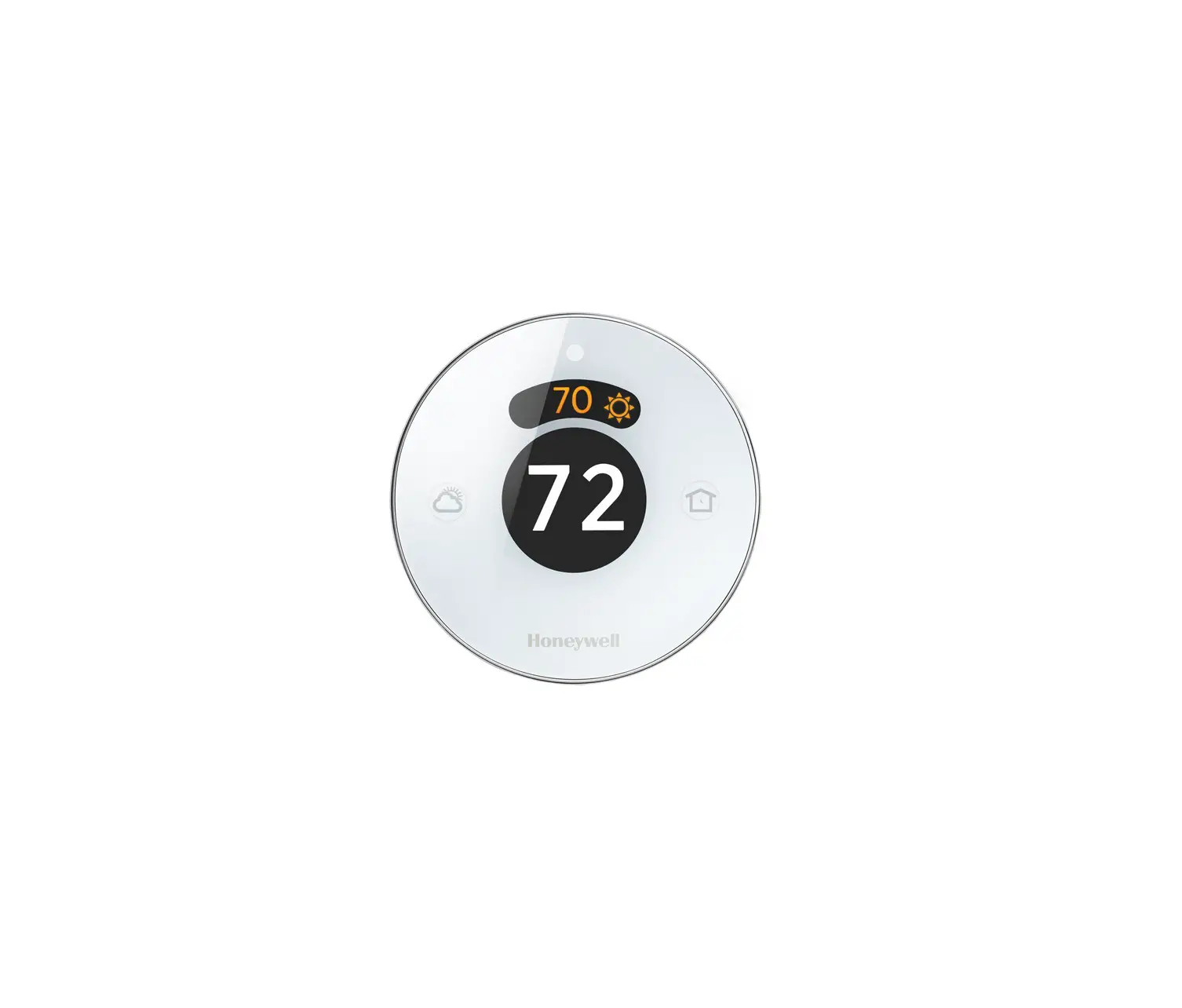
Round™ Smart Thermostat
TH8732WFH5004
Professional Install Guide
System Types
Compatible with 24-volt systems such as forced air, hydronic, heat pump (including dual fuel), oil, gas and electric.
Does not work with electric baseboard heat (120/240V).
 Mercury Notice:
If this product is replacing a control that contains mercury in a sealed tube, do not place the old control in the trash. Contact the Thermostat Recycling Corporation at 1-800-238-8192 or thermostat-recycle.org for information on how and where to properly and safely dispose an old thermostat.
Disconnect power before installation.
Can cause electrical shock or equipment damage.

 Search for local rebates:
HoneywellHome.com/Rebates
 Must be installed by a trained, experienced technician
Read these instructions carefully. Failure to follow these instructions can damage the product or cause a hazardous condition.
Installation
1 Set Jumper Switches
R Jumper Switch:
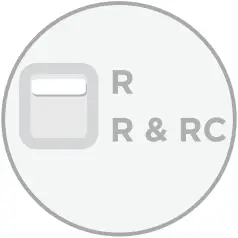 For single transformer systems, move switch up.
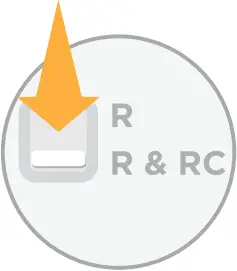 For dual transformer systems, move switch down.
Jumper Switch for humidifier, dehumidifier, or ventilation:
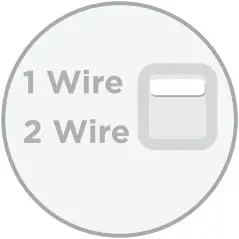 For single wire products, set the switch to 1 Wire.
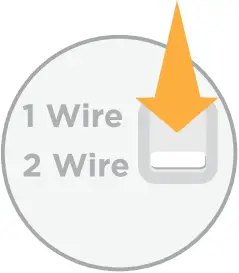 For two wire products, set the switch to 2 Wire.
2 Wiring: Terminal Designations
L | Heat pump system monitor |
C | Common wire from secondary side of cooling transformer, if 2 transformers |
W2 | 2nd stage heat relay (heat pump auxiliary, emergency heat) |
W | 1st stage heat relay (changeover valve for heat pumps) |
U1 | Terminal for indoor air quality products (humidifier, dehumidifier, ventilator) |
U2 | Terminal for indoor air quality products (humidifier, dehumidifier, ventilator) |
K | Optional C-wire adaptor |
G | Fan relay |
Y2 | 2nd stage compressor contactor |
Y | 1st stage compressor contactor |
R | Heating power. Connect to secondary side of heating system transformer |
Rc | Cooling power. Connect to secondary side of cooling system transformer |
3 Connect wires and mount wallplate
Connect wires and mount the wall plate using screws and anchors provided.
Note: The illustration to the right shows the most common wiring.
REQUIRED: A C-Wire (common wire) is needed for 24 VAC power.
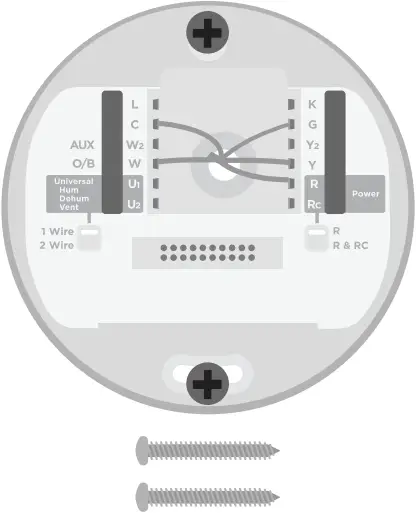
Electrical Ratings:
| Terminal | Voltage (50/60 Hz) | Max. Current Rating |
| W – O/B (Heating) | 18 to 30 VAC | 1.00 A |
| W2 – Aux/E (Heating) | 18 to 30 VAC | 0.60 A |
| Y (Cooling) | 18 to 30 VAC | 1.00 A |
| Y2 (Cooling) | 18 to 30 VAC | 0.60 A |
| K | 18 to 30 VAC | 1.00 A |
| G (Fan) | 18 to 30 VAC | 0.50 A |
| L (Output) | 18 to 30 VAC | 1.00 A |
| U1, U2 | 18 to 30 VAC | 0.40 A |
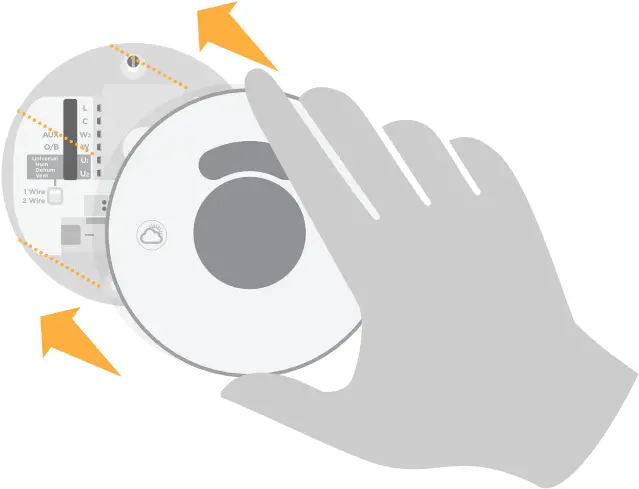
4 Firmly snap the thermostat into place
The thermostat will glow and display the screen for up to three minutes while it starts up.
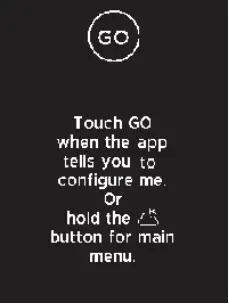
1 Press and hold  (Weather button) for 5 seconds to access the Main Menu.
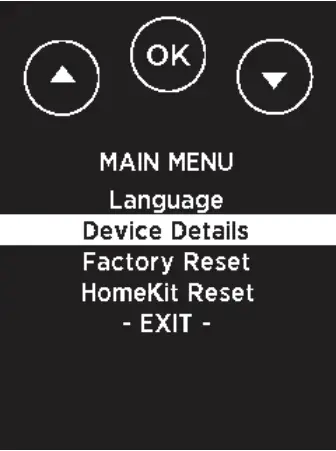 _ _ _ _
2 Using  , highlight Device Details and press OK. Using , find the 4-digit password (date code) and record it above.
Press OK to exit.
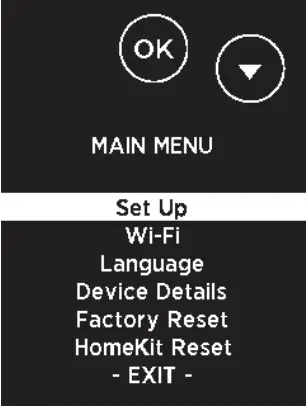
3 Using  , highlight Set Up and press OK.
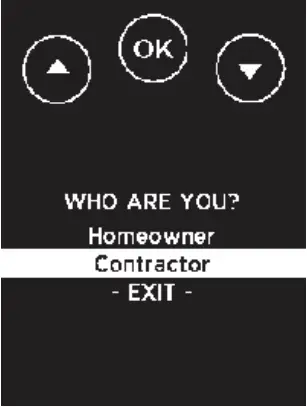
4 Using , highlight Contractor and press OK.
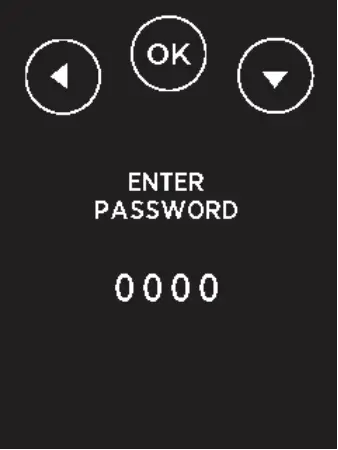
5 Enter the password by pressing  or to select the first digit and press OK. Continue for all four digits.
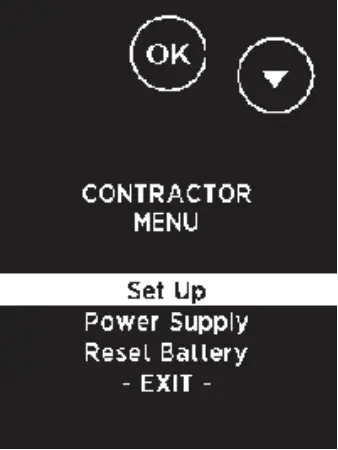
6 Highlight Set Up and press OK.
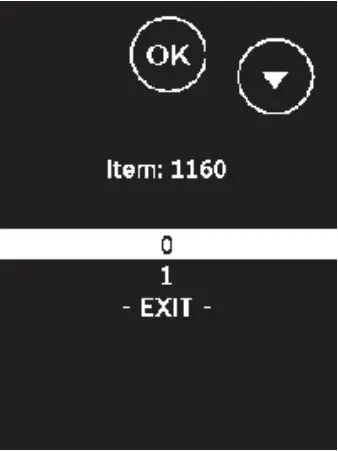
7 Press or to highlight the setting and press OK. Continue until all settings have been configured. For a full list of setup options, see “Setup options” on page 3.
Note: To exit setup early, press t to highlight EXIT and press OK.
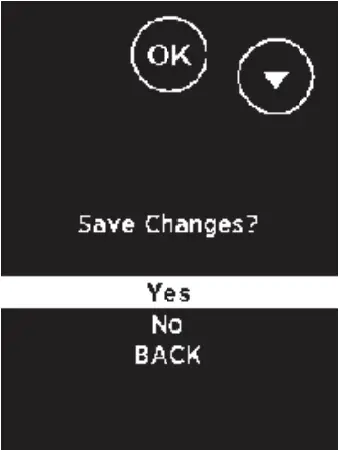
8 When all settings are configured, save changes.
To save and confirm, highlight Yes and press OK. To exit without saving, press to highlight No and press OK.
Setup options
1 From the Contractor Menu, highlight Set Up and press OK.
2 Press or to highlight the setting and press OK. Continue until all settings have been configured.
3 When all settings are configured, you will be prompted to save changes. Highlight Yes and press OK to save and exit. To exit setup early by pressing to highlight EXIT and press OK.
| ISU # | Description | Setting |
| 1160 | Temperature indication scale | 0 = Fahrenheit 1 = Celsius |
| 2120 | Heating system type | 1 = Conventional forced air heat 2 = Heat pump 3 = Radiant heat 5 = None (cool only) |
| 2140 | Heating equipment type | Conventional Forced Air Heat: 1 = Standard efficiency gas forced air 2 = High efficiency gas forced air 3 = Oil forced air 4 = Electric forced air 5 = Hot water fan coil Heat Pump: Radiant Heat: |
| 2160 | Reversing valve O/B | 0 = O (O/B on cool) 1 = B (O/B on heat) |
| 2180 | Cool stages / compressor stages | 0, 1, 2 |
| 2200 | Heat stages / backup heat stages | Heat stages: 0, 1, 2 Backup heat stages: 0, 1 |
| 2220 | Fan operation in heat | 0 = No fan 1 = Equipment controls fan 2 = Thermostat controls fan |
| 2240 | Backup heat type | 31 = Electric forced air 32 = Gas/Oil Forced air (or Fossil forced air) |
| 2260 | External Fossil Fuel Kit | 0 = Thermostat controls backup heat 1 = External Fossil Fuel Kit controls backup heat |
| 3120 | Staging control – backup heat differential | Comfort 2.0°F to 15.0°F from setpoint (in 0.5°F increments) 1.0°C to 7.5°C from setpoint (in 0.25°C increments) |
| 3140 | Backup heat upstage timer | Off 30, 45, 60, 75, 90 minutes 2, 3, 4, 5, 6, 8, 10, 12, 14, 16 hours |
| 3160 | Compressor lockout / balance point | Off 5°F to 60°F (in 5°F increments) -15.0°C to 15.5°C (in 2.5°C or 3.0°C increments) |
| 3180 | Backup heat lockout | Off 5°F to 65°F (in 5°F increments) -15.0°C to 18.5°C (in 2.5°C or 3.0°C increments) |
| 3200 | Cool cycles per hour | 1 – 6 |
| 3220 | Cool cycles per hour – stage 2 | 1 – 6 |
| 3240 | Heat cycles per hour | 1 – 12 |
| 3260 | Heat cycles per hour – stage 2 | 1 – 12 |
| 3280 | Backup heat cycles per hour | 1 – 12 |
| 4120 | Adaptive intelligent recovery | 0 = No 1 = Yes |
| 4160 | Minimum setpoint (Note: Setting applies to both heat and cool setpoints) | 50°F to 99°F 10.0°C to 37.0°C |
| 4220 | Maximum setpoint (Note: Setting applies to both heat and cool setpoints) | 40°F to 90°F 4.5°C to 32.0°C |
| 8100 | Humidifier type | 0 = None 1 = Steam 2 = Bypass or fan powered |
| 8120 | Humidification – window protection | 0 = Off 1 = On |
| 8140 | Humidification control | 0 = Humidify only when heat is On 1 = Humidify only when fan is On 2 = Humidify on demand: Thermostat controls fan 3 = Humidify on demand: Humidifier controls fan |
| 9100 | Dehumidification equipment | 0 = None 1 = A/C with low speed fan 2 = A/C with high speed fan 4 = Whole house dehumidifier |
| 9140 | Dehumidification equipment setup | 0 = Normally open 1 = Normally closed |
| 9160 | Dehumidification – overcooling limit | 0, 1, 2, 3°F 0.0, 0.5, 1.0, 1.5°C |
| 9180 | Dehumidifier fan control | 0 = Thermostat controls fan 1 = Equipment controls fan |
| 10100 | Ventilation type | 0 = None 1 = ERV / HRV 2 = Passive (fan only) 3 = Fresh air damper |
| 10160 | Ventilation fan control | 0 = Thermostat controls fan 1 = Equipment controls fan |
| 10240 | Ventilation percent on time | 10% to 100% (in 10% increments) |
| 10280 | Ventilation low temperature lockout | Off -20°F to 40°F (in 5°F increments) -29.0°C to 4.5°C (in 2.5°C or 3.0°C increments) |
| 10300 | Ventilation high temperature lockout | Off 80°F to 110°F (in 5°F increments) 26.5°C to 43.5°C (in 2.5°C or 3.0°C increments) |
| 10320 | Ventilation high dew point lockout | Off 65°F to 85°F (in 5°F increments) 18.5°C to 29.5°C (in 2.5°C or 3.0°C increments) |
| 11100 | Home heat setpoint | 40°F to 90°F 4.5°C to 32.0°C (in 0.5°C increments) |
| 11120 | Home cool setpoint | 50°F to 99°F 10.0°C to 37.0°C (in 0.5°C increments) |
| 11140 | Setpoint for away mode | 0 = Away setpoints 1 = Smart temperature setpoints |
| 11160 | Away heat setpoint | 40°F to 90°F 4.5°C to 32.0°C (in 0.5°C increments) |
| 11180 | Away cool setpoint | 50°F to 99°F 10.0°C to 37.0°F (in 0.5°C increments) |
| 14020 | Temperature display offset | -3°F to 3°F |
| 14025 | Humidity % offset | -12% RH to 12% RH |
Round Smart Thermostat
Basic Operations
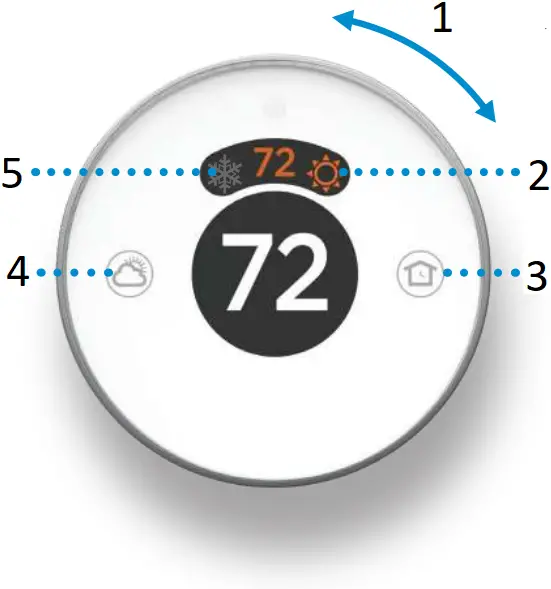
- Turn to set desired temperature
- Turn on/off
Heating - Home/Away
Set to Home/Away - Weather
View 6 and 12 hour forecasts - Turn on/off
Cooling
NEED HELP?
For assistance with this product, please visit customer.resideo.com or call Customer Care toll-free at 1-800-633-3991.
Regulatory information
FCC REGULATIONS
47 CFR § 15.19 (a)(3)
This device complies with part 15 of the FCC Rules. Operation is subject to the following two conditions:
- This device may not cause harmful interference, and
- This device must accept any interference received, including interference that may cause undesired operation.
47 CFR § 15.21 (USA only)
Changes or modifications not expressly approved by the party responsible for compliance could void the user’s authority to operate the equipment.
47 CFR § 15.105 (b)
See https://customer.resideo.com/en-US/support/residential/codes-and-standards/FCC15105/Pages/default.aspx for additional FCC information for this product.
IC REGULATIONS
RSS-GEN
This device contains licence-exempt transmitter(s)/receiver(s) that comply with Innovation, Science and Economic Development Canada’s licence-exempt RSS(s). Operation is subject to the following two conditions:
- This device may not cause interference.
- This device must accept any interference, including interference that may cause undesired operation of the device.
The operation of this equipment is subject to the following two conditions: (1) this equipment or device may not cause harmful interference, and (2) this equipment or device must accept any interference, including interference that may cause undesired operation.

Resideo Inc., 1985 Douglas Drive North
Golden Valley, MN 55422
33-00445EFS—05 M.S. Rev. 04-19 | Printed in United States
©2019 Resideo Technologies, Inc.
This product is manufactured by Resideo Technologies, Inc., Golden Valley, MN, 1-800-633-3991.
The Honeywell Home trademark is used under license from Honeywell International Inc. All rights reserved.
Wi-Fi® is a registered trademark of Wi-Fi Alliance®

33-00445EFS-05
 Resideo Customer Portal
 Utility Rewards Programs
 Thermostat Recycling Corporation (TRC)
 Smart Home Products and Systems | Resideo