FeiyuTech Pocket 2S Stablized Camera Instructions

1. Overview
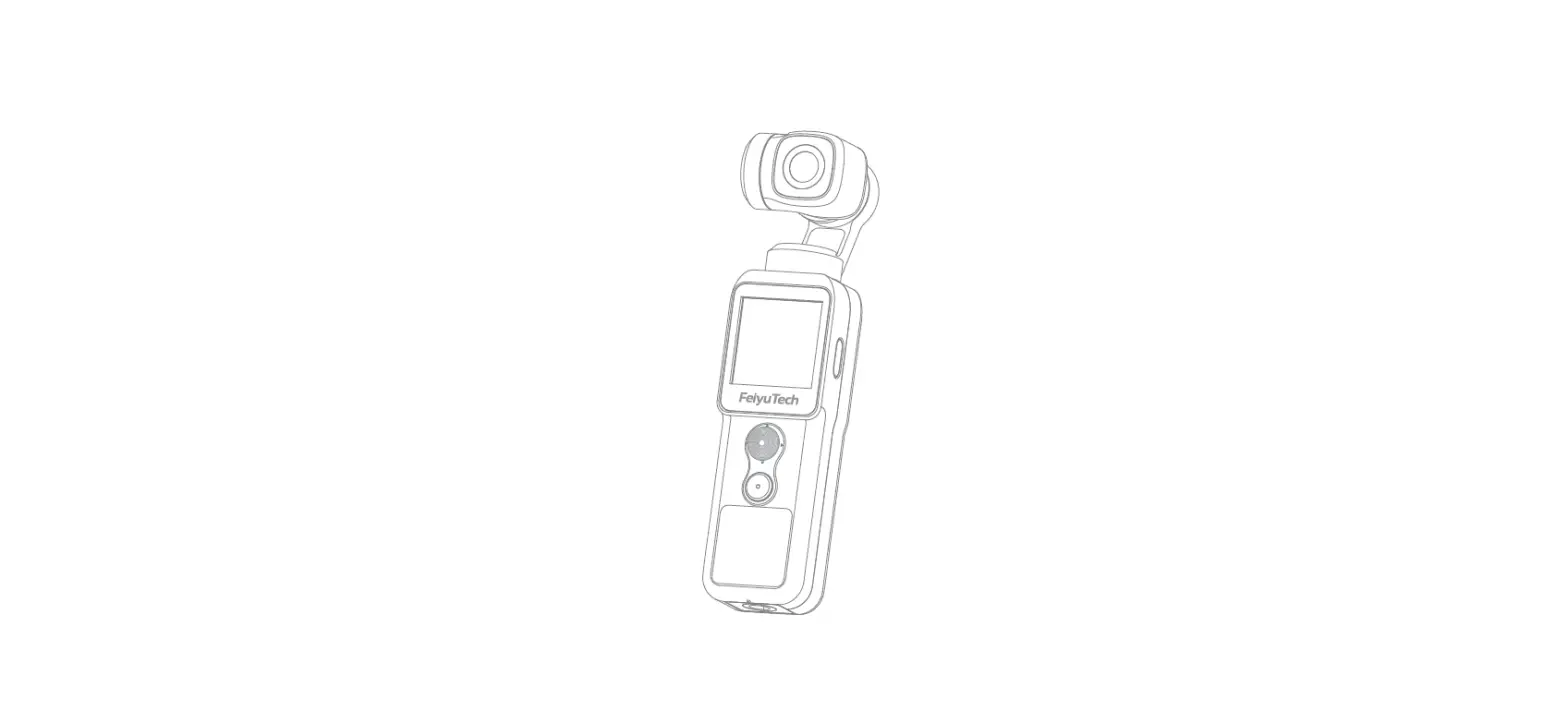
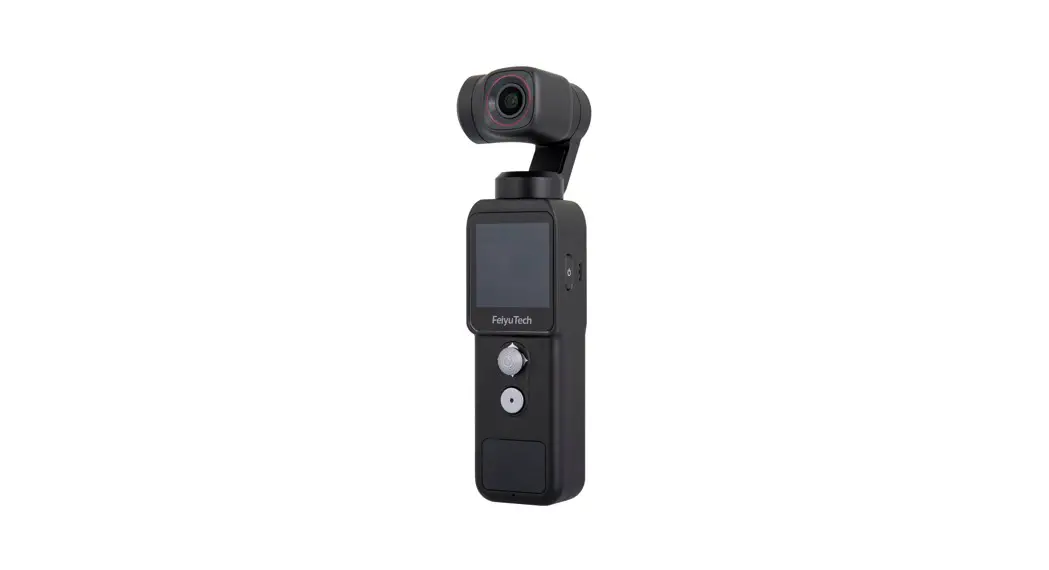
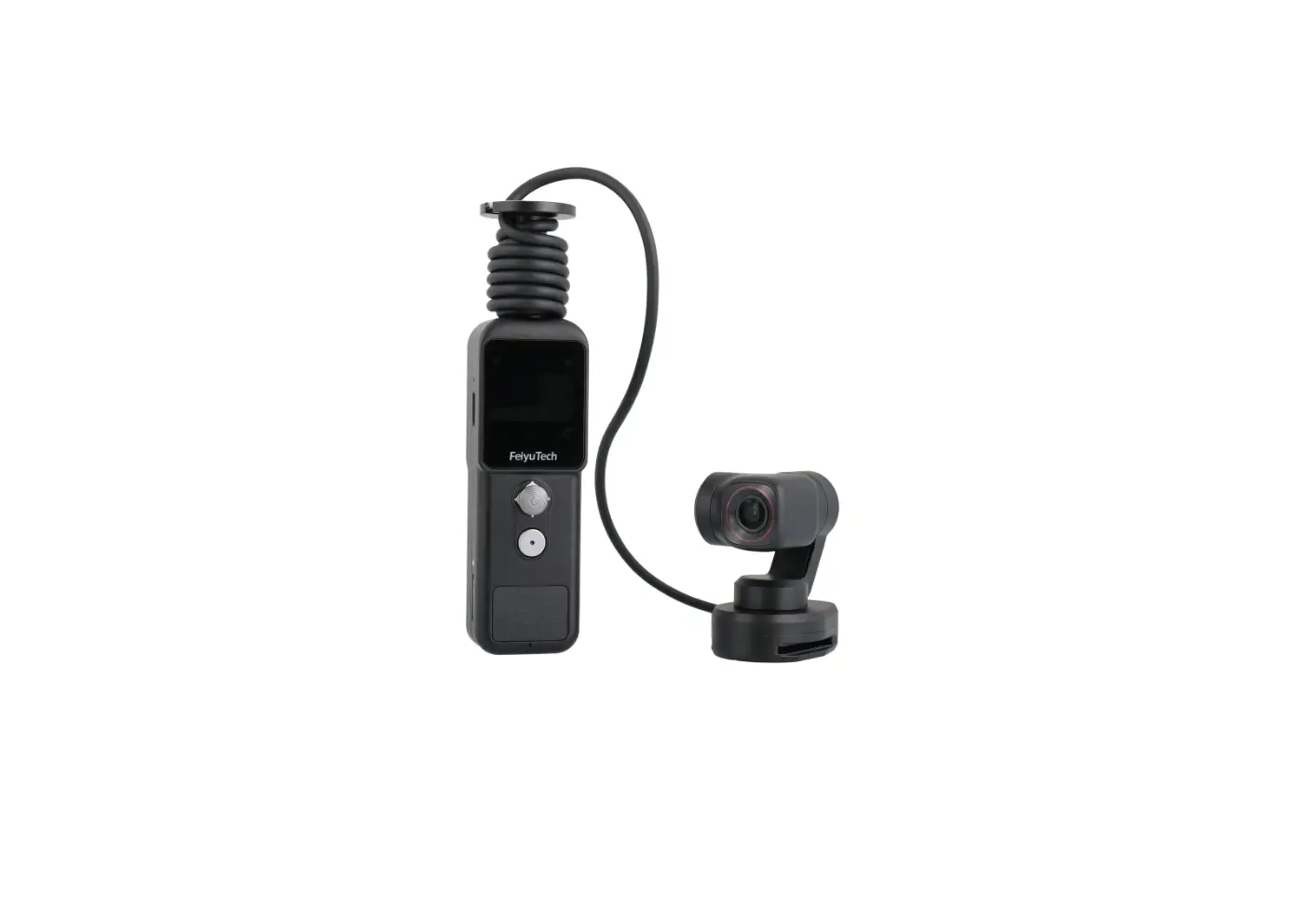
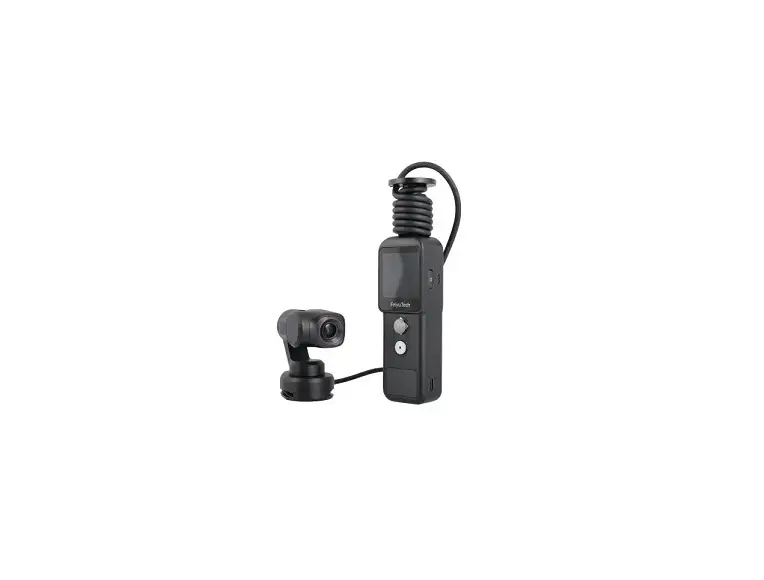
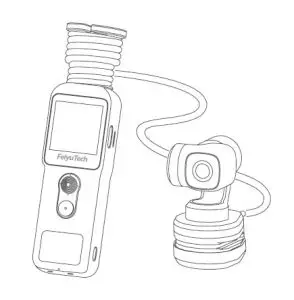
Feiyu Pocket 2S is a portable and controllable HD camera which easy to carry. The lens of the pocket camera is separated from the body with a magnetic base which makes it easy to mount and detach. Five-way joystick makes operation much easier. With the extension cord, you can get real-time view from handle easily. It also come with built-in speaker and 3-axis anti-shake gimbal. Support motion sensing, remote control via APP, you can select photo/video/timelapse modes and remote control camera as your wish.
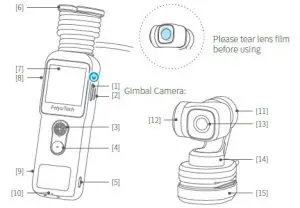
- Power Button
- Loudspeaker
- Joystick /Function Button
- Shutter Button/ Photo Indicator
- HDMI port
- Magnetic reel
- Touch Screen
- USB-C Charging Port
- MicroSD card slot
- Microphone
- Roll Axis
- Tilt Axis
- Camera Lens
- Pan Axis
- Magnetic base with 1/4 inch screw hole
Suggestion
This product includes below information, please read the information before using it.
- Quick start guide
- Online instruction
- Tutorial
Tutorial
* The tutorial videos can be watched at FeiyuTech official website or scan the QR code. https://www.feiyu-tech.com/play/
Download APP
Connect with Feiyu Cam App to achieve more functions. Scan the QR code to download the app, or search for “Feiyu Cam” in the App Store or Google Play. * Requires iOS 9.0 or above, Android 6.0 or above.
2. List
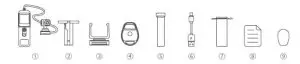
- Feiyu Pocket 2S×1
- Reel×1
- Handle holder×1
- Magnetic base with 1/4 inch screw hole×1
- Wristband×1
- USB-C cable×1
- Portable bag×1
- Manual×1
- 3M sticker×2
3. Start to Use

- Please fully charge the battery before powering on the product for the first time.
- When not in use, power off the product.
3.1 Charging
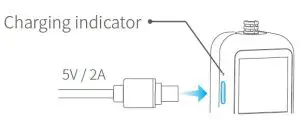
Connect USB-C cable with charging port to charge.
We recommend that you charge your camera at least once a month.
| Charging status | While working (screen status) | While off (indicator status) |
| Charging |  Display Display | Red light is on |
| Complete |  Disappear Disappear | Green light is on |
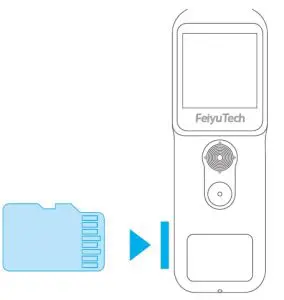
3.2 Insert MicroSD card
An UHS-I Speed Grade 3 (U3) rating microSD card (equipped by user) is required.
Please format the MicroSD card with Feiyu Pocket 2S when insert it at the first time.
3.3 Usage for handle holder
Usage for handle hol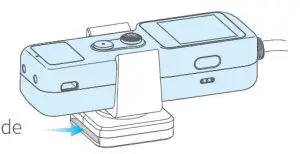
User can wear the handle on the wrist though handle holder
4. Operation
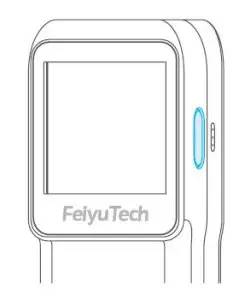
Long press for 1s: Power ON/ OFF Single tap:
- Switch among video/ photo mode/ recently used function
- Return to the previous menu

Move to left / right: Control pan axis
Move upward / downward: Control tilt axis
Double tap: Recenter
Triple tap: Enter / Exit selfie mode Press and hold: Enter lock mode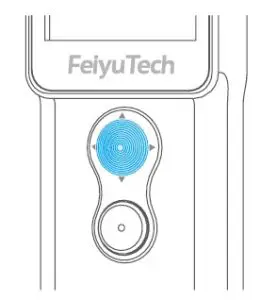
Single tap: Take photo / video / return to the home page Long press for 3s: Turn on / off Wi-Fi
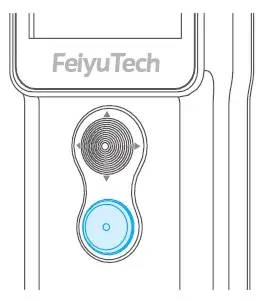
4.4 Touch Screen
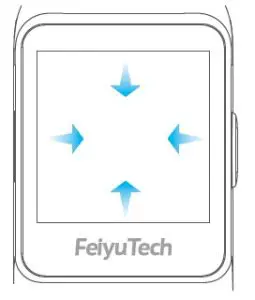
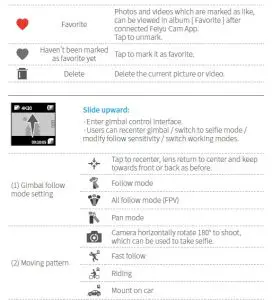
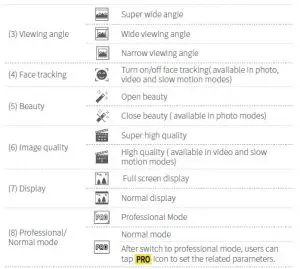
Swipe to Left: Switch shooting modes Swipe to right: Enter album Swipe upward: Gimbal control
Swipe downward: Enter setting
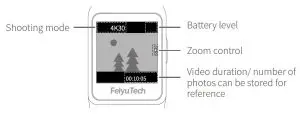
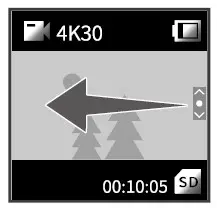
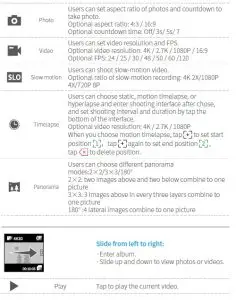
Slide from right to left:
Switch among different shooting modes and set corresponding mode parameters. ·Slide up or down to switch among photo/ video/ slow-motion/ timelapse/ panorama mode, tap to enter corresponding mode setting.

| Shooting mode | |||||
| Settings Photograph | FImoramgaet | bWalhaintece | PRO mode Exposure | Color | Volume |
| Video | √ | √ | √ | ||
| Slow motion | √ | √ | |||
| Time-lapse | √ | √ | √ | √ | |
| P photographyto anoramic pho | √ | √ | √ | ||
| √ | √ | √ | |||
Image Format: Select save format (JPG or J+R) for photo
White balance: Select a preset white balance mode or set color temperature manually
Exposure: Set ISO, shutter speed or exposure compensation
Color: Switch between normal color and Fy-log color ( Which is advantageous for postproduction color modulation) Volume: Set video volume
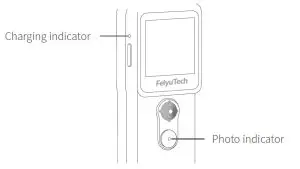
4.5 Indicator light instructions
| Indliigchattor | Indicator status | Instructions | Status | |
| Photo indicator | Battery indicator | |||
| Green light | Flash once | – | Photograph | Power on |
| Keeps flashing | – | Video | ||
| – | Constant green light | Finished charging | ||
| Red light | – | Battkeereypinsdoincator | Charging | Power off |
5. Using the Feiyu Cam App
5.1 Connect with Feiyu Pocket 2S via Wi-Fi
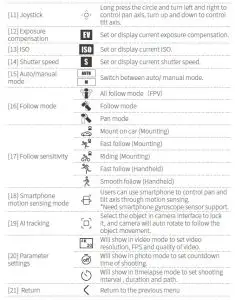
Turn on Feiyu Cam App, tap [ Feiyu Pocket ] option, long press shutter button to turn on Wi-Fi, follow the prompts to connect Feiyu pocket.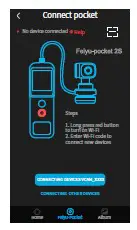
5.2 Camera Interface
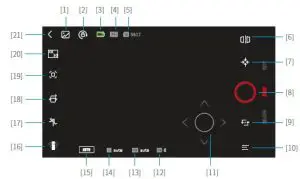
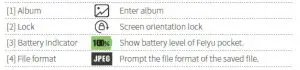
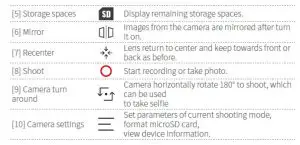
| ShMoootdinegs Parameter | Photo | Video | mSolotiwon | Timelapse | Papnhooratmo ic | Hyperlapse |
| HanMdohuenltdinmgo/ de | √ | √ | √ | √ | √ | √ |
| Viewing angle | √ | √ | ||||
| Anti-flicker | √ | √ | √ | √ | √ | √ |
| Grid | √ | √ | √ | √ | √ | √ |
| Watermark | √ | √ | √ | √ | √ | |
| Photo aspect ratio | √ | |||||
| Photo format | √ | |||||
| Video format | √ | √ | √ | √ | ||
| Color | √ | √ | √ | √ | ||
| White balance | √ | √ | √ | √ | √ | √ |
| Panoramic mosaic | √ |
6. Maintenance
- Please store the product in the right way to avoid damage.
- Make sure motor spinning is not blocked by external force when the product is power on.
- DO NOT drop or strike the product to avoid damage.
- This product is not waterproof, please do not contact the camera with water or other liquid.
- Please pay attention to dust and sand.
- It is recommended to clean the product surface with a clean, soft dry cloth.
7. Specifications
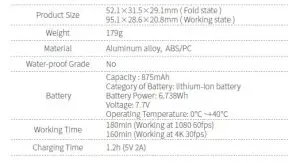
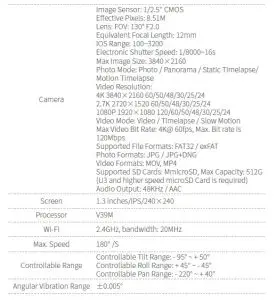
Notice:
- Make sure motor spinning is not blocked by external force when the product is power on.
- The product DO NOT contact water or other liquid if the product is not mark waterproof or splash-proof. Waterproof and splash-proof product DO NOT contact sea water or other corrosive liquid.
- DO NOT disassembly the product except marked detachable. It need send to FeiyuTech after-sales or authorized service center to fix it if you accidently disassembly and cause abnormal work. The relevant costs are borne by user.
- Prolonged continuous operation may cause the product surface temperature to rise, please operate carefully.
- DO NOT drop or strike the product. If the product is abnormal, contact Feiyu After-sales support.
Storage and Maintenance:
- Keep the product out of the reach of children and pets.
- DO NOT leave the product near heat sources such as a furnace or heater. DO
NOT leave the product inside of a vehicle on hot days. - Please storage the product in dry environment.
- DO NOT overcharge or overuse the battery, otherwise it will cause damage to the battery core. If does not use the product for a long time, please charge it at least once within one month.
- Never use the product when the temperature is too high or too low.
This document is subject to change without notice.
If you have any questions about this document, please contact us by the following ways.
Manufactured by: Guilin Feiyu Technology Incorporated Company
Website: www.feiyu-tech.com
Tel: +86 773-2320865
E-mail: [email protected]