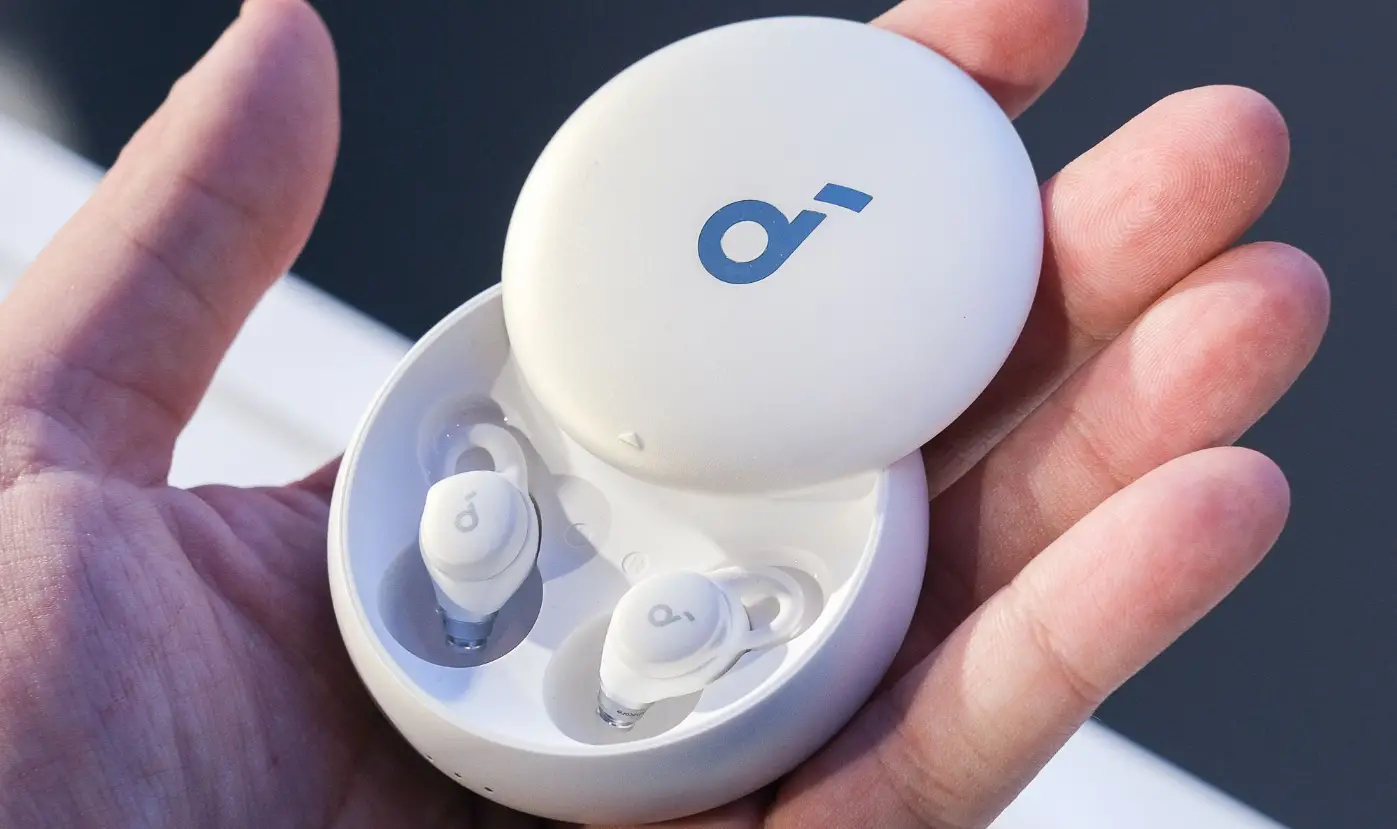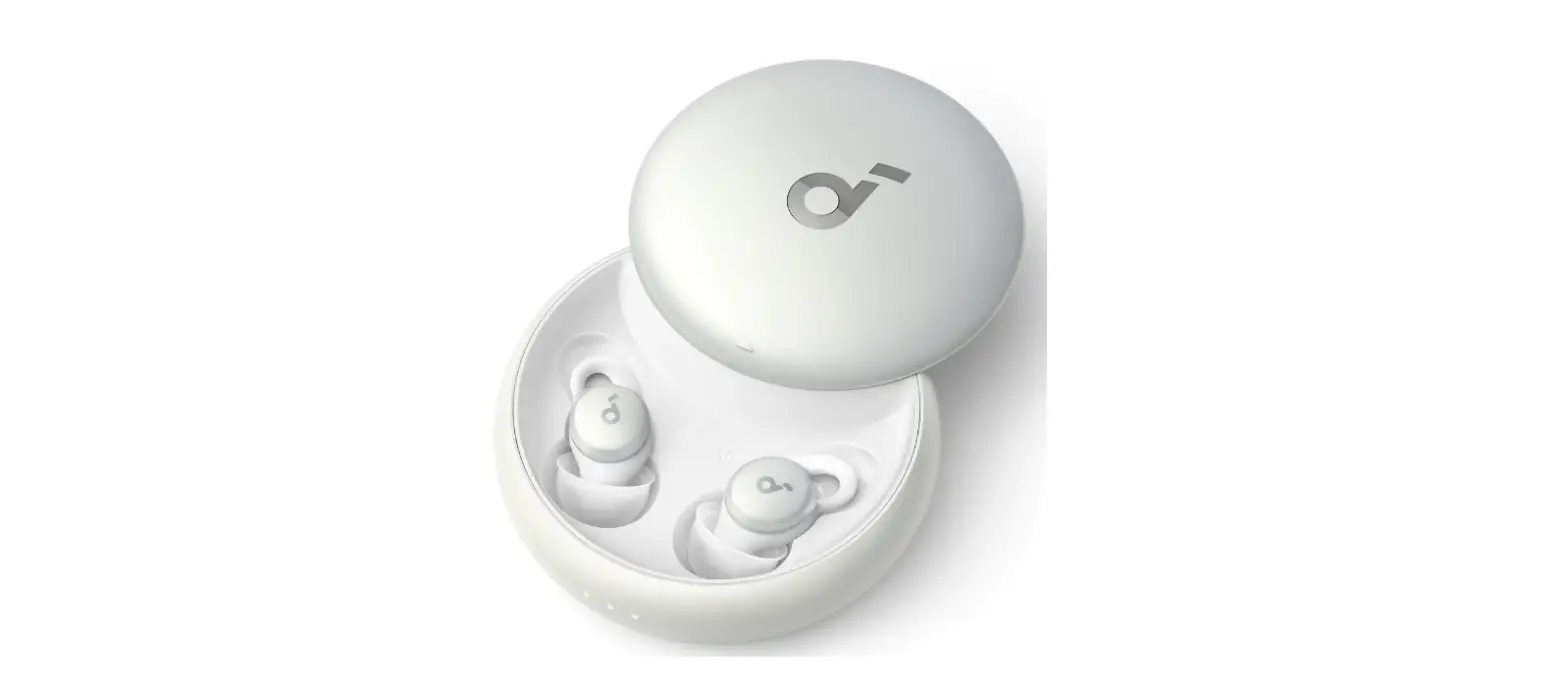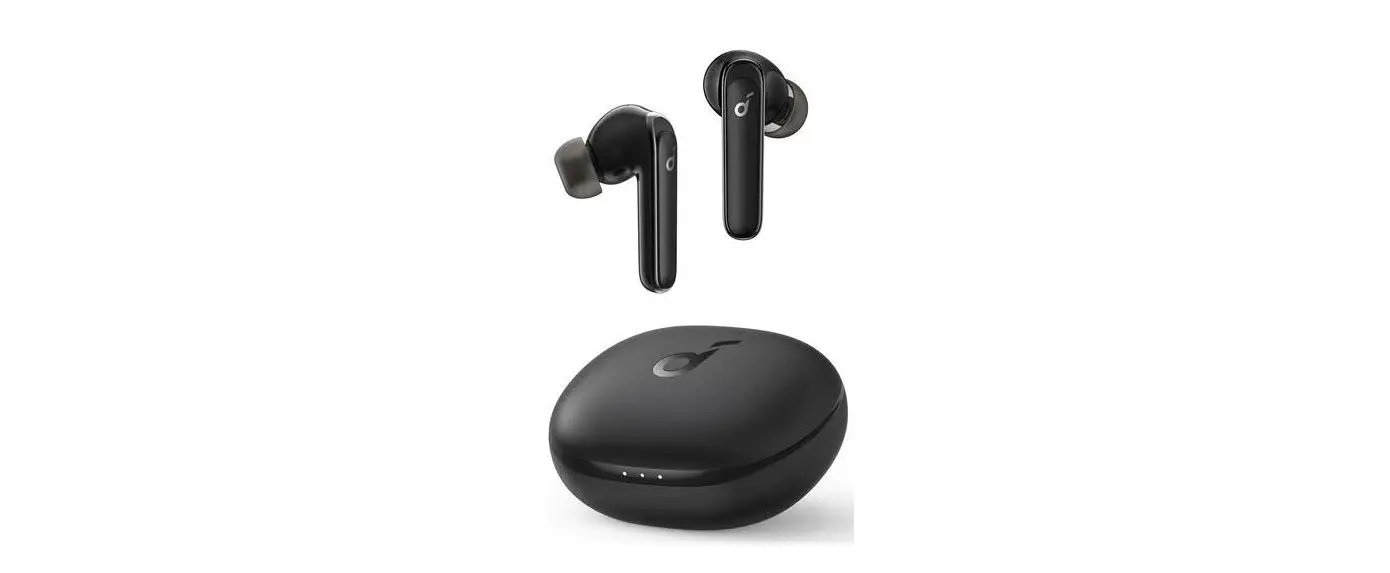
Anker A6610 Sleep A10 Bluetooth Sleep Earbuds User Guide
Wearing
Q:What should I do if my Sleep A10 earbuds are uncomfortable and have an unstable fit?
A:We suggest trying the following:
- Make sure you wear the ear tips and ear wings correctly.
- Choose the ear tips and ear wings that fit your ears the best, we recommend that you start with size M ear tips and ear wings.
- Insert the earbud into your ear and find a suitable position for the best fit. If the earbuds are too deep in your ears, it may affect the Bluetooth connection. If you experience connection issues, we recommend that you replace the ear tips and wings with larger ones.
- When using them in bed, try a different soft pillow.
- Use soft pillows. Pillows that are too hard may exert more pressure on your ears if you sleep on your side, which can affect the connection to your phone.
- Do not use water pillows or pillows with metal or magnetic components.
A:Avoid blocking the area where the soundcore logo is displayed (shaded blue) with the areas of your ears highlighted in blue.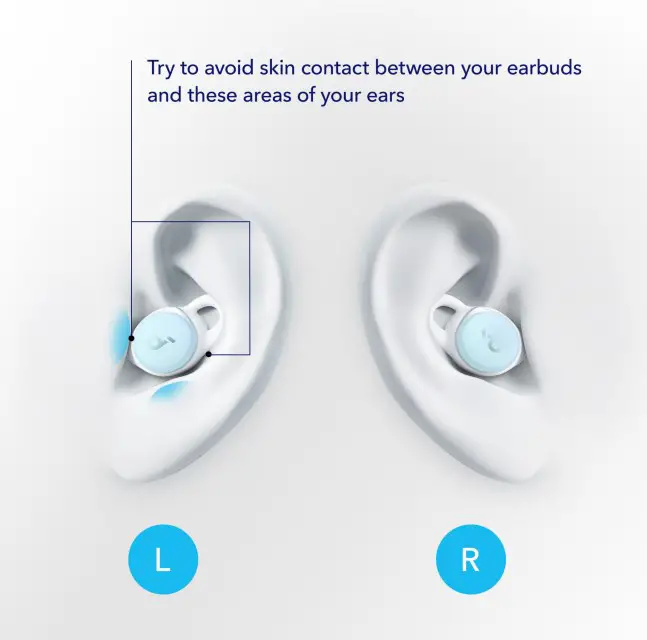
If your earbuds sit like the ear on the left:
Try larger ear tips.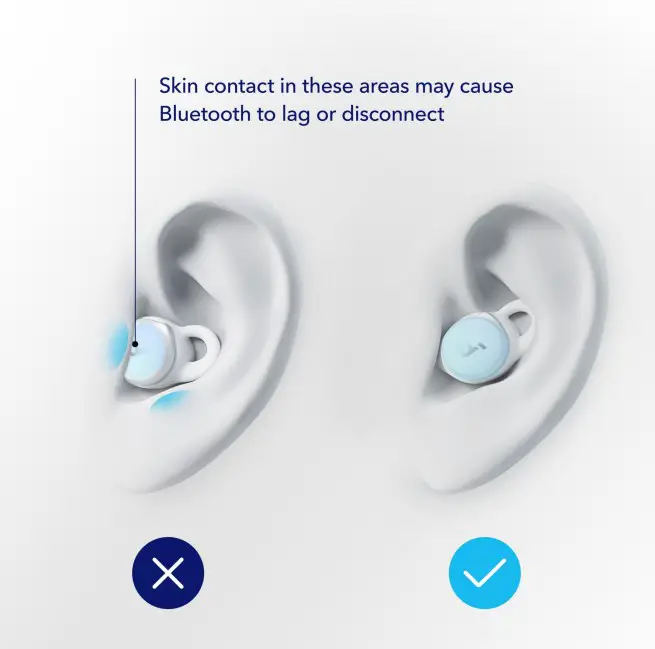
If your earbuds sit like the ear on the left:
Make sure the earbuds are inserted correctly and are being worn according to the right ear in this image.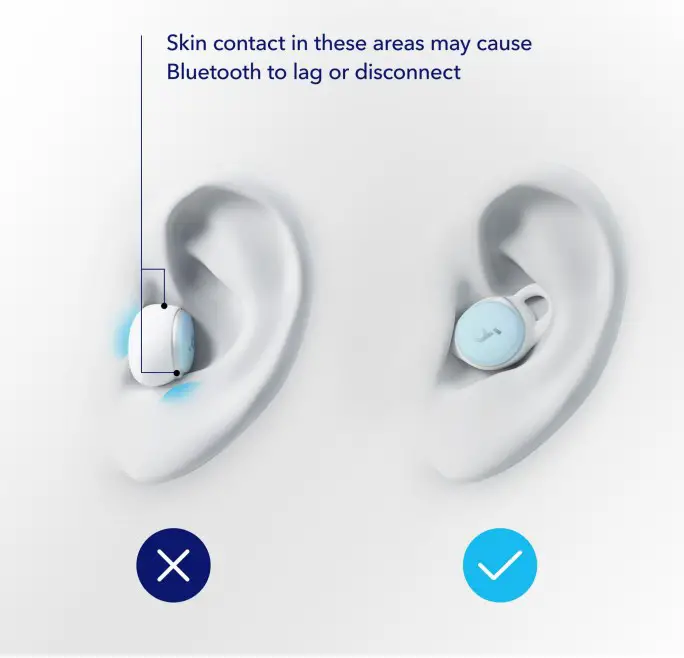
If your earbuds sit like the ear on the left:
Push the earbuds further into your ear, as in the image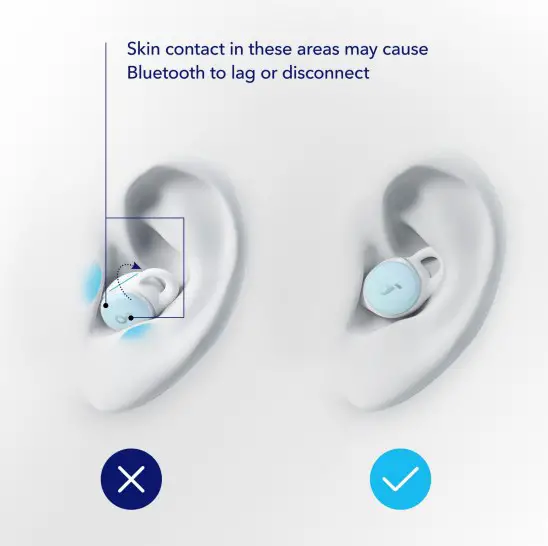
If your earbuds sit like the ear on the left:Rotate the left earbud clockwise and the right earbud anti-clockwise. 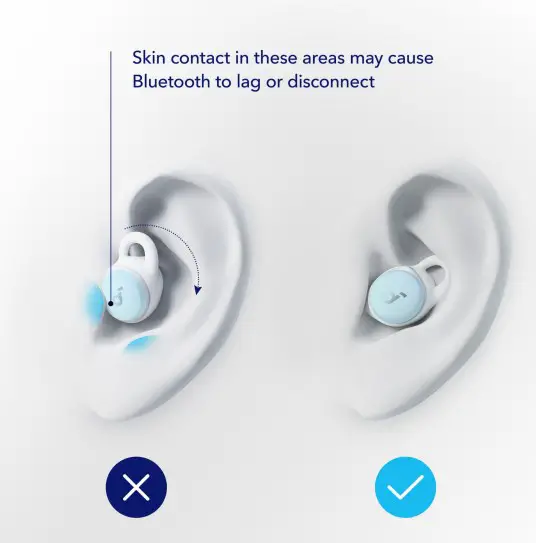
A:The rubbing sound is due to the material of your pillowcase. Try using cotton or silk pillowcases.
Operation
A:After opening the charging case, the earbuds will automatically turn on. They turn off when you place them in the charging case and close it. You cannot turn the earbuds on and off manually
A:The Sleep A10 earbuds do not have touch control, so you may have to use a bit of force when pressing the button
A:When the earbuds’ G-sensor vibrates, it may recognize it as a double tap, resulting in a false trigger. To avoid this issue try to avoid dropping the earbuds, throwing the earbuds, strenuous exercise, etc
A:Place the earbuds in the charging case and leave the case open. Press and hold the button on the charging case for 10 seconds until the LED indicators inside the case flash white 3 times and then flash in sequence. This confirms that the reset was successful and your earbuds can be connected normally.
A:
- Firmly tap the left earbud twice.
- Switch in soundcore app
- How do I ensure Bluetooth music plays the whole time I’m listening?
- How do I ensure white noise plays the whole time I’m listening?
- How do I ensure Bluetooth music stops and white noise plays after I fall asleep?
- How do I ensure that Sleep A10 automatically masks noise according to the external noise level after I fall asleep?
A:
- Ensure Smart Switch is turned off.
- Ensure you turn off Smart Volume Control after you have entered sleep mode.
- Ensure Smart Switch is turned on and Smart Volume Control is turned off.
- Ensure Smart Switch and Smart Volume Control are both turned on.
A:When using the earbuds in sleep mode, you can only adjust the volume in the soundcore app.
A:When the earbuds detect that the user is asleep, it will automatically pause sound played via Bluetooth, switch from music mode to sleep mode, and automatically play white noise. If you want to listen to Bluetooth again, firmly tap the left earbud twice or change mode via the soundcore app to switch back to music mode. Double-tap the right earbud to play Bluetooth music again
A:When the Smart Volume Control feature is enabled, the earbuds automatically start playing sleep music. When the external noise changes, Sleep A10 automatically adjusts the volume of white noise according to the external noise level. You can activate this feature in the soundcore app.
Note: This feature only works in sleep mode and activates when the user has fallen asleep
A:No, these earbuds don’t support ANC, but they use a 4-point passive noise masking system to block out external noises
A:Switch to Sleep mode in the app, then select “Playback Duration” and adjust the time limit.
Note: The default playback duration is set for two hours. You can adjust this setting to your own preference.
A:In the soundcore app, go to “Control” to change the tap control settings.
- When using them in music mode, the earbuds unexpectedly switch to sleep mode and play white noise.
- When using them in sleep mode, the earbuds prompt you to switch to music mode and pause the white noise. noise
A:In some specific scenarios, the left button on the Sleep A10 earbuds may be accidentally double-tapped, which switches the mode. In this situation, firmly tapping the left earbud twice will switch back to
Charging
- The earbuds don’t recharge in the charging case.
- The earbuds stay connected to the device even after being placed in the charging case with the lid closed.
- The earbuds don’t turn on when taken out of the charging case
A:
- Confirm the charging case has power left (open the charging case to check if there is white light flashing).
- Clean the charging pins with a dry cloth and rubbing alcohol. This is to ensure all charging contact pins on the earbuds and charging case are completely clean and dry from sweat and water. Then put the earbuds correctly into the case. The first light flashes twice when the left earbud is placed in the case. The third light flashes twice when the right earbud is placed in the case.
- Use the certified charging cable and wall charger.
- Check whether the ear tips and ear wings are installed properly.
- Make sure the earbuds are put in the charging case correctly
A:
- Playtime in music mode is up to 6 hours at 50% volume.
- Playtime in sleep mode is up to 10 hours at 50% volume.
We also recommend you try the following tips: - Fully charge your earbuds.
- Turn on the smart switch, the earbuds will enter sleep mode after detecting the user has fallen asleep, which can prolong battery life.
Note:
- Battery playtime in Music and Sleep mode is obtained from testing in the Anker laboratory using the earbuds’ default settings; no smart volume control (sleep mode only), and 50% volume.
The actual playtime may vary by volume, audio source, environmental interference, usage, etc. - Setting an alarm will take up 20% more battery so the play time will be reduced to 80% of the original.
A:Approximately 2 hours.
A:7 times on full charge.
A:Wireless charging is not supported.
Bluetooth
A:Please note that this doesn’t necessarily mean there’s an issue with the earbuds, so check your connected devices and surroundings. Bluetooth signals may be influenced by obstructions, such as walls, pillars, home appliances, Wi-Fi, and more. To ensure a stable connection for these earbuds, we recommend avoiding such obstructions and use in an indoor environment.
To fix this issue, try the following:
- Fully charge and reset your earbuds as stated below and re-pair them.
Place the earbuds in the charging case and leave the case open. Press and hold the button on the charging case for 10 seconds until the LED indicators on the case flash white 3 times and then flash in sequence. This confirms that the reset was successful and your earbuds can be connected normally. - Make sure you’re wearing the earbuds correctly.
- Try another set of the ear tips and ear wings in a different size.
Please note that if the earphones are too deep in your ears, it may affect the Bluetooth signal. Try larger sizes to reduce the in-ear depth of the earbuds, which may improve the connection stability. - Check the earbuds by listening to a downloaded song/video if you’re using them in music mode.
- Check the earbuds with another Bluetooth device in a different environment to see if there’s a difference.
A:10 meters/33ft
A:5.2
A:180ms-200ms
A:SBC, AAC
A:
- After sleeping on your side, one earphone may be blocked due to pillow obstruction, resulting in Bluetooth disconnection.
- Sleeping on your side at a certain angle causes the ear tips to be offset and block the earbuds, resulting in no sound or low sound.
We recommend you try the following:
- Adjust the positioning of your head and pillow.
- Try larger ear tips.
- Use a Q-tip with a bit of rubbing alcohol to gently clean the metal mesh filter under the rubber ear tip
- Earbuds cannot pair or reconnect with my device.
- One earbud does not pair with the other earbud or my device.
- No music plays after connecting with my device when using them in music mode.
- Only one earbud has sound.
A:
- Remove the protective film covering the connectors on the earbuds.
- Reboot the Bluetooth device you’re using (such as a phone or computer). Forget all the pairing records of your earbuds on your device and turn off Bluetooth.
- Reset the earbuds as per the steps below (make sure your earbuds have enough battery). Place the earbuds in the charging case and leave the case open. Press and hold the button on the charging case for 10 seconds until the LED indicators on the case flash white 3 times and then flash in sequence. This confirms that the reset was successful and your earbuds can be connected normally. When resetting the earbuds, make sure the earbuds are properly connected with charging points in the case, or it may cause resetting failure.
- Turn on the Bluetooth on your device and search for soundcore Sleep A10 and pair.
If there is a pop-up window to confirm pairing for “soundcore Sleep A10,” please select “Pair.” If you accidentally select “Cancel”, you need to refresh (turn off and turn on) the Bluetooth on your device and pair the earbuds again
A:You can check whether the earbuds are in sleep mode (you may have touched the left earbud by mistake and double-tapped to enter sleep mode). In sleep mode, the earbuds can only play white noise, but cannot play Bluetooth music.
Sound quality
A:You can do the following:
- Try setting a different EQ via the soundcore app.
- Reset the earbuds as follows:
Place the earbuds in the charging case and leave the case open. Press and hold the button on the charging case for 10 seconds until the LED indicators on the case flash white 3 times and then flash in sequence. This confirms that the reset was successful and your earbuds can be connected normally. - Try using a different sound source or music app.
A:
- Update your software to the latest version via the soundcore app;
- Try using different white noise in the
A:
soundcore Sleep A10 does not support active noise cancelling. If the Smart Volume Control effect isn’t up to scratch, try a different size of ear wings and eartips. Also try to make sure you’re wearing them correctly.
A:You can turn off the tone notification in the soundcore app
A:Volume adjustment is different in the two modes:
- When using them in sleep mode, the volume of the white noise just can be adjusted via soundcore app.
- When using them in music mode, you need to turn on volume synchronization via the settings on your mobile phone.
A:Please try different sizes of ear wings and eartips and also adjust the wearing angle of the earbuds.
A:Soundcore Sleep A10 has no mic for calling. When wearing these earbuds for calls, you will be able to hear but you will have to use an external mic.
App function
A:
- Pair the earbuds with your phone. Currently, the soundcore app is not available for computers.
- Open the soundcore app, choose Add Devices > Headphones, Speakers, and Frames, to find your device.
- If you cannot find Sleep A10 in the list, please choose Set up Manually > Sleep > Sleep A10.
- If you cannot find Sleep A10 in the list, please update the app to the latest version (3.0.1 or above). Alternatively, you can uninstall then reinstall the soundcore app.
If the problem still persists, please contact us and let us know which version of the soundcore app and phone model you’re using so we can further assist you.
A:Download white noise in music mode. Please note: You can’t download white noise in sleep mode and importing third-party audio sources is not supported.
A:You can do the following:
- Don’t play music or use your phone while downloading.
- Make sure your Wi-Fi is working well.
A:We suggest you try some different white noise which you can find in the soundcore app
A:Your sleep report is given using the data gathered from your earbuds. Sometimes the earbuds can misinterpret certain activities as you being asleep or awake. For example, if you’re wearing them and sit still for a while or you just leave your earbuds out of the case for a prolonged period of time, it may interpret this as sleep. The soundcore app would then use this data in your sleep report, therefore distorting your sleep curve
A:How sleep detection works:
The earbuds judge whether the user has fallen asleep by their movements. If within half an hour, the user barely moves, the earbuds determine that they have fallen asleep and generates sleep data. If they often move around while sleeping, it may cause the earbuds to misjudge that they are still awake, so no sleep data will be recorded.
- Open the soundcore app, log in, and connect the earbuds to synchronize data before sleeping (do not put the earbuds back in the case or turn them off after syncing).
- Make sure you have good signal. Sleep data may take a while to display due to bad signal.
- Keep the app and firmware up to date.
A:You need to keep the app active in the foreground for a prompt. You will only get a prompt on your phone not on the earbuds.
A:The alarm only repeats once and the alarm turns off once you put the earbuds back in the case or when you turn it off yourself. You need to set a new alarm each time you want to turn it on.
A:
- Double-tap the left or right earbud to pause.
- Pause it via the soundcore app
A:
- Connect the headphones to your phone, open the soundcore app, and click on Sleep A10.
- Click the Settings button in the upper right corner.
- Click “Add alarm” to set an alarm clock (you can set up to three alarms).
UI
A:
- After the earbuds are paired with the soundcore app, you can check it via the app.
- When the earbuds are in the charging case, the three lights in the charging case blink:
- When three LED lights are white, the case is on more than 70% battery.
- When the left two LED lights are white and the right LED is off, the case is on 30%-70%.
- When the left LED is white and the right two LED’s are off, the case is on 5%-30%.
- When the left LED blinks and the right two LED’s are off, the case is on less than 5%.
A:After pairing with a phone successfully, the two lights in the charging case flash slowly
Maintenance of earbuds
A:
The earbuds are IPX4 water resistant.
The charging case is not waterproof