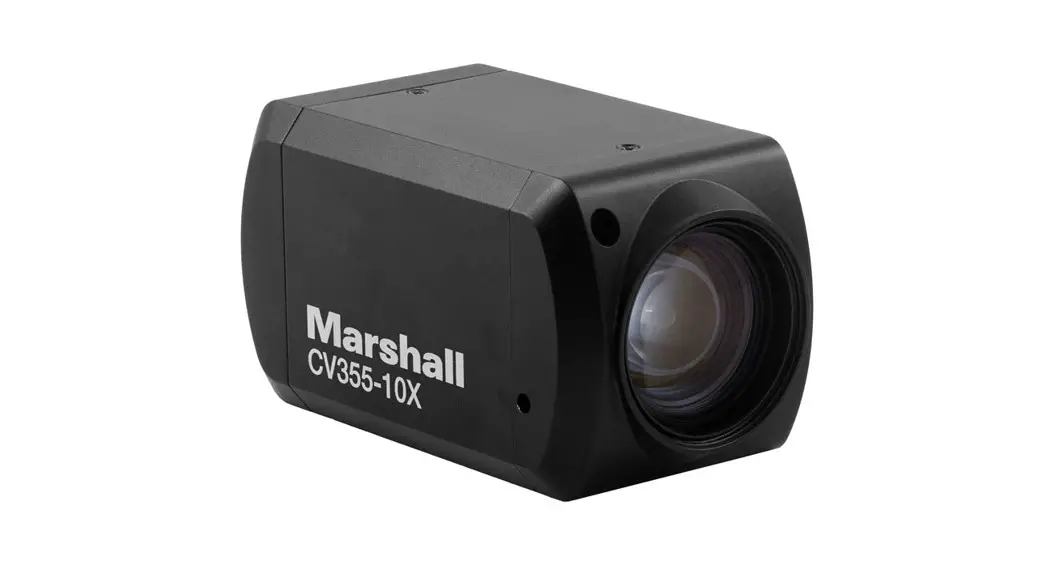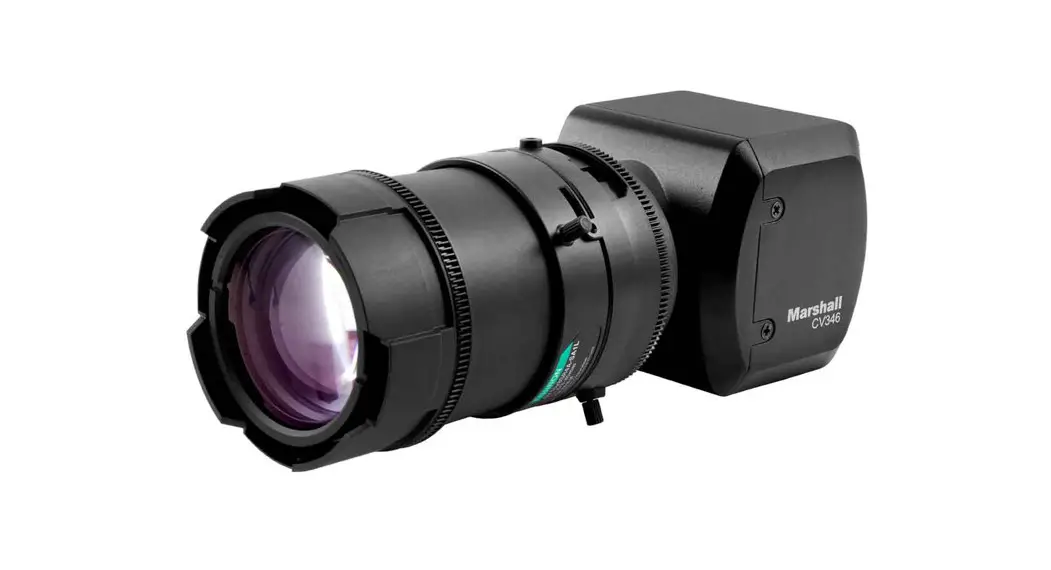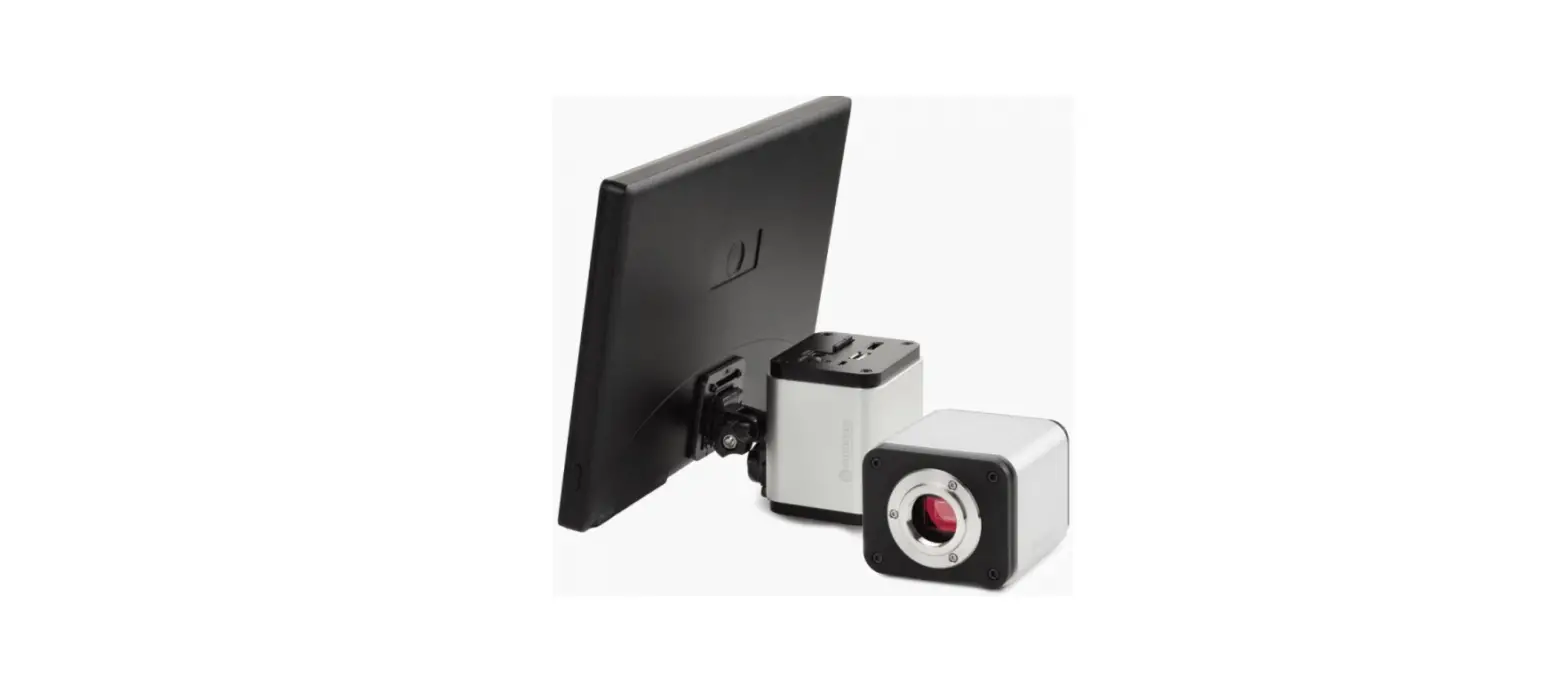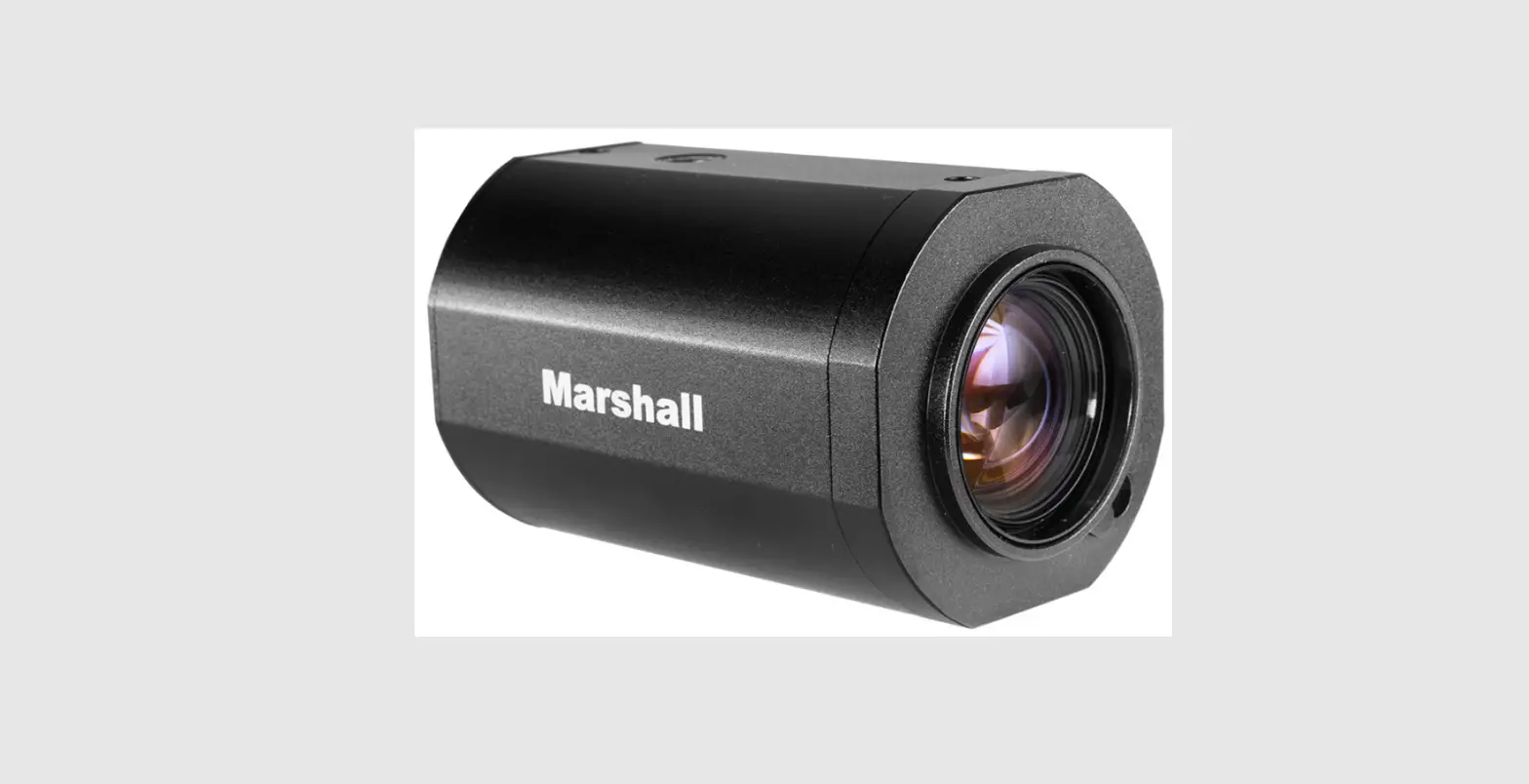

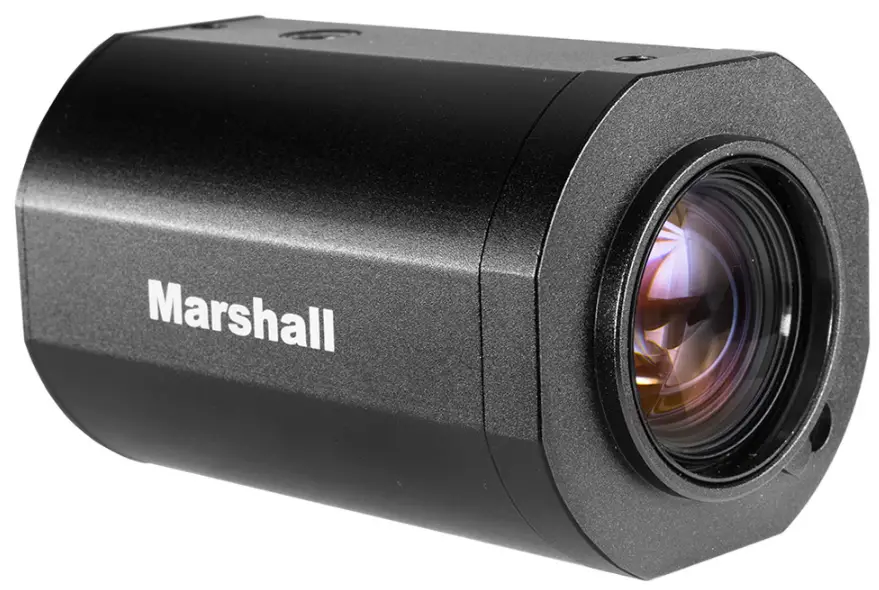
Marshall CV350-10XB Compact 10X Autofocus Camera Full-HD
Precautions
- WARNING
Do not use the camera if fumes, smoke or a strange odor is emitted from the unit, or if it seems to not function correctly. Disconnect the power source immediately and consult your supplier. - CAUTION
Always follow the instructions in the installation guide when applying power. Fire and equipment damage can occur if power is applied incorrectly. For the correct power supply, refer to the specification sheets. Do not install or operate in small, unventilated areas. Heat build-up can significantly reduce the performance and operating life of the product and may cause a fire. To prevent damage, do not drop the camera or subject it to strong shock or vibration. if installed close to a TV, radio transmitter, magnet, electric motor transformer or audio speakers the magnetic field generated may interfere with or distort the image. Whether or not the camera is used outdoors, never point it toward the sun. Use caution when operating the camera in the vicinity ofspot lights or other bright lights and light-reflecting objects. Do not use the camera in extreme environments where high temperatures or high humidity exists. Use the camera under conditions where temperatures are between 14°F ~ 122°F (-10°C- 50°), and humidity is below 909%.
Features
- 1/3” Progressive 2.1 Megapixel CMOS
- 10x Optical Zoom, F=4.7mm ~ 47mm, F1.6 ~ F3.0
- 3G/HD-SDI(BNC), HDMI
- 0.2Lux (Color), 0.1Lux (B/W), 0.005Lux (DSS On)
- Optical Multi-Coated ICR Filter
- 3D-DNR, Privacy Masking
- Defog, HLC, WDR, DIS, NegArt, Freeze, B&W
- Full OSD control
- 12VDC
Hardware Overview
Front
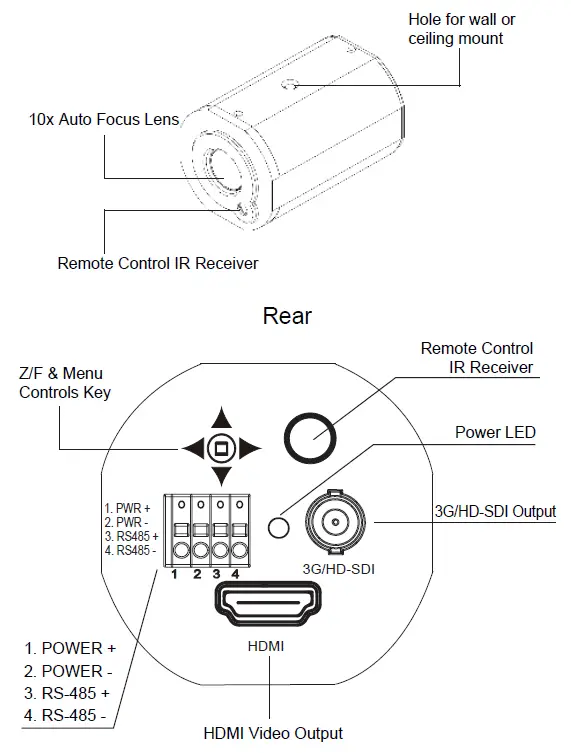
- MENU On, One Push AF Key
Menu On: Press and hold the menu key for 2 seconds to display the menu.
Menu Mode: To select data or exit from the menu, press the menu key.
One Push AF: To adjust focus position, press and release the menu key when One Push AF mode is enabled. - Focus NEAR: Press and hold the right key for continuous optical focus near.
MENU: To change the menu parameter, press the right key while the menu is displayed. - Focus Far: Press and hold the left key for continuous optical focus far.
MENU: To change the menu parameter, press the left key while the menu is displayed. - Zoom TELE: Press and hold up the key for continuous optical zoom-in (Tele).
MENU: To move up a menu item, press the up key while the menu is displayed. - Zoom WIDE: Press and hold down the key for continuous optical zoom out(Wide).
MENU: To move down a menu item, press the down key while the menu is displayed.
Specifications
|
Sensor | Image Sensor | 1/3” Progressive CMOS (Approx. 2.1 mega) |
| Scanning System | 16:9 Progressive | |
| Sync. System | Internal | |
| Effective Pixel | 1920(H) x 1080(V) | |
| Min. Illumination | 0.2Lux (Day), 0.1Lux (Night), 0.005Lux(DSS on) | |
| Horizontal Resolution | 1000TVL | |
|
Optics | Lens | 10x Optical Zoom, F=4.7~47mm, F1.6 ~ F3.0 |
| Zoom | 10x optical zoom x 12x digital zoom = 60x | |
| Focus | Near/Far, Auto/Manual/One Push | |
| Angle of View(H) | 57.7 degrees(WIDE), 6.4 degrees(TELE) | |
|
Functions | Back Light Compensation | WDR/BLC, HLC(High Light compensation) |
| Exposure | Auto / Manual | |
| White Balance | Auto(3,000°K~8,000°K) / ATW(1,900°K~11,000°K) / Manual | |
| Day & Night System | AGC / TDN(ICR) | |
| Electronic Shutter | NTSC: 1/30~1/30000, PAL: 1/25~1/30000, DSS( ~ 1/1sec) | |
| Functions | Privacy Mask, Image Mirror, 3DNR, Flicker-less, Sharpness, Defog, DIS, NegArt, Freeze, B&W | |
|
Video Output | SDI Output | SMPTE 292M(1.485Gbps): [email protected], [email protected], [email protected] SMPTE 424M (2.97Gbps): [email protected] |
| 800mVp-p, 75Ω, unbalanced generator(single-ended) | ||
| CVBS (NTSC/ PAL) | – | |
| HD Output | HDMI [email protected], [email protected], | |
| Control Interface | RS485 | PELCO-P/D, SONY-VISCA protocol |
| 8bits data, 1 stop bit, no parity, 2400~115200bps | ||
| D/N input | OPEN(floating): Day mode, CLOSE: Night mode | |
| General | Operation Temperature | -20℃ ~ 60℃ |
| Power Input | 12VDC (7V to 15VDC) | |
| Power consumption | Max 6W (4.8W Lens inactive, 5.5W Lens active) | |
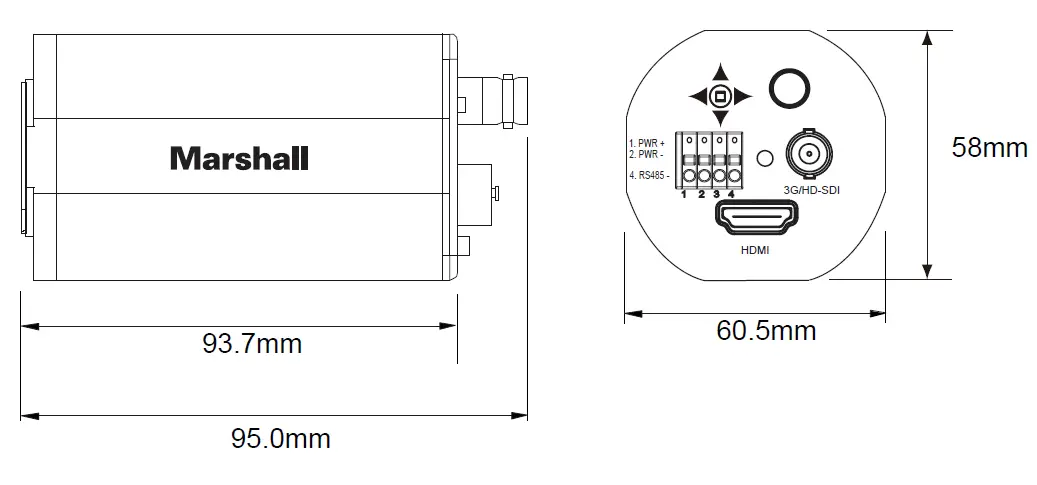
| Dimensions (D x W x H) | 95.0 x 60.5 x 58mm (3.74 x 2.38 x 2.28″) |
Dimensions
| SETUP | SUB MENU | SUB MENU | DESCRIPTION |
|
WB CONTROL | AWB | Controls the automatic adjustment of the light source’s color temperature to 3,000°K ~ 8,000°K. | |
| ATW | Continuously adjusts camera color balance in accordance with any change in color temperature. Compensates for color temperature changes within the range of | ||
| PUSH | Color temperature will be manually adjusted by pushing the OSD button. Place the white paper in front of the camera when the OSD button is pressed to obtain the | ||
| INDOOR | Select this when the color temperature is between 4500K and 8500K. | ||
| OUTDOOR | Select this when the color temperature is between 1700K and 11000K (Ex. Sodium light inclusion) | ||
| MANUAL | BLUE, RED | Select this to fine-tune White Balance manually. You can adjust the blue and red tone level manually. | |
|
AE CONTROL (EXPOSURE) | INDOOR, OUTDOOR | Select one according to the location of the camera installation. Then, select one sub-mode from AUTO, MANUAL, SHUTTER, PRIORITY, IRIS PRIORITY, and BRIGHT. | |
| AUTO | IRIS and SHUTTER are controlled automatically. | ||
| MANUAL | IRIS, GAIN, and Shutterfly are controlled manually. | ||
| SHUTTER PRIORITY | Manual SHUTTER and GAIN control with automatic IRIS control. | ||
| IRIS PRIORITY | Manual IRIS and GAIN control with automatic SHUTTER control. | ||
| BRIGHT | IRIS and GAIN can be controlled by the control of BRIGHTNESS. | ||
| BRIGHTNESS | MANUAL, 0~20 | 0~20: Adjust the screen brightness. MANUAL: BRIGHTNESS control is fixed, and gives the exposure control priority to other resources. | |
| IRIS | AUTO, MANUAL, 0~17 | 0~17: Adjust the IRIS screen brightness. AUTO: IRIS controls exposure automatically but SHUTTER is fixed. MANUAL: IRIS control is fixed, and gives the exposure | |
| AGC LIMIT | 0~20 | A function that controls the amplification/gain process automatically if the illumination falls under the usable level. | |
| SHUTTER | AUTO, MANUAL, 1/2~40K | 1/2~40K: Adjust the SHUTTER speed. (1/2, 4, 8, 15, 30, 60, 90, 120, 150, 180, 250, 350, 500, 725, 1000, 1500, 2K, 3K, 4K, 6K, 10K, 20K, 30K, 40K) | |
| DSS(SENS-UP) | MANUAL, OFF~1/1 | OFF~1/1: Adjust the level of DSS. (OFF, 1/30, 1/15, 1/8, 1/4, 1/2) When it is in low luminance condition, DSS can adjust the picture quality by maintaining the light | |
| FLICKERLESS | OFF, ON | Use this function when you experience picture flicker, this happens when there is a conflict with the installed lighting frequency. | |
|
FOCUS CONTROL | FOCUS MODE | AUTO | Automatically adjusts the focus position. |
| MANUAL | Manually adjusts the focus position when the zoom is changed. | ||
| PUSH | When this mode is enabled, it will automatically adjust the focus position only when the zoom is changed. | ||
| ZOOM SPEED | 0~7 | Set the zoom speed. | |
| TELE LIMIT | X3~X120 | Set the limit of the table. | |
| WIDE LIMIT | X1~X8 | Set the limit of the wide. | |
| FAR END | INFINITY, 2, 3, 5, 10M | Set the distance limit for the far focusing. The lens moves to adjust the focus from the distance. | |
| NEAR END | 30CM, 1, 1.5, 2, 3, 5, 10M | Set the priority distance limit for near focusing. | |
| LENS INITIAL | OFF, AUTO, ONE PUSH | AUTO: The focus is automatically adjusted at the pre-set interval (01~07). ONE PUSH: The focus is re-adjusted when the OSD button is pushed over ONE PUSH. | |
| USER PRESET | This function is to set user defined zoom and focus position. Up to 32 preset positions can be set with submenu, USER PRESET, ACTIVE, SAVE, RESET. | ||
|
BACK LIGHT | WDR/BLC | WDR | Enable user to view both object and background more clearly when the background is too bright. Set the WDR-LEVEL (0~4). |
| BLC | Enable a backlight compensation feature. | ||
| SPOT | Enables a user to select the desired area on a picture and view that are more clearly when the background is too bright. | ||
| ACE | GAIN | Brightness correction of the dark image area. Adjust the GAIN level (LOW, MIDDLE, HIGH). | |
| ECLIPSE | LEVEL | Highlight the bright area with a masking box with a selected color. Adjust the masking level (0~20). | |
| COLOR | Select the color for masking (GRN, MAG, RED, BLUE, BLK, WHT, YEL, CYN) | ||
|
IMAGE CONTROL |
AUTO | D/N LEVEL | The camera will stay in DAY in a normal environment but switched to NIGHT mode when ambient illumination becomes this pre-set level. |
| MARGIN | Set the margin between Day →Night switching level and Night →Day switching level. Different exposure gain level is needed to avoid malfunctions. | ||
| DWELL TIME | Select the checking me of light condition to confirm to chage from the day mode to the night mode. | ||
| NIGHT BURST | Night burst OFF makes that the color burst is removed when ICR switches to black/white. | ||
| DAY | The picture is always displayed in color. | ||
| NIGHT | NIGHT BURST | The picture is always displayed in black/white. | |
| EXT | D/N LEVEL | The camera will stay in DAY in a normal environment but switched to NIGHT mode when ambient illumination becomes this pre-set level. | |
| DWELL TIME | Select the interval me from the day mode to the night mode. | ||
| NIGHT BURST | Alters the color burst informaon passed to the video monitor. | ||
| COLOR LEVEL | 0~20 | Adjust the color level value for a fine color tune. | |
| SHARPNESS | 0~20 | As you increase this value, the picture outline becomes stronger and clearer. | |
| IMAGE FLIP | The video output will be flipped (MIRROR-HORIZONTALLY, FLIP-VERTICALLY, ROTATION). | ||
| DEFOG | AUTO, MANUAL | This feature will help increase visibility in extreme weather conditions, such as fog, rain, or in a very strong luminous intensity. | |
| 3D-DNR | OFF, LOW, MIDDLE, HIGH | This feature will reduce the video noise at low ambient light. | |
| MOTION | This feature will observe the object movement by moon zone and sensitivity that are pre-set with the submenu, DET. SIZE, SENSITIVITY, MASK ACTIVE, WIDTH, | ||
| SHADING | This feature will correct the inconsistent brightness level in the image. | ||
| GAMMA | This feature will adjust video output brightness (STANDARD, STRAIGHT, LOW, MIDDLE, HIGH). | ||
| RESOLUTION | Change video output specification. CV350-10X: 1080P25/30, 1080i50/60, 720P50/60, 1080P50/60. CV350-5XB: 1080P29.97, 1080i59.94, 1080P59.94, 720P59.94 | ||
|
DISPLAY CONTROL | USER TITLE | The camera tle can be entered and it will appear over the video output. | |
| ZOOM MAGNIFICATION | Turn On or off off the zoom scale display. | ||
| PRIVACY | Mask an area you want to hide on the screen with submenu, MASK NO, MASK ACTIVE, MASK COLOR, WIDTH, HEIGHT, MOVE HOR, MOVE VER, TRANS, RESET | ||
| ADDRESS | 01~255 | Select the camera ID number. | |
| ADDRESS DISPLAY | OFF, ON | Select the display of the camera ID. | |
| BAUDRATE | Set the baudrate of RS-485 communication (2400, 4800, 9600, 19200, 38400, 57600, 115200). | ||
| LANGUAGE | You can select the menu language according to your requirements. ( ENGLISH, | ||
| DEFECT ADJ | Defective pixels can be corrected. | ||
| VER. | Display the firmware version. | ||
| RESET | Reset the camera settings to the factory defaults. | ||
| EXIT | Exit the setup. | ||
 Marshall Electronics - Professional Broadcast Miniature/Compact/Indoor 4K/UHD/HD Cameras, 4K Rack Mount/Desktop Monitors, Hardware, and Accessories.