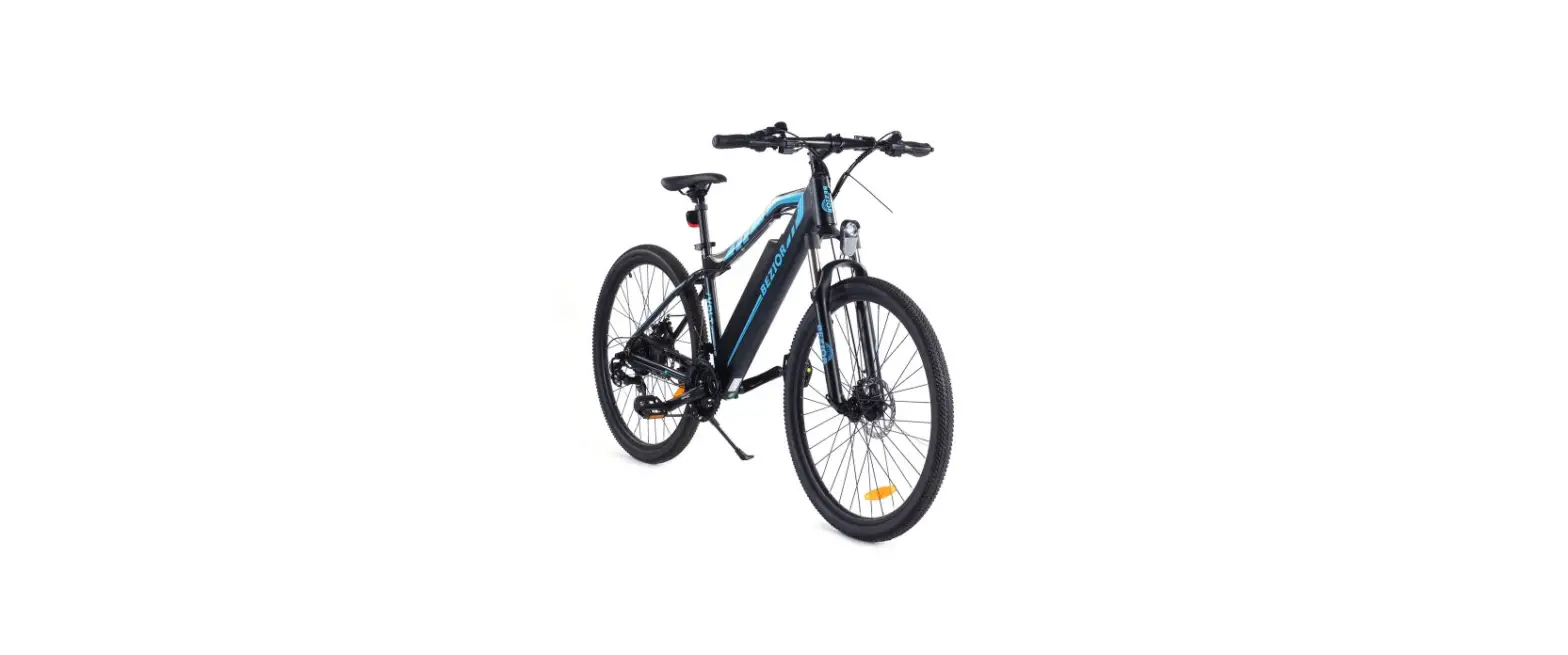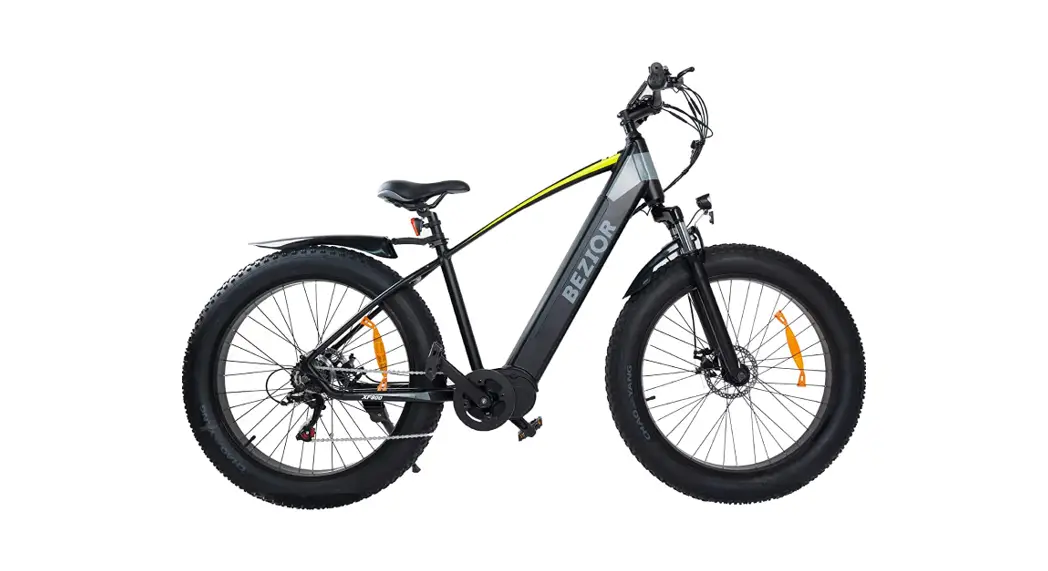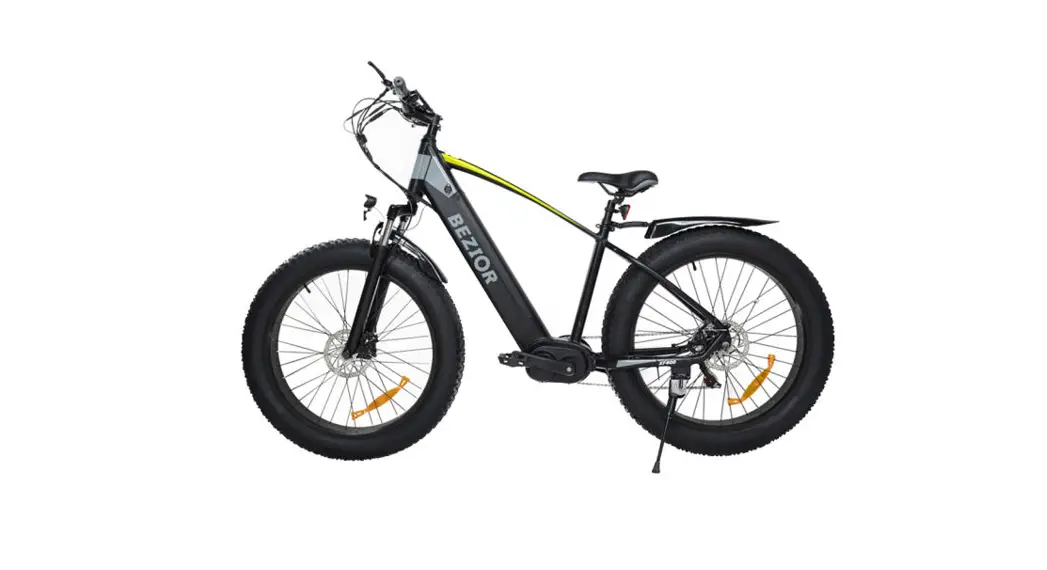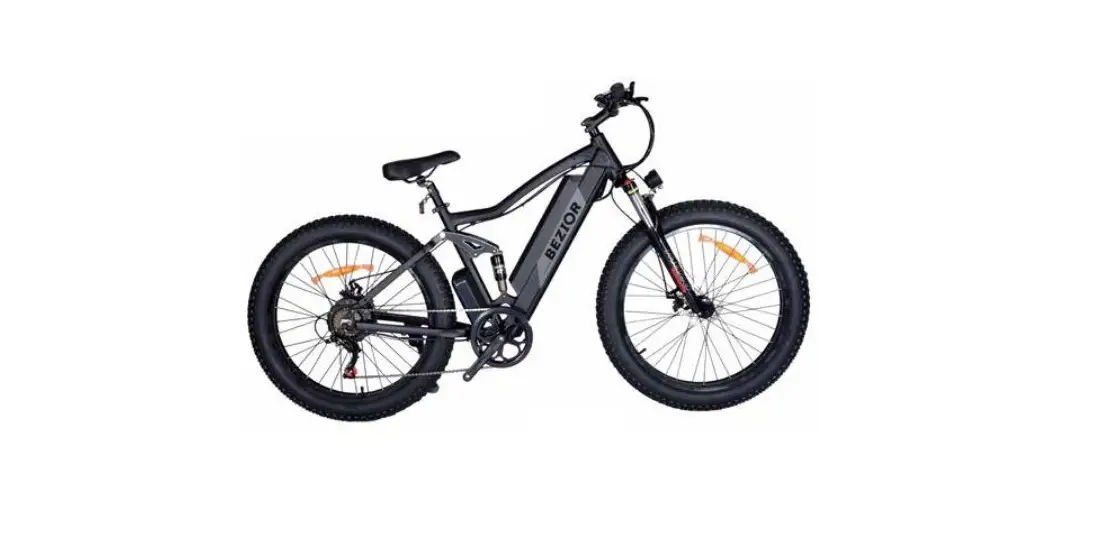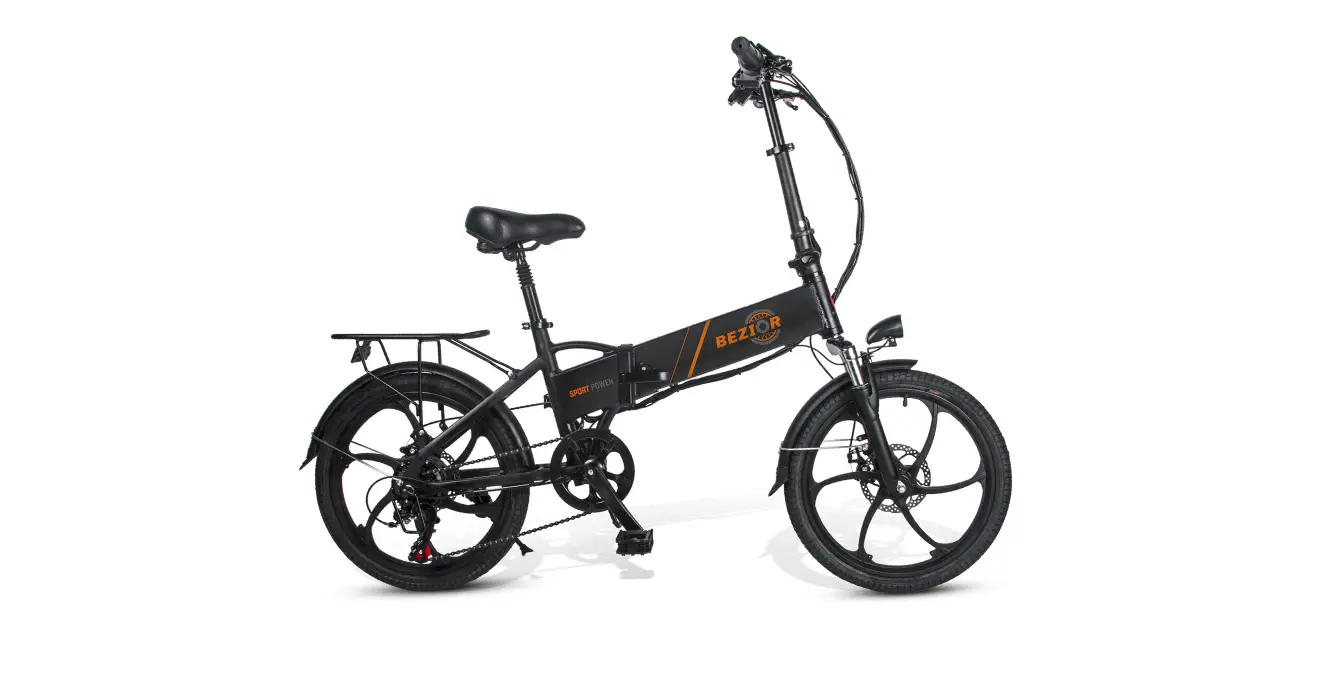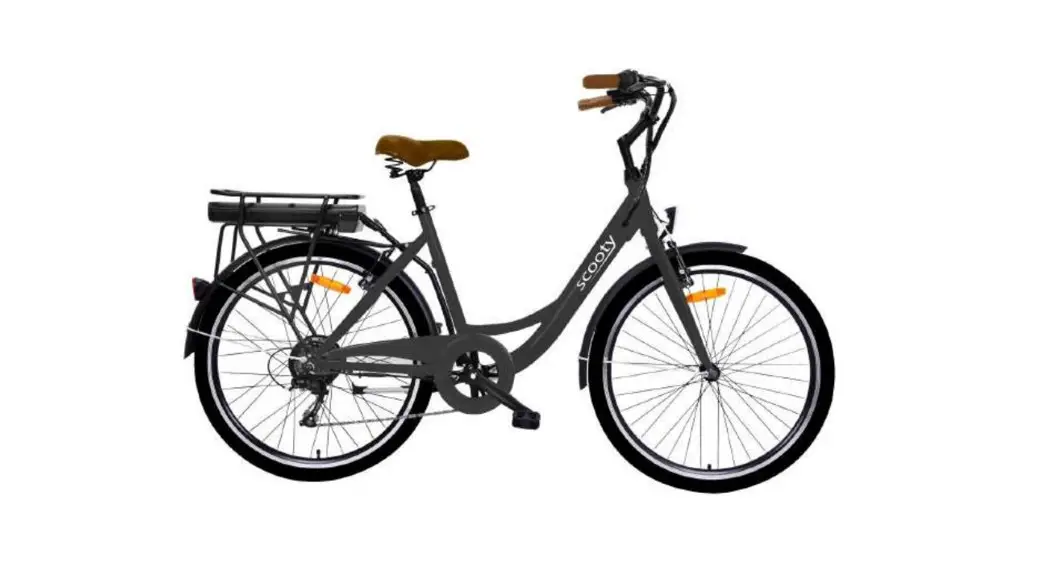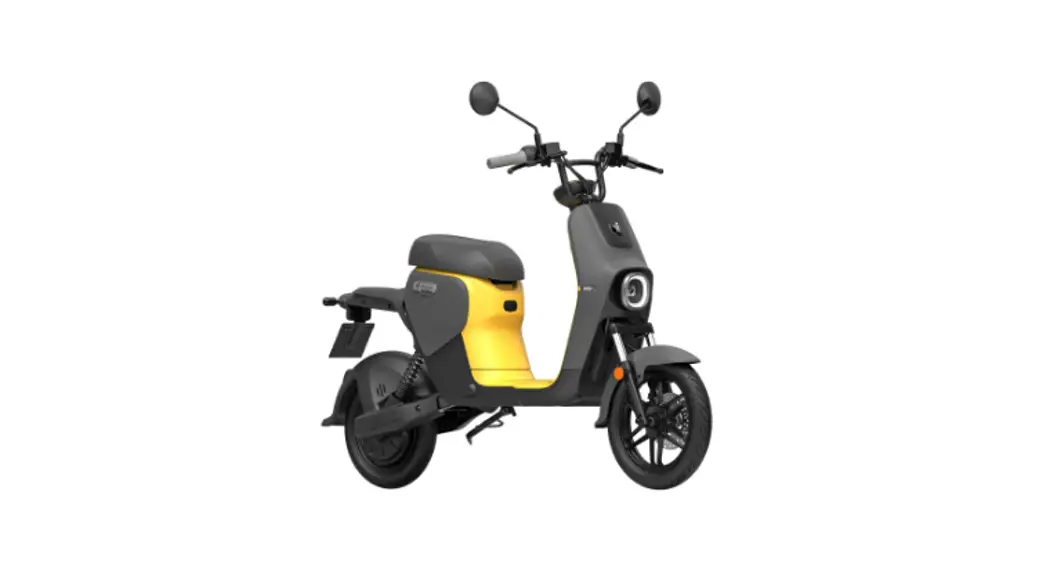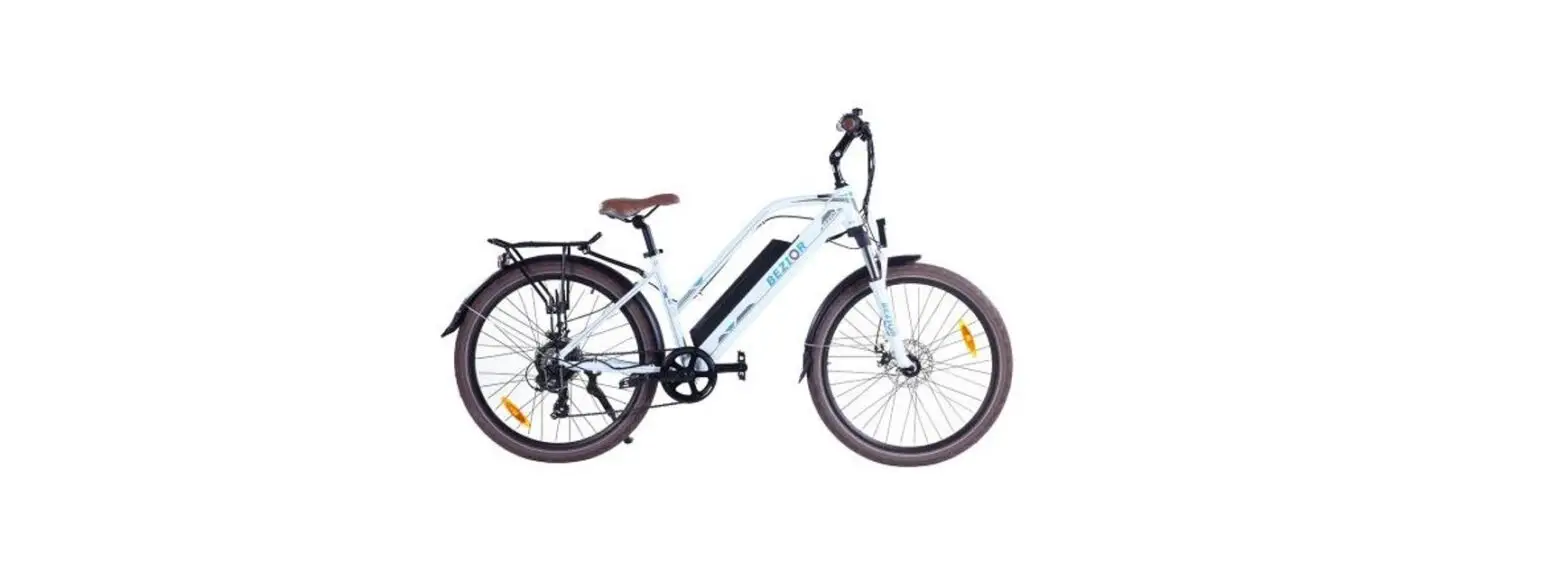
 BEZIOR M2 Smart Moped Electric Bike
 BEZIOR M2 Smart Moped Electric Bike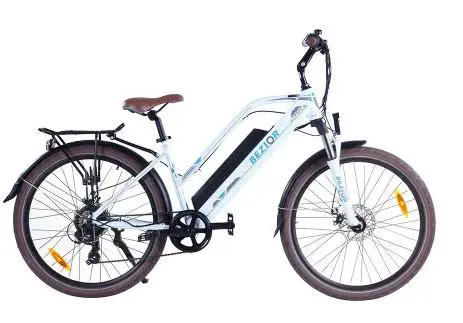
Precautions
Battery and charging:
Charging is only allowed at 0°C~45°C, and discharging is only allowed at -20°C~60°C. The battery must be kept dry. It is strictly prohibited to put the battery in acidic or alkaline liquid. Rain must be avoided, and it shall be kept away from fire, heat and high temperature environment. It is strictly prohibited to reverse the battery’s positive and negative poles or damage them, plug in the battery or let it suffer from short circuit. Please use the original special charger when charging. The charging must not last more than 6 hours, and the charging current does not exceed 2A. When not in use for a long time, please keep the battery in a cool and dry place, and charge it for five hours every month. Users must follow the instructions when charging, otherwise they will be at their own risk. Attention shall be paid to the type of battery to which the charger is compatible and the applicable voltage, and mixing is strictly prohibited. When charging, it shall be placed in a ventilated environment. It is strictly prohibited to charge in a residential building and in an enclosed space or in a hot environment. When charging, insert the battery first, and then supply the mains power; when fully charged, cut off the mains power first, and then unplug the battery connector. When the green light is on, the power shall be cut off in time. It is forbidden to connect the charger to the AC power supply without load for a long time without charging. During the charging process, if the indicator light is abnormal, a peculiar smell occurs, or the charger case is overheating, stop charging immediately and repair or replace the charger. During the use and storage of the charger, be careful not to let foreign matter enter, especially avoid inflow of water or other liquids, so as to avoid short circuit inside the charger.
The charger should not be carried with the vehicle. If it is necessary to carry it, it shall be placed in the tool box after shock absorption treatment. Do not disassemble or replace the accessories in the charger by yourself.
Riding:
Do not use until you have read the instructions carefully to understand the performance of the product; do not lend it to anyone who does not manipulate the product. Before riding, check if the brakes are working. When braking, please apply the rear brake first, and then apply the front brake. Pay attention to the tightness of the brakes. When you find that the brakes are too loose, you can use a internal hexagonal wrench to tighten it. Note that the braking distance shall be increased when you are riding in rain or snow. Applicable age: 16 to 65 years old.
Be sure to wear a safety helmet while riding it, follow the traffic rules, and do not drive on motorized lanes and roads with many pedestrians.
Please check the tire pressure before riding. The recommended tire pressure is 35~45PSI.
The speed at downhill and non-brick pavement does not exceed 15km/h. Be careful not to bump the motor vigorously when it is used, and keep the spindle lubricated.
Do not ride at more than the maximum load of the car body
(maximum load: 120kg)
After use, the car cannot be parked in the building’s entrance hall, evacuation stairs, or emergency exit. It must be properly parked in accordance with safety regulations.
No one-handed riding!
Disclaimer
After riding, please place the vehicle in a place free from sunlight and rain, not in a residential building;
Check the motor and brake frequently;
Check the screws of the vehicle and the places to be tightened regularly, and tighten them regularly.
Recommended torque: (unit: kgf.cm) handlebar screws 60-80, stem screws 175-200, seat screws 175-200, and wheel screws 320-450;
The front and rear wheels of the vehicle shall be located in the center of the fork or frame;
Check the spell frequently for any scars, cracks, or excessive wear. The inner tube and the air nozzle shall be perpendicular to the hub. The cover tyre that is damaged or excessively worn needs to be replaced immediately, please ask a professional technician to replace your tyre. If your cover tyre accidentally punctures and leaks, please contact a professional technician to repair or replace it.
Maintenance and care
For the product model, specifications or related information mentioned in this Operation Manual, the company reserves the right of modification and final interpretation; the functions of the specific model mentioned in this Operation Manual are only applicable to that specific model; The product models, specifications, or related information mentioned in the Operation Manual may be changed without notice; without prior written permission of the company, the Operation Manual may not be copied, modified, reproduced, transmitted, or published in any form. Please read the Manual carefully before using the product, and operate in accordance with the Manual, otherwise the company will not be liable for product damage or personal or property damage caused by improper use or error.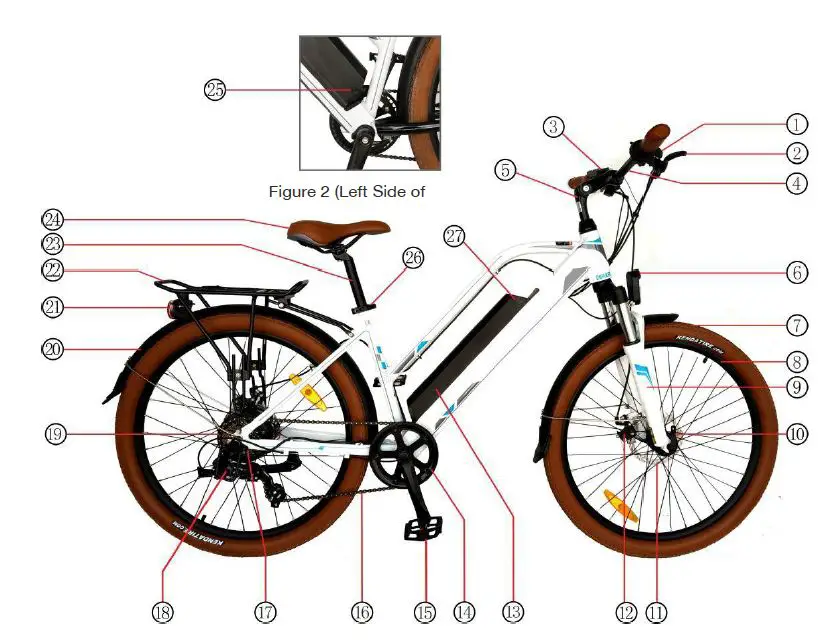
Figure 1 (Whole Vehicle Diagram)
- Variable speed shifter
- Brake lever
- Dash board
- Handle bar
- Stem
- Headlight
- Tyre
- Hub
- Damping front fork
- Front axle locking quick release
- Disc brake block
- Disc brake
- Lithium battery
- Sprocket
- Pedal
- Chain
- Flywheel
- Rear derailleur
- Drive motor
- Rear fender
- Rear light
- Rear hanger
- Seat tube
- Saddle
- Battery charging hole
- Seat tube adjustment quick release
- USB output port
Function introduction
- Charging:Referring to Figure 2, on the left side of the frame, you can see the charging hole; connect the charger to start charging; when the battery capacity is displayed to be full, and the charger indicator light changes from red to yellow-green, it means the battery is fully charged.
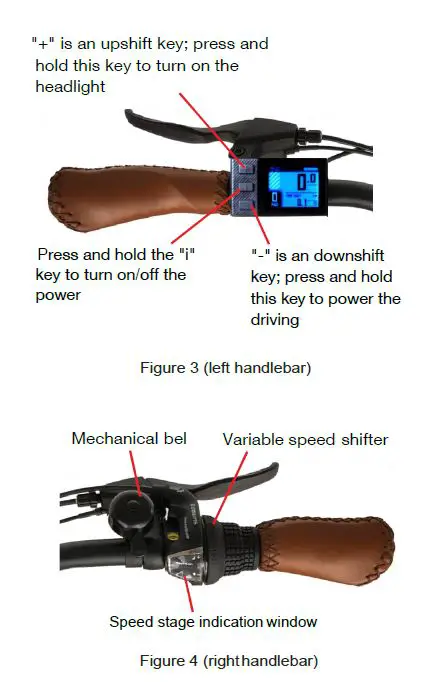
- Turn on: Referring to Figure 3, press and hold the “i” key to turn on/off the power.
- Battery indicator:The instrument panel lights up after power-on. The battery is displayed in four grids, corresponding to high, medium and low battery.
- Headlight:Referring to Figure 3, press and hold the “+” key to turn on/off the headlight.
- Start-up model: Power riding. Step on the vehicle sprocket, and start the electric power automatically after a certain speed is gained.
If no power is needed, turn off the power or the battery. - Speed change: Referring to Figure 4, turn the speed change shifter while the vehicle is moving to achieve speed change from gear 1 to gear 7.

Adjust the handlebar height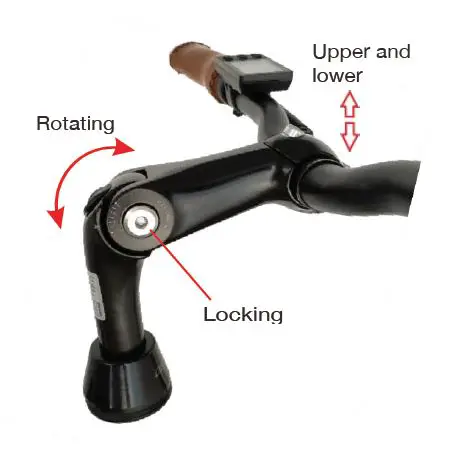
Loosen the locking screw of the stem with hex key 2.At this time, the height of the handlebar can be adjusted by turning up and down adjust it to a proper position, and then tighten the locking screw.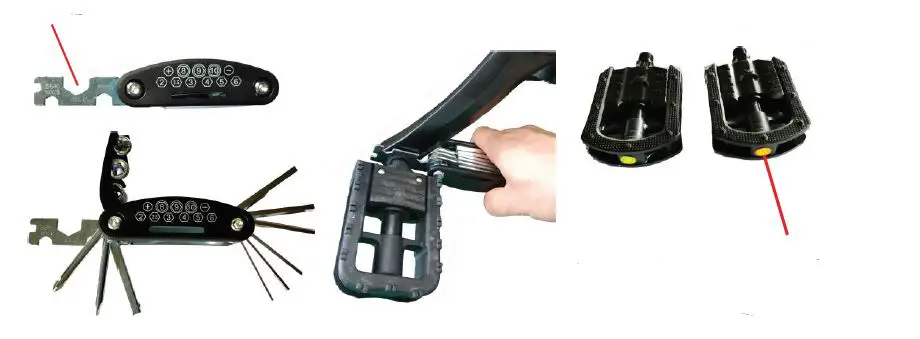
Note: The pedals are not installed at the factory and can be installed by using the special wrench coming with the vehicle.
Note when installing the pedals: The pedal with “R” symbol is the right pedal, and that with the “L” symbol is the left pedal.
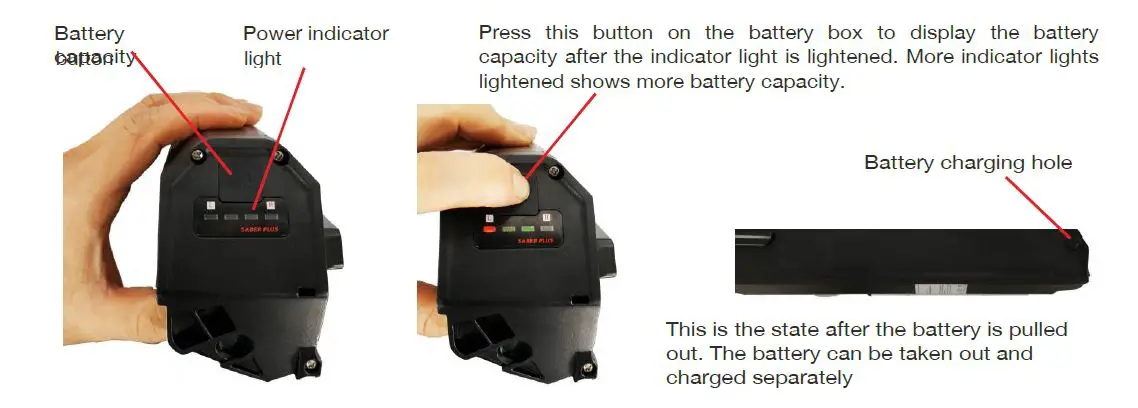
Remove the battery
1.Insert the key into lockhole by left hand, press it to the bottom, rotate it to the left in position, and keep still; 2.In the meantime, grasp the handle of battery by right hand to pull the battery out.
Product Parameters
| Parameters | Standard Edition | |
|
Dimensions | Car body materials | Aluminum alloy |
| Body dimensions | 1780*610*1050mm | |
| Distance from pedal to ground | 100mm | |
| Tyre dimensions | 26 inches | |
| Package dimensions | 137*19*79cm | |
|
Performanc e parameters | Car body weight | 29kg |
| Maximum load | 120kg | |
| Best riding speed | 20km / h | |
| Maximum speed | 25km / h | |
| Endurance mileage | 50~55km | |
| Maximum climbing angle | 30 degrees | |
| Operating temperature | -10~45°C | |
| Waterproofing grade | IP 54 | |
|
Electrical specifications | Type of battery | 18650 lithium-ion power battery |
| Battery capacity | 12.5AH | |
| Battery rated voltage | 48V | |
| Motor line type | Power | |
| Motor rated voltage | 48V | |
| Motor rated power | 250W | |
| Charging voltage | DC56V/2A | |
| Input voltage | AC220V | |
| Undervoltage protection value | 31V | |
| Overcurrent protection value | 1.5A | |
| Charging time | 8~10 hours | |
|
Product Features | Instrument display | Multi-function LCD screen |
| Front lighting | Yes | |
| Braking method | Front and rear disc brakes | |
| Tyre style | Pneumatic tyre |
Remarks: electric quantity, load, tyre pressure, pavement environment, chain and axle lubrication degree, etc. will affect the maximum speed; the endurance mileage is measured at a load of 60kg and a speed of 15~25km/h on flat and hardened road under continuous testing from 100% power capacity to 0% power capacity; driving habits, temperature, load, tyre pressure, pavement environment and other factors will affect the endurance mileage.
Product Description and Characteristics
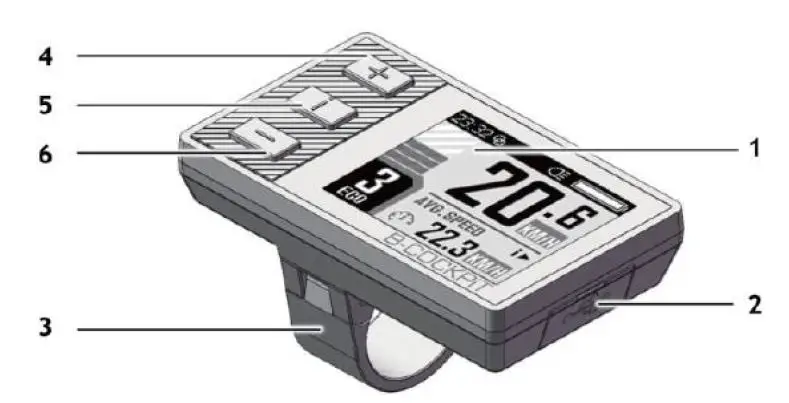
Part description
- 1.77” inch, 160×128 color TFT LCD screen
- USB port with protective cover
- Mounting bracket
- “+” button
- “i” display function button
- “-” button
Technical Parameters
| Rated operating voltage | 24V /3 6V /48 V DC |
| USB port output | 5V,500mA |
| Operating temperature | -10°C ~+45°C |
| Storage temperature | -20°C -+60°C |
Installation Instructions
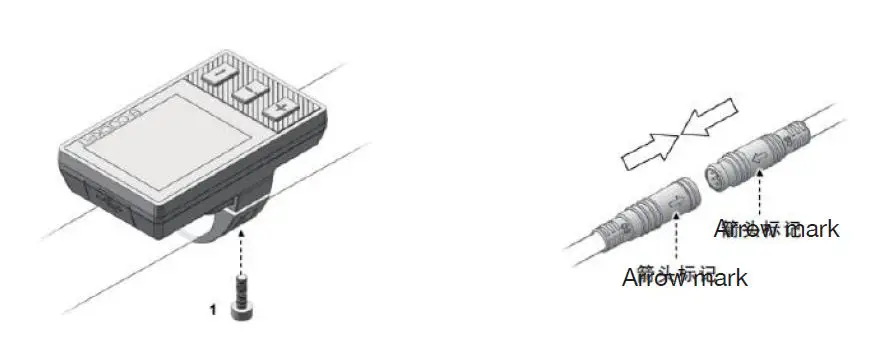
Installation of BC-18 device
- Use M3 hex socket key, tighten screw 1, and fix the instrument to the left side of the handlebar. Tightening torque: 0.2N.m. Do not over-tighten it, otherwise the surface of the instrument may be damaged.
- Align the two arrow marks and firmly connect the cable on the instrument with the cable on the electric bicycle controller.
Instrument interface
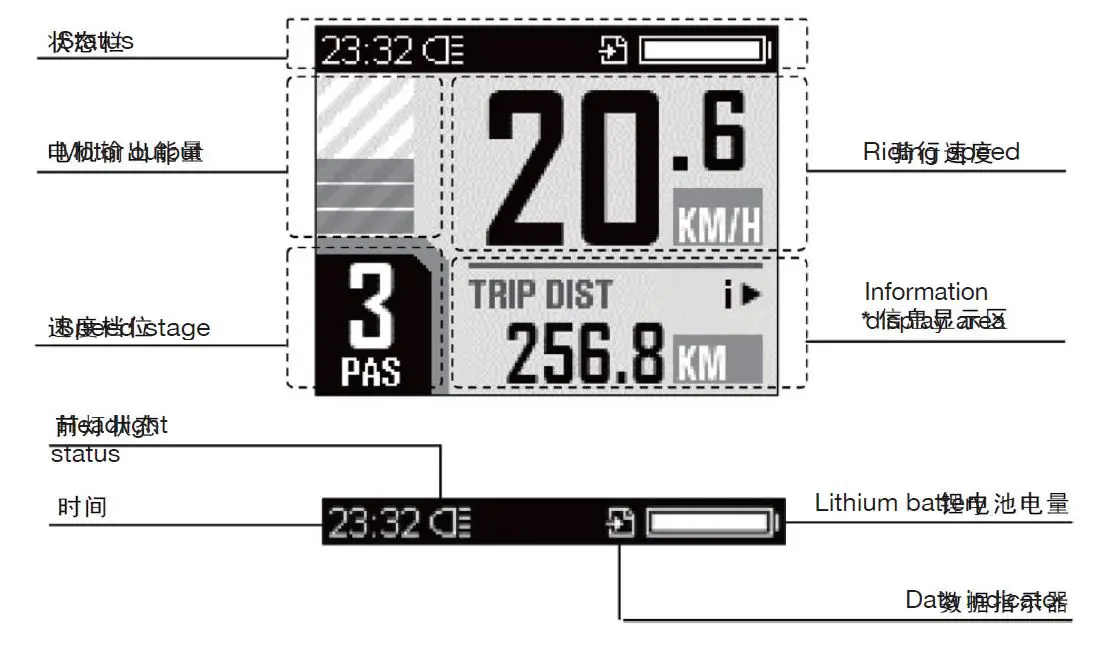
- The instrument interface is the default interface on the instrument
- Key function
1. “+” key:
| Short press once | Long press for 3 seconds | Press and hold for a long time | |
| Instrument functions | Increased power | Headlight on/off | —- |
| Menu interface | Cursor up/increase | —- | —- |
2. “-” key:
| Short press once | Long press for 3 seconds | Press and hold for a long time | |
| Instrument functions | Decreased power | —- | 6 km/h mode |
| Menu interface | Cursor down/decreas e | Cancel and return | —- |
3. “i” key:
| Short press once | Long press for 3 seconds | Press and hold for a long time | |
| Instrument functions | Change information display | Instrument system | On/Off |
| Menu interface | OK/Confirm | —- | —- |
4. & Press both keys simultaneously:
| Short press once | Long press for 3 seconds | Press and hold for a long time | |
| Instrument functions | —- | Enter the menu interface | —- |
| Menu interface | —- | Save changes and exit | —- |
Information Display Area
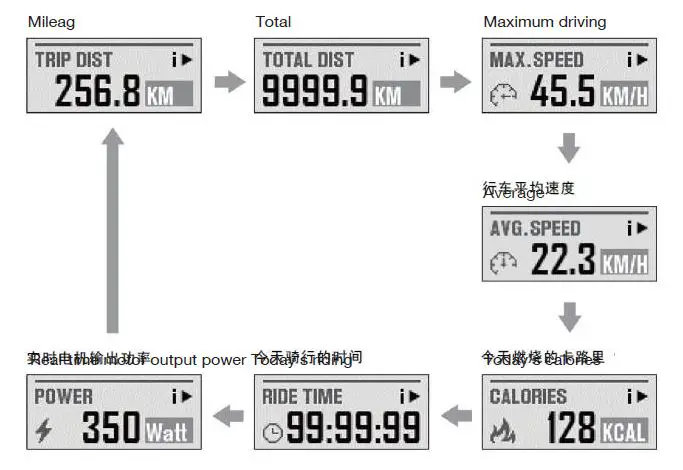
In the instrument interface, short press the “i” key for circulation browsing of the information of various riding and electric bicycles.
- If the electric bicycle is not ridden, the riding time statistics will be suspended and reset to zero at 00:00 every day.
- Calories and riding time statistics are reset to zero at 00:00 every day.
System configuration precautions
Changing the parameters in the “System Configuration” without knowledge may cause the electric bicycle to have malfunction.
It may even make driving unsafe.
Before making any modifications yourself, consult the manufacturer.
System Operation
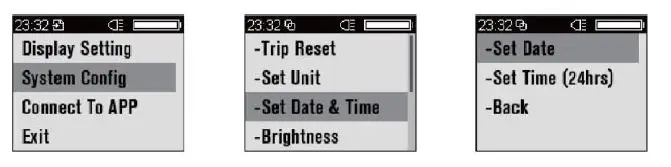
- Initial operation
Set the system time
- Press the “+” and “-” two keys simultaneously and hold for 2 seconds to enter the main menu page of the system
- Press the “+” key and select the “Display Setting” field, and then press “i” to confirm
- Use the same method to select “Set Date & Time” and other items below

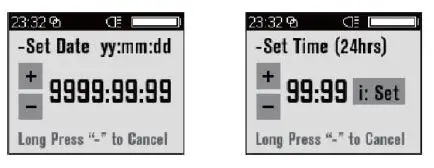
- On each page, you can adjust the parameters by pressing the “+” and “-“.
- The parameter being adjusted is displayed as a flashing number.
- After the adjustment is completed, press “i” to confirm and continue to the next parameter setting until all parameters are set.

Other Interfaces
Error code notification
List of error codes (example only, depending on customer)
| List of error codes (example only, depending on customer) | ||
| Error code | Corresponding error conditions | Solutions to corresponding errors |
| 21 | Controller protection | Check if the three-phase power line is connected properly |
| 22 | Accelerator error | Check accelerator conductor connections and replace motor if necessary |
| 23 | Motor phase error | Check motor conductor connections and replace motor if necessary |
| 24 | Speed sensor error | Check the speed sensor conductor connections and replace the sensor if necessary |
| 25 | Brake error | Check the brake system conductor connections and replace the brake system if necessary |
| 30 | Communication error | Check joints and contacts between parts |
 kgf.cm