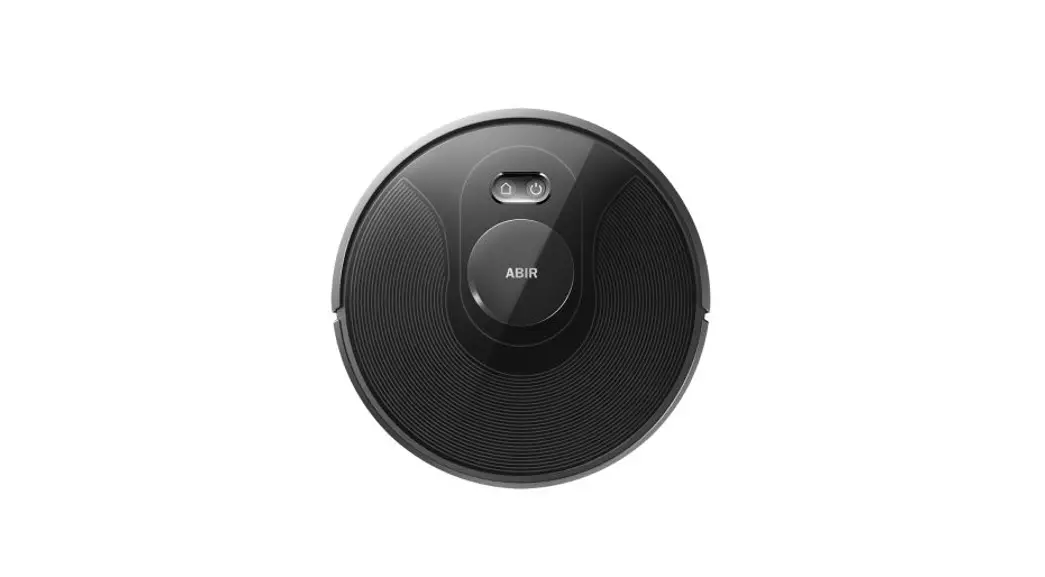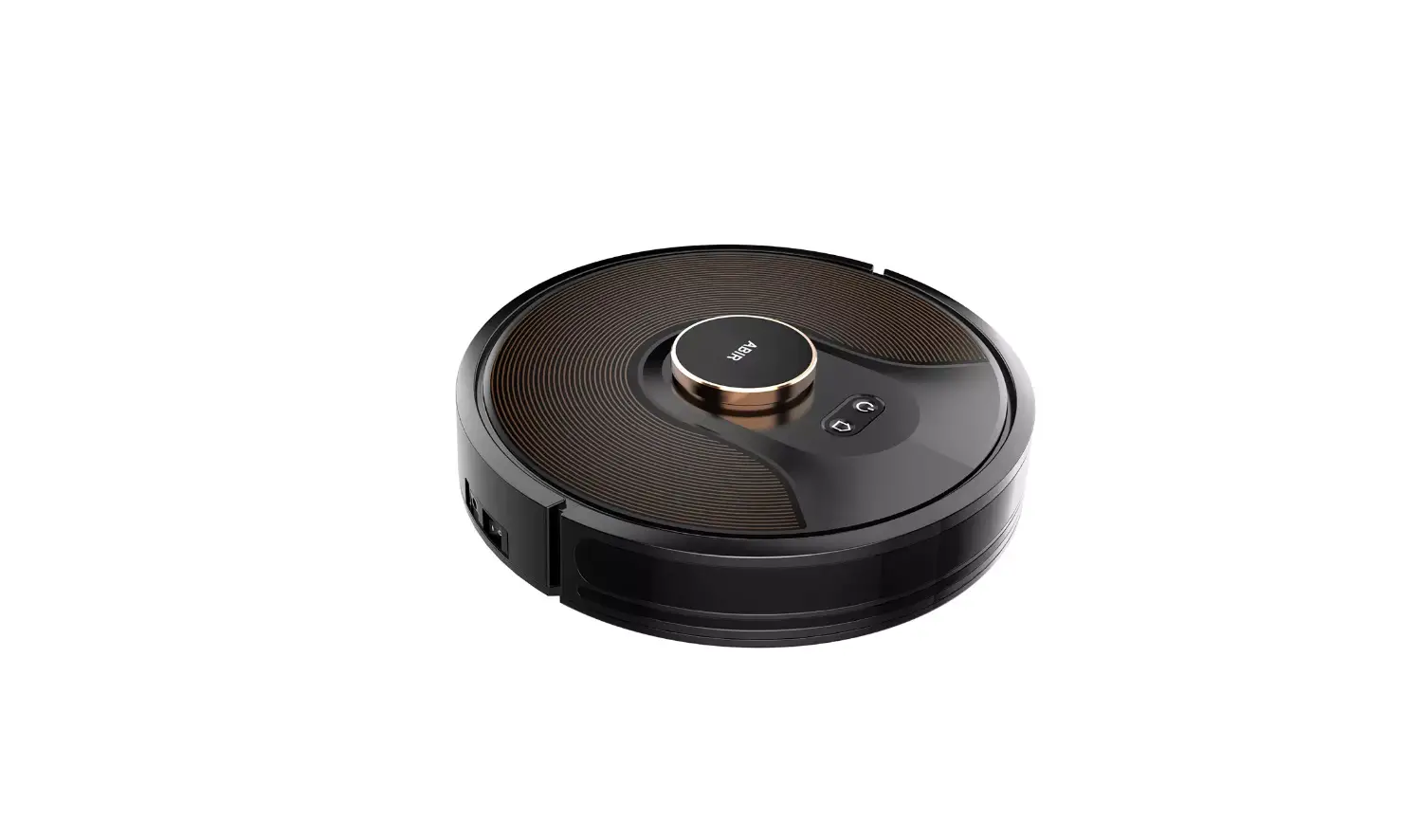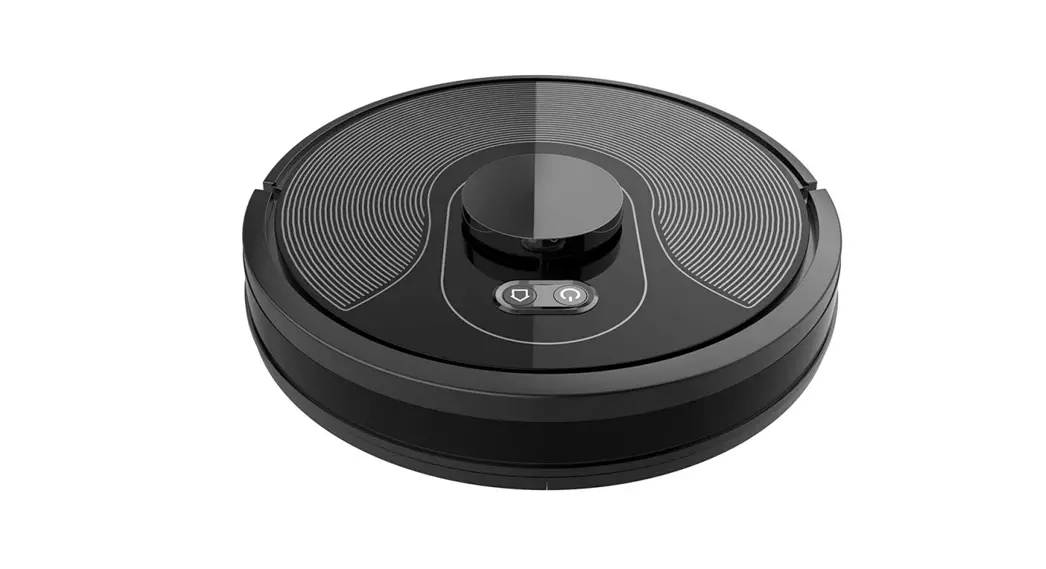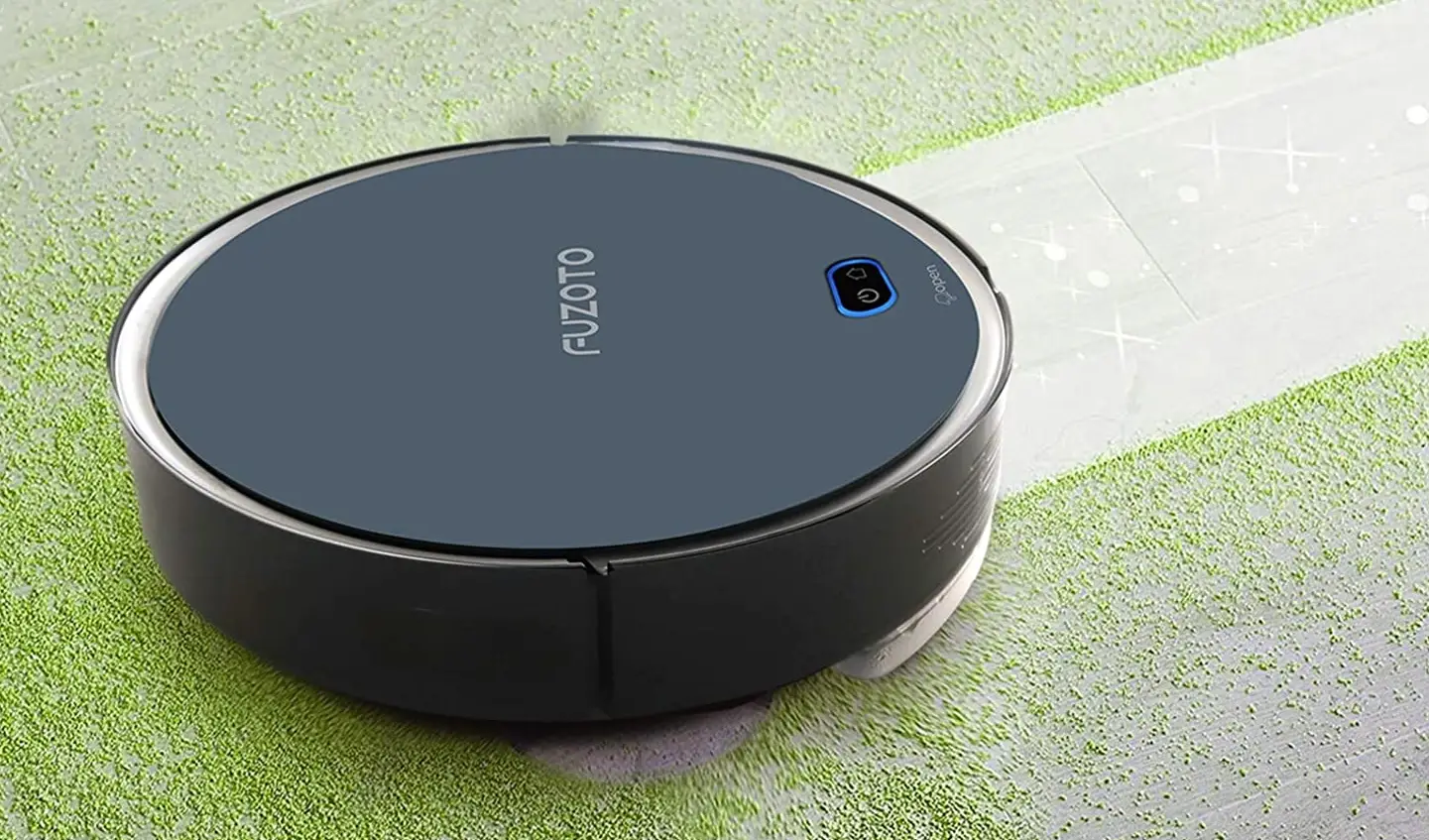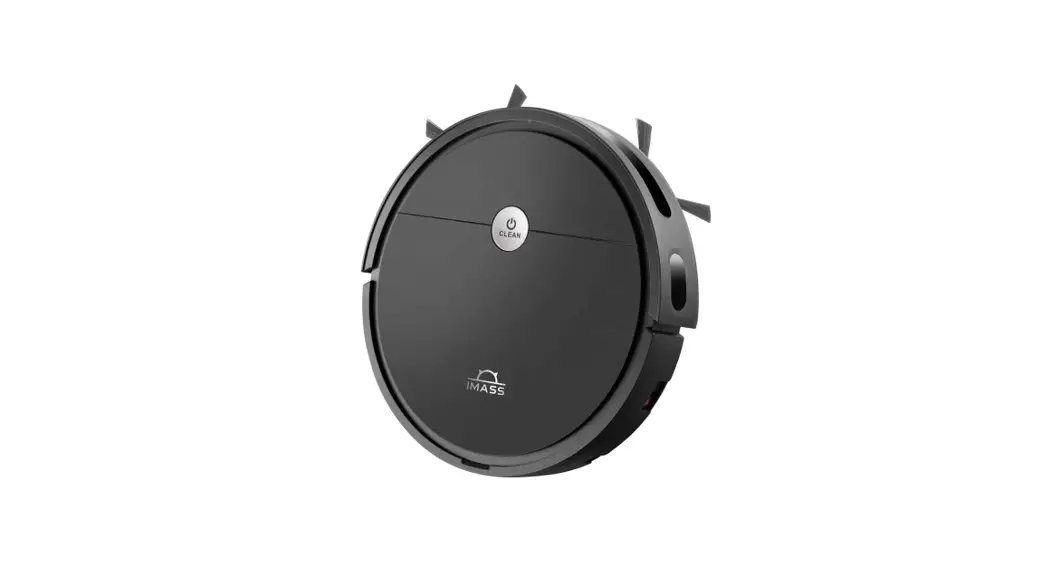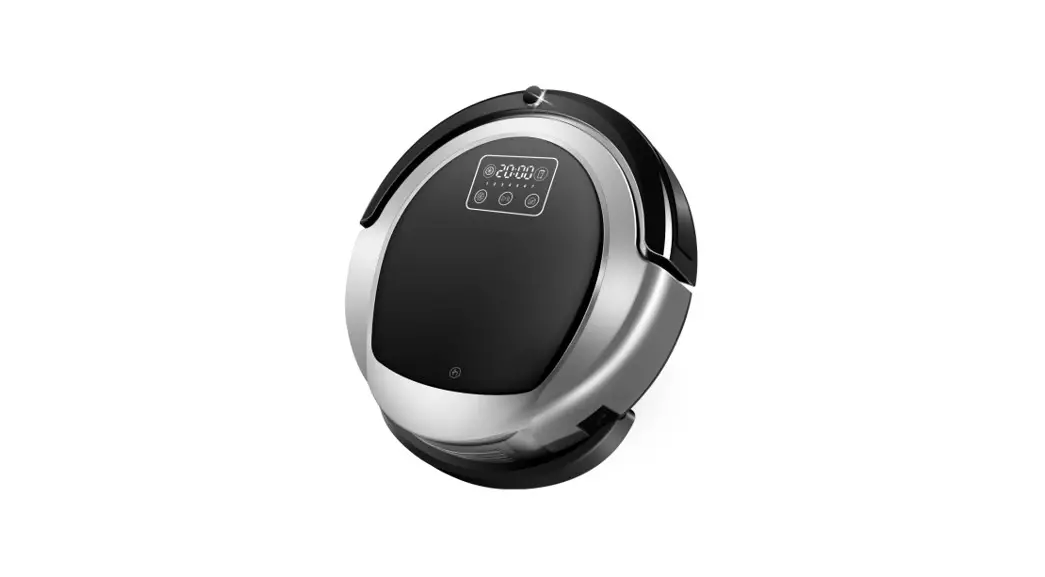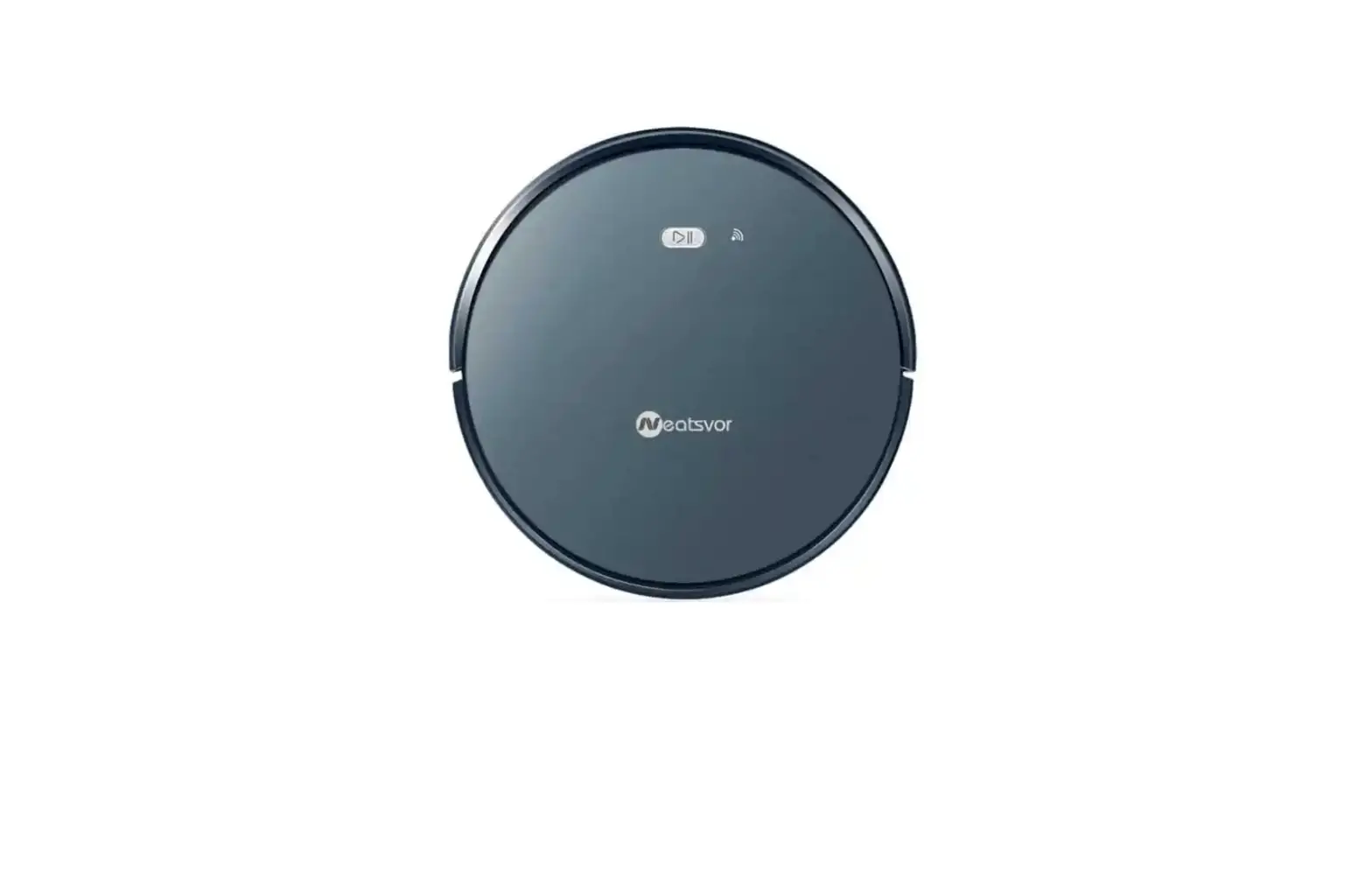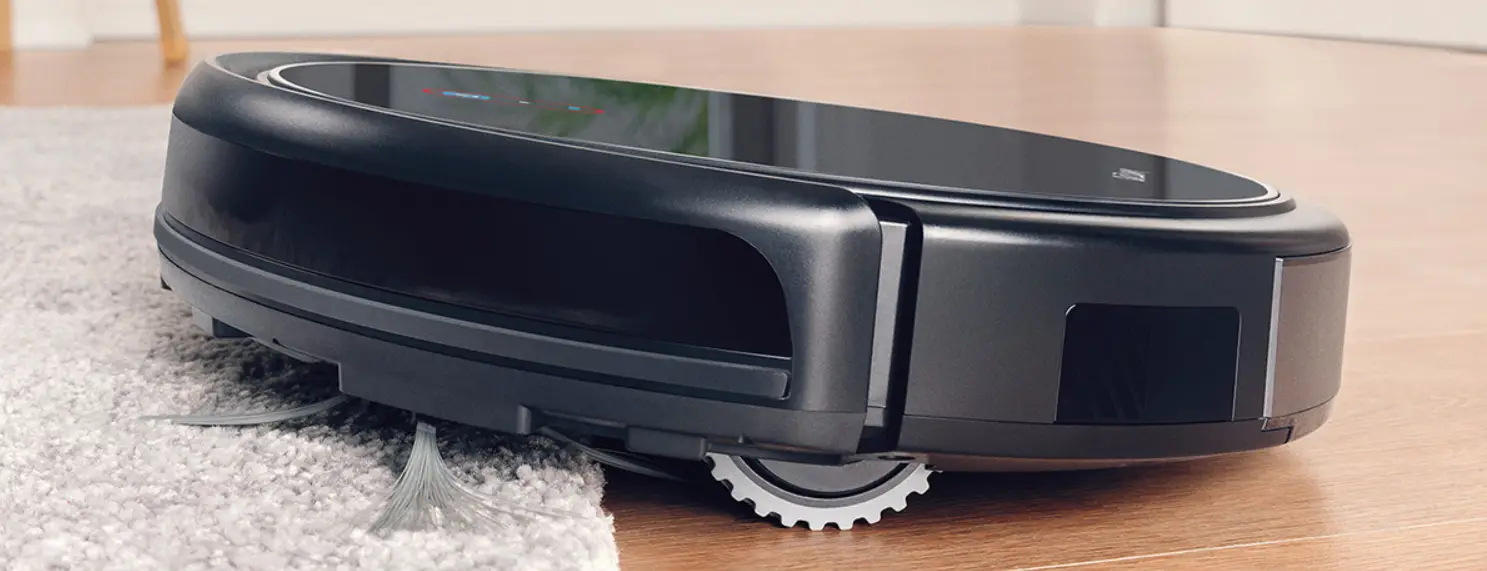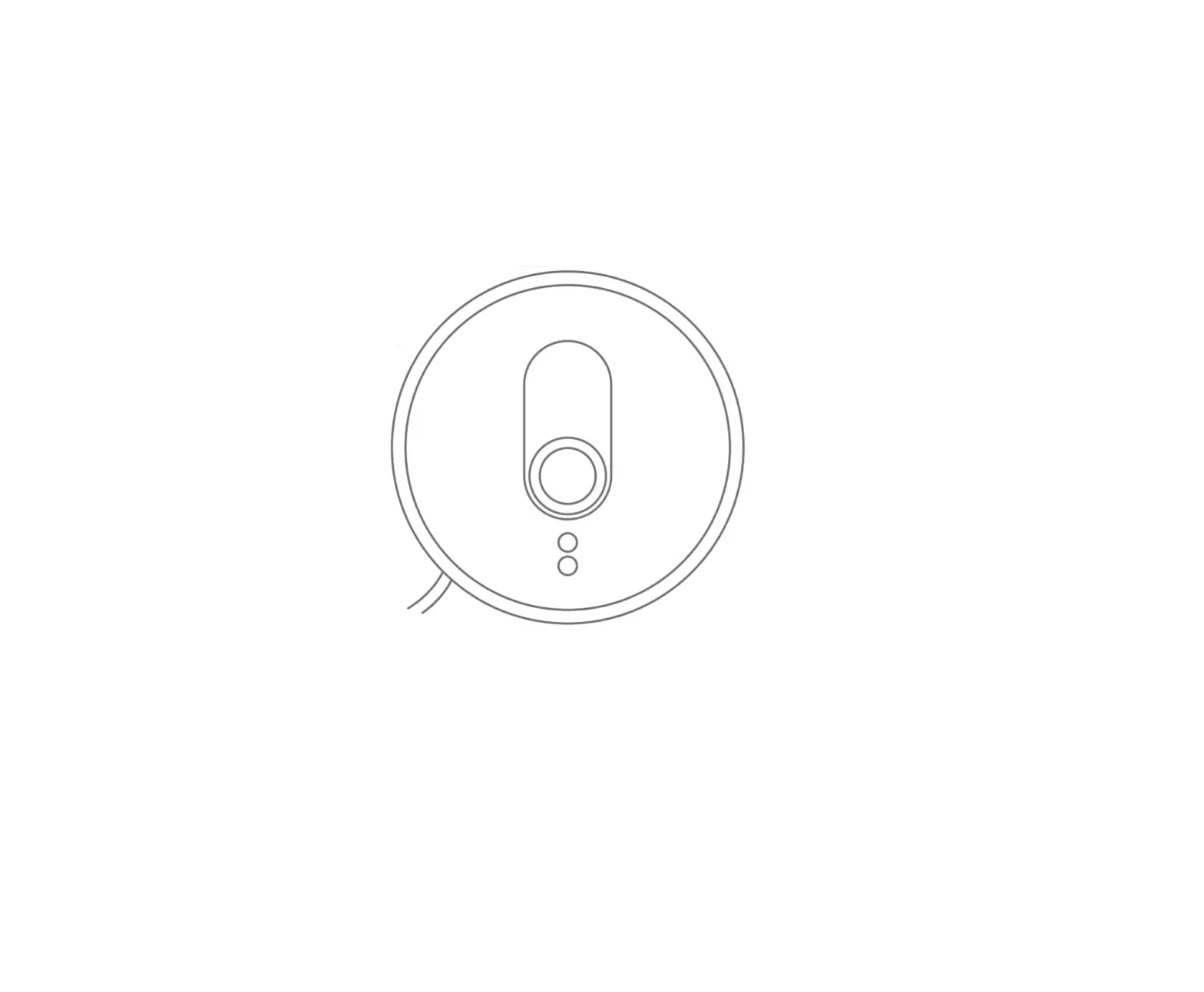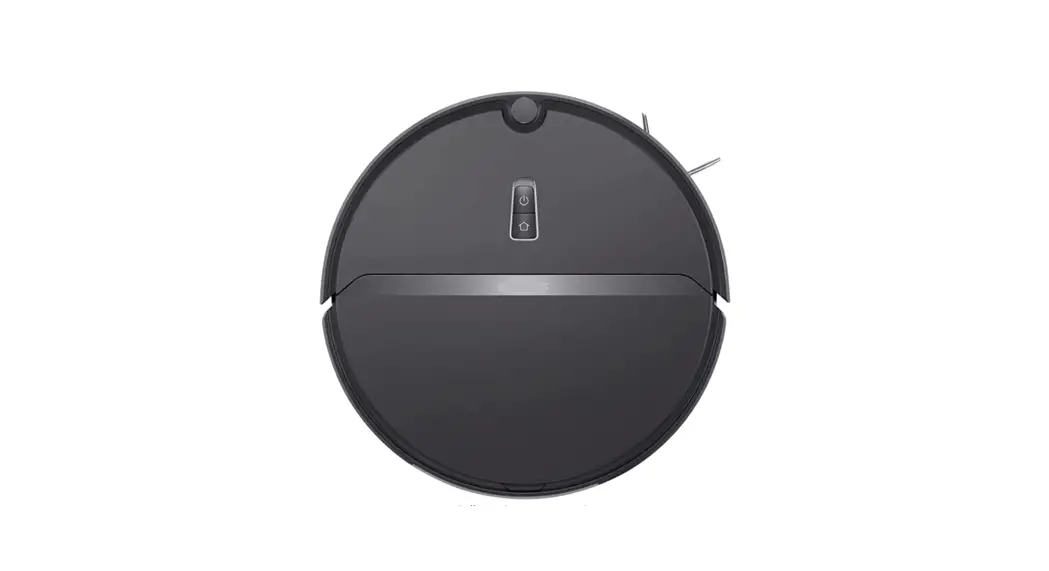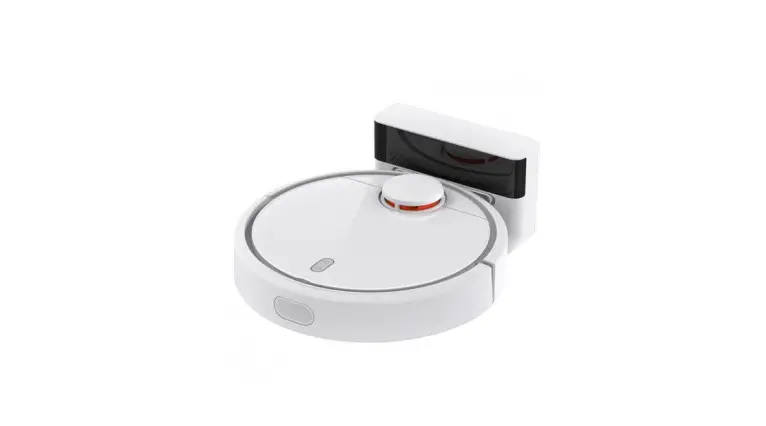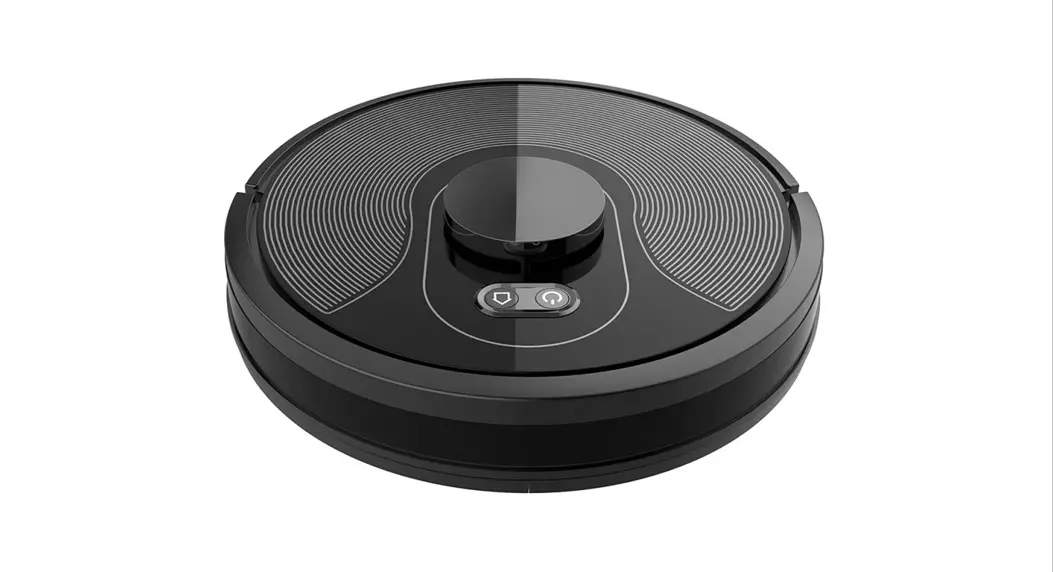
 Robot Vacuum Cleaner
Instruction Manual
X8 Pro 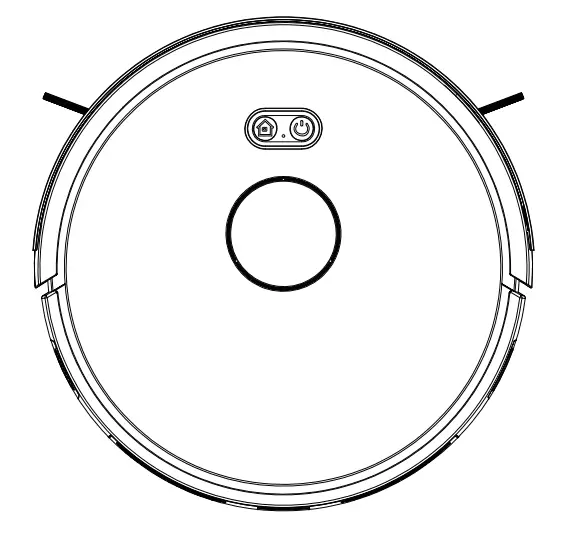 Please read this manual carefully before using the product and keep it safe.
Safety Regulation
Before using this product, please read the following safety instructions and follow all the safety precautions. Any operation inconsistent with this instruction manual may cause damage to this product.
ATTENTION:
- Only authorized technicians can disassemble this product. Users are not recommended to disassemble this product by themselves.
- Please use the original power adapter only. Other adapters may cause damage to this product.
- Do not touch wires, sockets or power adapters when your hands are wet.
- Do not use cloth curtains or body parts to roll into the product drive wheels.
- Do not place this product near cigarette butts, lighters, and other smoldering fires.
- Please clean the product after charging.
- Do not bend wires excessively or place heavy objects and sharp objects on the machine.
- This product is an indoor household product. Do not use it outdoors.
- Do not sit on the product.
- Do not use this product in a wet environment (e.g. bathroom).
- Before using this product, please remove all vulnerable items (e.g. glasses, lamps, etc.) on the ground as well as items (e.g. wires, paper sheets, curtains) that may entangle the side brushes, side wheels, and brush.
- Do not put this product in a place where it is easy to fall (e.g. on desks and chairs).
- Please turn off the main power switch on the side of the machine during transportation or not use for a long time.
- Please carefully check whether the power adapter is connected to the socket before use.
- To prevent tripping, please inform other members of the house when this product works.
- Please empty the dust box before using this product when the dust box is full.
- The temperature used for this product is 0 to 40 degrees celsius.
- Do not use this product in a high-temperature environment
- Please remove the battery from the machine before the product is scrapped.
- Please make sure that this product is not powered on when removing the battery.
- Please recycle the discarded batteries safely.
Warning:
- Use only the original rechargeable battery and charging station specially equipped by the manufacturer. Non-rechargeable batteries are strictly prohibited, please refer to “product parameters” for battery specification information. This appliance contains batteries that are only replaceable by skilled persons.
- It is forbidden to use products in environments with open flames or fragile objects.
- It is forbidden to use products in extremely hot ( above 40 °C ) or extremely cold ( below 0 °C ) weather.
- It is forbidden for human hair, clothes, fingers, and other parts to approach the opening and operating parts of the product.
- It is forbidden to use products on wet or stagnant ground.
- It is forbidden for products to absorb any particles such as stones and waste paper that may clog products.
- It is prohibited for the product to absorb any inflammable substances, such as petrol, toner, and toner for printers or photocopiers. It is also prohibited to use the product in clean areas with flammable items. the product in clean areas with flammable items.
- It is forbidden for products to absorb any burning articles, such as cigarettes, matches, ashes, and other articles that may cause a fire.
- It is forbidden to place articles at the suction port. Do not use the product when the suction port is blocked. Clean up dust, cotton wool, hair, etc. at the suction port to ensure smooth air circulation at the suction port. Use the power cord carefully to avoid damage.
- It is forbidden to use the power cord to drag or pull the products and the product charging station. It is forbidden to use the power cord as a handle. It is forbidden to clamp the power cord in the crack of the door.
- It is forbidden to pull the power cord at sharp corners and corners.
- It is forbidden for the product to run on the power cord while the power cord should be far away from the heat source. Do not use a damaged charging station. Even if the product has been severely damaged, burning of the product is prohibited, which may lead to an explosion of the battery of the product.
- This appliance is not intended for use by persons (including children) with reduced physical, sensory or mental capabilities, or lack of experience and knowledge unless they have been given supervision or instruction concerning the use of the appliance by a person responsible for their safety.
Children should be supervised to ensure that they do not play with the appliance.
Product Composition / Package Contents
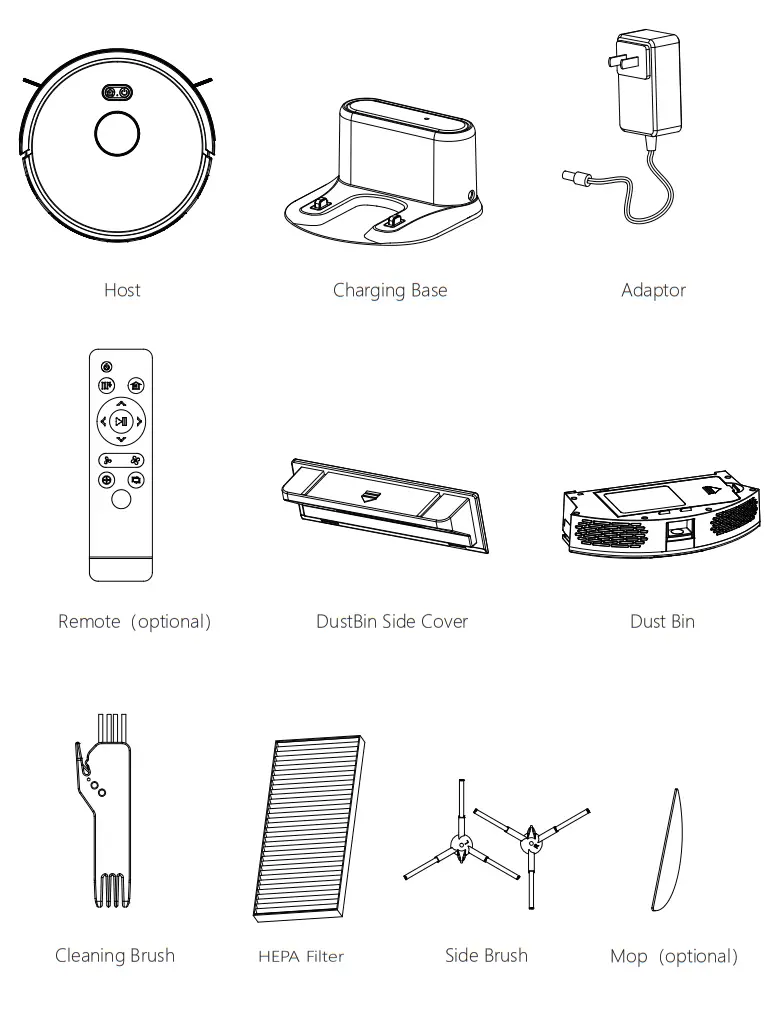
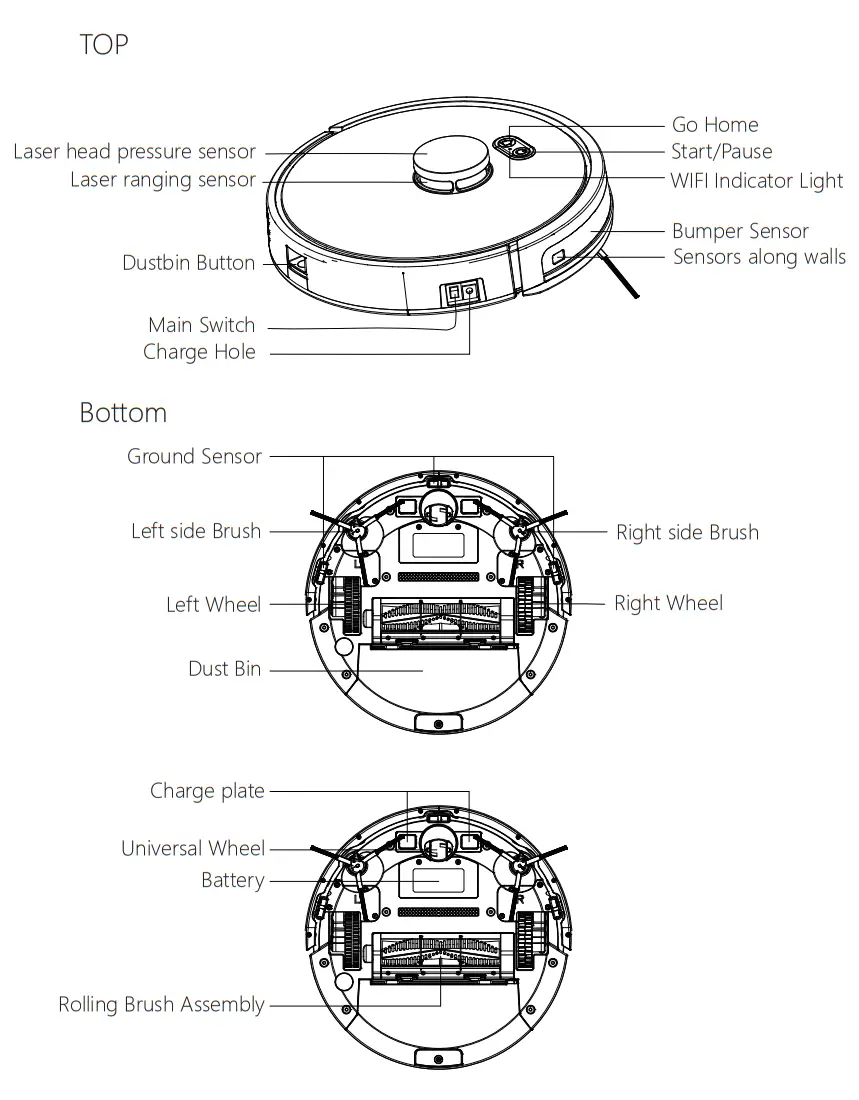
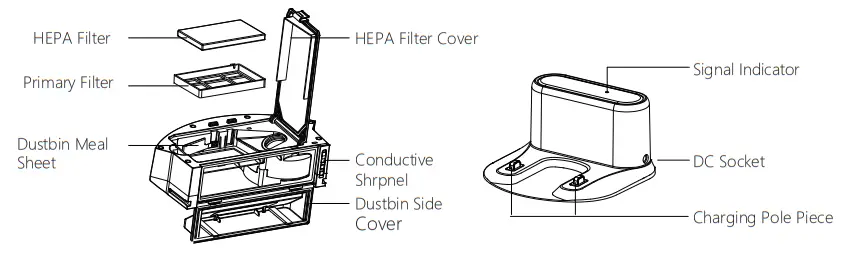
Product Composition/ Part Name
| Dust Bin | Charging Station |
 | |
| Remote | Water Tank |
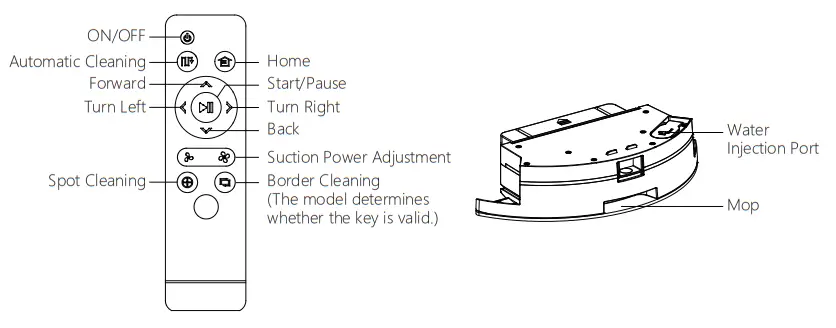 | |
Product Usage / Preparation
Assemble Dust Bin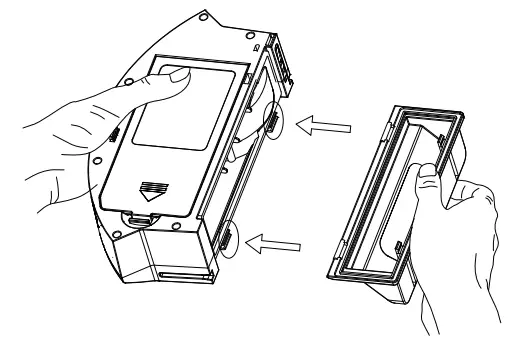
- Assemble the dust bin side cover: Press the side cover firmly into the specified position shown in above picture.

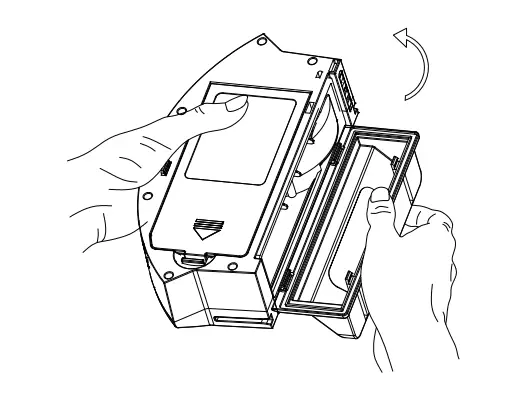
- Close the dust bin side cover: rotate the dust box side cover as shown by the arrow.

- Install the dust bin
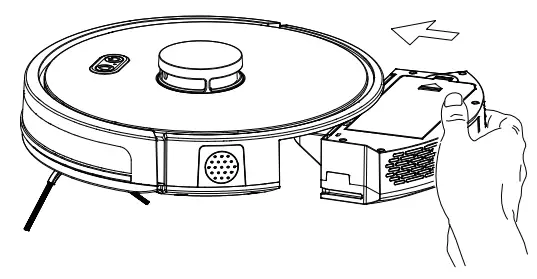
Remove the Bumper Protective Strip
Before using the robot, please remove the protective strip from the robot.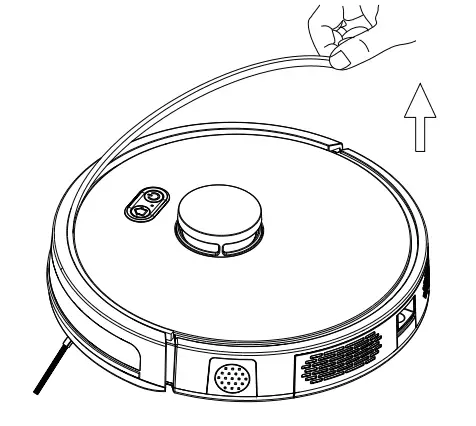
Product Use / Host Charging
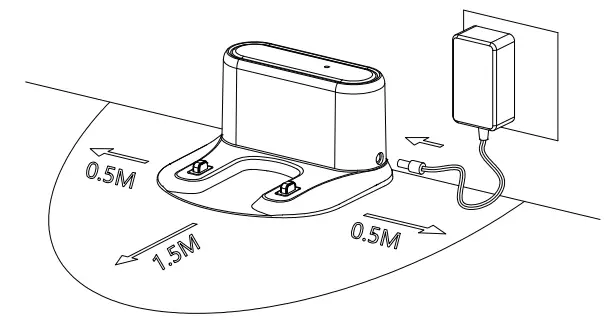
- Placing and charging: The charging station is against the wall and placed on a flat ground. Do not place articles within the range of 0.5m left and right and 1.5m ahead.

- Connect the power supply
- Installing side brush: Install the side brush according to the left and right (L/R).
- Turn on Main Switch ”
I “means turn on machine ” 0 “means turn off the machine
- Charge Two ways to charge the robot:
1. Put the robot on charge base to charge.
2. Use power adaptor to charge (When charging, indicator light flashes, indication light will turn to green color once charging completed.)
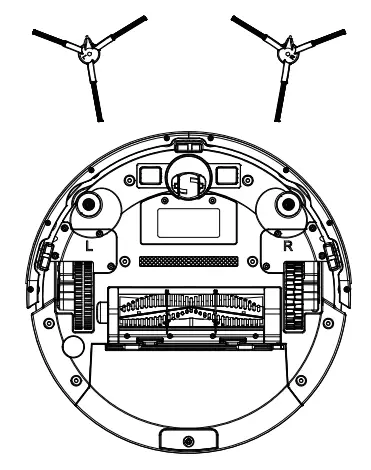
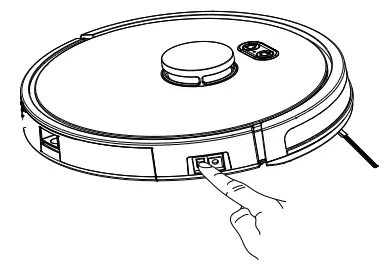
During the cleaning process, the host can sense that its power is insufficient and automatically start the recharging mode to find the charging station to recharge. You can also command the host to start the recharging mode by the recharging button as on the remote controller, or by APP
Charging attention:
- The charging station cannot be used in environments with strong reflection such as direct sunlight or nearby mirrors. If there is an object with strong reflection, please cover it 7cm from the bottom.
- In order to ensure the normal working hours of the host, please fully charge it before use. The charging time is about 6 hours.
- When charging, do not assemble the water tank assembly to the robot vacuum, so as to ensure the safety of charging and prevent wet mops from damaging the floor.
- During charging, please don’t operate other buttons except ” 0 “
Product Use / Water Tank Use
The water tank is an optional function.
| 1, Add Water: Open the water | 2, Install the Mop: close water inlet cover inlet to water stick the mop |
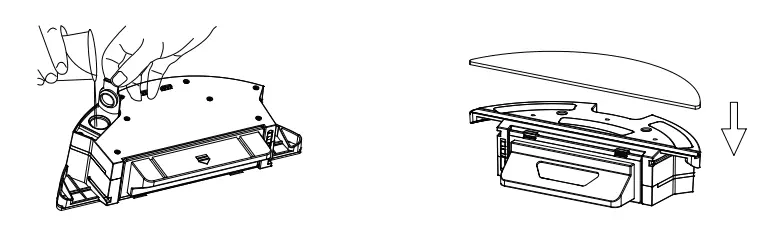 | |
| 3, Install the water tank assembly | 4, Start mopping the floor |
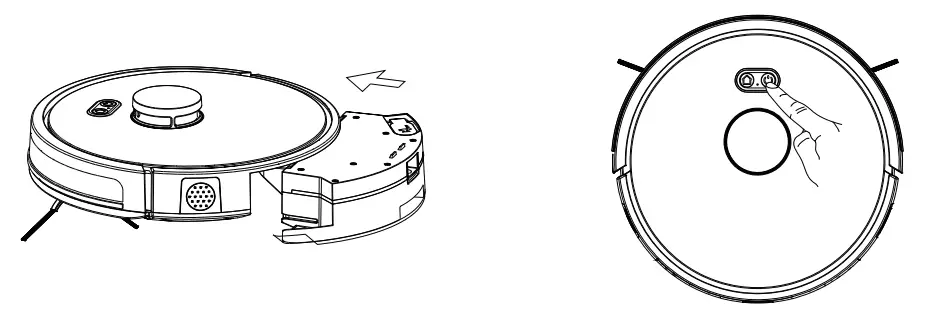 | |
* Do not use the floor mopping function on carpets.
* After mopping the floor, please clean up the remaining water in time, remove the mop and clean the mop.
Water Seepage Control
Applicable Scene: Adjust water seepage according to different floor environments. Setting method: Press the button do / / APP control to adjust water seepage. Automatic sweeping (mopping) defaults to medium water.
Product Use / App Instructions
Disclaimer: This description is only used as a basic guide. Due to software upgrades, the content of the text interface has changed. Please refer to the actual.
- Download and install the “WeBack” App
Scan QR code, download and install; Or search “WeBack” App in google play or Apple app store, download and install.
 |  |
| https://itunes.apple.com/cn/app/hui-ba/id1066738633?mt=8 | https://play.google.com/store/apps/details?id=com.yugong.Backome |
2. Sign up /Log in
Enter the App, enter the mobile phone or email account, set the password, click to get the verification code, and after receiving the verification code, enter the correct verification code to complete the registration, then log in App. 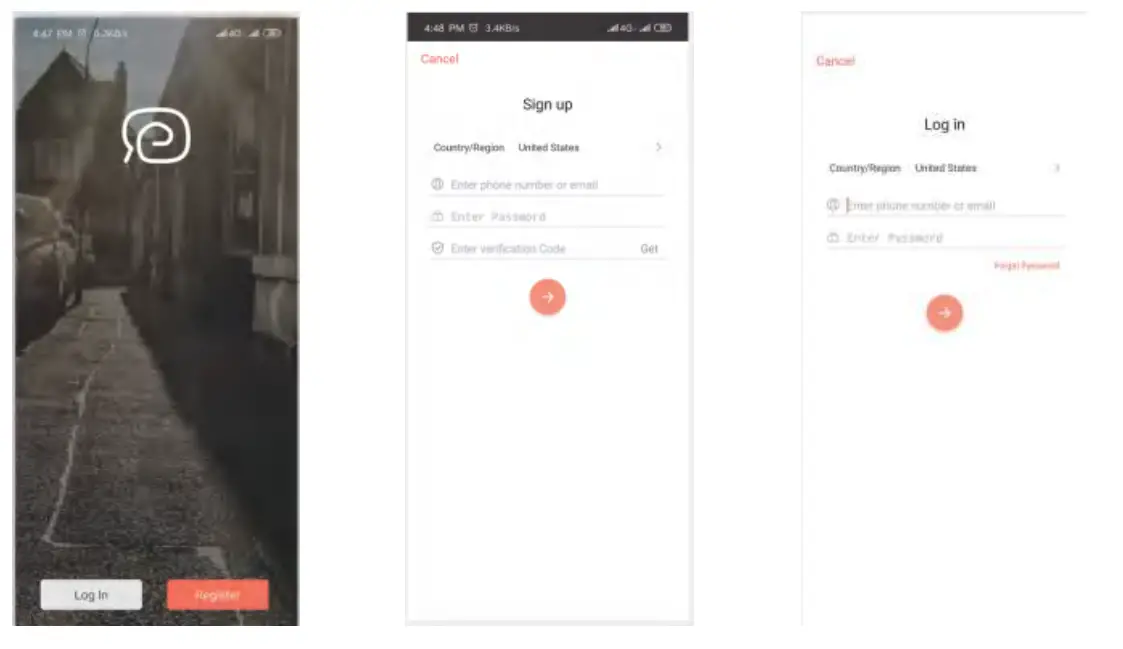
Add Devices to APP
Login to the app, click “+”, scan the QR code on the device, and add the device.
3.2 Select Wi-Fi network Select 2.4G wi-fi and enter your password. Tips: Please make sure the password is correct. The device does not support 5G networks. Please select the 2.4G network. Incorrect passwords or using a 5G network will cause the connection to fail. 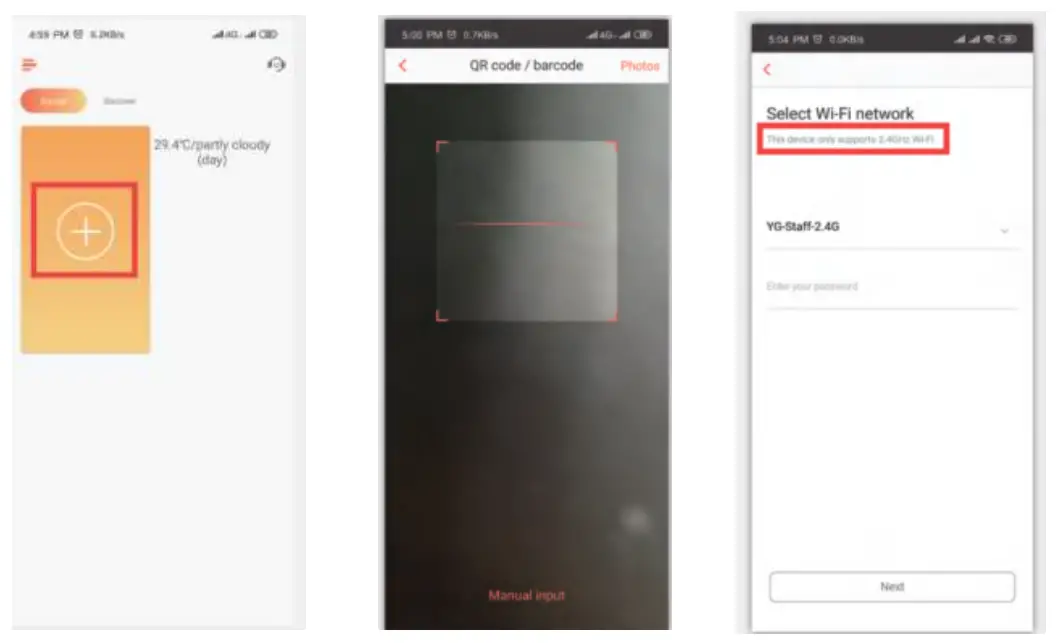
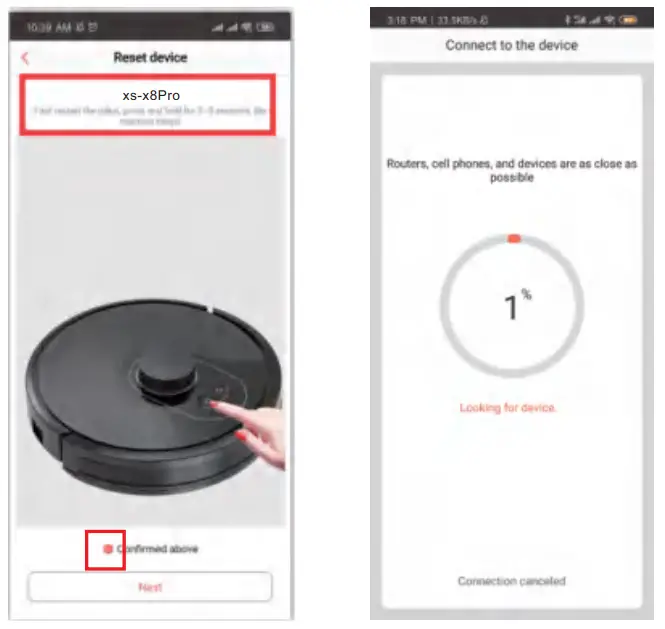
Reset device (Important steps)
(1) First, please use the power switch to restart the device.
(2) After restarting, press and hold the device button for 3-5s as shown in the figure, the device will sound a tone. confirm, and then click Next.
Tips:
- Please do not configure the machine on the charging stand.
- After long press, make sure the device sends a network prompt tone.
Connect device hotspot
follow the prompts, enter the mobile phone wifi settings page, connect to the robot### hotspot, return to the App, and wait for the connection. 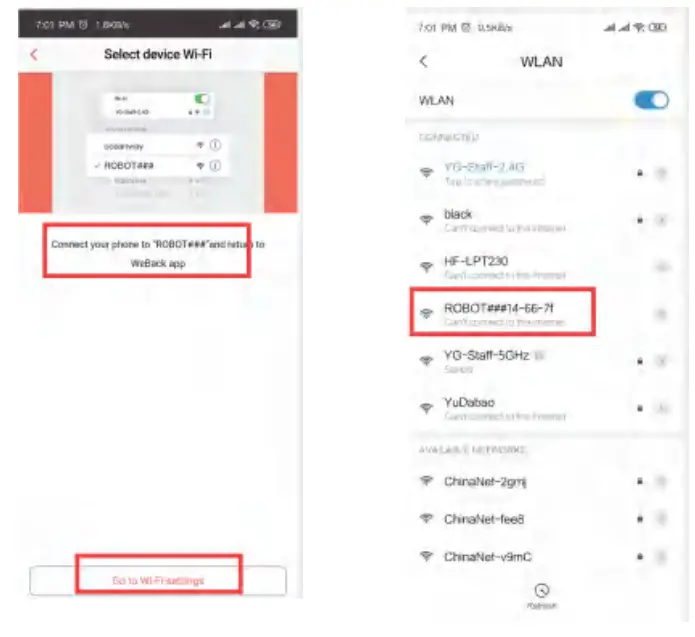
Online service
If you have any questions during the use, you can request online customer service. 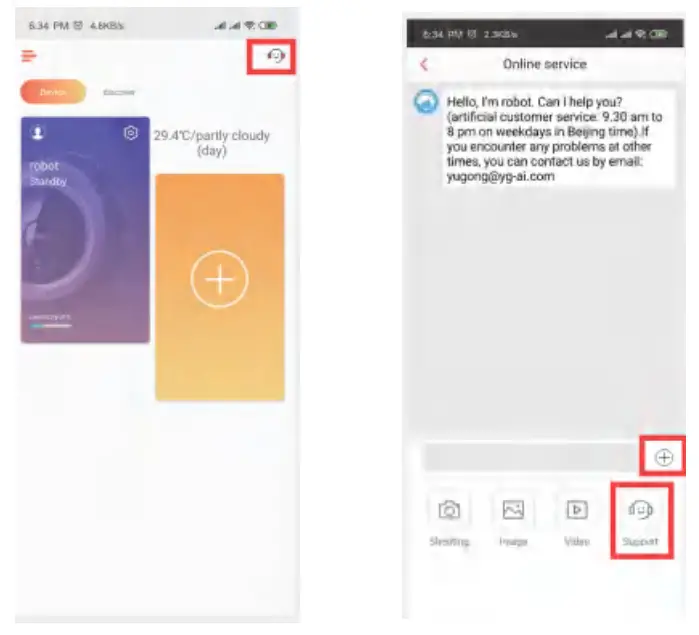
Product Use / Start Cleaning
According to different cleaning needs, the product has a variety of cleaning modes to choose from. You can start various cleaning modes through a host, remote control or app
Automatic cleaning
Applicable scenario: The robot will scan and generate a map and intelligent partition according to the actual home environment after startup. The cleaning path is planned by means of edge cleaning first and bow-shaped filling, and each partition is cleaned one by one in an orderly and efficient, full coverage without omission. Setting method: turn on the host power in the shutdown state, after hearing the robot voice prompt press the start button or touch the APP /the remote ” ” key, the robot will start the automatic cleaning
Partial cleaning
Applicable scenario: It is applicable to the ground environment where garbage is concentrated. Press the partial cleaning button to start cleaning, while the robot is on standby or suspended mode. This mode is used to clean the square area with 1.5×1.5 meters as the center of the robot. After the cleaning robot will automatically return to the start point then stop cleaning. Setting method: Press the partial cleaning button in the APP or the remote ” ” to start partial cleaning.
Zoning cleaning
Setting method: use the APP to set the zoning cleaning function, the robot will go to clean the planned area on the phone
Designated spot
Setting method: use the APP to specify the target point on the map, the robot will go to the designated place automatically.
Suction adjustment
Setting method: press the button, 4PP control to adjust the suction power.
Manual Control
Setting method: press the direction button in APP or remote control to control the robot going forward, backward, and turns.
Virtual wall
Setting method:press the virtual wall in APP to draw the virtual wall line. You can use a virtual wall to isolate the areas that do not want to be cleaned.
Product use/pause, wake up, and shut down
Pause:
During the operation of the host, press the host button”Start” or the pause button on the remote controller or app to pause the host.
Wake up:
The cleaning robot will go to sleeping mode after 3 minutes suspended and all the indicators will be off. You can use any button on the robot or APP to wake up the cleaning of the robot.
Shut down:
After the host stops working, press the host button “start” for a few seconds and all the indicator lights off means that the host has been shut down. After the host stop working, you can turn off the main switch manually, and all the indicator lights off means that the host has been shut down.
* After the host finishes working, please keep the host on and charged for next time work (If not in use for a long time, please turn off the power switch).
Component maintenance/dust bin
| A. Press the dust bin button to take out the dust bin | B. Open the dust bin side cover |
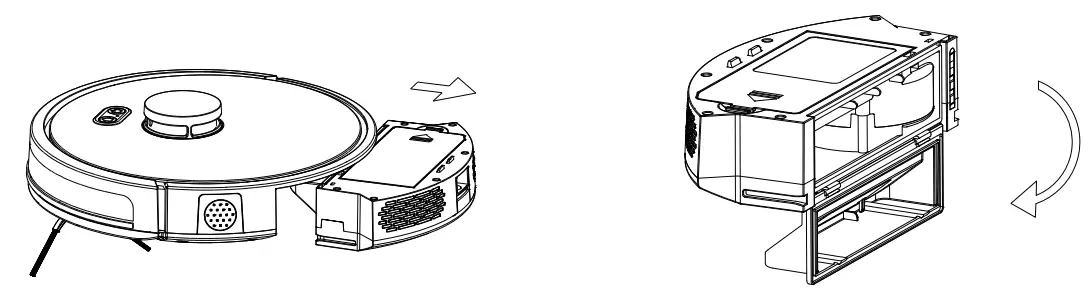 | |
| C. Dumping the rubbish | D. Open the HEPA Filter cover |
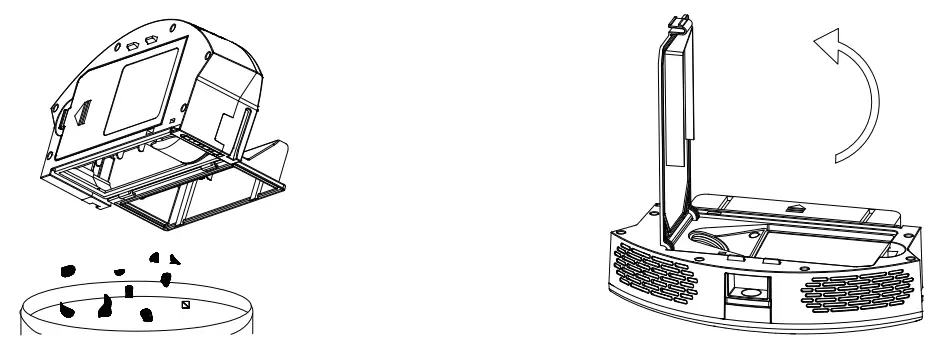 | |
| E. Open the HEPA filter cover and take out the HEPA lifter and the primary filter. It is not recommended to wash the HEPA filter with water. Tap gently to remove the dust | F. Wash the primary Filter |
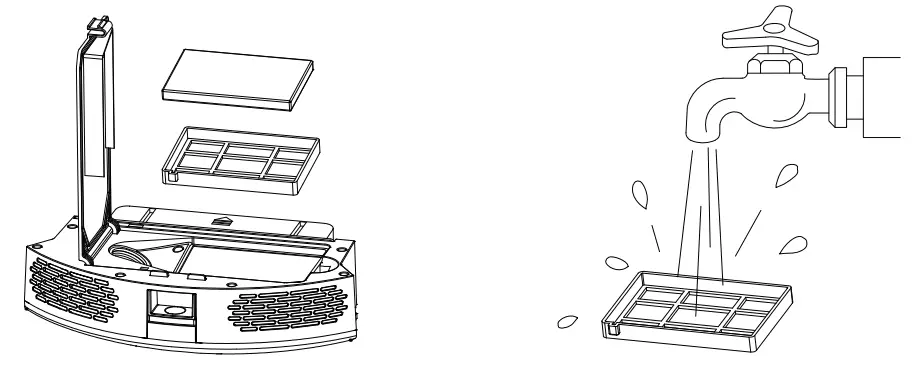 | |
G. Clean the dust bin by mop or brush, Pay attention that dust bin can’t wash
H. Dry the dust bin and filter assembly and keep it dry to ensure its service life Attention: Please wash the primary filter every 15-30days, HEPA filter lifespan is about 3month.
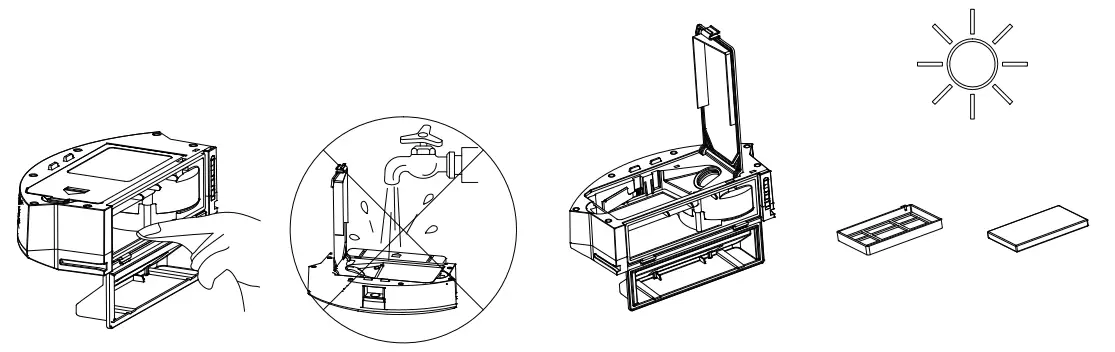
I. Replace the primary filter and the HEPA filter into the dust bin; Note
- Before installing the filters, please ensure that the HEPA filter and the primary filter are in dry state.
- Do not expose the HEPA filter and primary filter to the sun.
J. Close the dust bin cover and install the dust bin into the host
Attention: Dust bin can’t wash.
Component maintenance/water tank and the mop
The water tank is an optional function. 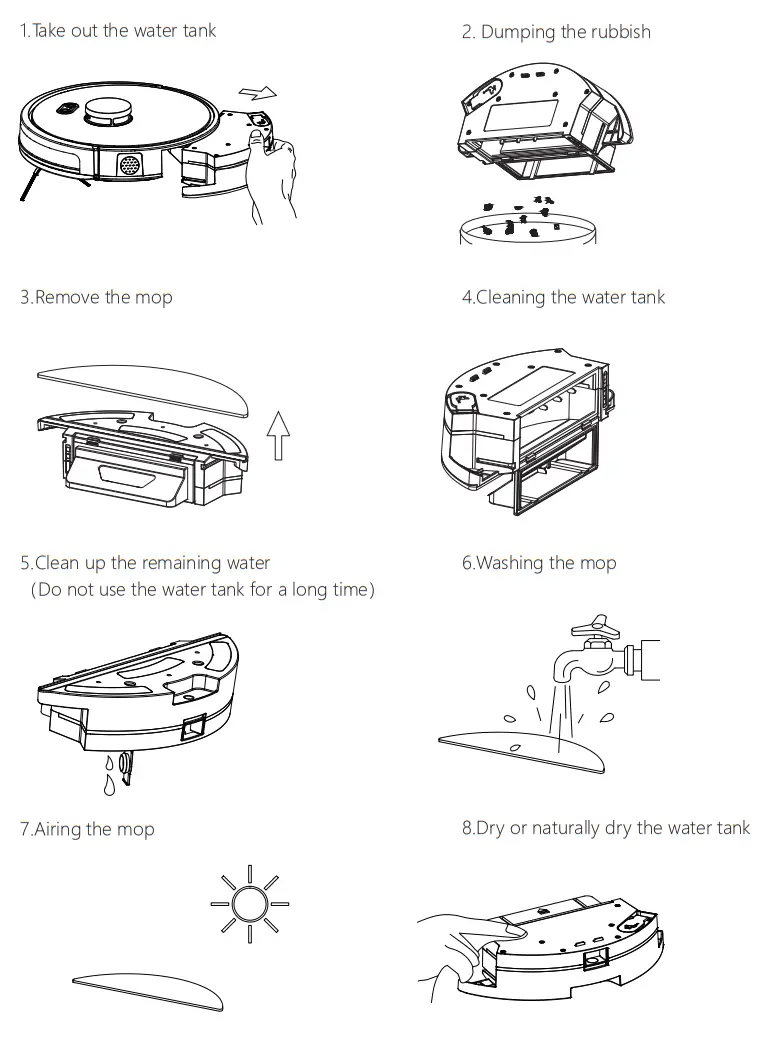
Component maintenance/roller brush and side brush
Clean the roller brush
| 1. Open the roller brush cover assembly. | 2. Take out the roller brush. |
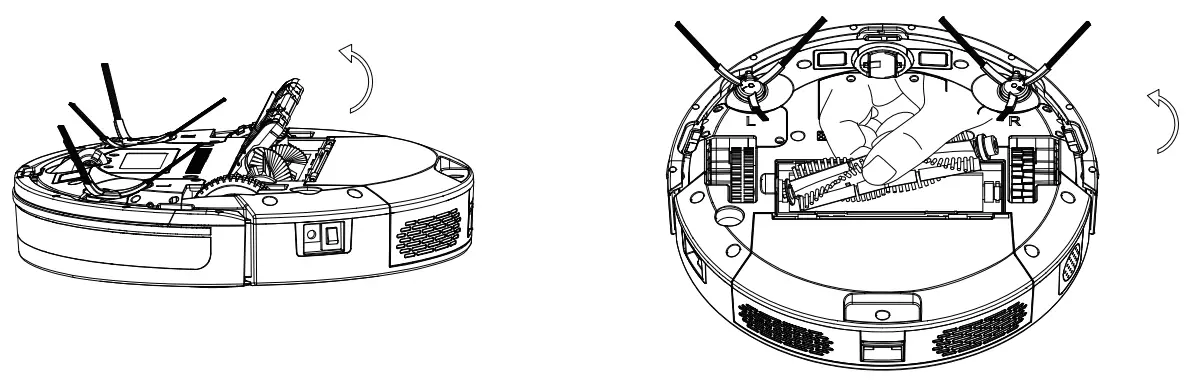 | |
3. Use the cleaning brush to cut off the hair tangled on the roller brush. 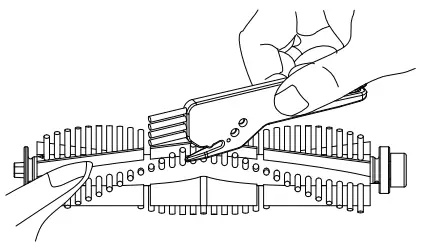
Clean the side brush
Take off the side brush, mop to clean.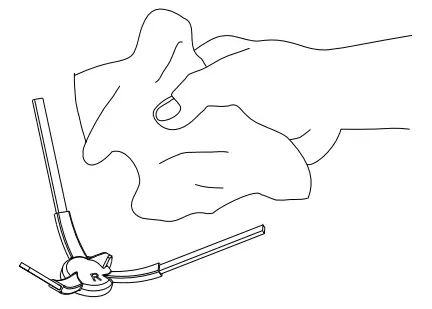
Disassembling battery
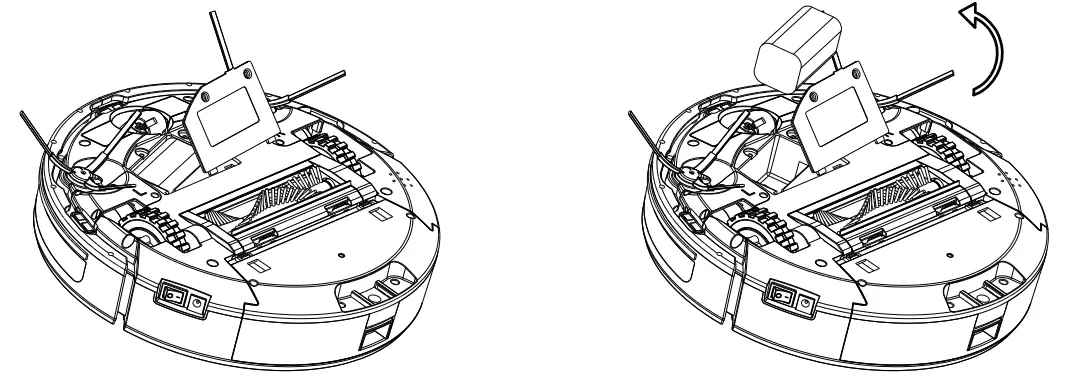 | |
| Remove the screw and open the battery cover | Take out the battery |
Instructions and Suggestions for the disposal of used batteries: This product does not support users to replace batteries by themselves, and the forced removal of batteries will damage the functions of the product
Component maintenance/charging pole pieces, ground sensors, drive wheels and universal wheel
Friendly Reminder: The interior of the charging pole pieces, the ground sensors, and the front bumper all contain sensitive electronic components. Please use dry mop to clean the above parts and do not use wet mop to prevent damage caused by water inflow.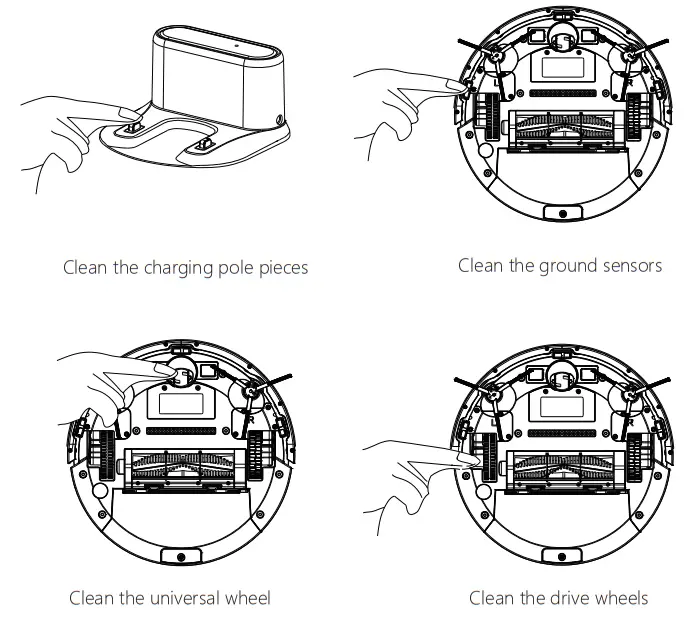
- If you do not use the product for a long time, please fully charge it before storing it. Turn off the host and keep charging power to it every 3 months to prevent the battery from over-discharge.
- If the battery is over-discharged or is not used for a long time, the product may not be able to be charged. Please contact our company for after-sales maintenance. Do not disassemble it by yourself.
- The picture is for reference only, the actual item is the standard.
Investigation of Common Problems
| Prompt Tone | Cause of Failure | Solution |
| Lifting Condition | Robot suspended | Please put the robot back to the ground and press the start button again |
| The robot is not yet ready | Press button when the ground or collision detection is effective | Please check whether the font bumper can be bounced normally, and the sensors cleaned |
| Low battery | Low Battery Reminder when the robot in no charge base area | Please charge the robot manually |
| Low battery | Low Battery Reminder when the robot in no charge base area | Please charge the robot manually |
| Battery is too low, will shut down soon | Low Battery Reminder when robot in no charge base area | Please charge the robot manually |
| Charging problem | Charging station problem | Please check whether the connection between robot and charging pole pieces connected well, or use adaptor to charge directly |
| Main brush get tangle, please clean main brush | Roller Brush get tangle | Please check whether the roller brush is twinned and cleaned up |
| Right wheel jammed, please clean right wheel | Wheel Jammed | Please check whether the wheel is entangled and clean up |
| Side brush jammed, please clean side brush | Side brush jammed | Please check whether the side brushes is twinned and cleaned up |
| Bumper sensors has been blocked | Bumper problem | Please check whether the font bumper can be bounced normally |
| Cliff detect sensor has been blocked | Ground sensor problem | Please check whether the cliff sensor get dirtied or be obscured |
| Vacuum Motor jammed, please clean it | Vacuum motor jammed | Please check whether the dust bin enter is blocked |
| The robot get stuck, please remove the robot | The robot is stuck or the laser head is stuck | Please check whether the robot is stuck or the laser head is stuck |
| The robot jammed, please remove the robot | The robot jammed or the laser head is obscured | Please check whether the robot jammed or the laser head is obscured |
| The border sensor has been blocked | The right border sensor is obscured | Please check the sensor is obscured |
| The laser head is stuck | The laser head is stuck | Please check the robot is stuck |
| The laser head obscured | The laser head is obscured | Please check the laser head is obscured |
When an error occurs during working, a voice prompt will be reported, please refer to the following table to solve problems.
Product Parameter
The Host
| Description | Parameter |
| Size | 330*96mm |
| Battery | Lithium |
| Weight | about 2.8kg |
| Rated Voltage | 14.8v |
| Rated Power | 48W |
Charging Station
| Description | Parameter |
| Size | 155*150*80mm |
| Input | 19V |
| Output | 19V 1A |
| Rated Power | 19W |
| Rated frequency | 50/60Hz |
| Component | Harmful Substances | |||||
| Pb/Pb compound | Hg/Hg compound | Cd/Cd compound | ONO/ C r(VI) compound | PBB | PBDE | |
| Plastic | d | d | d | d | d | d |
| Hardware | x | d | d | d | d | d |
| Host circuit module | x | d | d | d | d | d |
| Electronic components | d | d | x | d | d | d |
| Battery | d | d | d | d | d | d |
| Plug power cord | x | d | d | d | d | d |
| Description: This form is prepared in accordance with the provisions of sifting 1364 d indicates that the content of the hazardous substances e in all homogeneous materials of the part is below the limit requirement specified in the currently valid version of GB/T26572. a indicates that the content o the hazardous substan e in at least one of the homogeneous materials of the part exceeds the limit requirement stipulated in the currently effective version of GO/126572, and there is no mature alternative in the industry, which meets the environmental protection requirements of the EU RoHS Directive. | ||||||
 The number in this logo indicates that the product has. an environmental protection period of 10 years under normal use.
Executive standard: GB4706.1-2005 GB4706.7-2014 G84343.1-2009GB17625.1-2012
FCC Statement
This device complies with Part 15 of the FCC Rules. Operation is subject to the following two conditions: (1) This device may not cause harmful interference. (2) This device must accept any interference received, including interference that may cause undesired operation. Changes or modifications not expressly approved by the party responsible for compliance could void the user’s authority to operate the equipment.
Note: This equipment has been tested and found to comply with the limits for a Class B digital device, pursuant to Part 15 of the FCC Rules. These limits are designed to provide reasonable protection against harmful interference in a residential installation. This equipment generates uses and can radiate radio frequency energy and, if not installed and used in accordance with the instructions, may cause harmful interference to radio communications. However, there is no guarantee that interference will not occur in a particular installation.if this equipmemt does cause harmful interference to radio or television reception, which can be determined by turning the equipment off and on, the user is encouraged to try to correct the interference by one or more of the following measures:
- Reorient or relocate the receiving antenna.
- Increase the separation between the equipment and receiver.
- Connect the equipment into an outlet on a circuit different from that to which the receiver is connected.
- Consult the dealer or an experienced radio/TV technician for help.
This equipment should be installed and operated with a minimum distance of 20 cm between the radiator and your body. This devicecomplieswith Part 15 of the FCC Rules. Operations are subject to the following two conditions: (1 )Thisdevicemaynotcauseharmfulinterference. (2)This device must accept any interference received, including interference that may cause undesired operation.
Customer Service Centre
If you need any technical assistance or to report a fault, please contact our customer service center at TEL:+86 769 85606069 Room 106, Chuangtou Building, No.8 Industrial South Road, Songshan Lake High-tech Industrial Development Zone, Dongguan,523800, P.R.China E-mail: [email protected]