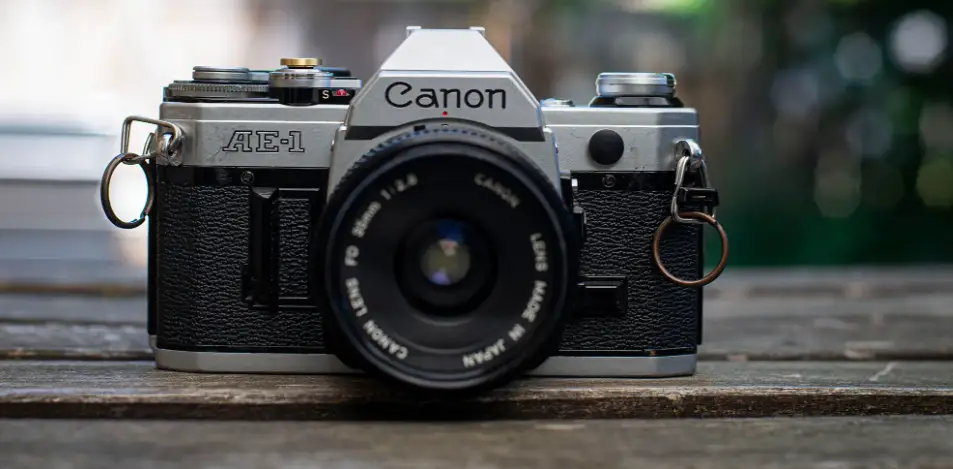
Cannon AE-1 Film Camera User Manual
 Cannon AE-1 Film Camera User Manual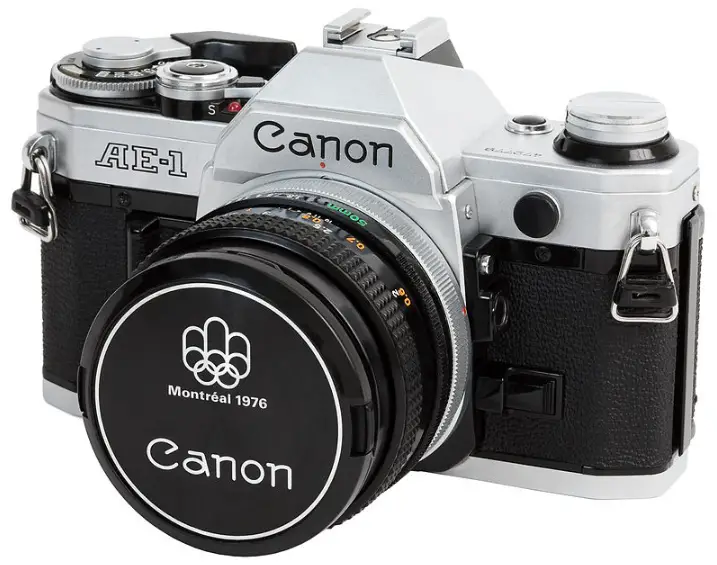
Instructions
Attach the Lens
The instructions in this section concerning the lens are for an FD lens without a chrome mount ring. If your lens looks like this one with a chrome mount ring, read its instructions for handling the rear cap and mounting it on the camera 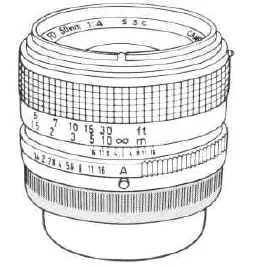
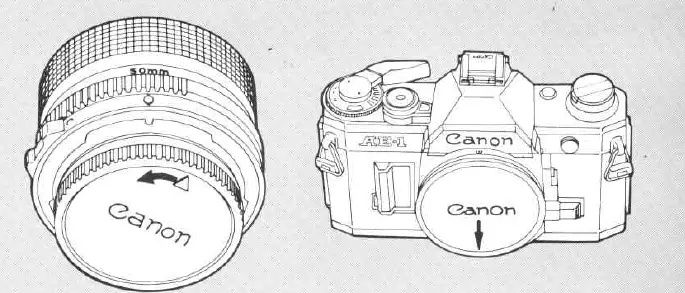
- Remove the rear lens cap by turning it in the direction of the arrow until it stops and pulling it out.

- Remove the body cap.
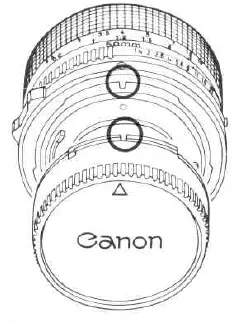
- To reattach the rear lens cap, align it with the lens as illustrated. Then lightly push it in and turn it clockwise until it stops.

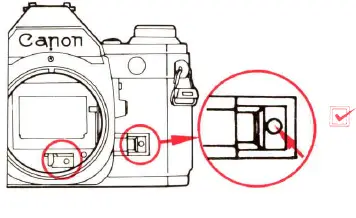
- Make sure the lens release button has popped out. Otherwise, the lens will not work properly. DO. NOT press the lens release button while mounting or it will not pop out.

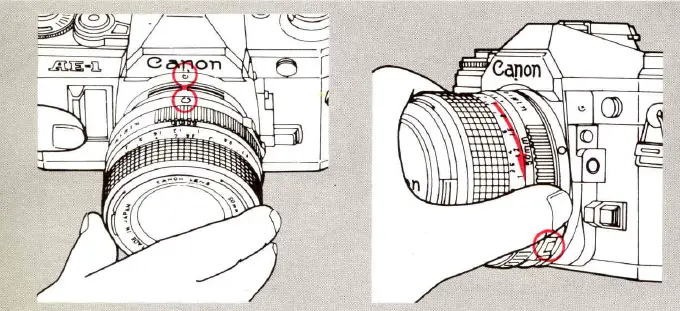
- To mount the lens, first, align the rounded red positioning point on the lens with the red dot above the camera mount as illustrated. Then turn the lens in the direction of the arrow until it stops and the lens release button pops out with a click. If your camera looks like this, with a red dot showing inside the camera mount, do not mount the lens yet. First press in the small chrome button as shown to release the stop-down slide. Then mount the lens. Leave the stop-down slide as it is.

- When the film is loaded, make sure it is completely advanced to the next frame before mounting the lens.
Set the Lens for Photography
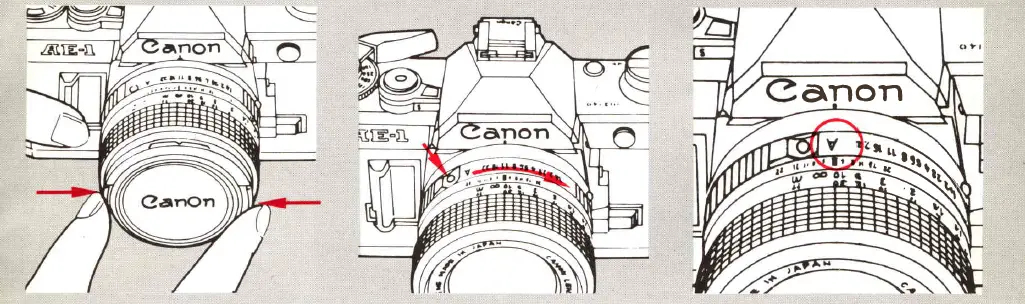
- Remove the front lens cap.
- While pressing in the AE lock pin, turn the aperture ring in the direction of the arrow until “4” click-stops at the aperture index. “A” will be in line with the red dot on the camera. lf you forget to do this, automatic exposure will be impossible.

- To remove the lens, turn it in the direction of the arrow while pressing the lens release button until it stops
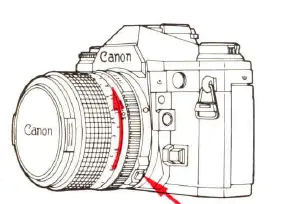
Note
- AE photography is possible only with a Canon FD lens. See PART l l , p.24 for how to use a non-FD lens on the AE-1.
- Some Canon FD lenses have a green circle in place of the ” A” mark. means the same thing as the “A” mark.
Load the Battery
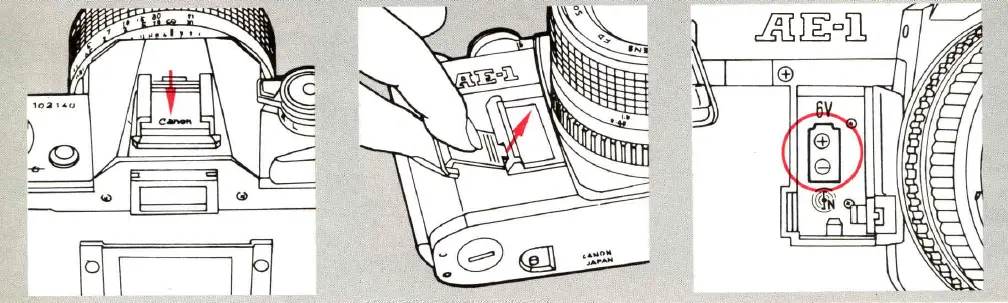
- Remove the viewfinder cover from the accessory shoe.
- Open the battery chamber cover using the viewfinder cover.
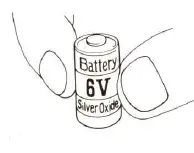
- Load one new battery so that its poles are in the directions indicated by the diagram inside the battery chamber

- Without a battery, the AE-1 ‘s shutter will not work and it will be impossible to take a picture. We recommend carrying a spare battery.
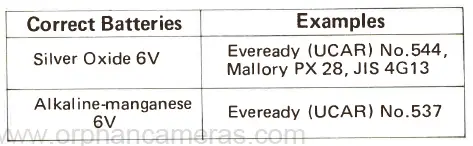
Check the Battery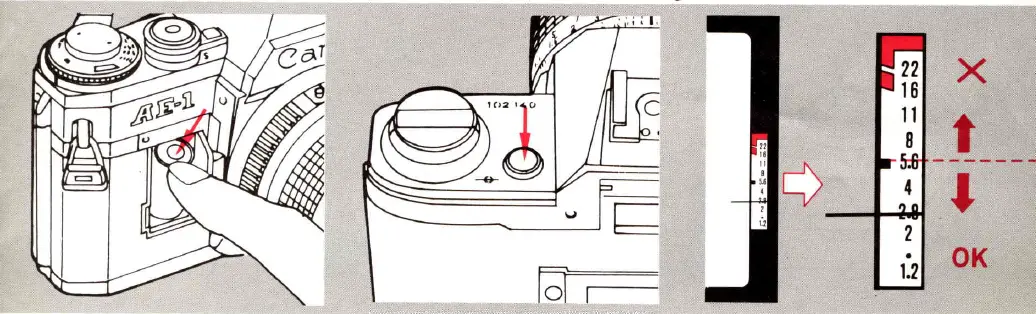
- Insert the negative end first. Then push down and insert the positive end. Close the chamber cover.
- Press the battery check button while looking through the viewfinder. The meter needle in the viewfinder will move.
- If the battery is good, the meter needle will rest at or below the battery check index. If there is not enough power, it will rest above the index. Replace the battery.
- Don’t touch the battery poles. Wipe them and the camera contacts with a clean, dry cloth before loading to prevent poor contact with dirt.

Note:
- With normal use, the battery should last about one year.
- It is necessary to take special precautions with the battery when you are shooting in very low temperatures (below O C, 32° F). See PART II, p .30.
Before Loading Film, Learn to Operate Basic Controls
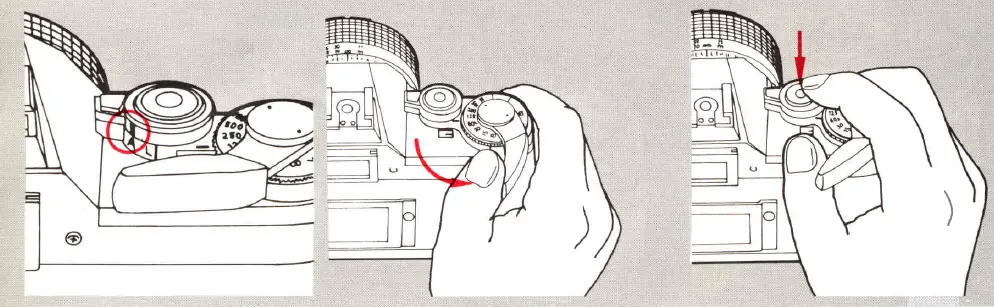
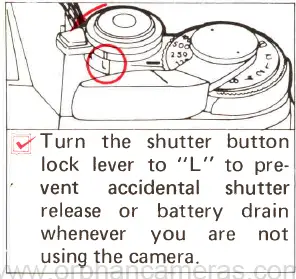
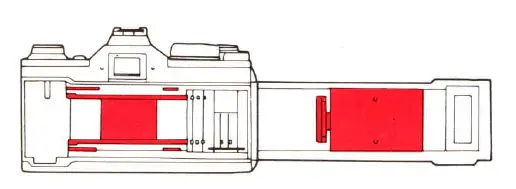
care not to touch the shutter curtain, the film or the pressure plate (parts in red)
Learn to Hold the Camera Correctly
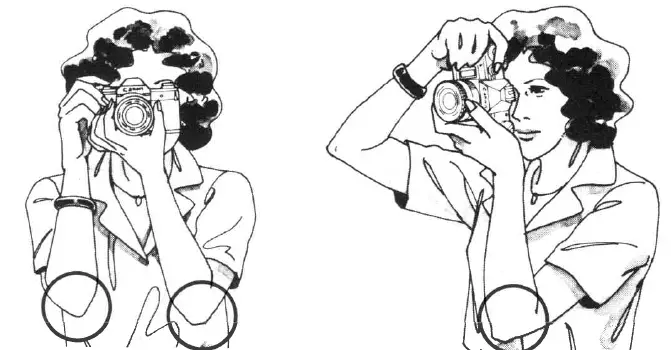
The slightest movement of your body during shutter release may cause a blur in the picture. To reduce the chances of this, hold the camera as steady as possible with your left-hand supporting the camera and lens. Press both elbows to your body and lightly press the camera to your cheek or forehead. For a vertical shot, steady at least one elbow against your body. Spread your feet slightly apart, one foot ahead of the other, and relax. There is, of course, no one correct way to hold the camera. Experiment to find the most comfortable way for you of holding it steady. lt may help to practice in front of a mirror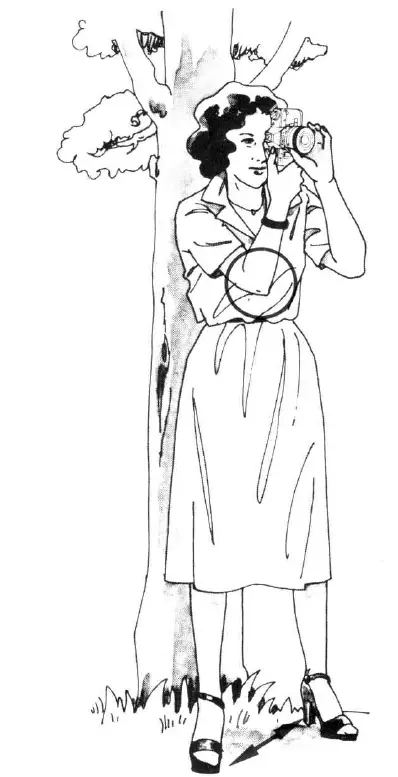
One Shot at a Time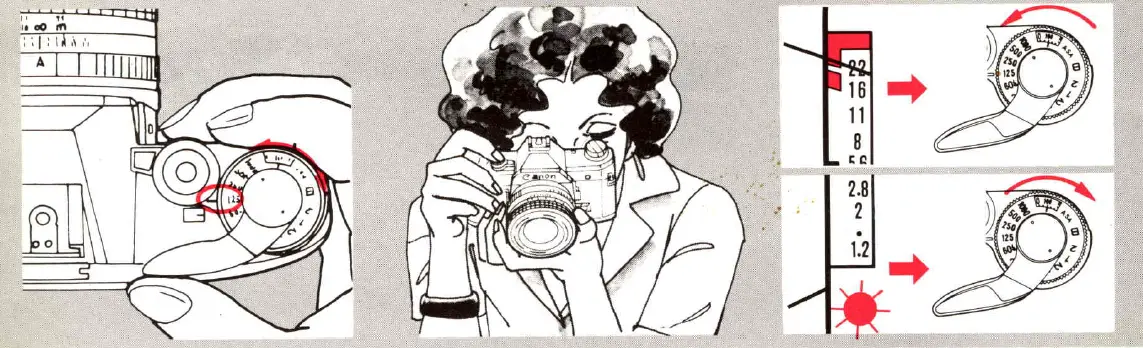
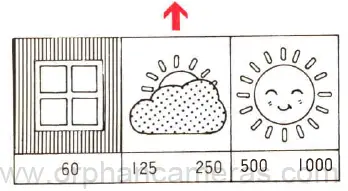
- Set a shutter speed bY turning the shutter speed dial until a number from 60 to 1000 is aligned with the index
- Then look into the view’ finder and press the shutter button HALFWAY. The meter needle will move to tell You whether the shutter speed You have set will give the correct exposure.

- Do not set the shutter speed dial between the click-stop settings. Note that it does not turn past “1000” or “8”.See PART I l, p.14, if you must set the shutter speed dial to a number below “60”. lf action is a particularly important element in the shot, you may wish to refer to PART ll, p.13, for more information on choosing a shutter speed

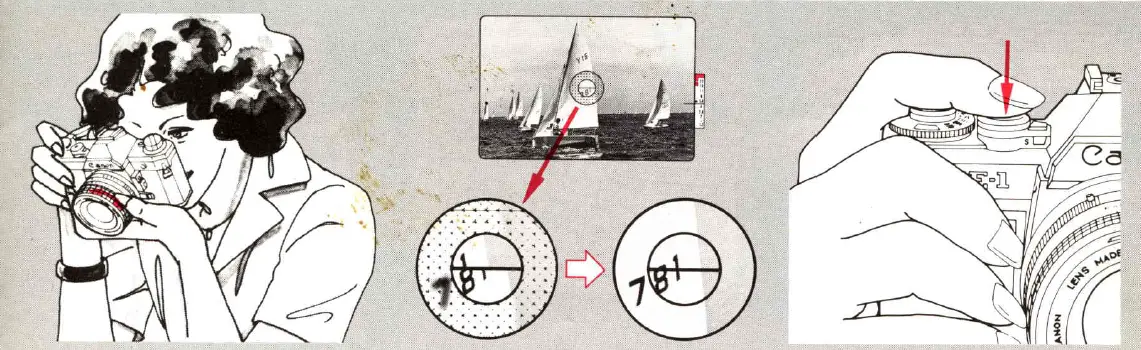
- Compose the possible. Turn picture. Center the focusing ring of your subject in the viewfinder if until the main subject is sharp.

- lf there is light, such as the sun or a window, behind your subject, press the backlight control switch as you press the shutter button. See PART l l, p.2O.
At the End of the Roll, Rewind the Film
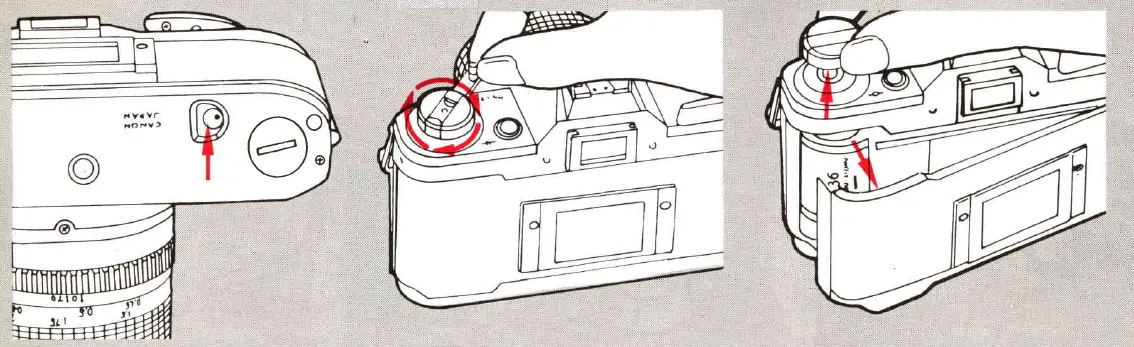
- You can tell you have reached the end of the film by the frame counter and the film advance lever. Either the film advance lever will not turn at all or it will not turn all the way. First press in the rewind button. You may immediately let go of it.
- Then turn the rewind crank in the direction of the arrow until the frame counter, which counts backward as you rewind, reaches “S”.
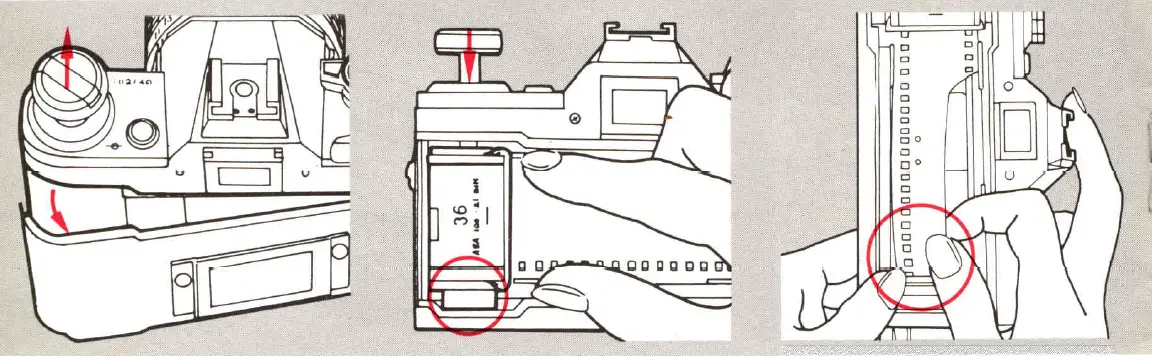
- Then open the back cover, remove the film cartridge, place it back in its canister and have it developed as soon as possible.
- DO NOT open the back cover until you have rewound the film back into the cartridge
- The rewind button rotates as you rewind the film. When the film is completely rewound, it stops rotating
Dedicated Flash Photography
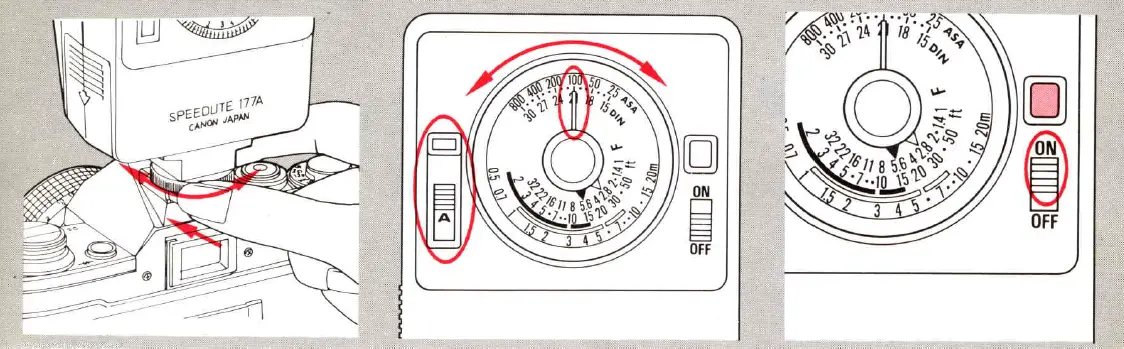
- Load the flash with batteries and slide it into the AE-1 ‘s accessory shoe. Tighten the lock nut.
- Turn the Speedlite’s ASA film speed dial to the correct ASA speed and push the aperture selection switch to the green or red “A” position
- Turn the Speedlite’s main switch ON. After the pilot lamp glows, press the shutter button to take the picture.
- For correct exposure, the subject must be within a certain range of distance from the camera. The required distance range is shown on the flash by the curve which is the same color as the setting of the aperture selection switch. After you focus, check the lens’ distance scale to make sure the focused distance is within the range shown by the curve.
- Do not shoot before the pilot lamp glows or exposure may be incorrect
Self-Timer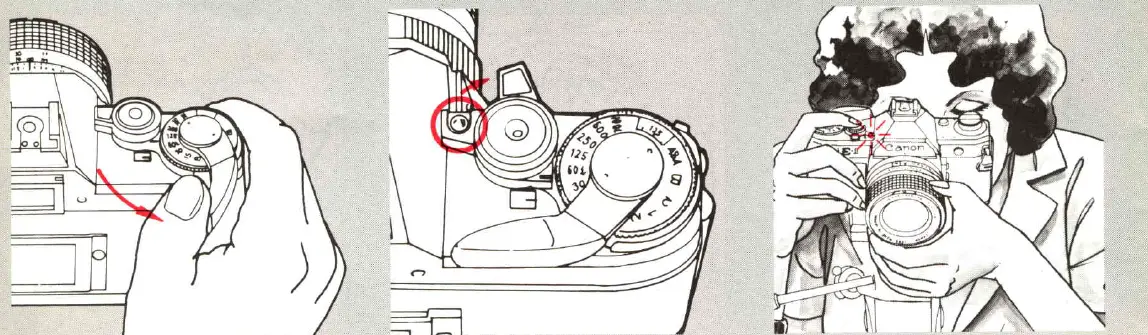
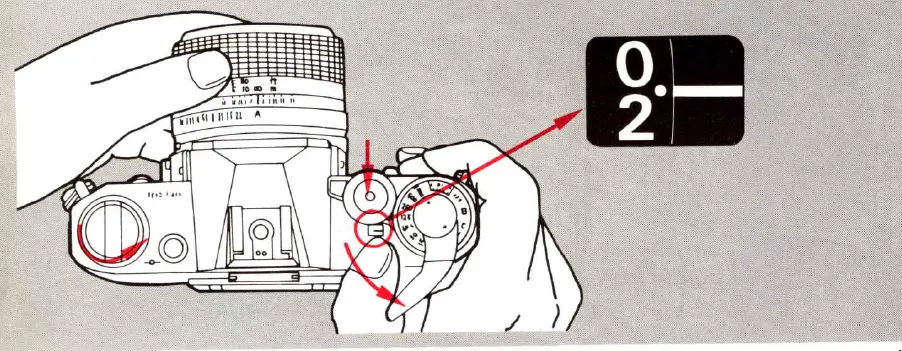
Advance the film to the next frame. Push the self-timer lever forward to uncover the self-timer lamp To start the self-timer, Press the shutter button. The self-timer lamp will begin to blink. When it stops blinking ten seconds later, the shutter will be released automat 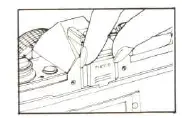
Use the viewfinder cover to cover the eyepiece whenever your eye is not on it at the moment You take a shot. lf it is uncovered, stray light entering the AE-1 sets the exposure the moment You press the shutter button. Do not stand in front of the lens while pres singeth e button or exposure may be incorrect
Pre- Shooting Checklist
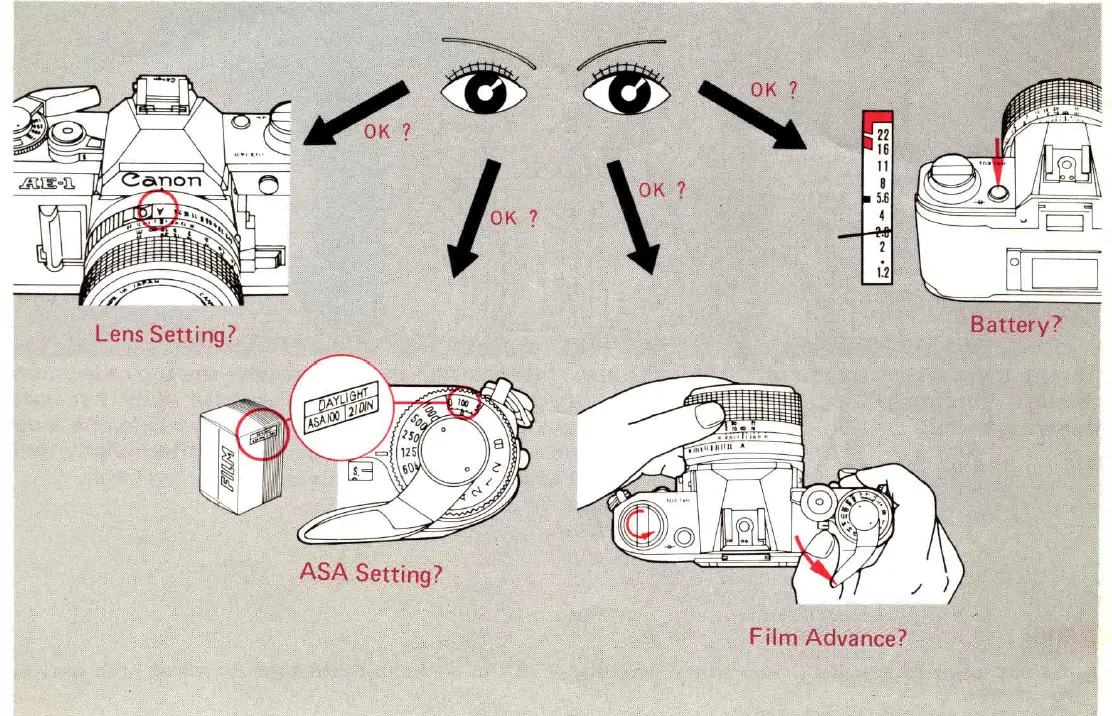
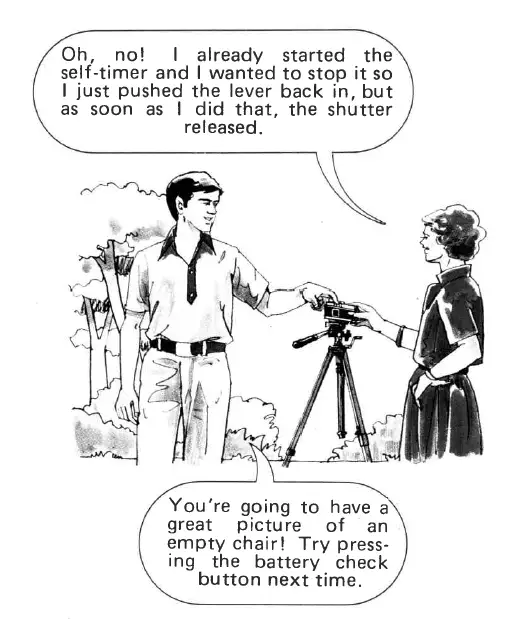
lf you have started the self-timer and wish to cancel it before hut is released, rest the battery check button.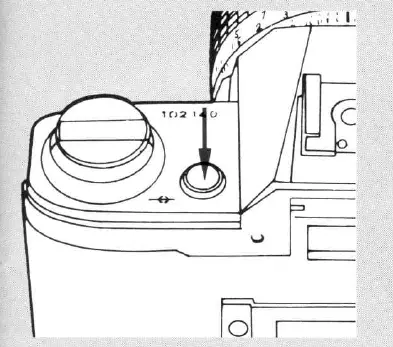
Carrying the Camera
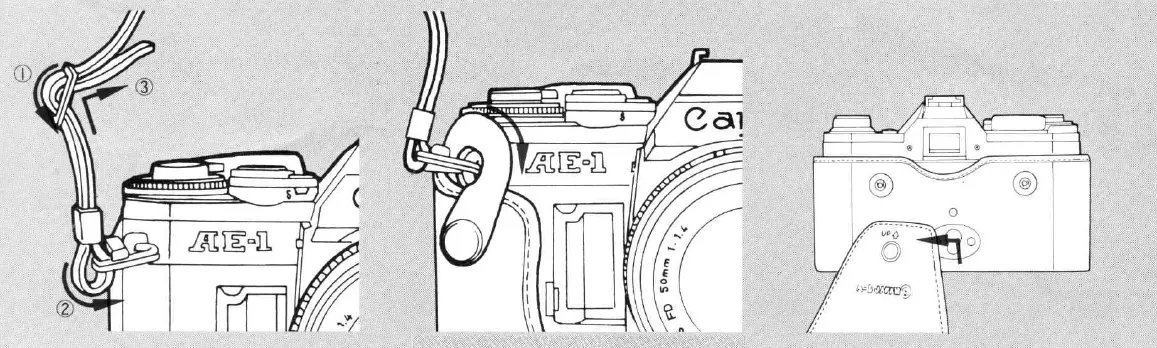
- Thread the ends of the strap through the rings on the camera as shown.
- For carrying the camera, in particular, insert a semi-hard case (optional accessory ) as shown. You can take a picture while the camera is in the case by turning the top cover down.To remove the top cover, turn it down, then push it straight up and out. Turn the lens’ focusing ring to infinity ( * ) for closing the top cover