Adorama STELLAPRO reflex
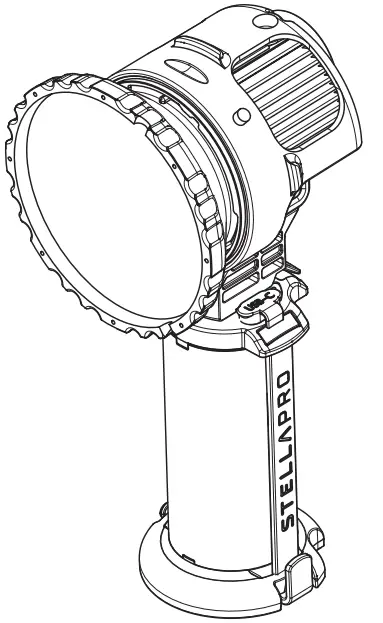
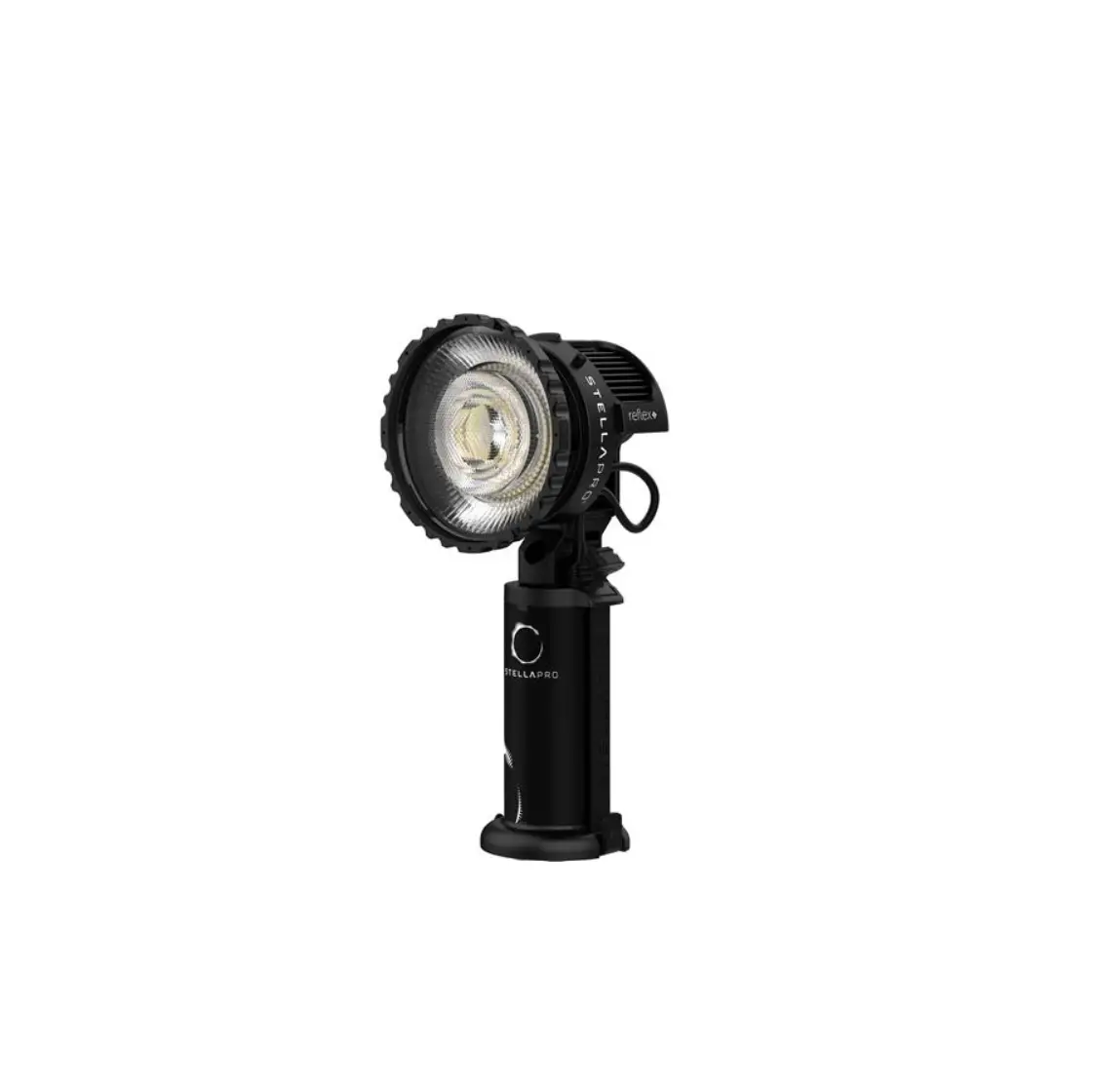
Section 1 REFLEX LIGHT
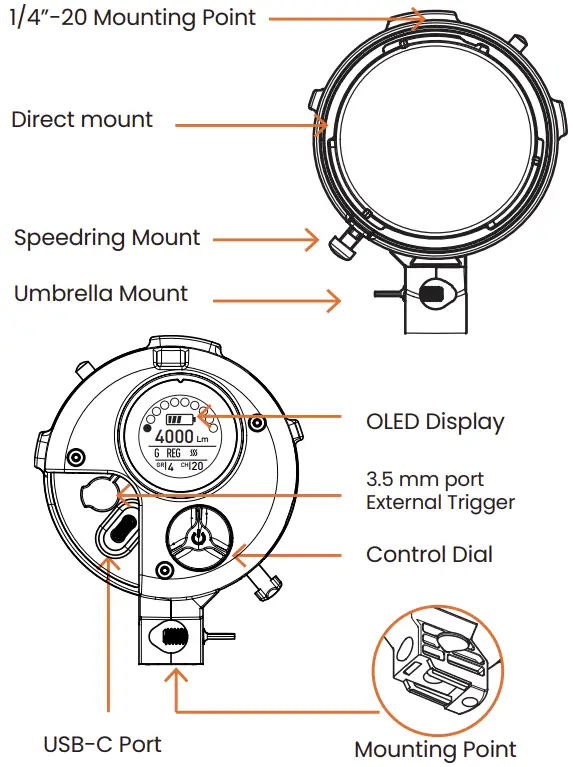
DIRECT MOUNT
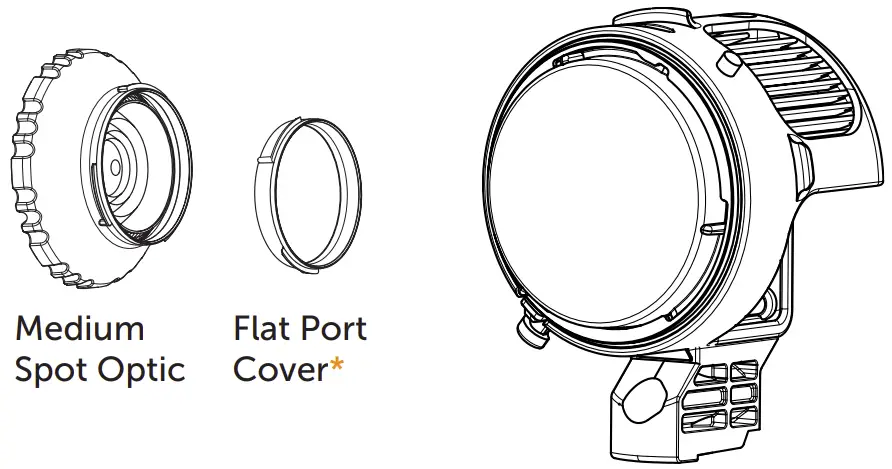
*Always install a cover or optic over the exposed LED to protect against dust or moisture
Section 2 BATTERY HANDLE
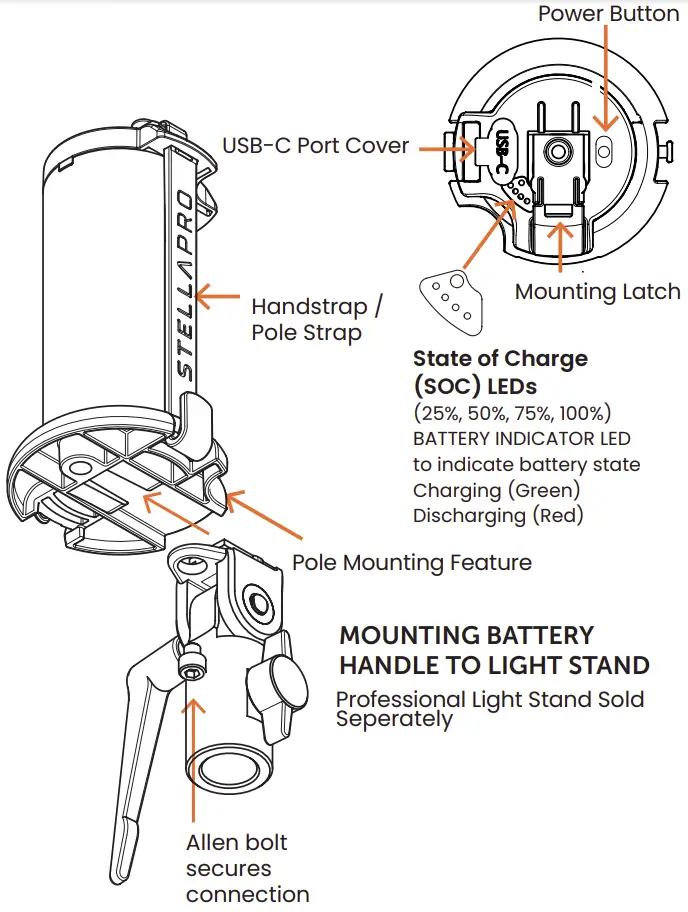
MOUNTING ON POLE
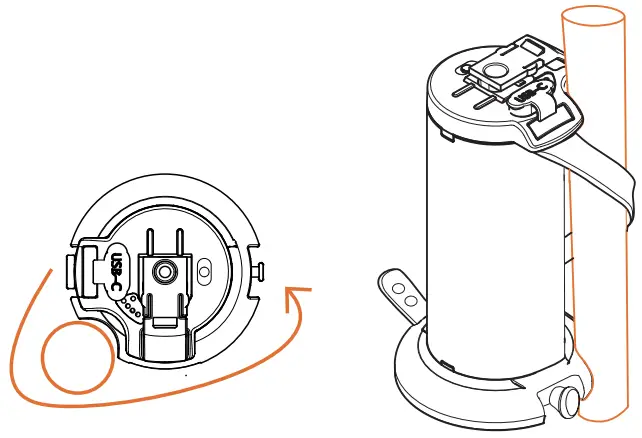
Section 3 CONNECTING LIGHT TO BATTERY
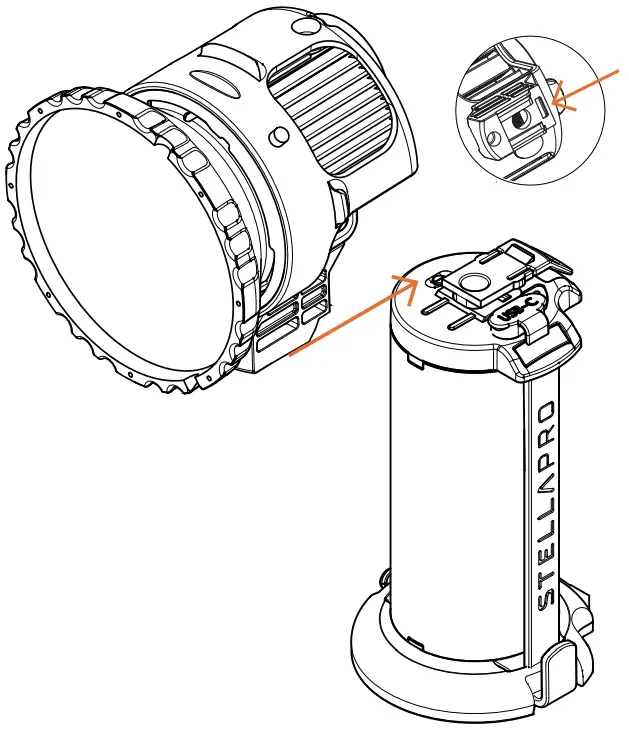
Push light onto battery until it “clicks”
Connector tab should no longer be compressed
Tip: Push from the front top of the optic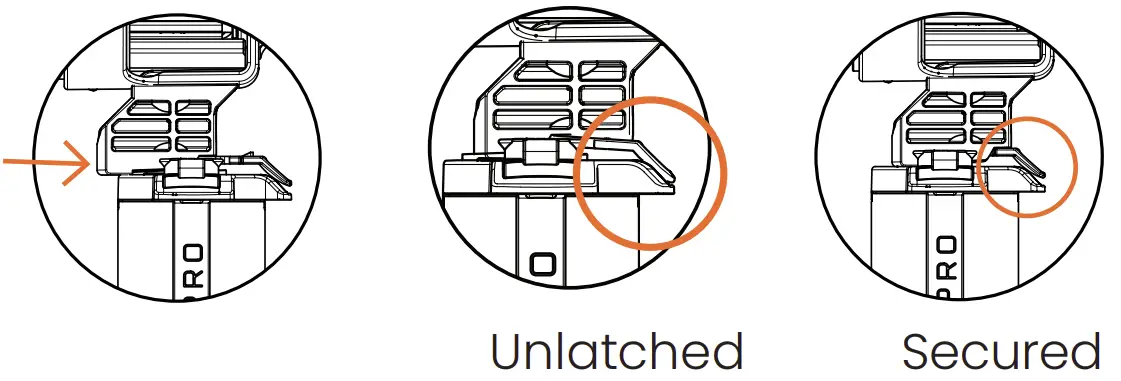
Connect USB-C cord to Reflex light and battery USB-C ports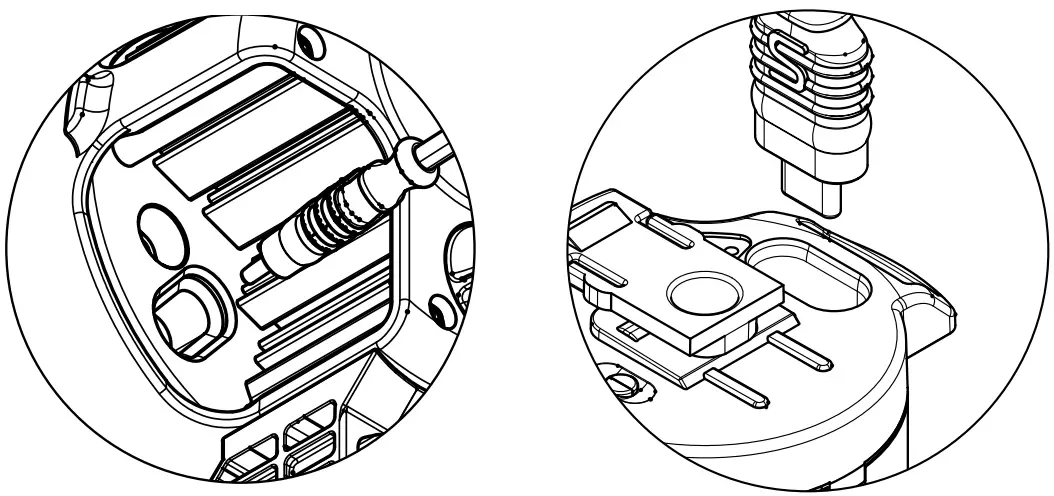
Section 4 OPERATION BASICS
Connect short USB-C to the light and battery. Press the white power button on the battery. Battery Indicator will turn red. Check connection and charge if indicator light does not turn red. THe OLED display will turn on if connections are ok.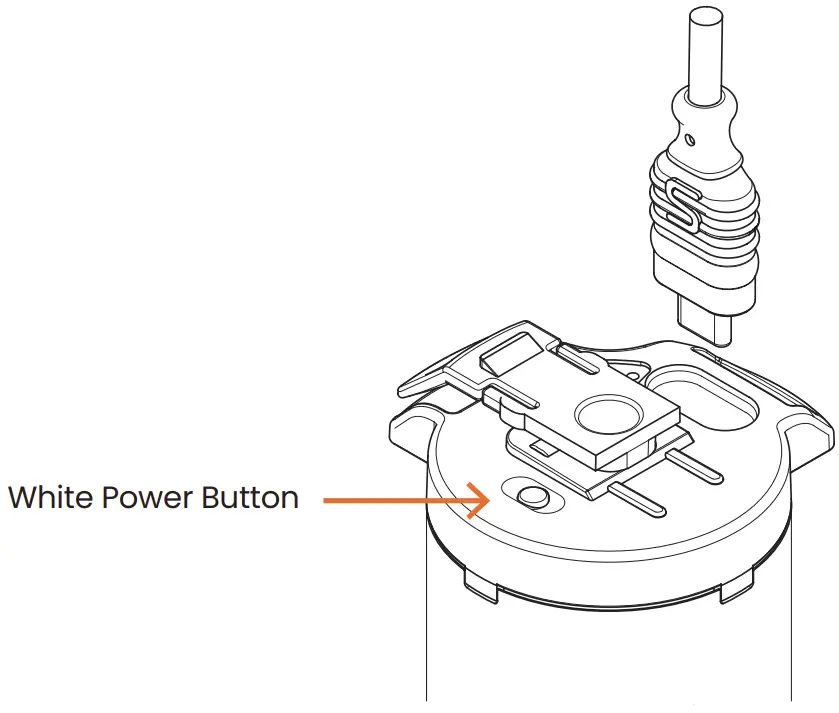
USING THE CONTROL DIAL
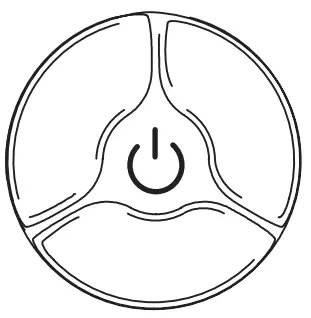
- A Short press (1 sec) switches between Continuous and Digital Burst* (When in settings menu advances through sub-menu)
- A Medium press (2 sec) enters and exits the the Reflex menu
- Long press (4 sec) to enter sleep mode (Unplug to turn off power)
- Rotate Clockwise to increase output (Or change menu setting)
- Rotate Counter-clockwise to decrease output (Or change menu setting
*Transmitter is required for burst operation
Section 5 OLED DISPLAY
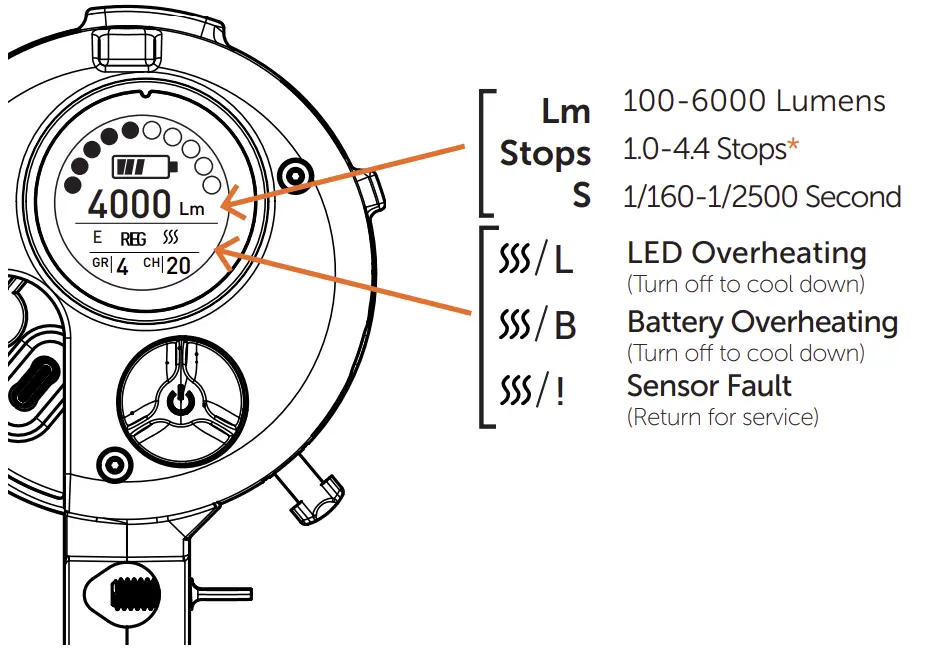
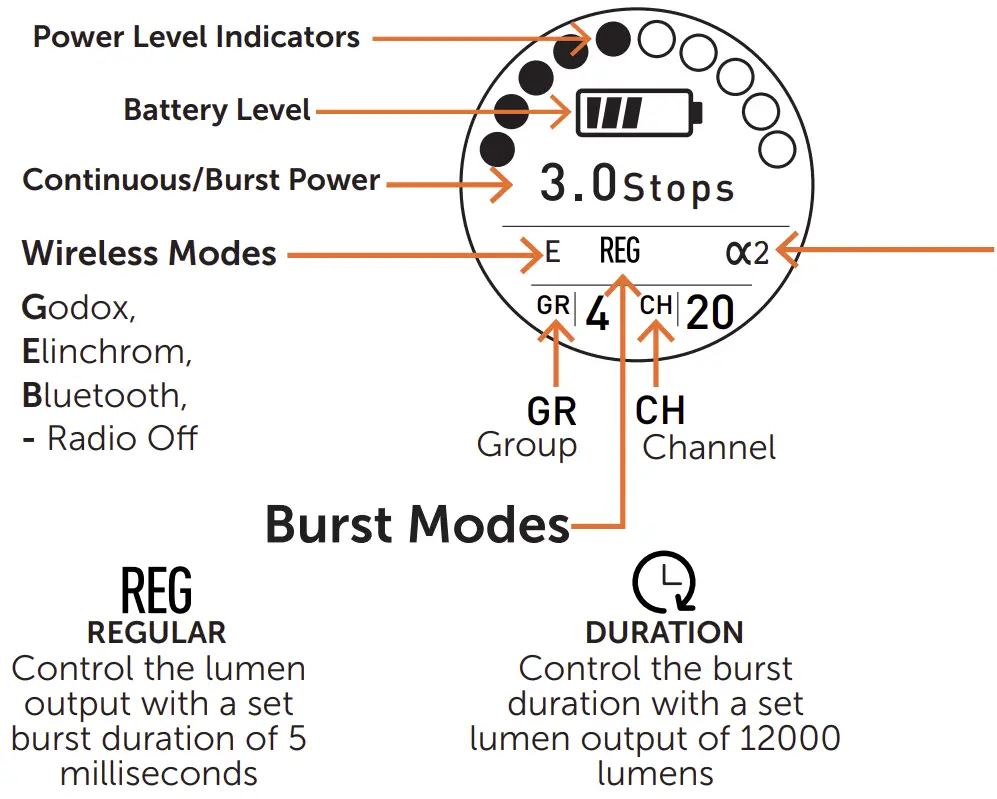
* With 100W Power Supply lumens to 9000 and Digital Burst to 5-stops
Burst Modes

Use this mode to:
- Shoot at any shutter speed (including HSS)
- Freeze action with the shutter
- Maximize amount of light on subject

Use this mode to:
- Shoot at the camera’s X-Sync shutter speed or longer (no HSS)
- Freeze action with light
- In low light situations
**Duration Mode only available on the Reflex S
***18000 Lumens when using 100W USB-C PD
∝Link Mode
Only exact at shutter speeds faster than 1/200
Optimize your settings in constant mode and, with Link set to ∝1, Digital Burst will duplicate Continuous Power level.
Preset your camera to anticipate one more stop of light by underexposing one stop of light.
Section 7 CHANGING LIGHT SETTINGS
Enter and exit the menu by pressing the control dial for 2 sec
Menu selection: Short press to advance through sub-menus
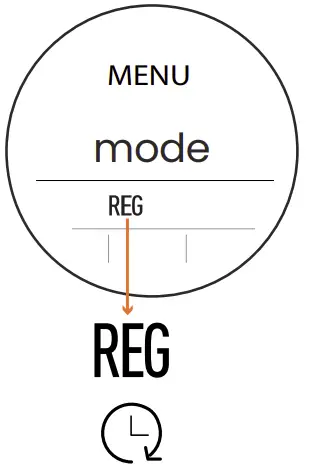 | Burst Mode – Rotate dial to select Burst Mode: Reg or Duration (Duration mode only available on Reflex S) |
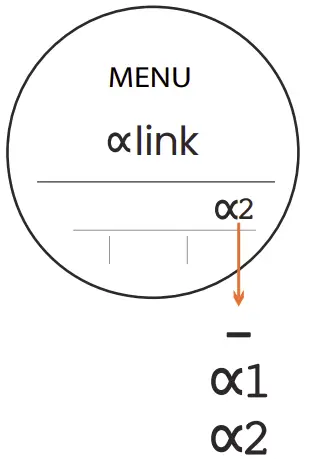 | Proportional (∝)Link – Rotate dial to cycle through link modes. When active Reflex will strobe n times brighter than current continuous light. |
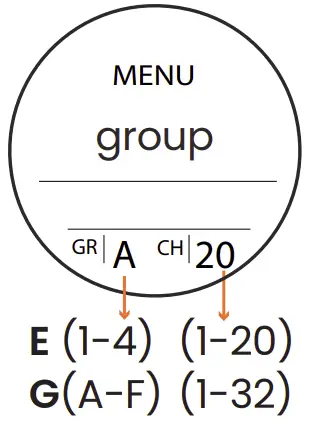 | Group & Channel – Rotate dial to select group and channel |
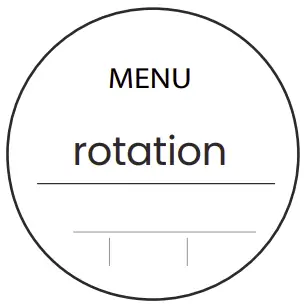 | Rotation – Rotate dial to change display orientation (4 directions) – for mounting Reflex horizontal or upside down. |
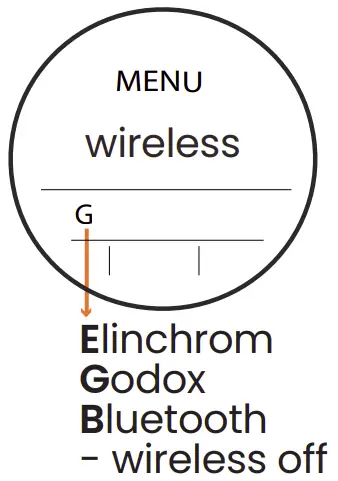 | Wireless – Rotate dial to select transmitter type (Elinchrom, Godox, Bluetooth, Wireless OFF) Set Wireless mode to Bluetooth to perform firmware updates. |
Section 8 UPDATING REFLEX FIRMWARE
- Download the StellaPro Imaging Control Application
- Set Reflex Wireless Mode to Bluetooth
- Exit Reflex Menu
- Scan for devices in App
- Connect To Device
- Enter Serial Number
- Initiate Firmware Update
Section 9 HOW TO USE REFLEX
There are 3 distinct mode; Continuous, Burst, and Continuous interrupted by Burst upon triggering
- Continuous
• Rotate dial to desired power output in lumens.
• Your trigger may also allow remote adjustment of continuous power.
• Maximum power from the battery handle is 6000 lumens.
• Maximum power from a 100W USB-C source is 9000 lumens. - Digital Burst
• When set to REG, rotate the dial to set burst power.
Maximum burst power is 1 stop more light than maximum continuous mode.
• In Duration mode , rotate the dial to set duration from 0.4ms (1/2500 sec) to 6ms (1/160th sec).
 - Continuous light that Bursts upon triggering
• Sync Reflex with trigger (same as Digital Burst Mode)
• Set Constantlight (using dial or trigger)
• Set Burst power with trigger. Trigger signal will cause the light to deliver Burst power.
• Set your exposure to -1 when link is set to ∝2. When shutter opens Reflex will deliver extra stop of light.
 , rotate the dial to set duration from 0.4ms (1/2500 sec) to 6ms (1/160th sec).
Battery Runtime
Continuous
Full Power: 30 minutes
Low Power: 600 minutes
Digital Burst
15,000 full power Digital Bursts
Charge Time: 2 hours*
* With a minimum 45W USB-C Charger
Reflex Battery Handle 60W
Continuous: 100-6000 lumens
Digital Burst: 1125-12000 lumens
External USB-C PD 100W**
Continuous: 100-9000 lumens
Digital Burst: 1125-18000 lumens
** Not Included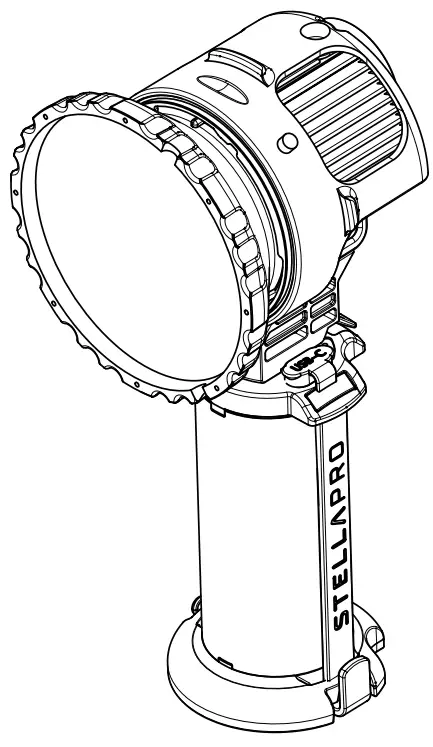
For Travel
To turn off Battery, unplug from light.
Have at least 30% Battery when in storage
Fully charge battery before first use
Charge your battery for 6 hours before first use. Periodically, check the charge of the battery during storage.
Fully charge your battery before use. The battery has internal protections that ensure the battery is safely maintained regardless of charge state.
Temperature Warning:
While in full power continuous mode use the battery may get noticably warm. This is normal. Should the temperature increase beyond safe levels the overheat symbol will appear and operation will pause until battery cools down.
| Direct Mount Accessories | |
| Spot Optic 12º | 805-0372 |
| Medium Optic 24º | 805-0373 |
| Medium Wide Optic 36º | 805-0406 |
| Flat Port Cover | 800-0340 |
| Dome Diffuser | 800-0335 |
| 50º Optic | 800-0337 |
| Speedrings | |
| Chimera | 800-0382 |
| Profoto | 800-0400 |
| Bowens | 800-0371 |
| Mounts | |
| Pro Light Stand Mount | 800-0381 |
| Bar Mount | 800-0401 |
| Other Accessories | |
| Barn Door/Gel holder | 800-0383 |
| 3 CTO Set (Full, 1/2, 1/4) -82mm Glass | 800-0385 |
| Remote Control | 800-0325 |
| 1/4-20 Mount Base Reciever | 800-0402 |
| Cold Shoe Mount Kit | 800-0403 |
| Power Supplies | |
| 100W USB-C AC Power Supply | 552-9614 |
Wireless Connectivity
Menu options allow you to choose between Godox and
Elinchrom wireless protocols. Transmitters supported with limited capabilities.
| Elinchrom | Godox | |
| Burst Power Control | Yes | Yes |
| Continuous Power Control | Yes | No |
| Continuous (on/off) | Yes | Yes |
| Camera Trigger | Yes | Yes |
Plug in any 3.5mm receiver to the sync port to operate with external receivers
OPERATIONS SPECIFICATIONS
 | Reflex auto fan operation Integrated variable speed fan automatically turns on when light output exceeds 4000 lumens. Low Speed (4100-6000), High Speed (6100- 9000). |
 | Operating from external power Reflex will deliver 9000 lumens (18,000 lumens in burst) when connected to 100W or greater external power source. |
Download StellaPro Imaging Control (iOS & Android)
 |  |
Registering for a StellaPro Account
Register for a StellaPro account to get access to the latest firmware updates along with tips and tricks from our Ambassadors and community members.
Firmware update
Please make sure to update your Reflex to the latest firmware to ensure the Reflex is operating to it’s full capabilities. Update performed from the StellaPro
Imaging Control app (iOS) Make sure to exit menu to discover Reflex device.
Warranty
StellaPro products are covered against defects in workmanship and materials under normal use and service for 2 years from the date of purchase. Please register your device (Reflex only) to activate warranty coverage. Batteries, by nature of their use, are covered for 180 days.
Warranty is non-transferable and does not cover failures from misuse. We will repair or replace, at our discretion, any product that is found to be defective under our warranty policy. Verification of purchase date must be provided with any claim.
Storage & Travel
Never store the batteries fully discharged as this may cause permanent damage. Unplug from battery when trveling.
Regulatory Information
Light & Motion Industries, 711 Neeson Road, Marina, CA, USA
General Performance with given USB-C Supply Power Rating
| USB-C Power Supply | <= 15W | 25W | 45W | 65W | 100W |
| Reflex Lighthead | Not Recom- mended | Not Recom- mended | 4,000 Lumens, Burst 8000 Lumens | 6,000 Lumens, Burst 12,000 Lumens | 9,000 Lumens, Burst 18,000 Lumens |
| Reflex 38Wh Bat- tery | 6-10Hr charge time | 4Hr charege time | 2Hr charge time | 2Hr charge time | 2Hr charge time |
Reflex Mounting Options
Professional Light Stand 800-0381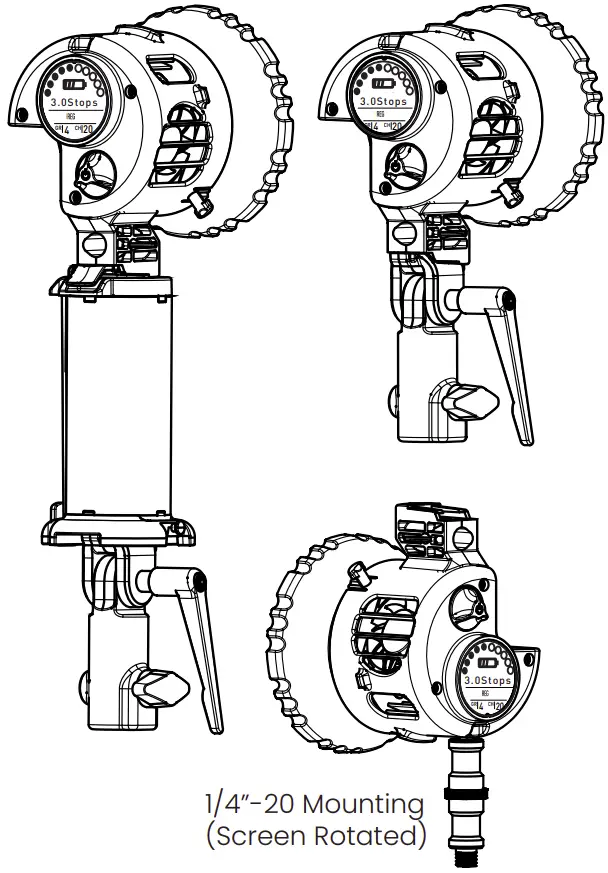
Speedring Mount
Mount softboxes for Chimera, Profoto, Bowens using a StellaPro Speedring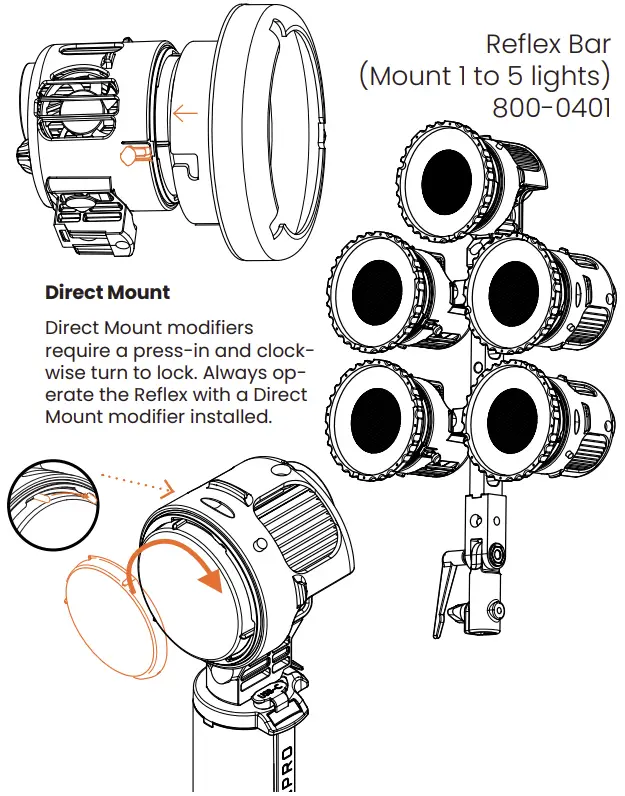
#FlexYourReflex
 @stellaprolights
Contact [email protected] for support.

 stellaprolights.com